Losing the iPhone paired to your Apple Watch can turn a simple reset into a weird little tech trap very fast.
You may have sold the phone, switched to Android, or given the watch away before removing it properly from your account.
That is why people search how to unpair Apple Watch without phone when Activation Lock or missing data suddenly becomes a problem.
I will explain how to reset an Apple Watch without an iPhone, remove it from iCloud, and protect the data you can still access. You will also see what to do with various things to remember, even if months pass by.
Before erasing anything, let us sort the setup first so the watch does not stay locked after the reset later.
What You Need Before You Start?
Before anything else, charge the watch to at least 50%. Apple requires this to complete a reset or unpairing process, and if the watch dies mid-process, it can get stuck on the unpairing screen.
That is a headache worth avoiding. You will also want to identify your Apple Watch model if you are unsure which one you have, since some steps look slightly different across older and newer watchOS versions.
There is one more thing worth clarifying before going further.
“Erasing” and “unpairing” are not the same thing, and this is where most people get tripped up. Erasing the watch wipes the data off the device.
Unpairing does that and removes the watch from your Apple ID, which disables Activation Lock.
If you only erase, the watch is technically clean, but the next person who tries to set it up will hit a locked screen asking for your Apple ID and password.
So knowing which outcome you need before you start saves a lot of back-and-forth.
How to Unpair Apple Watch without Your Phone?
There are two methods here, and which one you need depends on what you still have access to.
If you have lost the paired iPhone completely, start with the on-watch reset, then finish with the iCloud removal to clear Activation Lock.
1. Reset Directly on the Watch
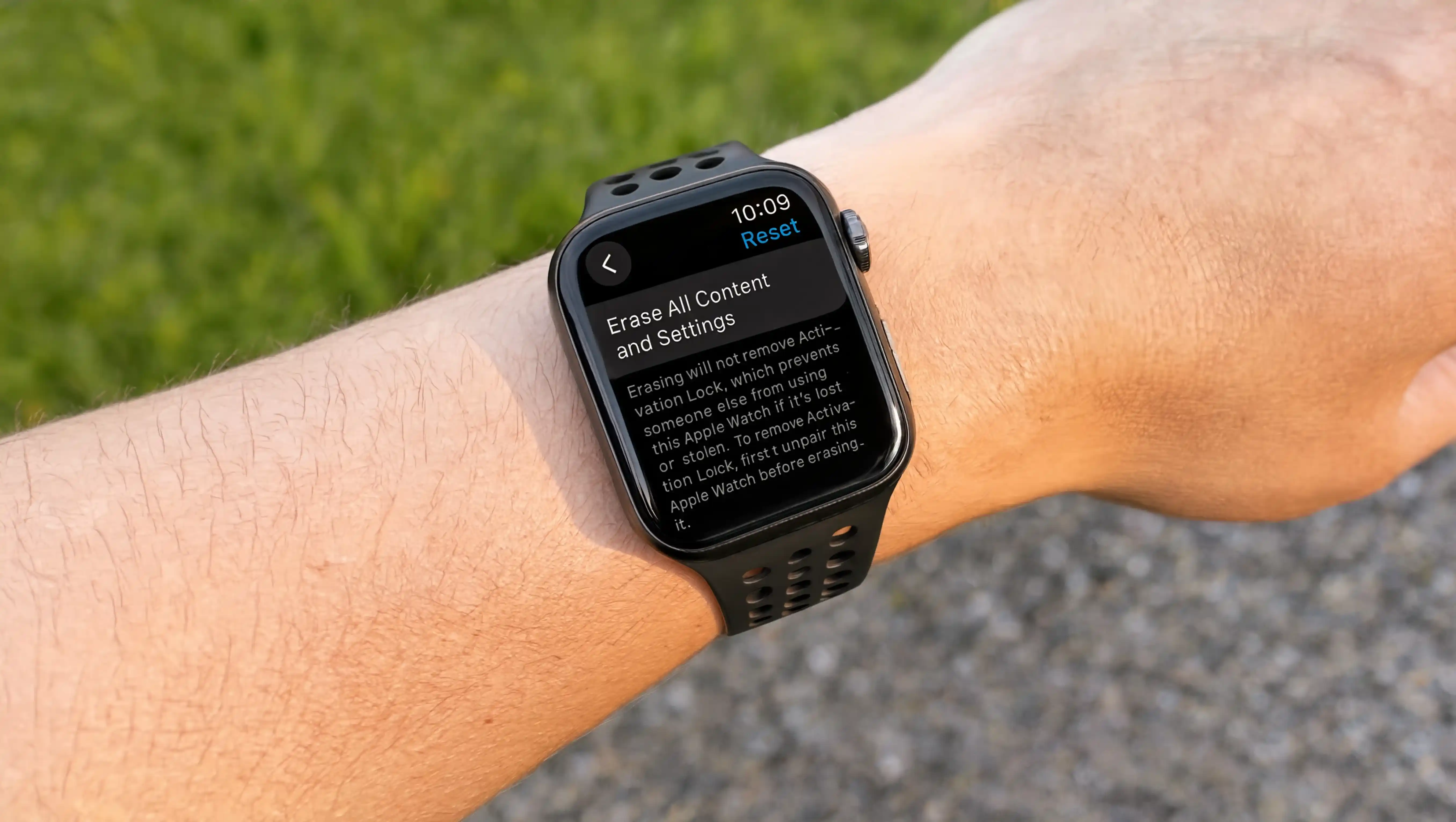
This is the Apple’s recommended method. Open the Settings app on your Apple Watch. Tap General, then scroll down and tap Reset. Select “Erase All Content” and Settings. If you have a passcode set, it will ask you to enter it here.
For cellular models, the watch will ask whether you want to keep or remove the cellular plan.
If you are selling or giving the watch away, remove the plan, then contact your carrier to cancel the subscription separately since the watch cannot do that part for you.
Tap Erase All to confirm, and the watch will restart clean.
Important: This does not remove Activation Lock. The watch is wiped, but it is still linked to your Apple ID.
Anyone who tries to pair it will get a prompt asking for your credentials. You need to follow the next method to finish the job.
2. Remove via iCloud Online Using a Computer
Open a browser on any computer or phone (it does not have to be an Apple device). Go to iCloud.com and sign in with your Apple ID. From the Quick Access menu in the top right corner, open Find My.
Find your Apple Watch in the All Devices list and click it. Select Erase, click through the next prompts, then click Remove once the erase is confirmed.
This removes the watch from your Apple ID entirely and clears Activation Lock. The new owner can now set it up from scratch.
One catch here: iCloud uses two-factor authentication, which means it will send a verification code to your trusted device or phone number.
If your only trusted device was the iPhone you no longer have, you are going to hit a wall. That is exactly what next method will help you with.
3. What to Do if Two-Factor Authentication is Blocking You
This is the scenario nobody talks about. Your iPhone is gone, your Apple Watch is the only Apple device you have left, and iCloud is asking for a 2FA code it can only send to the phone you no longer own.
Here is what actually works. First, try the trusted phone number route.
When the 2FA prompt appears on iCloud online, look for the option that says “Didn’t get a code?” and switch to a text message sent to a verified phone number on your account instead.
If that number is still yours, you are sorted. If not, the next step is to recover the account at iforgot.apple.com.
Apple’s account recovery process can take several days, but it is the legitimate path to regaining access without a trusted device.
Alternatively, bring the watch and your original proof of purchase to an Apple Store.
The Genius Bar can help verify ownership and escalate an unlock request directly to Apple Support, bypassing the self-service path entirely.
Note: This is for informational purposes only. For account recovery issues involving billing, fraud, or a disputed sale, contact Apple Support directly rather than relying solely on the self-service steps above.
What Data Do You Lose when You Unpair without a Phone?
This part matters more than people expect. When you use the iPhone Watch app to unpair, your iPhone first creates a full backup of the watch, covering app settings, watch face setups, Health and Fitness history, and installed apps.
Skip the iPhone and go straight to an on-watch reset, and that backup never happens.
Here is a breakdown of what you lose in that case.
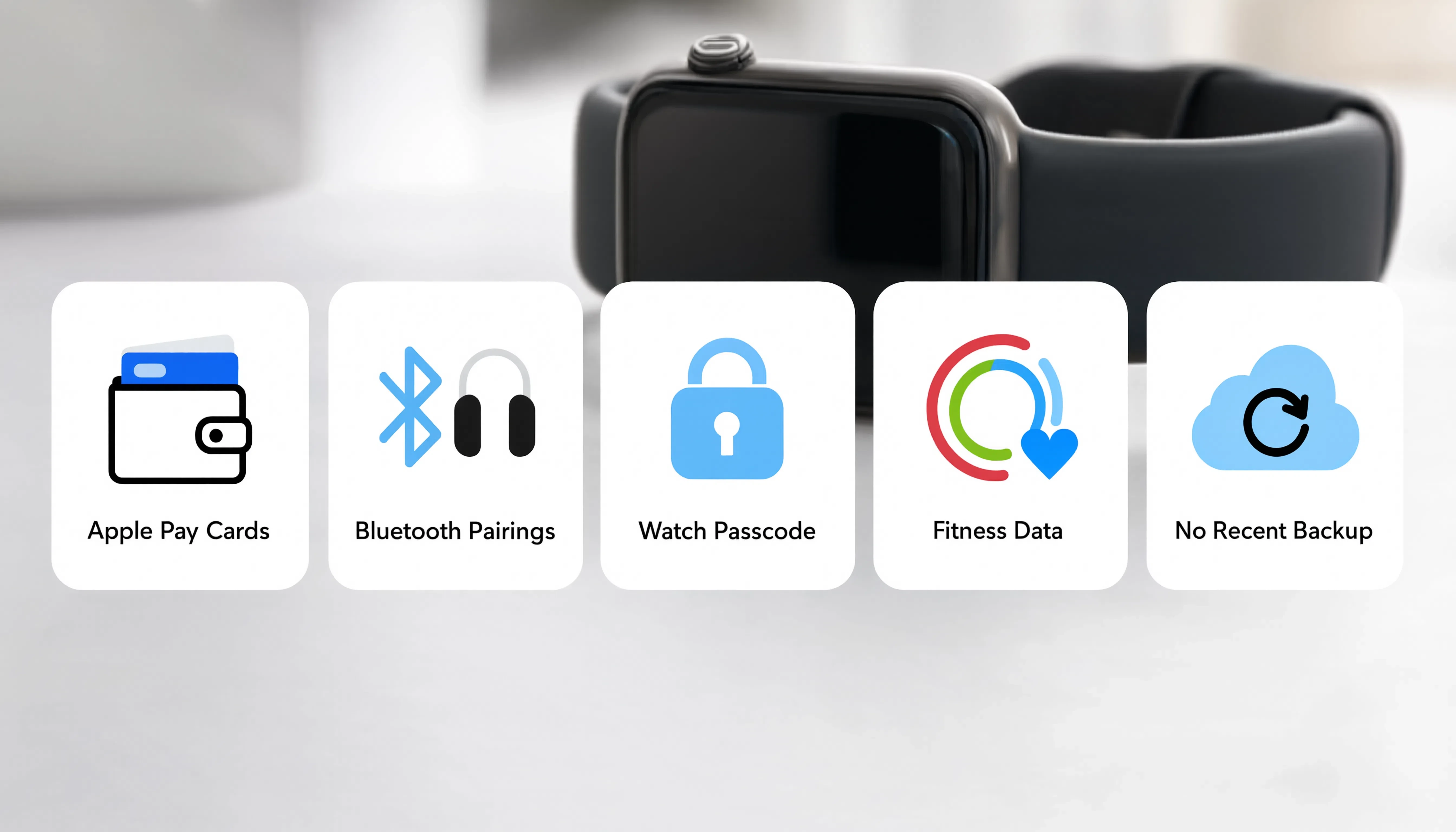
- Apple Pay cards: All cards stored on the watch are removed and cannot be recovered from any backup. You will need to add them manually to your new device again.
- Bluetooth pairings: Any Bluetooth accessories paired directly to the watch, like certain headphones or gym equipment, will need to be re-paired.
- Watch passcode: The passcode is not backed up to the iPhone at all, so this is always lost in any unpair scenario.
- Fitness data since last sync: This is the one most fitness users do not realize. Health and activity history that has already synced to your iPhone is safe and stored there.
But any workouts or activity rings logged since the last time your watch was near your iPhone and synced will be gone.
Apple confirms on its Apple Watch backup support page that data not yet synced cannot be recovered after an erase.
If you can borrow any iPhone at all, even for a few minutes, pair the watch to it before resetting. I have done this myself after a phone swap, and it forces a sync that saves your most recent fitness data.
It is a small step most people skip, and you feel it the moment a week of workout history never makes it over.
What Do Apple Watch Users Say on Reddit?
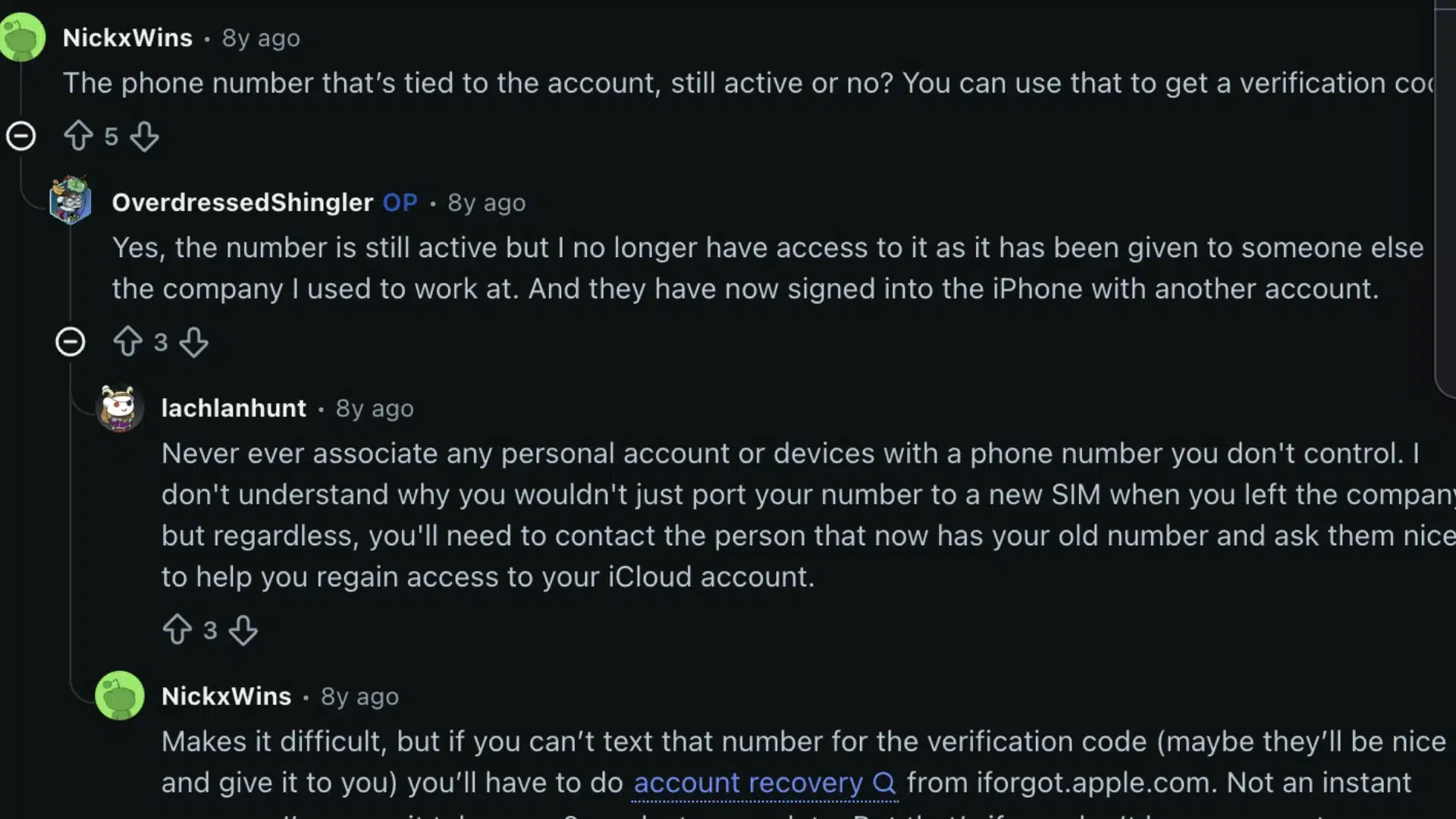
People who have gone through this exact situation have shared their experiences on the Reddit, and the thread is worth reading if you are stuck in a messier version of this problem.
The most upvoted fix in the thread came from a user who signed into iCloud.com, found the Apple Watch under All Devices, and clicked the X to remove it.
What made this tricky in their case was that 2FA was sending codes to the old work iPhone they no longer had.
The solution that worked: when the 2FA screen appeared, they clicked the option to use a trusted phone number instead of a device.
That number was their personal cell, which they still had, and the code came through fine.
Another user had switched from iPhone to Android and forgot to unpair first. They sold the watch at a second-hand store, then got a message from the buyer saying it was locked.
The fix was to log in to iCloud.com from a browser on their new Android phone, find the watch, and remove it from the account remotely. The buyer was able to set it up a few hours later.
The community was pretty clear on this one. Resetting from the watch settings alone never removes Activation Lock. You always need the iCloud step on top of it.
Troubleshooting Common Unpair Problems
A few things can go wrong during this process, and most of them have quick fixes. Here is what to check if something is not working the way it should.
- Watch stuck on the unpairing spinner: This usually means the watch lost connection or the battery dropped during the process. Put it on the charger, wait for it to restart, and try again from the beginning.
- Activation Lock is still showing after iCloud removal: Give it a few minutes before testing. The lock sometimes takes time to clear on the device side after it is removed from iCloud.
- Watch will not accept the erase command: If the watch has a passcode and you do not remember it, the on-device reset path will not work. You will need to use the iCloud.com method instead to erase it remotely.
- Carrier still showing the cellular plan as active: Removing the plan from the watch settings notifies the carrier, but some carriers do not process the cancellation automatically. Call your carrier directly after the unpair to confirm the plan is canceled and that you will not be billed.
- iCloud sync issues during the process: If iCloud is acting up at any point, the iCloud sync troubleshooting guide covers the most common reasons it pauses and how to fix them quickly.
Conclusion
Unpairing an Apple Watch without a phone is doable, but there is the right order to follow. Reset the watch from its own settings first, then remove it from iCloud to clear Activation Lock.
Skipping the second step is the mistake that gets most people stuck, and the one the new owner ends up dealing with.
If two-factor authentication is blocking your iCloud access, the trusted phone number option or Apple’s account recovery process at iforgot.apple.com are your two real paths forward.
And if you can get access to any iPhone before resetting, a quick sync will save your fitness data and skip a lot of frustration.
Got a specific situation that did not fit cleanly into any of the above? Drop it in the comments and share what ended up working for you.
Frequently Asked Questions
Does Unpairing an Apple Watch Delete It from iCloud Entirely?
Yes. Once you fully unpair through the iPhone app or remove it via iCloud.com’s Find My section, the watch is removed from your Apple ID and disappears from your device list, and Activation Lock is cleared.
A simple on-watch reset does not remove this link, so the watch stays linked to your account even after the data is wiped.
Can I Unpair a Second-Hand Apple Watch I Just Bought?
Only the original owner can remove Activation Lock. If the seller did not unpair before handing it over, ask them to log into iCloud.com and remove the watch from their account remotely.
If they are unreachable, contact Apple Support with proof of purchase. Apple can sometimes verify ownership and manually clear the lock.
Will the New Owner’s Setup Be Affected If I Didn’t Remove Activation Lock?
Yes, they will hit a screen asking for your Apple ID and password every time they try to activate the watch. They cannot skip this step or bypass it through any normal means.
The watch is basically unusable for them until you either remove it from your iCloud account or they contact Apple Support with documentation.
Does the Apple Watch Need Wi-Fi to Complete the Unpairing Process?
For the on-watch reset, no internet connection is needed on the watch itself. For the iCloud.com removal method, you need an internet connection on the computer or device you use to access iCloud.
The watch does not need to be online or nearby for the iCloud removal to take effect.