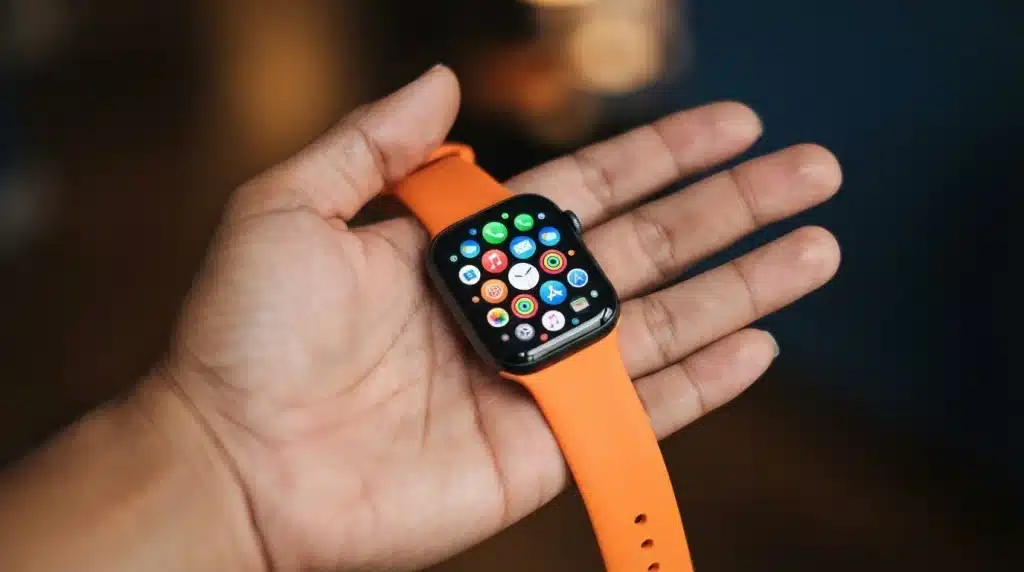
Most people wear their Apple Watch for steps and notifications and never think to play on it. That’s a shame, because it hides a whole little arcade.
There are plenty of fun games that fit right on that tiny screen, no phone needed: quick puzzles, arcade classics, and even story-driven games.
Some are free, some cost a little, and most work offline once installed. A few use the Digital Crown and gentle buzzes to feel more real, and you can start playing in seconds.
Read on for the best picks, which ones cost nothing, and the exact steps to get them on your wrist.
Can You Play Games on an Apple Watch?
Yes. Your Apple Watch runs its own small apps, and many of them are games built just for the watch. You install them right from the App Store on your wrist. They’re made for short bursts of play, so most rounds last a minute or two.
The best ones are designed around the watch itself: the touchscreen for taps, the Digital Crown for scrolling or aiming, and haptic buzzes for feedback. That makes them feel natural on a screen this small, and most work offline once installed.
You won’t find big console-style titles here. Think quick puzzles, arcade rounds, card games, and short stories you can pick up anytime.
If you’re still deciding which Apple Watch to buy, seeing how the Apple Watch Series 9 performs in everyday use can help you decide if it’s the right fit.
What Makes a Good Watch Game
Not every game works on a screen this size. Plenty of developers just shrink a phone game down and hope for the best, and it rarely holds up once you’re squinting at tiny buttons on your wrist. The ones that actually shine share four traits:
- Short: Rounds last seconds or minutes, so you can play and stop fast without losing your place or your patience.
- Simple: Controls stay easy, using taps and the Digital Crown instead of typing or fiddly menus.
- Tactile: The best games use haptic buzzes to make actions feel real, turning a tiny screen into something you can also feel.
- Offline: Good picks work without Wi-Fi or a paired iPhone nearby, so you can play on a flight, underground, or anywhere signal drops.
When a game ignores these, it usually feels cramped, fiddly, or like a phone app that was never meant to be here. Keep these four traits in mind while you browse, and you’ll skip the duds and land on games that actually feel good on your wrist.
Where to Find Apple Watch Games
Finding Apple Watch games is easier when you know where to look. Each source offers a different way to browse, compare, or download games based on your preferences.
| Source | What It Offers |
|---|---|
| Watch App Store | Browse and download games directly from your Apple Watch for quick access. |
| iPhone App Store | View larger screenshots, read reviews, compare features, and install compatible watch games. |
| Collection Apps | Apps like WristJoy, Arcadia, and WatchQ include multiple games in one download, making it easy to build a library quickly. |
| Gaming Websites | Read recommendations, reviews, and curated lists before downloading games from the App Store. |
Starting with a collection app is often the quickest way to try multiple Apple Watch games without searching for each one individually.
How to Download Games on Apple Watch
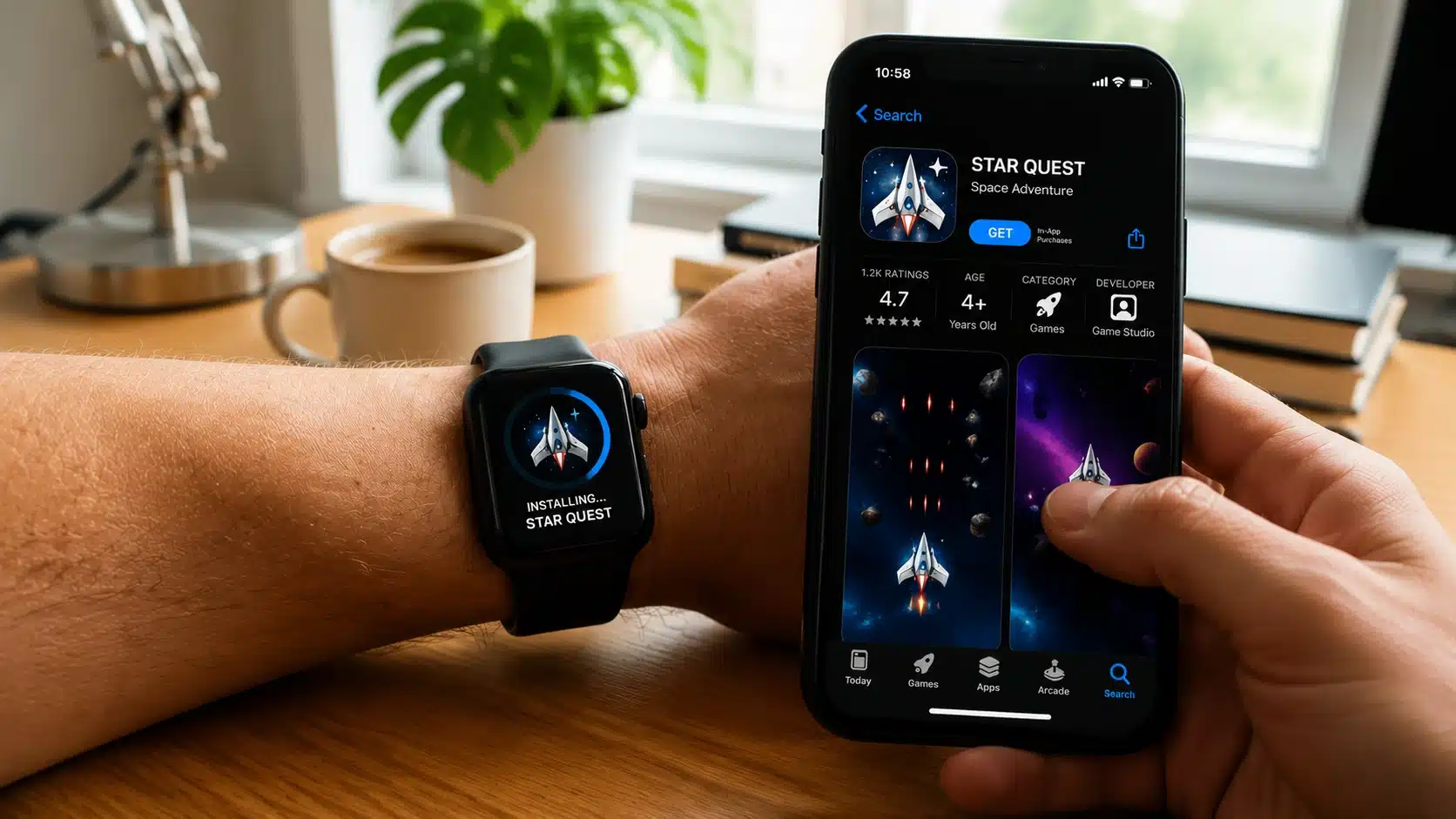
Installing a game takes only a few taps, and you can do it right on your wrist or from your paired iPhone. Apple lays out both routes in its own guide to downloading apps on Apple Watch, and the steps below match it.
On your watch:
- Press the Digital Crown to open your apps.
- Tap the App Store icon.
- Search for “games” or a game’s name.
- Tap Get or the price, then double-click the side button to confirm.
From your iPhone:
- Open the Watch app on your iPhone.
- Find the game in the App Store as usual.
- If it has a watch app, it installs to your wrist automatically and syncs on its own.
To remove a game you no longer play, press and hold it on the Home Screen until the icons jiggle, tap the delete button, then confirm. That’s the same process Apple describes for deleting apps from your Apple Watch. Clearing out old games keeps your watch tidy and frees up space for your next favorite.
Best Games for Apple Watch to Try
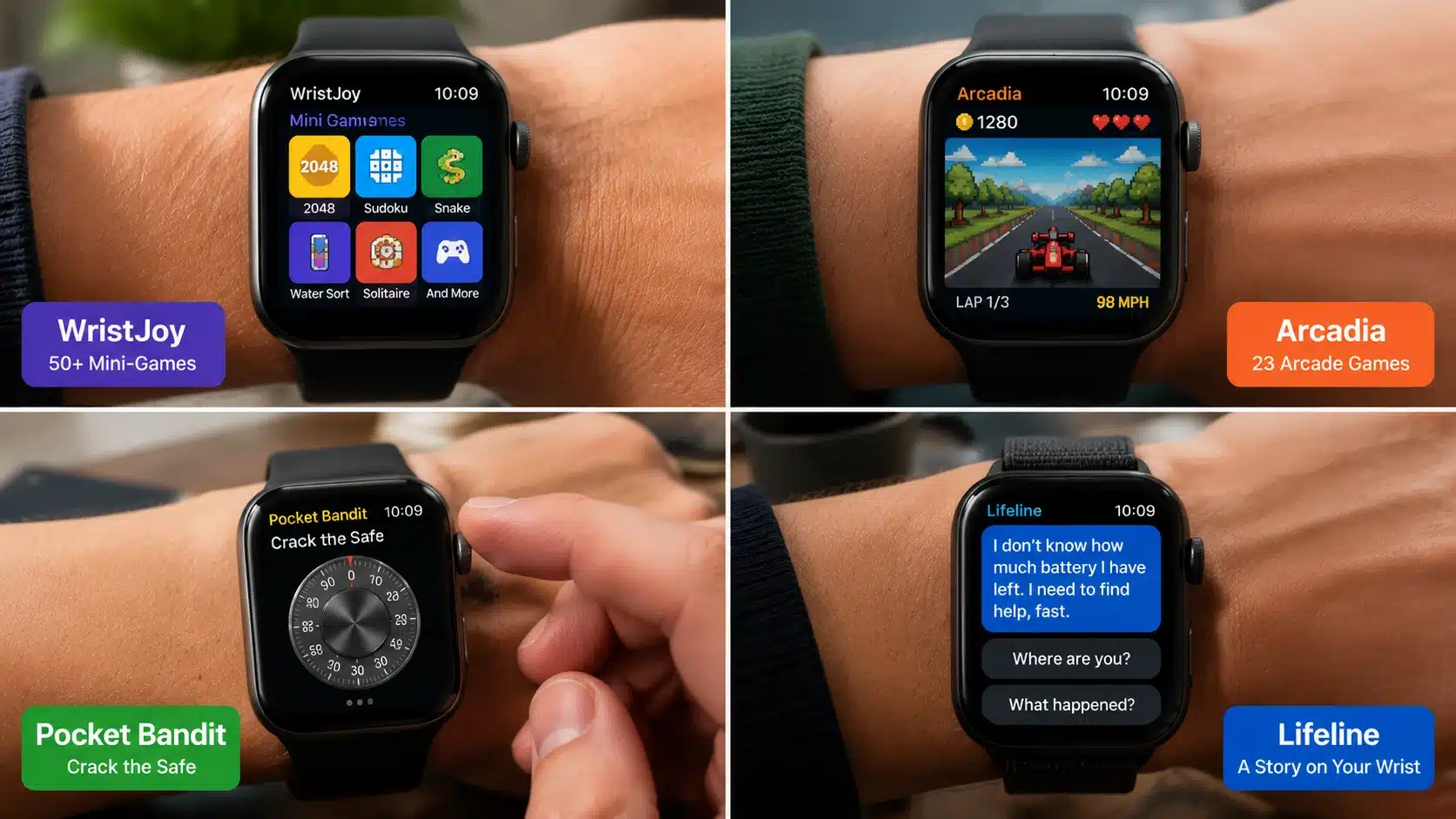
These are some of the best Apple Watch games available today, covering arcade, puzzle, and story genres. The list includes free and paid options for different budgets.
1. WristJoy: 50+ Offline Mini-Games
If you only install one game app, make it this one. There’s enough variety packed in here that boredom on your wrist stops being a real problem.
- Best for: Anyone who wants a whole arcade in one app instead of downloading titles one by one
- Type: Collection covering puzzle, arcade, board, and card styles, including Sudoku, Snake, 2048, Water Sort, and Solitaire
- Price: Free to start, with an optional VIP upgrade that opens the full library and removes limits
- Tip: Play through the free games first and only pay for VIP once you know you’ll actually keep coming back
WristJoy crams dozens of small games into a single install, each sized down and tuned specifically for the watch. New additions keep showing up too, so the library doesn’t stay static for long.
2. Arcadia: An Arcade in One App
The title most watch gamers bring up more than any other. It’s the one pick here you can recommend to a skeptic and expect them to come around.
- Best for: A single paid pick that just works, with no ads or nagging upsells to deal with
- Type: Collection of 23 mini-games spanning racing, bowling, snake, and other arcade classics
- Price: A small one-time purchase that covers the app in full, nothing gated behind a subscription
- Tip: One purchase also covers your iPhone, iPad, and Apple TV versions, with scores synced across devices over iCloud
Arcadia earns its reputation with tight controls and a polished retro look, and there’s nothing lurking behind a paywall once you’ve bought in. Expect a mix of racing, bowling, and classic-style rounds, all rebuilt from scratch for the small screen.
3. Pocket Bandit: Crack the Safe
A game you play by feel as much as by sight. It’s less about reflexes and more about paying attention to what your wrist is telling you.
- Best for: Anyone who wants to see the watch do something a phone genuinely can’t
- Type: Puzzle built entirely around the Digital Crown and haptic feedback
- Price: A one-time purchase, around $0.99, with no further in-app costs
- Tip: Leave haptics switched on, since the vibrations are the only way you’ll find the right combination
Pocket Bandit casts the Digital Crown as a lock dial, and each buzz nudges you closer to the right number before a timer runs out. It’s a small idea, but it’s built specifically around what this device can do that a phone can’t.
4. Lifeline: A Story on Your Wrist
The closest the watch gets to a page-turner. Nothing here rewards quick fingers, just patience and a willingness to read.
- Best for: Anyone who wants a story to follow rather than a score to chase
- Type: Interactive fiction told through real-time messages and notifications
- Price: A paid, one-time purchase, with several sequels available if you get hooked
- Tip: Turn on notifications so Taylor’s messages arrive live, which is how the game is meant to be played
Lifeline drops you into the role of lifeline for a stranded astronaut, deciding his next move each time a message pings through. The whole thing plays out in the background of your day, one choice at a time, rather than asking for a dedicated session.
If you’re unsure where to start, try WristJoy or Arcadia for variety, Pocket Bandit for gameplay, or Lifeline for a story-driven experience.
Best Free Games for Apple Watch
If you’d rather not pay up front, these picks all cost nothing to start. Most run on a freemium model, so you can play plenty for free and only pay if you want the full library or an ad-free experience. Here’s what “free” actually gets you with each:
- WatchQ: The free tier lets you sample games across its sports, puzzle, arcade, and card categories. A Pro subscription unlocks the complete library, so try the free games first and upgrade only if you keep coming back.
- Trivia Crack: The full quiz is free to play. You’ll see occasional ads and optional power-up purchases, and there’s a low-cost ad-free version if you play often.
- App Store search: Open the App Store on your watch, tap the Games section, and browse the free titles. Check each game’s watchOS requirement before downloading so it’ll actually run on your model.
A quick habit worth keeping: before you commit to any free game, glance at its App Store page for in-app purchases and subscriptions so nothing surprises you later.
Best Watch Games by Type
Choosing by genre is an easy way to land on the right pick. Match the kind of play you enjoy to a starting point below.
| Genre | Try this | Why it fits the watch |
|---|---|---|
| Puzzle | Pocket Bandit, or the Sudoku and 2048 games in WristJoy | Slow, thoughtful play suits a small screen and short sessions |
| Arcade | Arcadia and Arcadia Sports | Fast, colorful rounds designed around taps and the Digital Crown |
| Cards | Solitaire and card games bundled in WristJoy or WatchQ | Turn-based pace means no frantic tapping |
| Trivia | Trivia Crack | Quick multiple-choice questions you can answer in seconds |
| Story | Lifeline | Text and notifications, no reflexes or tiny targets needed |
Whatever genre you land on, the same rule holds: pick one, play it in short bursts, and swap it out if it stops feeling fun. There’s no shame in trying two or three before one sticks, since most of these cost little to nothing and take seconds to remove if they’re not for you.
What Apple Watch gamers say
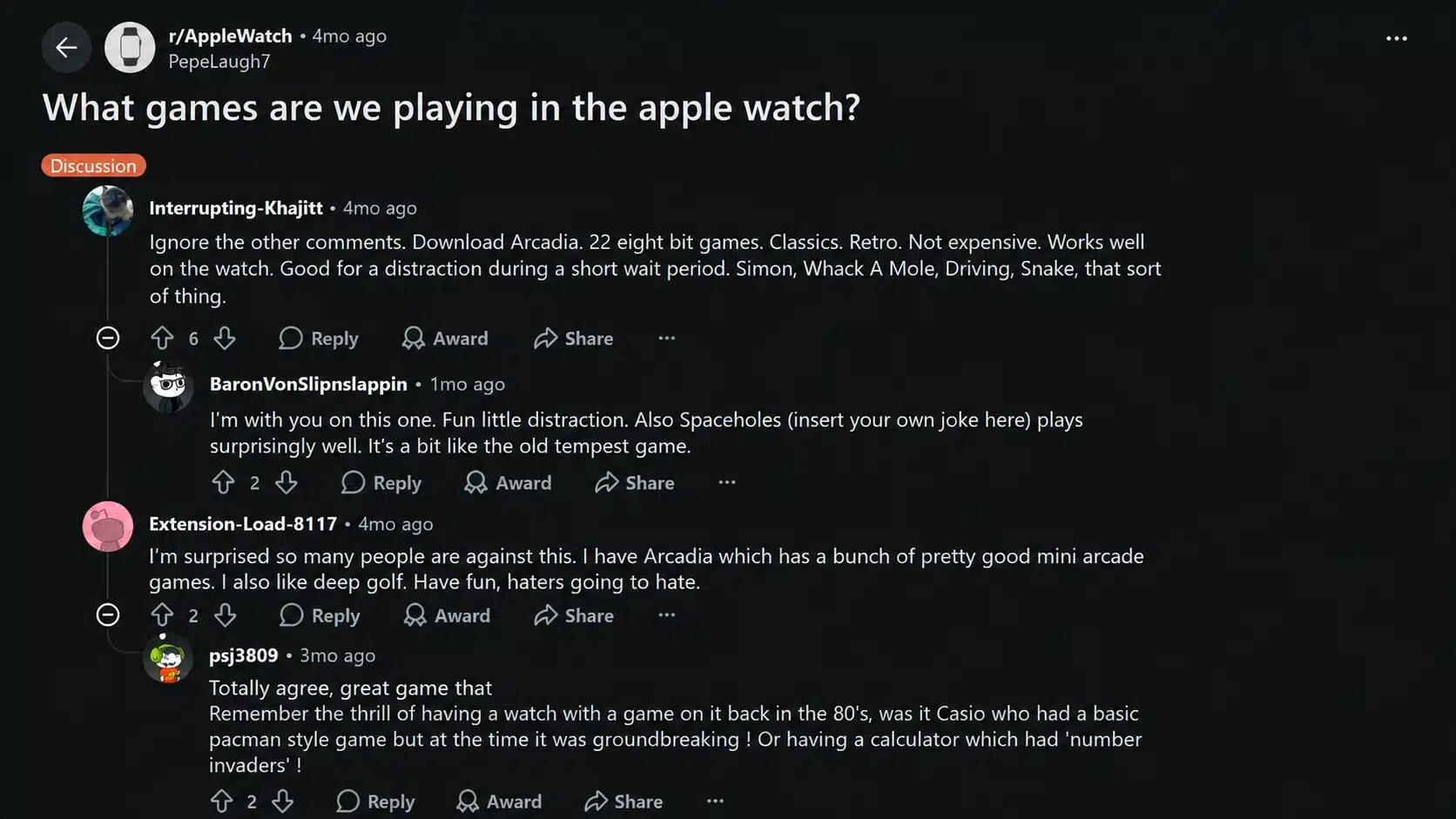
Opinion is genuinely split. In a thread asking what games people play, many replies were dismissive, with plenty of users answering “none,” and a few joking that closing the activity rings or clearing notifications is the only game they play.
Among those who do play, though, one title ran away with the thread: Arcadia, praised as a cheap, retro 8-bit collection worth downloading, with one commenter telling skeptics to ignore the naysayers and just try it.
A few smaller titles like Spaceholes and Space Impact also got a mention from happy players.
The takeaway lines up with the table above: start with a well-made collection like Arcadia, keep sessions short, and don’t expect a shrunken games console.
Those planning to upgrade soon may also want to look at the expected Apple Watch Series 11 features before deciding which model to buy.
Tips for the Best Gaming Experience
Once you’ve picked a game or two, a few small habits make the difference between a smooth wrist-gaming setup and one that annoys you within a week.
- Battery: Games use more power, so play when you have charge to spare.
- Haptics: Keep haptics on for games like Pocket Bandit that rely on feel.
- Storage: Delete games you don’t play to keep your watch running well.
- Updates: Keep watchOS current, so newer games install and run properly.
- Sessions: Short bursts are ideal, since long play drains the battery fast.
None of these take more than a minute to set up, and together they keep your watch feeling snappy instead of sluggish.
Common Mistakes to Avoid
A few habits trip people up more than any single game does, and most of them have nothing to do with picking the wrong title. They’re small setup or spending decisions that quietly ruin the experience before it even gets going. Watch out for these:
| Mistake | Why it hurts | Do this instead |
|---|---|---|
| Buying before checking compatibility | Older titles like Pocket Bandit haven’t been updated in a while | Confirm the watchOS requirement on the App Store page before you pay |
| Ignoring in-app purchases | Free collections like WristJoy and WatchQ gate a lot behind VIP or Pro | Check what’s actually included before assuming you have full access |
| Turning haptics off to save battery | For tactile games like Pocket Bandit, haptics are the whole mechanic | Leave haptics on for games that rely on feel |
| Letting old games pile up | Unused apps quietly eat storage and clutter your Home Screen | Clear out anything you haven’t touched in a while |
| Expecting phone-sized games | Watch games are built to be short and simple by design | Go in expecting quick, bite-sized sessions, not a console experience |
Skip these and the rest of your wrist-gaming setup should stay trouble-free. Most of them take thirty seconds to fix once you know to look for them, and doing so up front saves you from wasted downloads, wasted battery, and a cluttered watch face down the line.
Your Wrist Deserves Better Than Idle Time
That “spare 90 seconds in line at the coffee shop” moment? Your watch can fill it now. The best Apple Watch games keep things simple, quick, and fun: a fast arcade round, a tricky puzzle, or an unfolding story.
Collections like WristJoy and Arcadia pack dozens of options into one app, while Lifeline offers something more immersive.
Most cost nothing to try, and installing one takes just a few taps from the Watch App Store. So stop leaving that screen dark between notifications.
Pick a couple that match your mood, download them today, and see which ones you keep coming back to.
Frequently Asked Questions
Can I Play iPhone Games on My Apple Watch?
Not usually. Most iPhone games don’t run on the watch’s smaller screen. You need titles actually built for watchOS, like WristJoy or Arcadia, available from the Watch App Store.
Do Apple Watch Games Work without an iPhone?
Many do. Standalone games like Pocket Bandit and Lifeline run on their own once installed. A few older or lighter titles still need your paired iPhone nearby.
Can You Play Multiplayer Games on Apple Watch?
Rarely for live, real-time play. Most watch games are single-player and score-based, though some use Game Center leaderboards, so you’re competing against other players’ scores rather than playing head-to-head.
Do Apple Watch Games Come with Ads?
Some do. Free games often show ads or charge a small fee to remove them entirely. Paid, one-time-purchase titles like Arcadia usually skip ads altogether.