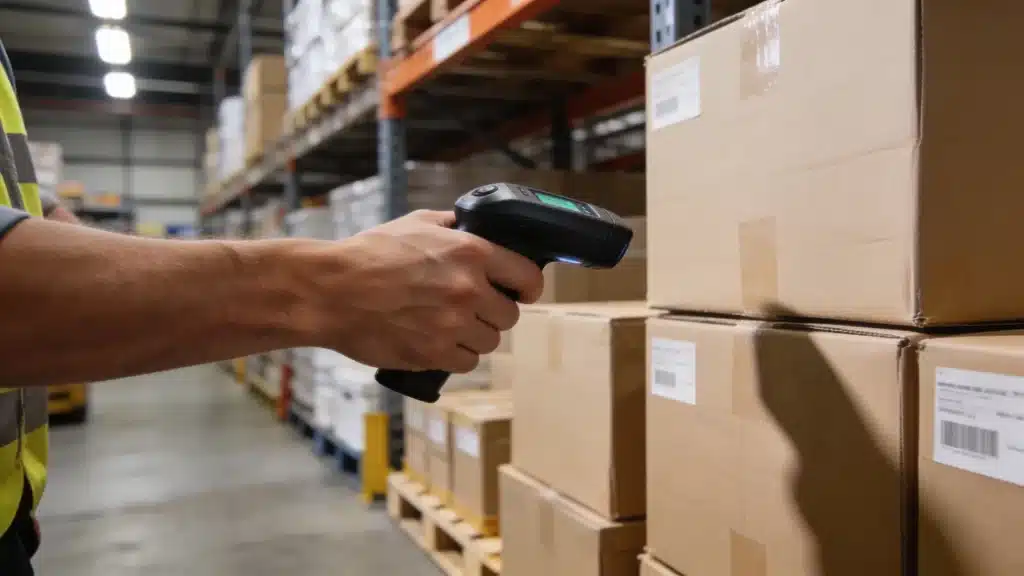
Wrong stock counts can quietly drain money before your team even knows there is a real problem in the warehouse.
RFID inventory management helps you track items faster, improve inventory accuracy, and reduce mistakes caused by manual counts.
It uses RFID tags, readers, and software to update stock records without scanning every item one by one. If you run a busy warehouse, this can save time, lower labor costs, and make stock data easier to trust.
I will be telling you about RFID inventory systems, costs, benefits, challenges, setup steps, and where this technology works best.
Before choosing any tool, let us first understand what RFID means and how it works in inventory management.
What is RFID and How Does It Work in Inventory Management?
RFID stands for Radio Frequency Identification. Each item in your inventory gets a small tag with a microchip and antenna built in.
When an RFID reader sends out a radio signal, nearby tags pick it up and send back their stored data. That data goes straight to your inventory software, updating records without anyone manually scanning anything.
The reader does not need a clear line of sight to the tag, which is a big deal in a messy, fast-moving warehouse environment.
You can read hundreds of tags at once from a distance of up to 30 feet with passive UHF systems. Your software then matches that data to purchase orders, stock counts, and location records in real time.
RFID Frequency Types
Not all RFID systems operate on the same frequency, and the difference affects what you can track and how far away the reader needs to be.
- Low Frequency (LF): Best in environments with high metal or liquid content. Short read range, but reliable through interference. Common in animal tracking and access control.
- High Frequency (HF): Good for item-level tracking in retail and libraries. Read range up to about 3 feet. NFC technology runs on HF.
- Ultra High Frequency (UHF): The standard for warehouse and supply chain use. Reads hundreds of tags per second from up to 30 feet. Most enterprise RFID deployments run on UHF.
Passive vs. Active RFID Tags
Not all RFID tags work the same way. The type you pick depends on what you are tracking and how far away your readers need to be. Here is a quick breakdown of both.
| Feature | Passive RFID tags | Active RFID tags |
|---|---|---|
| Power source | Powered by the reader’s signal | Has its own battery |
| Cost per tag | $0.05 to $0.50 | $5 to $15 |
| Read range | Up to 30 feet (UHF) | Up to 300+ feet |
| Best use case | High-volume stock, pallets, retail items | Heavy equipment, vehicles, high-value assets |
| Battery life | None needed | 3 to 5 years average |
| Durability | Good for standard environments | Built for harsh or outdoor conditions |
Key Benefits of RFID Inventory Management
Most operations teams start looking at RFID because counting stock is eating up too much labor, and the numbers still come out wrong.
Here is what you actually get when the system is running well, backed by research from the National Retail Federation and real deployment data.
- Inventory accuracy from 63% to 95%+: The Auburn University RFID Lab found that traditional barcode and manual methods average 63% inventory accuracy. RFID pushes that number to 95%, which directly reduces stockouts and overstock write-offs.
- Faster cycle counts: RFID readers process hundreds of tags per second. A count that took a team 8 hours with barcodes can take 30 minutes with a handheld RFID reader, according to implementation data from fulfil.io.
- Lower labor costs: Labor accounts for 50-80% of distribution center operating costs. Automating scanning and counting frees staff to focus on higher-value work rather than walking the aisles with a barcode gun.
- Real-time stock visibility: You see live stock levels and item locations across your facility at any moment. No more waiting for end-of-day counts or guessing what is actually on the shelf.
- Theft and loss detection: RFID inventory systems instantly detect when tagged items move unexpectedly. If products leave a designated zone without authorization, the system flags it immediately.
- Returnable asset tracking: For companies running pallets, containers, or reusable equipment, RFID tracks check-in and check-out automatically. This cuts losses and makes asset recovery a lot simpler.
- Direct ERP and WMS integration: RFID data feeds straight into your warehouse management or ERP platform, cutting double-entry and reconciliation errors out of the daily workflow entirely.
How Does RFID Inventory Management Work in a Warehouse?
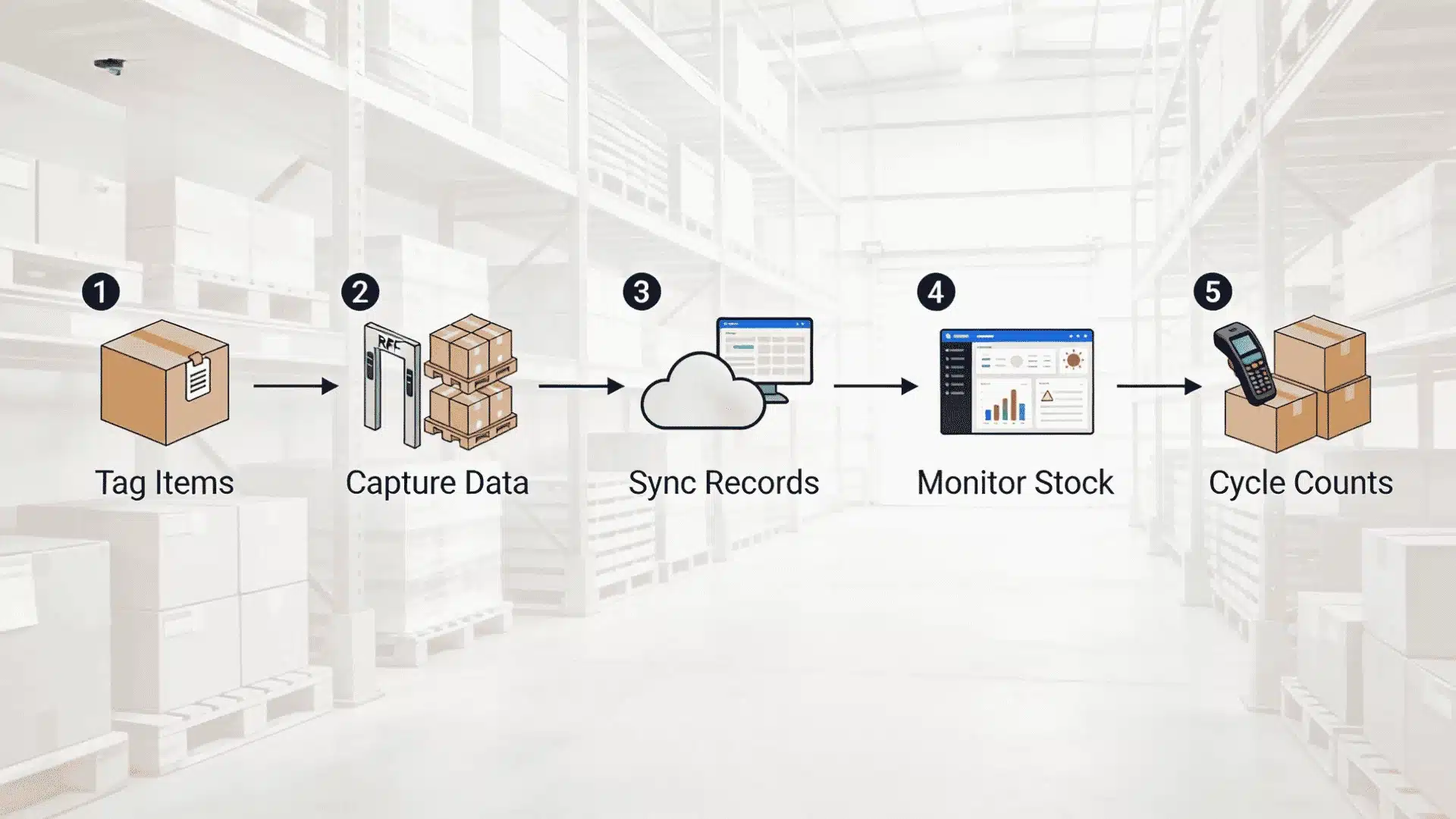
The day-to-day flow is simpler than the technical specs suggest. Here is how a standard RFID-enabled warehouse moves inventory from receiving to shipping.
Step 1: Tag Items at Intake
Every product, pallet, or container gets an RFID tag before or during receiving. Tags are either applied at the manufacturer before shipment or printed and encoded on-site using an RFID printer.
Each tag stores a unique product ID along with batch number, quantity, and any other data your system needs.
Step 2: Readers Capture Data at Checkpoints
Fixed RFID readers are installed at key spots like dock doors, storage zone entries, and picking lanes. As tagged items move through these points, readers pick up the signals automatically.
No staff member needs to scan anything. Every movement is recorded as it happens.
Step 3: Data Syncs to Your WMS in Real Time
All captured data is transmitted instantly to your warehouse management system or ERP. Stock levels update, locations log, and any discrepancies flag right away.
If something arrives at the wrong zone or a quantity is off, you see it immediately instead of finding out during a manual audit three weeks later.
Step 4: Managers Monitor via Dashboard
Your operations team tracks inventory levels, movement history, and location data through a central software dashboard.
Most platforms let you set alerts for low stock, unexpected movement, or unauthorized items leaving the facility. Reporting is automated, so audits take minutes instead of days.
Step 5: Cycle Counts Happen Continuously
A staff member with a handheld reader can walk the floor and complete a full inventory count in a fraction of the time barcodes require.
Some facilities run automated counts daily using fixed readers instead of setting aside warehouse downtime for quarterly audits.
This approach keeps data accurate between large inventory events and removes the pressure of shutting down operations for a count.
RFID vs. Barcode: Which is Better for Inventory Management?
This one comes up a lot, and the honest answer is that it depends on your operation’s scale and what is actually slowing you down. Here is a side-by-side comparison to help you think it through.
| Feature | RFID | Barcode |
|---|---|---|
| Scanning method | Radio waves, no line of sight needed | Optical scan, direct line of sight required |
| Read speed | Hundreds of tags per second | One item at a time |
| Inventory accuracy | 98-99% | 65-80% with manual processes |
| Cost per tag | $0.05 to $15 depending on type | Fractions of a cent to $0.05 |
| Infrastructure needed | Readers, antennas, software integration | Scanner hardware, minimal setup |
| Data updateability | Can rewrite tag data in the field | Static, label must be reprinted to change |
| Phone compatibility | Requires a dedicated RFID reader | Can be scanned with a smartphone camera |
Barcodes still win on upfront cost and simplicity. For small operations managing under 1,000 SKUs with predictable workflows, barcode systems work fine and cost a fraction of what RFID infrastructure runs.
RFID earns its cost at scale, specifically when you are managing thousands of SKUs, running fast-moving fulfillment, or losing money on miscounts and ghost assets.
The labor savings alone tend to tip the ROI calculation in RFID’s favor once you cross a certain volume threshold.
Challenges and Limitations of RFID Technology
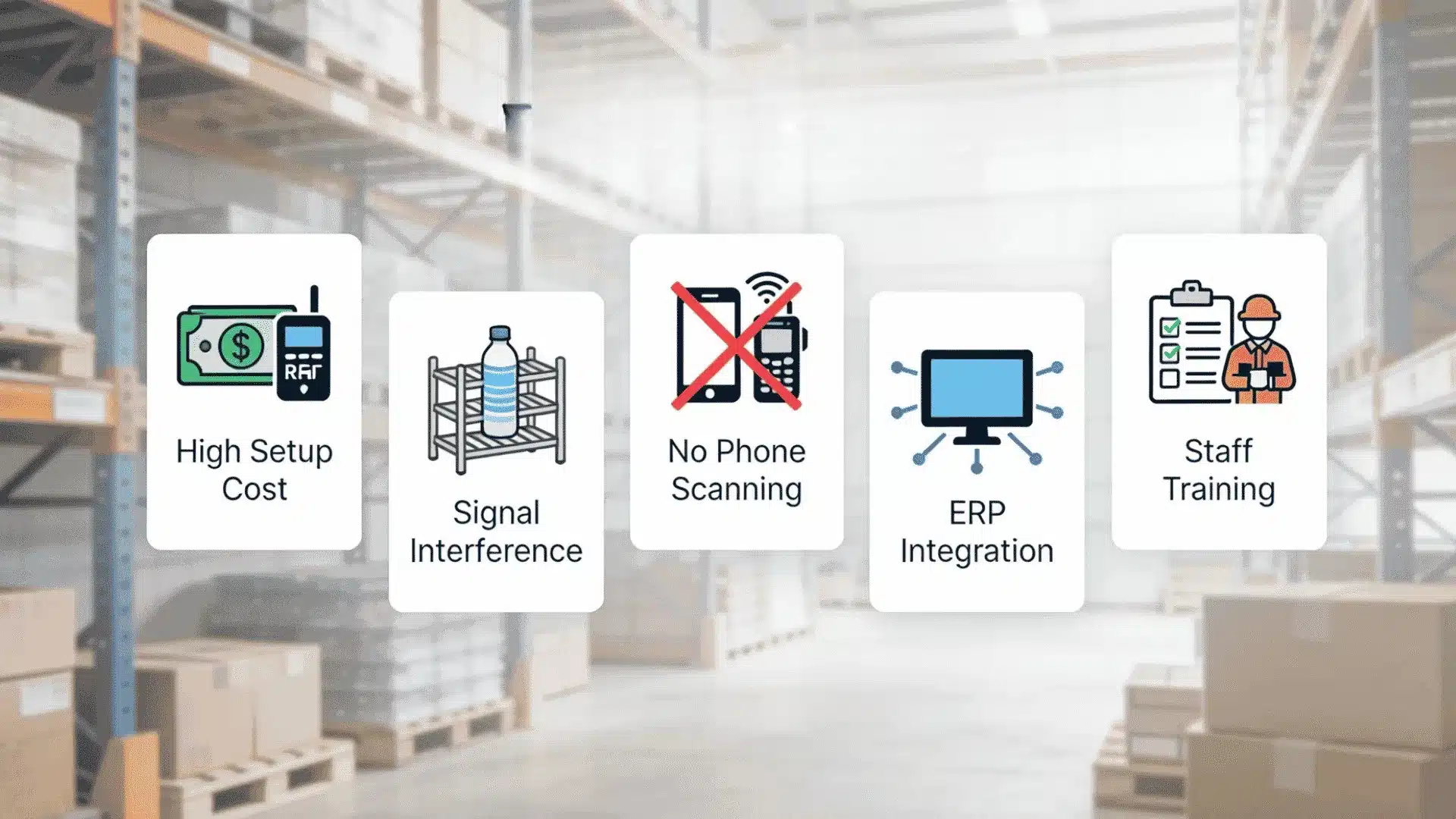
RFID is genuinely useful, but there are some real friction points worth knowing before you start pricing out a rollout. These are not deal-breakers, but skipping them in your planning will cost you later.
- High upfront infrastructure costs: Passive fixed readers run $1,000 to $3,000 each, and facility-wide setup adds cabling, antenna installation, and labor costs. A full enterprise deployment can reach $100,000 to $500,000+, depending on scale.
- Metal and liquid interference: RF signals bounce off metal and get absorbed by liquids. Tags placed directly on metal surfaces or liquid-filled containers need special shielding, which costs more per unit.
- No smartphone scanning: Unlike barcodes, RFID requires dedicated readers. Field staff, delivery drivers, and remote employees cannot use their phones as a backup scanner if the provided hardware fails.
- ERP and legacy system integration: Connecting RFID data streams to older ERP platforms often requires custom middleware. Integration projects can add $5,000 to $15,000 to your budget, depending on your stack.
- Staff training and change management: New workflows need structured onboarding. Teams used to barcode scanning have to learn different processes, and managers have to rethink how they schedule counts and audits.
RFID Inventory Management Cost Breakdown
Most vendors are vague about what RFID actually costs, so here is a realistic breakdown across the main expense categories based on current 2026 deployment data.
| Cost category | Estimated range | Notes |
|---|---|---|
| Passive RFID tags | $0.05 to $0.50 per tag | Price drops significantly at volume; metal-shielded tags cost more |
| Active RFID tags | $5 to $15 per tag | Used for high-value equipment or long-range tracking needs |
| Fixed readers | $1,000 to $8,000 per unit | UHF readers for dock doors and storage zones; antennas extra |
| Handheld readers | $500 to $4,500 per device | Used for cycle counts and locating specific items on the floor |
| RFID printers | $1,500 to $4,000 each | For encoding tags on-site, not needed if supplier pre-tags items |
| Software licensing | $1,000 to $20,000+/year | SaaS plans or one-time licenses; enterprise platforms cost more |
| Installation and integration | $2,000 to $15,000+ | Higher if the legacy ERP needs custom middleware to connect |
| Full deployment (small business) | $10,000 to $50,000 | Single-site, manageable SKU volume |
| Full deployment (enterprise) | $100,000 to $500,000+ | Multi-site, high SKU volume, complex ERP integration |
ROI timelines typically run 12 to 24 months for warehouse implementations.
Warehouses see 25-40% labor reduction alongside 99%+ inventory accuracy after a full rollout, according to deployment analysis from CPCON Group.
Starting with a pilot covering one dock door or a single storage zone is a smart way to validate the numbers before committing to a full build-out.
You can explore cloud-based inventory software to understand how SaaS platforms handle the data layer without heavy on-premise infrastructure costs.
What Does RFID Inventory Tracking Software Do?
RFID tracking software is the layer that processes data from your readers and makes it usable.
It handles real-time stock updates, location logging, alert configuration, reporting, and integration with your WMS or ERP.
Most modern platforms also include analytics dashboards so you can track inventory movement patterns over time.
When evaluating options, look for systems that natively support your specific ERP version, since custom middleware adds cost and integration time.
Industries Where RFID Inventory Tracking Delivers the Most Value
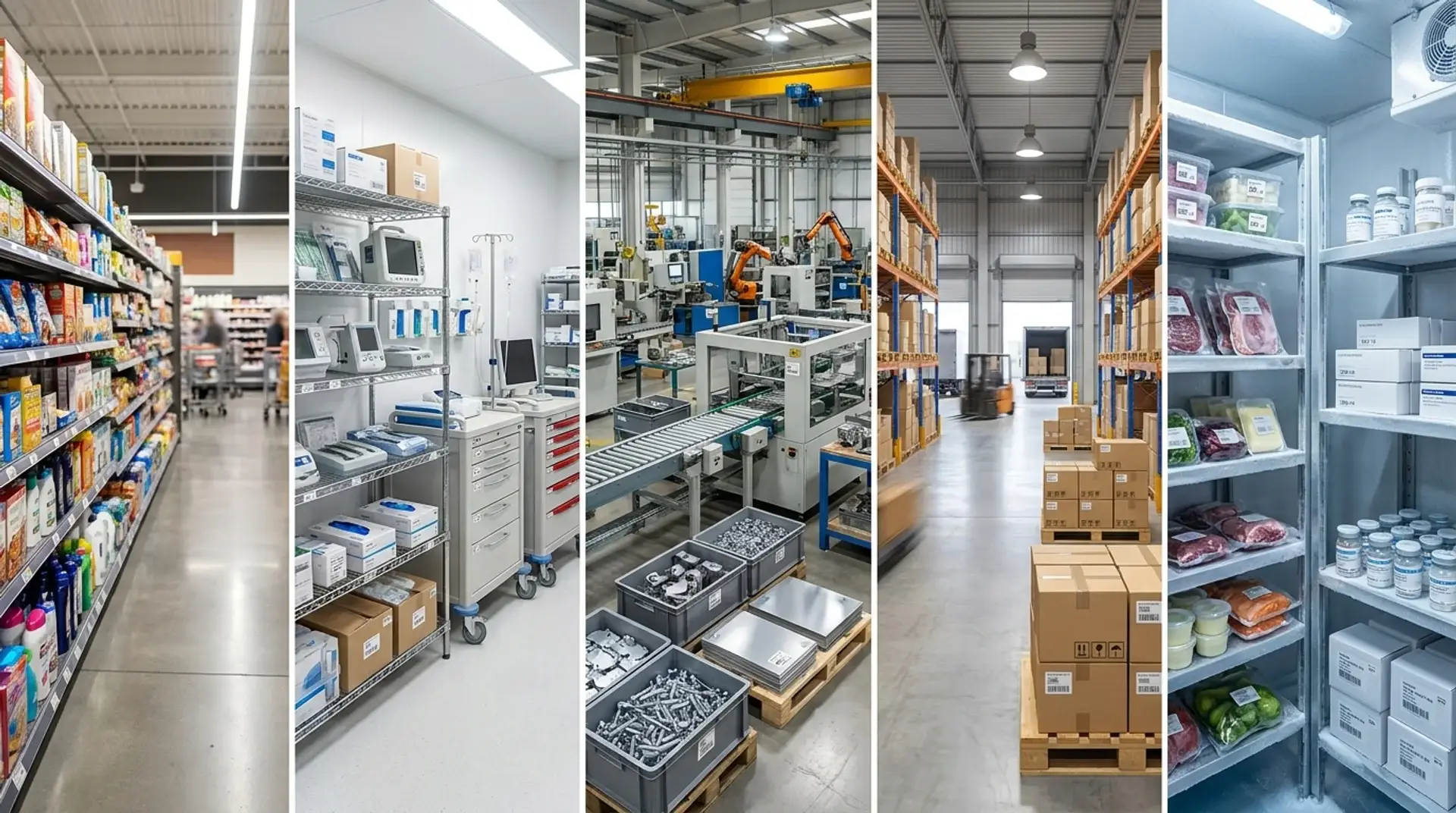
RFID works across a lot of sectors, but some industries get significantly more ROI out of it than others. Here is where the technology genuinely earns its cost.
1. Retail
Retail is the largest RFID market vertical worldwide, and it is not hard to see why. Item-level RFID tagging lets retailers support same-day buy-online-pickup-in-store fulfillment with actual accuracy.
Walmart made RFID tagging mandatory for suppliers in specific categories back in 2022.
Zara, Target, and Nike have all expanded rollouts since. Modern RFID now delivers retailers to 98%+ inventory accuracy, compared to the 65% average for manual systems.
2. Healthcare
Hospitals track expensive medical equipment, surgical tools, and medication inventory using RFID.
Misplaced or expired stock in a healthcare setting is not just a financial problem; it can directly affect patient care.
RFID gives clinical teams real-time visibility on where specific devices are and whether stock levels are safe, without interrupting ongoing operations for a manual count.
3. Manufacturing
Manufacturers use RFID to track raw materials and components as they move through production stages.
Ford uses it to monitor vehicle components in real time across assembly lines, cutting parts shortages and reducing downtime.
When a component does not show up at the right station on time, RFID flags it before it becomes a production bottleneck. You can dig deeper into how smart warehousing systems support manufacturing workflows.
4. Logistics and Warehousing
RFID automates receiving, put-away verification, and outbound shipment checks at dock doors.
Goods arriving at a facility are scanned automatically as they pass through the portal, updating inventory records without a worker touching each item.
In large distribution centers processing thousands of shipments daily, this alone justifies the infrastructure investment pretty quickly.
5. Food and Pharmaceutical Supply Chains
Lot-level traceability is a compliance requirement in both food and pharma. RFID makes it possible to track a specific batch from the moment it enters your facility all the way to the final shipment point.
In a recall scenario, that data cuts the time to identify affected stock from days to hours.
How to Implement an RFID Inventory Management System?
Implementation is where most RFID projects run into trouble, usually because teams skip the planning phase and jump straight to hardware purchases. Here is a step-by-step breakdown of how to do it right.
Step 1: Identify Your Pain Points
Before buying anything, map out where your current inventory process breaks down. Is it cycle count accuracy?
Receiving errors? Lost equipment? Your pain points determine which RFID components you actually need, and they also give you the baseline metrics to measure ROI against after deployment.
Step 2: Assess Your Environment for RF Interference
Walk your facility and note where metal shelving, liquid storage, or dense packaging might affect signal quality. This directly influences which tag types you buy and where you position readers.
Skipping this step is the fastest way to end up with expensive hardware that underperforms in your specific space.
Step 3: Choose Your Tags and Readers
Match your tag type to your use case. Passive UHF tags handle high-volume stock tracking well. Active tags make more sense for expensive, long-range assets like vehicles or forklifts.
For readers, decide between fixed readers at fixed checkpoints and handheld devices for cycle counts. Most mid-sized operations need both.
Check out automated warehouse systems to understand how RFID fits within a broader automation stack.
Step 4: Integrate with Your WMS or ERP
Your RFID data is only useful if it connects to the system your team already works in. Most modern WMS platforms support RFID natively.
Legacy ERP systems may need a middleware layer to bridge the connection, so budget for that integration work before you finalize your project plan. Plan for testing time here, not just installation.
Step 5: Pilot in One Zone Before Full Rollout
Start with a single dock door, one storage zone, or one product category.
Run the pilot for 4 to 8 weeks, measure accuracy improvements and labor savings, and use that data to refine your setup.
This is also where you catch signal interference issues and software sync problems before they scale across the whole facility.
A typical warehouse implementation takes 3 to 6 months from planning to full deployment, covering assessment, pilot testing, optimization, and full rollout.
Step 6: Measure KPIs and Scale Up
Track inventory accuracy rate, cycle count time, and labor hours per count before and after deployment. Most warehouses see measurable ROI within the first 12 to 24 months.
Once your pilot numbers look good, expand zone by zone rather than flipping the whole facility at once.
The staged approach keeps disruption low and gives your team time to build confidence with the new workflow.
Conclusion
RFID inventory management can make a big difference when inventory mistakes, slow counts, and missing stock start creating problems across your warehouse operations.
As I have seen, better inventory visibility often helps teams work faster, make smarter decisions, and spend less time fixing avoidable errors.
You may not need a large budget or a complete warehouse overhaul to see results, especially when a small pilot can reveal useful data.
The right choice depends on your inventory size, daily workload, growth plans, and how much inaccurate stock records are costing your business today.
Have you considered using RFID inventory management, or are you still relying on manual counts and barcode systems? Tell us, share with us in the comments below.
Frequently Asked Questions
Can RFID Inventory Systems Work Outdoors or In Harsh Environments?
Yes, RFID inventory systems can work outdoors, but they need the right tags and readers. Standard tags are better for indoor use.
Outdoor setups need weatherproof tags that can handle rain, heat, cold, dust, and sunlight.
Is RFID Inventory Management A Good Fit for Small Businesses?
RFID inventory management can work for small businesses, but only when the cost makes sense. If you manage a small number of products, barcodes may be enough.
RFID becomes more useful when errors, missing stock, slow counts, or stockouts are costing real money. A small pilot can help you test the results first.
How Does RFID Integrate with Existing ERP Systems Like SAP or NetSuite?
RFID connects with ERP systems by sending tag data into your inventory, order, and location records.
Many modern warehouse systems support SAP, Oracle, and NetSuite. Older ERP setups may need middleware or custom API work.
Before choosing a vendor, ask if they support your exact ERP version.
What is the Difference Between UHF RFID and NFC For Inventory Tracking?
UHF RFID is better for warehouse inventory tracking because it can read many tags at once from a longer distance.
NFC works only at a very short range and reads one item at a time. UHF is useful for bulk stock counts, while NFC is better for product checks, payments, or access control.
Does RFID Inventory Management Work with Multiple Warehouse Locations?
Yes, RFID inventory management can work across multiple warehouse locations. Each site uses its own tags, readers, and checkpoints, while the data goes into one central software system.
This helps your team track stock levels, item movement, and transfers across different facilities without waiting for manual updates from each location.