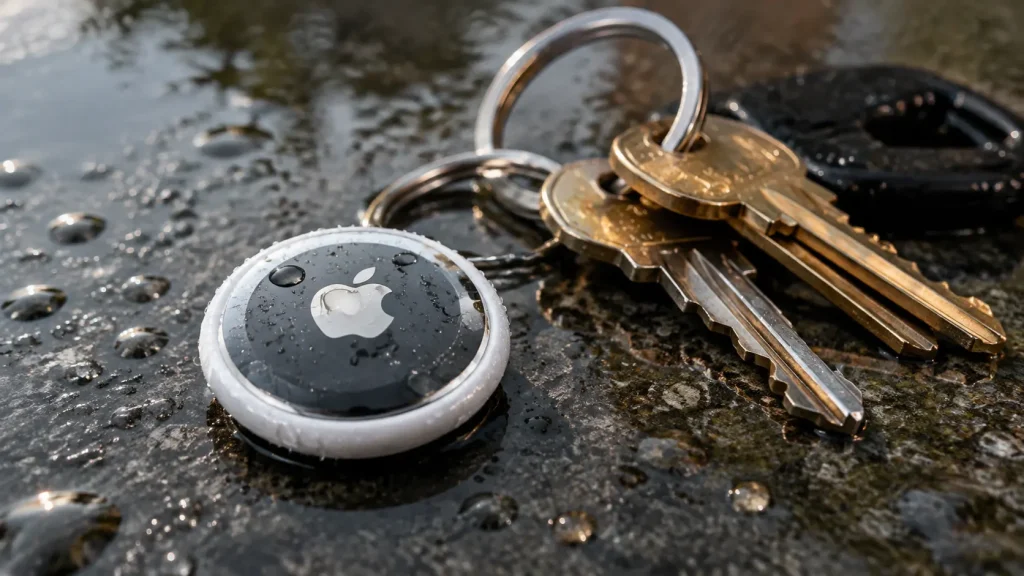
If you’ve ever dropped your keys in a puddle or watched your dog jump straight into a lake with an AirTag dangling from its collar, you’ve probably had one panicked thought: are AirTags waterproof?
The short answer is no: AirTags are water-resistant, not waterproof, and that difference matters more than you might think.
Apple built them to shrug off rain, sweat, and the occasional splash, but they were never engineered to be dunked, swum in, or run through a wash cycle.
They carry an IP67 rating, which sounds impressive on paper but comes with real conditions attached.
Are AirTags Waterproof or Water-Resistant?
Apple officially classifies AirTags as water- and dust-resistant, not waterproof. That’s not just marketing caution; it’s an accurate description of what the device can actually handle.
Water-resistant means an AirTag can survive incidental contact with water: rain on your keychain, a splash from a spilled drink, sweat from a gym bag.
It is not designed for regular swimming, prolonged submersion, or anything beyond accidental exposure, a limitation shared by several iPhone generations as well.
It’s also worth knowing that this resistance isn’t permanent or bulletproof. A drop onto concrete, a few years of daily wear, or a battery cover that wasn’t clicked all the way into place can quietly weaken the seal without any visible sign.
What Does the AirTag IP67 Rating Mean?
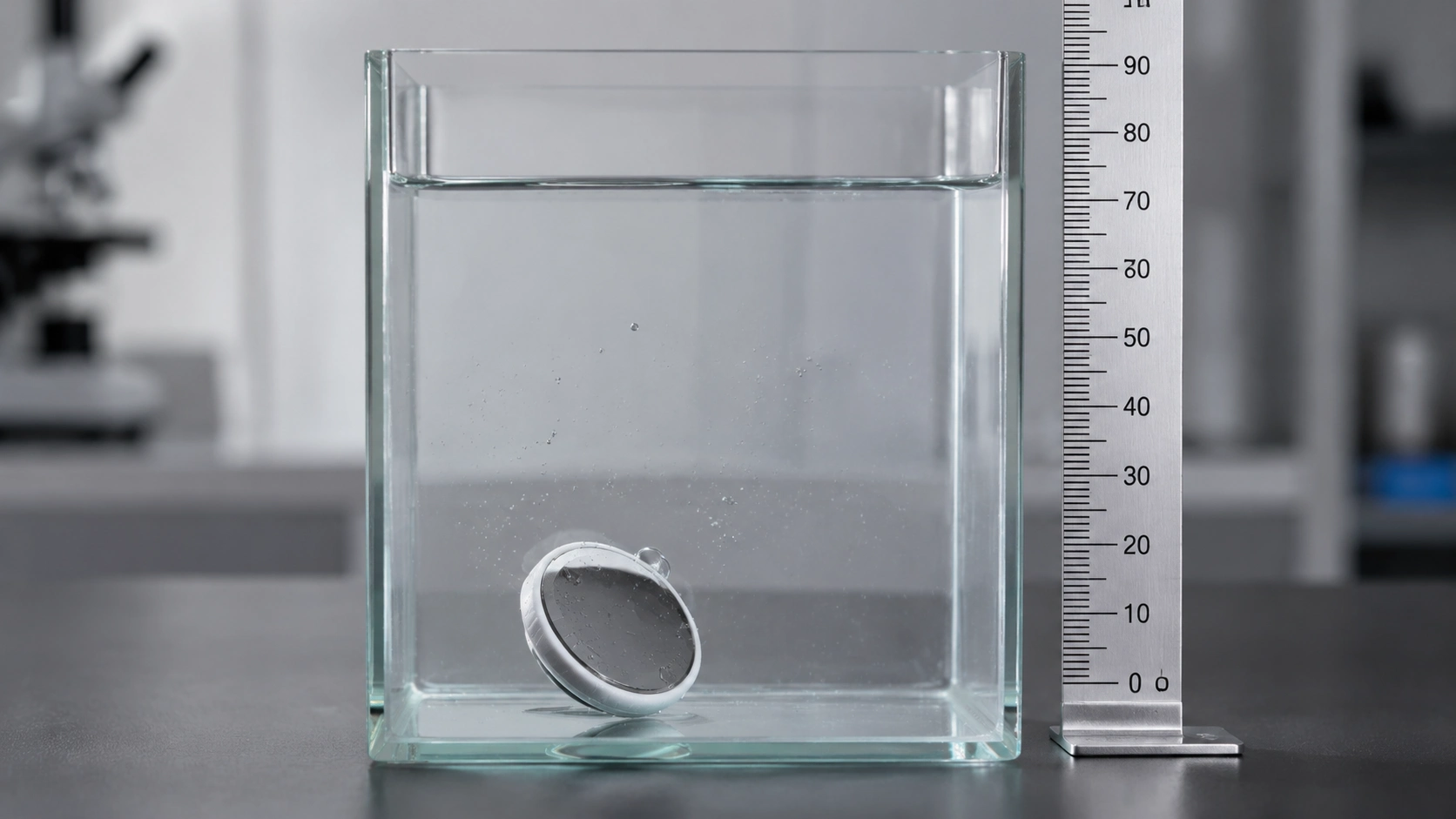
IP ratings can look like a random string of numbers and letters, but they’re actually straightforward once you know what each digit represents.
The IP67 rating explains how much protection an AirTag has against outside elements. The first number focuses on dust protection, while the second number describes water resistance.
| Rating Part | Meaning |
|---|---|
| IP | International protection rating system |
| 6 | Complete protection against dust |
| 7 | Protection against temporary water immersion |
An IP67 rating allows an AirTag to survive certain water situations, but it does not guarantee unlimited underwater performance, unlike gadgets built to a higher ingress standard.
The rating is measured under controlled conditions, so real-world situations can differ. Saltwater, pressure, repeated exposure, and damaged seals may affect protection over time.
The best approach is to treat the AirTag as water-resistant for normal use rather than a device made for underwater activities.
How Much Water Can an AirTag Handle?
Numbers on a spec sheet are one thing; knowing what to do in the moment is another. Here’s a quick-reference table for the situations you’re most likely to run into.
| Situation | Likely Risk Level | Recommended Action |
| Light rain | Low | Dry it after use |
| Accidental splash | Low | Wipe it with a soft cloth |
| Brief puddle drop | Moderate | Remove and dry it promptly |
| Pool use | High | Use a sealed waterproof case |
| Lake or river swimming | High | Avoid prolonged exposure |
| Ocean water | Very high | Keep it out of saltwater |
| Washing machine | Very high | Remove battery and dry immediately |
A successful recovery after water exposure does not always mean the AirTag escaped damage. Moisture can sometimes lead to corrosion or performance problems that appear later.
Tip: A word of caution before you relax too much about the “low risk” rows: surviving an incident isn’t the same as coming out unscathed. An AirTag can look and function fine after getting wet while quietly developing corrosion or moisture damage that shows up weeks later.
Does AirTag Water Resistance Wear Out Over Time?
An AirTag’s water resistance is not designed to last forever. Like many electronic devices, its protective features can become less effective after years of use or physical damage. Several things can affect water protection:
- Drops and impacts
- Scratches or damage around the casing
- Incorrect battery cover placement
- Long-term exposure to moisture
Even if an AirTag looks normal from the outside, small changes in the seal can affect how well it blocks water.
Regular users do not need to worry about normal daily use, but people who frequently expose their AirTags to outdoor conditions should check the device and accessories occasionally.
This kind of gradual wear is also why sellers of consumer electronics are held to federal warranty disclosure rules when it comes to explaining what damage is and isn’t covered.
Are AirTags Waterproof for Dogs?
Plenty of pet owners attach an AirTag to a collar for peace of mind, and for everyday outdoor life, walks in the rain, muddy trails, and drinking from a water bowl are generally fine. The concerns really start when swimming enters the picture.
Rain, Mud, and Water Bowls: Ordinary outdoor conditions are well within what an AirTag can handle. After a rainy walk or a muddy romp in the yard, dry the device off and give the battery cover a quick check to make sure it’s still fully closed and seated correctly.
Dogs That Swim: If your dog is a regular swimmer in lakes, rivers, pools, or the ocean, the risk profile changes considerably. In these cases, it’s worth investing in a fully sealed collar mount rather than relying on an open hanging keychain attachment.
Tracking Limitations for Pets: It’s also important to set realistic expectations about what an AirTag can do for a pet. It depends entirely on nearby Apple devices in the Find My network to report a location, so it isn’t a continuous GPS tracker, unlike dedicated outdoor tracking gadgets made for pets and adventure gear.
After any wet outdoor adventure, take a moment to check both the AirTag and its holder; a loose mount or a cracked case is easy to miss until it’s already caused a problem.
What to Do If an AirTag Gets Wet?
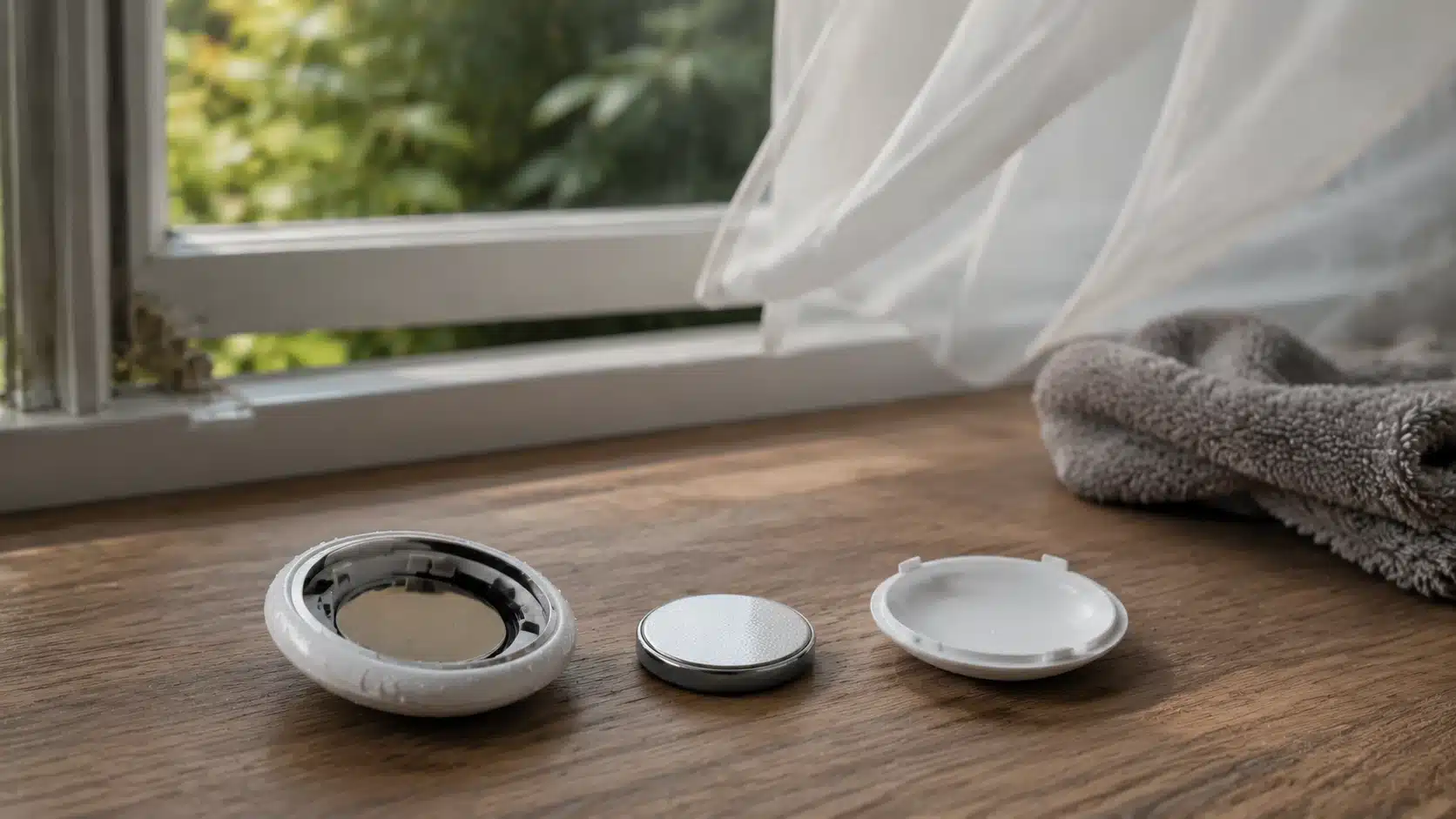
Even though AirTags can handle small amounts of water exposure, a deeper soak or unexpected drop in water needs quick attention. Acting early can help reduce the chance of moisture-related problems and gives the device a better chance of working normally.
Step 1: Remove the AirTag from the Wet Item
Start by separating the AirTag from the source of moisture as soon as possible. This helps reduce the time the device stays exposed to water.
- Take the AirTag out of the wet holder, collar mount, bag, or accessory.
- Avoid pressing buttons or shaking the device excessively.
- Move it away from standing water before checking for damage.
- Keep the AirTag upright if water may have entered the casing.
Step 2: Wipe the Outside of the AirTag
Dry the outer surface before opening the device. Removing surface moisture can help prevent additional water from entering the battery compartment.
- Use a soft, lint-free cloth to wipe the AirTag.
- Remove water droplets around the edges and battery cover.
- Avoid using paper towels that may leave fibers behind.
- Do not apply heat or use a hairdryer to speed up drying.
Step 3: Open the Battery Cover
Opening the battery cover allows trapped moisture to escape and gives access to the battery compartment.
- Press down on the stainless-steel battery cover.
- Rotate the cover counterclockwise until it releases.
- Remove the cover carefully without forcing it.
- Check the inside for visible moisture or residue.
Step 4: Remove the CR2032 Battery
Taking out the battery stops power flow while the AirTag dries and helps protect internal components.
- Lift the CR2032 coin cell battery from the compartment.
- Check the battery for water exposure or corrosion marks.
- Do not reuse a damaged or corroded battery.
- Keep the battery separate from the AirTag parts while drying.
Step 5: Separate All Parts in a Dry Area
Place the opened AirTag components in a suitable location where air can circulate around them.
- Keep the battery cover, battery, and AirTag separated.
- Place the parts on a clean, dry surface.
- Avoid direct sunlight, heaters, or high-temperature areas.
- Allow natural airflow to help remove remaining moisture.
Step 6: Let the AirTag Dry Completely
Give the AirTag enough time to dry before putting it back together. Reassembling it too early may trap moisture inside.
- Leave the AirTag open for several hours or longer if needed.
- Check that no moisture remains inside the battery area.
- Avoid using rice, as small particles can enter openings.
- Do not install the battery until the device is fully dry.
Step 7: Reinsert the Battery and Test the AirTag
After the AirTag has dried, check whether it still works properly before returning it to regular use.
- Insert a dry CR2032 battery into the compartment.
- Close the battery cover securely.
- Test the built-in speaker for sound.
- Check the Find My app connection and location updates.
- Replace the battery if the AirTag shows a low-power warning.
Tip: resist the urge to speed up drying with a hairdryer, oven, radiator, or any other direct heat source. High heat can damage internal components just as easily as the water itself, so patience is genuinely the safer option here.
How to Choose the Best Waterproof AirTag Case or Holder
If your AirTag regularly comes near water on a dog collar, kayak, luggage, or outdoor gear, a protective case can add an extra layer of security. The right case should offer reliable sealing, secure attachment, and minimal impact on tracking performance.
| Feature | What to Look For | Why It Matters |
|---|---|---|
| Water protection | Clear sealing system and quality materials | Helps prevent moisture entry |
| Secure attachment | Strong clips, screws, or locking mounts | Keeps the AirTag attached during movement |
| Material quality | Durable silicone or hard protective materials | Improves long-term reliability |
| Signal performance | Non-interfering materials | Helps maintain tracking and sound alerts |
Tip: Inspect the case regularly for cracks, loose screws, damaged seals, or trapped dirt. A worn protective case may not provide the same level of water protection over time.
What Reddit Users Say About AirTags in Water
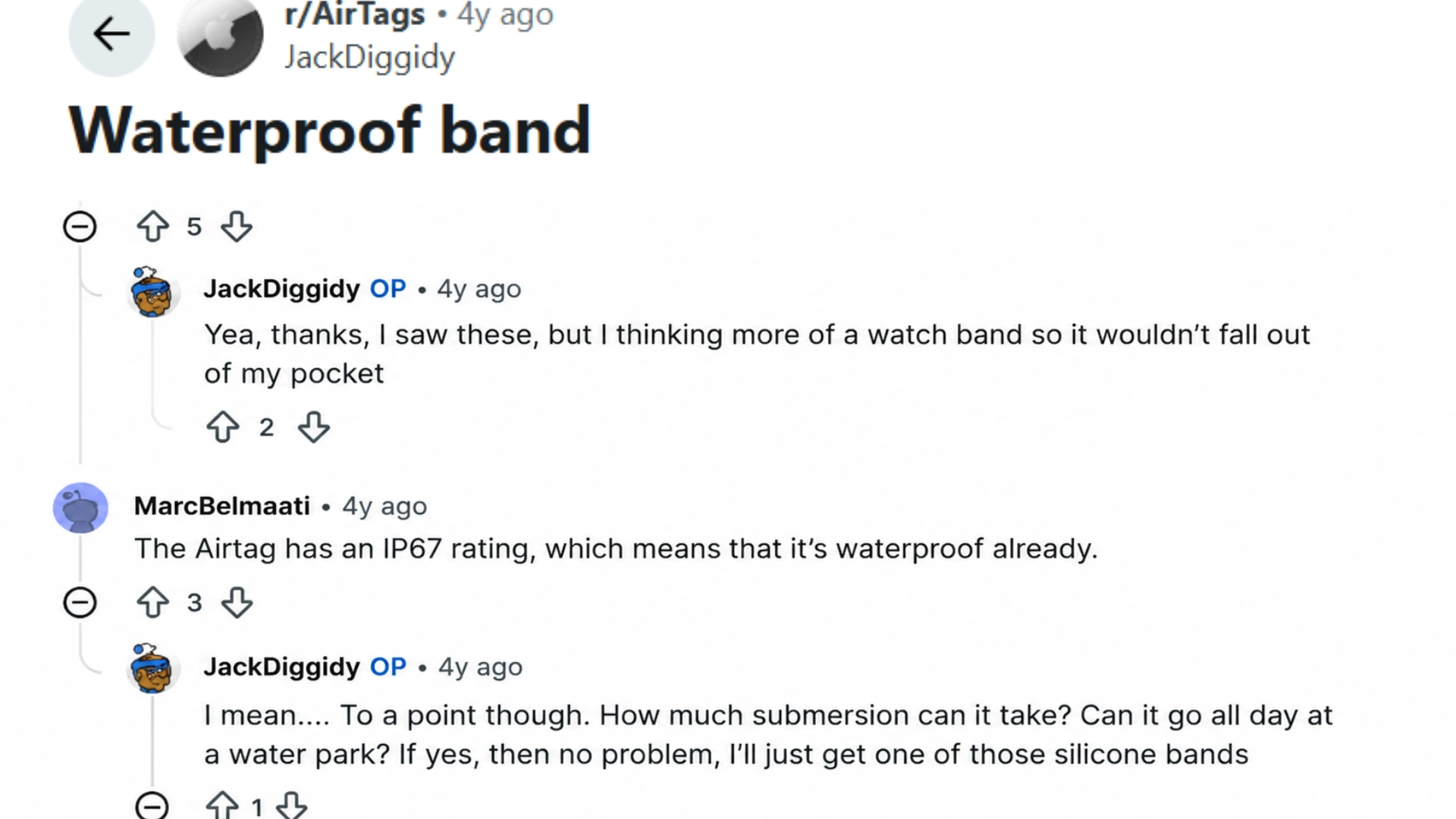
Reddit discussions show mixed experiences with using AirTags around water. Some users point out that the AirTag’s IP67 rating provides a level of protection against water exposure.
In contrast, others question if that is enough for activities like full-day water parks or swimming.
One user shared that an AirTag attached to a cat collar was recovered after being submerged in a pond for several months and was still connected when brought back above water.
Another user mentioned using an AirTag on a dog collar during regular pool swimming without problems.
AirTag Water Protection Based on Different Uses
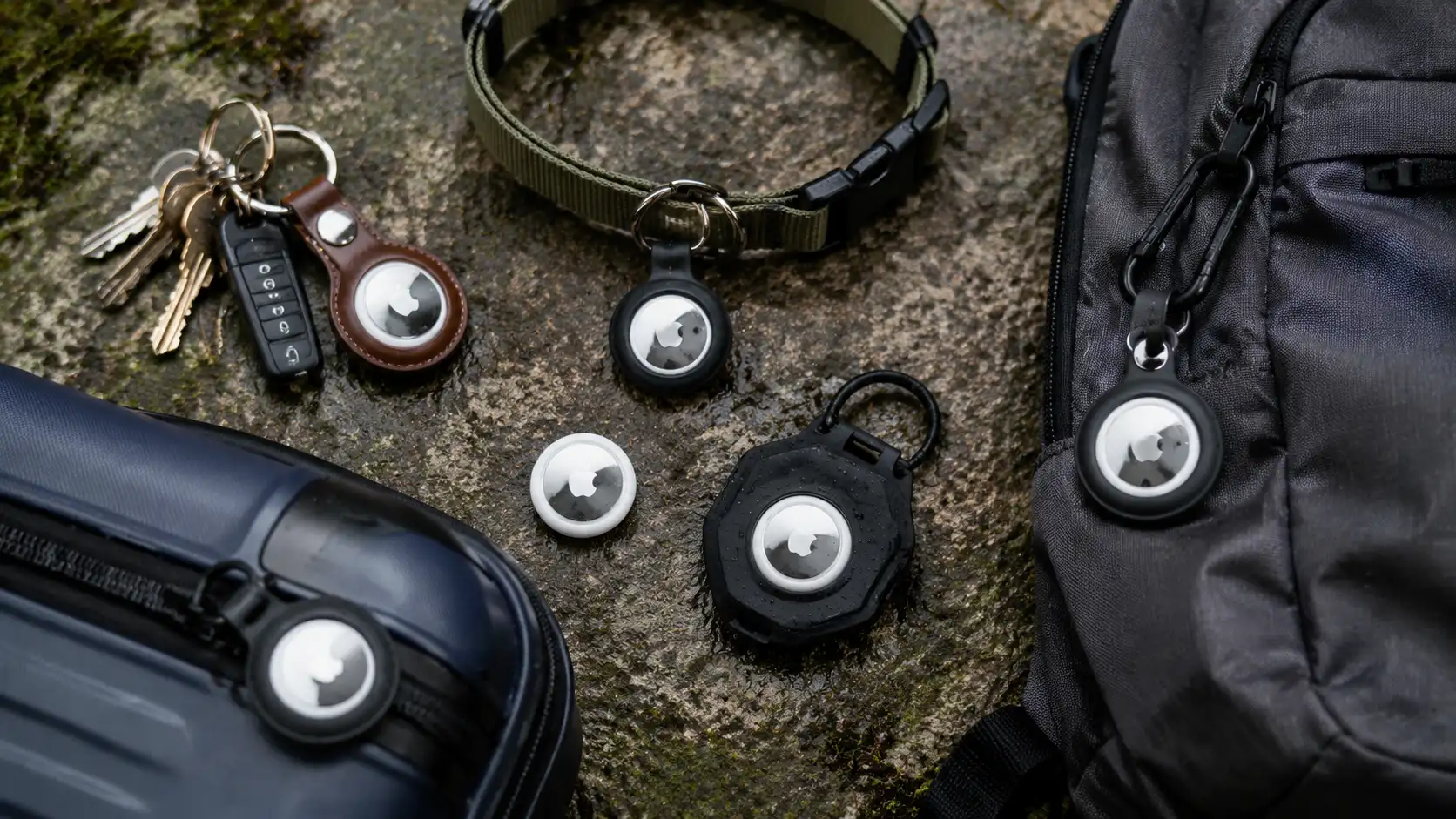
The amount of protection an AirTag needs depends on where it is being used. A tracker attached to house keys faces very different conditions compared with one placed on a dog collar, boat equipment, or outdoor gear.
| Use Case | Recommended Protection | Reason |
|---|---|---|
| Keys | Standard AirTag holder | Handles normal daily moisture and accidental splashes |
| Luggage | Weather-resistant holder | Helps during rainy travel and outdoor storage |
| Dog collar | Sealed waterproof collar mount | Protects against rain, mud, and swimming |
| Beach trips | Waterproof case | Reduces saltwater and sand exposure |
| Boat or kayak | Heavy-duty waterproof case | Provides stronger protection during water activities |
| Swimming equipment | Sealed dry compartment | Prevents direct underwater exposure |
For occasional outdoor use, the built-in water resistance may be enough. For repeated exposure to water, a dedicated waterproof holder provides better protection.
Common Mistakes that Can Damage an AirTag Around Water
Many AirTag water issues happen because users misunderstand its limits. The IP67 rating helps with protection, but careful handling is still important.
- Treating an AirTag as Completely Waterproof: AirTags can handle minor water exposure, but they are not made for regular underwater use or prolonged swimming activities.
- Ignoring Saltwater Exposure: Saltwater can increase corrosion risks. After ocean contact, clean and dry the AirTag properly to prevent residue buildup.
- Using a Poor-Quality Waterproof Case: A weak case may not provide real protection. Avoid holders with poor seals, loose openings, or insecure attachments.
- Assuming a Working AirTag Has No Damage: An AirTag may work after getting wet, but moisture damage can appear later. Always dry and inspect it after major exposure.
Avoiding these common mistakes helps keep an AirTag reliable during outdoor activities and ensures the right protection is used for water-related situations.
Final Thoughts
AirTags can handle everyday moisture, but knowing their limits helps you use them with more confidence. I believe the right protection depends on how and where you use your tracker.
Rain, small splashes, and daily outdoor use are usually manageable, while swimming, ocean trips, and frequent pet activities need extra care.
Understanding whether your AirTag is waterproof helps you avoid mistakes and choose the right case or holder when needed. You can keep your AirTag reliable by drying it after exposure, checking accessories, and avoiding unnecessary water contact.
I hope these tips make your setup safer. Share your AirTag experiences, try these protection tips, and let others know what worked for you.
Frequently Asked Questions
Does Apple’s Warranty Cover Water Damage to an AirTag?
Generally, no. Apple’s standard warranty typically excludes damage caused by liquid exposure beyond normal accidental splashes, since intentional submersion or misuse falls outside the terms of coverage.
Is It Safe to Clean an AirTag with Alcohol Wipes or Disinfectant?
Light wiping with a barely damp cloth is generally fine, but saturating an AirTag with alcohol-based cleaners or spraying disinfectant directly onto it isn’t recommended.
Can You Test an AirTag’s IP67 Compliance Yourself at Home?
There’s no reliable home test that verifies IP67 compliance the way Apple’s lab testing does, and attempting one yourself risks damaging the device. It’s safer to trust the manufacturer’s rating and follow recommended precautions.