Managing inventory can be tricky, especially when your business is growing. Keeping track of stock, orders, and supplies across multiple locations often feels like a full-time job.
This is where cloud-based inventory management comes in, letting you handle everything from a single online platform without the hassle of manual tracking or complex spreadsheets.
With the right system, you can save time, reduce errors, and get a clear view of your stock anytime, anywhere.
In this blog, I’ll walk you through some of the most popular cloud inventory solutions available today. You’ll get a clear comparison of their features, pricing, and ease of use.
I’ll also share my thoughts on which ones work best for different types of businesses, so you can make a choice that fits your needs without second-guessing.
What is Cloud-Based Inventory Management?
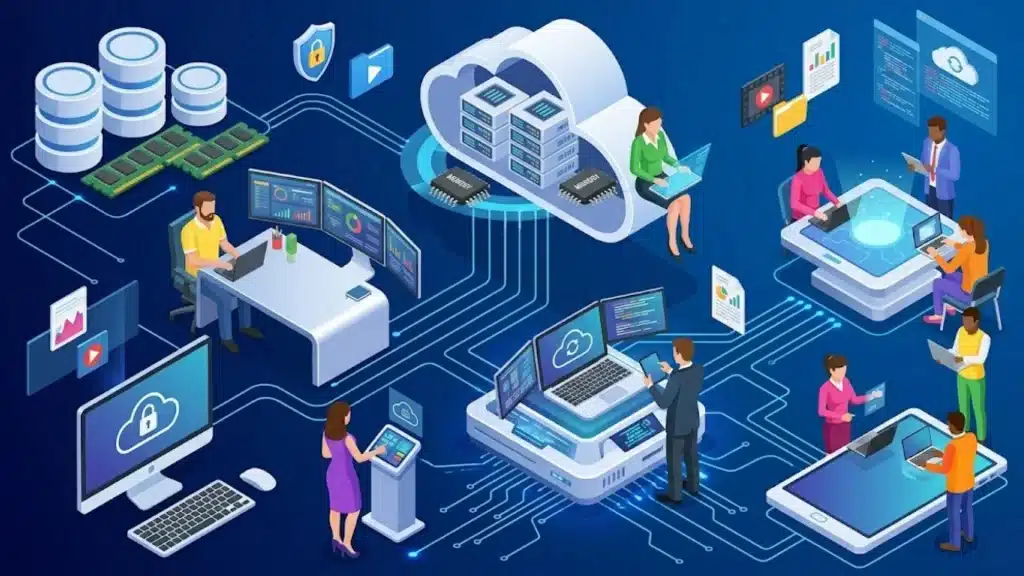
Cloud-based inventory management is a system that lets businesses track and manage their stock online instead of relying on manual records or local software.
All data is stored on secure servers, which means you can access it from any device with an internet connection.
These systems automatically update stock levels, record sales, and even generate reports, saving time and reducing mistakes.
One of the biggest benefits is visibility: you can see your inventory in real time, which helps in planning orders and preventing shortages.
Many platforms also integrate with accounting, e-commerce, and shipping tools, making operations smoother.
If you’re also exploring workflow automation tools for small businesses, pairing one with a cloud inventory system can significantly cut down on manual work across your operations.
Cloud vs On-Premise: Which is Right for Your Business?
Before choosing a specific platform, it helps to confirm that a cloud system is actually the right fit. For most growing businesses in 2026, it is. But on-premise software still makes sense in a handful of situations.
| Factor | Cloud based | On-premise |
|---|---|---|
| Upfront cost | Low (monthly subscription) | High (hardware + licenses) |
| IT requirements | Minimal, vendor manages servers | Needs dedicated IT staff |
| Access | Any device, anywhere | Usually on-site or via VPN |
| Updates | Automatic and included | Manual, often costly |
| Scalability | Add users and locations easily | Requires new hardware investment |
| Data control | Vendor-managed (check their SLA) | Full internal control |
| Best for | SMBs, ecommerce, multi-location retailers | Enterprises with strict data sovereignty needs |
If your business operates across locations, runs on thin IT resources, or needs remote access for a distributed team, cloud-based inventory tracking is almost always the more practical choice.
On-premise setups still make sense for businesses with strict regulatory requirements around where their data lives, or for large manufacturers with highly customized legacy workflows they’re not ready to migrate.
The Best Cloud Inventory Management Software
Choosing the right cloud inventory management software can simplify stock tracking, reduce manual work, and improve order accuracy across every sales channel.
1. Zoho Inventory
Zoho Inventory is a budget-friendly option, perfect for small businesses or teams already using Zoho apps.
It tracks stock in real time, manages orders across Amazon, eBay, Shopify, and Etsy, and offers serial and batch tracking for detailed oversight.
The free plan works for basic needs, while paid plans start at $29-$39/month when billed annually. Integration with Zoho Books or Zoho CRM is smooth.
Advanced invoicing and full CRM features need extra paid add-ons, so if you’re outside the Zoho ecosystem, those costs can add up quickly. Overall, it’s simple to get started and easy to use.
2. Cin7 Core
Cin7 Core suits growing retailers and wholesalers who need to manage multiple channels. It brings inventory, orders, suppliers, and warehouses together and connects with Shopify, Amazon, Xero, and QuickBooks.
The platform supports B2B portals and POS, plus basic manufacturing functions. Pricing starts at $349/month.
AI-driven demand forecasting helps businesses plan, but the reporting tools can feel rigid and hard to customize. Companies that need quick insights may find this frustrating.
Despite that, Cin7 Core gives mid-sized businesses enterprise-level features, especially for multi-location operations or distributors who need centralized control of stock and orders.
3. inFlow Inventory

inFlow Inventory is clean, fast to set up, and doesn’t require a server or VPN.
Small and mid-sized businesses benefit from real-time stock tracking, purchase and sales orders, and barcode scanning using mobile apps for iOS and Android.
It includes a B2B portal for wholesale customers and integrates with QuickBooks, Xero, Shopify, WooCommerce, and Etsy.
Reorder points automatically trigger purchase orders. Pricing starts at $129-$189/month. While it’s excellent for simpler operations, it may not handle complex multi-warehouse setups or extensive enterprise customization.
For businesses that value ease of use without losing essential features, inFlow hits the mark.
4. Finale Inventory
Finale Inventory is designed for online sellers managing multiple marketplaces. It syncs stock across Amazon FBA and FBM, Shopify, Walmart, eBay, and BigCommerce in real time to prevent overselling.
The dynamic reorder system uses sales velocity and supplier lead times instead of fixed thresholds.
Barcode-driven warehouse management helps with organization, and accounting integrations with QuickBooks and Xero keep finances tidy. Pricing starts at $499/month.
It only supports Android for barcode scanning and is not suitable for complex manufacturing operations, but it’s great for ecommerce businesses juggling multi-channel stock efficiently and keeping orders under control.
5. NetSuite
NetSuite is more than an inventory tool; it’s a full ERP system built for large enterprises.
It manages inventory across multiple locations and warehouses, tracks lots and serial numbers, handles demand planning, and supports multi-currency operations.
It integrates deeply with finance, CRM, order management, and ecommerce modules. The base license starts at about $999/month, with additional user fees and add-ons.
Implementation can take time and be costly, making it unsuitable for smaller businesses.
For companies running across countries or subsidiaries, NetSuite provides centralized control and automation, covering everything from stock to complex supply chain operations.
6. Fishbowl

Fishbowl works best for QuickBooks users and manufacturers needing more control than QuickBooks offers alone.
It handles bills of materials, work orders, multi-location stock tracking, barcode scanning, and manufacturing management.
The optional AI Insights add-on provides forecasting dashboards. Fishbowl is popular with small and mid-sized manufacturers, food and beverage operations, and consumer goods businesses.
Pricing is available on request. Out-of-the-box reporting is limited, and creating useful custom reports often requires paid customization.
Despite that, it’s a solid choice for businesses that need deeper inventory oversight while staying connected to QuickBooks or Xero.
7. Lightspeed

Lightspeed is mainly a POS system with inventory features, ideal for brick-and-mortar retailers with multiple locations.
It includes a preloaded catalog of over 8 million items, tracks product variants, manages purchase orders, and allows multi-location stock transfers.
The system also syncs with ecommerce platforms for omnichannel selling. The Basic plan starts at $109/month, while accounting integrations like QuickBooks require the Core plan at $179/month.
Though pricier than some alternatives, it excels for physical stores with complex stock needs.
Lightspeed simplifies store management, keeps products organized, and provides sales analytics with low-stock alerts for efficient operations.
Reddit Reviews on Inventory Management Software
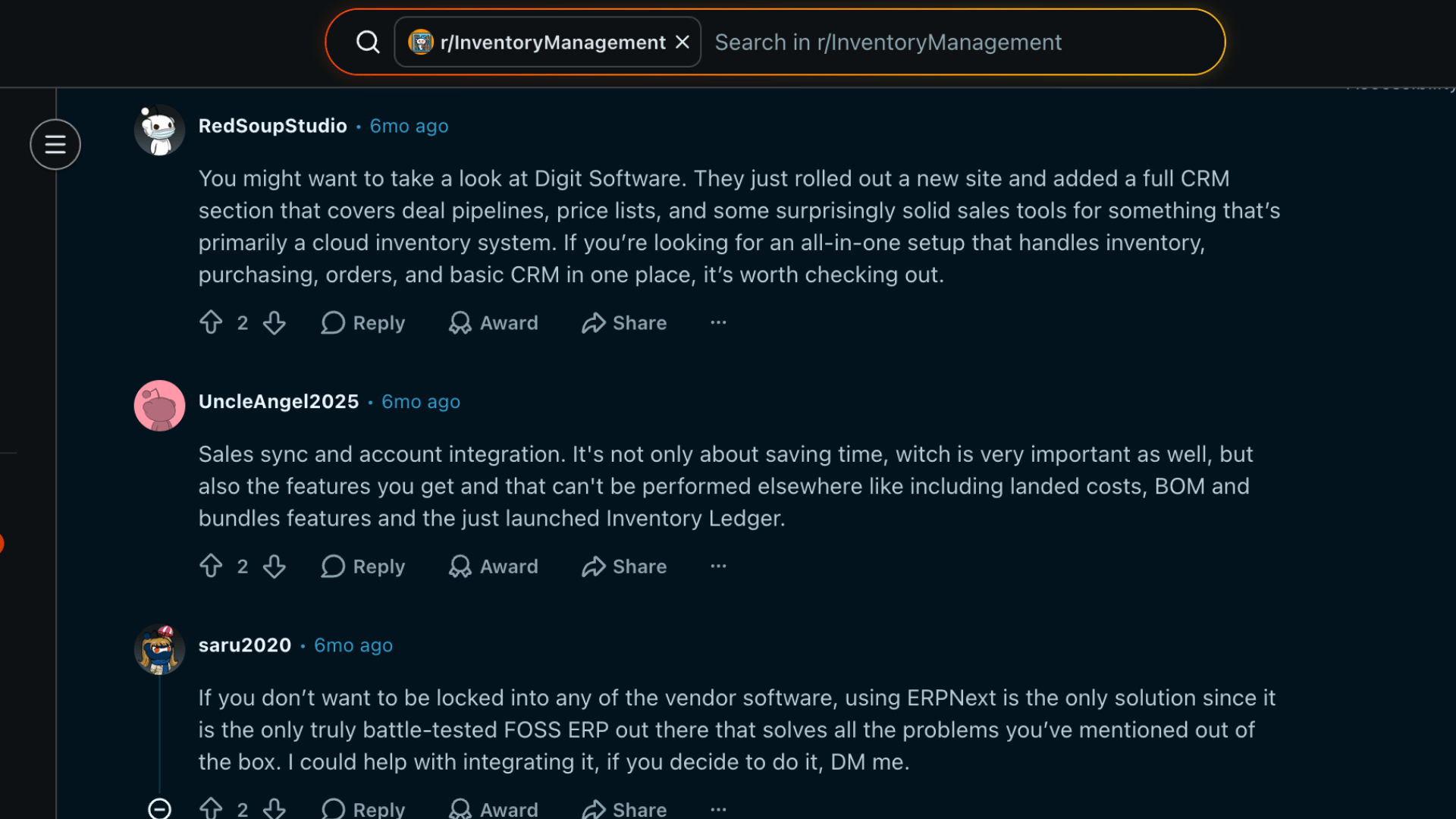
Reddit users suggest a few solid paths for anyone comparing inventory management software.
Digit Software gets attention for its new site and expanded CRM section, with tools for deal pipelines, price lists, sales tracking, inventory, purchasing, and orders in one place.
It suits users who want a simple all-in-one cloud system without stitching many tools together.
ERPNext is recommended for people who want more control and do not want to stay locked inside vendor software.
Users like it because it is free, open-source, tested, and covers ERP needs out of the box.
Cin7 Core is another strong mention for businesses that need bin tracking, multilocation inventory, CRM features, and accounting links with QuickBooks or Xero.
Overall, each option fits a different level of control, scale, and setup effort.
Quick Comparison of Top Cloud Inventory Tools
This table summarizes pricing, key features, and ideal users for the first five cloud inventory management systems to help you make a faster choice.
| Software | Starting Price | Best Features | Ideal For | Limitation |
|---|---|---|---|---|
| Zoho Inventory | $29–$39/mo | Stock tracking, multi-channel orders | Small businesses & Zoho users | Advanced tools need extra Zoho add-ons |
| Cin7 Core | $349/mo | B2B portal, POS, demand forecasting | Growing retailers & wholesalers | Reporting customization is limited |
| inFlow Inventory | $129–$189/mo | Barcode scanning, auto reorder points | SMBs need simple inventory control | Weak for complex multi-warehouse setups |
| Finale Inventory | $499/mo | Multi-channel sync, warehouse barcode management | E-commerce sellers | Limited manufacturing support |
| NetSuite | $999/mo | Demand planning, ERP/CRM integration | Large enterprises | Expensive with a long setup time |
Factors to Consider When Choosing a Cloud Inventory System
Picking the right cloud inventory system means looking at usability, costs, scalability, support, and security to make sure it fits your business smoothly.
- Usability: How easy it is for your team to navigate, set up, and manage day-to-day inventory tasks without extensive training.
- Pricing and plans: Check the cost structure, plan tiers, and what features come with each plan to avoid unexpected expenses.
- Scalability: Ensure the system can grow with your business, handling more products, locations, and users as needed.
- Integrations: Check compatibility with the tools you already use, including your ecommerce platform, accounting software, and shipping carrier. If you’re managing logistics software alongside inventory, look for platforms that offer the best logistics software with multi-system support.
- Support and updates: Consider the quality of customer service, response times, and regular software updates or improvements.
- Security: Look at data protection measures, user access controls, and compliance with industry standards to keep your inventory safe.
Conclusion
Cloud-based inventory management makes keeping track of stock and orders easier than ever.
From Zoho Inventory and inFlow to enterprise solutions like NetSuite, each tool offers different features, pricing, and levels of complexity.
Some are perfect for small businesses looking for simplicity, while others fit growing or large-scale operations that need multi-location tracking, B2B portals, or advanced integrations.
Choosing the right system depends on your business needs, budget, and how much control you want over operations. Think about usability, support, scalability, and security before deciding.
Which system do you feel would suit your business best? I’d love to hear your thoughts and experiences. Drop a comment below and share which tool you’re leaning toward or why.
Frequently Asked Questions
Can Cloud Inventory Management Systems Work Offline?
Most cloud-based systems require an internet connection to sync data in real time. Some platforms offer limited offline functionality, allowing you to view or update stock, but full features usually need online access.
How Often are Cloud Inventory Systems Updated?
Updates vary by provider, but most cloud platforms push automatic updates regularly, often monthly or quarterly, to improve security, add features, and fix bugs without disrupting your operations.
Can Multiple Users Access the System at the Same Time?
Yes, cloud inventory software is designed for multi-user access. Permissions can be customized so team members only see or edit sections relevant to their roles, ensuring smooth collaboration.