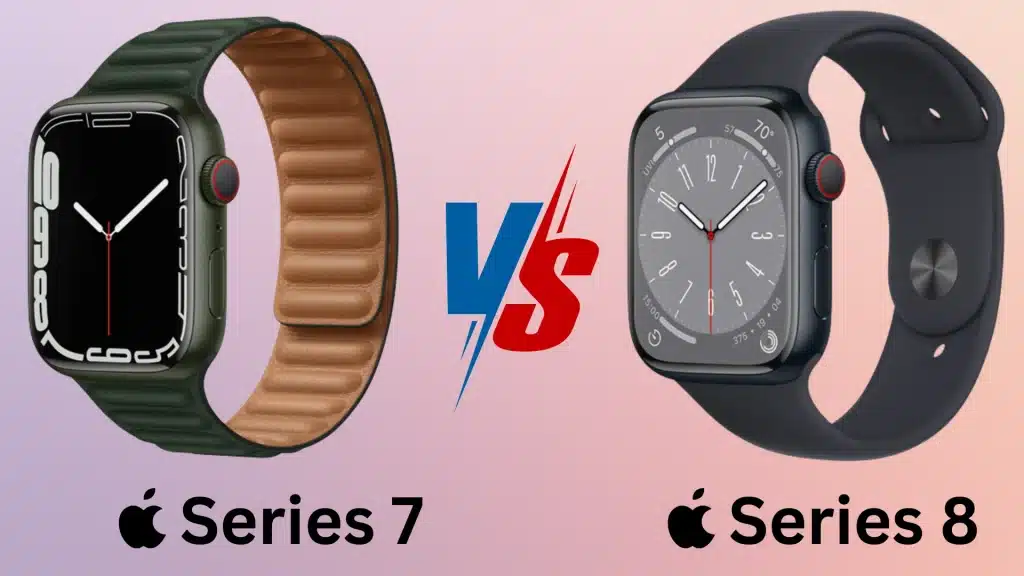
A smartwatch upgrade does not always mean a completely different experience. Small changes in features, sensors, and everyday usability often decide whether a newer model is actually worth the extra cost.
The Apple Watch Series 7 vs. 8 comparison helps you understand the practical differences before choosing the right option.
I know how difficult it can be to judge upgrades when two Apple Watch models look similar.
The comparison covers design, performance, health features, safety tools, pricing, and overall value to highlight what has changed and what has stayed the same.
It helps you make a more informed buying decision based on the features that matter most for daily use.
Apple Watch Series 7 vs 8: Quick Comparison
At first glance, the Apple Watch Series 7 and Apple Watch Series 8 have plenty in common. Both come in 41mm and 45mm case sizes and feature an Always-On Retina LTPO OLED display.
| Feature | Apple Watch Series 7 | Apple Watch Series 8 |
|---|---|---|
| Release year | 2021 | 2022 |
| Design & display | 41mm and 45mm sizes, same premium design | Same sizes and similar design |
| Processor | S7 chip | S8 chip |
| Health features | ECG, blood oxygen, heart rate, sleep tracking | Same features plus temperature sensor |
| Safety features | Fall Detection, Emergency SOS | Adds Crash Detection |
| Battery life | Up to 18 hours | Up to 18 hours with improved Low Power Mode |
| Charging | Fast charging | Fast charging |
| Overall value | Similar everyday experience at lower cost | Better sensors and newer features |
Series 8 adds useful health and safety upgrades, while Series 7 remains a strong value option for basic smartwatch needs.
Apple Watch Series 7 vs Series 8: Key Differences
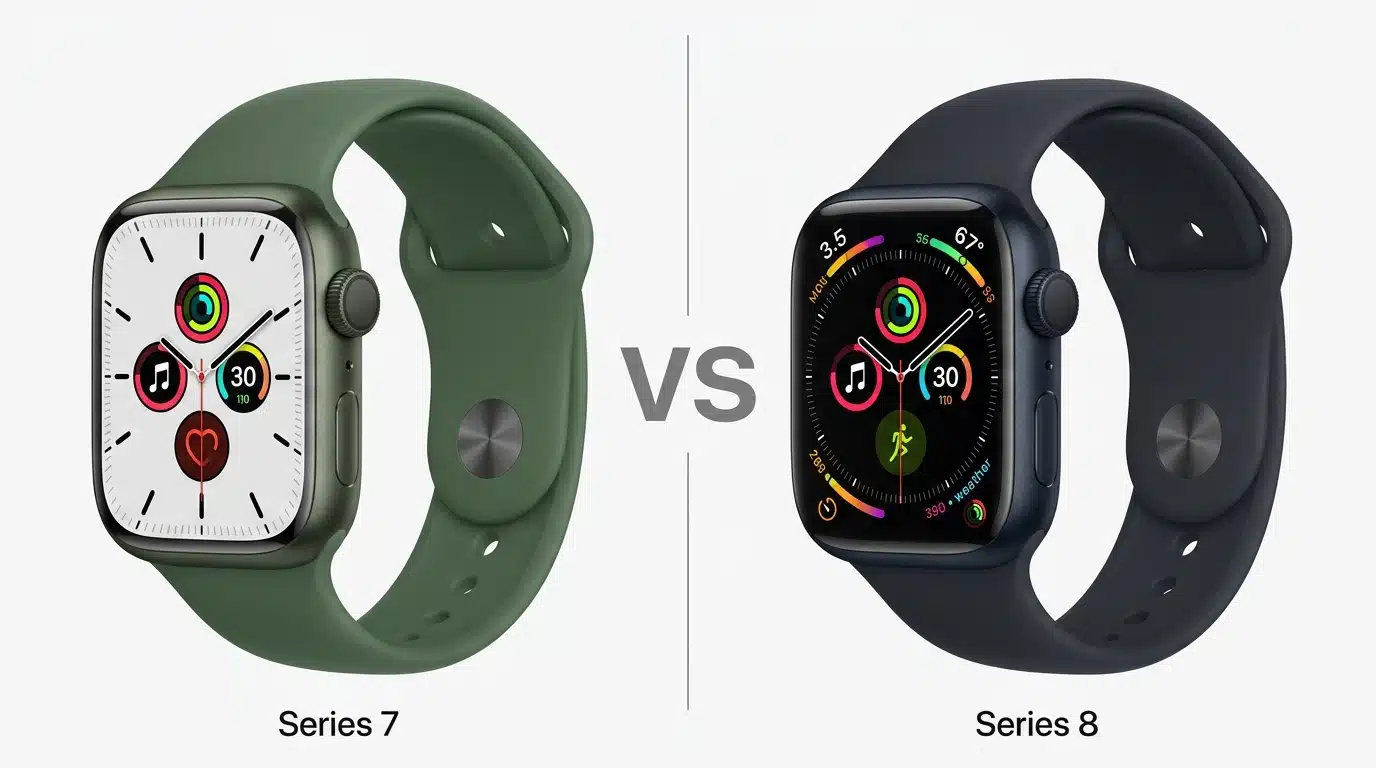
Apple Watch Series 7 and Series 8 look nearly identical, but several important upgrades in health, safety, and performance set them apart for buyers.
1. Design and Display
Apple Watch Series 7 and Series 8 share almost the same design with 41mm and 45mm case sizes. Both models feature an Always-On Retina LTPO OLED display with slim bezels and strong durability.
Series 7 introduced a larger screen area compared to earlier models, while Series 8 continues the same design language. The differences are minimal, making display and appearance less important factors when choosing between these two watches.
2. Processor and Performance
Apple Watch Series 7 runs on the S7 chip, while Series 8 uses the newer S8 chip. Although the S8 chip brings hardware improvements, everyday performance feels very similar on both models.
Apps, notifications, workouts, and navigation work smoothly on each device. The processor upgrade is more about improving efficiency and supporting newer features rather than delivering a noticeable speed boost for regular users.
3. Health and Fitness Features
Both Apple Watch Series 7 and Series 8 include essential health features such as ECG, heart rate monitoring, blood oxygen tracking, sleep tracking, and workout measurement. Series 8 adds a new temperature sensor that enables more advanced cycle tracking insights and additional health data.
For fitness tracking, daily activity monitoring, and common workouts, both watches provide a similar experience, with Series 8 offering extra health capabilities found in other fitness wearables.
4. Safety Features
Apple Watch Series 7 includes important safety tools such as Fall Detection, Emergency SOS, and emergency calling features. Series 8 builds on these features by adding Crash Detection, which can identify severe car accidents and automatically contact emergency services when required.
Automatic crash notification is designed to cut down the time it takes emergency responders to reach a crash scene, which can directly affect survival outcomes.
This upgrade makes Series 8 a better option for users who prioritize personal safety features, especially those who spend significant time driving or traveling alone.
5. Battery Life and Charging
Both Apple Watch Series 7 and Series 8 offer up to 18 hours of battery life under typical usage conditions. They support fast charging, allowing users to quickly recharge the watch before workouts or sleep tracking.
Series 8 improves power management through enhanced Low Power Mode features, but the overall battery experience remains very similar. Users should not choose Series 8 expecting a major battery improvement over Series 7, especially if they’ve already noticed their watch draining quickly.
6. Software and Long-Term Support
Apple Watch Series 7 and Series 8 support modern watchOS features, including fitness tracking, notifications, apps, and customization options.
Since Series 8 has newer internal hardware, it may receive software updates for a longer period compared to Series 7, which matters if you’re curious about how long these watches last. However, Series 7 still provides a strong experience for users who want Apple Watch features without paying extra for the latest model.
7. Overall Specifications Difference
The biggest differences between Apple Watch Series 7 and Series 8 come from the added temperature sensor, Crash Detection, and newer S8 chip.
Other specifications, including design, display, battery life, and core health features, remain largely unchanged.
Series 8 is a refined version of Series 7 rather than a complete redesign, making the buying decision depend mainly on the importance of its additional safety and health features.
Should You Upgrade from Apple Watch Series 7 to Series 8?
Upgrading from Apple Watch Series 7 to Series 8 depends on whether the new features are useful for your needs. Since both models share a similar design, display, and battery life, the upgrade is not necessary for every user.
Series 8 mainly improves health tracking and safety features, making it more valuable for users who want newer sensors and enhanced protection.
- Upgrade for Crash Detection if improved safety features are important for daily travel.
- Choose Series 8 for temperature sensing and advanced cycle tracking insights.
- Consider upgrading if planning long-term use with newer hardware support.
For existing Series 7 users, upgrading to Series 8 makes sense only when the added health and safety features match their needs.
Otherwise, Series 7 continues to deliver a similar smartwatch experience with excellent performance, making it a practical choice for everyday use.
Apple Watch Series 7 vs 8 Price and Value
This is where things get a little more interesting. New Series 8 units cost more than new Series 7 units did, but since the Series 7 has been discontinued, your main options now are used or refurbished models.
| Pricing Factor | Apple Watch Series 7 | Apple Watch Series 8 |
|---|---|---|
| Launch price | Starting at around $399 | Starting at around $399 |
| Current price | Usually cheaper through refurbished or used options | Generally priced higher due to newer features |
| Value | Best for budget-conscious buyers | Best for users wanting newer upgrades |
| Ideal for | Basic smartwatch and fitness needs | Advanced health and safety features |
When buying a used or refurbished Apple Watch, check the battery health before making a decision. Older watches may have lost some capacity, which means they might need charging more often.
Warranty coverage matters too, so confirm if the watch is still protected or eligible for AppleCare+. Apple-certified refurbished devices usually include a one-year limited warranty, while third-party sellers may offer little or no coverage.
Real Owner Experiences About Apple Watch
Real buyer feedback backs up the specs. In a popular Reddit thread, users shared why they stuck with the Series 7 even after a newer model launched.
Apple Watch Series 7
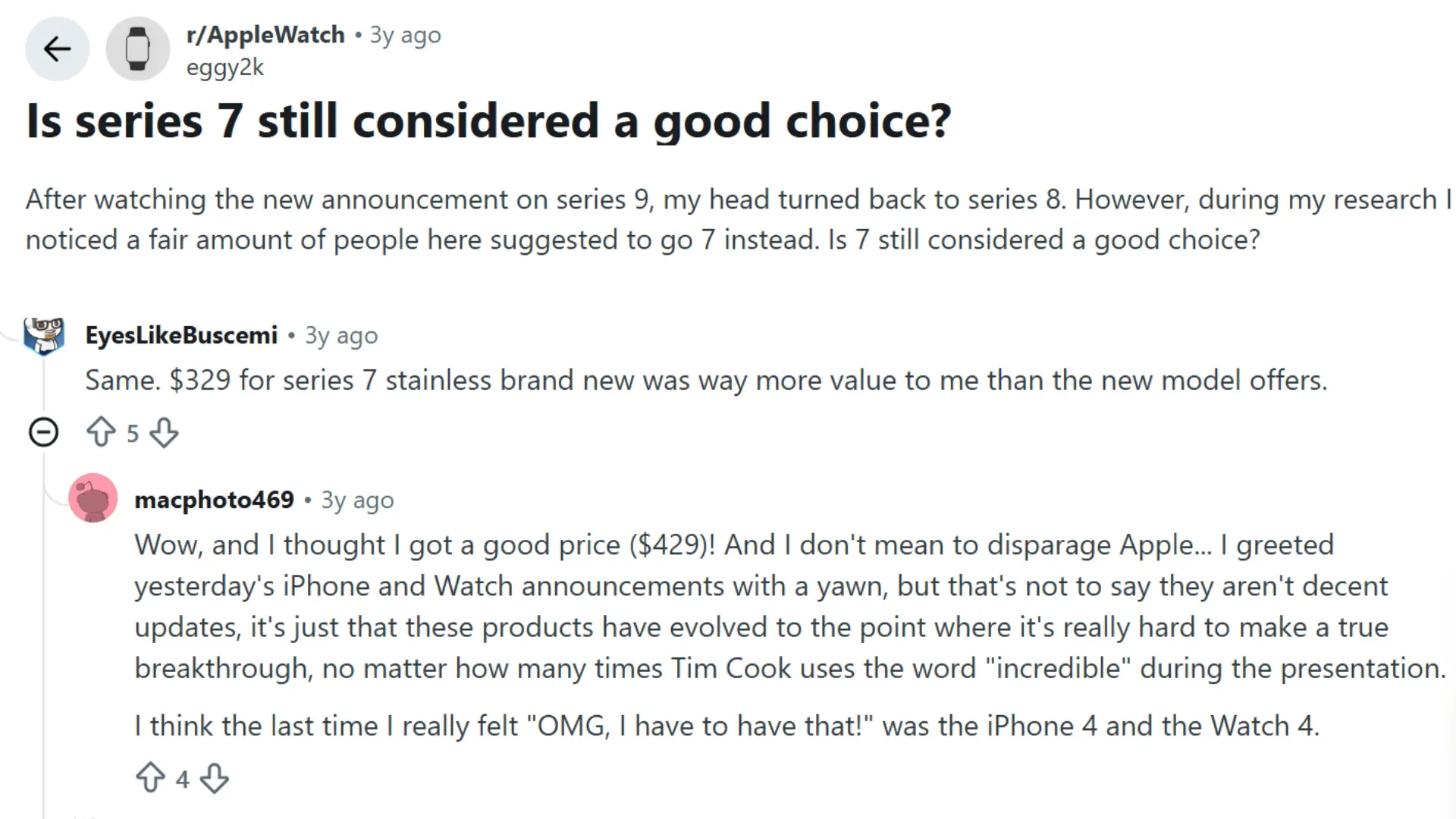
One buyer, who got a discounted Stainless-Steel Series 7, said they felt “absolutely no regret” after seeing the new announcement.
Another echoed this, noting they paid just $329 for a brand-new Series 7 value they felt beat what the newer model offered.
The original poster added that recent Apple releases feel more incremental than groundbreaking, admitting it’s “really hard to make a true breakthrough” each year.
Apple Watch Series 8
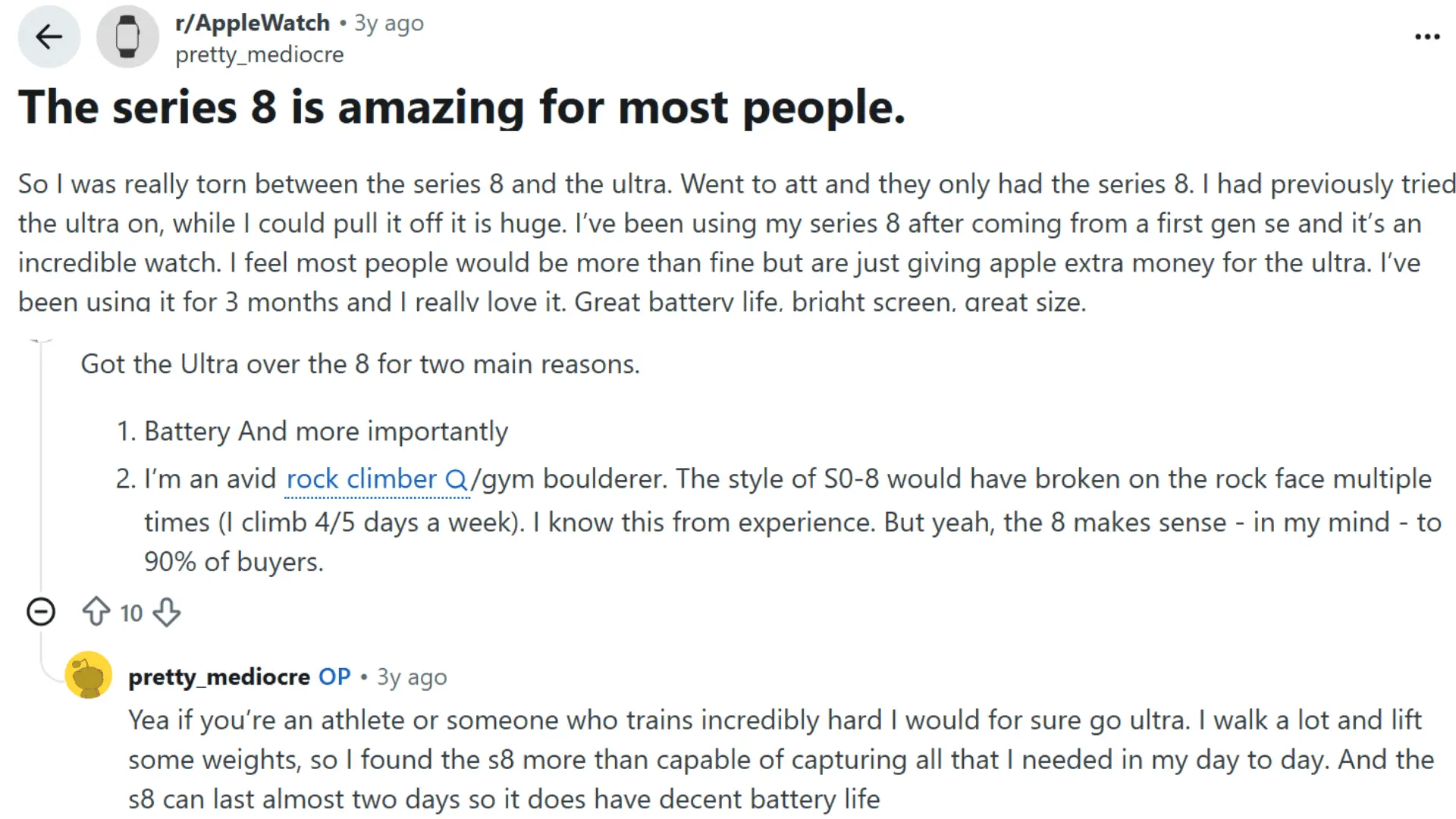
In one popular Reddit thread, a user shared that after trying the Ultra on and finding it too big, they went with the Series 8 instead and haven’t looked back.
A reply pushed back slightly, explaining they chose the Ultra instead for two reasons: better battery life and durability as an avid rock climber; they’d broken watches with the Series 0-8 design multiple times on rock faces. Still, they agreed the Series 8 makes sense for “90% of buyers.”
The OP responded that unless you’re an athlete or train intensely, the Series 8 covers daily needs like walking and lifting just fine and even lasts close to two days on a single charge.
Which Apple Watch Should You Buy?
Choosing between Apple Watch Series 7 and Series 8 depends on your budget and feature needs. Series 7 offers excellent value, while Series 8 adds newer health and safety upgrades.
Choose Apple Watch Series 7 If:
- Looking for a more affordable Apple Watch with essential smart features.
- Considering a refurbished model to get premium features at a lower cost.
- Needing reliable fitness tracking, apps, notifications, and daily activity monitoring.
- Not requiring advanced additions like Crash Detection or temperature sensing.
- Prioritizing value over the latest hardware improvements.
Choose Apple Watch Series 8 If:
- Wanting newer hardware with better long-term software support.
- Needing safety upgrades such as Crash Detection and improved emergency features.
- Interested in temperature sensing and enhanced cycle tracking insights.
- Planning to use the watch for several years.
- Upgrading for improved health monitoring and newer capabilities
Apple Watch Series 7 remains a smart choice for budget-conscious buyers, while Series 8 is better for users who value newer sensors, safety tools, and long-term benefits
Final Verdict
Picking the right Apple Watch comes down to the features that fit your daily routine and budget. I believe the small differences between models matter most when they solve a real need.
The apple watch series 7 vs 8 comparison shows that Series 8 brings useful health and safety upgrades, while Series 7 still offers strong value.
You can choose confidently by focusing on the features you will actually use instead of paying for extras you do not need. These details make it easier to find a smartwatch that matches your lifestyle.
It can help avoid unnecessary spending during your final buying decision. Share your thoughts in the comments and let others know which Apple Watch you prefer.
Frequently Asked Questions
Can a Watch Work Without an iPhone?
To an extent. Cellular models can make calls and receive notifications on their own, but you’ll still need an iPhone for initial setup and to access certain features.
How Long Will Series 7 Receive Updates?
Apple usually supports watchOS updates for several years after a model’s release, though the Series 7 will likely lose support before newer models do as future watchOS versions roll out.
Should You Buy the Cellular Version?
It really comes down to whether you want the freedom to leave your phone at home during workouts or errands. If that flexibility appeals to you, the cellular version is worth the extra cost.
What Should You Check Before Buying Used?
Look at the battery health percentage, screen condition, and whether the water-resistance seal is still intact. It’s also worth confirming if any warranty or AppleCare+ coverage transfers with the watch.