A Galaxy gift lights up a TikTok LIVE the second it lands: full screen, cosmic, impossible to miss.
If you have watched one fly across a stream and wondered how much is a Galaxy on TikTok in real dollars, the base number is simple: 1,000 Coins. What is less simple is everything that number hides.
A TikTok Galaxy gift costs a different amount depending on your Coin bundle, converts into Diamonds under rules TikTok rarely spells out in full, and lands the creator a payout well below what the sender paid.
Here is the Coin price, the dollar cost, the Diamond conversion, and exactly where that gap between spending and earning comes from.
What is a TikTok Galaxy Gift?
A Galaxy is a virtual gift inside TikTok’s LIVE system. Viewers buy TikTok Coins with real money, then spend those Coins on animated gifts while watching a stream.
It sits in the middle of TikTok’s gift catalog, above small reaction gifts like the Rose and well below top-tier gifts like the Universe.
When someone sends a Galaxy, TikTok plays a full-screen, space-themed animation for everyone in that LIVE. Before you reach that screen, you’ll need Coins in your balance, which is where buying TikTok Coins comes in.
On the creator’s side, the gift is logged as Diamonds, TikTok’s separate internal reward currency, which can later be withdrawn as cash under TikTok’s own conversion rules.
How Much is a Galaxy on TikTok?
The short answer: 1,000 Coins. In U.S. dollars, current estimates cluster between $13 and $15, though a few trackers place it as low as $10 depending on which Coin bundle you buy and which platform you buy it on.
|
Value |
Current Estimate |
|---|---|
|
Galaxy gift cost |
1,000 Coins |
|
Approximate viewer cost (USD) |
$13 to $15 |
|
Diamonds credited to creator |
Roughly 500 Diamonds (TikTok applies a commission of nearly 50 percent) |
|
Approximate creator payout (USD) |
Roughly $2.50 to $7, depending on withdrawal rate and source |
The 1,000-Coin figure is fixed and confirmed directly in TikTok’s gift tray. Everything past that- the dollar cost and the creator’s payout- moves depending on region, bundle size, and TikTok’s own commission rate at the time of withdrawal, so treat the ranges above as current estimates rather than guarantees.
Why the Cost Isn’t the Same for Everyone
Several factors move what those 1,000 Coins cost you, and TikTok’s own Virtual Items Policy confirms Coin pricing can differ by purchase amount and purchase location.
- Purchase platform: Buying Coins directly on tiktok.com from a browser is typically 25 to 30 percent cheaper than buying inside the iOS or Android app, since Apple and Google both take a cut of in-app purchases that TikTok passes on to the buyer.
- Bundle size: Larger Coin packages usually bring the per-Coin price down slightly, though the difference for a single Galaxy is small either way.
- Region: Available Coin packages and local currency conversion differ by market, and some regions have historically had lower Coin pricing than the U.S.
- Taxes and fees: Applicable taxes are included at checkout, and your payment provider may add its own currency conversion or transaction fee.
- Timing: TikTok can change Coin, Gift, and reward terms without notice, so a screenshot from a few months ago may no longer match what you see at checkout today.
The web-versus-app gap is the one people miss most. I compared the same Coin bundle on the TikTok app and on tiktok.com in the same week, and the browser price came in noticeably lower, enough that it is worth the extra step if you send gifts often.
What Does a Creator Actually Receive?
The receiving side works differently from the sending side. TikTok converts every gift into Diamonds first, applies a commission that multiple independent trackers place near 50 percent, and only then lets a creator withdraw the remaining balance as cash.
The Diamond-to-Cash Conversion
A 1,000-Coin Galaxy generally converts to somewhere around 500 Diamonds after TikTok’s commission.
Diamonds are then valued at roughly half a cent each on withdrawal, which puts a single Galaxy’s creator payout somewhere between $2.50 and $7 depending on the source and the exact rate applied at the time.
The Gap Between Online Payout Estimates
Third-party estimates spread out because none of them are pulling from an official, published Galaxy-to-Diamond rate; TikTok has never confirmed one publicly. Some trackers land near the low end around $2.50, others land closer to $7, and the honest answer is that both can be correct depending on region, account status, and when TikTok last adjusted its commission structure.
If you are a creator and want your real number instead of an estimate, your own Diamond balance and withdrawal screen inside the TikTok app will always be more accurate than any outside calculator, mine included.
How Coins, Gifts, and Diamonds Actually Work
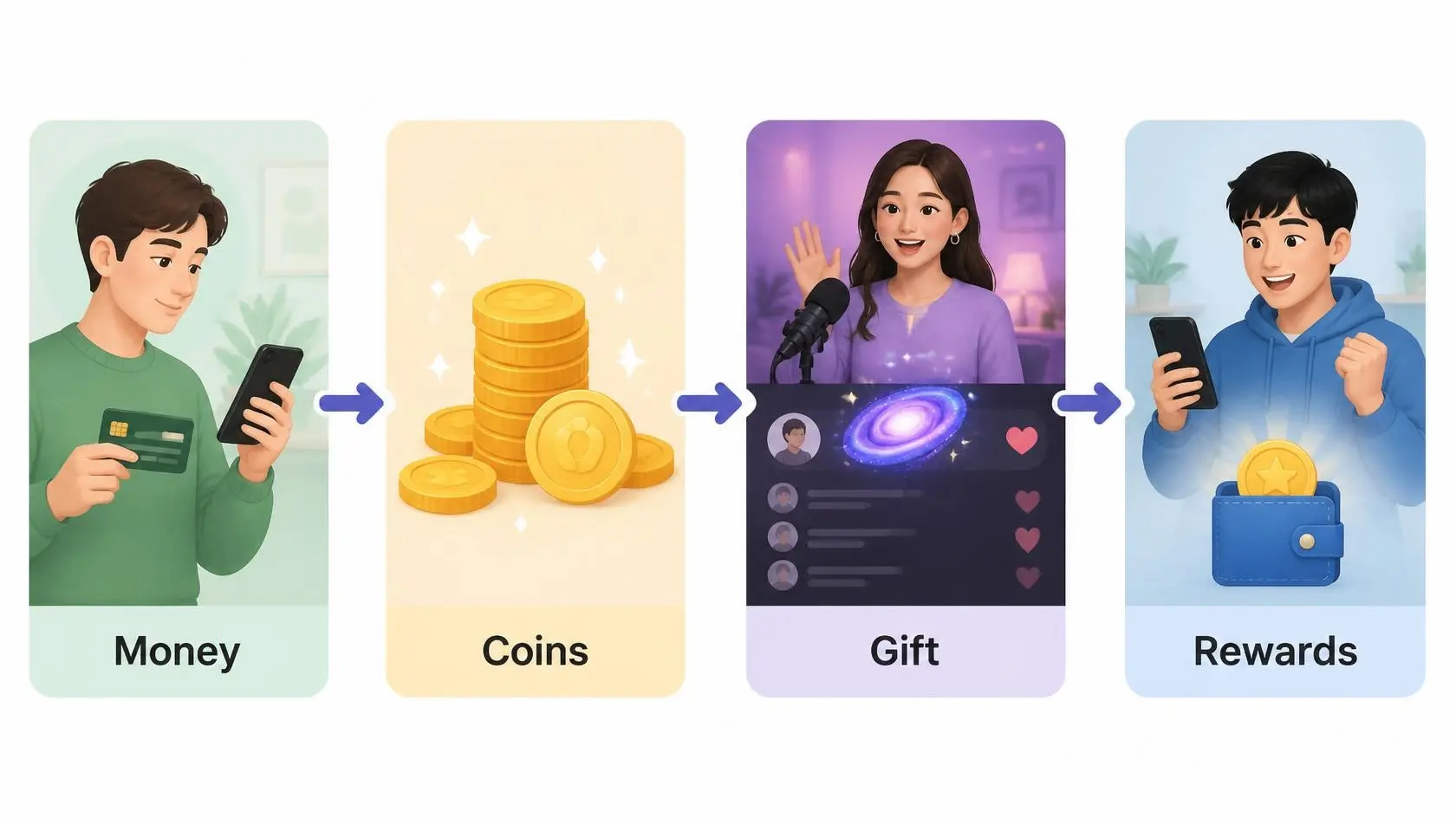
The path from TikTok Coins to Diamonds is easier to track once you split it into four stages.
- Money to Coins: You pay for a Coin package through TikTok’s app or website.
- Coins to Gift: You spend your Coin balance the moment you select and send a gift in a LIVE.
- Gift to Diamonds: TikTok credits the creator with Diamonds after deducting its commission.
- Diamonds to Cash: The creator withdraws Diamonds as real money once they hit TikTok’s minimum withdrawal threshold.
That sequence explains the gap between a $13 to $15 purchase and a $2.50 to $7 payout: the move from TikTok Coins to Diamonds isn’t a straight line; it passes through TikTok’s own conversion twice before any cash appears in a creator’s account.
If you are trying to answer how much a Galaxy is on TikTok for your own withdrawal or spending plan, this is the step that actually decides the number, not the sticker price in the gift tray.
What Happens the Moment You Send a Galaxy
Tapping Send deducts the Coin cost immediately, and a full-screen cosmic animation plays for everyone currently watching that LIVE.
Other viewers can see your username attached to the gift. The creator may react in the moment, but a Galaxy does not buy a reply, a follow, or guaranteed attention; it creates a visible moment in the stream, nothing more contractual than that.
I have watched creators shout out a Galaxy on stream and just as often miss it entirely in a fast-moving chat, so treat the animation as the guaranteed part and any acknowledgment as a bonus.
Is Sending a Galaxy Worth It?
It depends on which side of the screen you’re on. For a viewer, the value is the moment itself, a way to stand out and support a creator you enjoy. For a creator, the value blends recognition with a real, if modest, cash payout once Diamonds convert.
My own rule of thumb: I treat a Galaxy as tipping, not a way to get noticed. Creators juggling a fast chat can’t catch every gift, so a reply is never guaranteed.
If a response matters more than the gesture, a comment works better than a paid gift, since TikTok doesn’t tie gift value to visibility. If you’re weighing a Galaxy against a bigger gift, see the full TikTok gift price list side by side.
Gifting Etiquette and Mistakes Worth Avoiding
Sending a Galaxy well means knowing more than the price tag. A few small habits separate a fun show of support from a costly, poorly timed mistake.
- Don’t gift to force a reaction. Creators running a busy LIVE often can’t read every gift notification in real time, so a Galaxy is not a reliable way to get a shoutout.
- Watch your daily total, not just one gift. A single Galaxy is a modest spend, but repeated gifting during a long stream adds up fast, and TikTok’s Coin purchases are non-refundable once sent.
- Check region-specific pricing before assuming a flat rate. A Galaxy priced at $13 in the U.S. may cost noticeably more or less elsewhere.
- Don’t assume a big gift guarantees an algorithm boost. TikTok has never confirmed that gifting affects a creator’s reach, and I have seen creators with heavy gifting activity see no measurable change in their video performance.
None of this changes the Coin cost, but it changes whether that spend feels good afterward. A little awareness goes further than the gift itself.
How to Send a Galaxy
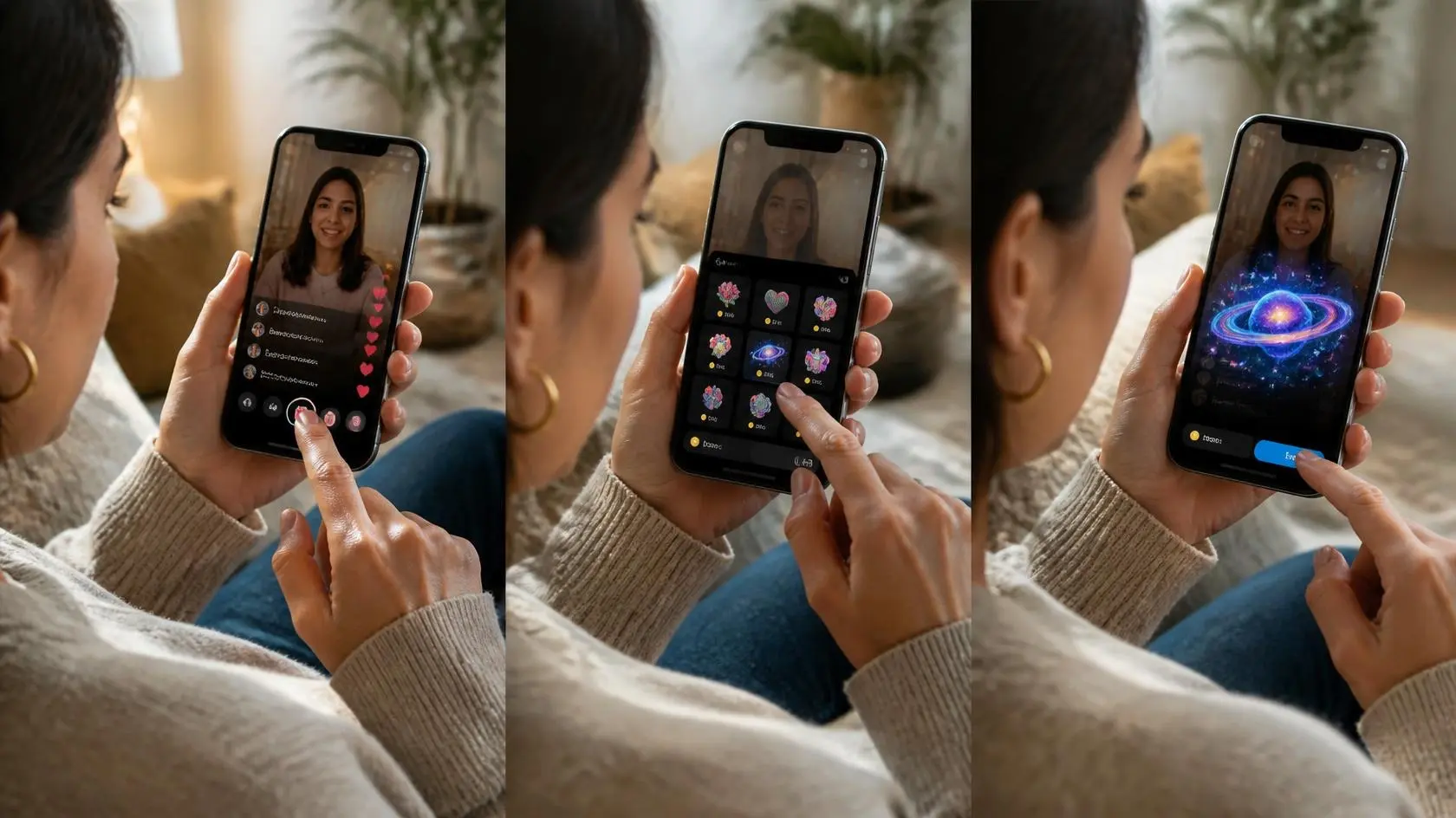
If you already have enough Coins, sending a Galaxy only takes a few taps. I’d still check the displayed Coin amount before the final tap in case pricing changed.
- Enter: Open a LIVE where the Gift button is visible.
- Tap: Select the Gift icon at the bottom of the LIVE screen.
- Choose: Find Galaxy in the gift tray and confirm its listed Coin price.
- Recharge: Buy more Coins if your balance is too low, ideally through the website to avoid the app-store markup.
- Send: Confirm the gift and let TikTok deduct the Coins immediately.
Check your Coin balance and the Galaxy price before recharging. Once activated, TikTok deducts the Coins immediately. If Galaxy isn’t in the tray, that LIVE account or region may not support it yet.
Who Can Send and Receive Galaxy Gifts?
Sending and receiving use different checks, so don’t assume access on one account means every viewer or creator has the same options.
|
Check |
Sender |
Creator |
|---|---|---|
|
Age |
Must meet TikTok’s minimum age for Coins and Gifts (18 in the U.S.) |
Must meet the age rule for LIVE Gifts and Diamonds |
|
Location |
Gifts must be available in the viewer’s region |
LIVE Gifts and Diamonds must be supported locally |
|
Account standing |
Registered account with Coins and Gifts enabled |
Account must meet TikTok’s LIVE eligibility rules |
|
LIVE access |
Gift button must appear in that specific LIVE |
Creator must be eligible to host LIVE and receive Gifts |
TikTok requires U.S. users to be at least 18 to buy or use Coins. Other regions follow local age and feature rules, so the most reliable check is inside your own account.
Galaxy vs. Other TikTok Gifts
Galaxy sits well above small reaction gifts but far below TikTok’s top-tier animations, which puts its 1,000-Coin price in context.
- Rose: 1 Coin, roughly $0.01, the smallest reaction gift on the platform.
- Galaxy: 1,000 Coins, roughly $13 to $15.
- Lion: 29,999 Coins, roughly $400 to $450.
- Universe: 44,999 Coins, roughly $470 to $650 depending on region and bundle, TikTok’s most expensive standard gift.
I would not treat this list as a ladder to climb. The goal is to pick a spend level that fits your budget, not match whatever gift got the loudest reaction in someone else’s stream.
Can Galaxy Values Change?
Yes, Galaxy values can change even when the Gift name stays the same. TikTok’s U.S. Virtual Items Policy says Coin prices can differ by the amount purchased and the place where you buy them, while the number of Coins required for a Gift is shown before activation.
Taxes, currency charges, app-store billing, or regional availability can also affect what you pay. On the creator side, Diamonds don’t automatically guarantee a reward payment, and TikTok controls reward terms.
I’d treat any dollar estimate as a rough guide and avoid treating it as permanent. Before spending, compare the Gift tray with the current Coin checkout; creators should rely on their own Diamond and reward screens instead of copying a public calculator or an old screenshot from another account.
What to Check Before Sending
Paid social features work best when you know what you’re buying before the interaction starts. I’d run through this short checklist before sending a Galaxy, rather than after your Coins have already been deducted.
- Price: Read the Coin amount shown beside Galaxy in the current Gift tray.
- Balance: Check existing Coins before buying another package you may not need.
- Checkout: Review the real-money total TikTok shows before approving a new Coin purchase.
- Access: Confirm the Gift button and Galaxy option are available in that LIVE.
- Expectation: Send it as a paid reaction, not as a promise that the creator will respond or follow you.
That quick review helps you separate a fun LIVE reaction from the financial side of gifting, while keeping your final purchase tied to the price TikTok actually shows at checkout.
Final Thoughts
The numbers settle once you stop treating a Galaxy as one flat price. Sending one costs 1,000 Coins, roughly $13 to $15 depending on your bundle and platform, and almost none of that reaches the creator directly.
TikTok converts the gift into Diamonds first, keeps close to half in commission, and then releases the rest, typically landing between $2.50 and $7.
Knowing how much a Galaxy is worth on both ends turns a TikTok Galaxy gift into an informed choice, whether you’re supporting a streamer or figuring out what your own LIVE gifts pay.
Check your Coin balance, read the gift tray, and if this helped, drop a comment with the gift you are still curious about.
Frequently Asked Questions
Can You Send a Galaxy Anonymously?
No. TikTok gifts are tied to the sender’s account, and the creator and other viewers in the LIVE can see who sent it, unless the sender’s profile settings otherwise limit visibility.
Can You Refund a Galaxy After Sending It?
No. TikTok’s policy treats Gifts as consumed the moment they’re activated, so you can’t refund a Galaxy you’ve sent.
Can You Set a Daily TikTok Gift Spending Limit?
Yes. TikTok offers a daily gift limit notification that alerts you once you hit a spending amount you set, and you can adjust it later in your account settings.
Can You Buy Galaxy Coins with a Gift Card?
In some countries, yes. TikTok lets you redeem eligible gift cards for Coins through its website, though availability depends on your region.
Does Sending a Galaxy Make a Creator’s Video or Live More Visible?
Not officially. TikTok has never confirmed that gifting affects reach or the recommendation algorithm, and creators should judge any change in visibility by their own view and engagement data, not by how many gifts they received.