You bought your Apple Watch, wore it daily, and now you’re starting to wonder: how much longer will this thing actually hold up?
It’s a fair question, and the honest answer is a little more layered than most people expect.
The number you’ll see most often is 3 to 5 years, which is accurate, but it glosses over the fact that two separate clocks are running on your wrist at the same time.
The hardware clock and the software clock. Understanding both is what separates a user who squeezes five good years out of their watch from one who replaces it after three.
What’s the Real Apple Watch Lifespan?
For the majority of people who wear an Apple Watch daily, 3 to 5 years is the realistic window before the device starts to feel like it’s working against you rather than for you.
Battery life gets shorter. Apps take longer to open. And at some point, a major watchOS update stops showing up. That said, hardware and software age differently.
A watch that still functions but runs outdated software is technically usable, but the types of wearable technology that hold up best long-term are the ones that stay current on both fronts.
Once security updates stop, the practical end of life has arrived, whether or not the screen still lights up.
For most buyers, the straightforward expectation is this: plan on 3 to 5 strong, fully supported years. Treat the watch well, and you may stretch that to 6.
Factors that Determine How Long Your Apple Watch Lasts
Apple Watch lifespan isn’t random. It comes down to three things that interact with each other in ways that are worth understanding before you decide whether to repair, hold on, or upgrade.
1. Battery Health
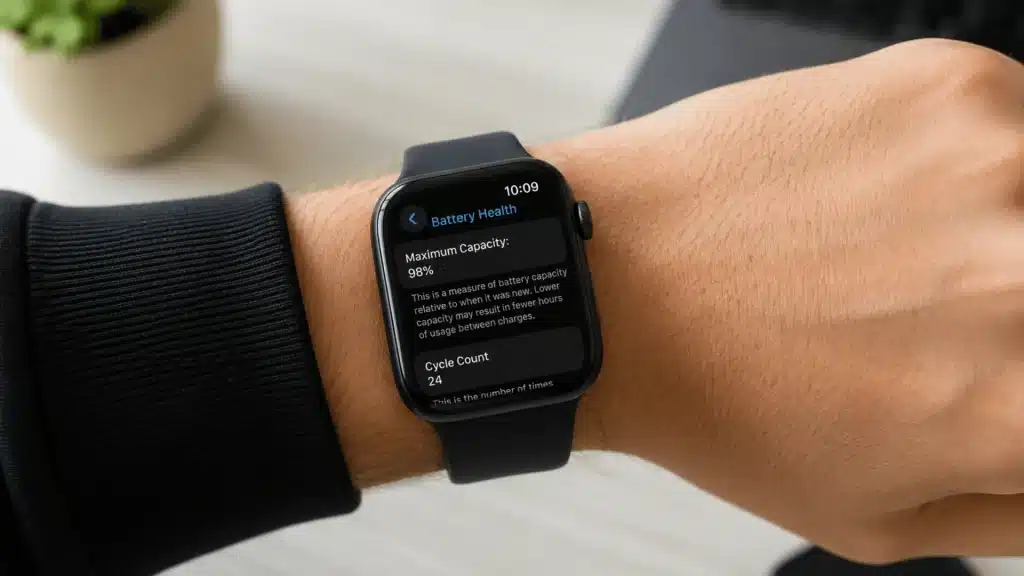
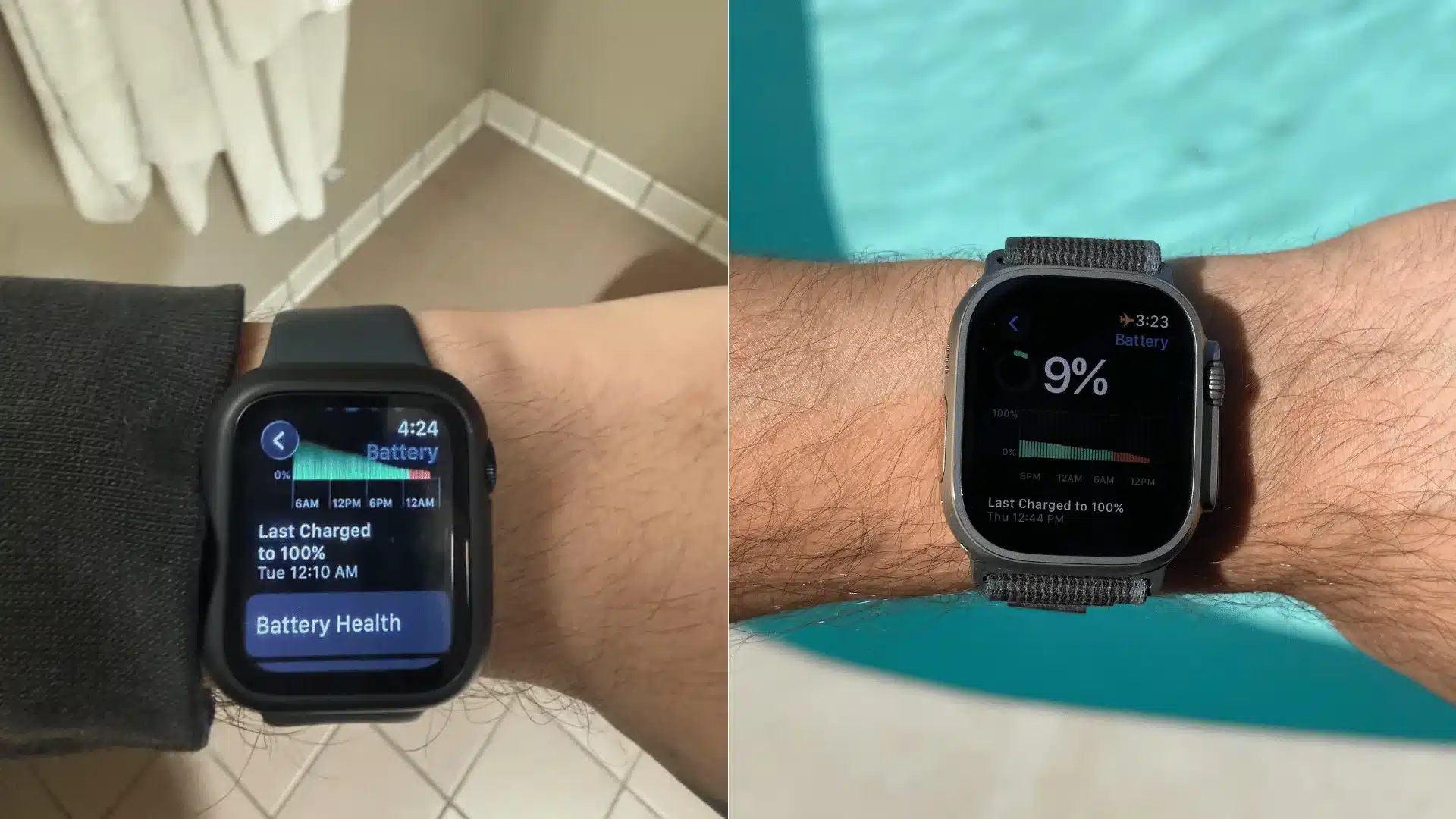
Apple Watch batteries are rated to keep up to 80% of their original capacity after roughly 1,000 full charge cycles.
For most users, that equals around 3 years of daily charging before noticeable battery drain appears. Once battery health drops below 80%, many watches struggle to last an entire day, especially during workouts or GPS use.
Usage patterns matter more than many people realize.
Heavy users who stream music, track fitness daily, use cellular models, or keep the always-on display enabled usually see faster battery degradation than casual users who mainly check notifications and messages.
Apple allows users to check battery capacity directly in watch settings, and battery replacement can extend the device’s lifespan without buying a new model.
2. Software Support
Apple typically supports Apple Watches with major watchOS updates for about 5 to 6 years after release.
As of now, watchOS 26 supports Series 6 and newer models, while Series 4, Series 5, and the original SE no longer receive major updates.
Unsupported models miss security patches, newer health features, and app compatibility improvements.
Even if the hardware still works, losing software support limits long-term usability and can affect syncing with newer iPhones over time.
3. Physical Condition
Apple Watches are built with aluminum, stainless steel, or titanium cases, but physical damage still shortens their lifespan faster than battery wear in many cases.
Cracked displays, damaged Digital Crowns, and weakened water resistance seals become more common after several years of use. Apple rates most models for 50-meter water resistance, though protection decreases as seals age.
Screen repairs can cost hundreds of dollars, which often makes replacement more practical for older Apple Watch models.
4. Apple’s Vintage and Obsolete Policy
Apple also classifies older devices under its Vintage and Obsolete policy, which affects repair availability and long-term support.
A product becomes “Vintage” once Apple stops selling it for more than 5 years. Repairs may still be available, but parts become harder to find depending on the region and model.
After 7 years, most Apple Watches move into the “Obsolete” category. At that point, Apple and authorized service providers usually stop offering hardware repairs entirely.
This policy matters because even a working Apple Watch can become difficult or impractical to repair once replacement parts are no longer available.
Older models may still function fine for basic use, but long-term maintenance becomes much harder after Apple officially phases them out.
How Long Do Specific Apple Watch Models Last?
Different models have different practical lifespans based on their release year, chip performance, and the amount of support runway they have left. Here’s how the current lineup stacks up:
| Model | Release Year | watchOS 26 Support | Estimated Remaining Lifespan | Total Practical Lifespan (from Launch) |
|---|---|---|---|---|
| Apple Watch Series 6 | 2020 | Yes (possibly final major update) | 1-2 years | 5-6 years |
| Apple Watch Series 7 | 2021 | Yes | 2-3 years | 5-6 years |
| Apple Watch Series 8 | 2022 | Yes | 3-4 years | 6-7 years |
| Apple Watch SE (2nd gen) | 2022 | Yes | 2-4 years | 4-6 years |
| Apple Watch Series 9 | 2023 | Yes | 4-5 years | 6-7 years |
| Apple Watch Series 10 | 2024 | Yes | 5-6 years | 6-7 years |
| Apple Watch Series 11 | 2025 | Yes | 5-7 years | 6-8 years |
| Apple Watch Ultra | 2022 | Yes | 4-5 years | 6-7 years |
| Apple Watch Ultra 2 | 2023 | Yes | 5-6 years | 6-8 years |
| Apple Watch Ultra 3 | 2025 | Yes | 6-7 years | 7-8 years |
If you are not sure which model you have, it is worth identifying it before making decisions about battery service or replacement. Not every model ages the same way.
The Apple Watch Series 11 features a newer chip architecture that should give it a longer software support runway than the older models currently approaching end-of-life.
Signs It’s Time to Replace Your Apple Watch
There’s no single moment when an Apple Watch becomes unusable. It’s a gradual slide. But there are a few clear signals that the slide has gone far enough to justify replacement:
- Battery won’t last a full day: If you’re reaching for the charger by mid-afternoon and your battery health is already below 80%, a battery replacement is worth considering before full replacement. If the health is fine but the watch still can’t last a day, the hardware may have other issues.
- Your model no longer receives watchOS updates: Once Apple drops a model from major update support, it also stops receiving security patches. At that point, the watch is frozen in time while everything around it keeps moving.
- Apps crash, lag, or stop working: Older processors paired with newer, more demanding app updates create friction over time. Occasional lag is normal; consistent crashes or unusable apps are a signal.
- Expensive screen repair: Repair pricing for cracked Apple Watch screens can approach or exceed the cost of a refurbished, newer model. Run the numbers before committing to a repair.
- Pairing problems with newer iPhones: As iPhone iOS requirements advance, older Apple Watch models may lose seamless compatibility.
- Apple has classified your model as Obsolete: Once Apple marks a model obsolete (7 or more years after discontinuation), hardware service and parts are no longer available through Apple or Authorized Service Providers. At that stage, repair options become limited regardless of what is physically wrong with the watch.
If you are unsure which Apple Watch you currently own, figuring out which Apple Watch you have is the right first step before deciding whether to repair, replace, or hold.
How to Extend Your Apple Watch Lifespan?
Getting five or six years out of an Apple Watch is achievable. It doesn’t require anything unusual, just consistent habits from day one.
Good information on wearables and health tracking can help you understand how to keep your device performing well over time.
- Use optimized charging: Enable Optimized Battery Charging to reduce battery aging caused by staying at 100% for long periods.
- Avoid deep drains: Charging the watch before the battery drops below 20% helps slow lithium-ion battery degradation.
- Use Low Power Mode during long sessions: When you’re mid-workout or heading into a long day away from a charger, enabling Low Power Mode via the Control Center extends a single charge significantly and reduces the strain of a deep discharge cycle.
- Prevent overheating: Keep the watch away from hot cars, direct sunlight, and extreme temperatures that damage battery health.
- Install updates: Regular watchOS updates improve performance, stability, and long-term compatibility with newer iPhones.
- Add protection: A screen protector or bumper case helps prevent expensive scratches, cracks, and accidental damage.
- Monitor battery health: Checking battery capacity every few months helps identify when a battery replacement may be needed.
Is the Apple Watch Ultra Worth It for a Longer Lifespan?
If you’re buying for longevity, the Ultra models are worth the honest consideration.
The titanium case is more impact-resistant than aluminum, the sapphire crystal front glass is harder and more scratch-resistant, and the larger chassis houses a bigger battery that degrades more slowly relative to daily use demands.
A standard Apple Watch Series model is rated for around 18 hours of battery life when new. The Ultra 3 is rated for 42 hours.
Even as both batteries age, the Ultra still tends to stay above the “full day on a charge” threshold longer. The realistic, practical lifespan for an Ultra is around 4 to 6 years with normal use, and potentially longer with a battery replacement.
The Ultra does cost significantly more upfront. Whether that premium makes sense depends on how you use the watch.
Heavy users who track long workouts, wear the watch overnight for sleep tracking, and push the GPS hard will get more out of the Ultra’s hardware margin.
Casual users checking notifications and step counts will likely find a standard Series model perfectly adequate for 4 to 5 years.
Conclusion
Apple Watch lifespan comes down to three things working together: how well the battery holds up, how long the software stays supported, and how well the physical device survives daily life.
Most people get 3 to 5 solid years. With the right habits, that can stretch to 6 or beyond.
The watches that get replaced early are almost always the ones where battery decline went unmanaged, or where physical damage made repair impractical.
Before you decide whether your current watch needs replacing, check two things: the battery health reading in Settings and whether your model still supports the latest watchOS.
Those two data points tell you most of what you need to know about where your device actually stands. If both look good, you likely have more runway than you think.
How long has your Apple Watch lasted? Drop your model and year in the comments; it’s genuinely useful data for anyone trying to decide whether to repair or replace.
Frequently Asked Questions
Can You Replace an Apple Watch Battery Yourself?
Apple Watch batteries are not designed for user replacement. The watch is not built to be opened at home without specialized tools, and attempting it risks damaging the display, water-resistance seals, or internal components.
Does Apple Watch Lifespan Differ for Cellular vs. GPS-Only Models?
The core hardware lifespan is the same, but cellular models work the radio harder when away from an iPhone.
Extended periods of standalone cellular use drain the battery faster per session, which can translate to slightly more charge cycles over time.
What Happens to an Apple Watch After Software Support Ends?
The watch continues to function on the last watchOS version it supported. You can still use it to tell time, track workouts, receive notifications, and use most apps already installed.
Is It Worth Buying a Used or Refurbished Apple Watch?
It depends on the model and how much runway it has remaining. A certified refurbished Series 9 or newer still has years of watchOS updates ahead of it and can offer strong value at a lower price.