Modern workplaces rely on technology more than ever, but providing employees with secure, reliable access to apps and data is not always straightforward.
End-user computing helps solve this by making it easier for people to work from different devices and locations while IT teams stay in control.
I have seen how the right approach can improve productivity without making systems harder to manage.
If you’re trying to understand EUC or comparing solutions for your organization, it helps to start with the basics.
In this guide, you will learn what end-user computing is, how it works, its main components, common use cases, key benefits, and the challenges businesses should plan for.
By the end, you will have a clear understanding of how EUC supports modern enterprise IT and what to consider before adopting it.
Quick Answer: What Is End User Computing?
End user computing (EUC) refers to the technology, tools, and services that enable employees to securely access applications, data, and devices to work.
In enterprise IT, EUC includes desktops, laptops, mobile devices, virtual desktops, and cloud-based workspaces.
It helps IT teams manage user access, improve security, and support productivity across office, remote, and hybrid work environments.
Core Components of End User Computing
Several technologies work together to create a secure, flexible, and manageable end-user computing environment across enterprise IT.
- Endpoint Devices: Laptops, desktops, tablets, and smartphones give employees secure access to business apps, files, and communication tools.
- Endpoint Management: Centralized tools help IT manage devices, apply security policies, install updates, and monitor system health.
- Virtual Desktop Infrastructure (VDI): Hosts desktops on central servers, allowing users to securely access personalized workspaces from multiple devices.
- Desktop as a Service (DaaS): Delivers cloud-hosted virtual desktops, reducing infrastructure management while supporting remote and hybrid work.
- Application Virtualization: Separates applications from operating systems, simplifying deployment, improving compatibility, and reducing software conflicts.
- Identity and Access Management (IAM): Verifies user identities and controls access to business resources through secure authentication and authorization.
- Collaboration and Productivity Tools: Enable messaging, file sharing, video meetings, and teamwork across office, remote, and hybrid work environments.
How Does End User Computing Work?
End-user computing works by securely connecting employees to applications, data, and desktops through managed devices, networks, and cloud services.
IT teams provide devices configured with the required software and security settings.
Employees access business resources through local applications, virtual desktops, or cloud-based workspaces, depending on the organization’s setup.
Identity and access management verifies each user’s identity before granting access to sensitive systems.
Meanwhile, endpoint management tools help IT monitor devices, install updates, enforce security policies, and resolve issues remotely.
This centralized approach allows employees to work from the office, home, or while traveling without compromising productivity, data protection, or compliance requirements.
What Are the Benefits of End User Computing?
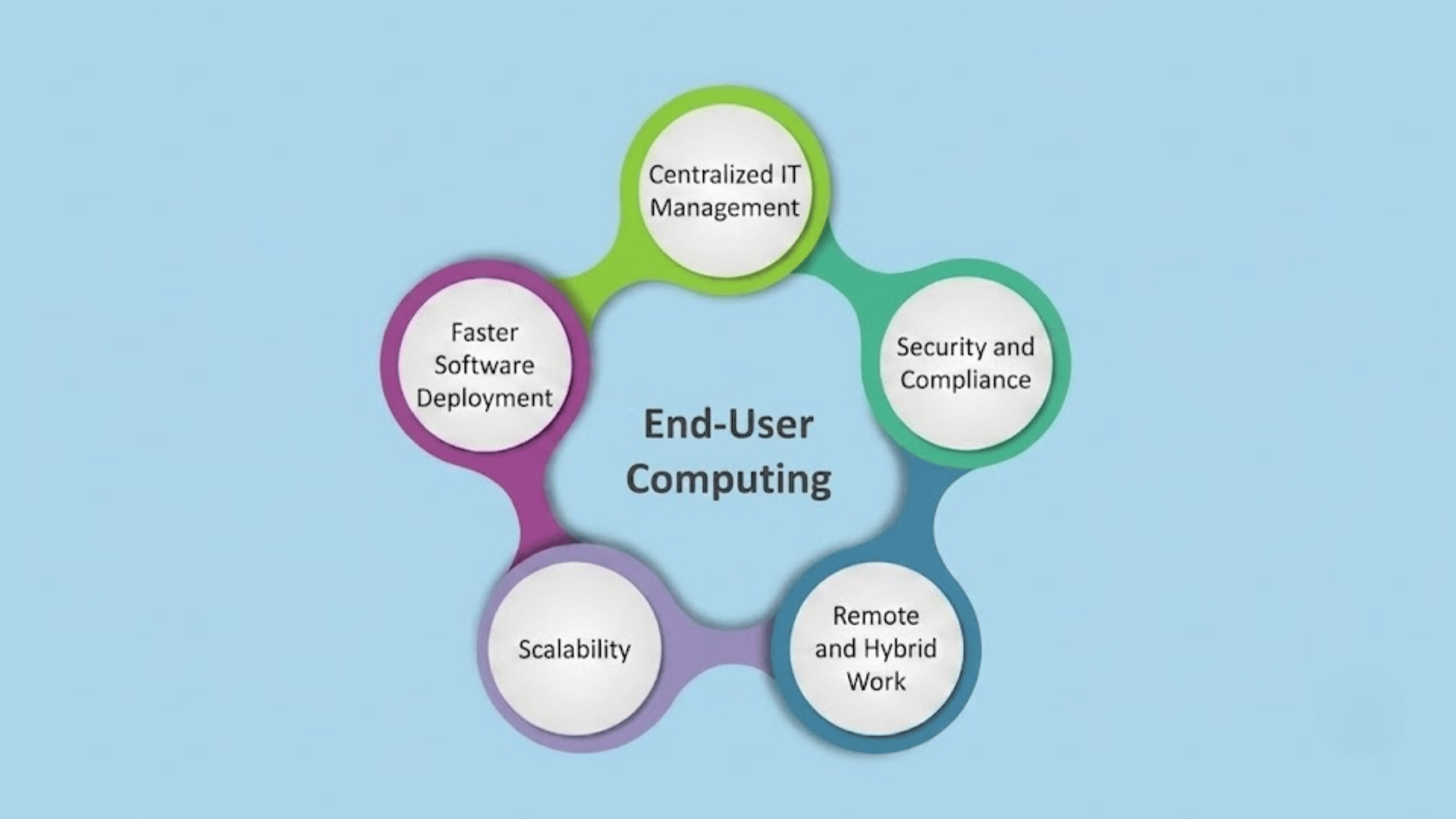
A well-planned end-user computing strategy helps organizations improve productivity, security, flexibility, and IT control across modern work environments.
1. Better Employee Productivity
End-user computing provides employees with secure access to the apps, files, and tools they need on approved devices.
This helps them work with fewer delays, whether they are in the office or working remotely.
With centralized access and managed workspaces, users can continue tasks more smoothly, while IT teams can fix many issues faster.
As a result, employees spend less time waiting for support and more time doing useful work.
2. Flexible Remote and Hybrid Work
EUC supports remote and hybrid work by allowing employees to access business resources from different locations. Virtual desktops, cloud workspaces, and secure access tools help create a consistent experience across devices.
This means users can work from home, office, or while traveling without losing access to key systems.
For businesses, this flexibility supports workforce mobility while keeping company data and applications easier to manage.
3. Improved Security and Compliance
End-user computing improves security by helping IT teams control how users access data, applications, and devices.
Features like identity management, multi-factor authentication, encryption, and policy controls reduce the risk of unauthorized access.
Centralized management also supports compliance because IT can apply updates, monitor endpoints, and protect sensitive data more consistently.
This is especially useful for industries that handle private customer, financial, or health information.
4. Centralized IT Management
With EUC, IT teams can manage users, devices, applications, and security policies from a central system. This makes everyday tasks like updates, software installation, device setup, and troubleshooting easier to handle.
Instead of managing each device separately, IT can apply changes across many endpoints at once.
This saves time, reduces errors, and helps organizations maintain a more consistent technology environment.
5. Faster Software Deployment
End-user computing helps IT teams deliver software and updates more quickly.
Applications can be installed, updated, or made available through centralized platforms, virtual desktops, or cloud-based workspaces.
This reduces the need to configure each device manually. Employees can access the latest tools sooner, while IT teams can maintain more consistent software versions across the organization.
Faster deployment also helps reduce downtime and support requests.
6. Scalability for Growing Businesses
EUC makes it easier for businesses to add new users, devices, and applications as they grow. Cloud-based and virtual desktop solutions can often scale without large hardware upgrades.
This helps companies support new employees, branch offices, contractors, or seasonal teams more efficiently.
As business needs change, IT can adjust access, resources, and services without rebuilding the entire computing environment.
7. Lower Hardware and Maintenance Costs
End-user computing can reduce hardware and maintenance costs by shifting more workloads to centralized servers or cloud platforms.
In some setups, employees can use lower-cost devices because heavy processing happens elsewhere.
Centralized updates and remote support also reduce the time IT spends on routine maintenance.
Over time, this can help organizations extend device life, reduce repair needs, and manage technology budgets more effectively.
End User Computing vs VDI vs DaaS
These technologies are closely related, but each serves a different purpose within a modern enterprise IT environment.
| Feature | End User Computing (EUC) | Virtual Desktop Infrastructure (VDI) | Desktop as a Service (DaaS) |
| Definition | A complete strategy for delivering secure digital workspaces | Virtual desktops hosted on an organization’s servers | Virtual desktops hosted and managed in the cloud |
| Scope | Covers devices, applications, security, and user access | Focuses on desktop virtualization | Focuses on cloud-delivered virtual desktops |
| Infrastructure | On-premises, cloud, or hybrid | Usually, an on-premises data center | Cloud provider infrastructure |
| Management | Managed by the organization’s IT team | Managed by internal IT | Mostly managed by the service provider |
| Scalability | High, depending on deployment | Limited by available infrastructure | Easily scales up or down as needed |
| Initial Cost | Varies by solution | Higher due to hardware investment | Lower upfront with subscription pricing |
| Best For | Overall enterprise workforce management | Organizations needing full control | Businesses wanting flexible, cloud-based desktops |
Best Practices for Implementing End User Computing
A successful end-user computing strategy depends on careful planning, consistent management, and strong security across the entire environment.
- Assess User Requirements: Understand employee roles, application needs, device preferences, and work locations before selecting and deploying EUC solutions.
- Choose the Right EUC Platform: Select a solution that supports business goals, integrates with existing systems, and scales with organizational needs.
- Strengthen Endpoint Security: Protect devices using multi-factor authentication, encryption, regular updates, and security policies to reduce cyber risks.
- Standardize Device Management: Use centralized tools to configure devices, deploy updates, enforce policies, and simplify ongoing IT administration.
- Monitor Performance Regularly: Track system health, application performance, and user experience to identify issues before they affect productivity.
- Provide Employee Training: Train users on security practices, remote access, and new tools to improve adoption and reduce common support requests.
Common End User Computing Use Cases
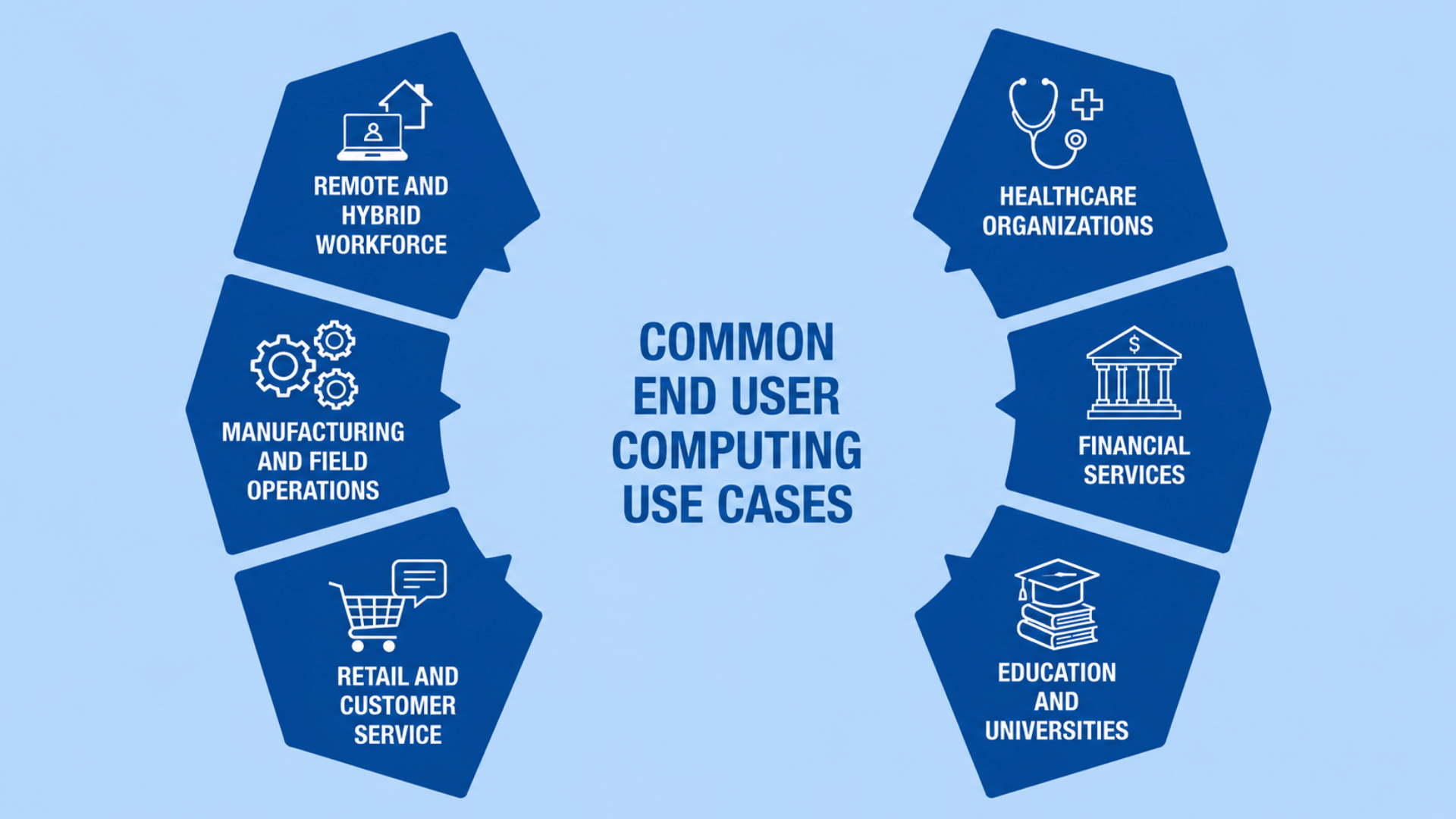
End-user computing supports many industries by providing secure access to applications, data, and digital workspaces to meet diverse business needs.
1. Remote and Hybrid Workforce
Organizations use end-user computing to give employees secure access to business applications from home, the office, or while traveling.
Virtual desktops, cloud workspaces, and endpoint management ensure users have a consistent experience across approved devices.
This setup helps maintain productivity, supports collaboration, and allows IT teams to manage devices and security policies from a central location without relying on physical office infrastructure.
2. Healthcare Organizations
Hospitals and healthcare providers use EUC to give doctors, nurses, and administrative staff secure access to electronic health records and clinical applications.
Centralized management helps protect sensitive patient information while supporting compliance with healthcare regulations.
Medical professionals can securely access systems from different departments or approved remote locations, improving patient care and helping IT teams maintain consistent security standards.
3. Financial Services
Banks, insurance companies, and financial institutions rely on end-user computing to provide secure access to financial systems and customer information.
Identity management, encryption, and centralized security controls help protect confidential data while meeting regulatory requirements.
Employees can safely access critical applications from managed devices, allowing organizations to support remote work without compromising data security or operational efficiency.
4. Education and Universities
Schools, colleges, and universities use EUC to provide students, teachers, and staff with access to learning platforms, educational software, and digital resources.
Virtual desktops and cloud-based applications make it easier to support computer labs, online learning, and remote education.
Centralized management also helps IT teams deploy software updates quickly while maintaining secure access across campus and remote environments.
5. Retail and Customer Service
Retail businesses use end-user computing to support point-of-sale systems, inventory management, customer service applications, and employee communication tools.
Staff can securely access business systems from stores, warehouses, or corporate offices using managed devices.
Centralized administration allows IT teams to update applications, apply security policies, and resolve technical issues quickly across multiple business locations.
6. Manufacturing and Field Operations
Manufacturing companies use EUC to connect office staff, factory workers, and field technicians with production systems, maintenance tools, and business applications.
Employees can securely access real-time information using laptops, tablets, or rugged mobile devices.
Centralized device management helps maintain security, deploy updates remotely, and improve communication between production facilities, warehouses, and field service teams.
How to Choose the Right End User Computing Solution?
Choose an end-user computing solution that matches your business goals, security needs, workforce, budget, and existing IT infrastructure.
Identify employee devices, required applications, and whether they work onsite, remotely, or both.
Compare solutions based on security features such as multi-factor authentication, endpoint management, and data protection.
Consider scalability so the platform can support future business growth without major upgrades.
Consider system integration, deployment, vendor support, and total ownership costs, not just upfront pricing.
Understanding what business software is and how it fits into your broader technology stack can also help IT teams choose EUC platforms that integrate smoothly with existing operations.
A well-planned choice helps improve productivity, simplify IT management, and support long-term business needs.
Future Trends in End User Computing
End-user computing continues to evolve as organizations adopt technologies that improve security, flexibility, and workplace efficiency.
- AI-Powered Digital Workspaces: AI automates routine tasks, improves support, and enhances employee productivity with smarter digital experiences.
- Zero Trust Security: Every user and device is verified before access, strengthening security across enterprise environments.
- Unified Endpoint Management (UEM): A single platform manages desktops, laptops, tablets, and smartphones more efficiently.
- Cloud-Native EUC Solutions: Cloud-based workspaces offer greater flexibility, easier scaling, and simpler infrastructure management.
- Automation and Self-Service IT: Automated tools let employees resolve common IT tasks with minimal support.
- Digital Employee Experience (DEX): DEX tools monitor performance and improve application reliability and user satisfaction.
- Citizen Development and End-User Software Engineering: Modern EUC strategies increasingly support citizen development and end-user software engineering, where business users build tools that still require governance and quality controls.
Common Challenges of End User Computing
Organizations can gain many benefits from EUC, but successful implementation also requires addressing various operational and security challenges.
| Challenge | Impact |
| Security Risks | More devices and remote access increase the risk of cyberattacks and data breaches. |
| Device Management | Managing different devices and operating systems can be complex for IT teams. |
| Network Dependence | Poor internet connections can affect access to cloud applications and virtual desktops. |
| Software Compatibility | Some legacy applications may not work well in virtual or cloud environments. |
| User Training | Employees may need guidance to use new tools securely and efficiently. |
| Compliance Requirements | Businesses must meet industry regulations while protecting sensitive data across all endpoints. |
| Initial Deployment Costs | Setting up EUC infrastructure or migrating systems may require significant upfront investment. |
| Performance Monitoring | IT teams must continuously monitor systems to maintain performance, availability, and a consistent user experience. |
Conclusion
End-user computing has become an important part of modern enterprise IT because it helps organizations support secure, flexible, and productive work.
The right EUC strategy improves security, remote access, scalability, and the employee and IT experience.
At the same time, choosing the right solution requires careful planning and a clear understanding of business needs.
I believe that learning the basics of EUC is the first step toward making smarter technology decisions, whether you are part of an IT team or simply exploring the topic.
Every organization has different requirements, so there is no single approach that works for everyone.
Have you used an end-user computing solution or faced challenges while implementing one? Share your experience or thoughts in the comments below.
Frequently Asked Questions
What Are the 3 Types of Software?
The three types of software are system software, application software, and programming software. Each performs a different role in the operation, development, or use of computers.
Is Excel End User Computing?
Yes. Microsoft Excel is an end-user computing application because it enables users to analyze data, perform calculations, and create reports without programming.
Which Is Harder, SQL or Excel?
SQL is generally harder than Excel because it requires learning query syntax and database concepts, while Excel offers a more user-friendly, visual interface.
What Are the 4 Types of Cloud Services?
The four cloud service types are Infrastructure as a Service (IaaS), Platform as a Service (PaaS), Software as a Service (SaaS), and Function as a Service (FaaS).