
When users switch from Mac Outlook to Outlook for Windows, the process isn’t just about accessing old emails or contacts — it’s about migrating data safely. This means transferring all mailbox mailbox items – emails (including attachments), contacts, calendars, tasks, and notes – from one environment to another while keeping them structure unaltered.
But as the .olm is the Outlook data file for used exclusively by the Outlook for Mac application, the Outlook client on Windows doesn’t support it. This is because the latter uses .pst file format for import. Hence, users look for a way to convert OLM to PST for free. Let’s read further.
Why Users Need to Convert OLM to PST?
Generally, users need to convert OLM file to PST format for the following reasons:
- Certain items, especially calendars, cannot be migrated directly from OLM to Office 365. Converting to PST ensures they can be imported without data loss.
- To open old, archived, or orphaned OLM files in Outlook for Windows
- PST format is widely supported by different versions of Windows Outlook, thus making it ideal for future migration
- To help users access old OLM file data in Windows Outlook
Is There a Free Software to Convert OLM to PST?
Absolutely. There are several olm to pst converter available online that should help you quickly open Mac Outlook mailbox files (.olm) in Windows Outlook. One such tool is the free OLM to PST converter online by Stellar – a web-based utility that works without the need to download or install any software (even Outlook). So, you can conveniently convert OLM to PST on the go. It can be used on any system, independent of the OS it runs. This free online OLM to PST converter converts an OLM file to PST format in 3 easy steps: Upload > Convert > Download.
Here are some highlights of this free OLM to PST converter:
- Instantly converts OLM to PST via a web browser
- No additional software download or installation required
- Doesn’t require Outlook for Windows to be installed
- Converts a single OLM file of size ≤ 100 MB for free
- Works on any Windows, Mac, or Linux PC
- View OLM file contents via a downloadable HTML file
- Safe and reliable – converted file is deleted after 3 hours (free version) and 24 hours (premium version)
Now, let’s see the stepwise process to use Stellar’s free OLM to PST converter online:
- Launch a web browser (Mozilla Firefox, Google Chrome, etc.) on your computer/Mac/Linux device.
- Go to the free online OLM to PST converter tool page.
- Click on the Upload OLM File button.
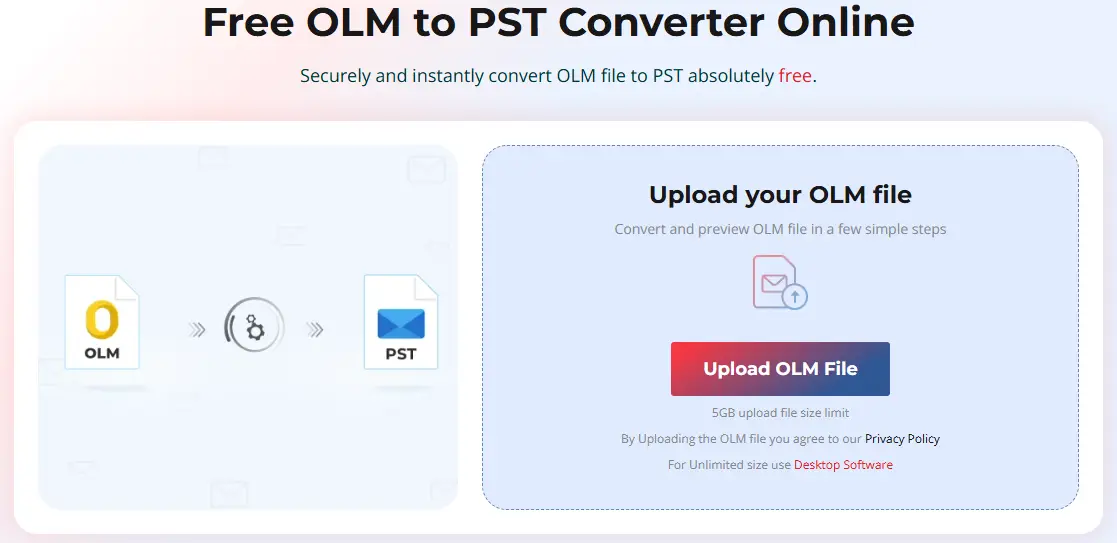
- It will prompt you to sign in or sign up. Do it.

- After that, the home screen will load again.
- Click on Upload OLM File.
- The Open window will appear. Locate and select the OLM file you want to convert. Click on Open.
- Once the file is uploaded, you will see its status updated to “File Uploaded.”
- Click on Start Conversion.
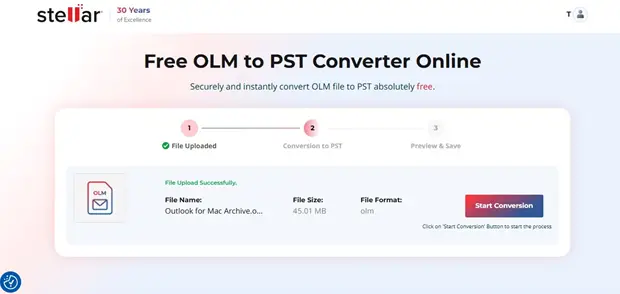
- The converter will begin analyzing and converting the selected OLM file.
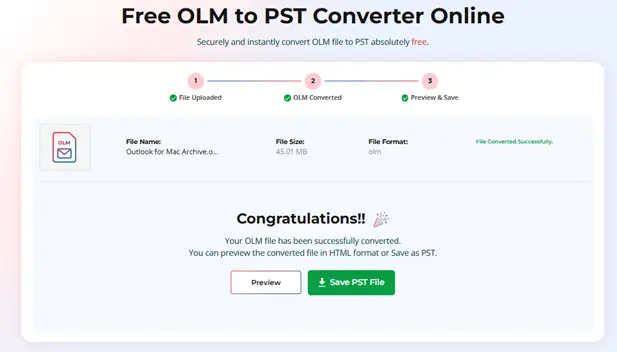
- Once the selected OLM file is converted to PST format, the “File Converted Successfully” window will appear.
- Here, you will see two buttons:
- The Preview button will download an HTML file that you can open on your PC to verify the items inside .
- The Save PST File button will save the converted OLM file as PST on your device.
- After this, use the Import/Export wizard to import the PST into Windows Outlook.
Note: You can upgrade to the Premium version of this online tool if you need to convert OLM file of size ≤5 GB.
If you have multiple OLM files of different sizes to convert or even export them to Outlook profiles you can, instead, opt for the desktop application – Stellar Converter for OLM. It doesn’t require an internet connection so you can use it even when you’re offline. Plus, there is no file size restriction, which makes converting large OLM files to PST hassle free. In addition to PST, it also converts OLM mailbox items to other file formats, like MSG and EML. This tool supports OLM files created in Outlook for Mac 2011, 2016, 2019, and 2021.
Conclusion
There is no direct way to import an OLM file into the Windows Outlook application. The only way is to convert it to .pst file format. And for this, you can use Stellar’s free OLM to PST Converter online. It conveniently converts an Outlook for Mac data file (size ≤ 100MB) to PST format for free. Moreover, there is no need to install any additional software or even MS Outlook. It works without it.