
Cloud tools sound easy until one missed update, weak backup, or security alert turns into a real business problem.
You may already use AWS, Google Cloud, or another cloud platform, but daily cloud management still takes time and skill.
Managed cloud computing services help when your team needs support with servers, backups, monitoring, security, updates, and performance.
They give businesses expert help without forcing every task onto an already busy in-house team.
I will be telling you what managed cloud computing services include, how they differ from unmanaged cloud platforms, and when your business needs them.
You will also understand provider roles, service types, key benefits, and signs that outside cloud support makes sense.
Before choosing any provider, let us first understand what managed cloud computing services actually mean.
What are Managed Cloud Computing Services?
Cloud computing services are tools and systems that run over the internet rather than on local hardware.
They let businesses store data, run applications, and manage operations without owning physical servers. Managed cloud computing services are a specific layer on top of that.
A third-party provider takes responsibility for the infrastructure itself: setting it up, keeping it running, patching it, and monitoring it continuously.
You get access to cloud tools without carrying the operational burden of maintaining them. This is different from simply using AWS or Google Cloud on your own.
With unmanaged cloud platforms, you rent the infrastructure but handle everything else yourself. With managed services, a dedicated team handles configuration, performance, and security on your behalf.
The distinction matters more than it sounds, especially when you’re running a lean team and an event is three days away.
Common Types of Cloud Computing Services

These service types cover different business needs, from core infrastructure to software delivery, along with backup, recovery, and security for daily operations.
1. Infrastructure as a Service (IaaS)
Infrastructure as a Service, or IaaS, provides core computing resources such as virtual servers, storage, and networking through the cloud.
Businesses can use these resources without investing in physical hardware or data centers. It allows teams to choose operating systems, install applications, and manage configurations based on their needs.
AWS EC2, Azure Virtual Machines, and Google Compute Engine are common examples. In a managed IaaS setup, the provider also handles operating system patching, backups, and monitoring of the virtual machines.
2. Platform as a Service (PaaS)
Platform as a Service, or PaaS, offers a complete environment for building, testing, and launching applications. It removes the need to manage servers, storage, or system updates.
Developers write code while the provider manages servers, databases, and runtime environments.
This helps speed up the development process and reduces technical effort. PaaS is useful for teams working on web apps, mobile apps, or APIs.
It also supports collaboration, as multiple developers can work on the same platform without worrying about system setup or maintenance tasks.
3. Software as a Service (SaaS)
Software as a Service (SaaS) delivers ready-to-use software over the internet. Users can access applications like email platforms, project management tools, or customer systems using a browser.
There is no need to install or maintain software on local devices. The provider handles updates, fixes, and system performance.
This makes SaaS simple to use and manage for businesses of all sizes. It also supports remote work, as users can log in from different devices and locations.
This type of service is widely used because it saves time and reduces the need for technical setup.
4. Database as a Service (DBaaS)
DBaaS provides a managed, cloud-hosted database environment.
The provider handles configuration, scaling, and maintenance, so teams can store and query data without managing the underlying database server.
Amazon RDS, Azure Database, and Google Cloud Bigtable are widely used examples.
5. Backup as a Service
Backup as a Service allows businesses to store copies of their data in secure cloud locations. These backups are created at regular intervals, often automatically, which reduces the risk of losing important files.
If data is lost due to system failure, human error, or other issues, it can be restored quickly. This service helps protect business information and keeps operations running without major disruptions.
It also removes the need for physical backup devices, making the process simpler and more reliable. Businesses can choose how often backups are created and how long they are stored.
6. Disaster Recovery Services
Disaster recovery services focus on restoring systems and data after serious problems like cyberattacks, hardware failures, or natural events.
These services create a plan that outlines how data will be recovered and how systems will be brought back online.
Backups are stored in secure locations so they can be accessed when needed. In case of failure, recovery can happen quickly, helping reduce downtime and business losses.
This service is important for companies that rely on constant system access and cannot afford long interruptions in their operations.
7. Cloud Security Services
Cloud security services help protect cloud-based systems, applications, and data from threats. They include tools for monitoring activity, controlling user access, and detecting unusual behavior.
Encryption is often used to protect data during storage and transmission. These services also help manage identity and permissions, so only authorized users can access sensitive information.
Regular updates and checks are done to handle new risks and keep systems secure.
This makes cloud security an important part of any cloud setup, especially for businesses handling large amounts of data or customer information.
Understanding how public, private, and hybrid environments stack up is also useful here; our guide to cloud deployment models breaks down each option in plain terms.
Managed vs Unmanaged Cloud Services: Key Differences
This table breaks down how managed and unmanaged cloud services differ in control, support, and effort, helping you choose what fits your team and technical needs.
| Aspect | Managed Cloud Services | Unmanaged Cloud Services |
|---|---|---|
| Hands-on work | Provider handles most tasks | Team handles most tasks |
| Support | Support is included for setup, issues, and maintenance | Little to no support, mostly self-managed |
| Responsibility | Provider takes care of updates, monitoring, and fixes | Full responsibility stays with your team |
| Control | Limited direct control over technical settings | Full control over configurations and systems |
| Skill requirement | Works for teams without a large IT staff | Best for teams with strong technical skills |
| Time investment | Saves time for daily operations | Requires more time for management and fixes |
What Managed Cloud Providers Usually Handle?
Managed cloud providers handle many day-to-day tasks that keep cloud systems running smoothly.
They manage cloud migration, including moving data, apps, and systems from on-premises to the cloud without major issues.
Server setup is also handled, where the provider configures servers based on business needs. Continuous monitoring helps track system activity and catch problems early.
Performance checks ensure that applications and systems run at the right speed and do not slow down over time.
Security patches are applied regularly to fix risks and keep systems protected. Backup management is handled to store and restore data when needed.
Providers also track cloud usage and costs, helping businesses understand spending and avoid unnecessary charges.
This support helps reduce technical workload and keeps cloud operations stable.
Benefits of Managed Cloud Computing Services
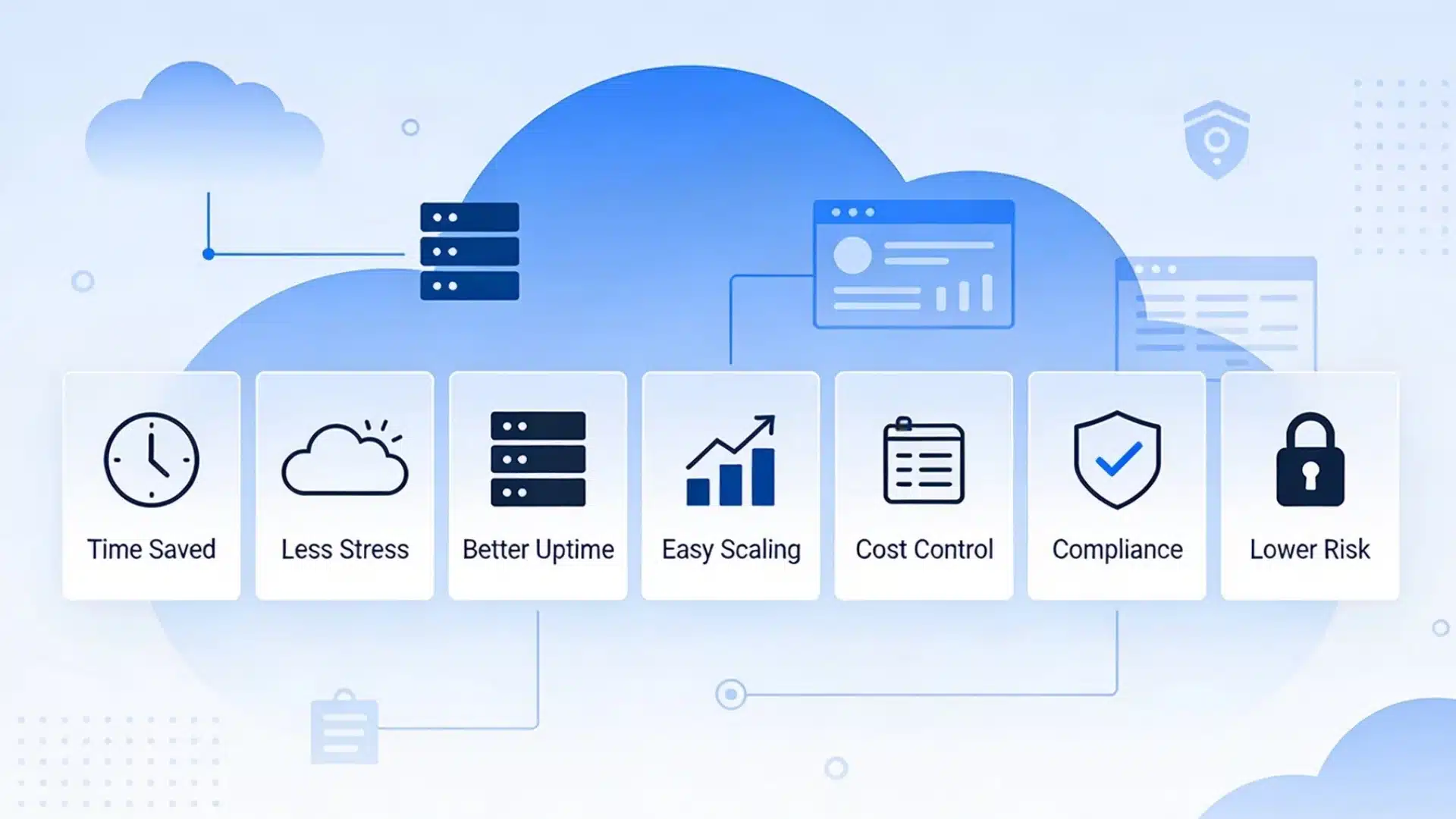
These services help businesses handle cloud operations with less effort, while improving performance, support, and overall control over systems and costs.
- Saves time: Daily cloud tasks like updates, monitoring, and fixes are handled by the provider, so teams can focus on core business work.
- Reduces technical stress: There is no need to manage complex systems or solve every issue internally, which lowers pressure on teams.
- Improves uptime: Continuous monitoring and fast issue handling keep systems running without extended downtime or interruptions.
- Supports business growth: Cloud resources can scale as the business grows, without needing major changes in setup or infrastructure.
- Easier cost tracking: Providers typically offer usage reports that help businesses understand spending and avoid unnecessary charges.
- Compliance support: managed providers experienced with regulated industries can configure systems to meet HIPAA, SOC 2, GDPR, or other requirements, reducing your compliance burden
- Risk transfer: When a managed provider takes on infrastructure accountability, your business offloads a meaningful portion of technical risk, particularly around security incidents and system failures.
For teams also evaluating connected software tools, our roundup of cloud integration platforms covers options that pair well with managed cloud environments.
When Does a Business Need Managed Cloud Services?
A business may need managed cloud services when handling cloud systems starts becoming difficult or time-consuming.
Growing website traffic is one clear sign, as higher demand requires better performance and monitoring.
Limited in-house IT support can also create challenges, especially when there is no dedicated team to manage servers or fix issues.
Security concerns are another reason, since cloud environments need regular checks and updates to stay protected.
Businesses moving from local servers to the cloud often need help with setup and data transfer. A need for better backups also points to managed services, as data loss can affect daily operations.
Faster support is important too, especially when issues need quick fixes to avoid downtime. In these situations, managed services help maintain stability and reduce pressure on internal teams.
Tips to Choose the Right Cloud Service Provider
Picking the right provider helps avoid future issues, keeps systems stable, and ensures your business gets the right support, security, and flexibility from the start.
- Service range: Choose a provider that covers hosting, storage, security, and backups so your cloud setup stays simple and well-managed in one place.
- Support quality: Go with a provider that offers quick response times and reliable help, especially during downtime or unexpected system issues.
- Security process: Verify that they follow strong security practices: regular updates, access controls, and data protection policies that your team can actually review.
- Pricing clarity: Look for clear pricing plans with no hidden charges, so you can track spending and avoid sudden cost increases.
- Scalability: Make sure the provider can scale resources up or down easily as your business grows or your needs change.
Conclusion
Cloud computing services cover many tools, from storage and hosting to backups, security, software, and remote access.
They help businesses work with more flexibility and less dependence on local systems.
Managed cloud computing services add another layer by giving businesses expert support, regular monitoring, updates, and daily care.
This can save time, reduce stress, improve uptime, and make cloud costs easier to track.
The right provider should offer the services you need, clear pricing, strong security, good backups, and support that fits your business size.
Before choosing one, compare providers based on your current needs and long-term value.
What kind of cloud support does your business need most right now? Share your thoughts in the comments below.
Frequently Asked Questions
What Industries Benefit Most from Managed Cloud Computing Services?
Managed cloud computing services are widely used in healthcare, finance, retail, and education.
Any business that stores sensitive data, runs customer-facing applications, or needs continuous system availability stands to benefit from having a provider manage the infrastructure.
Can Cloud Services Work Without a Stable Internet Connection?
Cloud services rely on internet access to function properly. Without a stable connection, users may face delays or limited access to data and applications stored in the cloud.
How Long Does It Take to Set up Cloud Services for a Business?
The setup time depends on the size of the business and the complexity of its systems. Small setups may take a few hours or days, while larger migrations can take weeks.