You have two browser tabs open, one for Blink and one for Ring, and no idea which one will hold up by your front door.
Both brands promise to keep your home watched over, but they get there in different ways, and picking the wrong one means money spent on a camera that never fits how you live.
I have run both brands’ cameras at my front door for years, and the difference rarely shows up in a spec sheet. It shows up in daily habits, like which camera drains its battery when the mail carrier walks by.
This Blink vs Ring comparison lines up pricing, video quality, storage, battery life, and monitoring, so you can see where each system pulls ahead.
Blink vs. Ring at a Glance
Blink undercuts Ring on price and battery life in nearly every matching product category, while Ring leads on video resolution and system depth. The table below lines up the categories buyers ask about most before spending anything.
|
Category |
Blink |
Ring |
|---|---|---|
|
Starting Price |
$29.99 |
$49.99 |
|
Video Quality |
1080p, with 2K models available |
1080p to 4K depending on model |
|
Storage |
Cloud subscription, plus local storage through the Sync Module 2 and a USB drive at no ongoing fee |
Cloud plans, with local storage on select models tied to the Pro plan |
|
Subscription |
Starts around $3.99–$4.99 a month |
Starts at $4.99 a month for one device, up to $19.99 a month for Pro-tier professional monitoring |
|
Battery Life |
Up to two years on select outdoor models |
Typically a few months to a year, depending on traffic |
|
Ease of Setup |
Very beginner-friendly, plug-in or battery |
Also beginner-friendly, with more mounting steps on wired models |
|
Smart Home Integration |
Alexa-focused |
Alexa, plus a broader third-party ecosystem |
Blink vs Ring: Feature-by-Feature Breakdown
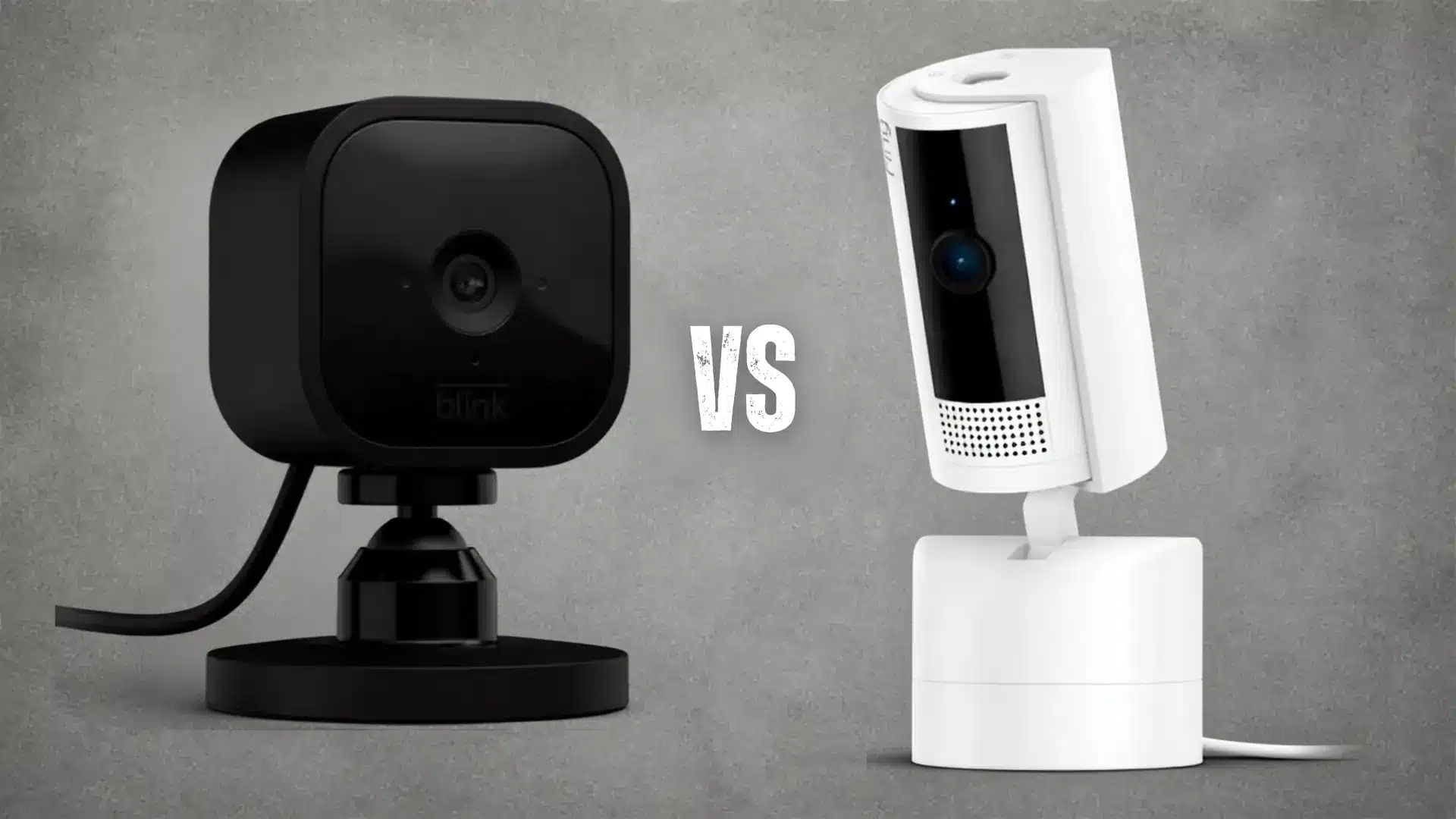
Blink and Ring suit different home security needs, so neither brand leads in every category. Comparing pricing, storage, installation, video quality, battery life, and camera types shows where each system fits best.
1. Pricing
Blink usually costs less upfront, which helps if you want several cameras without a large initial spend. Ring generally starts higher, especially for higher-resolution models, added motion tools, or extra hardware.
Blink offers stronger value for simple coverage across multiple rooms or entry points. Ring costs more, but the added price can make sense for households that want a wider product range and more advanced security features from one connected home security system.
2. Subscription and Storage
Blink’s cloud plans start around $3.99 to $4.99 a month, and Blink no longer offers free cloud storage on new accounts. If you would rather skip the subscription entirely, a Sync Module 2 paired with a USB drive stores clips locally at no recurring cost, which is a detail most comparisons skip.
Ring’s plans run from $4.99 a month for a single device up to $19.99 a month for the Pro tier, which adds professional monitoring for Ring Alarm and unlocks local video storage on supported cameras. Ring generally costs more over time, but the higher tiers bundle longer video history and system-wide features.
3. Installation and Setup
Blink and Ring both support DIY setup, but Blink is usually simpler for users who want minimal installation work. Many Blink cameras use batteries or standard plug-in power, so placement is straightforward.
Ring also supports easy setup, though some doorbells, floodlights, and wired cameras may require more effort. Blink suits quick, low-effort installation, while Ring offers more mounting and power options when you need a broader mix of indoor and outdoor devices.
4. Video Quality and Monitoring
Ring generally offers stronger video options, especially for users who want higher resolution and more detailed motion features. Blink focuses on practical everyday monitoring, with video quality that works well for checking rooms, pets, doors, and general activity.
Blink is enough for many households that value simple coverage at a lower cost. Ring is more suitable when clearer detail, stronger motion controls, and extra monitoring features matter more than keeping the system basic and inexpensive, though whichever brand you land on, it helps to lock down the camera feed once it’s up and running.
5. Battery Life and Ease of Use
Blink’s battery-life edge held up in my own use. A Blink Outdoor camera mounted under an eave, away from heavy foot traffic, lasted close to its rated two years before I swapped the batteries.
Ring battery models needed a recharge every few months in the same spot, mostly because higher-resolution recording and more frequent motion triggers draw more power.
Blink keeps everyday controls simple. Ring gives you more ways to adjust alerts, motion zones, and device behavior, which is worth the extra charging if you want that level of control.
6. Indoor Cameras
Blink Mini 2 and Ring Indoor Cam both cover rooms, pets, hallways, and entry areas, but they target different buyers. Blink Mini 2 keeps the price lower and focuses on straightforward indoor monitoring.
Ring Indoor Cam costs more but fits closely with Ring’s wider security system and includes a physical privacy cover. Blink is appealing for adding several indoor cameras cheaply, while Ring works well for users who want stronger system integration and privacy controls.
7. Outdoor Cameras
Blink Outdoor 4 and Ring Stick Up Cam both support outdoor placement, but their strengths differ. Blink Outdoor 4 stands out for long battery life, which helps for cameras mounted in places you don’t want to access often.
Ring Stick Up Cam offers more power choices, including battery, wired, and solar options on setups. Blink favors low-maintenance coverage, while Ring suits users who want flexibility in how outdoor cameras are powered and positioned.
8. Doorbell Cameras
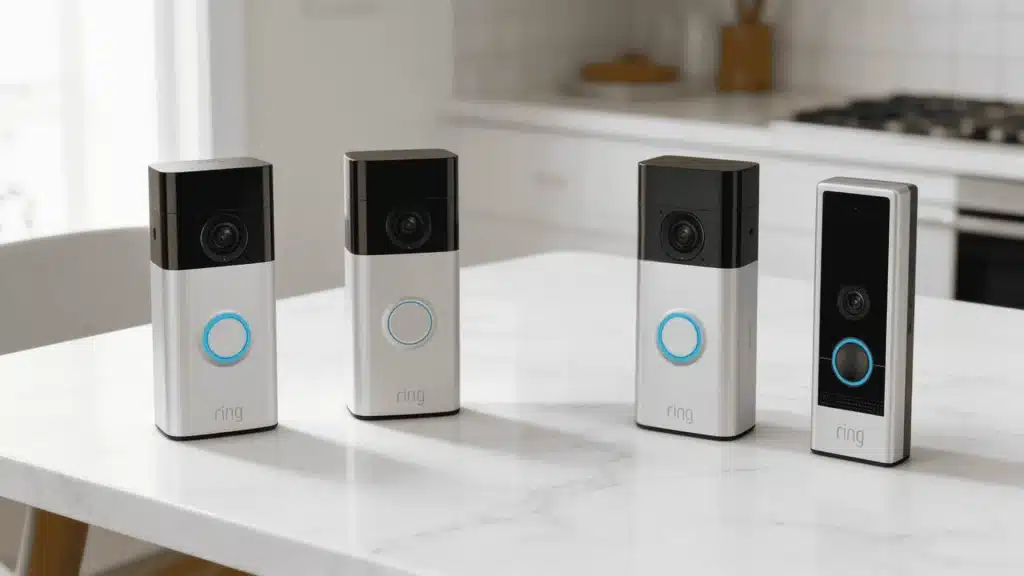
Blink video doorbells focus on lower pricing and the core features most households expect, including alerts, live viewing, and two-way communication. Ring offers a much larger doorbell lineup, with more choices for resolution, motion detection, and installation type.
Blink is a practical choice if you want simple front-door monitoring without paying for extras. Ring is a better fit if you want more device options or advanced doorbell features and don’t mind spending more.
9. Floodlight Cameras
Blink and Ring both offer floodlight cameras for driveways, yards, and outdoor areas where lighting and video matter together. Blink keeps the setup basic and usually costs less, making it suitable for straightforward nighttime monitoring.
Ring offers more advanced floodlight options, with stronger motion features and higher-end camera choices on certain models. Blink fits users who want simple lighting plus video, while Ring better suits larger areas or households that want more detailed outdoor control.
Blink has the edge in price, battery life, and simplicity, while Ring offers stronger video choices, broader device options, and more system controls. The right pick depends on which strengths match your home, budget, and priorities.
What the Spec Sheets Don’t Tell You
Specs only tell part of the story. A few things only showed up after weeks of actual use at my own front door.
Blink’s battery estimates held up close to what the box claimed, as long as the camera sat somewhere with light foot traffic. Ring’s battery life dropped faster than expected any time I turned on 4K recording or set motion zones too wide, since both settings pull noticeably more power between charges.
The spec that determines whether you’ll be happy with the system in six months isn’t resolution. It is how often you are willing to recharge or replace batteries, because that chore is the one people quietly stop doing.
The other overlooked difference is app fatigue. Blink’s app stays simple because it does less. Ring’s app does more, which is a strength until you are digging through five menus at 11 pm to figure out why a motion alert did not fire, and it is part of why securing your home network in the first place makes both apps behave better.
What Products Do Blink and Ring Offer?
Before comparing specs line by line, it helps to know what each brand actually sells. Both keep their lineups fairly simple, but they serve slightly different budgets and needs.
1. Blink Products
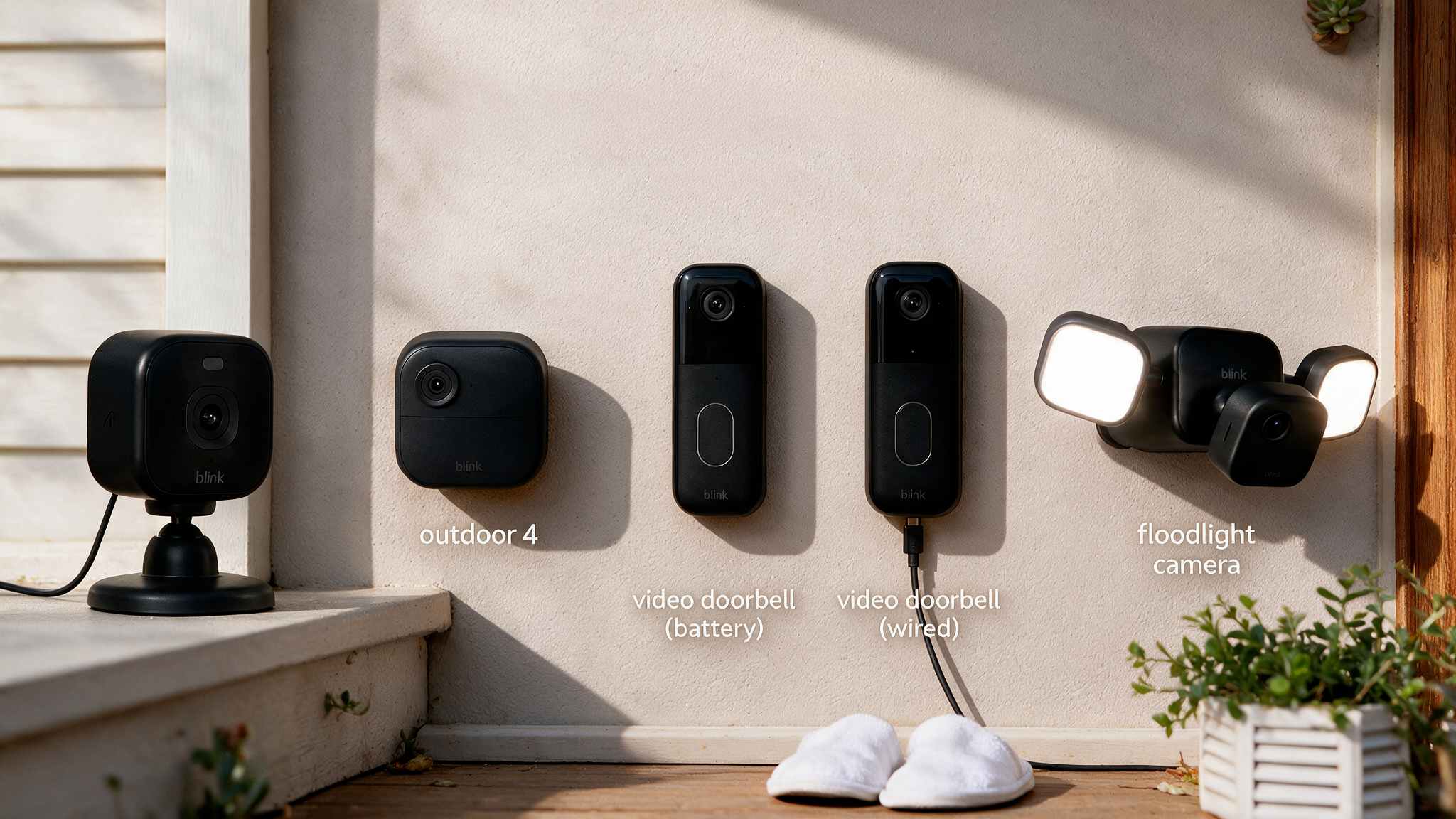
Blink keeps its lineup refreshingly simple, covering the basics of indoor, outdoor, doorbell, and floodlight security without overwhelming you with choices.
- Blink Mini / Mini 2 / Mini 2K+: Small plug-in indoor cameras. Budget-friendly, easy to set up anywhere near an outlet, and great for watching pets, kids, or entryways.
- Blink Outdoor 4 / Outdoor 2K+: Battery-powered outdoor cameras with roughly two years of battery life. Built for weatherproof, wire-free perimeter coverage.
- Blink Video Doorbell (Battery / Wired 2K+): Doorbell cameras for monitoring your front door, available in battery or hardwired versions.
- Blink Floodlight Camera: Combines outdoor camera coverage with a bright LED floodlight for driveways or backyards.
2. Ring Products
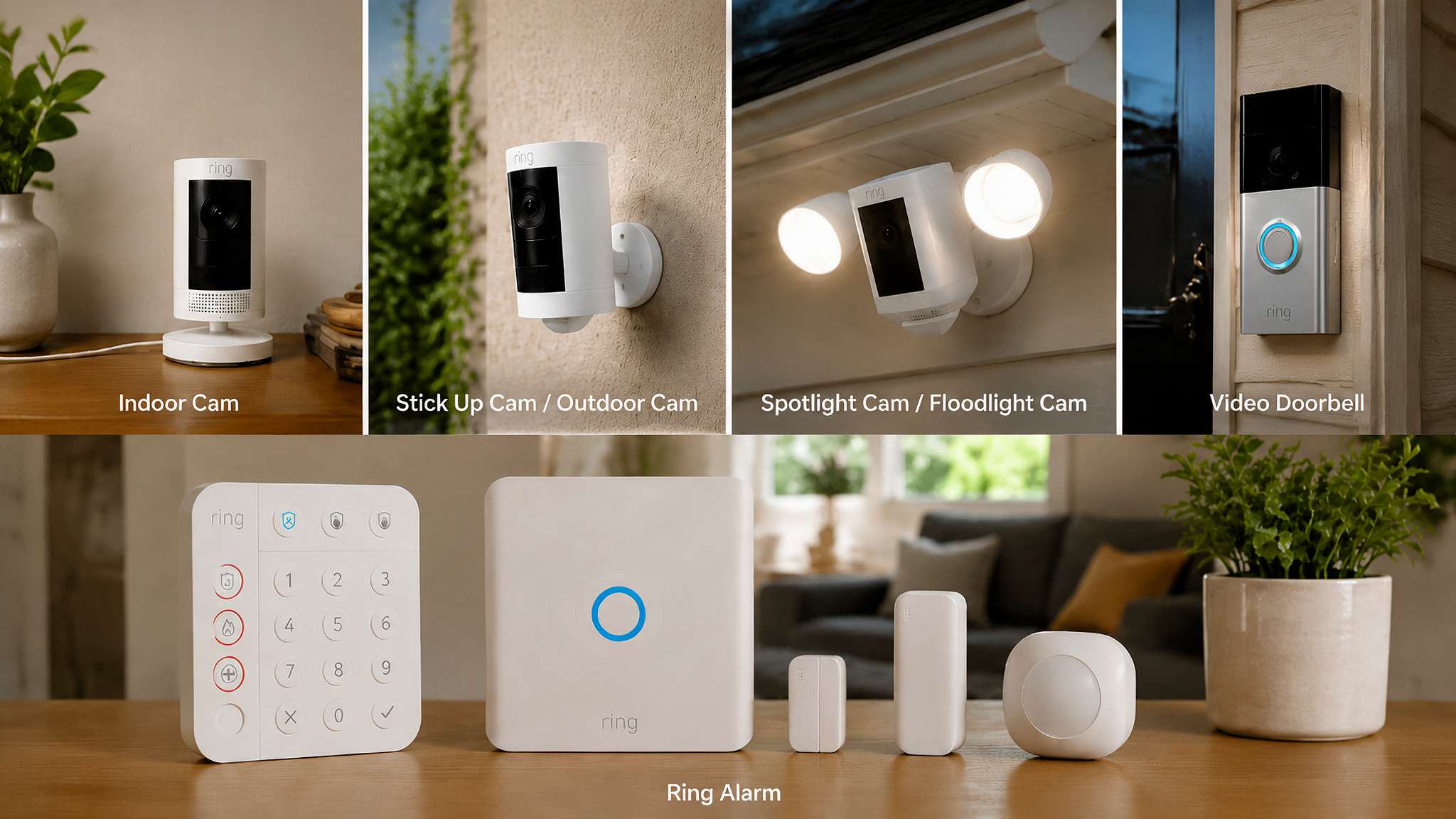
Ring takes a broader approach, offering more device variety, resolution tiers, and even a full alarm system for whole-home coverage.
- Ring Indoor Cam / Indoor Cam Plus / Pan-Tilt: Compact plug-in cameras for inside the home, some with rotating views for wider room coverage.
- Ring Stick Up Cam / Outdoor Cam: Flexible cameras that work indoors or outdoors, available in wired, battery, or solar options.
- Ring Spotlight Cam / Floodlight Cam: Outdoor cameras with built-in lights and sirens, now offered in sharper 2K “Retinal” resolution.
- Ring Video Doorbell (multiple generations): A wide doorbell lineup ranging from entry-level to 4K models with radar-based motion detection.
- Ring Alarm: A DIY home security system with sensors, a keypad, and a base station that pairs with any Ring camera.
Beyond the simplicity of the Blink lineup or the range of the Ring products, the right pick comes down to what your home actually needs.
What Actually Keeps a Home Safer: Blink or Ring
Ring has the stronger edge here, mainly through its optional professional monitoring and a full alarm system that connects sensors, a keypad, and a siren to your cameras for real emergency response.
Blink relies on camera-based alerts alone. No current Blink product offers professional monitoring, so you handle the response to a notification.
Ring also leans on community awareness through its Neighbors app, which lets nearby users share local safety updates. Blink keeps things private and self-contained, which some homeowners genuinely prefer.
Choose Ring for an all-in-one system with backup support. Choose Blink if you would rather keep monitoring simple and personal.
The Long-Term Cost of Owning Blink or Ring
What you pay over a few years often tells a different story than the sticker price, so it’s worth breaking down the math.
- Multi-camera discounts: Blink frequently bundles two or three cameras at a steep discount, especially during Amazon sales, which lowers the per-camera cost compared with buying Ring devices individually.
- Replacement frequency: Blink’s longer battery life means fewer swaps over time, while Ring’s shorter cycles add up in charging time, not just dollars.
- Add-on costs: Ring’s alarm system, extra sensors, and the $19.99-a-month Pro plan add ongoing costs Blink doesn’t have, which matters if you are building a larger setup.
Add it all up, and your final cost depends less on the camera itself and more on how you actually use it.
Where Blink and Ring Overlap
Despite their differences, Blink and Ring have several important things in common. Both are owned by Amazon and work with Alexa devices, making them convenient choices for homes already using Amazon’s smart home ecosystem.
Both brands use mobile apps for live viewing, motion alerts, and two-way audio. Their cameras can send motion-triggered notifications directly to your phone, allowing you to check activity while you are away from home.
Blink and Ring also offer subscription plans for accessing additional recording and storage features. Overall, they provide many of the same core security functions, but package them differently based on price, features, and the level of home security coverage you want.
Blink and Ring: Advantages and Drawbacks at a Glance
Blink and Ring both offer practical home security, but their strengths suit different buyers. Comparing the advantages and drawbacks side by side makes it easier to see which brand better matches your priorities and budget.
|
Brand |
Advantages |
Drawbacks |
|---|---|---|
|
Blink |
Affordable pricing, long battery life, simple setup, and an easy-to-understand product lineup. |
Fewer advanced features, lower maximum video quality, and no professional monitoring option. |
|
Ring |
Sharper video options, wider camera selection, and access to a complete alarm system. |
Higher overall costs, shorter average battery life, and a more complicated product lineup. |
Blink works best for shoppers who value simplicity, affordability, and battery life, while Ring suits those wanting stronger video and broader security options. Your final choice should reflect the features you’ll use most.
Which Security Camera System Is Right for You?
Still deciding between Blink and Ring? The better fit depends on your budget, property, and preferred level of control. Breaking the choice into practical situations makes it easier to see which system matches your needs.
Choose Blink if you want:
- The lowest-cost entry point
- A simple, rental-friendly setup
- Fewer products to compare before buying
- Basic monitoring without extras
Choose Ring if you want:
- Professional alarm monitoring
- Sharper video options
- Better coverage for larger properties
- More motion-zone and smart-alert controls
Neither brand is the right choice for everyone. Blink favors simplicity and value, while Ring offers broader coverage and control. Focus on the features you will actually use, then choose the system that fits best.
Final Verdict
If price, battery life, and a simple setup matter most, Blink is the safer buy. If you want sharper video and a monitored alarm system built around your cameras, Ring earns its higher cost, especially for a larger property or added monitoring.
Neither system wins this Blink vs Ring matchup outright, and any comparison that claims one does is skipping the tradeoffs.
The better pick comes down to whether you would rather spend less and check the camera yourself, or pay more for a system that watches your home when you cannot.
Do you have a specific setup you are trying to plan around? Drop it in the comments, and I will help you figure out which system actually fits your home.
Frequently Asked Questions
Do Blink and Ring Cameras Still Work if The Internet Goes Down?
No. Both brands depend on Wi-Fi for live streaming and cloud recording, so an outage stops alerts, footage, and remote access until your connection returns.
Which Brand Offers Better Customer Support, Blink or Ring?
Ring generally offers more support channels, including live chat and phone support. Blink leans on email and community forums, and users commonly report slower response times there.
Can I Use Blink or Ring without an Amazon Alexa Device?
Yes. Both work fine as standalone systems through their own apps. Alexa integration is optional and mainly adds voice commands and viewing through a compatible smart display.
Does Blink Offer Local Video Storage the Way Ring Does?
Yes. Blink supports local storage through its Sync Module 2 paired with a USB drive, at no ongoing subscription cost. Ring also offers local storage, but it requires the $19.99-a-month Pro plan.
How Long Do Blink and Ring Camera Batteries Actually Last in Daily Use?
Blink’s outdoor cameras are rated for up to two years in light-traffic spots, and that held up in my own testing. Ring’s battery models typically need a recharge every few months, faster if you record in 4K or set wide motion zones.