You’ve done it a thousand times. The login form pops up, you type your credentials, and there it is — that tiny checkbox: “Remember Me.” Without a second thought, you click it and move on. It’s muscle memory. A reflex. A bargain we make with our own impatience: give me speed, give me ease, and I’ll hand over a little invisible risk.
We all know passwords are a pain. We’re drowning in them. So anything that promises to remove one more friction point feels like a gift. But here’s the uncomfortable truth: that gift comes with strings attached. Not because the button is malicious, but because it weaponises the one trait every human shares — the desire for things to be easy.
Consider the backdrop. A cyber-attack happens every 39 seconds — roughly 2,200 times a day, according to Innovation News Network. And the same research, referencing an IBM Cyber Security Intelligence Index Report, notes that 95% of cybersecurity breaches are caused by human error.
That means the biggest threat vector isn’t a sophisticated state-sponsored hack. It’s us. It’s the small, automatic decisions we make when we’re just trying to get through the day. And checking “Remember Me” is one of the most automatic of them all.
What Actually Happens When You Click “Remember Me”
Behind that checkbox lies a deceptively simple mechanism. When you click it, the website plants a persistent cookie on your device — a small file that preserves your authenticated session far beyond the current browser window.
Unlike a session cookie, which is designed to be deleted when the browser closes, a persistent cookie hangs around. It survives browser restarts, system reboots, even days of inactivity, according to LoginRadius.
In plain language: you’ve just left a standing invitation to anyone who can get hold of that file. That cookie isn’t just a convenience; it’s a key. And cookie theft — where attackers steal that persistent cookie — means someone else can stroll right into your account without ever needing your password or a second factor.
The malware ecosystem is feeding this fire. Among the top 30 malware families circulating in Q3 2025, these tools are designed to vacuum up credentials and cookies from infected machines.
The Exploding Business of Session Hijacking
This isn’t a theoretical threat. Token and cookie theft has morphed from a niche trick into an industrial-scale attack vector, and the numbers are staggering.
Push Security notes. The growth curve is brutal: in 2023, Microsoft spotted 147,000 token replay attacks, a 111% year-over-year spike, Proofpoint reports. Even multi-factor authentication (MFA) isn’t a perfect shield. Token theft was the single most common technique attackers used to bypass MFA and break into Microsoft 365 services — accounting for 31% of those cases, HP Threat Research found.
And an especially insidious flavour of attack, adversary-in-the-middle (AiTM) phishing, specifically targets session cookies, making up 15% of all phishing attacks. Researchers recaptured more than 8 billion stolen cookie records from the dark web in a single year.
If you’re wondering how these phishing attacks manage to trick people, they often mimic login pages with frightening accuracy — click one link, and your session cookie is gone.
Real-world consequences are enormous. The 2024 Snowflake breach saw 165 organizations compromised using credentials collected from infostealer infections dating back to 2020. Those accounts lacked MFA, so a username and password — often scraped from a cookie — was all attackers needed.
Meanwhile, stolen credentials were behind breaches, according to Verizon’s 2025 Data Breach Investigation Report, as highlighted by HP Threat Research.
Why We Keep Clicking — The Human Factor

If the risk is this clear, why does the “Remember Me” button still thrive? The answer lives in psychology, not technology.
Password fatigue is real. Nearly 7 in 10 people feel overwhelmed by the number of passwords they need to remember, according to a Pew Research Center survey cited by Huntress. When you’re tired, defaulting to convenience isn’t laziness; it’s self-preservation.
Meanwhile, 46% of people admit they’ll choose an easy-to-remember password over a more secure one, and only 36% of U.S. adults — about 94 million people — actually use a password manager, Security.org reveals.
Browser-based storage seems like a logical compromise. 34% of Americans save passwords right in their browser, yet only 24% of those people fully understand the security gap between that and a dedicated password manager.
Unfortunately, browser password stores lack robust encryption and multi-factor authentication, and they’re a prime target for malware that specifically hunts for browser credential stores, Chapman University CISO points out.
The gap between perception and reality keeps widening. In 2024, 46% of people had a password stolen, Huntress reports. More than 24 billion credentials are exposed every year in data breaches.
When things go wrong, they go wrong for a long time: breaches that used stolen credentials took an average of 292 days to identify and contain. And the global average cost of a data breach sits at $4.44 million in 2025.
A Safer, Friction-Free Replacement Workflow
None of this means you have to give up convenience. It means you need to swap the false comfort of a persistent cookie for something that actually protects you — without making your life harder. Here’s what that looks like in practice.
1. Ditch “Remember Me” and Move to a Dedicated Password Manager
If there’s one thing the security community agrees on, it’s this: password managers are the safest way to handle the mess of credentials we juggle. And the real-world benefit is measurable: people without a password manager were almost twice as likely to have experienced identity theft or credential theft (32% vs. 17%).
A dedicated manager changes the entire risk calculus. Instead of letting your browser hoard passwords or leaning on a single memorised phrase, a zero-knowledge password manager encrypts everything locally on your device before it ever leaves your machine.
Your immediate move: delete all the passwords you’ve let your browser save. Then let the password manager handle filling and generating credentials. You’ll log in faster, and you’ll actually be safer.
2. Turn On Passkeys Wherever Possible
Passkeys are the ultimate antidote to the “Remember Me” trap. They’re phishing-resistant, they never leave your device in a stealable form, and they remove the password — and the persistent cookie — from the equation entirely.
Adoption is skyrocketing. More than 15 billion online accounts now support passkeys, more than double the 2023 figure, according to the FIDO Alliance. A quality password manager stores and syncs those passkeys across your devices, so the experience is seamless.
3. Layer Multi-Factor Authentication — But Know Its Limits
MFA is essential — don’t skip it. But remember the earlier statistic: token theft bypassed MFA in 31% of Microsoft 365 attacks. MFA is a safety net, not a force field. It works best when session cookies aren’t lying around, waiting to be snatched. Combine MFA with the session hygiene below, and you finally close the loop.
4. Practise Simple Session Hygiene
Log out of sensitive accounts when you’re done, especially on shared or public machines. Think of it as locking the door behind you. Avoid ticking “Remember Me” on high-value accounts — banking, email, work tools, anything with a payment method attached.
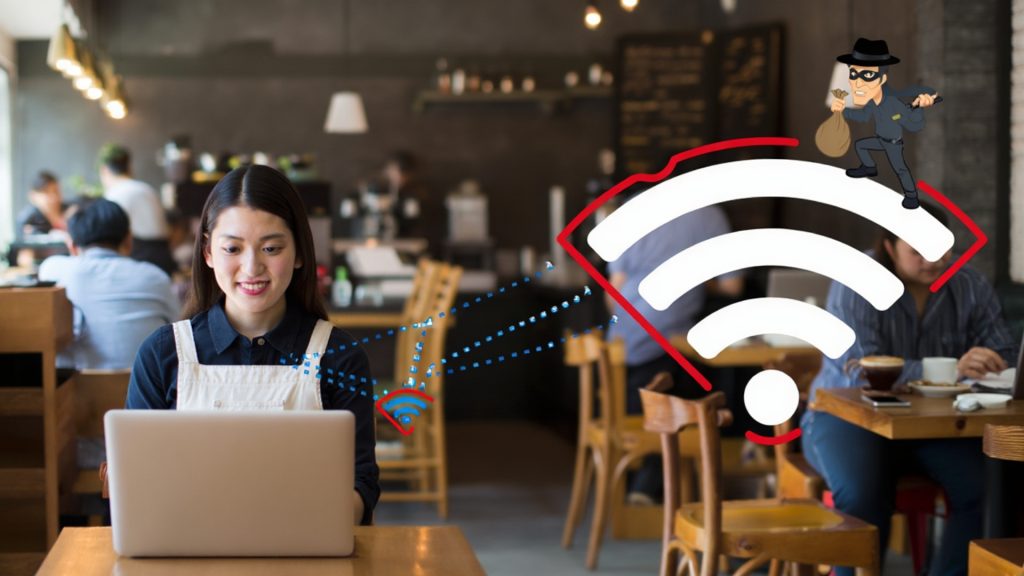
And when you’re on public Wi-Fi, run a VPN. It’s one of the simplest secure remote access practices you can adopt to stop attackers from intercepting your traffic at the network level.
5. Monitor Your Exposure
Most good password managers can alert you if your credentials show up in known breaches. Turn that on. They’ll also flag weak, reused, and compromised passwords automatically. The scale of exposure is staggering: Regularly checking your credential hygiene isn’t paranoia — it’s basic digital housekeeping.
This whole workflow isn’t about adding friction. It’s about replacing one fragile shortcut — a tiny checkbox — with systems that are both genuinely faster and genuinely secure. Once a password manager is set up and passkeys are enabled, logging in becomes quicker than typing a password ever was.
And the session-aware habits? They cost you nothing but a moment of attention, which is a tiny price for peace of mind. Consider this entire approach one piece of a broader commitment to protecting your online privacy.
Caveats & Counterpoints
Let’s be honest: “Remember Me” isn’t universally dangerous. For low-risk, convenience-critical apps — an internal dashboard, a read-only tool on a trusted home device — the trade-off might be fine for some users. The goal isn’t to banish the checkbox from your life entirely, but to be deliberate about where you use it.
Password managers come with their own critical responsibility: a strong, unforgettable master password. If you lose it, a true zero-knowledge architecture means no one can recover your vault for you.
That’s a double-edged sword worth respecting. Passkeys, while spreading quickly, still aren’t supported everywhere, so passwords won’t vanish overnight.
The “Remember Me” button remains stubbornly present. The problem is systemic, not personal. Changing habits takes time. This is an invitation to start, not a judgment on the convenience we’ve all relied on.
Security That Scales With You — Not Against You
The “Remember Me” button is a small deal with a much larger future self. It rewards patience today with risk down the road, and the data shows the risk is only growing. The replacement isn’t more work — it’s smarter work.
By switching to a dedicated password manager, turning on passkeys, layering MFA with awareness of its limits, and building tiny session-hygiene habits, you create a safety net that works even when you’re distracted or tired.
The best digital security isn’t built on self-control. It’s built on systems that protect you because you’re human, not in spite of it. Spend some time today deleting your browser-saved passwords, installing a zero-knowledge password manager, and flipping on passkeys for your most important accounts. You’ll never miss that checkbox again.