How many times have you opened a browser window and ended up searching through dozens of tabs just to find the one thing you actually needed?
Managing multiple email accounts, work apps, and online tools can quickly turn a simple task into a confusing mess.
This constant switching between platforms can interrupt focus and make everyday work feel more complicated than it needs to be. Shift aims to solve this problem by bringing emails, apps, and browser tools together in one organized workspace.
This guide explains what Shift is, how it works, its main features, pricing, and who can benefit from using this productivity-focused browser.
What is Shift Browser?
The Shift Browser is a browser for your computer that is made using the foundation as Google and Microsoft Edge.
It does a lot more than just let you look at websites. The Shift Browser is made to help you get your work organized by putting your email and the tools you use to get things done all in one place.
The Shift Browser uses the foundation as Google Chrome so it can open most websites that Google Chrome can. It also works with a lot of the extensions that you can use with Google Chrome. This makes it easy, for people who already use Google Chrome to switch to the Shift Browser.
The Shift Browser chromium is trying to make it so you do not have to spend a lot of time switching between tabs and windows on your computer.
The Shift Browser is made to work the way people really use the internet. It can handle a lot of things like using many different apps at the same time and having many different accounts. It also lets you organize things in a way that makes sense to you.
The Shift Browser is designed to work with the way you do things, not the way around. It meets you where you are and adjusts to what you need.
Now that being online is a part of daily life the Shift Browser is trying to make it easier to manage your online work. The Shift Browser wants to make it your digital work feels more organized and easier to handle.
How Does Shift Browser Bring Everything Together?
Shift Browser helps you get your life together in one place. You do not have to deal with a lot of tabs that look the same and switch between apps for email and other things.
- You can look at all your email accounts at the time: Shift Browser lets you look at your work emails without signing in and out all the time.
- You can also add the apps you use a lot: you can add things like Slack and Google Drive and Zoom and Notion to one place.
- You can organize your work with Shift Browser areas: you can make areas, for different projects or clients or tasks and have your own apps and tabs for each one.
- You can also keep your accounts separate: you can switch between work profiles and still keep your personal and work things organized with Shift Browser.
Shift Browser lets you make your areas for different parts of your life like work or personal projects. You can have your apps and bookmarks for each area.
Ways Shift Helps Manage Your Online Work
Setting up Shift Browser feels familiar at first, but a few extra steps turn it into a more organized workspace for handling multiple accounts and daily tasks.
1. Connect Email Accounts
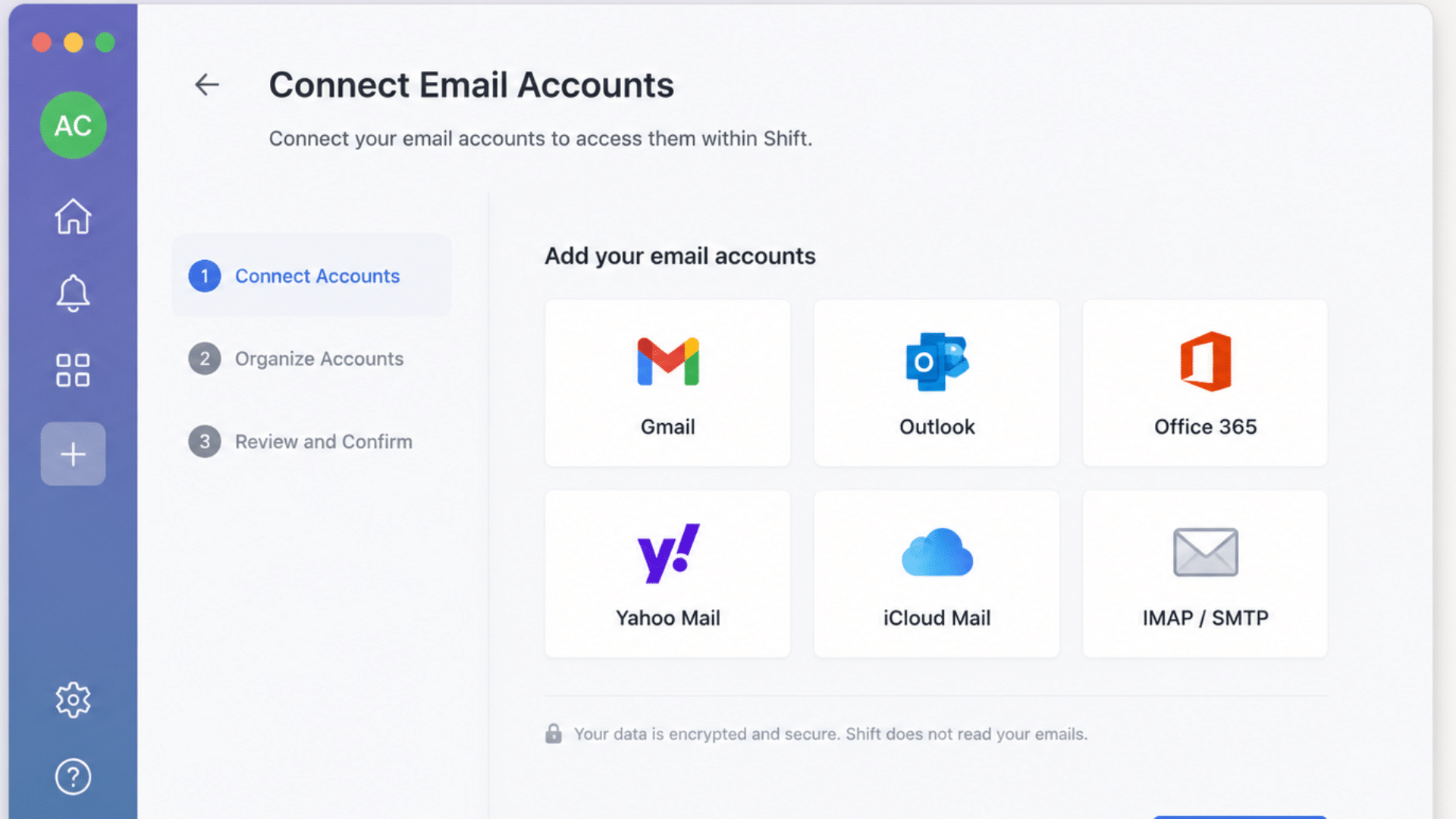
After installing the browser, users can sign in with multiple Gmail, Outlook, or Microsoft 365 accounts. Each account stays separate while remaining available from one interface.
For example, someone handling personal email, company email, and freelance work can switch accounts without repeatedly signing in and out.
2. Create Spaces

One of the more useful Shift Browser Spaces features is the ability to organize tools by project. Each Space can have its own set of accounts, apps, bookmarks, and tabs.
A marketing manager could create one Space for advertising campaigns, another for internal meetings, and another for personal tasks. Each Space contains only the apps, tabs, and accounts needed for that project.
3. Search Across Connected Apps
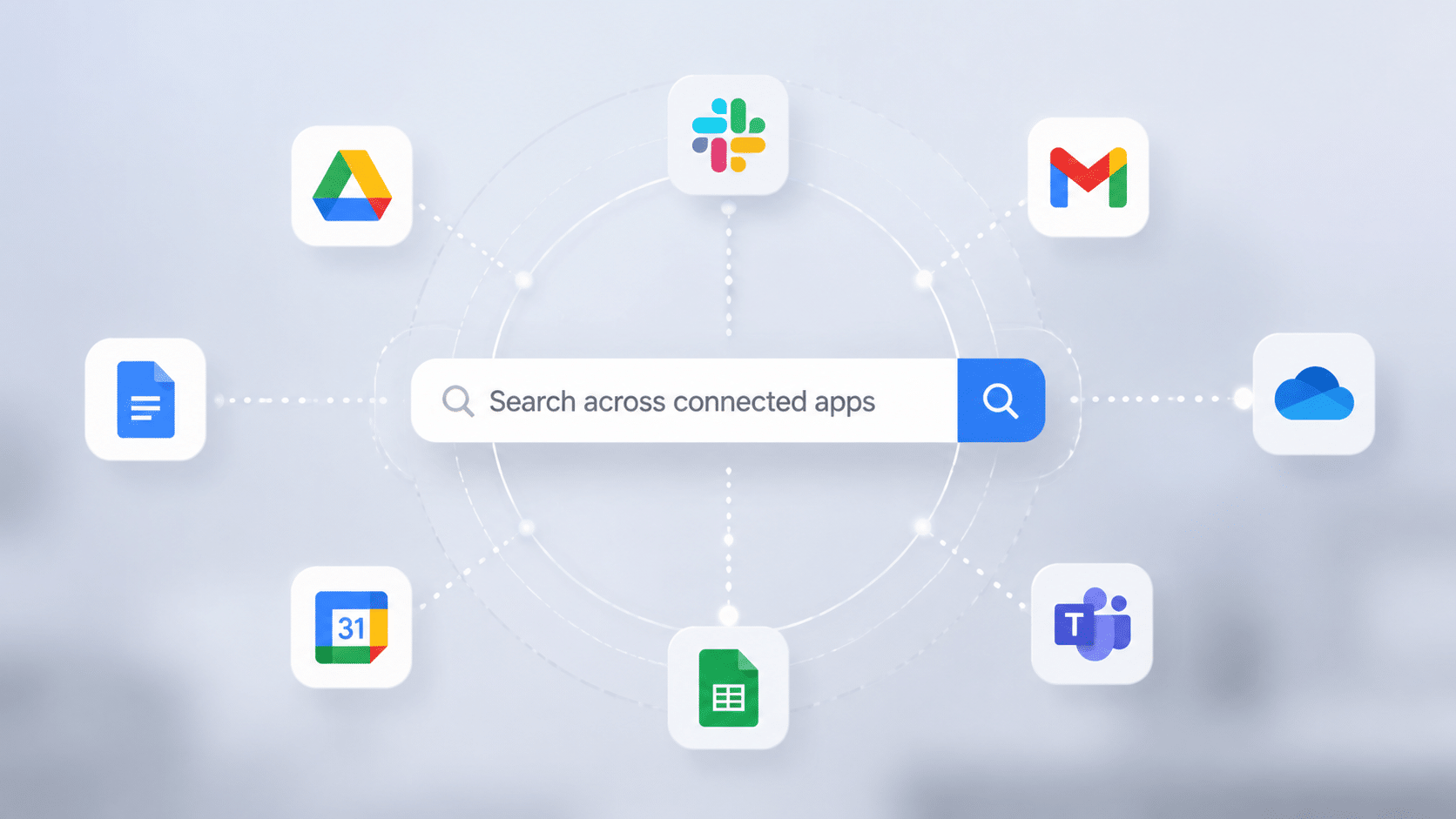
Instead of checking every application separately, Shift includes a search feature that helps locate information across connected accounts and services, depending on the supported integrations. This saves time when looking for documents, conversations, or emails.
By bringing emails, apps, calendars, and work accounts into one place, Shift helps reduce the need to switch between multiple tools.
Managing Shift Browser becomes easier when your accounts, apps, and workspaces are organized properly.
Key Features of Shift Browser
Shift Browser includes features designed to organize accounts, apps, and daily tasks more efficiently.
- Multiple Account Management: Shift allows users to keep personal and work accounts separate while accessing them from one application.
- Unified Workspace: Users can keep frequently used services together in one place instead of managing work across multiple browser windows.
- Spaces: Spaces help organize projects by allowing users to create separate areas with their own tabs, applications, and accounts.
- Chrome Extension Support: Since Shift is built on Chromium, many Chrome extensions, including password managers and grammar tools, can work with it.
- App Integrations: Shift supports various web applications used for communication, project management, file storage, and scheduling.
- Cross-App Search: Users can search across supported services, reducing the need to open multiple apps to find information.
- Focus Mode: Some Shift versions include options that help limit distractions by showing only the apps or work areas needed for a specific task.
Shift Browser’s key features focus on keeping multiple accounts, apps, and online tools organized in one workspace.
Shift Browser Pricing Plans
Shift Browser offers flexible pricing plans based on how many features, integrations, and workspace tools users need for managing their daily apps and accounts.
| Plan | Price | Best For | Key Features |
|---|---|---|---|
| Free Plan | $0 | Users who want to test Shift’s basic features | Basic workspace access, limited app integrations, and essential account management tools |
| Advanced Plan | Around $149/year | Individuals managing multiple accounts and apps | Unlimited email accounts, unlimited apps, Chrome extensions, advanced workspace tools, and productivity features |
| Team Plan | Custom pricing | Businesses managing multiple users | Shared workspaces, team controls, centralized billing, and collaboration features |
| Shift Pro Plan | Around $149/year | Power users who need full access | All advanced features, unlimited integrations, custom workflows, and improved productivity tools |
| Shift Business Plan | Custom pricing | Companies with larger teams | Admin controls, team management, security options, and organization-wide deployment |
Choosing the right Shift plan depends on personal workflow needs, the number of accounts managed, and whether advanced team features are required.
Is Shift Browser Safe and Legit?
Yes, Shift Browser is generally considered a safe and legitimate productivity browser. Developed by Shift Technologies Inc., it is used by professionals, teams, and businesses to manage multiple accounts and web apps.
Since Shift is built on Chromium, it benefits from many of the same security features and compatibility standards found in browsers like Chrome and Edge. It also supports Chrome extensions, but users should only install extensions from trusted sources.
When connecting email accounts or other services, it is important to review Shift’s privacy policy and understand how data is handled. Using strong passwords and two-factor authentication can also help keep accounts more secure.
What Users and Experts Say About Shift Browser
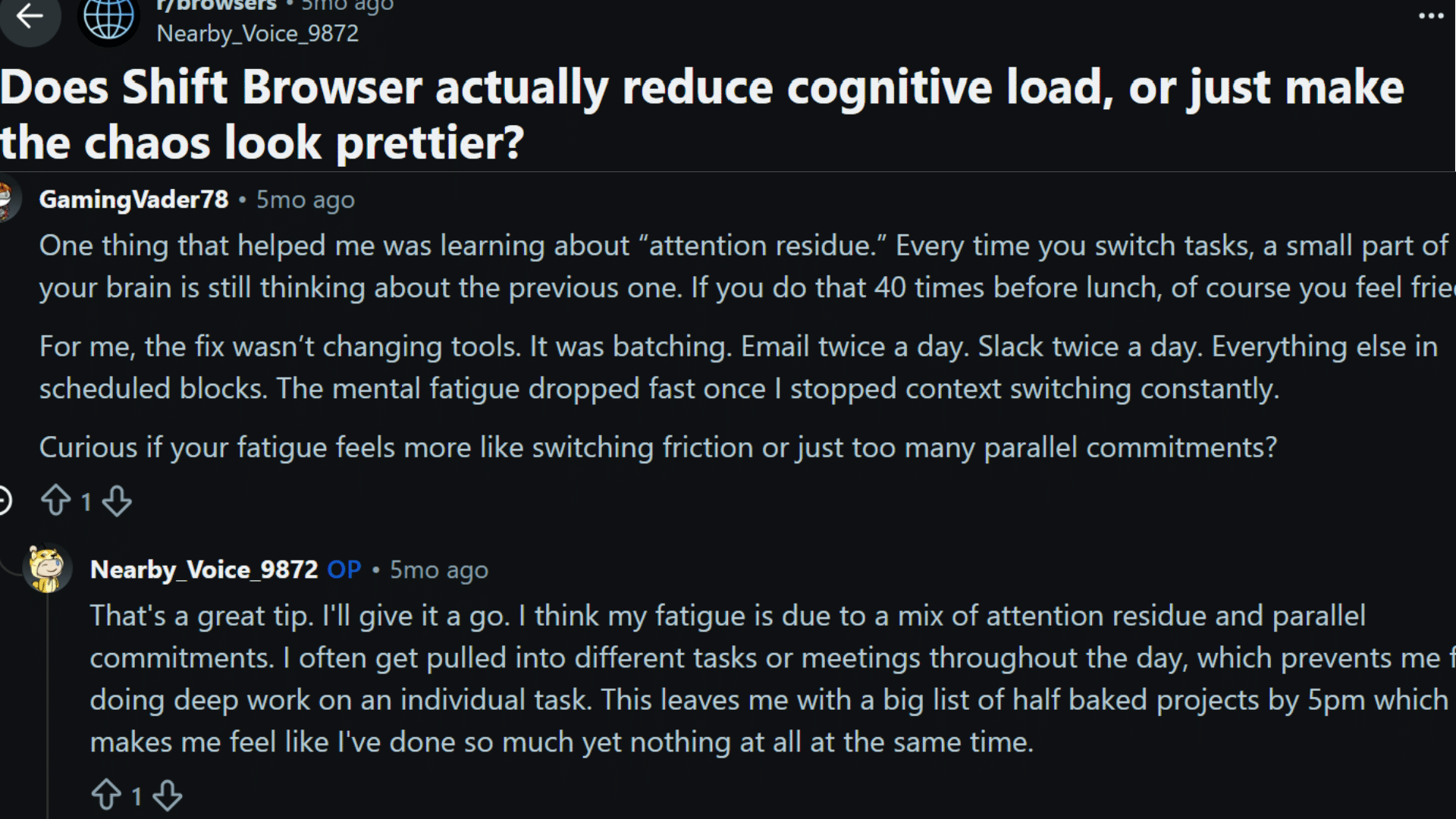
Reddit User opinions on Shift Browser are mixed, with many appreciating its organization features while others question the subscription cost.
One user shared that Shift helped keep their accounts and tasks more organized but felt the yearly price for unlimited Spaces was difficult to justify.
Another discussion focused on reducing productivity issues caused by constant task switching, with users mentioning that better organization and batching tasks helped them manage their workflow.
For users with simple browsing needs, a traditional browser may still provide everything required without the added cost.
Final Shift
After looking closely at Shift Browser, it is clear that it focuses on keeping online work organized rather than replacing every browser.
Users can create separate workspaces for projects, clients, or personal tasks, manage notifications to reduce distractions, and review connected apps and accounts to keep everything organized.
With proper setup, Shift Browser can make handling multiple accounts and applications easier. Regularly updating settings and maintaining clean workspaces can help users manage daily tasks more efficiently while keeping their digital activities better arranged.
“Everyone has a different way of managing online tasks. Share your Shift Browser experience in the comments and let others know what worked for you.”
Frequently Asked Questions
Can Shift Browser Replace Multiple Productivity Apps?
Shift Browser does not replace every productivity app but brings many of them together in one workspace. It helps users access email, calendars, cloud storage, and other services without constantly opening separate windows.
Does Shift Browser Slow Down When Many Accounts Are Added?
Performance depends on the number of connected accounts, open applications, and computer resources. Managing many accounts may require more system memory, but organizing apps can make daily tasks easier.
Can Shift Browser Separate Work and Personal Browsing?
Yes, Shift Browser allows users to create separate spaces for different activities. This helps keep personal accounts, professional tools, and project-related services organized without mixing notifications or logins.
What Types Of Users Benefit Most From Shift Browser?
Shift Browser is useful for people who manage several online accounts daily, such as remote workers, business owners, and professionals handling multiple email addresses, calendars, or collaboration platforms.