Your online privacy is more important than ever. Every time you browse, shop online, or check social media, someone might be watching. But, you don’t have to spend money to stay safe.
A virtual private network creates a secure tunnel for your data online. It’s like a protective shield that keeps your personal info safe from hackers and advertisers. Many think you need to pay for good protection, but that’s not true.
This guide will teach you how to find and use a free VPN that works well. You’ll learn how to pick reliable providers, set up your VPN in minutes, and start browsing safely. Whether you’re worried about internet security at coffee shops or want privacy at home, we’ve got you covered.
Key Takeaways
- Free VPN services provide real protection for your online privacy without any cost.
- Virtual private networks encrypt your internet connection to keep your browsing safe from hackers and trackers.
- Choosing a trustworthy free VPN provider means knowing which features are most important for your security.
- Setting up a free VPN is quick and easy, working on most devices like phones, tablets, and computers.
- Free VPN options have some limits compared to paid services, but they still offer great protection for everyday use.
- You can start protecting your data today without needing technical skills or complicated setup.
Understanding Free VPN Services and Your Options
Virtual private networks don’t have to cost you money. Knowing the basics helps you use free VPN providers with confidence. They protect your online privacy, let you access content safely, and keep you safe on public Wi-Fi. Let’s explore what you need to know about free VPN services and find the right one for you.
The Technology Behind Virtual Private Networks
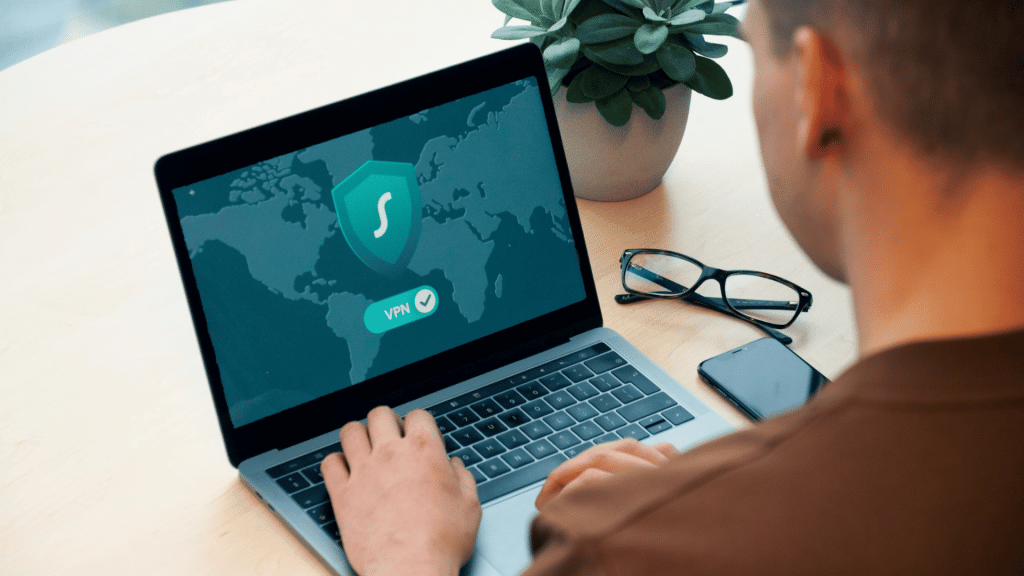
Free VPN services create a secure, encrypted tunnel between your device and the internet. It’s like sending mail through a protective tube that nobody can see into. When you connect to a VPN, your internet traffic goes through a remote server.
This process does two important things for your online security. First, it hides your real IP address and uses the VPN server’s address instead. Second, it encrypts your information so hackers, advertisers, and your internet service provider can’t read what you’re doing online.
The encryption happens automatically when you connect. Your data gets wrapped in layers of security before leaving your device. Modern VPN services use military-grade encryption that’s almost unbreakable.
Your internet traffic travels through this encrypted connection to the VPN server. The server then forwards your requests to websites and services. When information comes back, it follows the same secure path. This process happens quickly, though you might notice slightly slower speeds.
What Sets Free and Paid Plans Apart
Understanding the VPN comparison between free and paid options helps you set realistic expectations. Free services give you the core protection you need, but premium VPN plans unlock additional features and better performance.
Server selection is a big difference. Free plans usually offer access to a few server locations, while paid versions provide hundreds or thousands of servers across dozens of countries. This matters if you need specific geographic locations for accessing content or optimizing speed.
Connection speeds vary significantly between tiers. Free VPN services often limit bandwidth or prioritize paid users during peak times. You’ll still get solid protection, but streaming in 4K or downloading large files might take longer. Premium plans remove these restrictions entirely.
The number of simultaneous device connections increases with paid subscriptions. Free versions usually allow one device at a time, while premium VPN options let you protect five, seven, or even unlimited devices with a single account. This becomes valuable when securing smartphones, tablets, laptops, and smart TVs.
Customer support differs substantially too. Free users typically rely on community forums and knowledge bases, while paying subscribers get priority access to live chat and email support. When you’re troubleshooting connection issues, this difference can feel significant.
Advanced security features like split tunneling, double VPN servers, and dedicated IP addresses usually remain exclusive to paid tiers. These extras enhance your online security and flexibility but aren’t essential for basic privacy protection.
The honest truth is that free VPN services work wonderfully for casual users who want basic privacy protection. You can browse safely, protect yourself on public Wi-Fi, and maintain anonymity online without spending anything. However, if you’re a heavy internet user, frequent traveler, or need advanced features, investing in a premium option delivers better value and performance.
Step-by-Step Guide to Setting Up Your Free VPN
Ready to secure your online privacy? Setting up a VPN is quick and easy. You don’t need any technical background to do it.
This guide breaks down the process into four simple steps. Each step builds on the last one to help you set up a protected internet connection. By the end, you’ll have a working VPN account and know how to connect whenever you need privacy.
Let’s get started with choosing the right provider for your needs.
Choose a Trustworthy Provider
Your first decision is selecting which free VPN service to use. This choice matters because not all providers treat your data the same.
Look for providers with clear privacy policies. The best services explain what data they collect and what they don’t. Reputable companies like Planet VPN publish transparent privacy statements that confirm they don’t log your browsing activity.
Check user reviews from multiple sources before making your decision. Real customer experiences reveal how well the service actually performs. Pay special attention to comments about connection reliability and customer support quality.
A secure connection starts with a trustworthy foundation. Avoid providers with histories of data breaches or questionable business practices. Your privacy protection depends on the integrity of the company behind the service.
Consider the provider’s business model too. Free services that offer premium upgrades tend to be more reliable than those relying solely on advertising revenue. Companies with paying customers have stronger incentives to maintain quality standards.
Get the Application on Your Device
Once you’ve selected your provider, the vpn app download process is straightforward. Head to the official website or your device’s app store to find the legitimate application.
For Windows and Mac users: Visit the provider’s official website and locate the download section. Click the button for your operating system. The file will download to your computer within seconds.
For iPhone and Android users: Open the App Store or Google Play Store on your device. Search for the VPN provider’s name. Make sure you’re downloading the official app by checking if the developer name matches the company.
The vpn installation typically starts automatically after the download completes. Follow the on-screen prompts to install the software. Most installations finish in under two minutes.
During installation, your device may ask for permission to add VPN configurations. This is normal and necessary for the service to work properly. Granting this permission allows the app to route your internet traffic through encrypted servers.
Some providers also offer browser extensions as alternatives to full applications. These lightweight options work well if you only need protection while browsing the web. However, standalone apps provide more comprehensive coverage for all your internet activities.
Register Your New Account
After installing the app, you’ll need to create your vpn account. This step typically requires minimal personal information, which actually reflects good privacy practices.
Open the application you just installed. Look for a button that says “Sign Up,” “Create Account,” or something similar. Click it to begin the registration process.
Most free VPN providers only ask for an email address. Enter a valid email that you can access for verification purposes. Some privacy-conscious users create separate email accounts specifically for VPN registration.
Create a strong password that combines letters, numbers, and special characters. Your password protects access to your account settings and connection history. Write it down somewhere secure or save it in a password manager.
The provider will likely send a verification email to confirm your address. Check your inbox and click the confirmation link. This step prevents fake accounts and helps maintain service quality for legitimate users.
Don’t worry if providers request minimal information. Privacy-focused companies intentionally collect less data to protect your anonymity. This approach actually demonstrates their commitment to user security rather than being a red flag.
Establish Your First Protected Connection
You’re almost done! Now it’s time to activate your vpn connection and start browsing with enhanced privacy protection.
Log into the app using the credentials you just created. The main screen typically displays a large connect button along with available server locations. The interface design varies by provider but follows similar principles.
Browse the available server locations. Free accounts usually offer a limited selection compared to paid plans. Common options include servers in the United States, United Kingdom, Netherlands, and a few other countries.
Select a server that matches your needs. Choose a location close to your physical position for faster speeds. If you’re trying to access content from a specific region, pick a server in that country instead.
Click the connect button and wait a few seconds. The app will establish an encrypted tunnel between your device and the VPN server. Most services display a connection status indicator that changes color or shows “Connected” when ready.
Verify your secure connection is active by checking your IP address. Many VPN apps display your new IP address right in the interface. You can also visit websites like “whatismyipaddress.com” to confirm the change.
Congratulations! Your internet traffic is now encrypted and routed through the VPN server. Websites you visit will see the server’s IP address instead of your real location. Your online activities have gained an extra layer of privacy protection.
Remember to keep the VPN connected while browsing for continuous protection. You can disconnect and reconnect anytime through the app. Most services remember your last server selection to make reconnecting even faster next time.
Using Your Free VPN Effectively and Securely
Once your VPN is ready, knowing how to use it smartly is key. Just having a VPN doesn’t mean you’re fully protected. You need to know how to set it up right and when to use it. This guide will show you how to make your free VPN a strong shield for your online privacy.
Think of your VPN like a car. Anyone can drive it, but knowing the features and best driving practices makes the journey safer and more efficient. The same goes for using a VPN wisely.
Selecting the Optimal Server Location
Choosing the right VPN server location is crucial for your browsing speed and access to content. Many people just connect to the first server they see. But picking the right one can make a big difference.
For everyday browsing, connect to a server near you. A server in your city or state usually gives you the fastest speeds. For example, if you’re in California, a Los Angeles or San Francisco server is better than one in New York or Miami.
But sometimes, you might want to connect to a server in a specific country to access content not available in your area. Streaming services and news websites often block content based on your location. By connecting to a server in the right country, you can access that content as if you were there.
Server load also affects your connection quality. Most VPN apps show how many users are connected to each server. A crowded server slows you down, so choose one with fewer users for better speed.
Here are some real-world examples. When working remotely, you might need a nearby server for speed. For streaming international content, choose a server in the content’s home country. And when traveling abroad but wanting US services, connect to an American server.
Configuring Critical Security Features
Even free VPNs have important security settings that boost your data protection. Taking a few minutes to adjust these settings can greatly enhance your security and peace of mind.
The kill switch is a must-have feature. It disconnects your internet if the VPN connection drops, keeping your real IP address and browsing activity private. Without it, you might browse without realizing your VPN has failed, leaving you exposed.
DNS leak protection is another key setting. It prevents your internet provider from seeing which websites you visit. Even with a VPN active, certain configurations can leak your DNS requests. Enabling DNS leak protection keeps all your internet traffic private.
Consider enabling automatic connection on startup for continuous protection. This feature turns on your VPN whenever you start your device, ensuring you’re always protected. It’s especially useful when using public Wi-Fi at coffee shops, airports, or hotels.
Choosing a protocol might seem technical, but it’s simple. Most VPN apps let you pick between OpenVPN, IKEv2, or WireGuard. For most users, the automatic or recommended setting works well. But if you have connection issues, trying a different protocol might solve the problem.
To find these options, go to your VPN app’s settings menu. Look for sections labeled “Security,” “Advanced,” or “Connection.” Don’t feel overwhelmed by the choices; enabling the kill switch and DNS leak protection covers the most important bases for safe browsing.
Avoiding Common Free VPN Pitfalls
Knowing what not to do with your free VPN is just as important as knowing the right practices. These common mistakes can compromise your security or lead to frustrating experiences.
The biggest mistake is choosing a disreputable VPN provider. Some free VPNs log your browsing data and sell it to advertisers, defeating the purpose of using a VPN. Always research a provider’s reputation and read their privacy policy before installing their app.
Many users leave their VPN connected all the time, even when it’s not needed. While continuous protection sounds ideal, it can slow down your internet speed for activities that don’t require privacy protection. Streaming video, playing online games, or downloading large files often work better with the VPN temporarily disabled.
Forgetting to verify your VPN is actually connected before accessing sensitive information is another common error. Apps can crash or connections can drop without obvious notification. Before logging into banking sites, checking medical records, or accessing work documents, take a second to confirm your VPN icon shows an active connection.
Ignoring data caps and speed limitations can lead to unexpected interruptions. Free VPNs typically limit how much data you can use monthly or throttle your connection speed. Keep track of your usage and understand your plan’s limitations to avoid running out of data at inconvenient times. Some providers offer 500MB daily, others provide 10GB monthly—know your limits and plan accordingly.
Finally, don’t assume your VPN makes you completely anonymous or invincible online. VPNs provide excellent privacy protection, but they’re not magic shields. You still need to practice good digital hygiene: use strong passwords, enable two-factor authentication, and think carefully before clicking suspicious links or downloading unknown files.
Conclusion
You now know how to start protecting your digital life with a free VPN. You don’t need to spend money to keep your online privacy safe. Providers like Planet VPN make sure everyone can have secure internet access.
The free VPN benefits are huge. They help you stay safe on public Wi-Fi, access content from other countries, and keep your browsing private. These perks are free when you pick a reliable provider.
Just remember a few key steps. First, pick a trustworthy provider. Then, download the app and create an account. Connect to a server that fits your needs.
Make sure to set up your security right. And don’t make common mistakes like using shady servers or ignoring updates.
Starting with a free VPN is a great way to keep your browsing safe. If you need more, you can always upgrade later. The VPNs we talked about are known for their reliability and clear privacy policies.
Go ahead and download your free VPN today. It’s easier than you think to keep your online presence safe. Now you know how to browse the internet more securely and privately.