Have you ever paid for software without actually owning the program itself?
From Microsoft 365 subscriptions to cloud-based design tools, most users pay for the right to access and use software rather than buying a physical product.
Software requires permission-based access because developers need to protect their work, control usage, and define how their products can be shared or modified.
Let’s look at how software licensing works, the common licensing models, differences between license types, and how businesses decide which approach fits their needs.
What is Software Licensing?
Software licensing is a legal agreement between software creators and users that defines how an application can be accessed and used.
Instead of owning the software itself, users receive permission to use it under specific conditions.
These conditions explain details such as the number of devices allowed, authorized users, sharing permissions, and modification rights.
Software licenses help developers protect their intellectual property while giving users clear guidelines for proper usage. For businesses, licensing also helps manage software access, compliance, updates, and overall resource planning.
Why is Software Licensing Important?
Software licensing sets clear usage rules while protecting creators and users. It defines access rights, supports maintenance, and helps organizations manage software resources effectively.
- Protecting Intellectual Property: Software licenses protect developers by defining how their applications can be copied, modified, or distributed.
- Defining User Permissions: Licenses explain what users can do with software, including installation limits, sharing rules, and modification rights.
- Supporting Updates and Maintenance: Licensing allows providers to deliver software updates, security fixes, and technical support.
- Managing Costs and Compliance: Businesses use licensing to control expenses, manage user access, and ensure software is used according to agreed terms.
This becomes especially important when selecting business management software, where licensing terms, user limits, and pricing directly affect day-to-day operations.
Understanding the importance of software licensing helps individuals and businesses use software responsibly while maintaining security, control, and compliance.
How Does Software Licensing Work
Software licensing defines how software is created, protected, distributed, and used. It establishes rules between developers and users, ensuring ownership rights, usage permissions, and access conditions are clearly managed throughout the software lifecycle.
1. Software Creation and Ownership
The process begins when developers create a software product and retain ownership rights over the code, design, and features.
Even after selling access to the software, the developer or company usually continues to own the intellectual property behind it.
Copyright protection helps prevent unauthorized copying, modification, or distribution of the software. It gives creators legal control over how their software can be shared and used.
2. License Agreement and Usage Rules
After creating software, companies define the terms under which users can access and use it through a software license agreement. This agreement outlines the permissions, restrictions, and responsibilities associated with the software.
It specifies important details such as the number of users allowed under a single license, supported devices, and the duration of access, which may be temporary, subscription-based, or unlimited.
License agreements may also define feature availability by limiting access to certain tools based on the selected plan.
In addition, they explain rules related to modifying, copying, or redistributing the software. These terms help software providers protect their products while giving users a clear understanding of how the software can be used.
3. User Access and License Activation
Once a user obtains a license, the software must verify that the access is authorized through activation methods. These methods help companies confirm valid purchases, prevent unauthorized use, and manage software access.
Common methods include license keys, which are unique codes entered during installation or setup to verify ownership or usage rights.
Account-based activation allows users to sign in with an account linked to their license and access the software on approved devices.
Cloud-based verification connects the software with online servers to check license status, manage subscriptions, and deliver updates. These activation processes ensure that only authorized users can access the software according to the license terms.
This process ensures that only authorized users can access the software while allowing providers to manage licenses effectively.
Note: License activation does not provide unlimited access. Access depends on license terms, including expiration dates, device limits, and usage restrictions.
Common Types of Software Licenses
Software licenses define how users can access, use, modify, and share software. The main types differ based on ownership rights, source code access, and usage restrictions.
| Software License Type | Key Features | Examples |
|---|---|---|
| Proprietary Software License | Developer-controlled access; limited copying, modification, and redistribution rights | Microsoft Office, Adobe products |
| Freeware License | Free to use; limited rights and no source code access | Adobe Acrobat Reader, Skype (free version) |
| Shareware License | Free trial access; restricted features or time limits before purchase | WinRAR trial version, antivirus trial software |
Understanding different software licenses helps users know what they can do with a program and helps developers protect their software rights.
Different Types of Software Licensing Models
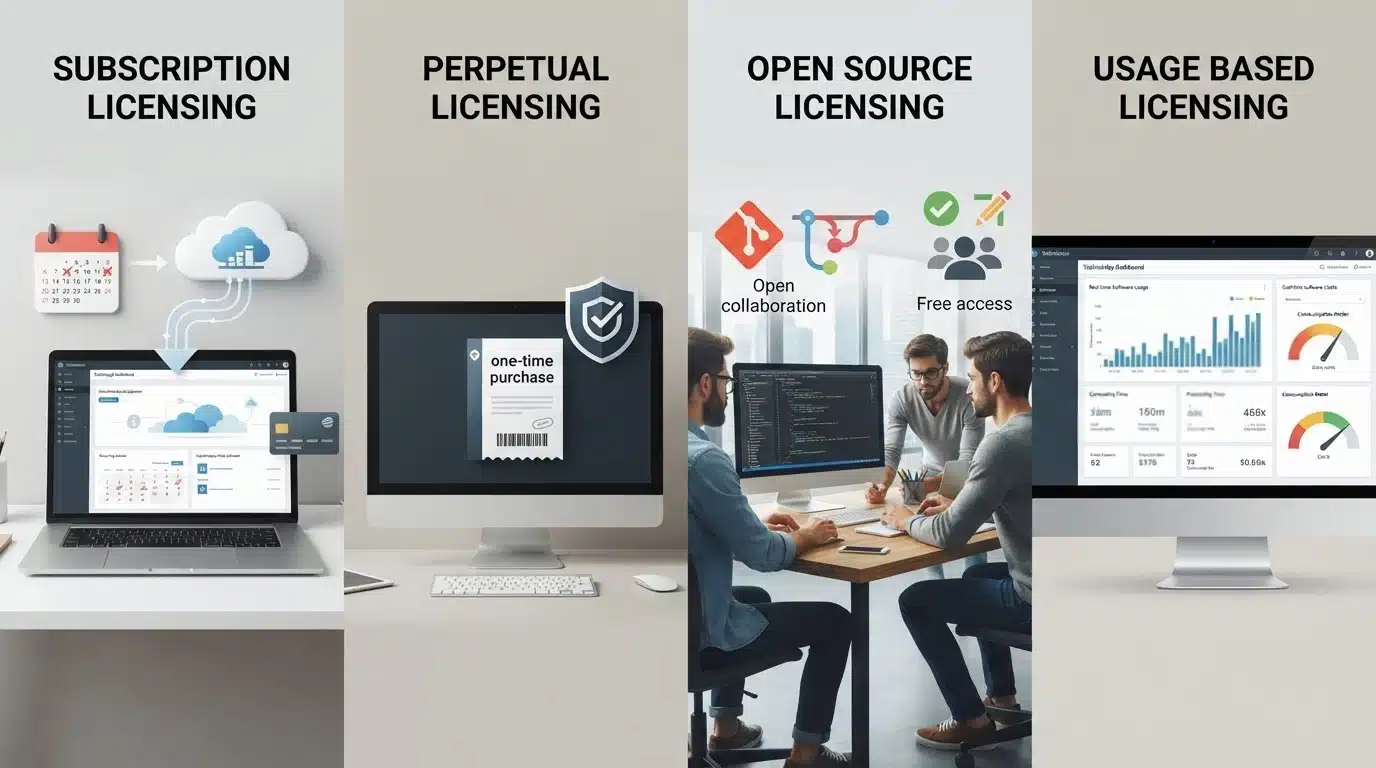
Software companies use different licensing models based on how users access their products, how businesses manage software costs, and how providers deliver features and updates. Each model offers different benefits depending on the software type and user requirements.
1. Subscription Licensing: Subscription licensing provides software access through recurring payments, usually monthly or yearly. Key features:
- Recurring payments: Users pay regularly to continue access.
- Regular updates: Includes new features, fixes, and support.
- Best suited for: SaaS and cloud-based software.
- Examples: Adobe Creative Cloud, Microsoft 365.
2. Perpetual Licensing: Perpetual licensing allows users to access a software version through a one-time payment. Key features:
- One-time purchase: No recurring subscription fees.
- Usage rights: Users get permission to use the software, not ownership of the code.
- Advantages: Suitable for long-term software needs.
- Limitations: Updates and support may cost extra.
3. Floating Licensing: Floating licensing allows multiple users to share a limited number of licenses. Key features:
- Shared access: Users access software when licenses are available.
- Concurrent limits: Controls the number of active users.
- Common use: Enterprise and engineering software.
4. Usage-Based Licensing: Usage-based licensing charges users according to their actual software consumption. Key features:
- Flexible pricing: Payment depends on usage levels.
- Scalable access: Adjusts with changing requirements.
- Examples: Cloud services and API platforms.
5. Open-Source Licensing: Open-source licensing allows users to access, modify, and share software under specific conditions. Key features:
- Modification rights: Users can change the source code.
- Distribution rules: Define how software can be shared.
- Common licenses: MIT, Apache, and GPL.
Each licensing model serves different needs. Subscription, perpetual, floating, usage-based, and open-source licenses offer different approaches to software access, pricing, and usage based on user and business requirements.
If you’re deciding between freely available and commercial software, understanding the differences between open-source and paid software can make choosing the right option much easier.
Software Licensing Examples
Different software products use different licensing models based on how users access and pay for the software.
| Software Example | Licensing Model | How It Works |
|---|---|---|
| Microsoft 365 | Subscription Licensing | Users pay monthly or yearly fees for access to apps, updates, and cloud features. |
| Adobe Creative Cloud | Subscription Licensing | Provides access to creative tools like Photoshop and Illustrator through paid plans. |
| Linux | Open-Source Licensing | Users can view, modify, and distribute source code under open-source license terms. |
| WinRAR | Shareware Licensing | Offers trial access with full features before requiring a paid license. |
| Enterprise Software | Usage-Based Licensing | Pricing depends on usage factors such as users, transactions, or resources consumed. |
These examples show how software licensing models vary based on user needs, access methods, and business requirements.
How Much Does Software Licensing Cost?
Software licensing costs depend on the software type, licensing model, and business needs. Firstly, the number of users affects pricing, as individual licenses usually cost less than team or enterprise plans.
Secondly, the features included influence costs, with advanced tools and premium capabilities increasing the price.
Thirdly, the license duration matters, as subscription models involve recurring payments, while perpetual licenses require a one-time purchase.
The deployment type also impacts expenses, with cloud software often using subscription pricing and on-premises software requiring setup costs.
Additionally, support services and usage volume, such as storage or transactions, can increase overall costs. Businesses should compare these factors before choosing a suitable licensing model.
How to Select the Right Software License
Choosing the right software license depends on the goals of the software provider and the needs of the users. The ideal model should match pricing expectations, usage patterns, product requirements, and long-term plans.
For Software Providers:
Software companies need to consider several factors before selecting a licensing model:
- Revenue expectations: Subscription models can provide recurring income, while perpetual licenses may generate higher upfront revenue.
- Customer usage patterns: Products with frequent or changing usage may benefit from flexible licensing options.
- Product update cycles: Software that receives regular updates often works better with subscription-based models.
- Target market: Enterprise customers, individual users, and developers may require different licensing approaches.
Selecting the right model helps providers create better pricing strategies while meeting customer expectations.
For Businesses Choosing Software:
Businesses should evaluate their requirements before purchasing software licenses. Important factors include:
- Number of users: Determine whether individual licenses, shared access, or team-based plans are more suitable.
- Required features: Choose a license that provides necessary tools without paying for unused features.
- Budget considerations: Compare upfront costs with recurring payments to find a suitable option.
- Long-term software needs: Consider future growth, updates, and ongoing support requirements.
A few general guidelines can help with decision-making:
- Subscription licensing works well for software that receives frequent updates, new features, and continuous support.
- Perpetual licensing is suitable for stable software where users need long-term access to a specific version.
- Usage-based licensing fits products where software consumption changes over time, such as cloud platforms and APIs.
Choosing the right license ensures users get the required access while helping providers maintain a sustainable software model.
Software Licensing vs Software Ownership
Software licensing gives users permission to use software, while ownership refers to the legal rights held by the software creator. The difference affects how software can be accessed, modified, and managed.
| Aspect | Software Licensing | Software Ownership |
|---|---|---|
| Meaning | Gives users permission to use software under specific conditions | Gives legal rights over the software and its intellectual property |
| Rights | Users can access software based on license terms | Developers retain rights to the software code and design |
| Control | Users have limited control based on the agreement | Owners control modification, distribution, and usage rules |
| Business Impact | Helps companies manage usage, costs, and compliance | Protects the creator’s intellectual property and software rights |
Understanding this difference helps businesses use software correctly while respecting the rights of software providers.
The Last Byte: Software Licensing Insights
Software licensing defines how software is accessed, used, and managed by creating clear rules between providers and users.
Different licensing models, including subscription, perpetual, usage-based, and open-source licenses, serve different products, users, and business requirements.
Understanding these models helps individuals and organizations choose software solutions that match their budget, usage needs, and future goals.
If you were looking for clarity on how software licensing works and which model fits your needs, the right choice depends on your specific requirements.
Share your thoughts or questions about software licensing in the comments below.
Frequently Asked Questions
Can a Software License Expire?
Yes, some software licenses expire after a fixed period, especially subscriptions. Expired licenses may limit access, disable features, or require renewal to continue using the software.
What Happens if Software is Used Without a Valid License?
Using software without a valid license can lead to compliance issues, legal risks, security concerns, and restricted access to updates or official support.
What is the Difference Between a Software License and a Subscription?
A software license defines the rights and conditions for using an application, while a subscription usually provides access through recurring payments that may include updates and support.
Why do Companies Use Multiple Licensing Models?
Companies use different licensing models to match customer needs, pricing preferences, software usage patterns, and business goals while providing flexible access options.