Many gamers and podcasters encounter the mic monitoring setting and are unsure to keep it on or turn it off.
This simple feature lets you hear your own voice through the headset while you speak. It helps you keep your volume in check and notice audio issues while recording or talking.
But the experience can feel different depending on how you use it. When asking Should Mic Monitoring Be Used for Podcasts or Solo Play?, the answer depends on comfort and setup.
Getting the best mic monitoring level for gaming, chat, or streaming also plays a big role, even if the feature feels helpful or distracting.
Why Mic Monitoring Matters in Voice-Based Content?
Mic monitoring plays an important role in any type of voice-based content, such as podcasts, streaming, voice chat, or recorded commentary.
This real-time feedback helps maintain a natural speaking volume and prevents common audio issues such as shouting, whispering, or distortion.
When mic monitoring is off, creators often struggle to control their voice levels without realizing it.
When creators can hear themselves clearly, they are more aware of their tone, pace, and microphone distance.
Mic monitoring also helps detect issues like background noise or mic placement problems early.
As a result, recordings become cleaner, more balanced, and easier to edit, which improves the overall listening experience for the audience.
Should Mic Monitoring Be Used for Podcasts or Solo Play?
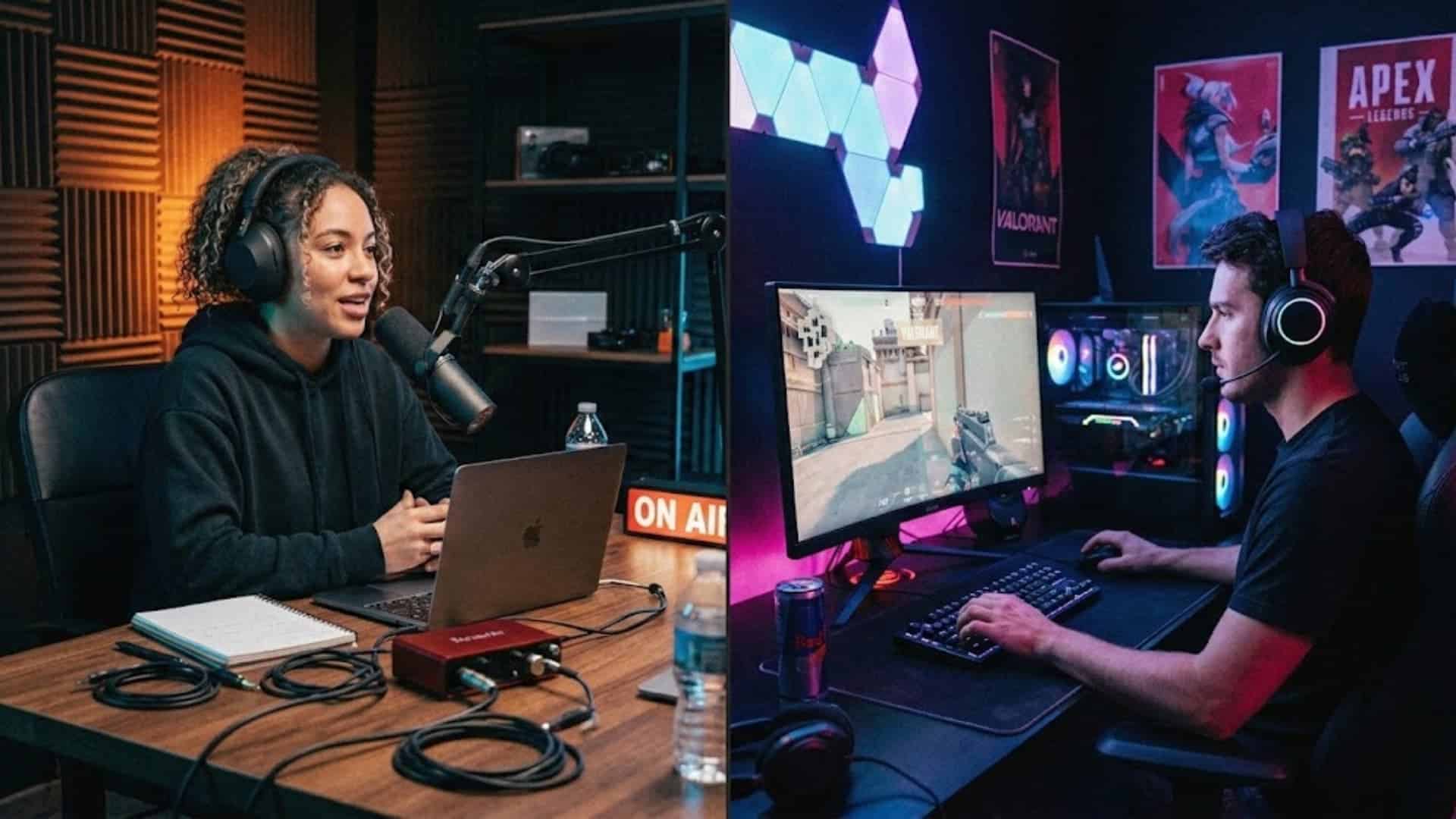
When deciding Mic Monitoring Be Used for Podcasts or Solo Play, the answer mostly depends on how you use your microphone.
For podcasts, mic monitoring is often helpful because it lets you hear your voice as you record.
This makes it easier to control volume, avoid clipping, and keep your voice clear throughout the session. It also helps you instantly notice background noise or mic placement issues.
For solo play, mic monitoring is usually less important. If you are simply playing a single-player game without recording or chatting, hearing your own voice may feel unnecessary or distracting.
However, if you stream, record commentary, or use voice chat, keeping mic monitoring on at a balanced level can still be useful.
Benefits of Mic Monitoring for Content Creators
Mic monitoring gives creators immediate feedback on their voice and recording environment. This helps to maintain clear sound and fewer mistakes during recordings.
- Audio Awareness: Mic monitoring lets creators hear their own voice while recording, helping them stay aware of speaking volume and microphone distance throughout the entire session.
- Better Recording Quality: Hearing the microphone output in real time helps creators maintain clearer audio and ensure the final recording sounds balanced and professional.
- Volume Control: Listening to your voice through headphones helps prevent sudden spikes in loudness or extremely quiet speech, which keeps the recording more consistent.
- Early Error Detection: Mic monitoring makes it easier to detect issues such as background noise or breathing sounds, allowing creators to fix problems before they affect the recording.
- Improved Speaking Consistency: Real-time voice feedback helps creators maintain a steady speaking tone, resulting in smoother audio across podcasts and recorded commentary.
Does Mic Monitoring Make Sense for Solo Players?
An enabled mic monitoring system can also be useful during solo play, especially when players record or share their gameplay.
For gameplay recording or live streaming, mic monitoring is useful. It helps you hear your voice alongside game audio while you speak, so commentary stays balanced, and your volume does not drift.
Without it, solo streamers often end up shouting over game audio without realizing it until a viewer points it out.
This prevents moments where your voice becomes too loud or too quiet in the recording.
However, in casual gaming scenarios where you are simply playing alone without recording or chatting, mic monitoring may not be necessary.
Some players may even prefer turning it off because constantly hearing their own voice can feel distracting.
Podcast vs Solo Play: Who Needs Mic Monitoring?
Mic monitoring can be useful in different situations, but its importance changes depending on whether you are recording voice content or simply playing games alone.
| Factor | Podcast Recording | Solo Play |
|---|---|---|
| Purpose | Helps monitor voice clarity and volume during recording. | Mostly unnecessary unless recording or streaming gameplay. |
| Voice Control | Important for maintaining steady speaking levels. | Less important for casual solo gaming. |
| Latency sensitivity | Use hardware/direct monitoring to avoid delay | Software monitoring delay can cause stuttering |
| Real Time Feedback | Helps detect audio issues instantly while recording. | Useful mainly during commentary or live streams. |
| Overall Need | Recommended for consistent podcast audio quality. | Optional for casual gaming sessions. |
Recommended Setup Tips for Mic Monitoring
Setting up mic monitoring helps you hear your voice clearly. A balanced setup improves recording quality and prevents problems like echo or audio delay.
- Set the Monitoring Level to a low to moderate setting so your voice stays clear without overpowering game audio in your headphones.
- Avoid High Volume: High monitoring levels can create echo or distraction. Balanced levels help your voice blend naturally with other audio.
- Prioritize hardware monitoring over software: Your headset’s built-in sidetone or your audio interface’s Direct Monitor function will always be lower latency than routing through Windows or OBS. Use software monitoring only as a fallback.
- Maintain a steady mic distance: Stay consistent with your distance from the microphone. Mic monitoring makes it easier to notice when you drift.
- Test Before Use: Run a quick voice test before recording, streaming, or gaming to confirm monitoring levels and audio clarity.
Conclusion
Mic monitoring can be a helpful feature, but its value depends on how you use your microphone.
For podcasters, it helps maintain voice control, consistent audio levels, and real-time feedback during recordings, which improves overall sound quality.
For solo play, mic monitoring is usually optional and more useful for streaming, commentary, or voice chat rather than casual gaming.
When asking “Should Mic Monitoring Be Used for Podcasts or Solo Play?”, the right choice depends on your setup and comfort level when speaking.
If you have tried mic monitoring in your setup, share your experience and drop your thoughts in the comments below.