Choosing a laptop brand can feel confusing when different models offer varying levels of performance, durability, and features.
When evaluating Is Lenovo is a good brand, the answer depends on the series, budget, and intended use. Lenovo has built a strong reputation with business laptops like ThinkPad while also offering options for students, everyday users, and gamers.
Lenovo’s reliability, popular laptop series, strengths, and weaknesses all play an important role in the decision-making process.
Checking these factors helps set realistic expectations and makes it easier to select a Lenovo laptop that fits specific needs without focusing only on the brand name.
Lenovo Brand Overview
Lenovo has grown beyond its famous ThinkPad series, offering laptops for different users. This table highlights its key strengths, categories, and what each lineup is best known for.
| Category | Details |
|---|---|
| Brand Reputation | Known for reliability, value, and a wide range of laptops across different price segments. |
| ThinkPad Series | Recognized for excellent build quality, strong business features, and long-term reliability. |
| Budget Laptops | Offer affordable options but may have more basic materials and average build quality. |
| Premium Laptops | Provide sturdier designs, better components, and improved overall durability. |
| Gaming Lineup | Legion offers high-performance gaming laptops, while LOQ provides more affordable gaming options. |
| Best For | Business users, gamers, students, and everyday users with different performance needs. |
Lenovo’s lineup covers a wide range of needs, but the experience depends on the series. Choosing the right model ensures better performance, durability, and value
Are Lenovo Laptops Reliable?
Yes, Lenovo laptops can bereliable for years, but reliability depends heavily on the series and price range. Premium business models like ThinkPads usually last longer because they use stronger materials, better components, and durable designs.
Factors such as build quality, maintenance, usage intensity, RAM, storage, and cooling also affect lifespan, and comparing notes with other laptops made to last can offer a useful benchmark. Users often appreciate Lenovo’s sturdy construction, comfortable keyboards, and business-focused designs.
However, budget models may use simpler materials, weaker displays, and have more noticeable compromises compared to premium options.
Choosing the right series based on workload and checking hardware details before buying can help set realistic expectations. With proper care and suitable specifications, many Lenovo laptops can provide dependable performance for everyday use and professional tasks.
Understanding Lenovo’s Laptop Series
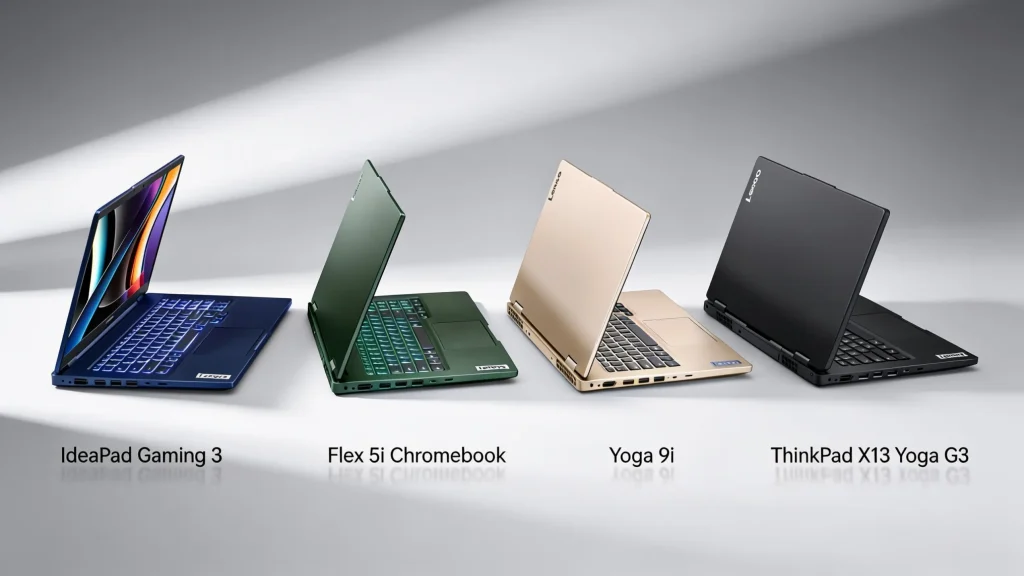
Lenovo offers several laptop series, each designed for different needs, budgets, and user types. Knowing the differences makes it easier to choose the right one.
1. ThinkPad: Best for Business Users
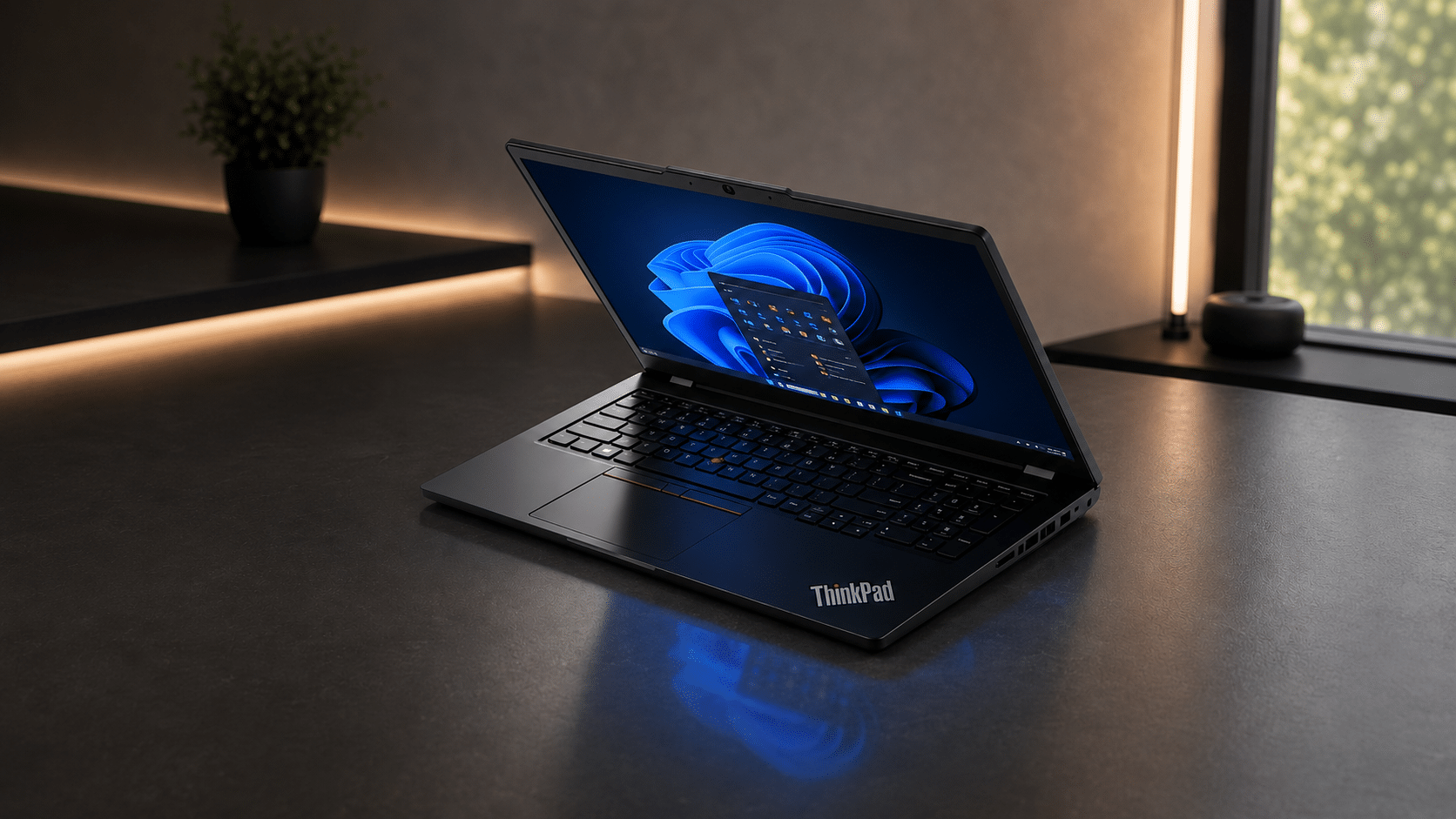
ThinkPads are known for their legendary keyboard and TrackPoint nub, backed by MIL-STD-810H durability testing and business-grade security like fingerprint/IR login and vPro management, and weighing Intel’s chip tiers is worth doing before settling on a configuration.
- CPU: Intel Core Ultra Series 3 (Panther Lake) or AMD Ryzen AI Pro 400
- RAM: up to 64GB DDR5/LPDDR5x
- Storage: up to 2TB SSD
- 2026 update: New Gen 7 T14/T16 with 10/10 iFixit repairability; X1 Carbon Gen 14 gets a redesigned “Space Frame” chassis with swappable USB-C ports
- Pricing (Lenovo USA): E-series from ~$1,029 · T14/T16 Gen 7 from $1,799 · X1 Carbon Gen 14 from $1,999
- Limitation: pricier; not built for gaming
2. Legion / LOQ: Best for Gaming
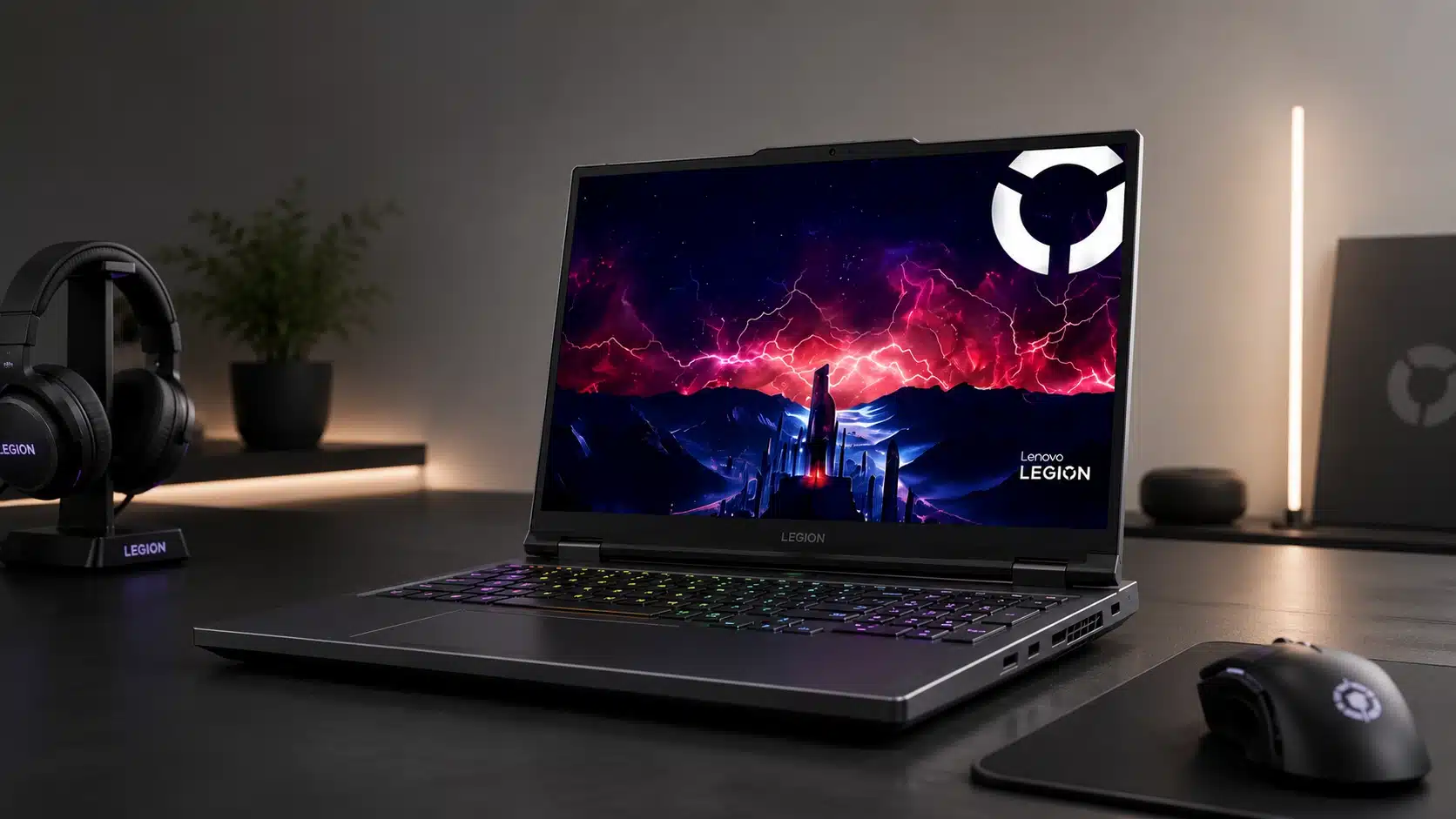
These laptops bring RTX 5050–5090 GPUs, and Coldfront/Hyperchamber cooling together with high-refresh OLED/IPS displays running up to 240Hz, reviving the familiar portable versus desktop debate for anyone deciding between the two.
- CPU: AMD Ryzen AI 400 series or Intel Core Ultra HX (Panther Lake)
- RAM: up to 64GB (dual-slot, upgradeable on most models)
- Storage: up to 2TB Gen4/Gen5 SSD, dual slots
- 2026 update: Legion 7a/5a launch with AMD “a” naming split from Intel “i” models; LOQ fixes prior-gen display ghosting and adds a better trackpad
- Pricing (Lenovo USA): LOQ from ~$1,149 · Legion 5a/5i from ~$1,299–$1,499 · Legion 7a/7i from ~$1,999
- Limitation: heavier chassis, shorter battery life under load; entry LOQ configs can ship with only 8GB RAM, worth upgrading
3. IdeaPad: Best Budget Option
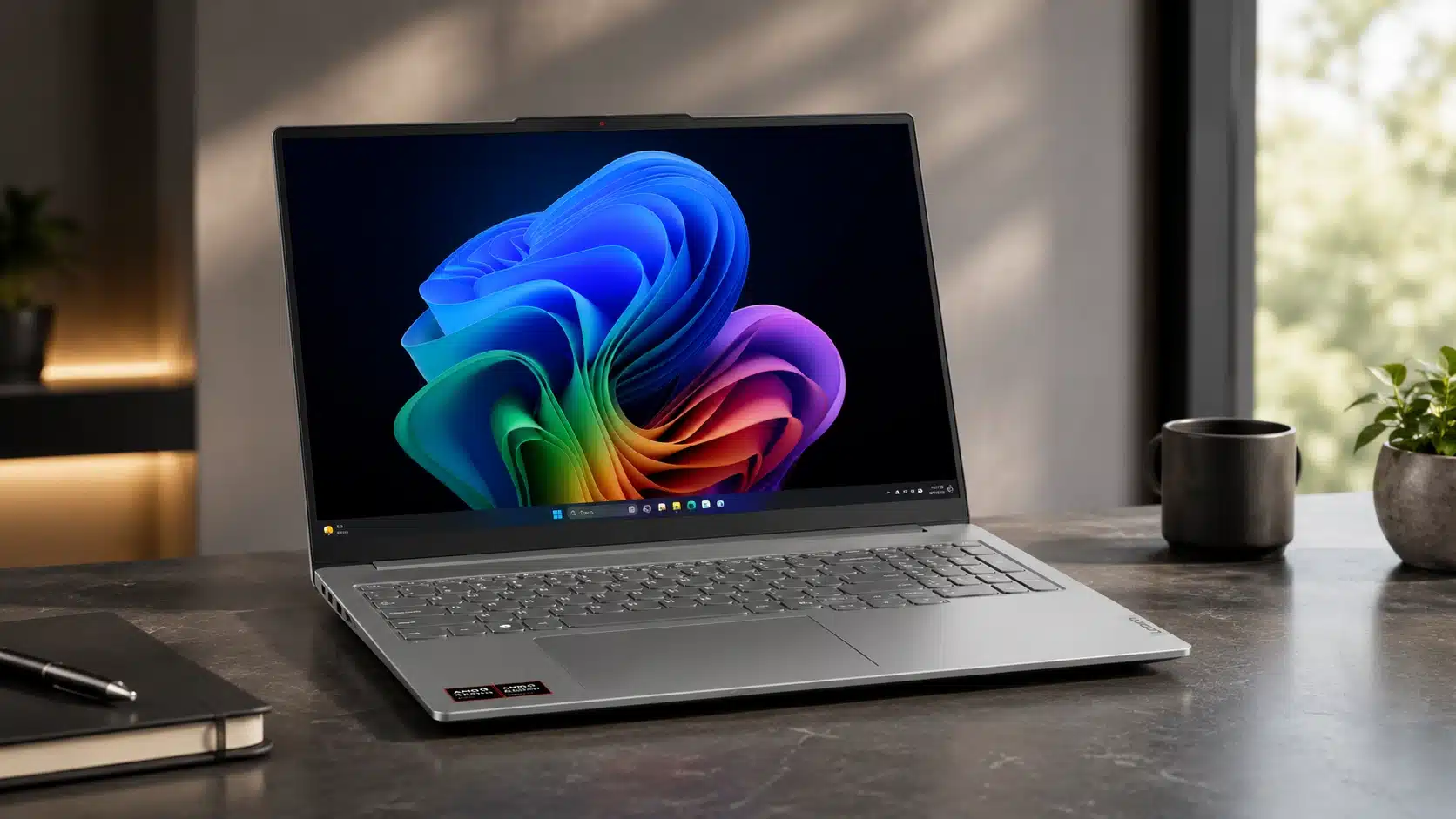
IdeaPads are geared toward everyday browsing, streaming, and schoolwork, with slim, value-focused builds.
- CPU: Intel Core (i3–Ultra 7) or Snapdragon X2 Plus on newer Copilot+ models
- RAM: 8–32GB depending on tier
- Storage: 256GB–1TB SSD
- 2026 update: IdeaPad Slim 5x/5i Ultra add Copilot+ AI features and all-day battery (up to ~21 hrs on Snapdragon models)
- Pricing (Lenovo USA): IdeaPad Slim 3 from ~$449–$600 · Slim 5i/5x from ~$799–$899 · IdeaPad Pro 5i from ~$1,699
- Limitation: base configs cut corners on display and RAM; Check specs before buying
4. Yoga: Best Premium Convertible
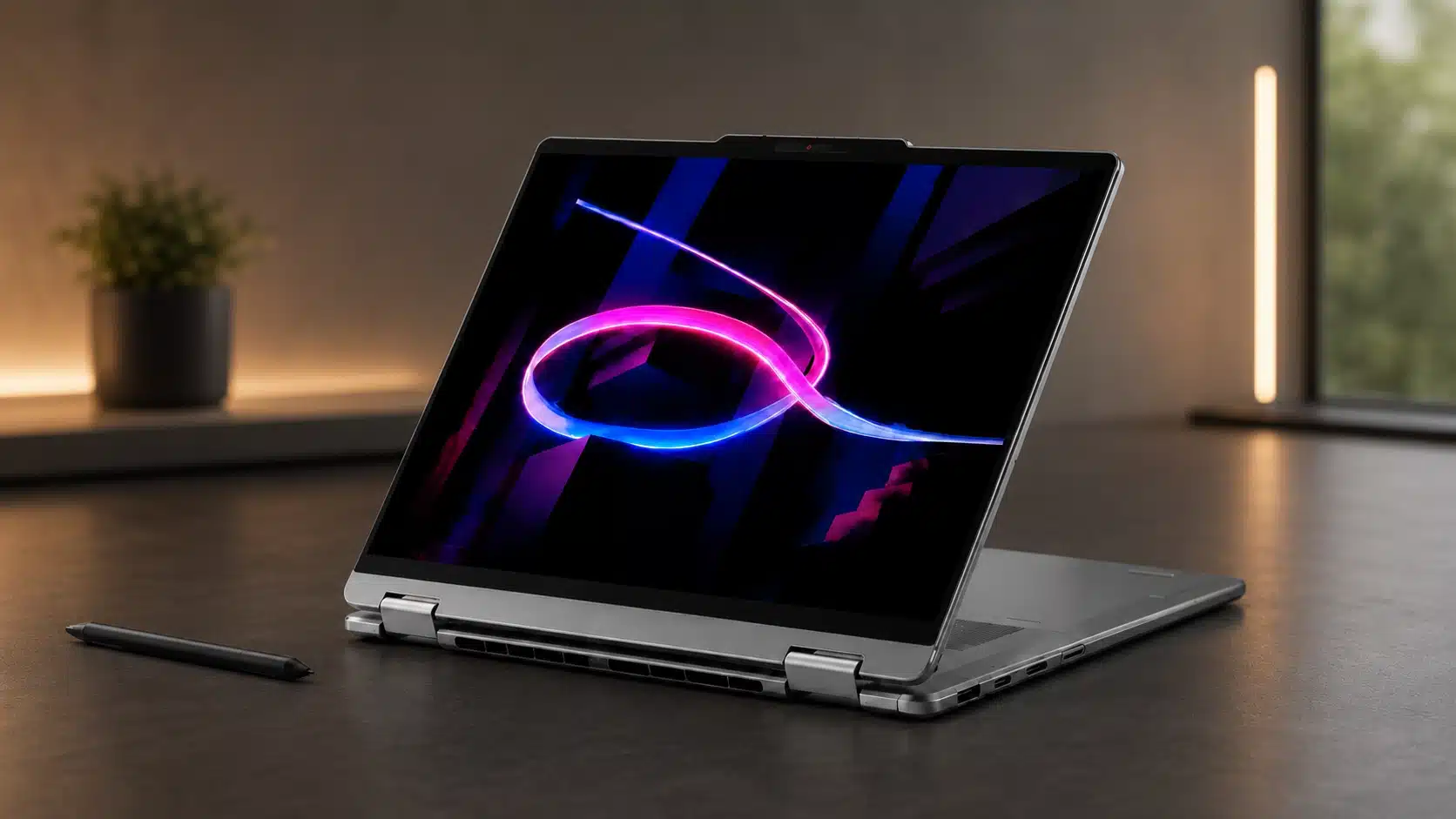
Yoga laptops feature a 360° hinge, a touchscreen, stylus support, and premium metal builds with OLED panels. Lenovo’s lineup covers business, gaming, everyday use, and creative work at a wide range of prices. Each series has clear strengths, but specifications can vary between configurations.
- CPU: Intel Core Ultra (Panther Lake) or AMD Ryzen AI Max+ on top-tier models
- RAM: up to 32GB (up to 128GB on Yoga Pro 7a with AMD Ryzen AI Max+)
- Storage: up to 1–2 TB SSD
- 2026 update: Yoga 9i adds “Canvas Mode” for sketching; Yoga Pro 7a targets creators with unified-memory AI workloads
- Pricing (Lenovo USA): Yoga Slim 7i/7x from ~$949–$1,149 · Yoga 9i 2-in-1 from ~$1,899 · Yoga Pro 9i from ~$1,999
- Limitation: premium pricing; not built for heavy gaming
Once you identify the right series, compare the display, memory, storage, battery life, and price before choosing a model.
Strengths and Weaknesses of Lenovo Laptops
No brand gets everything right, and Lenovo is no exception. Here’s an honest look at where it shines and where buyers should tread carefully.
| What Lenovo Does Well | Where Lenovo Falls Short |
|---|---|
| Excellent ThinkPad lineup | Quality varies between models |
| Wide range of laptops | Budget laptops can feel basic |
| Strong value for money | Some premium models get pricey |
| Reliable business laptops | Support experience varies by region |
| Good gaming options | Wrong model choice = disappointment |
The takeaway: Lenovo’s strengths are real, but they’re not evenly spread across the lineup: which is exactly why picking the right series matters more than picking the brand.
Best Lenovo Series by Need
Instead of asking “which Lenovo is best,” ask “which Lenovo is best for me.” Here’s a quick way to match your needs to the right series:
- Student: Go for IdeaPad or Yoga. Affordable, versatile, and light enough to carry between classes.
- Office work: Go for ThinkPad. Reliable, comfortable to type on for hours, and built to last.
- Programming: Go for ThinkPad or Legion. Strong keyboards paired with the performance to run heavier workloads.
- Gaming: Go for Legion or LOQ. Better graphics, smarter cooling, higher refresh-rate screens.
- Content creation: Go for Yoga Pro or Legion. The horsepower and display quality creative work demands.
- On a budget: Go for IdeaPad. Dependable everyday laptops without the premium price tag.
Bottom line is to match your priorities to the series built for them, and Lenovo’s reputation for reliability should hold up in your own hands, not just on a spec sheet.
What Real Lenovo Users Say After Using their Laptops
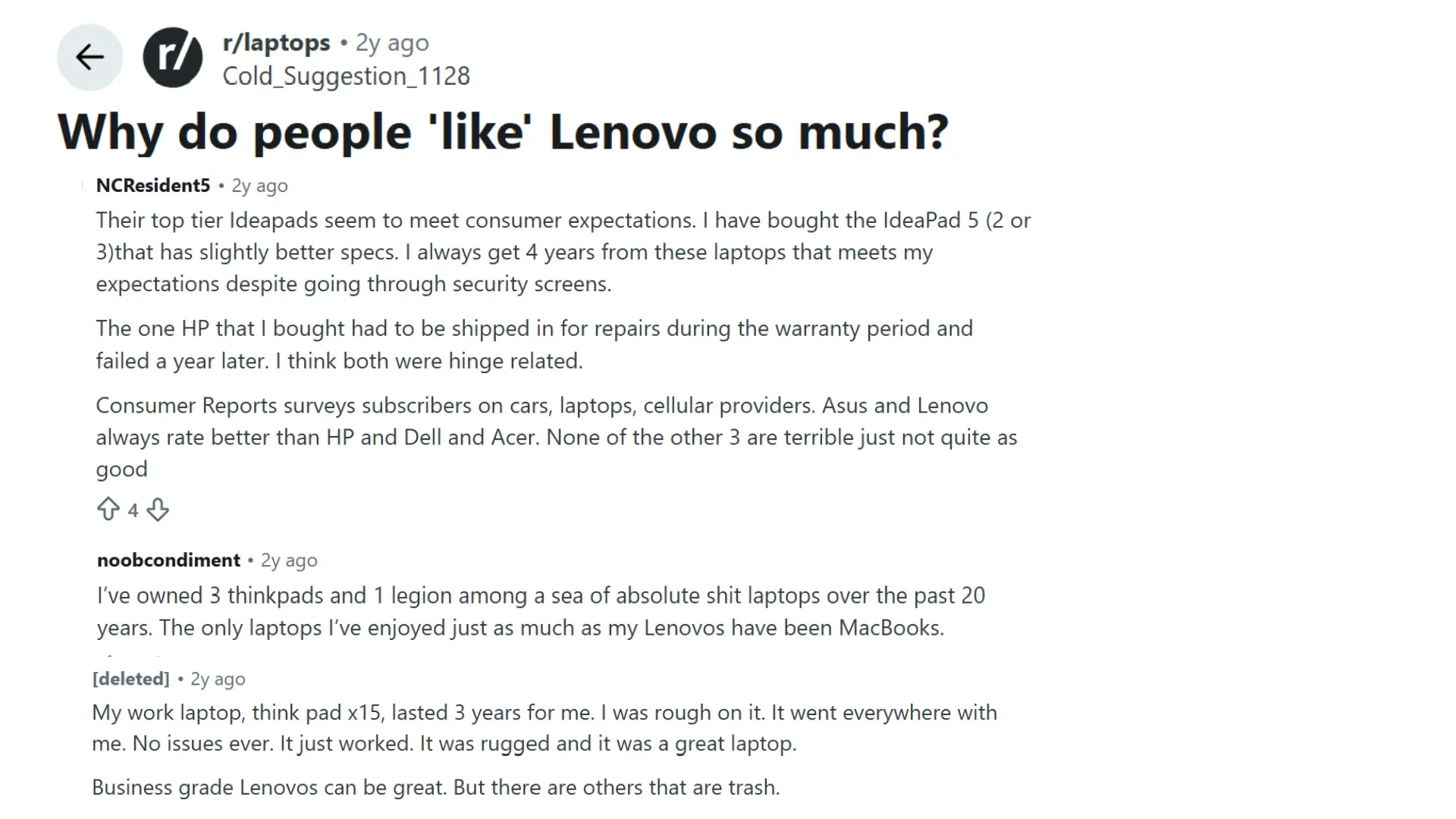
Reddit discussion from r/laptops explores why many users prefer Lenovo laptops over other brands. Several commenters share personal experiences with Lenovo models, including ThinkPad, IdeaPad, and Legion series.
Users mention long-term reliability, strong build quality, comfortable keyboards, and dependable performance as key reasons behind their loyalty.
Some commenters compare Lenovo favorably with brands like HP, Dell, and Acer, while others explain that quality can vary across different product lines.
The discussion highlights how business models like ThinkPads have earned a reputation for durability, while consumer laptops receive mixed opinions.
Overall, the Reddit thread provides real user feedback on Lenovo’s strengths, weaknesses, and the reasons many laptop buyers continue choosing the brand.
Comparison: Lenovo vs HP vs Dell
Choosing between Lenovo, Dell, and HP isn’t about finding the “best” brand: it’s about matching your priorities to their strengths. Lenovo leans business-durable, Dell leans premium-build, HP leans design-flexible. Here’s how they stack up.
| Feature | Lenovo | HP | Dell |
|---|---|---|---|
| Business laptops | Excellent | Good | Excellent |
| Budget options | Excellent | Good | Average |
| Gaming laptops | Strong | Strong | Strong |
| Build quality | Depends on series | Consistent in premium | Strong premium lineup |
| Value | Very competitive | Balanced | Often expensive |
If you’re unsure, Lenovo is the safest default; it covers the widest range of needs and price points without forcing a trade-off. Choose HP or Dell only if one specific thing (design or premium support) matters more to you than flexibility.
Who Should Buy a Lenovo Laptop?
Lenovo is a strong choice for buyers who want variety, reliable business laptops, and good value across different price points.
Compared with HP’s design-focused consumer laptops and Dell’s premium build and business support, Lenovo is the safest default for most users.
However, shop by model and series rather than brand name, as quality varies across the lineup. Lenovo may not suit buyers who want every model to feel equally premium, prefer buying without comparing specifications, or want Apple-style ecosystem integration.
Choose HP for design or Dell for premium support when either matters more than flexibility.
Checklist Before Buying
Before choosing a laptop, checking a few important details can prevent performance issues later. These factors affect speed, comfort, durability, and overall value, making them essential to review before purchasing a Lenovo laptop.
- Processor generation
- RAM amount
- SSD storage
- Display quality
- Battery capacity
- Build materials
- Warranty coverage
- Upgrade options
Reviewing these points helps match a laptop with personal needs and usage patterns. Careful checking before buying can lead to better performance and longer satisfaction.
Common Problems with Lenovo Laptops
Lenovo laptops offer many reliable options, but some models have common drawbacks. Understanding these issues and their solutions can help buyers choose a laptop that fits their needs.
| Problem | Why It Happens | Fix |
|---|---|---|
| Dim Displays | Budget models may use panels with lower brightness and limited color accuracy. | Check display specs and choose models with better panels. |
| Varying Build Quality | Materials differ between entry-level IdeaPads and premium ThinkPads. | Research individual models before buying. |
| Performance Differences | Hardware varies widely across Lenovo’s lineup. | Compare processor, RAM, storage, and cooling features. |
| Support Variations | Service quality depends on location and retailer. | Check warranty terms and local support options. |
Lenovo’s drawbacks are usually model-specific rather than brand-wide. Checking key specifications and support details before buying can help avoid most common issues
Final Verdict: Is Lenovo a Good Brand?
Choosing the right laptop depends on understanding what matters beyond the brand name. I have covered Lenovo’s strengths, popular series, reliability, and common limitations to help you make a practical choice.
You can use these details to compare build quality, performance, features, and support before spending money on a new device. If you are wondering if Lenovo is a Good Brand, the answer depends on the model and how it matches your needs.
A ThinkPad may suit professionals, while other series may work better for everyday tasks or gaming. I hope this helps you choose with more confidence.
Share your Lenovo experience in the comments or check out related laptop guides for more tips.
Frequently Asked Questions
Do All Lenovo Laptops Support Touchscreens, or Just the Yoga Line?
Touchscreens aren’t exclusive to Yoga; select IdeaPad and Legion models also offer touchscreen configurations, though it’s not standard across the board.
How long do Lenovo laptops last?
Premium models often last longer than budget ones, depending on build quality and usage.
What’s the Actual Difference Between Legion and Loq?
Legion targets higher-end gaming with premium cooling and displays; LOQ offers similar gaming DNA at a lower price with fewer premium extras.
Can I Upgrade RAM or Storage Later on Lenovo Laptops?
Most Legion and ThinkPad models allow RAM/SSD upgrades; slimmer IdeaPad and Yoga models often have soldered RAM, so check before buying.