Reliable internet has long depended on one thing: proximity to physical infrastructure. If fiber, cable, or cellular towers were unavailable, users often had to rely on slow satellite connections that were frustratingly slow.
Starlink changes that equation by delivering broadband through thousands of LEO satellites rather than traditional ground networks.
As someone trained in physics, what strikes me most about the Starlink architecture is not just what it does, but the engineering precision required to make thousands of independently orbiting objects behave as a single coherent network.
Understanding how that process works explains why Starlink internet has become a practical solution for homes, businesses, travelers, and remote communities that previously had no viable options.
The LEO Satellite Constellation: Why Altitude Matters for Starlink Internet
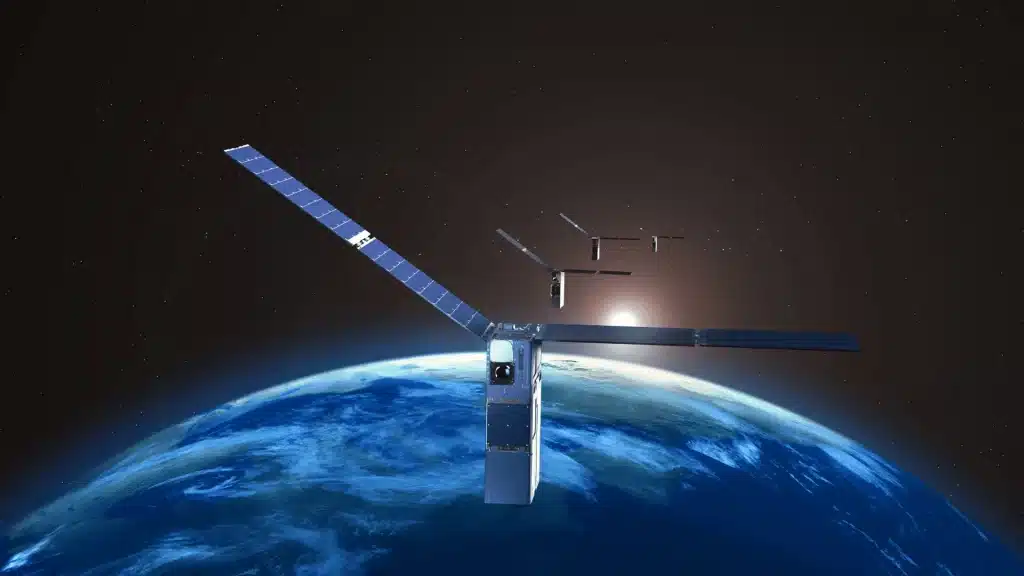
Starlink’s core advantage is its low satellite altitude. Traditional systems use geostationary satellites orbiting about 22,000 miles above Earth, which generates latency of 600 milliseconds or more and makes real-time applications like video calls nearly unworkable.
Starlink satellites orbit much closer, typically between 340 and 550 miles above the planet. The shorter travel distance allows signals to reach users far more quickly, reducing latency to around 20 to 60 milliseconds.
As these satellites constantly move across the sky, over 7,600 of them work together to ensure uninterrupted coverage, with one handing off the connection to the next as the previous passes out of range.
SpaceX has FCC approval for up to 12,000 satellites in this constellation, with longer-term ambitions for 34,400 total. That scale is what makes global coverage at low latency physically achievable.
NASA’s Catalog of Earth Satellite Orbits explains how orbital altitude directly determines how quickly a satellite moves and how that speed affects communication latency.
How Does Your Starlink Dish Find and Track Satellites?
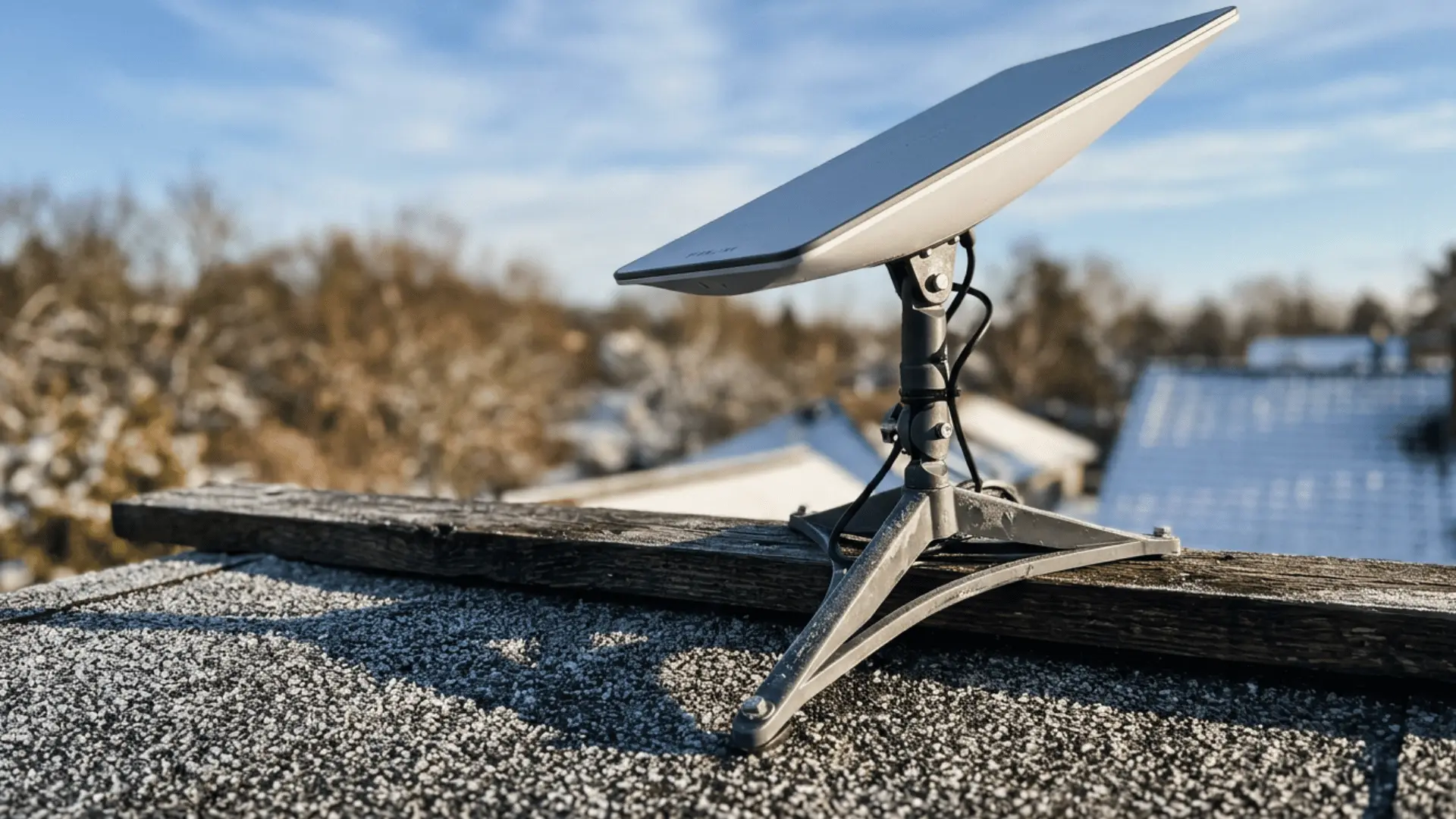
Unlike traditional satellite dishes that physically rotate to stay pointed at a fixed satellite, the Starlink dish uses phased-array antenna technology to steer its signal electronically, tracking satellites moving at roughly 17,000 mph across the sky.
1. Automatic Alignment and Setup
After installation, the Starlink dish automatically tilts, aligns, and begins scanning for satellites without manual adjustments, making setup quick and fully automated.
The system continuously calibrates itself during the initial connection phase to lock onto the strongest satellite signal.
This ensures a stable starting connection even in changing environmental conditions.
2. Continuous Signal Monitoring
The dish constantly monitors signal strength and connection quality in real time.
When a stronger or more stable satellite becomes available, it automatically switches to maintain optimal performance.
All tracking, alignment, and switching processes run in the background without user intervention, so the dish can maintain stable connections during streaming, gaming, and video calls without visible interruptions.
3. Seamless Satellite Handoff
As satellites travel across the sky, the connection is smoothly transferred from one satellite to another. This handoff happens instantly, preventing any noticeable drop in connectivity.
Multiple satellites are always in range, allowing the system to maintain uninterrupted service even during fast orbital movement.
4. Electronic Beam Steering
Phased-array technology allows the dish to steer signals electronically without any moving parts. By adjusting the timing of radio waves across many small antenna elements, it can precisely track fast-moving satellites.
This method enables rapid directional changes and highly accurate targeting, ensuring a strong, stable connection at all times.
Understanding how WiFi and internet differ is useful here too. The dish provides the internet connection itself, while your router handles the local wireless signal that reaches your devices.
How Starlink Transmits Data: The Full Path from Your Device to the Internet
A data request travels through several distinct layers before reaching its destination and returning. Each step happens in milliseconds, which is what allows Starlink internet to support real-time applications.
- From Device to Router: A request begins when a device sends data to the home router. The router acts as the first gateway, forwarding the request to the Starlink dish for satellite transmission.
- From Dish to Satellite: The dish converts the data into radio signals using the Ku-band (10.7 to 12.7 GHz) for user downlink and Ka-band for gateway links, then beams the signal to the nearest Starlink satellite in low Earth orbit. This step occurs within milliseconds via a direct line of sight.
- Through the Satellite Network: The satellite either sends the signal directly to a ground station or routes it through other satellites using laser links.
- From Ground Station to Internet Backbone: A ground station receives the signal and sends it into the global fiber network, where it reaches the target server through the internet.
- Return Path to the User: The response returns through satellites, ground stations, and the dish back to the device. The entire round trip takes milliseconds, enabling smooth browsing and streaming.
How Does Space Connect to the Internet?
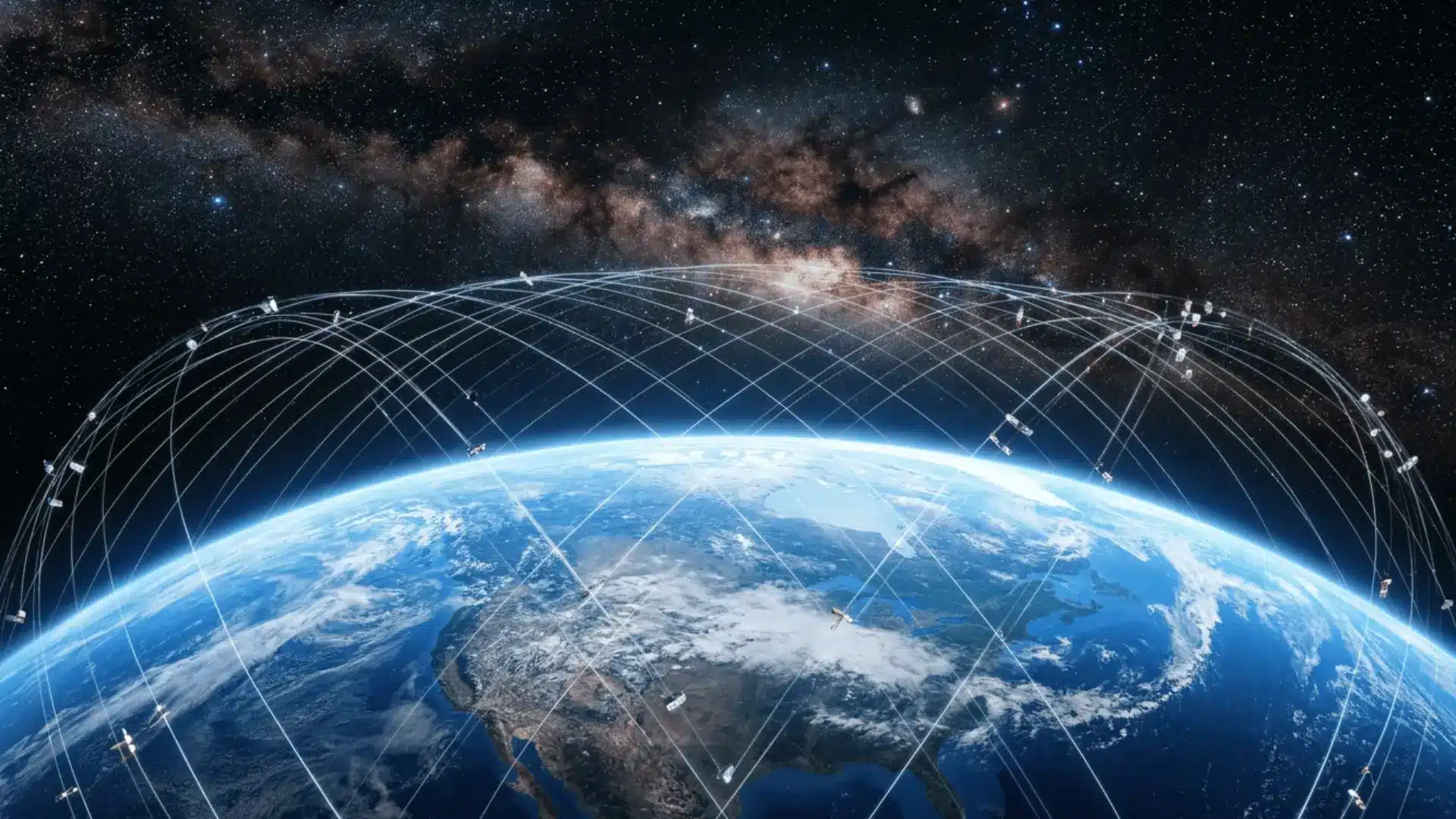
A closer look at the two key systems, ground stations and laser links, that bridge Starlink satellites with the global internet.
Ground Stations: The Link Between Orbit and the Internet Backbone
Ground stations connect Starlink satellites to the global internet. SpaceX operates approximately 150 ground stations worldwide, strategically positioned so that a satellite always has a gateway in view.
They receive signals from space, convert them into fiber-ready data, and route that data through internet exchange points to reach websites, apps, and online services.
These stations are placed worldwide to maintain continuous coverage as satellites move overhead, ensuring fast and stable connectivity between space and Earth.
NOAA’s overview of satellite ground systems details how antenna networks, communications infrastructure, and processing facilities work together to bring satellite data from orbit down to Earth and into usable form.
Starlink Laser Links: The Technology That Makes Remote Coverage Possible
Starlink satellites version 1.5 and later carry optical inter-satellite links (OISLs), which are near-infrared laser connections operating at around 1,550 nanometers.
These high-speed optical connections allow data to move between satellites in space without relying on ground stations at every step.
A space-based network forms where data is routed through multiple satellites to reach the nearest gateway. This expands coverage to remote areas while reducing dependence on Earth-based infrastructure.
How Starlink Compares to Competing LEO Providers?
Starlink is not the only company building a LEO satellite internet network.
Amazon’s Leo (previously known as Project Kuiper) received FCC approval for 3,236 satellites and began test launches in 2023.
OneWeb, now Eutelsat OneWeb, operates a smaller constellation focused on business and government customers.
The key difference as of today is scale. According to Space.com, Starlink has 10,400+ operational satellites, which translates to denser coverage, more satellites in view at any given time, and lower average latency than smaller constellations can achieve.
Starlink also benefits from SpaceX’s internal launch capacity through Falcon 9, which lets it replenish and expand the constellation faster than competitors dependent on third-party rockets.
Direct-to-Cell capability, which allows Starlink satellites to communicate directly with standard smartphones without a dish, is another area where Starlink is currently ahead of its LEO peers.
Note: This satellite count can change quickly as SpaceX launches new Starlink satellites and retires older units, so check a current tracker before quoting the number.
How Much Does Starlink Cost?
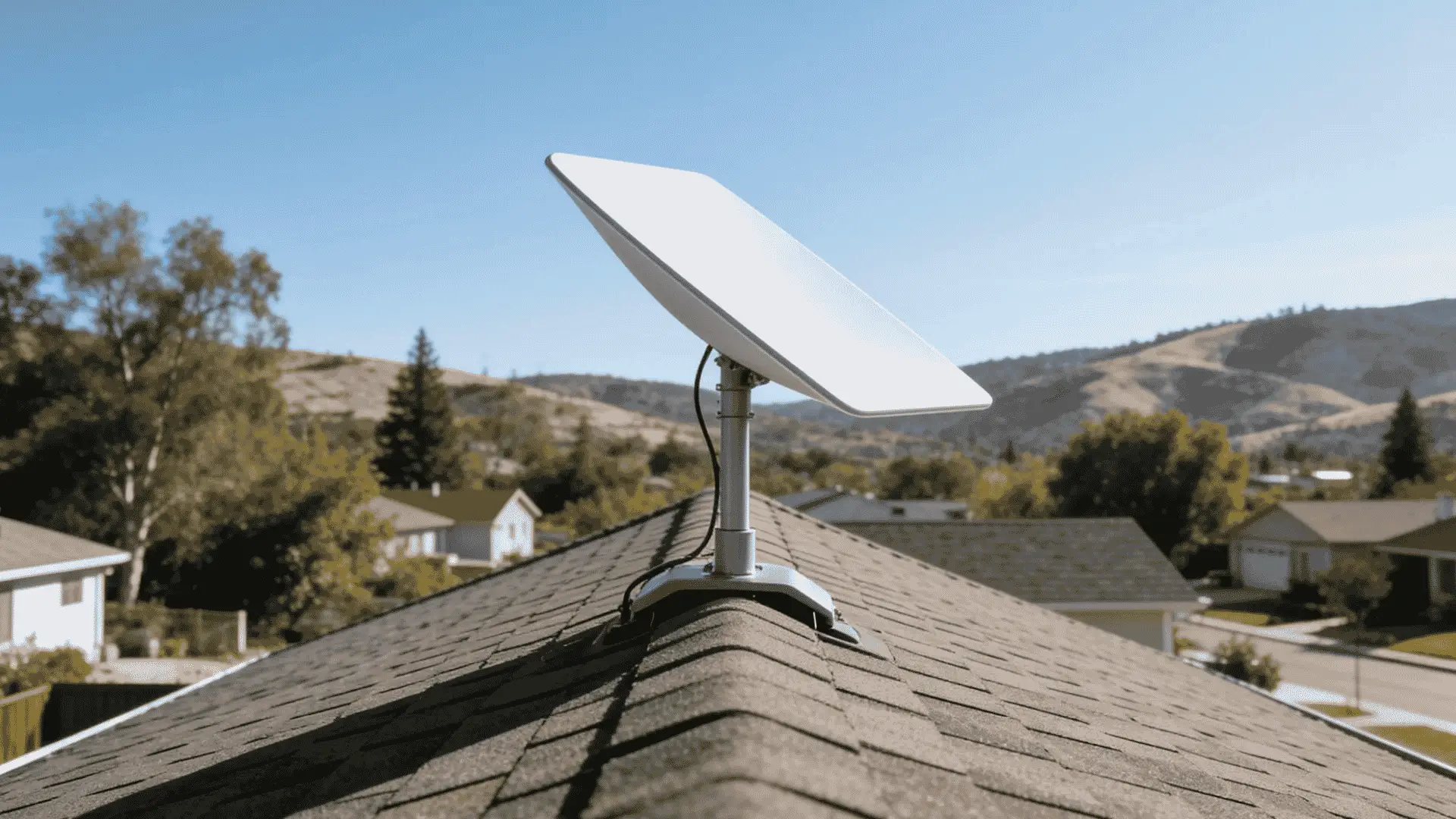
Starlink pricing has two main parts: a one-time hardware cost and a monthly internet plan. Here is a pricing breakdown:
- Standard Kit: $349 in the US, including dish, Wi-Fi router, cables, and basic stand
- Starlink Mini: $249, mainly for travel or lighter internet use
- Residential plans: Around $50 to $120 per month, depending on speed, priority, and location
- Accessories: Roof mounts, pole mounts, tripods, and longer cables can add $30 to $100 or more
- Congestion fee: This may apply in high-demand areas, depending on your exact address
For example, a New York resident choosing the Residential 200 plan would pay $349 upfront, then $80 per month for service.
That brings the first-year cost to around $1,309 before taxes, shipping, accessories, or possible congestion fees.
The figures are directional; verify current pricing at starlink.com before publishing, as rates and plan names change frequently.
What Starlink Internet Actually Delivers: Speeds and Performance
Starlink internet delivers broadband-level speeds via its LEO satellite network.
Speeds and stability depend on location, user density, and network conditions, but it is built for modern internet needs.
Download speeds typically range from 100 to 200 Mbps for residential users, with some areas seeing higher peak speeds during low congestion. Upload speeds are lower but still strong for video calls and remote work.
Latency ranges from 20 to 60 milliseconds, enabling real-time video calls and online gaming without major delays.
It is less consistent than fiber but far better than traditional satellite internet. In everyday use, Starlink supports streaming, browsing, and multitasking across devices with smooth performance.
However, speed may fluctuate during peak hours due to shared satellite capacity and network load.
How to Install Starlink Internet?
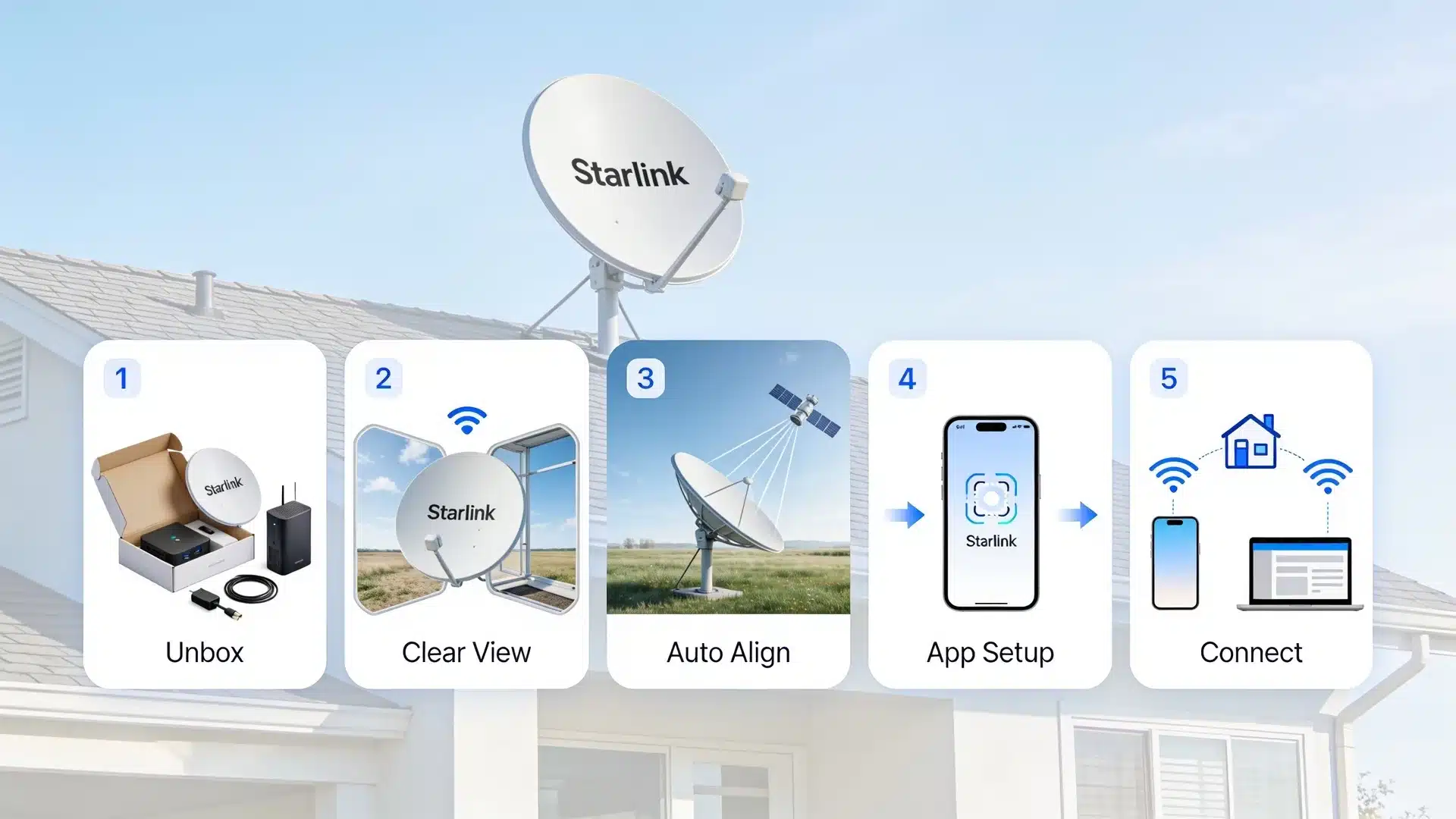
Setting up Starlink is mostly automatic, with the system handling alignment and satellite connection on its own. A clear sky view and proper placement are key for stable performance.
- Unbox and set up the equipment: The kit includes a dish, router, power supply, and cables. Connect the dish to the router using the provided cable and plug the system into a power source.
- Choose a clear installation location: Place the dish where it has an unobstructed view of the sky. Rooftops, open yards, or elevated poles work best, while trees and buildings should be avoided.
- Let the dish auto-align: Once powered on, the dish automatically tilts and orients itself to connect with passing satellites. No manual pointing is required.
- Use the Starlink app for setup: The app helps check for obstructions, guides placement, and confirms when the system is properly connected to satellites.
- Connect your devices: After activation, connect phones, laptops, or smart home devices to the Starlink Wi-Fi network and begin using the internet.
For readers setting up Starlink for the first time, a structured home network setup helps distribute the Starlink connection cleanly across multiple devices and floors.
Starlink vs Fiber, Cable, and 5G Home Internet
Starlink, fiber, cable, and 5G home internet all deliver broadband connectivity, but they differ in speed consistency, availability, latency, and infrastructure dependence.
The table below highlights how each technology compares across key performance factors.
| Feature | Starlink | Fiber | Cable | 5G Home Internet |
|---|---|---|---|---|
| Speed consistency | Moderate | Excellent | Good | Moderate |
| Latency | Low–Moderate | Very low | Low | Moderate |
| Rural availability | Excellent | Very limited | Limited | Limited–Moderate |
| Installation ease | Easy | Difficult | Moderate | Very easy |
| Weather impact | Moderate | None | None | Low–Moderate |
| Best use case | Remote/rural areas | High-performance users | Urban households | Quick urban setup |
Common Limitations of Starlink Internet
Starlink performs well for satellite-based internet, but several practical limitations can affect speed, stability, and overall experience depending on location and conditions.
- Weather sensitivity: Heavy rain, snow, or thick cloud cover can temporarily weaken the signal and reduce performance.
- Requires a clear line of sight: Obstructions such as trees, walls, or buildings can interfere with connectivity and cause dropouts.
- Network congestion: Speed can drop during peak usage hours because users in the same area share satellite capacity.
- Higher upfront and monthly cost: Compared to many wired or 5G options, Starlink can be more expensive to set up and maintain.
- Performance variability: Speeds and latency may fluctuate depending on satellite position and user density in the area.
Maintaining an unobstructed installation and understanding that performance can vary due to network congestion helps set realistic expectations.
What You Can Do with Starlink: Everyday Uses and Smart Home Applications
Starlink supports everyday use, such as browsing, email, streaming, and social media, even in remote areas.
It also handles high-bandwidth tasks such as 4K streaming, downloads, and cloud services depending on conditions. It works well for video calls, online meetings, and remote work with generally stable performance.
In smart homes, it connects devices like cameras, voice assistants, and IoT systems, enabling reliable automation and control.
Gaming and cloud-based applications also run smoothly in many areas, with latency low enough for most online multiplayer experiences, though performance can vary based on congestion and location.
Starlink is also used in mobile setups such as RVs, boats, and temporary work sites, and the Direct-to-Cell program, in development with T-Mobile, is designed to extend Starlink connectivity directly to standard smartphones without a dish, making satellite internet accessible in an entirely new way.
Conclusion
Starlink has reshaped what internet access can look like by removing the dependence on traditional ground-based infrastructure and replacing it with a fast-moving network in low Earth orbit.
From phased-array antenna tracking and orbital satellite handoffs to inter-satellite laser links and globally distributed ground stations, every layer of the system is engineered to minimize the distance data travels and maximize the speed at which it returns.
The result is a satellite internet service that competes with wired broadband on latency while reaching places fiber will not reach for decades, if ever.
Do you think satellite-based internet like Starlink is the future of global connectivity, or just a complement to existing systems? Tell us what you think in the comments below.
Frequently Asked Questions
How Many Satellites are Needed for a Connection?
Only one active satellite is required at a time, but the system continuously switches among multiple overhead satellites to maintain uninterrupted service.
Can Starlink Be Used While Traveling Internationally?
Starlink Roam plans support travel across many countries where the service is approved, although availability depends on local regulations and coverage.
Can Starlink Be Used Indoors without Outdoor Installation?
No, Starlink requires the dish to be installed outdoors with a clear view of the sky to maintain a stable satellite connection.
Can Starlink Work in Moving Vehicles Like Cars?
Starlink can work on select moving platforms, such as RVs and boats, with compatible plans, but use in regular cars depends on plan availability and regulations.