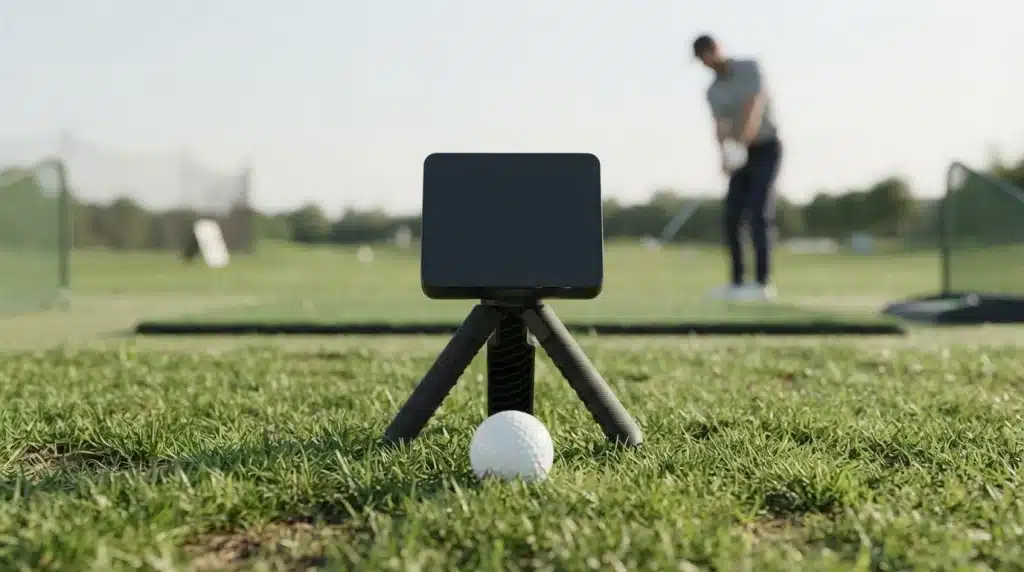
How much performance can a golf launch monitor under $1,000 really deliver?
The Garmin Approach R10 built its reputation on a simple idea: real ball and club data, packed into a device small enough to toss in a golf bag, at a price that doesn’t require a second mortgage.
I spent time evaluating where the Garmin R10 performs well and where it falls short. This Garmin R10 review goes beyond the marketing copy to examine what the radar actually captures, where it struggles indoors, what it truly costs to own once you add a mat and a screen, and how it holds up now that newer rivals have entered the market.
If you’ve been eyeing this launch monitor and wondering whether it earns a spot in your bag or your garage, here’s what the testing actually showed.
Quick Verdict: Garmin R10 Review at a Glance
The Garmin Approach R10 is a strong choice for golfers who want reliable practice data, swing analysis, and simulator features without spending thousands on a professional launch monitor.
It delivers impressive value for its price, especially for outdoor practice sessions, but indoor accuracy limitations and the lack of a built-in display may affect some users.
| Category | Verdict |
|---|---|
| Best For | Amateur golfers, practice sessions, and home simulator setups |
| Biggest Strength | Affordable tracking features with useful ball and club data |
| Main Weakness | Indoor accuracy limits and no built-in display |
| Overall Value | Excellent choice under $1,000 for practice-focused golfers |
Final Rating: 8.5/10
I think the Garmin R10 delivers great value through its portability, features, and simple setup. While it cannot match professional launch monitors, it remains a practical tool for improving practice sessions and tracking progress.
What is the Garmin Approach R10?
The Garmin Approach R10 is a portable golf launch monitor designed to track swing and ball performance during practice sessions.
It uses Doppler radar technology to measure key metrics such as ball speed, club speed, launch angle, carry distance, and spin rate.
The R10 became popular among amateur golfers because it offers launch monitor features at a much lower price than professional systems.
While a launch monitor focuses on collecting swing data, a simulator uses that information to recreate virtual golf experiences.
The R10 supports simulator platforms like Home Tee Hero and E6 Connect. Compared with premium systems like Trackman, it has fewer advanced features but provides strong value for golfers seeking affordable practice and performance tracking.
Garmin R10 Hardware, Setup, Software, and Tracking Performance

The Garmin Approach R10 combines a compact design, simple setup process, software support, and detailed shot tracking to create a practical training tool for golfers. From carrying the device to reviewing swing results, these features decide how effectively the R10 supports regular practice sessions.
1. Garmin R10 Design and Portability
The Garmin Approach R10 is designed for golfers who want a launch monitor that can move easily between the range, backyard, or indoor practice area.
The device weighs around 5.2 ounces (148 grams), making it lighter than many smartphones. With the tripod attached, the total weight reaches about 7.8 ounces (221 grams), allowing easy storage in a golf bag.
The IPX7 water-resistance rating helps protect the device from light moisture during outdoor sessions. The adjustable tripod supports proper positioning, while the carrying case helps protect the monitor during transport. Its compact build makes it useful for golfers who practice in different locations.
2. Setup Process and Daily Usability
The Garmin R10 setup process is designed to be simple for golfers using a launch monitor for the first time. The device connects through Bluetooth with the Garmin Golf app, allowing users to view shot information, save practice sessions, and review performance data.
Setup requires pairing the device with a smartphone or tablet, placing it behind the golf ball, and aligning it toward the target line.
For golfers who want to use a larger screen for reviewing data or running simulator software, learning how to connect a laptop to a monitor can help create a better viewing setup
Once positioned correctly, the R10 is ready within minutes. The guided setup and simple controls make daily use easier for beginners and experienced golfers who want quick access to performance data.
3. Accuracy and Performance
Garmin Approach R10 accuracy is strongest during outdoor practice sessions, where the radar system has enough space to follow the complete ball flight.
During testing, it provided useful readings for key measurements such as ball speed, club speed, carry distance, launch angle, and shot direction.
Indoor performance depends on factors like available space, alignment, and device placement. Limited room or incorrect positioning can affect readings.
For better results, golfers should maintain the recommended distance behind the ball and provide enough space for the radar system to capture shots properly.
4. Ball Data and Practice Tracking
The Garmin R10 tracking system records multiple ball and club measurements that help golfers understand swing performance and improve practice sessions.
Important data points include ball speed, which measures how quickly the ball leaves the clubface, and club speed, which shows swing velocity.
The device also tracks carry distance, launch angle, spin rate, smash factor, and apex height.
These metrics help golfers understand shot efficiency, ball flight, and energy transfer. Reviewing this information regularly can help identify patterns and support better decisions during training sessions.
5. App and Software Experience
The Garmin Golf app is the main software platform that connects with the R10 and organizes collected shot data. After each swing, golfers can review important information such as distance, speed, launch conditions, and shot patterns through their connected smartphone or tablet.
The app includes features like shot tracking, practice sessions, swing recording, data history, and performance analysis.
Swing videos can be matched with shot results, helping golfers compare movement with outcomes.
Regular updates to the Garmin Golf app and R10 firmware can also improve connection stability and provide a smoother practice experience.
Garmin R10 Cost and Ownership Value
The Garmin Approach R10 is often considered an affordable alternative to premium launch monitors, but the actual ownership cost depends on how golfers plan to use it.
The unit itself is only one line item; a viewing device, optional software, and any simulator accessories all factor into what you’ll actually spend
Initial Price and Additional Costs:
| Item | Cost/Requirement |
|---|---|
| Garmin R10 device | Around $599.99 |
| Phone or tablet | Required to view shot data through the Garmin Golf app; cost depends on whether you already own a compatible device |
| Subscription features | Optional costs may apply for certain advanced simulator and software features |
| Simulator software | Additional expense for platforms like E6 Connect or other virtual golf solutions |
| Accessories | Varies based on setup, including hitting mats, nets, stands, projectors, or protective cases |
For golfers who already own a smartphone or tablet, the R10 can deliver valuable practice data without major extra expenses.
If you are building a more advanced home practice area, understanding 4 monitor setup layouts and ergonomic tips can provide ideas for arranging screens and improving visibility during simulator sessions.
Garmin R10 Real-World User Experience
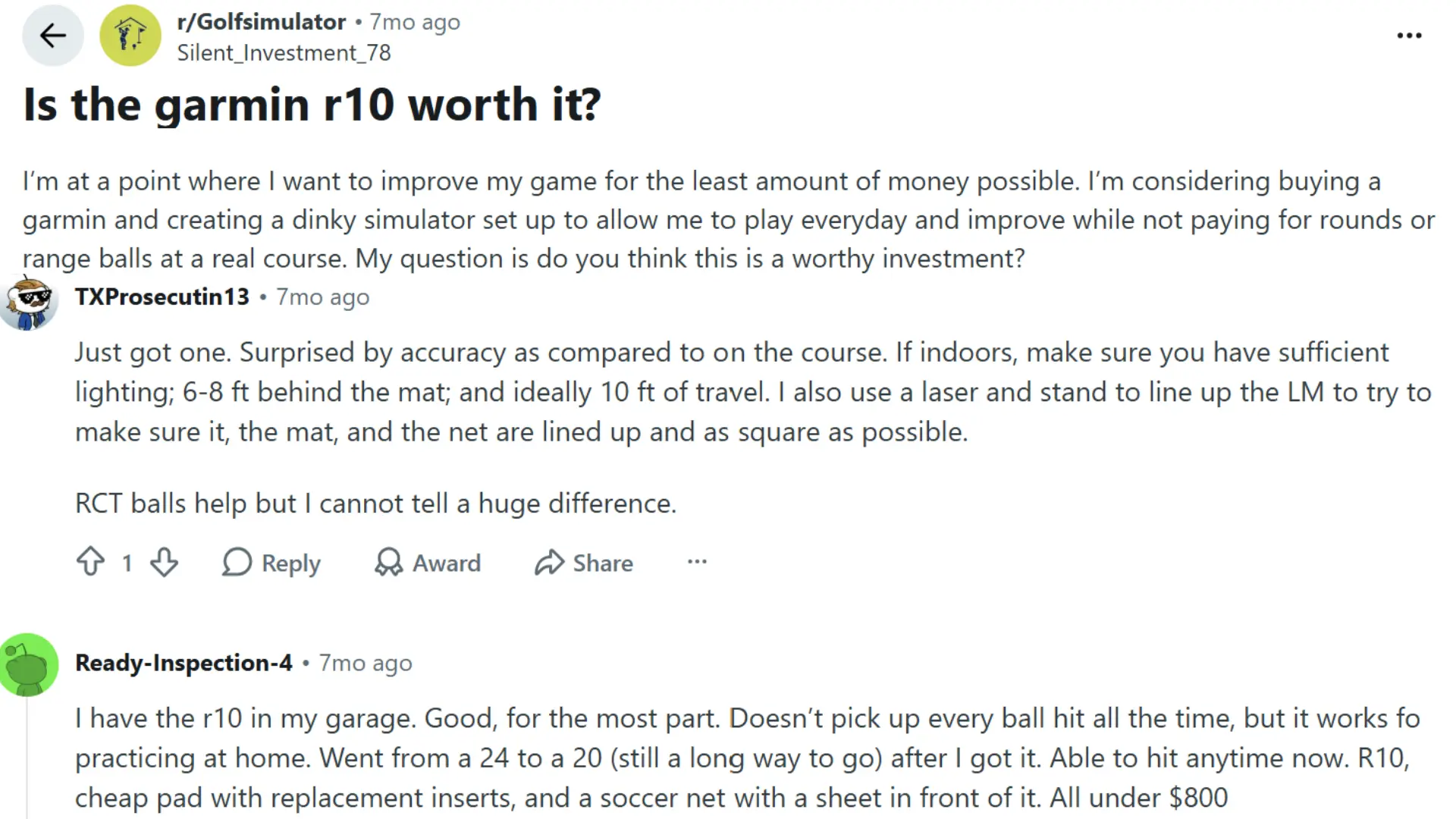
Reddit discussions around the Garmin Approach R10 often highlight its portability, quick setup, and usefulness as an affordable practice tool for golfers who want performance feedback without investing in professional launch monitors.
Users commonly find it helpful for tracking distance control, comparing club performance, and identifying swing patterns during regular practice sessions.
Many golfers mention that results depend on proper alignment, enough space, and correct setup conditions. The R10 performs best outdoors, where the radar can track longer ball flights more effectively.
However, some users note that indoor accuracy and metrics like spin or shot shape may not match higher-end systems. It is best suited for beginners, recreational players, and golfers focused on improving consistency.
Garmin R10 vs Other Launch Monitors
Before buying a launch monitor, it is important to compare factors like price, accuracy, portability, and simulator support. The Garmin R10 offers strong value, but other models may suit golfers with different needs.
| Feature | Garmin R10 | Rapsodo MLM2PRO | SkyTrak+ | FlightScope Mevo Plus |
|---|---|---|---|---|
| Price | $599.99 | $699.99 | $2,995 | $2,499 |
| Tracking Technology | Doppler radar | Camera + radar | Radar + camera | 3D Doppler radar |
| Indoor Performance | Good with enough space | Strong | Excellent | Good |
| Simulator Support | Home Tee Hero, E6 Connect | Rapsodo, E6 Connect | Multiple platforms | Multiple platforms |
| Portability | Excellent | Good | Moderate | Good |
| Best For | Budget buyers and range practice | Indoor practice user’s | serious golfers | Advanced players |
I found the Garmin R10 to be the best fit for golfers who want useful shot data and simulator features without a high upfront cost. While premium options offer better accuracy, the R10 delivers strong performance for everyday practice and improvement.
Understanding DisplayPort vs HDMI and which cable to choose can help when connecting additional displays for simulator software or practice data viewing.
Is Garmin R10 Worth Buying in 2026?
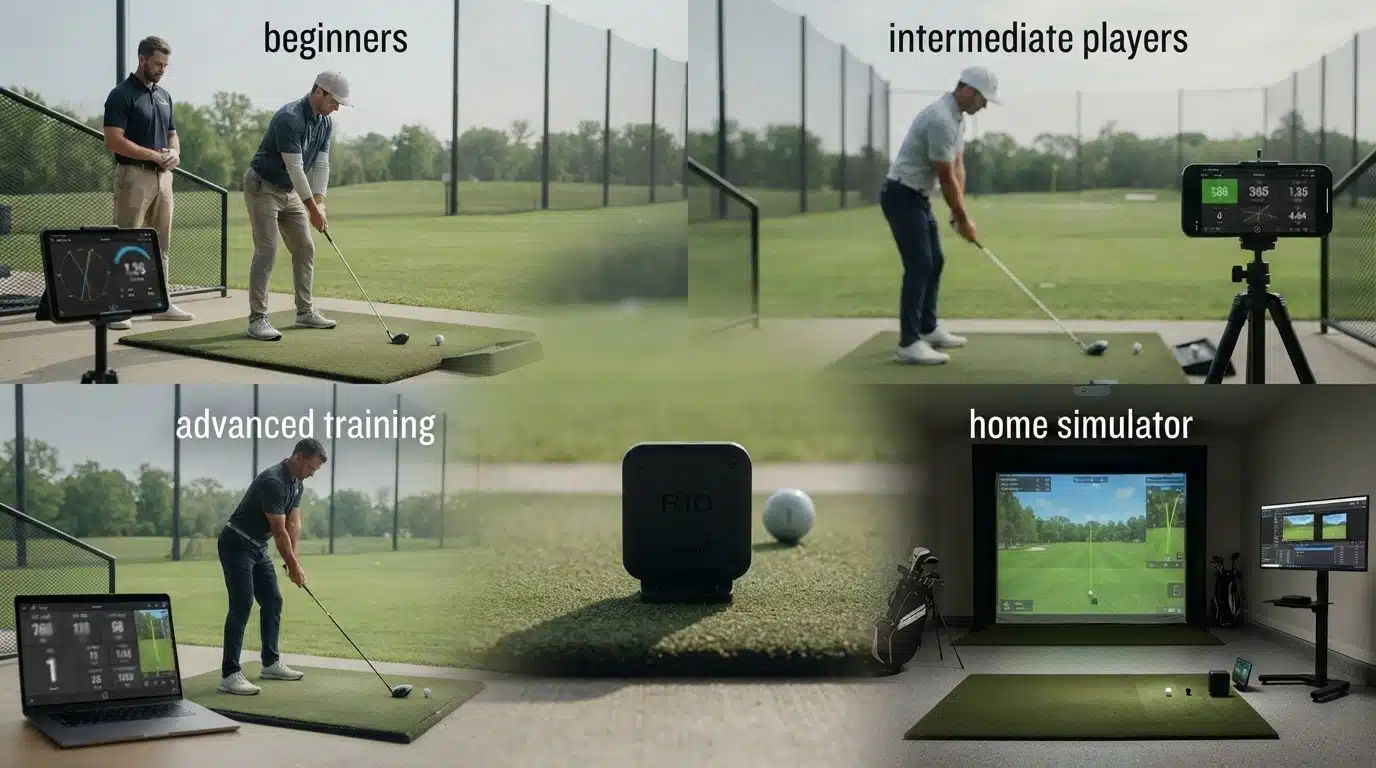
The Garmin Approach R10 remains a strong value option in 2026, but its suitability depends on a golfer’s experience level and expectations. It works best for players who want affordable practice data rather than professional-level analysis.
For Beginners:
- Helps understand club distances, ball flight, and basic swing data.
- Makes practice sessions more focused by showing measurable results.
- A good choice for golfers learning how different swings affect shots.
For Intermediate Golfers:
- Supports better club selection by providing distance and shot information.
- Helps track improvement through saved practice data.
- Useful for setting practice goals and identifying consistency issues.
For Advanced Golfers:
- Provides helpful training feedback for regular practice.
- Works well as a secondary tool but may not replace premium systems like TrackMan or GC Quad.
- Accuracy limitations in certain metrics may matter for professional-level analysis.
For Home Simulator Users:
- A good option for affordable simulator setups with Home Tee Hero and E6 Connect support.
- Requires enough indoor space for reliable tracking.
- Additional costs for software, screens, mats, and accessories can increase the total investment.
Final Take: The R10 is worth buying for golfers who want affordable tracking and simulator access. Anyone chasing fitting-level accuracy should look at higher-end alternatives instead.
Common Garmin R10 Setup Problems
The R10 is generally easy to live with, but a few issues come up often enough to cover. Garmin’s own troubleshooting guide points to alignment, positioning, software updates, and Bluetooth as the usual culprits.
| Problem | Possible Fix |
|---|---|
| Incorrect distance readings | Check alignment and place the R10 correctly behind the ball |
| Connection problems | Restart Bluetooth and reconnect through the Garmin Golf app |
| Missing shot data | Update the Garmin Golf app and R10 firmware |
| Poor indoor results | Increase available space and improve device positioning |
| Battery concerns | Fully charge the device before longer practice sessions |
Following proper setup steps can improve the Garmin R10 experience and help maintain more consistent tracking results during practice sessions.
Garmin R10 Buying Checklist
Before purchasing the Garmin Approach R10, consider how you plan to use it and what results you expect. Check these points before buying:
- Practice location: Outdoor ranges usually provide the strongest tracking conditions.
- Indoor space: Limited room can affect accuracy and simulator performance.
- Accuracy expectations: The R10 provides practice-level feedback rather than professional fitting measurements.
- Simulator plans: Decide if you only need shot tracking or a complete home setup.
- Extra equipment: Budget for mats, nets, stands, or display options if needed.
- Garmin ecosystem: Existing Garmin users may enjoy easier integration, but a Garmin watch is not required.
The best launch monitor is the one that fits your practice habits. The R10 makes sense for golfers who want affordable data and regular feedback rather than a high-end professional system.
Final Thoughts
After digging into the accuracy, the app, the real ownership cost, and how it stacks up against pricier rivals, this Garmin R10 review keeps landing in the same place: it’s one of the most sensible picks in the golf launch monitor under $1,000 category for anyone who wants real numbers without turning a garage into a construction project.
The tradeoffs are worth remembering: you’ll need a phone propped up since there’s no built-in screen, and indoor sessions only stay trustworthy with the right amount of room.
But for range days, swing changes, and tracking progress over a season, it earns its spot in the bag. Have you tried the R10 yourself? Tell me how your setup compares in the comments.
Frequently Asked Questions
Can the Garmin R10 Be Used Without an Actual Golf Ball?
No. The R10 needs real contact with a ball to generate launch data; it won’t simulate a swing or offer feedback from a practice motion alone.
Can the Garmin R10 Track Putting or Short Game Shots?
Not reliably. It’s built for full swings and longer shots, so putting and very short shots fall outside what it tracks well.
How Long Does the Garmin R10 Battery Last?
Garmin rates it at around 10 hours of use per charge, which is enough for extended range sessions or several practice rounds before it needs to be plugged back in.
Do You Need a Garmin Watch or Existing Garmin Account to Use It?
No. The R10 works as a standalone device through the free Garmin Golf app. Golfers already in the Garmin ecosystem get a bit more convenience, like syncing with other Garmin devices, but it’s not a requirement to get started.