My phone buzzed at 7:42 on a Tuesday morning, and a bright Northern Cardinal was staring back at me.
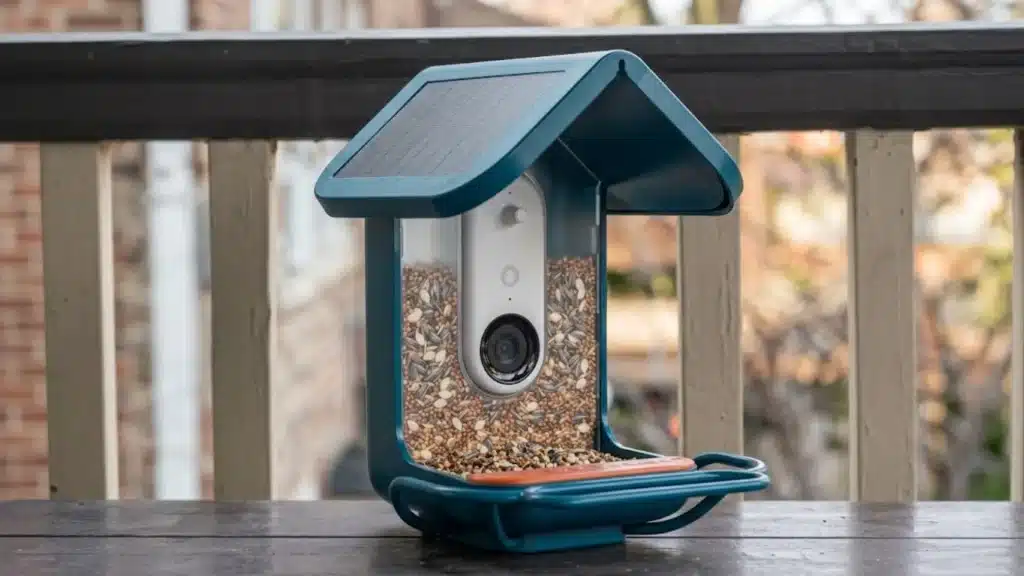
I had only placed a Bird Buddy feeder near the kitchen window, yet it already made birdwatching feel personal again. This Bird Buddy review looks at the smart bird feeder, its camera, app, battery, Wi Fi, and real backyard performance.
If you want cute bird photos without guessing what landed outside, this little gadget can sound like a dream backyard setup.
I will be telling you about AI accuracy, owner complaints, pricing, setup, common birds, and whether Bird Buddy is worth buying.
Before judging the hype, let us see where it shines and where it might annoy you after a few weeks.
What is Bird Buddy and How Does It Work?
Bird Buddy is a smart bird feeder with a built-in camera that connects to WiFi and uses AI to identify birds visiting your yard.
The system combines a feeder, a camera module, and a mobile app to automatically capture photos and videos whenever a bird lands.
When a visitor arrives, motion sensors activate the camera, and the AI analyzes the species against a database covering over 1,000 birds, with its strongest accuracy in North America and Europe.
The best images are turned into digital “postcards” that appear in the app with species information and educational details.
The app also stores your sightings, creating a personal bird collection over time. Family members can access the feeder through guest sharing, making it a fun experience for households.
The Bird Buddy Pro camera upgrades the experience with a 5MP sensor, 2K HDR video, slow-motion capture, and a wider field of view.
A Bird Buddy 2 launched in early 2026 with dual solar panels and birdsong identification built in; availability and final pricing are worth verifying directly with the manufacturer before purchasing.
If you are building out a connected home setup, Bird Buddy fits naturally alongside other Wi-Fi-enabled yard and security devices you may already run through a single app or hub.
Is Bird Buddy Legit: AI Accuracy Test?
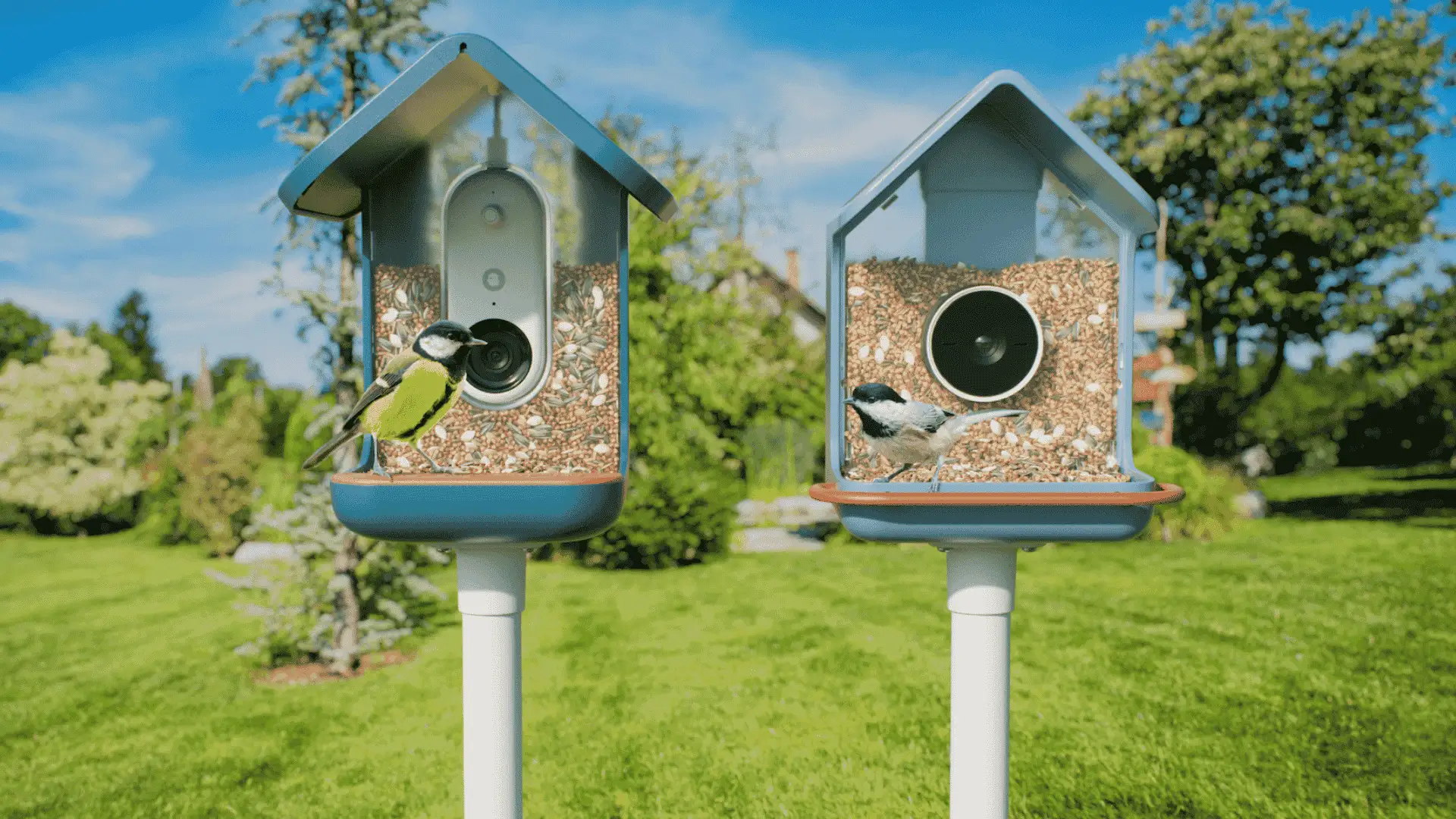
Yes, Bird Buddy is legit, and its AI recognition is one of the clearest reasons people buy it.
When the camera captures a clear, well-lit image with the full bird visible, the identification is correct the majority of the time.
Accuracy drops in poor lighting, motion blur, or when the feeder hardware partially blocks the subject.
Bird Buddy offers two postcard modes: a curated mode that only sends identified species, and an open mode that passes through lower-confidence captures as well. Curated mode produces fewer but more reliable postcards.
Open mode gives you more volume and is worth switching to if your yard sees less common visitors during migration seasons.
Treat it as smart assistance rather than expert-level certainty, and it rarely disappoints.
For anything the app flags as uncertain, Cornell Lab’s bird identification tools are a useful cross-check. I keep the Merlin app open on days with unusual visitors.
What Do People Say About Bird Buddy Across the Internet?
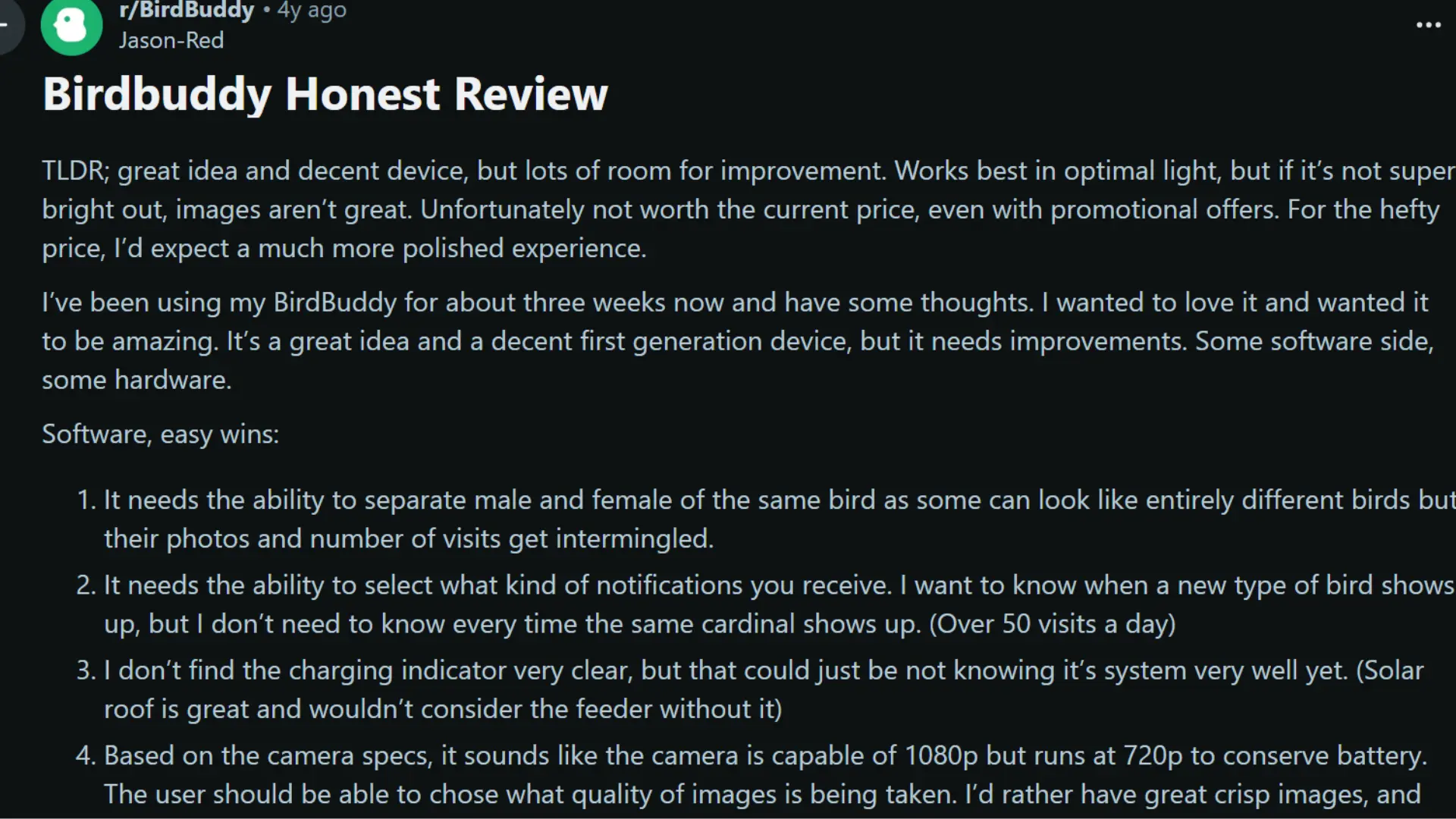
Bird Buddy reviews across Reddit are mixed but useful. Most users love the concept, the close-up bird photos, and the experience of getting postcards on their phone.
Positive reviews frequently praise the feeder design, the sharing features, and AI identification for common backyard species.
Many buyers describe it as something their whole household ended up caring about, including people who had no prior interest in birdwatching.
The consistent pattern across negative reviews is not that the product is fake or broken. It requires the right setup to perform well.
Battery drain, mesh network pairing, and app clunkiness are the three complaints that appear again and again. When those factors are handled, the experience improves substantially.
Some users also mention wanting better notification controls, clearer battery indicators, and a wider seed fill opening.
Bird Buddy Products and Pricing
Bird Buddy currently sells several models.
Prices shift during sales and promotions, so treat the ranges below as a general guide and verify current pricing at the manufacturer’s site before purchasing. None of these models requires a subscription fee for core features.
| Product | Best for | Key features | Approx. price |
|---|---|---|---|
| Bird Buddy Original | First-time buyers | 1080p camera, AI bird ID, postcards, app alerts | $149+ |
| Bird Buddy Pro | Better image quality | 2K video, 5MP HDR, slow motion, wider field of view | $179 to $199+ |
| Bird Buddy Pro Solar | Low-maintenance use | Pro camera plus detachable solar roof | $239+ |
| Hummingbird Feeder Pro Solar | Hummingbird lovers | 2K video, HDR, slow motion, nectar basin | $189+ |
| Solar Roof add-on | Existing owners | Extends battery life, reduces manual charging | $79+ |
If you are building out a connected home setup, Bird Buddy sits naturally alongside outdoor cameras and other wireless devices; our wireless outdoor cameras guide covers the rest of that category well.
Everyday Performance of Bird Buddy
Bird Buddy performs best when setup, power management, and placement are handled correctly.
While the feeder is designed for beginners, a few practical considerations can make the experience smoother and reduce common frustrations. Here is what buyers should expect in everyday use.
1. Setup Experience
Most users complete setup within 15 to 45 minutes. The process involves charging the camera, connecting via the Bird Buddy app, and pairing it with a 2.4 GHz Wi-Fi network.
The 2.4 GHz requirement is worth knowing upfront: modern mesh routers often prioritize the 5 GHz band, which Bird Buddy does not support.
Some users need to log into their router settings and create a dedicated 2.4 GHz network or split the bands to complete pairing.
Once connected, the feeder maintains a stable link. Reconnecting after charging is quick in most cases.
2. Battery Life
Battery performance varies more than the spec sheet suggests. Under light-to-moderate traffic in mild weather, a charge can last close to a month.
Cold temperatures reduce capacity noticeably, and live streaming sessions drain the battery faster than standard postcard capture.
The Solar Roof is widely considered the most worthwhile upgrade in the entire product lineup.
3. Weather Resistance
Bird Buddy is built for year-round outdoor use and handles rain, snow, and summer heat without problems in normal conditions.
The feeder design channels moisture away from the seed chamber, and the camera module is sealed against typical weather exposure.
Regular cleaning extends feeder life and keeps seed fresh. In areas with heavy storms, bringing the feeder in temporarily is reasonable.
The camera module detaches for charging, which also makes cleaning the feeder body straightforward.
4. Placement tips
Placement makes a measurable difference in capture quality.
A position within 30 to 40 feet of your Wi-Fi router, in a spot with indirect natural light, will produce better postcards than a shaded corner far from the router.
Avoiding direct afternoon sun reduces glare in images. A stable mount matters too: feeders that swing in the wind trigger false motion events and generate blurry captures.
Bird Buddy relies on the same motion-sensing principles that power motion sensors in a smart home more broadly; understanding how PIR detection works helps explain why placement distance and lighting affect trigger accuracy.
Birds You are Most Likely to See with Bird Buddy
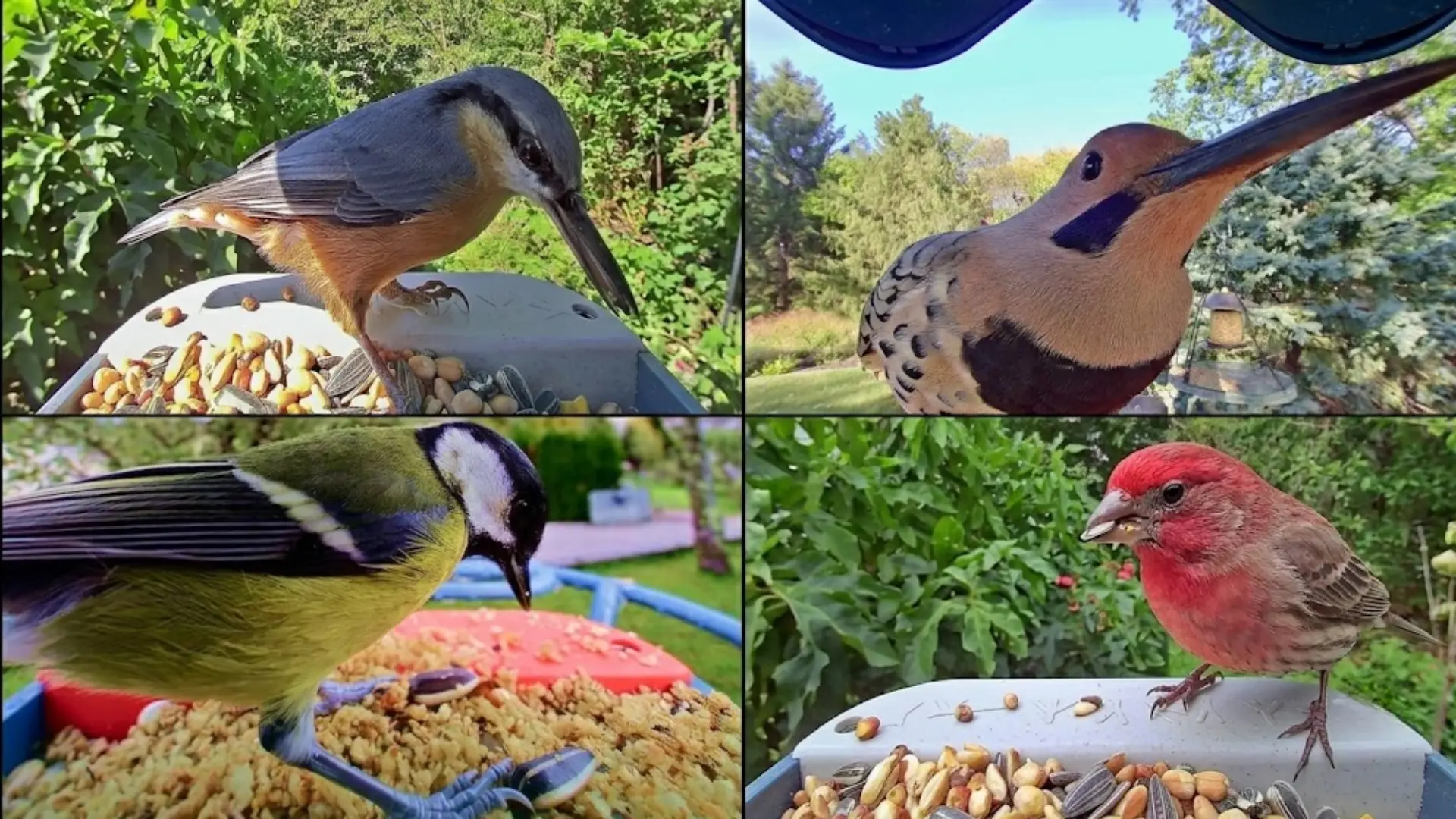
Source: BirdBuddy
Bird Buddy turns a regular feeder into a small window into local bird life. The birds that appear depend on the region, season, and food availability, so sightings can vary throughout the year.
- Eastern US and Canada: Expect Northern Cardinals, Blue Jays, Chickadees, Robins, House Finches, Juncos, Downy Woodpeckers, Nuthatches, Carolina Wrens, and Tufted Titmice.
- Western US: Common visitors include House Finches, Spotted Towhees, Anna’s Hummingbirds, California Scrub-Jays, Lesser Goldfinches, Juncos, and Steller’s Jays in mountain areas.
- Southern US: Bird Buddy may capture Northern Mockingbirds, Carolina Wrens, Ruby-throated Hummingbirds, Red-bellied Woodpeckers, Brown Thrashers, and Eastern Bluebirds.
- Midwest: Likely sightings include American Goldfinches, Rose-breasted Grosbeaks during spring migration, White-throated Sparrows in winter, Purple Finches, and Red-breasted Nuthatches
Seasonal changes can bring surprise visitors during spring and fall migration, while Bird Buddy’s species discovery feature helps explain where birds are going and why.
Food choice also matters because dried mealworms or suet can attract insect-loving birds like bluebirds that may skip a basic seed feeder.
Bird Buddy vs a Traditional Bird Feeder
The honest comparison comes down to what you want from birdwatching. A $15 traditional feeder works perfectly if you enjoy sitting near a window and watching.
| Feature | Traditional feeder | Bird Buddy |
|---|---|---|
| Bird identification | Manual, using guides or memory | AI identifies species automatically |
| Photography | Separate camera required | Camera built in and always running |
| Notifications | None | Push alert on new species arrival |
| Remote viewing | Not possible | Live stream from anywhere via app |
| Household sharing | Verbal or manual photo effort | Postcards shared instantly in the app |
| Ongoing cost | Seed only | Seed plus optional subscription |
| Price | $10 to $40 | $149 to $239+ |
Bird Buddy vs Birdfy
Birdfy (by Netvue) is Bird Buddy’s closest competitor, and the two are often compared in most smart bird feeder research.
Both use AI-powered species identification, motion-triggered cameras, and app-based postcard delivery. The differences are worth knowing before you commit to either.
Bird Buddy identifies over 1,000 species, with the strongest accuracy in North America and Europe.
Birdfy’s database covers more than 6,000 species globally, which matters if you live outside North America or want broader coverage.
On image quality, Bird Buddy Pro’s curated 2K HDR captures are widely considered sharper on individual subjects. Birdfy’s wider-angle lens captures more of the scene but can lose feather detail in bright light.
The app experience is a real differentiator. Bird Buddy sends curated postcards, which reduce notification volume and make browsing more pleasant.
Birdfy sends more captures, which some users prefer and others find overwhelming. Bird Buddy requires no subscription for core features.
Birdfy’s subscription model varies by feature tier, so checking current terms before buying is worth the two minutes.
If image quality and a polished app are priorities, Bird Buddy Pro holds up well. If species breadth and lower upfront cost matter more, Birdfy is a credible alternative. Neither is universally better; they suit different buyers.
Common Complaints to Know Before You Buy
Most negative Bird Buddy reviews focus less on legitimacy and more on daily usability. The product works, but a few issues can affect the overall experience.
- Battery drains quickly: Without the Solar Roof, frequent bird visits, cold weather, and live streaming can make recharging necessary every two to four weeks.
- Mesh network setup can be tricky: Bird Buddy needs 2.4GHz WiFi, which can frustrate users with modern mesh routers during the first pairing process.
- App navigation feels slow: On busy feeder days, reviewing dozens of postcards one by one can feel clunky without better bulk controls.
- Some visits get missed: The AI filters for clear captures, so not every bird visit becomes a postcard in the app.
- Support response varies: Some buyers praise helpful support, while others mention slow replies during busy periods or hardware issue follow-ups.
- No real bird audio in videos: Video clips do not record actual birdsong, though the app includes library bird calls in species details.
- Seed door feels small: A few users say refilling seed takes patience because the fill opening is narrow for standard scoops.
Conclusion
Bird Buddy does what it promises for the right buyer. Automatic photography, AI identification, and app sharing turn a passive feeder into something you check throughout the day.
Battery is the biggest friction point without the Solar Roof, and the app navigation has room for improvement.
Buy it if you want photo records of backyard birds, love phone notifications when something unusual lands, or want a shared experience for your household.
Skip it if you just want birds in the yard and have no interest in the tech layer.
Already own Bird Buddy, or on the fence about buying one? Drop your experience or questions in the comments below.
Frequently Asked Questions
Does Bird Buddy Work with Any Seed Type?
Bird Buddy works with sunflower, mixed, and safflower seed. Suet and dried mealworms need separate feeders, while seed choice affects which birds visit.
Does Bird Buddy Work at Night?
Bird Buddy does not work in darkness because it lacks infrared night vision, but it may capture dawn, dusk, or activity in lit areas under ambient light.
Can Bird Buddy Detect Squirrels and Other Backyard Animals?
Yes, Bird Buddy can detect squirrels and other backyard animals when they trigger motion, labeling them separately, though mammal IDs are less detailed than bird IDs.
How Long Does the Bird Buddy Battery Last?
Under normal conditions with moderate bird traffic, a charge lasts up to about a month. Cold weather, frequent live streaming, and high visit volume shorten that significantly.
The Solar Roof add-on largely eliminates manual charging in locations with regular sunlight.
Does Bird Buddy Work with Mesh Wi-Fi Networks?
It can, but setup requires a 2.4 GHz connection. Many mesh routers broadcast both bands under a single network name.
If pairing fails, check your router settings and split the 2.4 GHz and 5 GHz bands into separate networks, then connect Bird Buddy to the 2.4 GHz one.