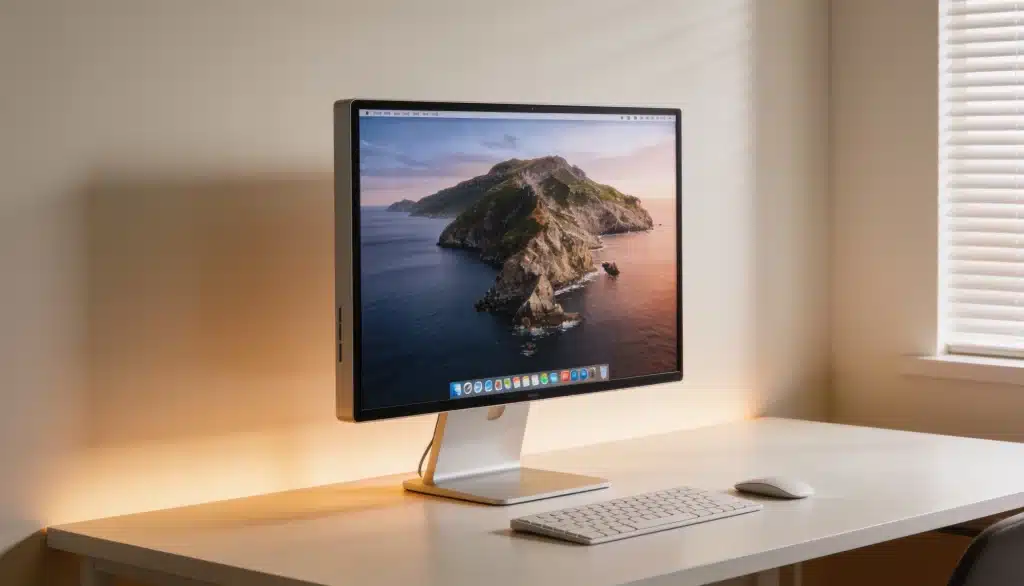
A monitor’s specifications can look like a confusing mix of letters and numbers, but one term often affects your viewing experience: IPS.
A friend of mine was comparing monitors and sent me a product listing with one word highlighted: “IPS.” She had seen it on many models but did not know why it mattered.
That confusion is common because IPS is often listed alongside VA, TN, LED, and OLED without much explanation.
The panel type affects color accuracy, viewing angles, and image quality, making it an important factor when choosing a monitor.
Let’s break down what IPS means, how IPS displays work, how they compare with other panel types, and what features to consider before making a choice.
What Does IPS Stand For?
IPS stands for In-Plane Switching, a type of LCD panel technology used in many monitors, laptops, and other displays.
It was created to improve a problem found in older LCD screens, where colors could look different or fade when viewed from an angle. IPS panels were designed to improve color consistency compared with older LCD panel designs.
An IPS display is simply an LCD screen that uses IPS panel technology. It is different from other monitor features like:
- Resolution: 1080p, 1440p, or 4K image sharpness
- Refresh rate: 60Hz, 120Hz, or 144Hz screen updates
A monitor can have an IPS panel with different resolutions and refresh rates because these are separate specifications.
IPS is also separate from LED and LCD monitor technology, which describes how the display is built rather than the type of panel it uses.
How IPS Technology Works
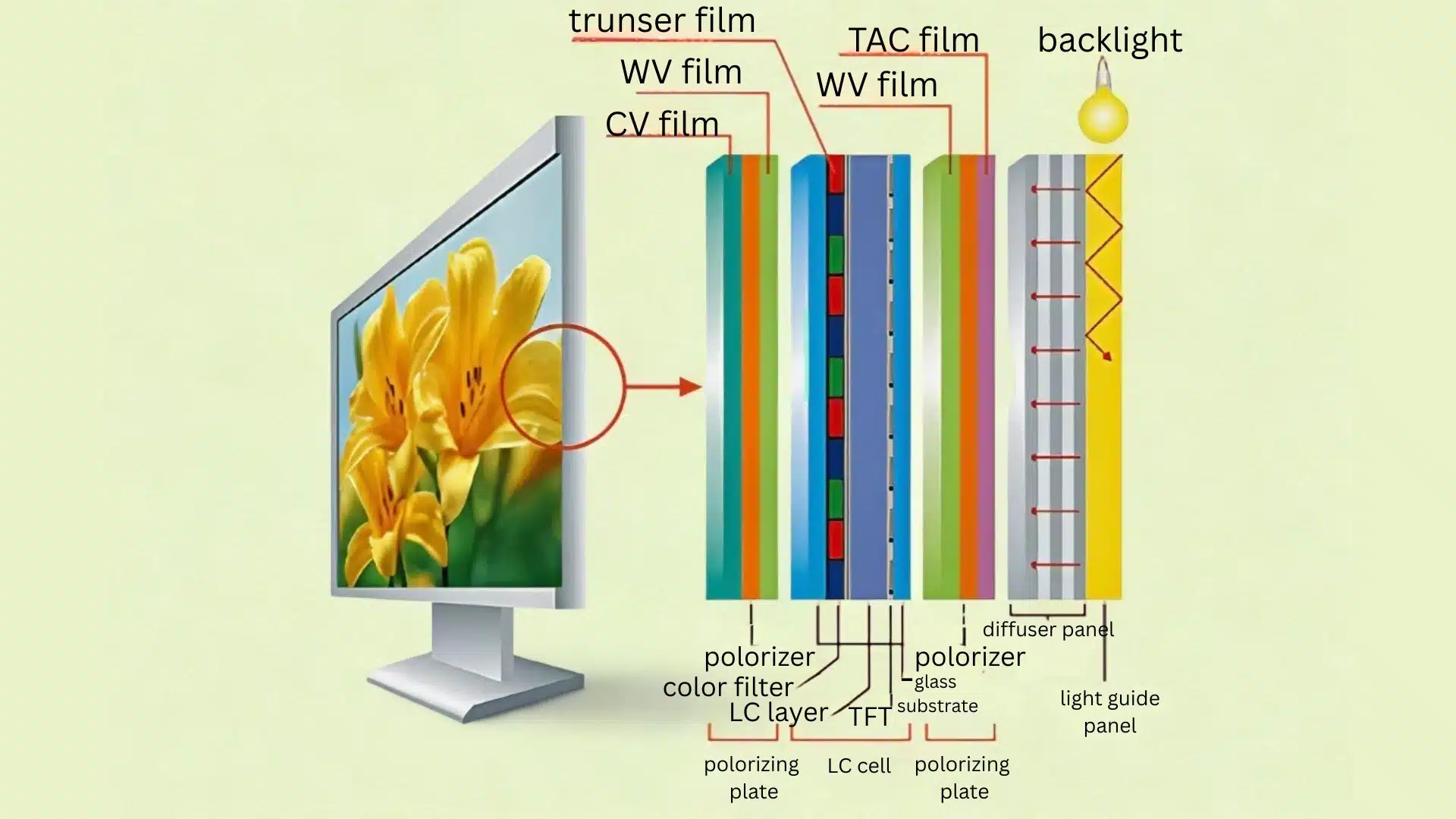
IPS monitors use a backlight and liquid crystals to create images. The backlight provides light, while the liquid crystals control how much light passes through each pixel to produce different colors and shades through liquid crystal display technology.
The main difference with IPS panels is how the liquid crystals are arranged and move. They stay aligned parallel to the screen, allowing light to pass through more evenly and helping maintain consistent colors.
This design gives IPS monitors wider viewing angles, so colors remain more accurate even when viewed from the side. That makes IPS displays useful for photo editing, gaming, screen sharing, and everyday computer use.
What to Check Before Buying an IPS Monitor
Seeing “IPS” on a product page is only the first step. Other specifications decide how well the monitor performs for work, gaming, and everyday use.
1. Resolution
Resolution determines how sharp and detailed the image appears on the screen. It refers to the number of pixels used to create the image, with higher resolutions showing more detail.
1080p works well for basic tasks, browsing, office work, and smaller monitors. 2K (1440p) resolution provides sharper details and is a popular choice for 27-inch displays, gaming, and multitasking.
4K offers even more detail and is useful for larger screens, creative work, and high-quality content viewing.
2. Refresh Rate
Refresh rate shows how many times the screen updates the image every second, measured in Hertz (Hz). A higher refresh rate can make movement look smoother, especially during gaming or fast-scrolling content.
A 60Hz monitor is suitable for regular work, studying, and browsing, while 120Hz or higher provides smoother visuals and is better for gaming, videos, and users who want a more responsive experience.
3. Response Time
Response time measures how quickly a pixel can change from one color to another. A faster response time helps reduce motion blur and ghosting, especially in fast-moving scenes.
For everyday tasks, moderate response times are usually enough. Gamers and users who watch a lot of action content may prefer monitors with lower response times for clearer motion.
4. Color Coverage
Color coverage refers to the range of colors a monitor can display. A wider color range can help produce more accurate and detailed images, which is important for creative work.
Look for sRGB and DCI-P3 color coverage if you work with photos, videos, graphic design, or content where accurate colors matter. For regular browsing and office use, standard color coverage is usually sufficient.
5. Ports
Ports determine how easily the monitor connects with your devices, such as laptops, desktops, and gaming consoles. The right connection can also affect supported features like resolution and refresh rate.
HDMI is common for laptops, consoles, and general use. DisplayPort is often preferred for PCs with higher refresh rates, while USB-C can provide video, charging, and data transfer through a single cable on compatible devices.
IPS is a panel technology designed to improve color consistency and viewing angles, but the right monitor also depends on factors like resolution, refresh rate, and intended use.
What Makes IPS Different from Other Panel Types
IPS is one type of monitor panel, but it is not the only option available. Other panels like TN, VA, and OLED use different technologies, which affects things like color accuracy, contrast, viewing angles, and price.
The table below shows how IPS compares with other common display types:
| Feature | IPS | VA | OLED |
|---|---|---|---|
| Color Accuracy | Strong color accuracy and consistent colors | Good colors but less consistent from different angles | Excellent colors with strong image quality |
| Viewing Angles | Wide viewing angles with less color shift | Moderate viewing angles | Excellent viewing angles |
| Contrast & Blacks | Good contrast, but lower than VA and OLED | Strong contrast and deeper blacks | Best contrast with true blacks |
| Response Time | Good response times, suitable for most gaming | Good, but some models can show motion blur | Very fast response times |
| Typical Price | Mid-Range | Mid-Range | Premium |
Why Should You Choose an IPS Monitor?
IPS monitors remain popular because they offer a balanced mix of image quality, usability, and availability. Some practical advantages include:
Good for Everyday Use
IPS panels work well for browsing, office tasks, content viewing, and creative work where accurate colors matter. They are a practical choice for users who want a consistent display experience across different types of activities.
Available Across Many Price Ranges
IPS technology is found in monitors from different brands, making it accessible for casual users and professionals. You can find IPS panels in budget, mid-range, and high-end monitors depending on your needs and features.
Consistent Viewing Experience
Wide viewing angles help maintain accurate colors and clear images even when viewing the screen from the side. This makes IPS monitors useful for shared workspaces, presentations, and setups where the screen is viewed from different positions.
These benefits have made IPS one of the most widely used monitor panel technologies for users who want reliable image quality without choosing a specialized display.
Who Should Not Buy an IPS Monitor?
Although IPS works well for many users, it may not be the ideal choice for everyone. Some people may prefer other panel types based on their budget, gaming needs, or viewing preferences.
- Users who watch movies in dark rooms: VA or OLED monitors may be a better choice if deep blacks and stronger contrast matter most. These panels can make dark scenes appear richer compared with IPS.
- Buyers with a tight budget: TN monitors are often available at lower prices and can still offer fast response times for basic gaming needs. The tradeoff is usually weaker color quality and narrower viewing angles compared with IPS.
- Users who want maximum contrast: VA and OLED panels are better suited for people who value black levels above all else. OLED provides the highest contrast, while VA offers deeper blacks at a lower cost.
PS remains a balanced choice for most users, but other panel types can offer advantages for specific needs like higher contrast, faster response times, or lower cost.
Conclusion
My friend ended up choosing an IPS monitor once she understood what the label actually meant instead of comparing models based only on price.
IPS is a panel technology designed to provide consistent colors and wider viewing angles, but the right monitor choice depends on your needs, budget, and preferred features. When comparing displays, look beyond the panel type and also check resolution, refresh rate, response time, color coverage, and available ports.
Understanding these specifications makes it easier to choose a monitor that fits your work, gaming, or everyday use. Have a monitor specification you are unsure about? Share your questions in the comments below.
Frequently Asked Questions
Is IPS Good for Gaming?
Yes. Modern IPS gaming monitors offer high refresh rates and improved response times, making them suitable for casual and competitive gaming while providing better colors than many TN panels.
Does an IPS Panel Wear Out Faster Than Other Panel Types?
No. IPS panels typically last as long as other LCD-based panels with normal use, showing only gradual changes in brightness over years rather than sudden failure.
Does IPS Determine Monitor Brightness?
Brightness and color quality also depend on the backlight and factory calibration, not the panel type alone. Two IPS monitors can have very different brightness levels depending on these other components.
Can I check if a Monitor is IPS Without Opening the Box?
Yes. Panel type is almost always listed in the product’s spec sheet or description under “panel type” or “display type,” so you can confirm it before buying rather than guessing.