Security camera faults usually go unnoticed until the night something happens and the clip turns out black, pink, blurry or missing. Some of those faults take two minutes to fix from a phone app, and others need security camera repair from a technician with a ladder, a cable tester and spare parts.
This guide walks through the problems that show up most often on home and small business systems, what usually causes each one, what you can safely try yourself and where DIY stops paying off.
Quick Diagnosis Chart
Start with the symptom you’re seeing, then jump to the matching section below for details.
| Symptom | Likely cause | Try first | Call for repair when |
|---|---|---|---|
| Camera keeps going offline | Weak Wi-Fi, slow upload, loose cable | Check signal strength in the app, reboot the router | Several wired cameras drop at once |
| Pink or purple image in daylight | Stuck IR-cut filter | Power cycle, switch day and night mode | The tint returns after a reboot |
| Reboots every evening | IR LEDs pull more power than the line delivers | Move the camera to another switch port | Reboots continue on a known-good port |
| Foggy or blurry picture | Dirty lens, spider webs, moisture inside | Clean the lens with a microfiber cloth | Fog or droplets sit inside the housing |
| Gaps in recordings | Failing hard drive, full storage, wrong clock | Check drive status and overwrite setting | The recorder reports a drive error |
| Too many or too few alerts | Sensitivity, aim, detection type | Redraw activity zones, enable person detection | Alerts stay wrong after adjustment |
Camera Keeps Going Offline
For Wi-Fi cameras and video doorbells, signal strength is the first suspect. Ring’s support guidance treats readings from 0 to minus 60 as the healthy range and labels minus 70 to minus 80 as poor, with anything lower rated very poor. Exterior walls of brick or stucco cut the signal hard, so a router at the back of the house can leave a front-door camera struggling. Upload speed matters too: Ring’s own example pairs a doorbell needing 2 Mbps with a camera needing 3.5 Mbps on the same connection.
A weak signal also drains battery cameras faster, because the radio works harder to hold the connection. A mesh node or access point near the front of the house usually fixes both problems at once. Also remember that a new router or a changed Wi-Fi password knocks every wireless camera offline together, and each one has to be reconnected through its app.
Wired cameras that go offline point somewhere else. One camera dropping suggests its cable or connector, often a corroded plug at an outdoor junction box. When several cameras disappear together, the network switch, the recorder or a shared power supply is the more likely cause, and that’s a good moment to bring in a technician.
Pink or Purple Image During the Day
Most day-and-night cameras contain an IR-cut filter, a tiny moving shutter behind the lens. It covers the sensor in daylight for accurate color, then slides away at night so the camera can see by infrared light. When the mechanism sticks in the night position, daytime video takes on a pink or purple cast.
Camera makers’ support pages suggest the same first steps. Power cycle the camera and leave it off for 10 to 90 seconds before reconnecting, switch the image setting to night mode and back to auto so the filter moves, and install any firmware update. If the tint comes back after all three, the mechanism itself has failed, which calls for a repair bench or a replacement camera.
Camera Reboots When It Gets Dark
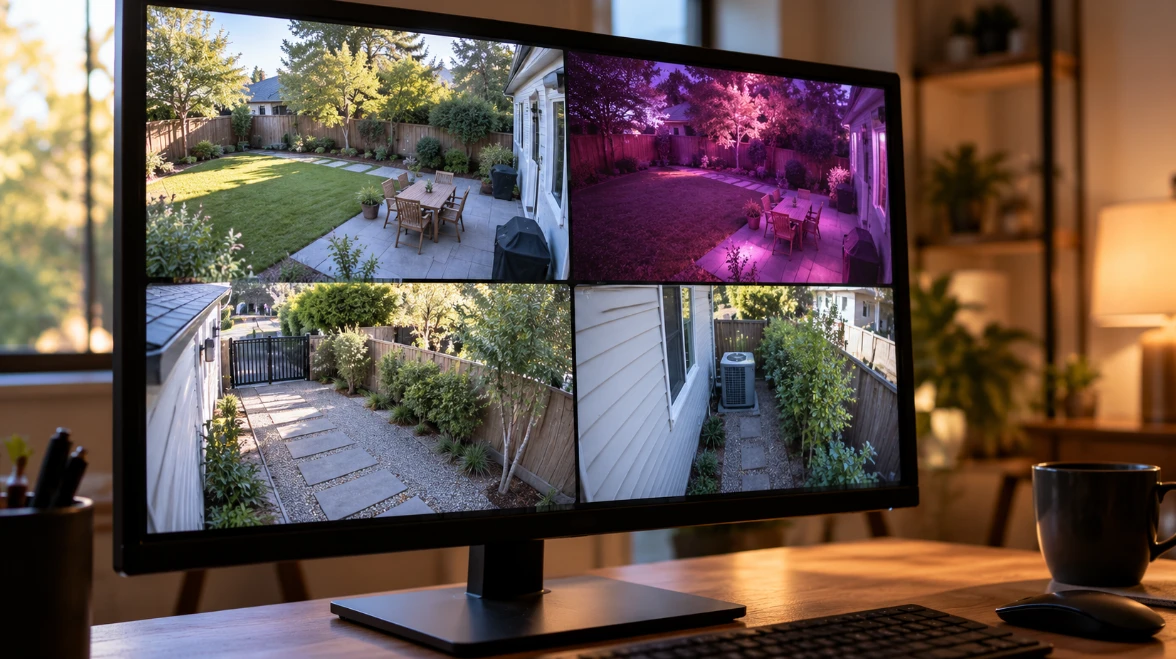
This one confuses a lot of owners because the camera works all day perfectly. At dusk, the infrared LEDs switch on and the camera’s power draw jumps. On a long cable run or an overloaded Power over Ethernet switch, the voltage sags below what the camera needs, and it restarts, sometimes in a loop until morning.
Standard PoE under 802.3af supplies up to 15.4 watts per port, and PoE+ under 802.3at raises that to 30 watts, while Ethernet runs are limited to 100 meters, or 328 feet. A switch also has a total power budget shared across all its ports, and adding a camera or two can quietly push it over. Testing a cable under load and calculating a switch budget takes a cable tester and a spec sheet, so honestly, most owners should hand this job off. The same technician visit can add surge protection to outdoor cable runs, since a nearby lightning strike can travel down the cable and take out a switch port along with the camera.
Blurry, Foggy or Washed-Out Night Video
Start with the simple causes. Outdoor lenses collect dust, pollen and water spots, and the infrared LEDs attract insects at night, which in turn draws spiders that build webs right across the lens. A soft microfiber cloth and a look at the camera from a ladder solve a surprising share of “broken camera” complaints.
Glare comes next. A camera mounted tight against a soffit, gutter or light-colored wall can bounce its own infrared light back into the lens and wash out the night image. Tilting it a few degrees away from the surface often clears it up.
Fog inside the housing is a different story. Outdoor cameras carry ingress ratings under the IEC 60529 standard: IP66 means dust-tight and protected against powerful water jets, and IP67 adds protection against immersion up to one meter for 30 minutes. Condensation behind the lens means a seal has failed, and moisture will keep corroding the electronics, so that camera needs repair or replacement.
Gaps or Missing Recordings
When cameras look fine live but the footage isn’t there, check the recorder. Network and digital video recorders write to hard drives around the clock, which is why manufacturers sell surveillance-rated drives such as WD Purple and Seagate SkyHawk for the job. Drives still wear out. Most recorders show drive health on a status page and beep or send an alert when a drive fails.
Two settings cause the rest of the trouble. If overwrite is switched off, recording simply stops once the drive fills up. A wrong system clock makes footage hard to find even when it exists, so set the recorder to sync time automatically. Cloud-based cameras have their own version of this problem: a lapsed subscription can quietly end video history.
False Alerts or Missed Motion
Many battery cameras use passive infrared sensors, which react to the heat difference between a person and the background. On very hot days, when the surroundings approach body temperature, that contrast shrinks and detection gets less reliable. Wired cameras usually analyze the video itself and are more prone to false alerts from swaying branches, headlights and passing traffic.
Redraw activity zones to exclude the street, switch on person or vehicle detection where the camera supports it, and lower sensitivity one step at a time. If alerts stay wrong after a week of tuning, the camera may simply be aimed at the wrong spot.
Outdated Firmware and Default Passwords
Security problems don’t always look like hardware problems. In March 2021, hackers gained access to live feeds from roughly 150,000 cameras run by the cloud video company Verkada, including cameras in hospitals, schools and jails. Keep firmware current, replace any default password with a unique one, and turn on two-factor authentication in the camera app. Check the manufacturer’s support page for your model too, because older cameras eventually stop receiving security updates, and a camera that no longer gets patches belongs on the replacement list.
When to Call a Technician
Some faults are worth handing off from the start: water inside a housing, reboots every evening, several cameras failing together, damaged cable inside walls, a failed drive holding footage you need, or any camera mounted higher than you can safely reach. Labor for security technicians commonly runs about $60 to $150 an hour.
A visit goes faster when the technician arrives with the right information. Before calling, note:
- Camera and recorder brand and model
- When the problem started
- Whether other cameras are affected
- Screenshots of the bad image
- Wi-Fi or Power over Ethernet
- Any recent storm or power outage
Repair versus replacement comes down to the camera’s price class. A commercial repair firm reported in a discussion on the industry site IPVM that its average camera repair cost $350 against an average replacement price of $1,227, so fixing business-grade cameras often pays. A $60 consumer camera usually costs less to replace than to diagnose. If you do replace one, check that the new camera supports ONVIF Profile S, the interoperability standard many recorders use to accept cameras from other brands, so it works with the system you already own.