Can one AI assistant really replace the tool that started the generative AI boom?
As Grok and ChatGPT continue to evolve, more users are asking: Is Grok better than ChatGPT, and which platform delivers better results for everyday tasks?
The answer depends on what you need from an AI assistant. Grok and ChatGPT have different strengths across answer quality, search capabilities, real-time information, coding, writing, pricing, features, and practical use cases.
Understanding these differences helps you choose the right tool instead of relying on a single overall winner.
How We Evaluated Both Tools
For this comparison, I ran the same set of 15 prompts through both assistants over several sessions in August 2026, using their free and paid tiers, much like anyone weighing Grok against other productivity-focused assistants before settling on a daily driver.
The prompts covered five categories: factual Q&A, a 600-word blog outline request, a Python debugging task (a broken pagination function), a request to summarize a 12-page PDF report, and a query about a same-day trending topic on X.
I compared response structure, factual consistency across three re-runs of each prompt, and how each tool handled follow-up corrections.
Model versions and pricing shift often for both companies, so treat any exact figures below as accurate at the time of testing rather than fixed facts; always confirm current plans on xAI’s and OpenAI’s official pricing pages before subscribing.
Is Grok Better than ChatGPT? Quick Comparison by Category
Grok and ChatGPT both perform well across different tasks, but their strengths vary. This quick comparison shows where each AI assistant stands across key categories that users consider before choosing one.
| Category | Winner | Why |
|---|---|---|
| Overall performance | ChatGPT | More versatile for everyday and professional tasks |
| Answer quality | ChatGPT | More structured and consistent responses |
| Real-time search | Grok | Stronger access to live X-based information |
| Coding | Tie | Both handle coding and debugging effectively |
| Writing | ChatGPT | Better for polished and professional content |
| Research | Tie | Both support research with different strengths |
| Image capabilities | ChatGPT | Stronger creative image tools and workflows |
| Pricing value | Tie | Depends on features and user needs |
| Business use | ChatGPT | Better ecosystem and workplace integrations |
Note: Category winners can change as both platforms receive frequent updates. Performance may also vary depending on the specific task, prompt quality, and user requirements.
The better choice depends on your priorities, not a single overall winner. Grok suits users who need real-time trends and conversational insights, while ChatGPT is often better for structured work, content creation, coding workflows, and business tasks.
Grok vs ChatGPT Performance Comparison: Real-World Testing
Both AI assistants perform well across different tasks, but their strengths vary. Comparing accuracy, writing, coding, and research abilities helps identify where each tool delivers better results.
In hands-on testing, ChatGPT tends to hold up better across multi-step, structured tasks, while Grok answers faster on questions tied to conversations happening on X right now.
1. Answer Quality and Accuracy

In my tests, ChatGPT held its structure better across multi-step prompts. When we asked both tools to plan a 3-step marketing budget with constraints (fixed total, three channels, one channel capped at 20%), ChatGPT respected all three constraints on the first try.
Grok respected the total and the cap but initially miscounted the channel split, correcting itself only after we pointed out the error.
For single-fact lookups, dates, definitions, and simple conversions, both tools were accurate and fast. The gap widens on layered instructions, where ChatGPT’s step-by-step handling tends to hold up more consistently, a distinction that matters most during everyday smartphone assistant use, when people expect a correct answer on the first try.
- Best fit: ChatGPT for multi-step reasoning and instructions with several constraints; Grok for quick, single-answer lookups.
2. Writing and Content Creation
I asked each tool to draft a 400-word product launch email with a specific tone (confident, not salesy) and a clear call to action. ChatGPT’s first draft needed only minor tone edits. Grok’s draft was serviceable but leaned more casual than requested, so I needed a second prompt to dial back the tone.
For blog outlines and SEO-style structure, ChatGPT organizes headers and subpoints with less back-and-forth. Grok’s more conversational style works well for early brainstorming or social captions, where a looser tone is an asset rather than a problem.
Whichever tool drafts the copy, it’s still worth checking the final version against truthful marketing guidelines, since AI authorship doesn’t change what a claim is allowed to promise.
- Better for: ChatGPT for polished, brand-consistent writing; Grok for informal drafts and idea generation.
3. Coding and Technical Problem Solving

I gave both tools a Python function with a pagination bug (an off-by-one error causing a duplicate record on page transitions). Both correctly identified the bug and proposed a working fix.
ChatGPT also flagged an edge case (empty result sets) that Grok didn’t mention until asked directly.
For explaining unfamiliar concepts step by step, ChatGPT’s responses were more thorough. Grok answered faster and worked fine for quick sanity checks on shorter code snippets. Teams fine-tuning their own models on top of either assistant should still watch for common fine-tuning missteps, since neither tool catches those automatically.
- Ideal for: ChatGPT in production debugging and documentation-heavy work; Grok for fast, low-stakes code checks.
4. Research, Analysis, and Long Documents

I uploaded the same 12-page PDF (a public sustainability report) to both tools and asked for a summary with three key takeaways.
ChatGPT’s summary preserved section structure and cited specific page numbers. Grok’s summary was accurate but more condensed, which is useful for a fast read but less helpful if you need to trace a claim back to its source.
For documents where accuracy really counts, it helps to weigh either summary against a recognized AI risk framework rather than accepting it at face value.
For live topics, a product announcement trending on X during testing, Grok surfaced real-time posts and reactions within seconds. ChatGPT’s web search found the same news but without the social commentary layer.
- Best fit: Grok for tracking a live story as it develops; ChatGPT for structured analysis of long or technical documents.
Grok is valuable for live information and casual interactions, while ChatGPT offers stronger support for structured, professional, and technical workflows.
Search: Live Web vs. Structured Research
Grok combines standard web search with native X search, which is genuinely useful when a story is breaking in real time; you get the headline and the public reaction in one place.
ChatGPT Search retrieves current web results with source links, and its Deep Research mode goes further: it can pull from multiple sites, uploaded files, and connected sources to produce a cited, multi-section report.
When a report like that draws on your own uploaded files, that information can still fall under state data privacy rules governing how it’s stored and reused.
Pick Grok when you need:
- Live reactions and commentary tied to X
- Fast headline tracking on an unfolding story
- A casual first pass at what’s trending
Pick ChatGPT when you need:
- A cited report drawing on several sources
- Research that combines your own documents with the web
- A structured write-up you can hand to someone else
For quick web questions, either can work. Grok has the clearer advantage on X, while ChatGPT has the stronger dedicated workflow for longer, documented research.
Grok AI Capabilities Beyond Basic Chat
Grok’s differentiation isn’t just speed; it’s the toolset built around it. Grok AI capabilities include native image and video generation (branded Imagine), a coding environment called Grok Build for quick app prototyping, and direct access to X’s post and trend data without leaving the chat window.
This combination matters most for social media managers, community teams, and anyone tracking public sentiment in real time, since it removes the extra step of switching to a separate monitoring tool.
Where this falls short is depth: Grok’s agent and research tools are newer and less refined than ChatGPT’s Deep Research or Custom GPT ecosystem, so multi-step research projects still tend to favor ChatGPT.
Grok vs ChatGPT Features: What Does Each AI Offer?
Grok and ChatGPT share many core features, but their biggest differences appear in search, multimedia, research, coding, data analysis, and connected workflows.
| Feature | Grok | ChatGPT |
|---|---|---|
| Chat & reasoning | Yes | Yes |
| Search | Web + native X search | Web search |
| Images & video | Image generation + video | Image generation + editing |
| Voice | Yes | Yes |
| Files & data | File and spreadsheet analysis | File and code-based data analysis |
| Coding | Grok Build | Codex |
| Apps & personalization | Connectors and personalization | Plugins, memory, and Custom GPTs |
| Research | Search and agent tools | Deep Research |
Grok stands out for X search and video, while ChatGPT offers stronger research, data analysis, customization, and connected productivity tools.
Grok and ChatGPT for Files and Data Analysis
Files and data deserve their own comparison because many users now use AI for more than ordinary chat.
Grok can work with PDFs, spreadsheets, code, images, audio, and other uploaded files. It can summarize information, extract details, and answer questions based on those files.
ChatGPT also supports document uploads, but it adds a dedicated Data Analysis capability that can run code in a secure environment. This lets ChatGPT clean structured data, calculate metrics, analyze spreadsheets or CSV files, build charts, and explain patterns in the dataset.
For ordinary PDF summaries or document questions, either platform may be enough. For spreadsheet analysis, calculations, data cleaning, visualization, and repeated analytical work, ChatGPT currently offers the clearer dedicated workflow.
Grok Pricing vs ChatGPT Pricing: Which Subscription is Worth It?
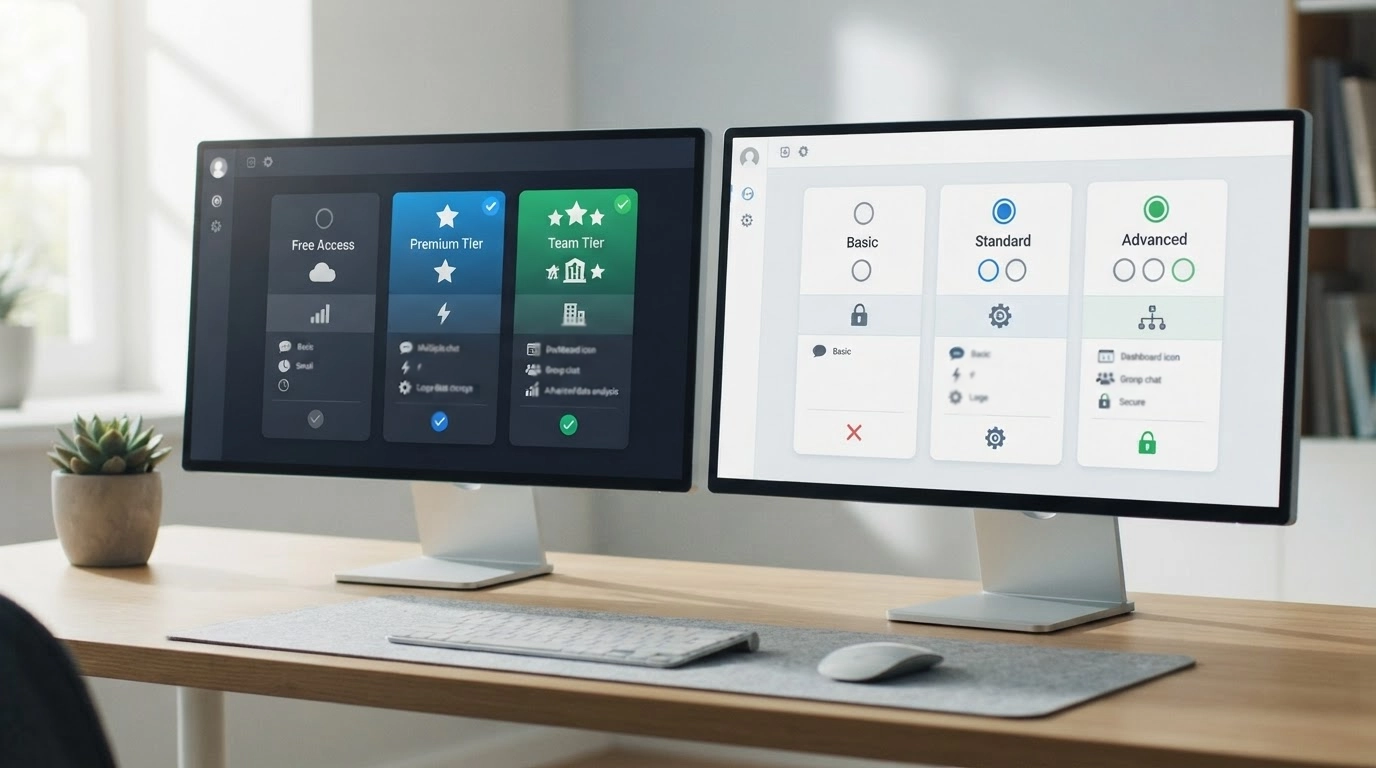
Both Grok and ChatGPT offer free access, but paid plans vary in price, usage limits, and advanced features, making value depend largely on how heavily you use them.
| Platform | Plan | Price | Best For |
|---|---|---|---|
| Grok | Free | $0/month | Basic chat and web/X search |
| Grok | SuperGrok | $30/month | Higher limits, Grok 4.6, Imagine, and Grok Bot |
| Grok | SuperGrok Plus | $100/month | Heavy use, priority access, and 1080p video |
| ChatGPT | Free | $0/month | Everyday AI tasks |
| ChatGPT | Go | $8/month | Affordable access above Free |
| ChatGPT | Plus | $20/month | Advanced models and productivity tools |
| ChatGPT | Pro | $100–$200/month | Higher limits for intensive users |
Grok suits users prioritizing higher limits, X search, and media tools, while ChatGPT offers more pricing flexibility. API costs remain separate for developers on both platforms.
Grok and ChatGPT Privacy and Data Controls
Privacy matters when an AI assistant is handling files, work documents, emails, personal information, or connected services.
For consumer Grok accounts, xAI says conversations and interactions may be used for model training, but users can turn off the Improve the model setting. Grok also offers Private Chat, which is not used for model training and is deleted from its systems within 30 days. xAI states that business and enterprise customer content is not used to improve its models.
ChatGPT also lets personal users turn off Improve the model for everyone in Data Controls. Temporary Chats are not used for training, do not create memories, and are deleted after 30 days. OpenAI states that inputs and outputs from Business, Enterprise, Edu, and API offerings are not used to train its models by default.
For either service, check the controls associated with your specific account, workspace, connected apps, and region before uploading confidential information.
Grok vs ChatGPT: Which One Is Better for Different Users?
The better AI assistant depends on how you plan to use it. Different users need different features, so the ideal choice changes based on goals and workflows.
1. For Students: Students can use ChatGPT for structured learning, detailed explanations, and study support. It helps break down difficult topics, summarize materials, and create organized notes. Grok can help with current topics, discussions, and quick answers when students need recent information.
2. For Developers: Developers can benefit from ChatGPT’s coding workflows, debugging support, and technical explanations. It is useful for writing code, understanding concepts, and reviewing documentation. Grok can support experimentation, technical discussions, and a quick look at new ideas.
3. For Writers and Marketers: ChatGPT is often better suited for content creation, SEO writing, editing, and maintaining consistent brand tone. It helps create outlines, refine drafts, and produce structured marketing materials. Grok can help brainstorm ideas and create more casual content.
4. For Businesses: Businesses often prefer ChatGPT for reports, automation workflows, team collaboration, and professional communication. Its integrations and customization options make it useful for workplace tasks. Grok can support teams that need real-time trends and market conversations.
5. For Researchers: Researchers can use ChatGPT for data analysis, document summaries, and organizing complex information. Grok is valuable for tracking current discussions, emerging trends, and real-time updates related to research topics.
Tip: Consider testing both tools with your daily tasks before choosing a subscription, as performance can vary depending on your workflow.
Your best choice depends on what you need AI to do most often. Choose Grok for live insights and ChatGPT for structured, professional, and productivity-focused tasks.
Where Each Tool Falls Short
No comparison is complete without naming the weak points. Grok’s smaller third-party integration ecosystem means it doesn’t yet plug into as many workplace tools as ChatGPT does through Custom GPTs and plugins.
Its research and agent features are improving but less mature. ChatGPT, on the other hand, doesn’t have anything comparable to Grok’s native X search, so if your job depends on tracking public sentiment in real time, ChatGPT alone will leave a gap you’d need to fill with another tool.
Neither assistant should be trusted blindly for high-stakes decisions, especially legal, medical, or financial calls.
Both can produce confident-sounding answers that are wrong, so verifying anything important against a primary source is still worth the extra few minutes.
Final Verdict
Grok and ChatGPT both offer powerful AI capabilities, but they serve different purposes.
Grok stands out for real-time discussions, X-based insights, and conversational interactions, while ChatGPT performs strongly in structured writing, coding, research, and professional workflows.
So, is Grok better than ChatGPT? The answer depends on your goals, tasks, and preferred workflow, not a single winner.
Which AI assistant fits your needs better? Comment below with your thoughts and share your experience with Grok or ChatGPT.
Frequently Asked Questions
Does Grok or ChatGPT Hallucinate Less?
Neither tool is immune to confidently stating something incorrect. In our testing, ChatGPT’s answers stayed consistent across repeated identical prompts more often than Grok’s did, but both occasionally produced errors on niche or fast-changing topics. Cross-check anything time-sensitive or high-stakes.
Can I Switch Between Grok and ChatGPT Mid-Project without Losing My Work?
Not automatically. Neither tool can access the other’s conversation history, so if you start a project in one and want to continue in the other, you’ll need to copy over the relevant context or files yourself.
Is the Free Version of Grok Usable for Real Work, or is It Too Limited?
The free tier works for casual chat, quick lookups, and light X search, but usage caps and slower access to newer models make it less practical for daily professional use. Most regular users end up on a paid tier for either platform.
How Does Grok’s Image Generation Compare to ChatGPT’s?
Grok’s Imagine tool includes native video generation alongside images, which ChatGPT does not currently offer in the same integrated way. ChatGPT’s image tools lean more toward editing and refining existing images within a conversation.
What Happens to My Past Conversations if I Cancel My Subscription?
This depends on the platform and plan type, and policies do change. Check your account’s data settings before canceling. In general, downgrading to a free tier doesn’t automatically delete existing chat history, but paid-tier features tied to that history may become inaccessible.