Is your laptop starting to slow down, and are you wondering how long a laptop should last before it’s time for a replacement?
The laptop lifespan depends on several factors, including build quality, daily usage, maintenance, and hardware specifications.
A laptop used mainly for browsing and office work often lasts longer than one used for gaming or professional editing.
In this guide, you’ll learn how long a laptop should last, what affects laptop lifespan, the signs your laptop is aging, and whether repairing or replacing it is the better choice.
Quick Answer: How Long Should a Laptop Last?
A laptop typically lasts 3 to 8 years, depending on its build quality, usage, maintenance, and hardware.
Most users replace their laptops after about 5 to 6 years because performance, battery life, or software support begins to decline.
A laptop’s lifespan depends on its type, usage, and maintenance.
Premium business and high-end laptops often last longer than entry-level models because they are built with more durable components.
Regular software updates, proper cooling, battery care, and timely hardware upgrades, such as adding more RAM or switching to an SSD, can also extend a laptop’s usable life.
Signs Your Laptop Is Reaching the End of Its Lifespan
A laptop usually shows signs of aging before it stops working. Recognizing these early signs can help you decide whether to repair, upgrade, or replace your device.
1. Slower Performance
If your laptop takes much longer to start up, open programs, or switch between tasks, it may be nearing the end of its useful life.
While deleting unnecessary files or upgrading the Random Access Memory (RAM) or storage can improve performance, older processors often struggle to keep up with modern software.
If your laptop remains slow during everyday tasks despite regular maintenance, it may no longer deliver the performance you need.
Frequent freezing, lagging, or delayed responses during basic tasks can also indicate that the hardware is becoming outdated.
2. Battery Drains Quickly
Laptop batteries naturally lose their ability to hold a charge after years of regular use.
If your device runs out of power much faster than before or needs frequent charging throughout the day, the battery may be reaching the end of its lifespan.
Replacing the battery can often restore normal battery life, but if battery issues occur alongside other hardware problems, it may indicate that the laptop itself is beginning to age.
A battery that suddenly shuts down even with charge remaining is another common sign of battery wear.
3. Frequent Overheating
A laptop that becomes unusually hot during everyday tasks may have restricted airflow, dust buildup, or aging internal components.
Excess heat puts extra stress on the processor, graphics chip, and battery, which can affect both performance and reliability.
If cleaning the vents, improving airflow, and servicing the cooling system do not reduce the temperature, it’s worth running through a structured troubleshooting process to confirm whether the issue is hardware wear or something fixable before assuming the worst.
Constant overheating may also cause unexpected shutdowns or reduce overall system performance over time.
4. Hardware Failures
Repeated hardware problems are often a sign that a laptop is reaching the end of its useful life.
Issues such as an unresponsive keyboard, a flickering display, storage drive problems, a damaged charging port, or an unreliable Wi-Fi connection may become more common over time.
When multiple components begin needing repairs, maintenance costs can increase quickly, making it more practical to consider replacing the laptop instead.
Recurring hardware failures can also affect productivity by interrupting work and increasing downtime.
5. Operating System No Longer Supported
As laptops get older, they may no longer meet the requirements for the latest operating system updates.
Without continued security patches and software support, your device may become more vulnerable to online threats and compatibility issues with newer applications.
If your laptop can no longer install the latest operating system or important security updates, it may be a sign that it is nearing the end of its practical lifespan.
Limited software support can also prevent access to new features and reduce compatibility with modern devices and services.
6. Repair Costs Keep Increasing
If you find yourself paying for frequent repairs or replacing several components within a short period, keeping the laptop may no longer be the most cost-effective choice.
While a single repair is often worthwhile, repeated expenses can quickly add up.
When repair costs approach the price of a comparable new laptop, investing in a replacement usually offers better long-term value, improved performance, and longer software support.
Comparing repair expenses with the remaining expected lifespan of the laptop can help you make a smarter replacement decision.
Laptop Lifespan by Different Laptop Types
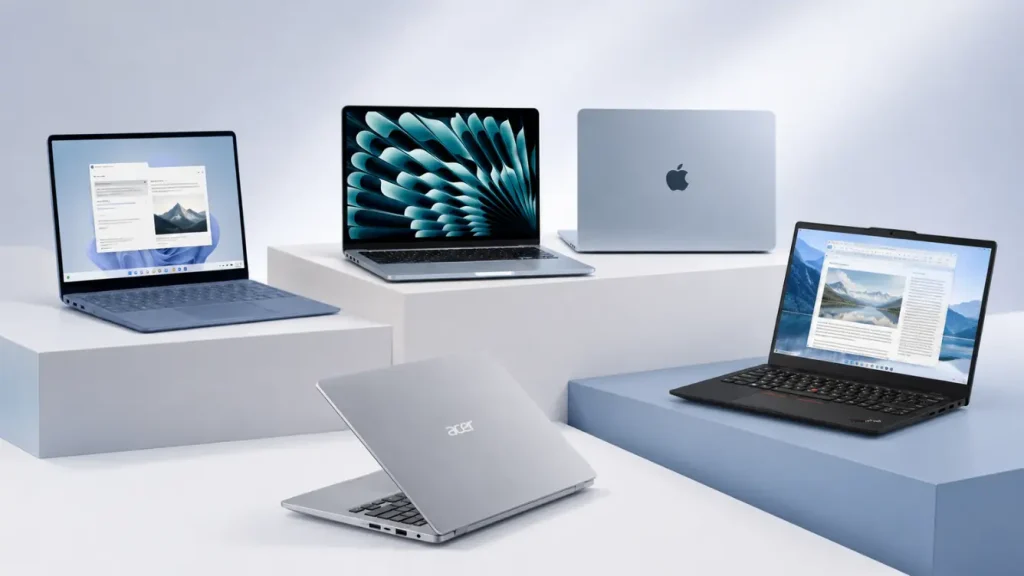
The type of laptop you own plays an important role in how long it is likely to last. Below are the average lifespans for common laptop categories.
- Chromebook: Usually lasts 4–6 years and is best for web browsing, schoolwork, and light productivity.
- Entry-Level Laptop: Typically lasts 3–5 years and handles everyday tasks, streaming, and basic office work well.
- Business Laptop: Usually lasts 6–8 years and is commonly used for professional work, multitasking, and frequent travel.
- Gaming Laptop: Usually lasts 4–6 years because it handles gaming, content creation, and graphics-heavy tasks.
- Premium Laptop: Usually lasts 6–8+ years and is built for productivity, creative work, and advanced performance.
- Apple MacBook: Usually lasts 6–10 years and is widely used for professional, academic, and everyday needs.
Can a Laptop Last 10 Years?
Yes, a laptop can last 10 years, but it depends on its build quality, hardware, maintenance, and use.
Well-built laptops used for everyday tasks and properly cared for are more likely to remain functional for a decade.
Over time, older devices may struggle to support the latest operating systems, security updates, and demanding applications, which can affect performance and compatibility.
Replacing the battery, keeping the system updated, cleaning the vents, and repairing worn parts when needed can help extend a laptop’s useful life.
With regular care and realistic expectations, a quality laptop can continue handling everyday tasks for many years.
What Factors Affect Laptop Lifespan?
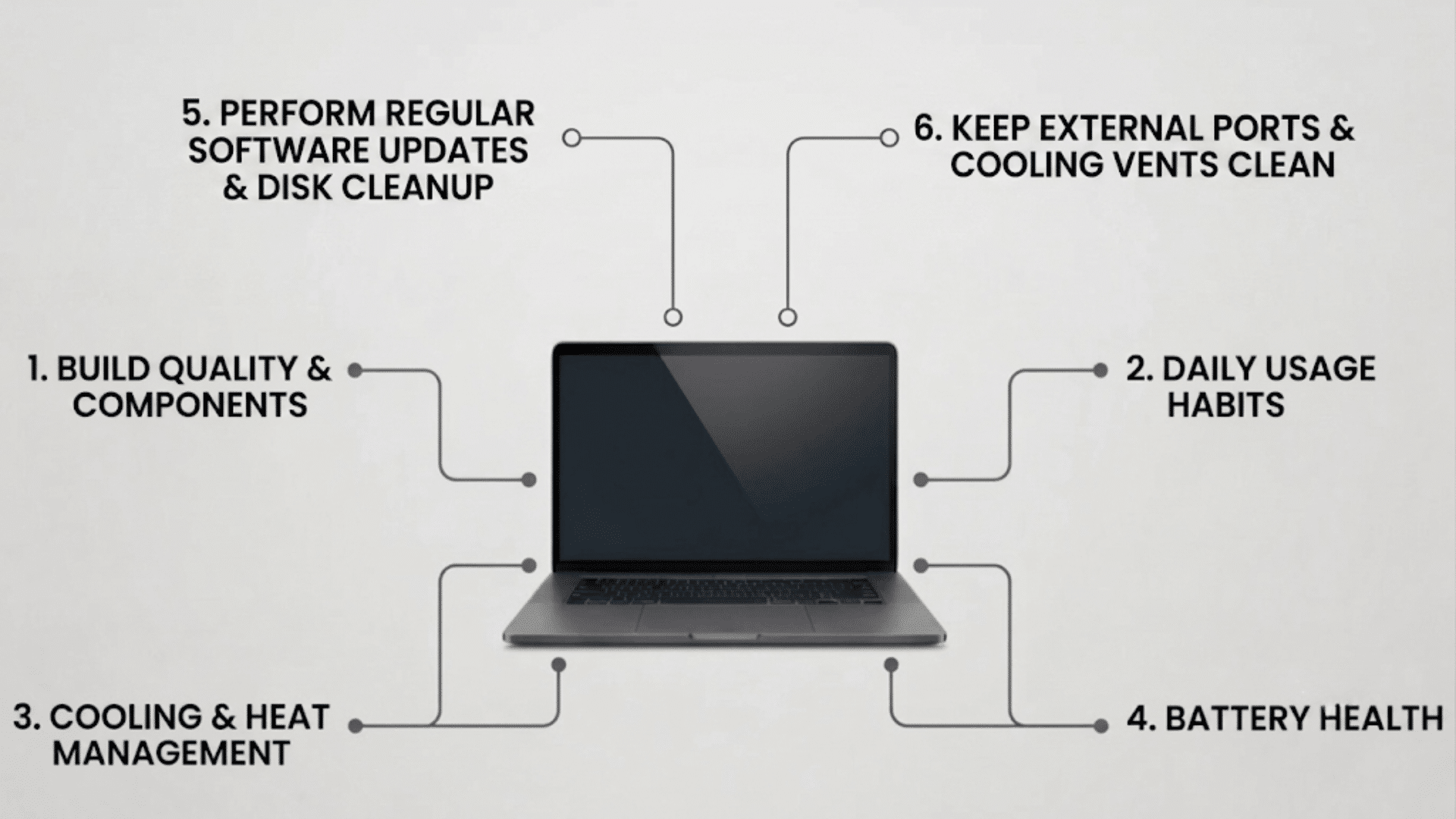
No two laptops age the same way. Some continue working well for years, while others slow down much sooner. The difference usually comes down to how the laptop is built, how you use it, and how well you maintain it.
1. Build Quality and Components
The quality of a laptop’s materials and internal components has a major impact on how long it lasts.
Well-built laptops use stronger hinges, better cooling systems, and more durable internal parts that can handle years of regular use.
For example, an Apple MacBook Pro generally lasts longer than many entry-level laptops because it is built with higher-quality components and a more robust build.
2. Daily Usage Habits
The way you use your laptop every day directly affects its lifespan. Activities like web browsing, watching videos, and creating documents put less stress on the hardware than gaming, video editing, or running engineering software.
For example, a laptop used mainly for office work will usually last longer than one that spends several hours a day running demanding games.
Using your laptop for tasks that match its hardware capabilities and giving it regular breaks during heavy workloads can help reduce wear and improve its long-term reliability.
3. Hardware Specifications
Your processor, Random Access Memory (RAM), and storage determine how well your laptop keeps up with new software over time.
A laptop with a faster processor, sufficient memory, and a Solid-State Drive (SSD) is more likely to remain responsive for several years.
Older hardware may still work, but it can struggle as software becomes more demanding.
Choosing a laptop with modern specifications can improve performance today while helping it remain useful for longer.
4. Cooling and Heat Management
Heat is one of the biggest reasons laptops wear out sooner. High temperatures put extra stress on the processor, graphics chip, and battery.
Keeping the vents clean and using your laptop on a hard, flat surface allows proper airflow.
Using it on a bed or couch can block the vents, leading to overheating.
Regular cleaning and proper ventilation help maintain safe operating temperatures and reduce unnecessary strain on internal components.
5. Battery Health
Laptop batteries naturally lose capacity as they go through charging cycles. Frequently exposing the battery to excessive heat or constantly draining it to 0% can speed up this process.
Good charging habits and avoiding extreme temperatures help the battery remain healthy for a longer period.
Using the original charger and avoiding unnecessary heat can also improve battery performance and reduce wear over time.
6. Software Updates and Operating System Support
Keeping your operating system and drivers up to date improves security, stability, and compatibility with newer applications.
However, as laptops get older, they may no longer support the latest operating system updates.
Once software support ends, the laptop may become less secure and less compatible with modern programs.
Staying current with updates for as long as they are available helps maintain reliable performance and protects your device from known security risks.
7. Maintenance and Cleaning
Regular maintenance helps your laptop stay reliable for longer. Cleaning dust from the vents, removing unnecessary files, updating drivers, and checking storage health all improve performance.
Even simple maintenance every few months can reduce heat buildup and help your laptop continue running smoothly for years.
Taking a few minutes to care for your laptop regularly can prevent many common issues and help extend its overall lifespan.
Difference Between Laptop Age and Laptop Lifespan
Laptop age means how many years have passed since purchase. Laptop lifespan refers to how long the device remains useful, reliable, and capable of handling your daily needs.
| Laptop Age | Laptop Lifespan |
|---|---|
| Refers to the number of years since the laptop was purchased. | Refers to how long the laptop remains useful and performs reliably. |
| Measured by time only. | Influenced by usage, maintenance, hardware, and build quality. |
| A laptop can be five years old regardless of its condition. | A laptop can still have years of useful life if it performs well. |
| Does not indicate performance or reliability. | Reflects the laptop’s overall condition and usability. |
| Cannot be changed. | Can often be extended with proper maintenance and timely upgrades. |
Average Lifespan of Laptop Components
Each laptop component ages at a different rate, so some parts may need replacement long before the entire device does. Knowing their typical lifespan helps plan upgrades, repairs, and maintenance more effectively.
- Battery: Usually lasts2–4 years or around 500 charge cycles before holding less charge and requiring more frequent charging.
- HDD (Hard Disk Drive): Typically works for 3–5 years. Its moving parts gradually wear out, increasing the chance of slower performance or failure.
- SSD (Solid-State Drive): Often lasts 5 years or more. Without moving parts, SSDs are generally more durable and reliable than traditional hard drives.
- CPU and RAM: Commonly remain functional for 8–10 years or longer. They rarely fail but may become too slow for newer software and operating systems
How Often Should You Service Your Laptop?
Regular servicing helps keep your laptop running smoothly and can extend its lifespan. For most users, cleaning the vents, checking for software updates, and removing unnecessary files every 3 to 6 months.
If you use your laptop for gaming, video editing, or other demanding tasks, servicing it every 3 months can help prevent overheating and maintain performance.
Check the battery, cooling system, and parts if the laptop runs hot, slows down, or makes unusual fan noise.
Keeping your operating system, drivers, and antivirus software up to date is another important part of routine maintenance.
Backing up important files regularly also helps protect your data in case of hardware failure or unexpected system issues. Regular maintenance can reduce hardware wear and help your laptop stay reliable for longer.
When Is It Better to Replace Your Laptop?
Sometimes, replacing your laptop is the more practical choice. If it no longer meets your needs or supports current software, a new device can offer better performance and longer-term value.
| Situation | Why Replace It? |
|---|---|
| Old Hardware | The laptop is more than 6–8 years old and struggles with modern software. |
| High Repair Cost | Repairs cost nearly as much as buying a new laptop. |
| Outdated Performance | The processor can no longer handle your daily tasks efficiently. |
| No Software Support | The operating system no longer receives updates or security patches. |
| Frequent Breakdowns | Multiple parts fail regularly, increasing repair costs and downtime. |
| Changing Needs | You need better performance for gaming, editing, programming, or other demanding work. |
When Should You Repair Your Laptop?
A repair is often the better choice when your laptop still performs well and the issue is limited to one or two components.
- Battery Replacement: If your battery no longer lasts as long as it used to, replacing it can restore battery life and make your laptop easier to use away from a power outlet.
- Screen Replacement: If the display has visible damage or display quality has changed, replacing the screen can restore a clear viewing experience while keeping the rest of the laptop in use.
- Storage Upgrade: Replacing an older Hard Disk Drive (HDD) with a Solid-State Drive (SSD) can significantly improve startup times, application loading, and overall responsiveness.
- Memory Upgrade: Increasing theRandom Access Memory (RAM) allows your laptop to handle more programs at once and improves performance during everyday tasks.
- Newer Laptop: If your laptop is less than five years old, repairing a single component is often more practical, since the hardware can still support most daily activities.
- Reasonable Repair Cost: When the repair cost is much lower than purchasing a comparable new laptop, repairing it is often the more cost-effective choice and can add several more years of reliable use.
How to Extend Your Laptop’s Lifespan?
Extending your laptop’s lifespan starts with a few simple habits. Keep your operating system and drivers up to date to maintain performance and security.
Clean the air vents regularly to prevent dust buildup and improve airflow, and always use your laptop on a hard, flat surface to reduce heat.
Avoid exposing it to extreme temperatures and use the original charger whenever possible to help protect the battery.
If your laptop supports upgrades, adding more Random Access Memory (RAM) or replacing an older Hard Disk Drive (HDD) with a Solid-State Drive (SSD) can improve performance.
Regular maintenance and careful handling can help your laptop stay reliable and useful for many years.
Conclusion
A laptop is more than just a device; it’s something most of us rely on every day, so taking care of it can make a real difference.
With the right habits and regular maintenance, many laptops stay reliable for years before needing replacement.
Understanding what affects a laptop’s lifespan and recognizing the signs of wear can help you avoid unnecessary expenses and make informed decisions. A little care today can help your laptop stay reliable for years to come.
If you’ve been wondering how long your laptop should last, you now have a clearer idea of what to expect and what influences its longevity.
Use these tips to keep your laptop running smoothly and decide with confidence when it’s time for a repair or an upgrade.
Frequently Asked Questions
Can Leaving a Laptop Plugged in All the Time Reduce Its Lifespan?
Modern laptops stop charging once the battery is full, but constant heat from heavy use while plugged in can gradually reduce battery health over time.
Does Shutting Down Your Laptop Every Night Help It Last Longer?
Shutting down occasionally helps clear temporary processes and gives hardware a break, but modern laptops also handle sleep mode efficiently for daily use.
Does Adding More RAM Increase a Laptop’s Lifespan?
Adding RAM doesn’t extend the physical life of a laptop, but it can improve performance and keep the device useful for a longer period.
Does Gaming Shorten a Laptop’s Lifespan?
Gaming can shorten lifespan if the laptop overheats often. Good cooling, clean vents, and moderate settings can help reduce hardware stress.