Have you ever wondered how websites and apps continue working even when millions of people use them at the same time?
The answer often comes down to distributed computing, which allows multiple computers to work together as one system.
I know this topic can seem technical at first, but it becomes much easier once you understand the basics.
In this article, I will explain what it means, how it works, and why it matters in today’s technology.
You will also learn its main features, key advantages, and the uses that make it an important part of cloud computing essentials, online platforms, and business systems.
By the end, you’ll understand how virtualization improves scalability, reliability, and performance.
Quick Answer: What Is Distributed Computing?
Distributed computing is a computing model in which multiple computers work together over a network to complete tasks as a single system. It improves processing speed, reliability, and scalability.
Instead of relying on a single machine, work is distributed across connected computers called nodes.
Each node processes part of the task, shares results, and helps deliver faster, more reliable performance.
How Does Distributed Computing Work?
Distributed computing works by dividing large tasks across multiple connected computers, enabling faster processing, better reliability, efficient resource sharing, and scalability.
Each computer, known as a node, receives a portion of the workload and processes it independently.
The nodes communicate through a network to exchange information and coordinate their tasks. A scheduler assigns work, while load balancing ensures no single node becomes overloaded.
Many systems also replicate important data across multiple nodes, so services continue running even if one machine fails.
After all nodes complete their assigned tasks, the system gathers and combines the results into a single output.
This coordinated process enables distributed computing to power cloud platforms, search engines, streaming services, online banking, and other applications that efficiently handle large volumes of data and users.
What Are the Components of Distributed Computing?
Several core components work together to ensure that a distributed computing system operates efficiently and reliably and can handle large workloads.
- Nodes: Individual computers or servers perform assigned tasks, process data, and communicate with other nodes to efficiently complete shared workloads.
- Network: A communication network connects all nodes, enabling them to exchange data, coordinate tasks, and securely share processing results.
- Distributed Storage: Data is stored across multiple machines rather than in a single location, improving availability, fault tolerance, and access speed during operations.
- Task Scheduler: The scheduler assigns workloads to available nodes, helping balance resources and ensuring tasks are completed as efficiently as possible.
- Load Balancer: A load balancer distributes incoming requests evenly across nodes, preventing bottlenecks and improving overall system performance and stability.
- Communication Protocols: Standard protocols define how nodes exchange information, ensuring reliable, secure, and consistent communication throughout the distributed system.
- Middleware: Middleware acts as a bridge between applications and network resources, simplifying communication, coordination, and resource management across distributed environments.
- Monitoring System: Monitoring tools track node health, performance, and resource usage, helping administrators detect issues and maintain smooth system operation.
Key Characteristics of Distributed Computing
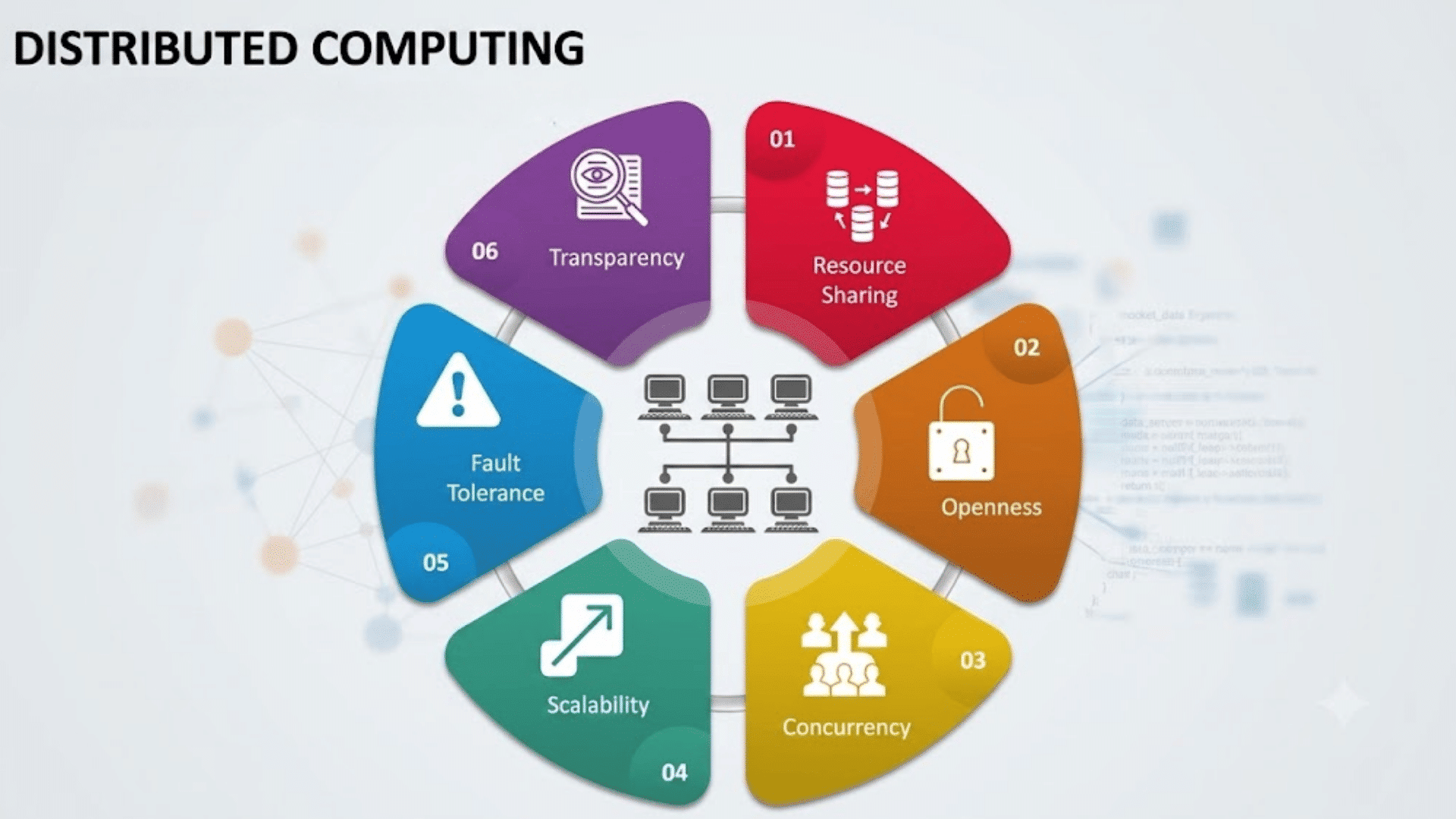
The core characteristics of distributed computing explain how multiple computers work together efficiently while maintaining performance, reliability, and scalability.
1. Scalability
Scalability is the ability of a distributed system to handle increasing workloads by adding more computers, also called nodes.
Instead of upgrading a single machine, organizations can expand capacity by connecting additional servers.
This approach supports business growth without major infrastructure changes.
As user traffic and data volumes increase, the system continues delivering stable performance while making efficient use of available resources.
2. Fault Tolerance
Fault tolerance allows a distributed system to continue operating even if one or more nodes fail. Data replication, backup nodes, and automatic workload redistribution help reduce service interruptions.
If a server experiences a hardware or software failure, another node can take over its tasks.
This capability improves system reliability and minimizes downtime for applications that require continuous availability.
3. Resource Sharing
Distributed computing enables multiple computers to share processing power, storage, memory, and network resources.
Instead of relying on one machine, workloads are distributed across available nodes to improve efficiency.
This shared approach reduces resource waste, lowers operational costs, and allows organizations to maximize the value of existing infrastructure while supporting multiple users and applications simultaneously.
4. Parallel Processing
Parallel processing allows several computers to work on different parts of the same task at the same time.
Each node completes its assigned portion independently before the results are combined into a final output.
This reduces processing time for large workloads and improves overall system performance. Parallel processing is widely used in scientific research, artificial intelligence, and big data analytics.
5. Transparency
Transparency means users interact with a distributed system as though it were a single computer, even though many nodes work behind the scenes.
The system automatically manages communication, resource allocation, and task distribution without requiring user involvement.
This simplifies application use while hiding the complexity of the underlying infrastructure from end users and developers.
6. Reliability
Reliability refers to a distributed system’s ability to provide consistent service over time.
Since workloads are distributed across multiple nodes, the failure of a single machine rarely brings the entire system to a halt.
Backup resources and redundant data help maintain normal operations during unexpected failures.
This makes distributed computing suitable for business applications where continuous service is essential.
7. Concurrency
Concurrency allows multiple users and applications to access shared resources at the same time without significant delays.
Distributed systems coordinate these simultaneous operations using synchronization and communication mechanisms.
This improves responsiveness while supporting thousands or even millions of requests.
Concurrency is especially important for online banking, cloud services, and e-commerce platforms with heavy user traffic.
8. Heterogeneity
Distributed computing supports different types of hardware, operating systems, programming languages, and network technologies within the same environment.
Middleware and communication protocols help these diverse components work together effectively.
This flexibility allows organizations to integrate existing systems with new technologies, reducing costs while improving compatibility across different computing platforms.
Distributed Computing vs Distributed Programming vs Distributed Systems
Although these terms are closely related, each focuses on a different aspect of building and running modern computing environments.
| Feature | Distributed Computing | Distributed Programming | Distributed Systems |
| Definition | Uses multiple computers to complete tasks together. | Develops software that runs across multiple computers. | A group of connected computers working as one system. |
| Main Focus | Efficient task execution | Writing distributed applications | Overall system architecture |
| Primary Goal | Improve performance and scalability | Coordinate communication between nodes | Deliver reliable and shared services |
| Key Components | Nodes, networks, load balancing | Programming languages, APIs, protocols | Nodes, storage, networking, middleware |
| Common Users | Organizations and cloud providers | Software developers | Businesses and system architects |
| Example | Big data processing | Distributed database application | Cloud computing platform |
Real World Uses of Distributed Computing
Distributed computing supports many everyday technologies by enabling multiple computers to process data efficiently and deliver reliable services.
- Cloud Computing: Cloud providers distribute computing resources across many servers, delivering scalable storage, applications, and processing power on demand worldwide.
- Search Engines: Search engines process billions of web pages across distributed servers, delivering relevant search results quickly for millions of users daily.
- Online Banking: Banks process transactions across distributed systems to ensure secure, reliable, and continuous access to financial services and customer accounts.
- E-Commerce Platforms: Online stores manage inventory, payments, and customer orders across multiple servers to maintain performance during peak shopping periods.
- Social Media Platforms: Social networks distribute user data and content across servers, enabling fast updates, messaging, and media sharing worldwide.
- Healthcare Systems: Hospitals use distributed computing to securely share patient records, support medical research, and improve access to healthcare information.
- Scientific Research: Researchers process massive datasets and complex simulations using distributed computing to accelerate discoveries in medicine, climate science, and physics.
- Artificial Intelligence: AI applications distribute model training and data processing across multiple computers, reducing training time and improving computational efficiency.
- Internet of Things (IoT): Connected devices share and process sensor data through distributed systems, supporting smart homes, factories, transportation, and city infrastructure.
What Are the Advantages of Distributed Computing?
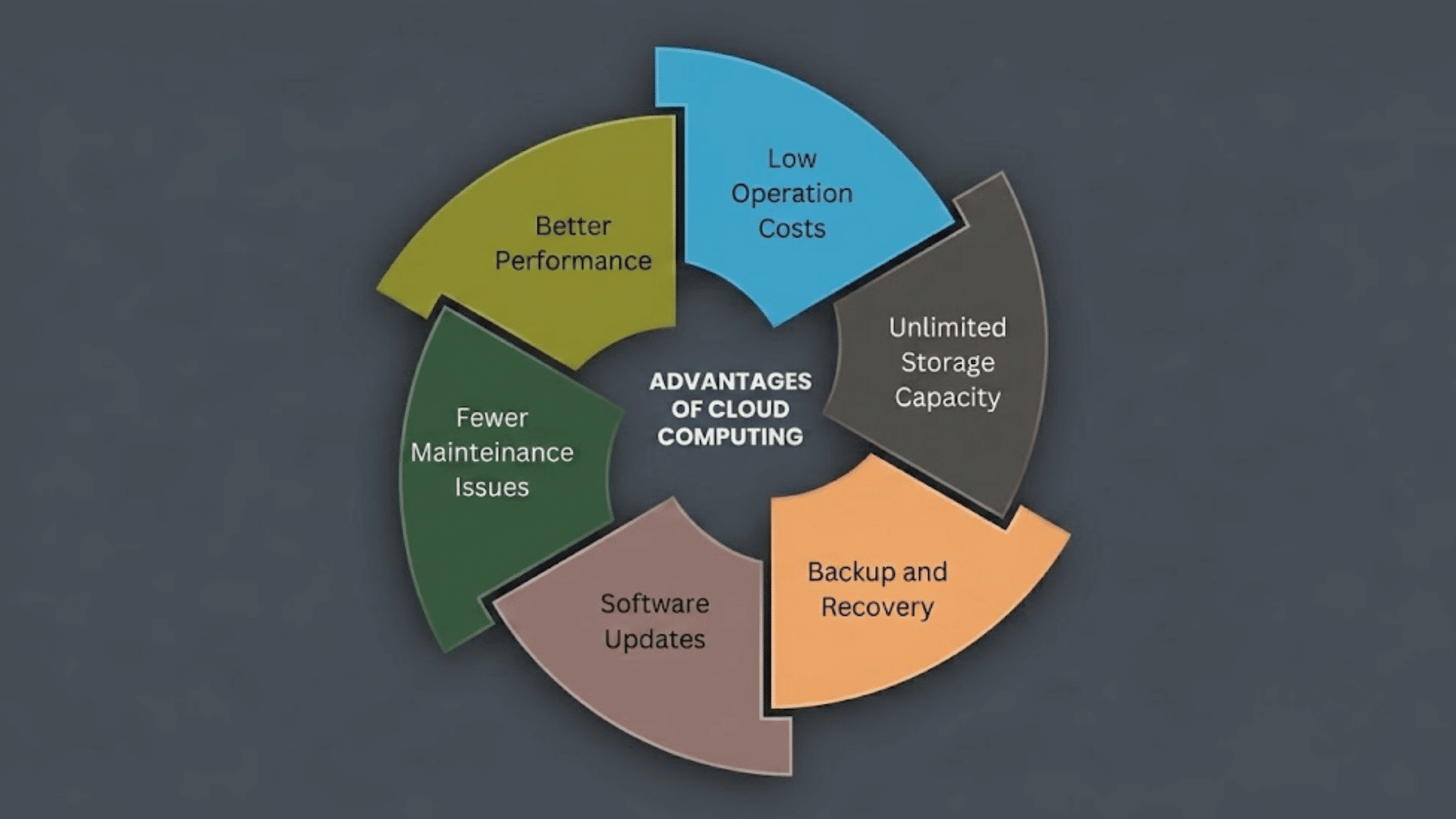
Distributed computing offers several practical benefits that make it useful for cloud platforms, business applications, streaming services, and large-scale websites.
1. Reduces Infrastructure Costs
Distributed computing lowers infrastructure costs by using multiple affordable computers instead of investing in a single high-end system.
Organizations can expand their computing capacity by adding standard machines only when needed, avoiding expensive hardware replacements.
This approach also reduces maintenance costs and makes better use of available resources.
As a result, businesses of all sizes can build powerful computing environments without making large upfront investments.
2. Supports Business Continuity
Distributed computing helps organizations maintain operations even when individual servers or devices fail.
If one machine becomes unavailable, workloads can be shifted to other systems within the network.
This minimizes downtime and keeps important applications running with fewer interruptions.
Such reliability is especially valuable for industries that require continuous access to services, including banking, healthcare, online shopping, and communication platforms serving users around the clock.
3. Improves Resource Utilization
Instead of allowing some computers to remain idle while others are overloaded, distributed computing shares workloads across multiple systems.
This balanced approach improves the use of processing power, storage, and memory throughout the network.
Organizations gain better performance from their existing hardware without purchasing unnecessary equipment.
Efficient resource utilization also reduces waste, improves productivity, and helps lower long-term operational expenses for growing businesses.
4. Supports Global Service Availability
Distributed computing allows applications and services to operate from multiple geographic locations.
Users can connect to nearby servers, improving access and reducing delays caused by long-distance communication.
This makes it easier for global businesses to provide reliable digital services to customers in different regions.
It also supports international collaboration by allowing teams to access shared applications and data from various locations with consistent performance.
5. Simplifies Future Expansion
As business needs grow, distributed computing makes it easier to increase computing capacity without replacing the entire system.
Organizations can simply add new computers or servers to the existing network whenever additional resources are required.
This gradual expansion reduces disruption, supports changing workloads, and provides flexibility for future growth.
It also helps businesses respond quickly to increasing user demand without major infrastructure changes.
6. Strengthens Disaster Recovery
Distributed computing improves disaster recovery by storing data and running applications across multiple systems or locations.
If one site experiences hardware failure, power loss, or another unexpected problem, another system can continue providing services.
This reduces the risk of permanent data loss and shortens recovery time after disruptions.
Businesses can maintain essential operations more effectively while protecting important information and improving overall system resilience.
Common Types of Distributed Systems
Different types of distributed systems are designed to solve specific computing needs, from sharing resources to processing large amounts of data.
| Type | Purpose | Common Example |
| Client-Server System | Clients request services from centralized servers. | Websites, email services |
| Peer-to-Peer (P2P) System | Devices share resources directly without a central server. | BitTorrent, blockchain networks |
| Cluster Computing | Multiple connected computers work as one powerful system. | Scientific computing, data centers |
| Grid Computing | Computers from different locations share processing power. | Research simulations, weather forecasting |
| Cloud Computing | Provides computing resources over the internet on demand. | AWS, Microsoft Azure, Google Cloud |
| Edge Computing | Processes data closer to where it is generated. | IoT devices, smart cameras |
| Distributed Database System | Stores and manages data across multiple servers. | Google Spanner, Apache Cassandra |
| Content Delivery Network (CDN) | Delivers web content from servers nearest to users. | Cloudflare, Akamai |
Distributed Computing Vs Parallel Computing
Distributed computing uses multiple independent computers connected through a network to complete tasks, while parallel computing uses multiple processors within a single computer to execute tasks simultaneously.
Both improve performance, but they differ in architecture, communication, scalability, and fault tolerance.
Distributed computing divides work across separate machines, each with its own memory and operating system, making it well suited for cloud computing, large-scale web services, and big data processing.
Parallel computing, in contrast, splits a task into smaller parts that run at the same time on multiple CPU cores or GPUs within one system.
Distributed systems prioritize scalability and reliability, whereas parallel systems focus on maximizing processing speed for compute-intensive applications.
Best Practices for Building Distributed Systems
Following proven design practices helps distributed systems remain reliable, secure, and efficient as applications and workloads continue to grow.
- Design For Scalability: Build systems that can easily scale by adding resources and supporting growing workloads without reducing performance or availability.
- Implement Fault Tolerance: Add redundancy and automatic failover to keep services running even when servers or network components fail unexpectedly.
- Use Load Balancing: Spread incoming traffic across multiple servers to improve response times and prevent any single server from becoming overloaded.
- Ensure Data Consistency: Select the appropriate consistency model to maintain data accuracy while balancing performance and system availability.
- Secure Communication: Encrypt data, authenticate users, and apply access controls to protect systems from unauthorized access and cyber threats.
- Monitor System Health: Continuously track logs, metrics, and alerts to detect issues early and maintain stable system performance.
- Automate Deployments: Use automation for testing, deployment, and updates to reduce errors and ensure consistent application releases.
- Prepare for Disaster Recovery: Maintain backups and recovery plans to restore services quickly after outages, failures, or data loss.
Challenges of Distributed Computing
Distributed systems provide many advantages, but they also introduce technical challenges that require careful planning and management.
| Challenge | Simple Explanation |
| Network Latency | Data takes time to travel between connected computers, which can slow performance. |
| Data Consistency | Keeping data synchronized across multiple nodes can be difficult during updates. |
| System Failures | A server or network failure may affect part of the distributed system. |
| Security Risks | More connected devices create additional points that attackers may try to exploit. |
| Complex Management | Monitoring and maintaining many distributed nodes requires specialized tools and expertise. |
| Communication Overhead | Frequent data exchange between nodes can consume network bandwidth and processing resources. |
| Debugging Difficulties | Finding the source of errors is harder because issues may occur across multiple machines. |
| Scalability Challenges | Expanding the system requires careful resource allocation and coordination to maintain performance. |
Conclusion
Distributed computing has become an important part of the technology that powers many services we use every day.
From cloud platforms to online banking and streaming apps, it helps systems stay fast, reliable, and ready to handle growing workloads.
I hope this guide has made the topic easier to understand by explaining its meaning, features, types, benefits, challenges, and real-world applications.
Understanding distributed computing helps explain how modern applications are built and managed.
If you have worked with distributed systems, or if you have questions about anything covered here, share your thoughts and experiences in the comments below. I would love to hear from you.
Frequently Asked Questions
Is AI Replacing Cloud Computing?
No. AI relies on cloud computing for processing, storage, training, and deployment. The two technologies complement each other rather than compete.
What Is Alan Turing’s Most Famous Invention?
Alan Turing’s most famous invention is the Turing Machine, a theoretical model that laid the foundation for modern computing.
Who Owns 51% of OpenAI?
No one. OpenAI has not disclosed any individual or company owning 51%. It is governed by its nonprofit parent, OpenAI, Inc.
Who Has the Largest Cloud Infrastructure?
Amazon Web Services (AWS) has the world’s largest cloud infrastructure, leading the market with the broadest global network of cloud services.