Robotics projects are a practical way to learn coding, electronics, and engineering by building machines that perform real tasks.
Students, beginners, hobbyists, and educators can all find a project that matches their experience and budget.
This blog will help you find the right place to start without feeling overwhelmed.
Inside, you’ll find a collection of DIY builds, open-source robotics projects, and beginner-friendly simple robot ideas for every skill level.
You’ll also learn how to choose a project that fits your goals and where to find reliable resources for your next build.
Keep reading to find the robotics project that interests you most and take the first step toward building your own robot.
Why Build Robotics Projects?
Building robotics projects is one of the best ways to turn ideas into practical skills. Each project teaches you something new while helping you understand how software and hardware work together.
As you complete different builds, you gain experience that is useful in school, college, and personal learning.
Robotics projects help you develop coding and engineering skills while giving you hands-on experience with electronic components such as sensors, motors, and controllers.
Finished projects can become valuable additions to a STEM portfolio, demonstrating your technical abilities to teachers, colleges, or employers.
They also prepare you for robotics competitions, hackathons, internships, and future careers in engineering, automation, artificial intelligence, and related technology fields.
Essential Components for Robotics Projects
Having the right components before you begin makes building, testing, and improving robotics projects easier, more reliable, and enjoyable from the start.
| What You Need | Examples | Why It Matters |
|---|---|---|
| Microcontroller Board | Arduino, ESP32, Raspberry Pi | Controls the robot’s sensors, motors, and main functions |
| Motors and Motor Driver | DC motors, servo motors, L298N driver | Helps the robot move and control speed or direction |
| Sensors | Ultrasonic, infrared light, and touch sensors | Helps the robot detect objects, lines, light, or surroundings |
| Power Source | Battery pack, rechargeable cells, power bank | Provides stable energy for motors and electronics |
| Robot Chassis | Wheels, frame brackets, base plate | Holds all parts together and supports smooth movement |
| Programming Software | Arduino IDE, Raspberry Pi OS, ROS tools | Lets you write, upload, and test robot code |
| Electronics Tools | Breadboard, jumper wires, soldering iron, screwdriver | Helps with wiring, assembling, testing, and repairs |
How to Choose the Right Robotics Project?
Choosing the right robotics project makes learning more enjoyable and helps you build skills step by step.
- Match the Project to Your Skill Level: Start with projects that fit your current knowledge. Beginners should focus on basic robots.
- Set a Realistic Budget: List the components you’ll need and compare costs before buying. Choosing affordable parts helps you complete the project without overspending.
- Decide What You Want to Learn: Pick a project based on the skills you want to develop, such as coding, electronics, robotics design, computer vision, or automation.
- Choose the Right Hardware Platform: Select a platform that suits your project goals. Arduino is ideal for beginners, while Raspberry Pi and ROS are better for more advanced robotics applications.
- Start with a Simple Robot First: Building a simple robot helps you understand the basics of wiring, programming, and testing before moving on to larger, more complex robotics projects.
Simple Robotics Project Ideas to Build and Explore
These ideas help you practice programming, electronics, mechanics, and problem-solving as you create robots that perform real tasks.
1. Line Following Robot
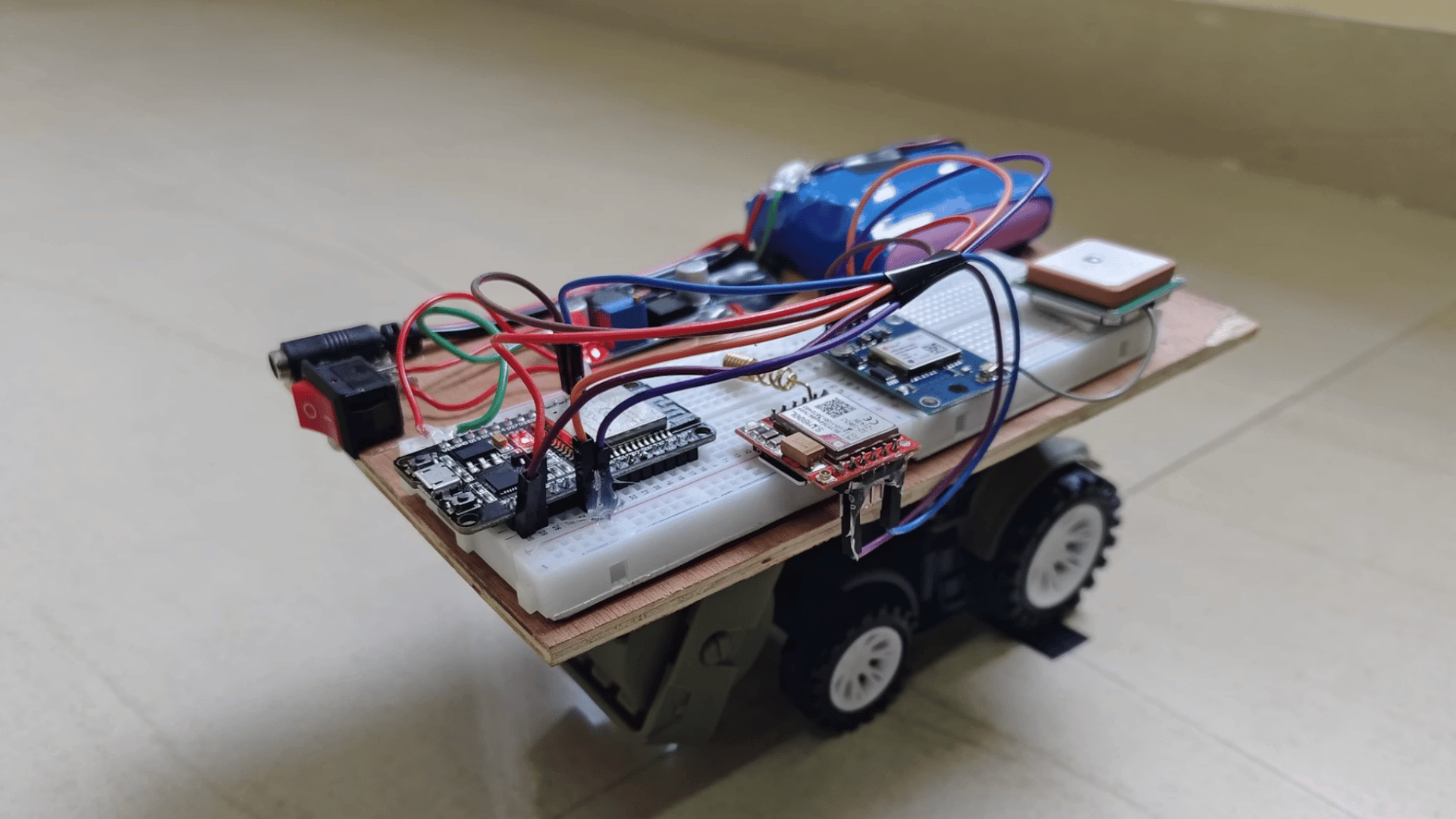
A line-following robot is one of the easiest robotics projects for beginners. It uses infrared sensors to detect a marked path and automatically adjusts its wheels to stay on course.
Most versions are built with an Arduino board, motor driver, and DC motors.
This project teaches sensor calibration, motor control, and basic programming while helping you understand how autonomous robots make simple navigation decisions without human input.
2. Obstacle-Avoiding Robot
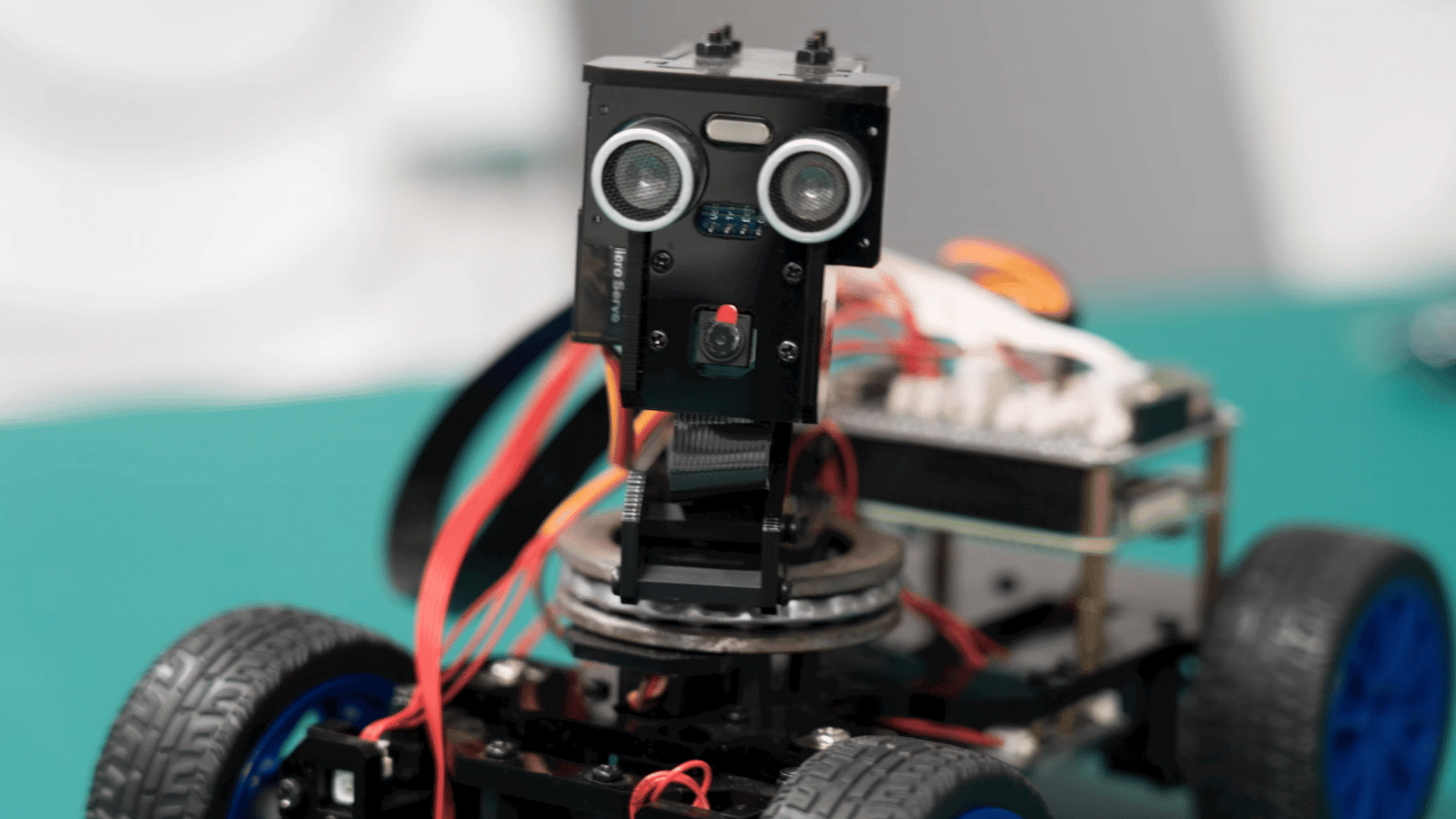
An obstacle-avoiding robot detects objects using ultrasonic or infrared sensors and changes direction before hitting them.
It is a practical project for learning how robots respond to their surroundings. You will work with sensors, motors, and an Arduino controller while building basic programming logic.
Once completed, you can improve the robot by adding faster movement, better navigation, or multiple sensors for greater accuracy.
3. Bluetooth-Controlled Robot Car
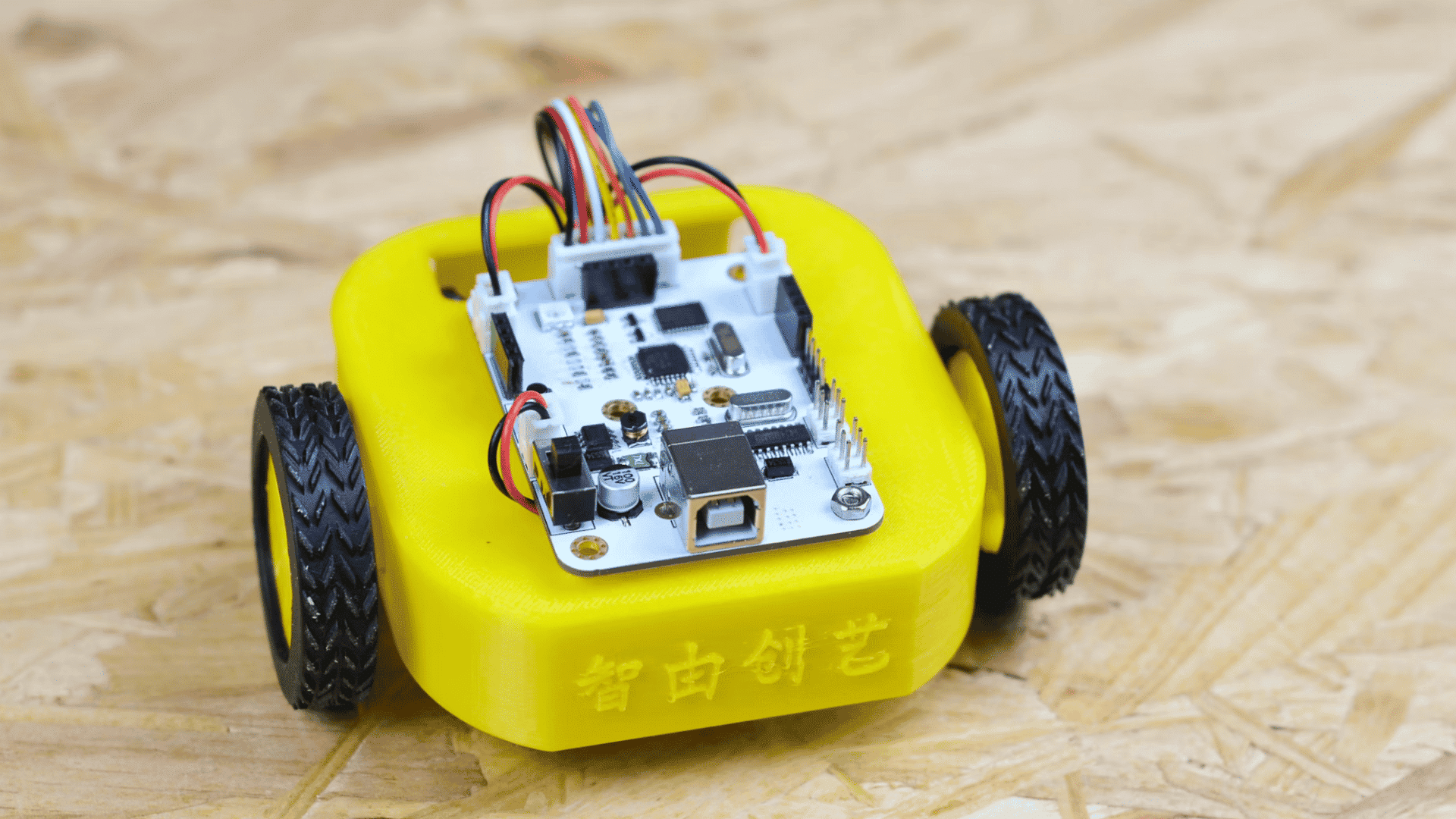
A Bluetooth-controlled robot car allows you to drive the robot from a smartphone using a Bluetooth connection.
It combines wireless communication with motor control, making it an engaging beginner project. Most builds use an Arduino or ESP32 board with a motor driver and Bluetooth module.
After completing the basic version, you can add features such as adjustable speed, LED lights, or obstacle detection for extra functionality.
4. Robotic Arm Using Servo Motors
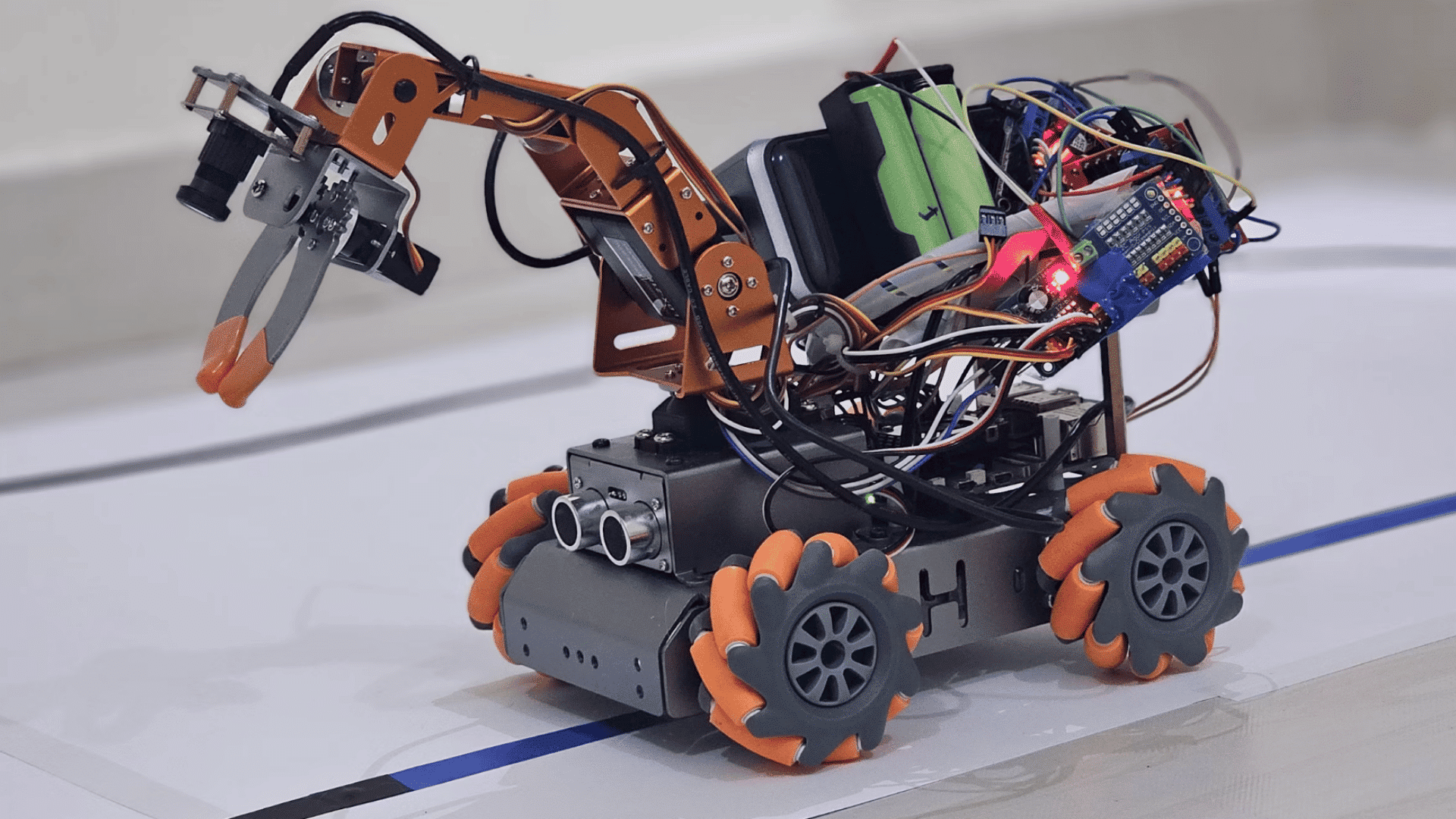
A robotic arm built with servo motors helps you learn how mechanical joints move with precision. Each servo controls a different section of the arm, allowing it to lift or grab lightweight objects.
The project introduces concepts such as angle control, movement coordination, and automation.
It is a useful stepping stone toward understanding industrial robotic arms used in factories, manufacturing, and automated production systems.
5. Smart Trash Collecting Robot
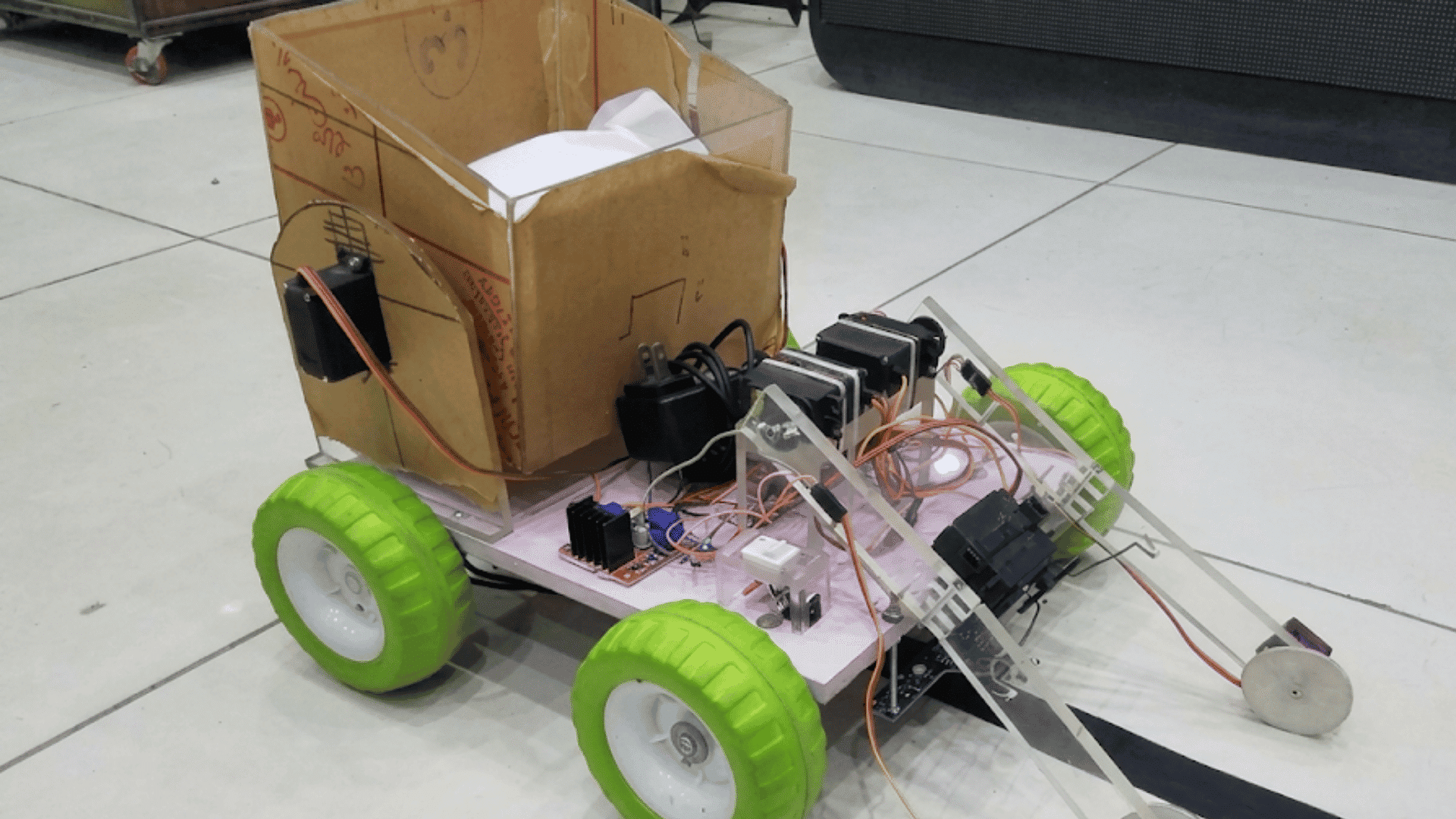
A smart trash-collecting robot is designed to automatically detect and collect small pieces of waste.
Beginner versions use simple sensors and a small gripper or collection mechanism controlled by an Arduino. This project combines movement, sensing, and object handling into a single build.
It also demonstrates how robotics can solve practical environmental challenges while improving programming, electronics, and mechanical design skills.
6. OpenBot Smartphone Robot
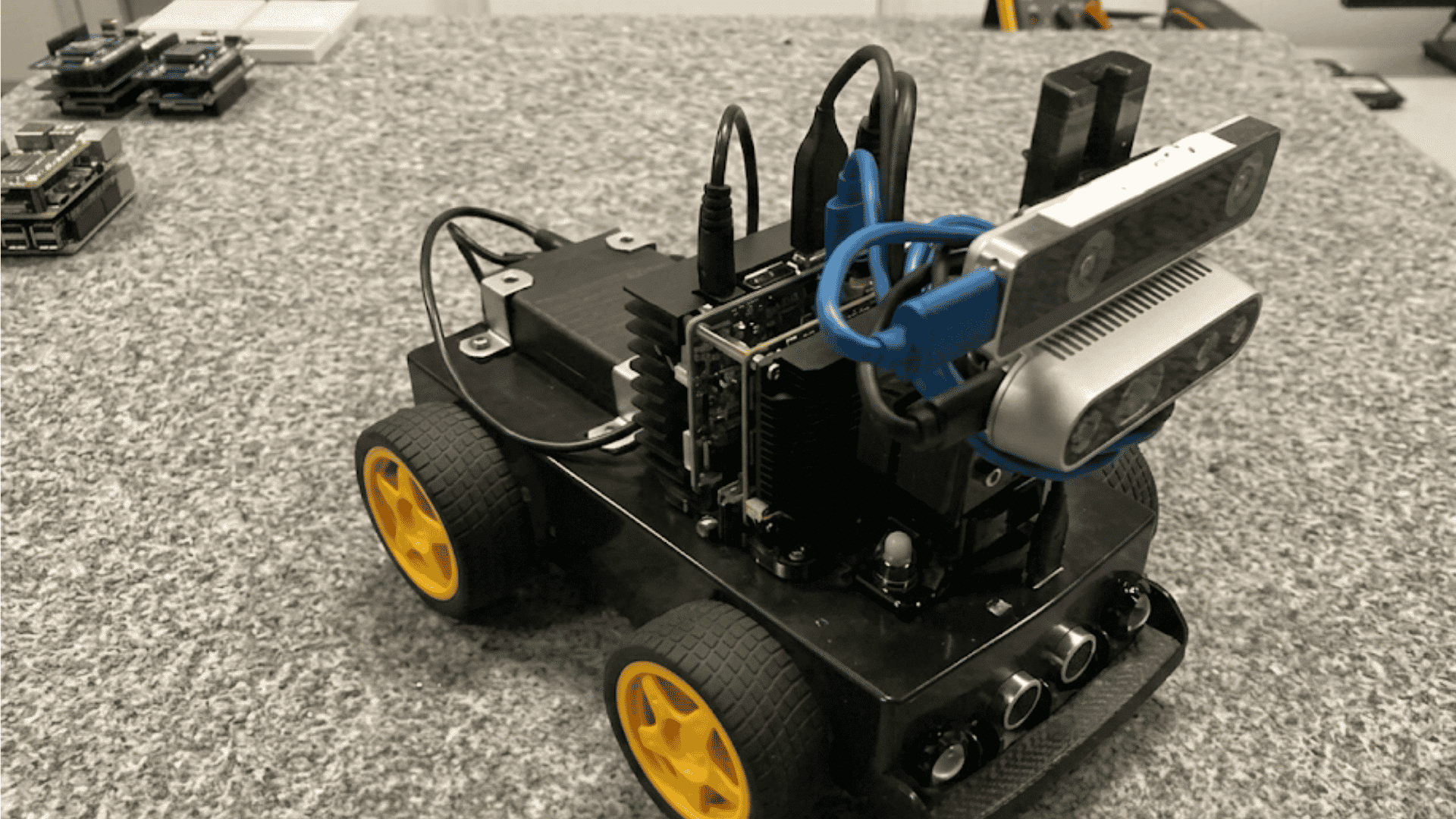
OpenBot turns an Android smartphone into the processing unit of a robot. The phone provides the camera and computing power, while a controller manages the motors.
This open-source project introduces computer vision and basic artificial intelligence without requiring costly hardware.
It is a great option for students who want to build smarter robots while using a device they may already own.
7. Arduino Open-Source Rover
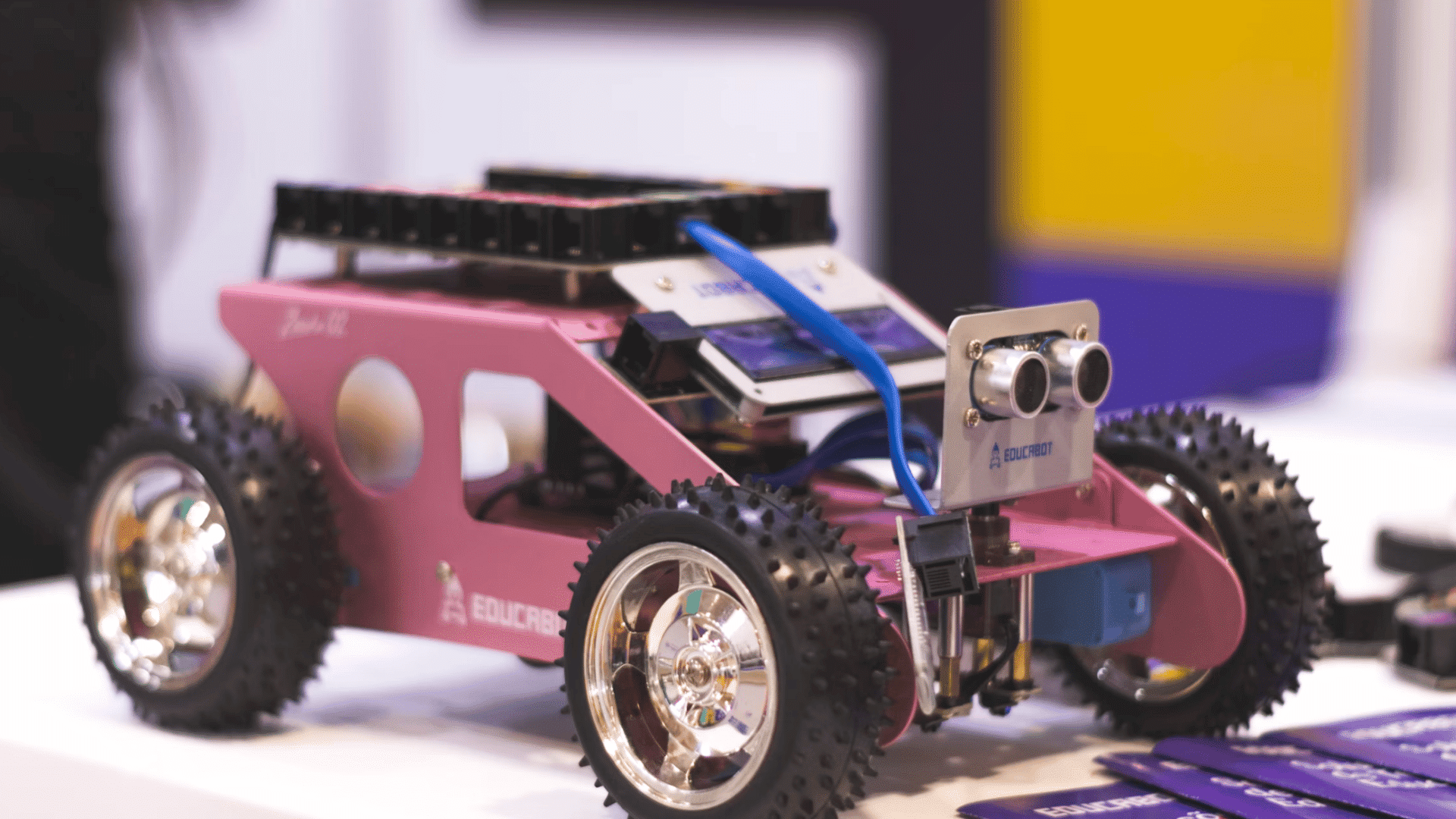
An Arduino open-source rover is a flexible robotics platform that you can customize as your skills improve. The basic version can be expanded with cameras, GPS modules, Bluetooth, or ultrasonic sensors.
Since many designs are open source, detailed instructions and community support are widely available.
This project helps you practice robotics step by step while building a robot that can continue to grow with new features.
8. ROS Mobile Robot
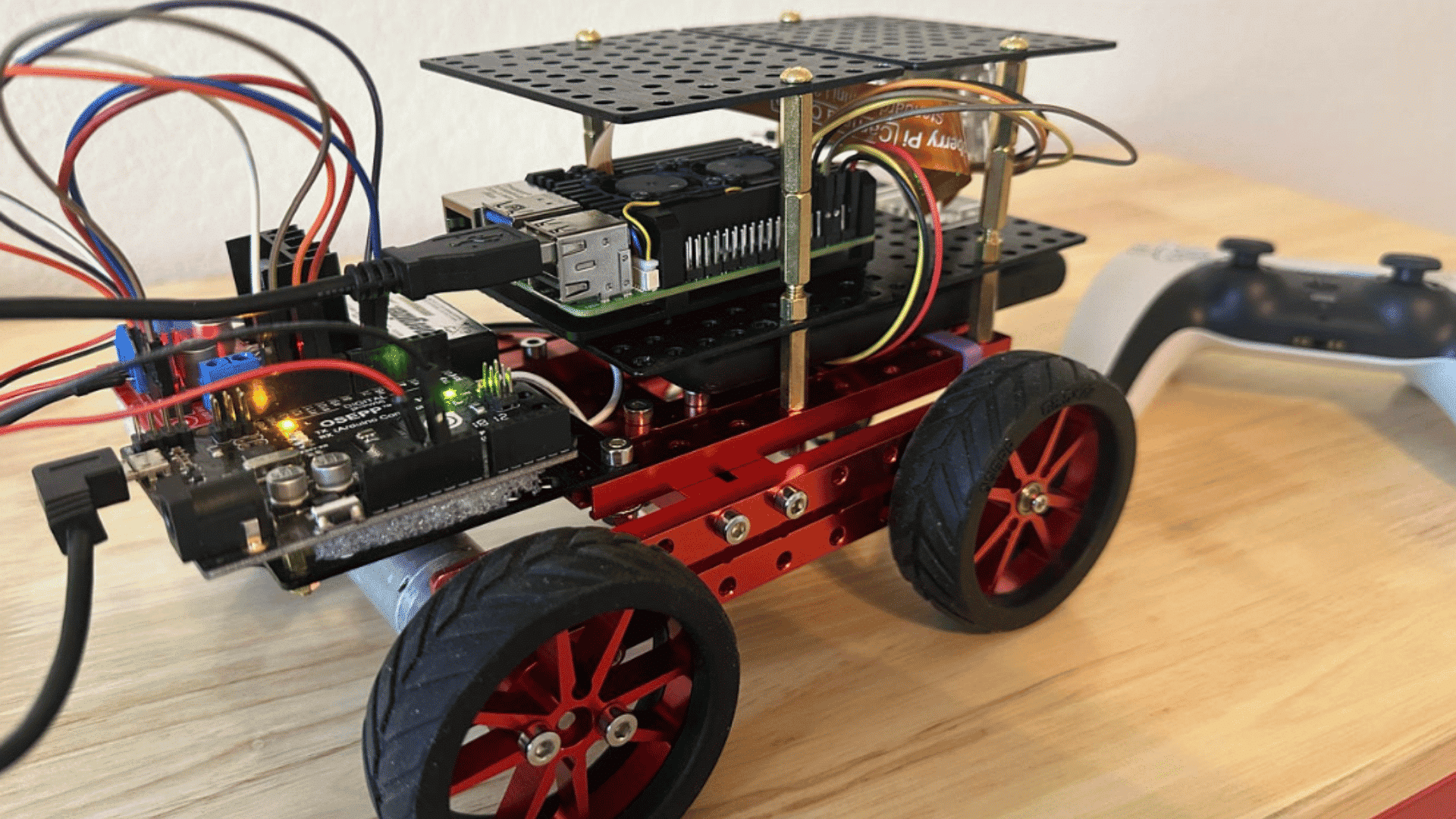
A ROS mobile robot uses the Robot Operating System to integrate sensors, motors, and software into a single system. Beginners can start with simple movement before learning navigation, mapping, and autonomous driving.
ROS is widely used in robotics research and commercial development, making it a valuable skill to learn.
This project introduces real-world robotics software while strengthening programming and system integration knowledge.
9. Raspberry Pi AI Robot
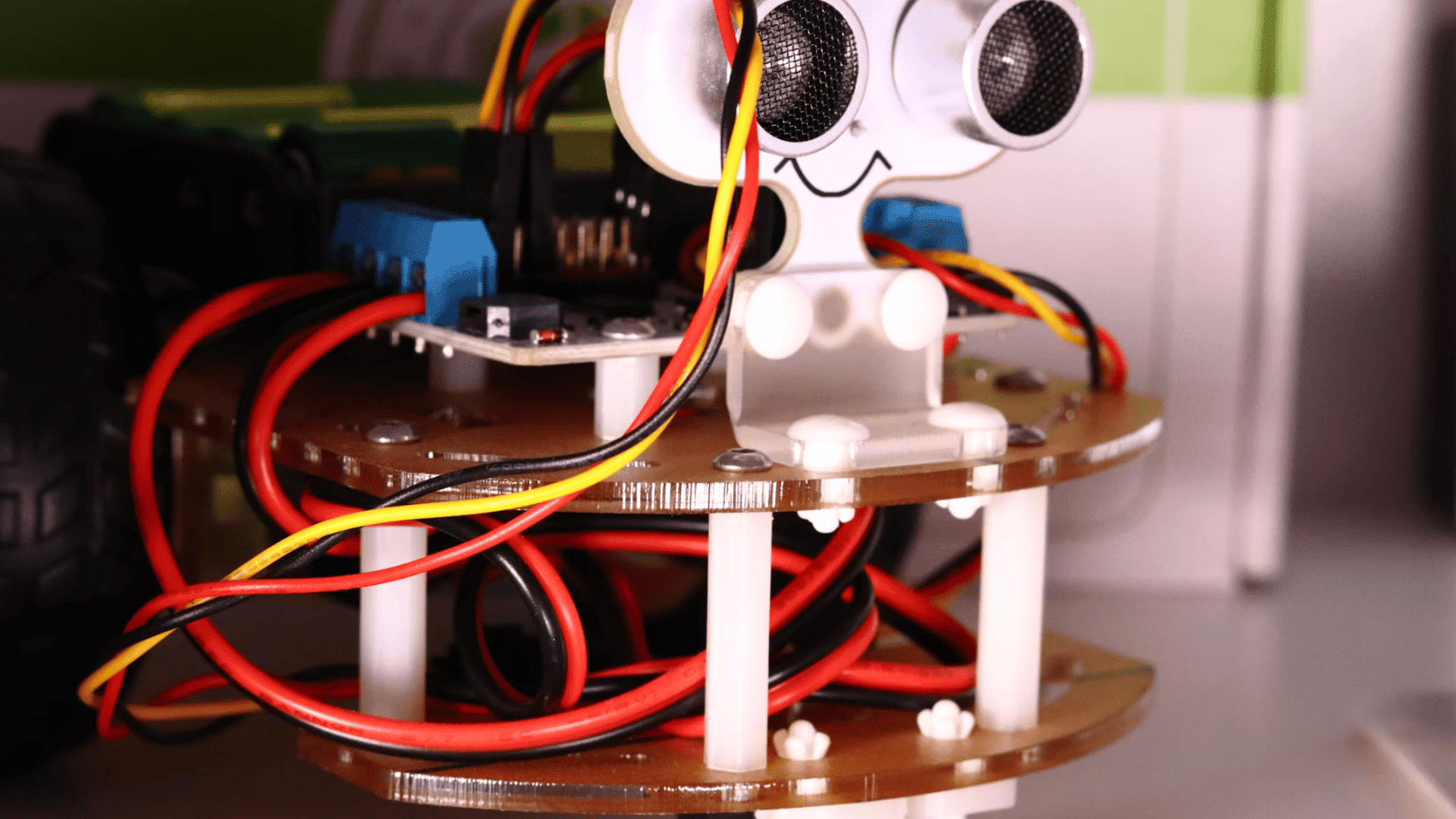
A Raspberry Pi AI robot combines robotics with artificial intelligence to perform tasks such as object recognition or voice interaction.
Using Python and a camera module, the robot can process images and respond to its surroundings.
This project builds on basic robotics knowledge while introducing machine learning and computer vision. It is an excellent choice for learners interested in intelligent automation and smart robotic systems.
10. SLAM Mapping Robot
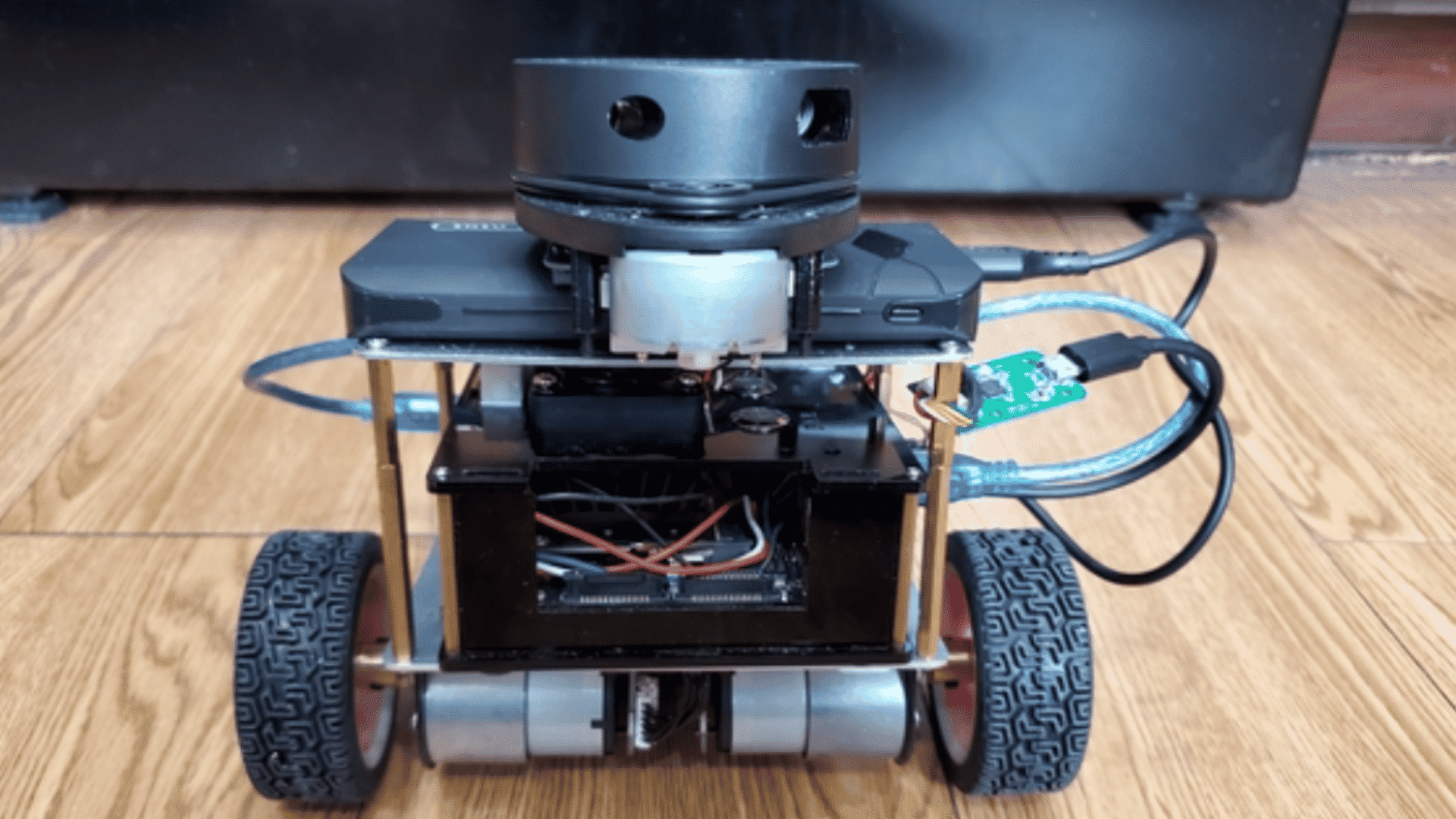
A SLAM mapping robot creates a map while tracking its own position inside an unfamiliar environment. It typically uses cameras, LiDAR, or depth sensors to gather information in real time.
Although more advanced than beginner projects, it introduces important robotics concepts used in self-driving vehicles and autonomous machines.
Building one improves your understanding of navigation, mapping, and environmental awareness technologies.
11. Bristlebot
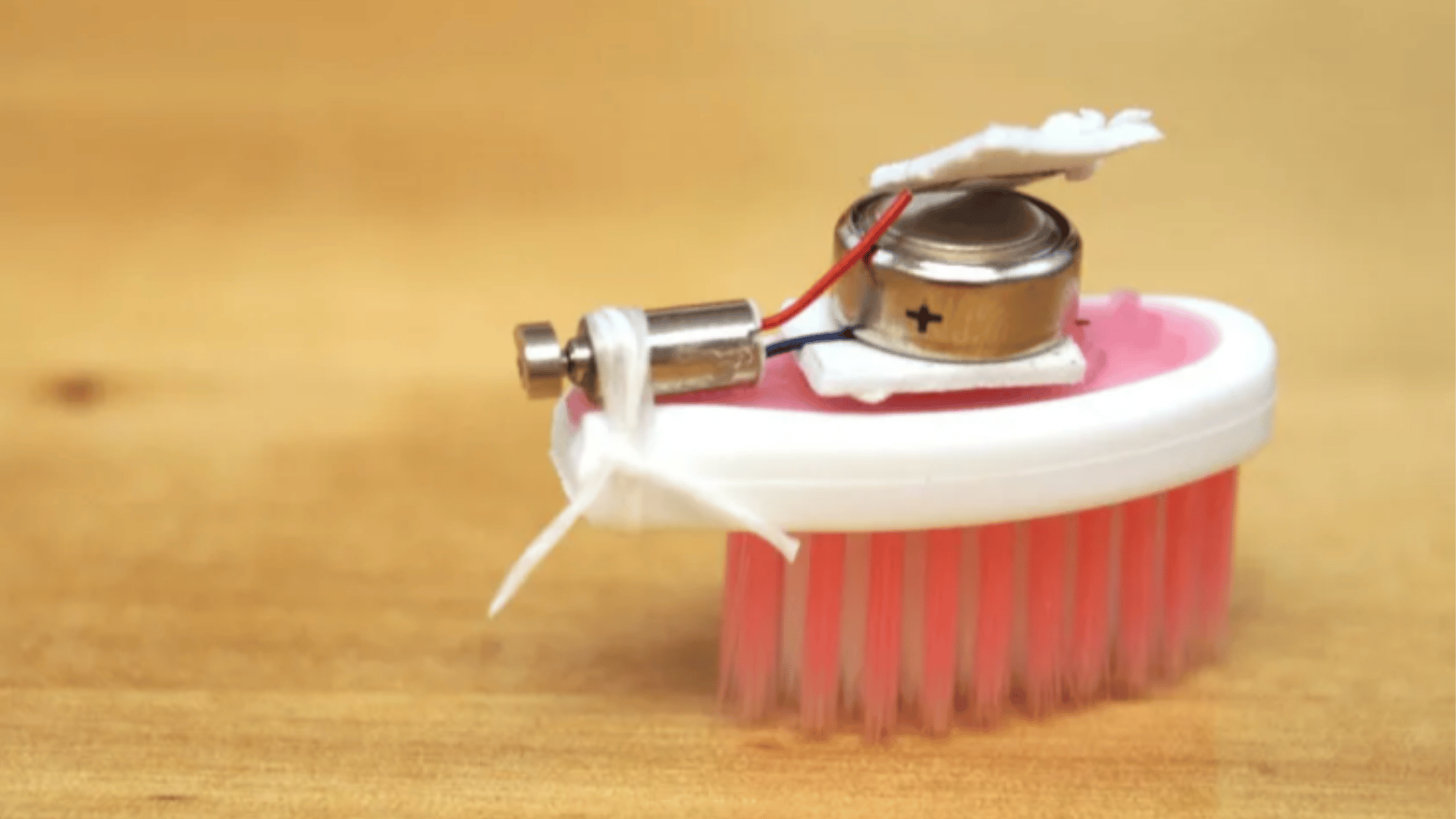
A bristlebot is a tiny robot made from a toothbrush head, a small vibrating motor, and a battery.
Instead of using wheels, it moves through vibration, making it one of the simplest robotics projects to build.
Its basic design demonstrates concepts such as balance, movement, and vibration. It is inexpensive, quick to assemble, and ideal for beginners of all ages.
12. Mini Drawing Robot
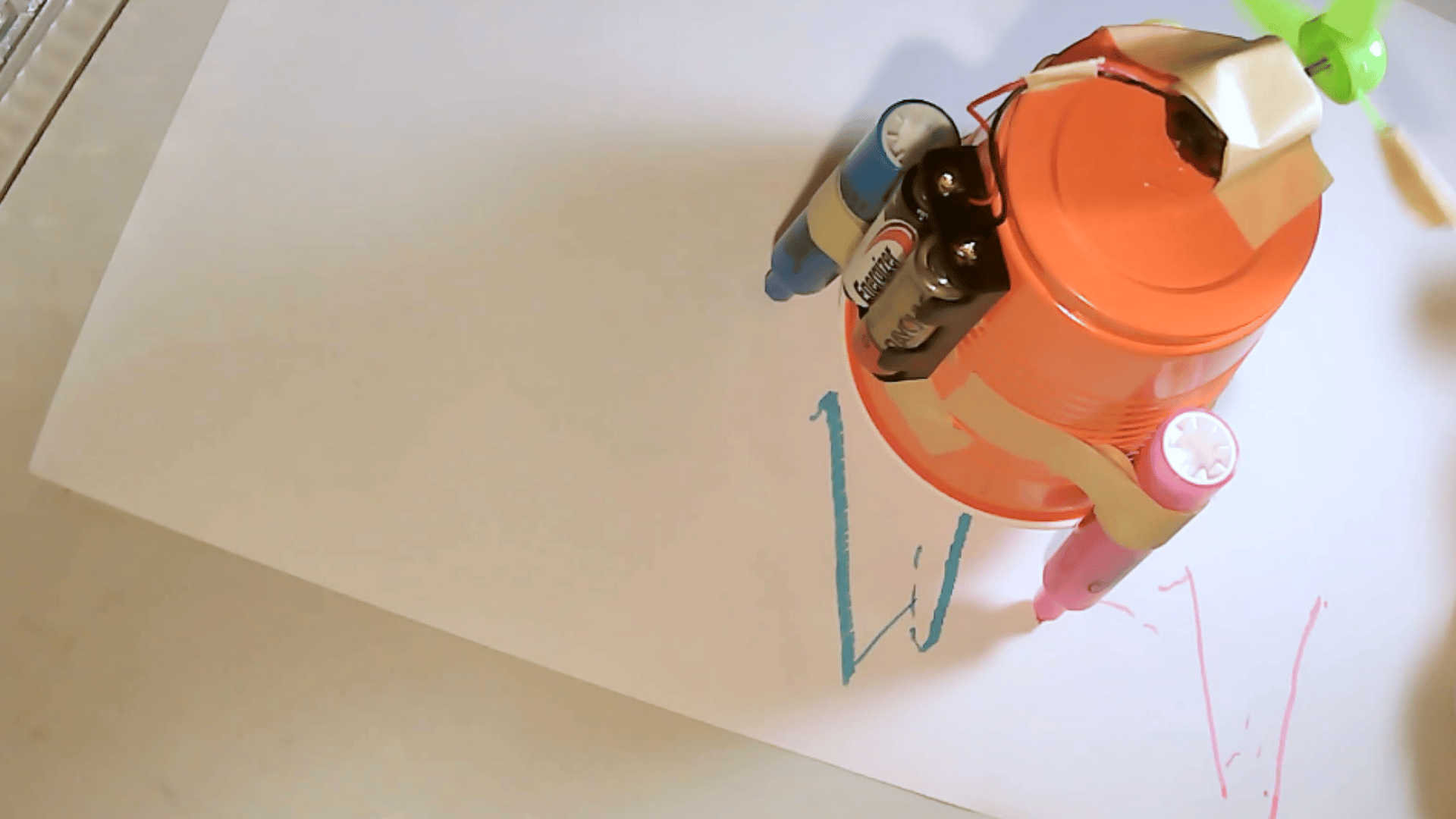
A mini drawing robot uses motors to move a pen and create simple shapes, patterns, or artwork. Most versions are powered by an Arduino and use servo motors for controlled movement.
This project teaches programming, motor synchronization, and movement accuracy while encouraging creativity.
It also demonstrates how automated machines perform consistent, repeatable tasks with precision, making it both educational and enjoyable to build.
13. Solar-Powered Simple Robot
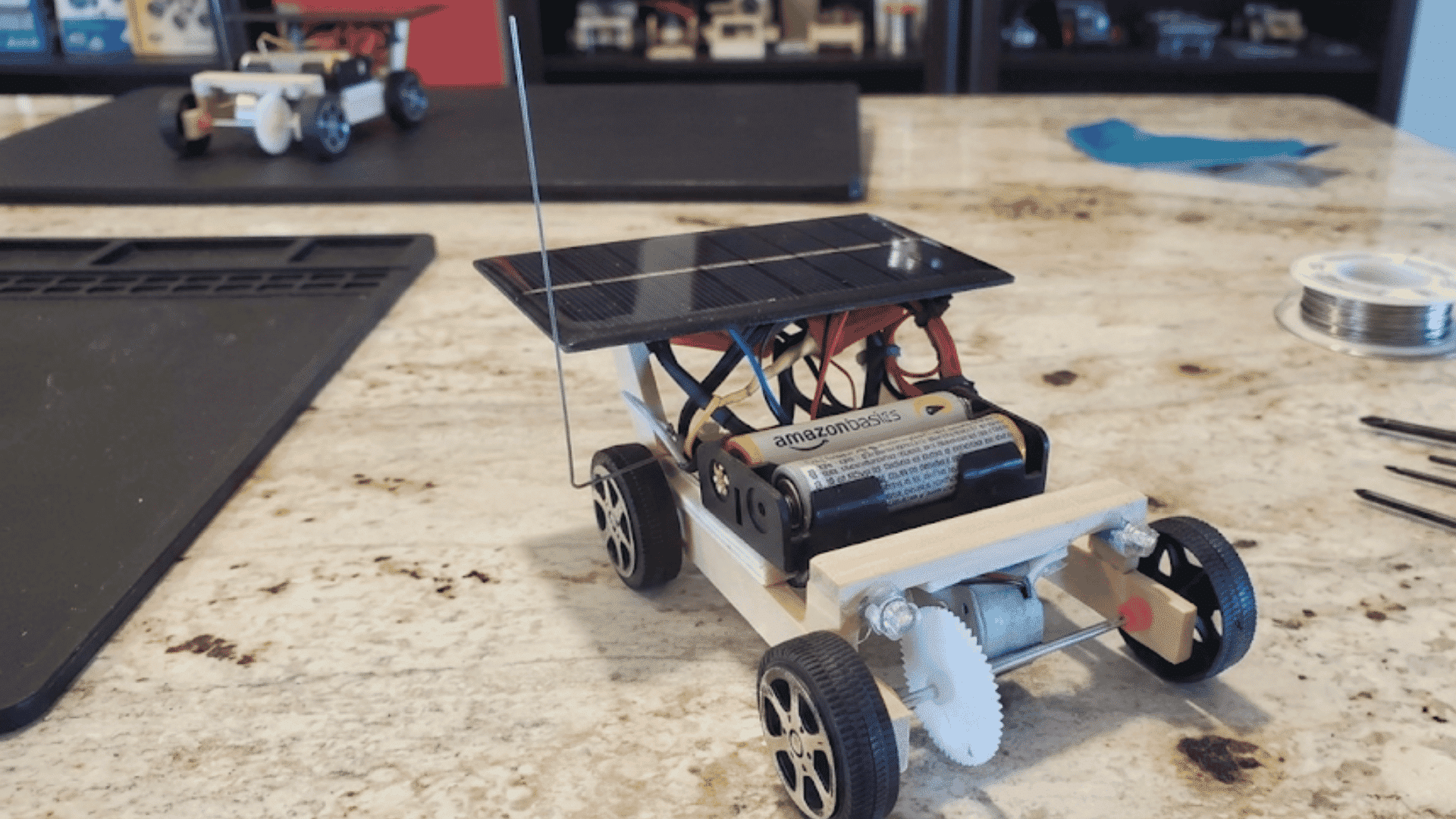
A simple, solar-powered robot operates on energy collected from a small solar panel rather than disposable batteries.
It introduces renewable energy concepts while teaching basic robotics and electronics. Many beginner designs move only in direct sunlight, making them fun outdoor science projects.
This build shows how clean energy can power small machines while helping you understand motors, circuits, and sustainable engineering ideas.
14. LED Light Following Robot
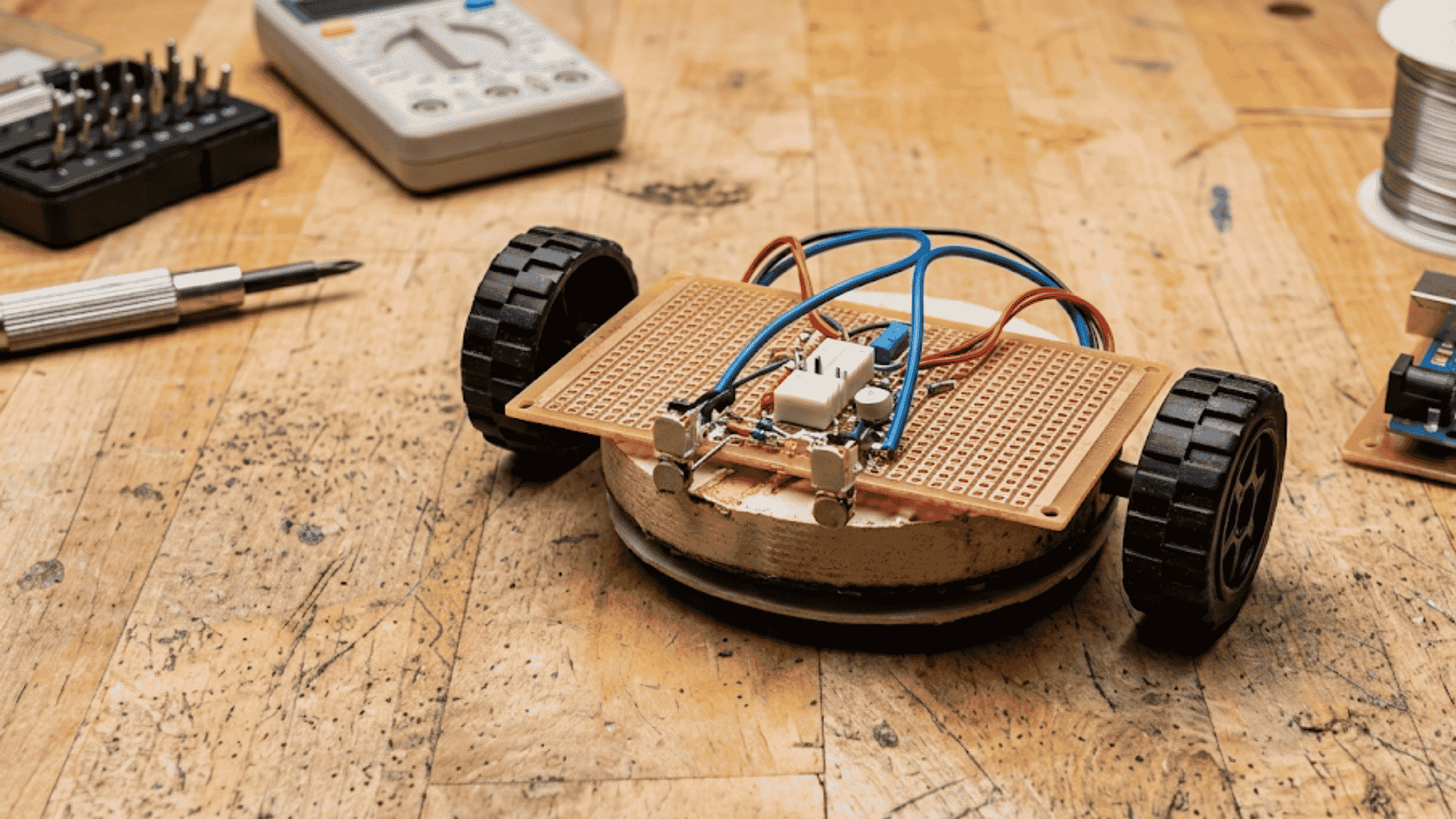
An LED light-following robot detects the brightest light source using photoresistors or other light sensors and automatically moves toward it.
The controller adjusts the motor speed based on changing light intensity.
This project teaches analog sensor readings, motor control, and basic autonomous programming.
It is a practical way to understand how robots react to environmental changes using simple electronic components and coding.
15. Arduino Starter Kit Robot
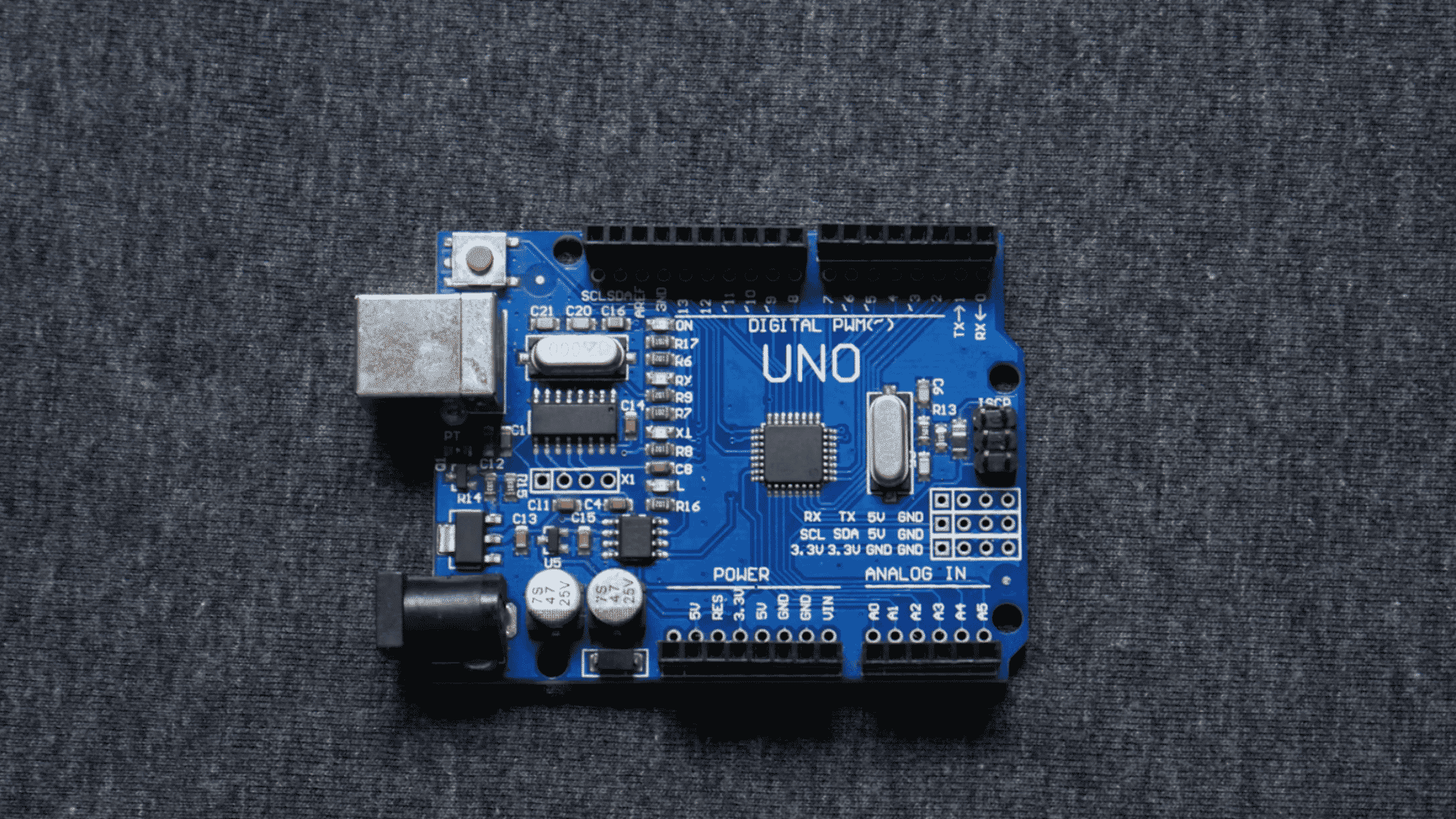
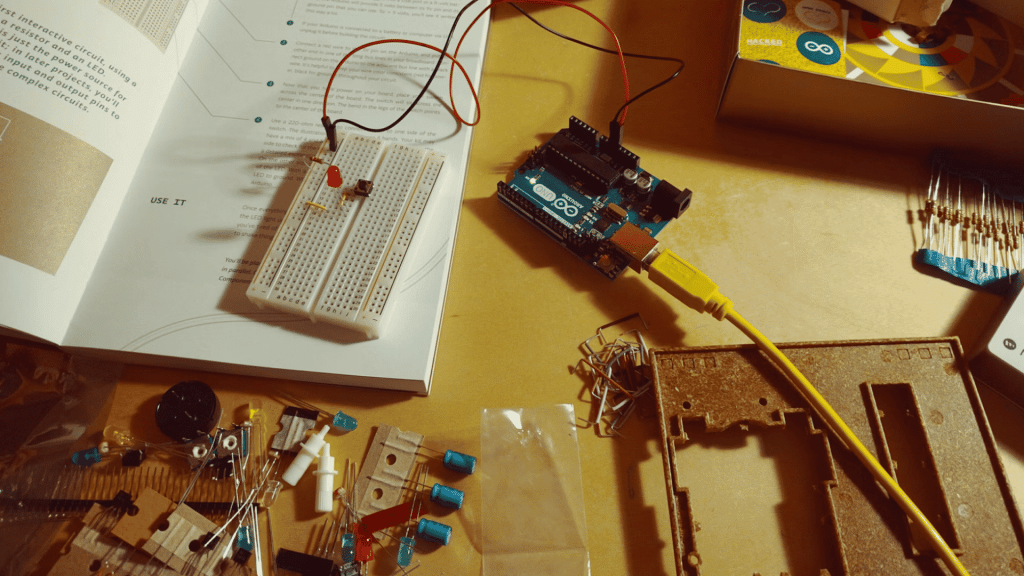
An Arduino starter kit robot combines beginner-friendly hardware into one versatile learning project. Most kits include motors, sensors, LEDs, buttons, and other components that can be connected in different ways.
You can begin with simple movement before adding advanced features like obstacle detection or remote control.
This project builds a strong foundation in robotics while preparing you for more challenging DIY robot designs in the future.
Common Challenges in Robotics Projects
Even well-planned robotics projects can run into problems during building or testing. Knowing the most common challenges helps you troubleshoot faster and complete your robot with fewer setbacks.
- Incorrect Wiring: Loose or misplaced wires can prevent sensors, motors, or controllers from working properly. Double-check every connection before powering the robot.
- Programming Errors: Small coding mistakes can stop a robot from moving or responding correctly. Test each function separately to quickly identify and fix errors.
- Power Supply Issues: Weak batteries or an unsuitable power source may cause random shutdowns or poor motor performance. Always use the recommended voltage for your components.
- Sensor Calibration Problems: Sensors may produce inaccurate readings if they are not calibrated correctly. Test them under different conditions and adjust the settings as needed.
- Mechanical Alignment: Misaligned wheels, gears, or other moving parts can reduce performance or damage components. Make sure everything is securely fitted before testing.
- Component Compatibility: Some modules may not work together without additional libraries or proper voltage matching. Check compatibility before purchasing or assembling your robot.
- Limited Testing: Skipping test runs can make small problems harder to identify later. Test the robot after each major step to catch issues early.
Where to Find More Robotics Projects and Resources?
The right learning platform can make robotics easier to understand and more enjoyable to build.
| Platform | Best For | Cost |
|---|---|---|
| GitHub | Accessing open-source robotics code, software libraries, and complete project files shared by developers worldwide. | Free |
| Arduino Project Hub | Beginner-friendly DIY robotics tutorials with wiring diagrams, sample code, and step-by-step instructions. | Free |
| Hackster.io | Community-created robotics projects covering Arduino, Raspberry Pi, AI, IoT, and automation ideas. | Free |
| Instructables | Detailed build guides with photos, materials lists, and clear instructions for DIY robot projects. | Free |
| ROS Community | Learn Robot Operating System (ROS), autonomous navigation, and advanced robotics development through official documentation and forums. | Free |
Skills You Learn from Robotics Projects
Building robotics projects develops both technical knowledge and practical problem-solving abilities, helping you gain hands-on experience in engineering, programming, and automation.
- Programming Skills: Learn to write code that controls motors, sensors, and robot behavior using platforms like Arduino or Python.
- Electronics Knowledge: Understand circuits, wiring, power management, and how electronic components work together.
- Mechanical Design: Build and assemble robot structures while learning about gears, motors, and movement mechanisms.
- Problem-Solving: Identify faults, test solutions, and improve robot performance through troubleshooting and iteration.
- Sensor Integration: Connect and calibrate sensors to help robots detect obstacles, light, distance, and environmental changes.
- Project Management: Plan builds, organizes components, manages costs, and completes projects in a structured, step-by-step manner.
Average Cost of Building Robotics Projects
Building costs vary depending on the components, sensors, and controller you choose. This table provides average DIY costs for popular robotics projects.
| Robotics Project | Average Cost |
|---|---|
| Bristlebot | $5–$15 |
| Solar-Powered Simple Robot | $10–$30 |
| Line Following Robot | $20–$50 |
| LED Light Following Robot | $20–$50 |
| Arduino Starter Kit Robot | $40–$100 |
| Obstacle-Avoiding Robot | $30–$90 |
| Mini Drawing Robot | $25–$80 |
| Bluetooth-Controlled Robot Car | $40–$120 |
| Robotic Arm Using Servo Motors | $80–$250 |
| Smart Trash Collecting Robot | $150–$500 |
| Arduino Open-Source Rover | $80–$250 |
| OpenBot Smartphone Robot | $60–$180 |
| Raspberry Pi AI Robot | $200–$700 |
| ROS Mobile Robot | $500–$2,000+ |
| SLAM Mapping Robot | $1,000–$5,000+ |
Tips for Completing Robotics Projects Successfully
A few good habits can make your robotics projects easier to build and troubleshoot. These practical tips help you avoid common setbacks and improve your results.
- Plan Before You Build: Review the circuit diagram, components, and code before starting to reduce mistakes during assembly.
- Build One Step at a Time: Complete and test each section before adding new components, making troubleshooting much easier.
- Use Quality Components: Reliable motors, sensors, and cables improve performance and reduce unexpected hardware failures.
- Keep Your Wiring Organized: Label or bundle wires neatly to prevent loose connections and simplify future repairs or upgrades.
- Test Frequently: Check motors, sensors, and code after every major step to identify problems before they become difficult to fix.
- Save Backup Copies of Your Code: Keep updated versions of your programs so you can restore a working build if needed.
- Learn From the Community: Use forums, tutorials, and open-source projects to solve problems and discover better building techniques.
Robotics Projects at a Glance
Choosing the right robotics project is easier when you compare your skill level with the project type. Use this table to find a build that matches your experience and learning goals.
| Robotics Project | Difficulty |
|---|---|
| Line Following Robot | Beginner |
| Obstacle-Avoiding Robot | Beginner |
| Bluetooth Controlled Robot Car | Intermediate |
| Robotic Arm Using Servo Motors | Intermediate |
| Smart Trash Collecting Robot | Advanced |
| OpenBot Smartphone Robot | Beginner |
| Arduino Open-Source Rover | Intermediate |
| ROS Mobile Robot | Advanced |
| Raspberry Pi AI Robot | Advanced |
| SLAM Mapping Robot | Advanced |
| Bristlebot | Beginner |
| Mini Drawing Robot | Beginner |
| Solar-Powered Simple Robot | Beginner |
| LED Light Following Robot | Beginner |
| Arduino Starter Kit Robot | Beginner |
Common Mistakes to Avoid when Building a Simple Robot
Even simple robotics projects can become frustrating without proper planning. Avoid these common mistakes to build a robot that performs reliably and is easier to improve.
- Starting with Projects That Are Too Advanced: Beginning with complex robots can feel overwhelming. Start with basic builds to develop confidence and essential robotics skills first.
- Buying Incompatible Components: Always verify that sensors, motors, controllers, and power supplies are compatible before purchasing to avoid connection problems.
- Ignoring Power and Battery Requirements: Using the wrong battery voltage or capacity can reduce performance, damage components, or cause unexpected shutdowns.
- Skipping Testing During Assembly: Test each component after installation instead of waiting until completion. Early testing makes troubleshooting much faster and easier.
- Poor Wire Management: Organize and secure wires neatly to prevent loose connections, accidental shorts, and maintenance difficulties while improving your robot’s overall reliability.
- Not Documenting Code and Circuit Changes: Record programming updates and wiring modifications throughout the project to simplify debugging and future improvements.
Conclusion
Robotics projects are a great way to build practical STEM skills through hands-on learning. Every project teaches programming, electronics, mechanical design, or problem-solving in a useful way.
Start with a simple robot that matches your current experience, rather than choosing something too complex.
Many of these same skills are used in the development of autonomous robots, which can navigate and complete tasks with little or no direct human control.
As your skills improve, move toward Arduino, Raspberry Pi, AI, and open-source robotics projects with more advanced features.
Each completed build gives you more confidence for the next one. Choose one robotics project from this list, gather your parts, and start building your first simple robot today.
Frequently Asked Questions
Could a Robot Cry?
Some robots can imitate crying using sounds, facial expressions, or artificial tears. However, they do not experience real emotions or cry in response to them.
What Are the 7 Biggest Challenges in Robotics?
Major robotics challenges include perception, power efficiency, human-robot interaction, AI decision-making, and the development of affordable, reliable systems for real-world use.
Is C or C++ Used in Robotics?
Yes. C and C++ are widely used in robotics because they offer high performance, low-level hardware control, and compatibility with platforms such as ROS and Arduino.