Many businesses today rely on digital tools to stay fast, flexible, and connected. I’ve seen how technology changes the way companies work, especially when teams need secure access to data from anywhere.
That’s where cloud computing becomes useful. In this article, I’ll explain the main benefits of cloud computing in simple terms.
You’ll learn how it can reduce costs, improve teamwork, increase security, and support business growth.
I’ll also cover common challenges and considerations before choosing a cloud solution.
By the end, you’ll have a clear idea of how cloud computing can help you or your business work smarter and stay competitive in today’s digital world.
What Is Cloud Computing?
Cloud computing is the delivery of computing services such as storage, software, databases, and servers through the internet.
It allows users to access data and applications from anywhere without depending on physical devices or local servers.
Cloud computing has changed how businesses and individuals manage technology. Instead of buying expensive hardware or storing data on a single computer, users can access everything online through cloud platforms.
This makes work faster, more flexible, and easier to manage. Companies use cloud computing to improve teamwork, reduce IT costs, and safely store important information.
Popular cloud services like Google Drive, Microsoft Azure, and Amazon Web Services (AWS) are widely used around the world for daily business and personal tasks.
Many of these tools work alongside business management software to help companies run their operations from one central place
Why Businesses Are Moving to the Cloud?
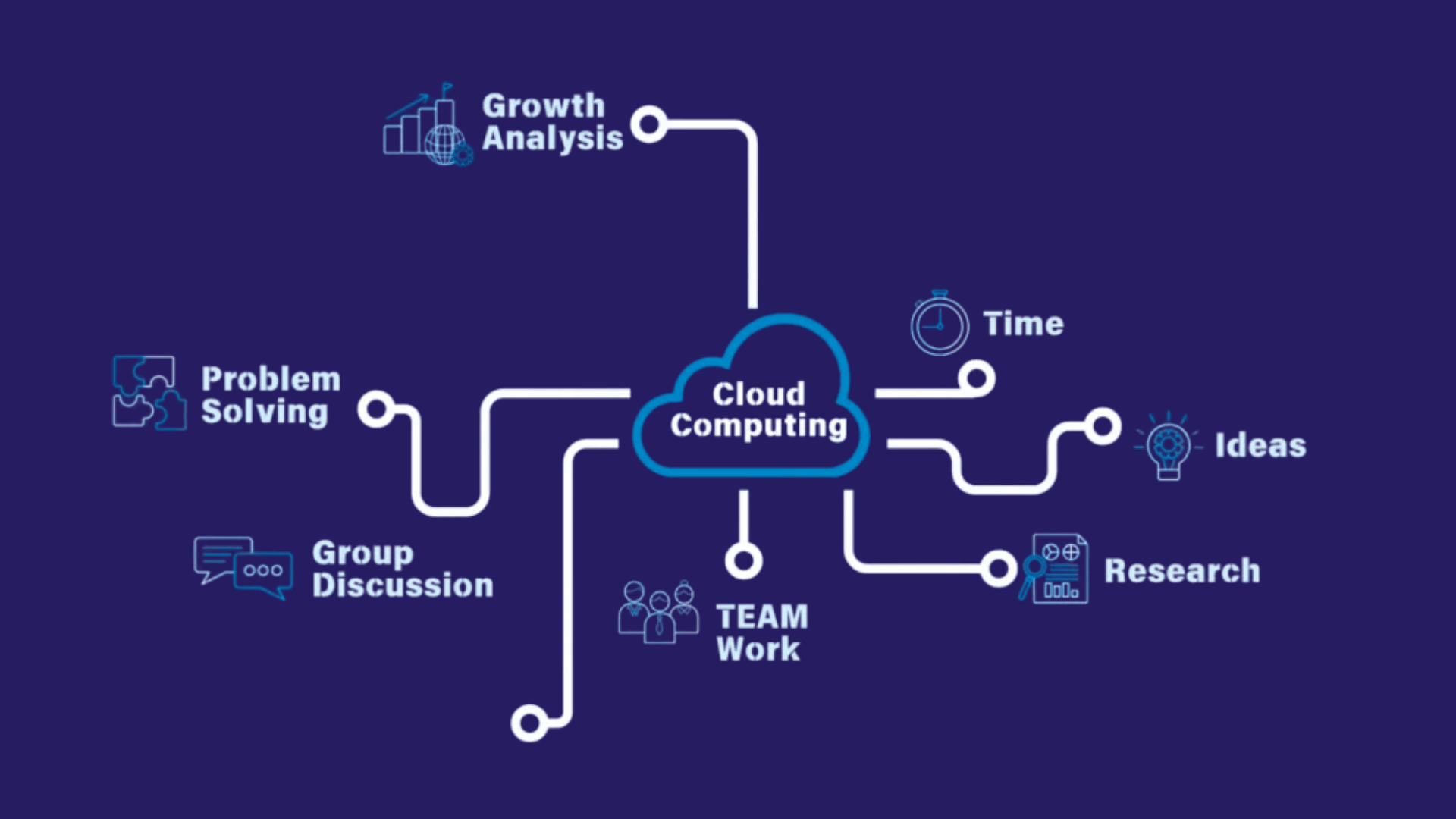
Businesses are moving to the cloud because it offers better flexibility, lower costs, and easier access to data and applications.
- Lower Costs: Cloud computing reduces the need for expensive hardware, maintenance, and IT infrastructure, helping businesses save money.
- Easy Remote Access: Employees can access files, applications, and data from anywhere with an internet connection, making remote work simpler.
- Better Scalability: Businesses can quickly scale up or down resources as needed without buying new equipment.
- Improved Data Security: Many cloud providers offer advanced security features, regular updates, and backup systems to protect business data.
- Faster Collaboration: Teams can work on the same files and projects in real time, improving communication and productivity.
- Automatic Updates: Cloud services automatically update software and systems, reducing manual work and keeping technology current.
- Reliable Data Backup: Cloud platforms help businesses recover data quickly during system failures or cyberattacks.
What Are Cloud Computing Essentials Unlock Benefits?
Cloud computing helps businesses improve flexibility, reduce costs, and manage data more efficiently. It also supports remote work, better security, and faster business growth in today’s digital world.
1. Cost Savings
One of the biggest benefits of cloud computing is lower business costs. Companies no longer need to spend large amounts on physical servers, storage devices, or IT maintenance.
Cloud services operate on a pay-as-you-go model, meaning businesses pay only for the resources they use.
This helps small and large businesses manage their budgets more effectively. It also reduces electricity, upgrade, and repair expenses.
By lowering infrastructure costs, businesses can invest more in growth, marketing, and customer service rather than in expensive technology systems.
2. Better Flexibility and Scalability
Cloud computing gives businesses the flexibility to scale resources up or down as needed. Companies can quickly scale storage, software, or computing power based on business demands without buying new hardware.
This helps during busy seasons or fast growth. Employees can also access files and apps from different devices and locations for more flexible work.
I’ve seen cloud solutions quickly fix storage and slow system issues during peak workloads.
Businesses can respond faster to market changes and customer needs.
This level of scalability helps companies remain efficient while avoiding the risks of overspending on unnecessary infrastructure or technology.
3. Improved Data Security
Many cloud service providers offer strong security systems to protect sensitive business data. Features like data encryption, firewalls, multi-factor authentication, and automatic updates help reduce cybersecurity risks.
Cloud platforms also provide regular backups, which help businesses recover important information during system failures or cyberattacks.
In many cases, cloud security is more advanced than traditional local storage systems. Businesses can also control who has access to files and applications, improving data management.
Better security not only protects company information but also builds trust with customers and clients.
4. Enhanced Team Collaboration
Cloud computing makes teamwork easier by allowing employees to access and share files in real time.
Team members can work on the same document from different locations without sending multiple versions of the file via email. This improves communication, saves time, and increases productivity.
Cloud-based tools also support video meetings, project management, and instant updates, helping teams stay connected.
Remote and hybrid work environments benefit greatly from cloud collaboration features.
Businesses can complete projects faster and improve workflow efficiency while keeping employees connected, no matter where they work.
5. Reliable Backup and Disaster Recovery
Cloud computing helps businesses protect important data through automatic backups and disaster recovery systems.
If a company experiences hardware failure, accidental deletion, or a cyberattack, cloud platforms can quickly restore lost information.
This reduces downtime and helps businesses continue operations with fewer disruptions.
A colleague once lost important files in a system crash, so they now rely on cloud backups for better security.
Reliable recovery options are important for businesses that handle customer information, financial records, or daily operations online.
A strong backup system improves business continuity and reduces the risk of major data loss.
6. Easy Remote Access
Cloud computing allows employees to access business files, applications, and systems from anywhere with an internet connection. This makes remote and hybrid work much easier and more efficient.
Employees can use laptops, tablets, or smartphones to stay connected while traveling or working from home.
Easy access improves productivity because teams can continue working without being limited to one office location.
Businesses also benefit from faster communication and smoother operations. Cloud access helps companies stay flexible while giving employees a better work-life balance.
7. Automatic Software Updates
Cloud service providers regularly update software, security systems, and applications automatically. Businesses do not need to spend extra time or money on manual updates or system maintenance.
Automatic updates help companies use the latest features, improve system performance, and reduce security risks caused by outdated software.
I’ve read reviews saying automatic updates reduce downtime and keep operations running smoothly.
Cloud computing keeps systems secure and updated, helping businesses reduce problems and run smoothly.
Five Security Checks Before You Migrate
These are the checks I walk clients through before any migration project begins. Each one addresses a category of risk that shows up repeatedly in post-breach reviews.
- Data classification: Know exactly which data is sensitive before deciding where it lives. Not all data belongs in the same place.
- Identity and access management: Apply least-privilege principles from day one. Every over-permissioned account is a risk.
- Encryption at rest and in transit: Confirm your provider encrypts data by default, and verify your team controls the encryption keys.
- Audit logging: Enable logging before anything else. You cannot investigate what you did not record.
- Compliance requirements: Industries like healthcare (HIPAA) and finance (SOC 2, PCI-DSS) have specific cloud compliance obligations. Map these before choosing a provider.
Different Types of Cloud Computing Services
Cloud computing services are divided into different types based on how businesses use technology and manage operations. Each service offers unique features that enhance flexibility, storage capacity, and software access.
| Cloud Service Type | Description | Common Example |
|---|---|---|
| Infrastructure as a Service (IaaS) | IaaS provides virtual servers, storage, and networking over the internet. Businesses can manage their own applications without buying physical hardware. | Amazon Web Services (AWS), Microsoft Azure |
| Platform as a Service (PaaS) | PaaS offers a platform where developers can build, test, and manage applications without handling infrastructure management. | Google App Engine, Heroku |
| Software as a Service (SaaS) | SaaS delivers software applications through the internet, allowing users to access tools without installing them locally. | Google Workspace, Microsoft 365 |
| Function as a Service (FaaS) | FaaS allows developers to run code for specific tasks without managing servers or infrastructure. | AWS Lambda, Azure Functions |
| Storage as a Service | This service provides online data storage solutions that businesses can access anytime from any device. | Google Drive, Dropbox |
What Should You Not Move to the Cloud?
Not everything should move to the cloud. Businesses should avoid storing highly sensitive data in the cloud if they do not fully trust the provider’s security system.
Some companies also keep old systems and special software on local servers because cloud platforms may not support them properly.
Large files that need constant internet access can also cause delays and higher costs.
In some cases, industries with strict legal rules may need to keep certain records stored locally to meet privacy laws.
Companies should also avoid moving systems that require very fast response times or nonstop access. Internet outages can affect cloud-based work and slow down daily tasks.
Before moving to the cloud, businesses should review their budget, security, and daily needs carefully.
Challenges Businesses May Face with Cloud Computing
While cloud computing offers many advantages, businesses may also face a few challenges during adoption and daily use. Understanding these issues helps companies plan better and reduce potential risks.
- Data Security Concerns: Businesses may worry about storing sensitive information online and protecting it from cyber threats or unauthorized access.
- Internet Dependency: Cloud services require a stable internet connection; poor connectivity can impair access to files and applications.
- Downtime Risks: Technical issues or server outages from cloud providers can temporarily disrupt business operations and productivity.
- Limited Control: Companies may have less control over infrastructure, updates, and system management compared to traditional in-house systems.
- Migration Challenges: Moving existing data and applications to the cloud can take time, planning, and technical expertise.
- Ongoing Subscription Costs: Although cloud computing reduces hardware expenses, monthly or yearly subscription fees can increase over time.
- Compliance and Legal Issues: Some businesses must follow strict data privacy rules, which can make cloud storage and management more complex.
Future of Cloud Computing for Modern Businesses
The future of cloud computing looks strong as more businesses continue moving their operations online. Modern companies need flexible, secure, and fast technology solutions, and cloud computing helps meet those demands.
In the coming years, businesses will rely more on cloud platforms for data storage, remote work, artificial intelligence, and advanced analytics.
Cloud technology also improves automation, helping companies work faster and reduce manual tasks.
As cybersecurity becomes more important, cloud providers will continue developing stronger security systems to protect business data.
With continuous innovation and growing digital needs, cloud computing will remain an important part of business growth, efficiency, and long-term success across different industries worldwide
How to Choose the Right Cloud Solution?
Choosing the right cloud solution depends on your business size, budget, security needs, and daily operations. A good cloud service should improve performance, protect data, and support future business growth.
- Understand Business Needs: Identify what your business needs most, such as storage, collaboration tools, security, or application hosting.
- Check Security Features: Choose a cloud provider that offers strong security, data encryption, backups, and access control features.
- Compare Pricing Plans: Review pricing models carefully to find a solution that fits your budget without hidden costs.
- Look for Scalability: Select a cloud service that can scale with your business and easily handle increasing workloads.
- Evaluate Customer Support: Reliable technical support is important for solving issues quickly and reducing downtime.
- Review Performance and Reliability: Check the provider’s uptime record, speed, and overall service reliability before making a decision.
- Ensure Easy Integration: Make sure the cloud platform works smoothly with your existing software, tools, and business systems.
Conclusion
Cloud computing is no longer just a trend. It has become an important part of how modern businesses work, grow, and stay competitive. From saving costs to improving teamwork and data security, the benefits are hard to ignore.
I believe the right cloud solution can simplify daily operations and help businesses focus more on growth rather than managing complex systems.
At the same time, choosing the right provider is important for long-term success.
If you are planning to move your business to the cloud, start by carefully understanding your goals and business needs.
Every business is different, and the right approach can make a big difference. Share your experience or questions in the comments below and join the conversation.
Frequently Asked Questions
Can Cloud Computing Support Small Businesses?
Yes, cloud computing helps small businesses access affordable technology without investing in expensive hardware.
Is Cloud Computing Environmentally Friendly?
Many cloud providers use energy-efficient data centers that help reduce overall power consumption.
What Industries Use Cloud Computing the Most?
Industries such as healthcare, finance, education, retail, and IT widely use cloud computing in their daily operations.
Can Cloud Computing Improve Customer Service?
Yes, cloud-based tools help businesses respond faster and manage customer data more efficiently.
How Long Does It Take to Move to Cloud Computing?
The migration time depends on the size of the business, data volume, and complexity of existing systems.