Some headphones age out quietly. They end up in a drawer, replaced by whatever came next, and nobody really misses them. The Sony WH-1000XM2 never quite went that route.
Released in 2017, it built a reputation that has followed it into the secondhand market and kept it in daily rotation for a surprising number of people.
I’ve spent more time with this headphone than I expected to, testing it against newer models and helping readers troubleshoot issues that still come up regularly.
If you own one, are considering a used purchase, or want to know whether the jump to a newer model is worth it, this guide covers everything.
From how the XM2 performs today, how it compares to the XM6, how to pair it and set up the app, common fixes, and tips for getting the best sound out of it, we’ll go through everything, but first, let’s see about the headphones.
Sony WH-1000XM2: Quick Overview
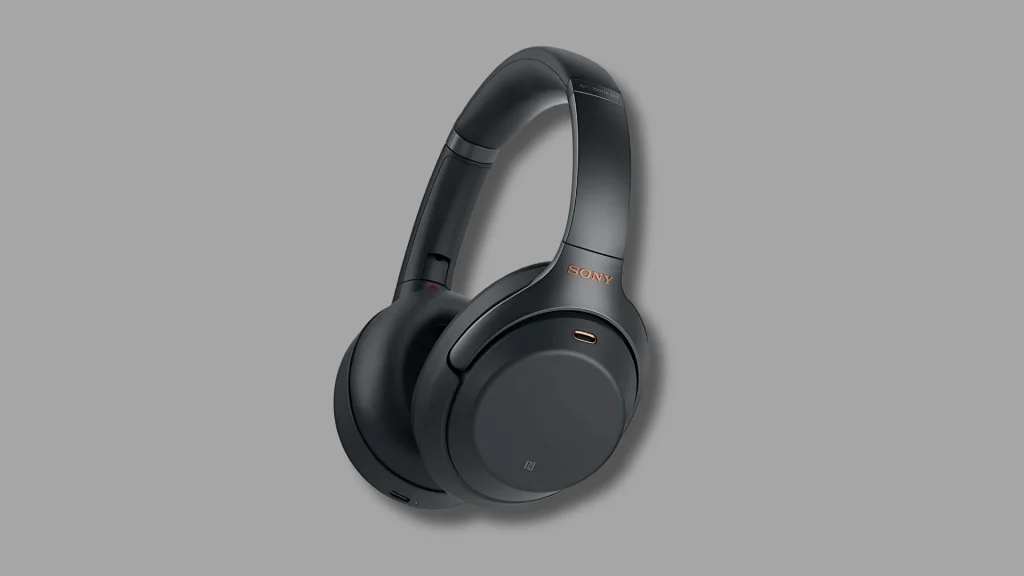
The Sony WH-1000XM2 is a wireless over-ear noise-canceling headphone released by Sony in September 2017.
It launched at $349 as the direct follow-up to the original MDR-1000X, and it was a meaningful upgrade across almost every metric: better ANC performance, longer battery life, and wider codec support.
The headphone charges via micro-USB, which is the most dated aspect of the package. The ear cups use memory foam padding, and the headband distributes weight evenly, with a clamping force that’s firmer than that of newer Sony models.
At 275g, it is light enough for long sessions without fatigue. Today, most buyers can find it secondhand for $50 to $100, making it one of the better-value ANC headphones still in circulation.
If you’re planning to buy one, platforms like eBay usually have multiple listings across different conditions, so you can compare pricing and seller ratings before choosing.
If you picked one up used or already own one, there is more to work with than its age suggests.
Key Features of the Sony WH-1000XM2
The Sony WH-1000XM2 still feels well-built, not cheap. The matte plastic headband with a leatherette underside is comfortable, and the ear cups swivel flat and fold neatly into the included case.
The weight distribution is balanced, so pressure on the head stays minimal even after a few hours.
The right ear cup uses touch controls: swipe up or down to adjust volume, swipe forward or back to skip tracks, and double-tap to pause or resume playback.
Briefly placing your hand over the right cup activates Ambient Sound mode without removing the headphones.
The memory foam ear cushions provide a soft seal for comfort and passive isolation, though they can trap heat over time and may wear out.
Replacements are easy to find and install. A 10-minute charge also gives roughly 70 minutes of playback when you need a quick top-up.
Sound is warm and bass-forward, with clean lows, clear mids, and controlled highs. DSEE HX improves compressed audio, and LDAC support enables higher-quality wireless playback on supported devices.
Bluetooth 4.1 includes LDAC, aptX, aptX HD, and AAC. Battery life reaches up to 30 hours with ANC, and ANC still works in wired mode.
How Good is Sony WH-1000 XM2 Noise Cancellation?

The XM2 runs on Sony’s QN1 chip, the early version that later powered the XM3 and XM4. It also brings Atmospheric Pressure Optimizing, which tunes ANC based on altitude.
For frequent flyers, this is not just a gimmick. It makes a noticeable difference during flights.
In practice, the ANC performs best with steady, low-frequency noise. Airplane hum, train vibrations, and AC noise are reduced well.
The limitation shows up with midrange frequencies. Voices, office chatter, and sharp or sudden sounds are harder to suppress, and that gap becomes obvious when you switch to a newer model side-by-side.
Newer models like the XM5 and XM6 handle this better due to faster processing and improved algorithms. The gap is more obvious with speech than with background rumble.
For travel and commuting, the XM2 still holds up. The Ambient Sound mode also works smoothly, letting outside audio in without removing the headphones, which feels practical in daily use.
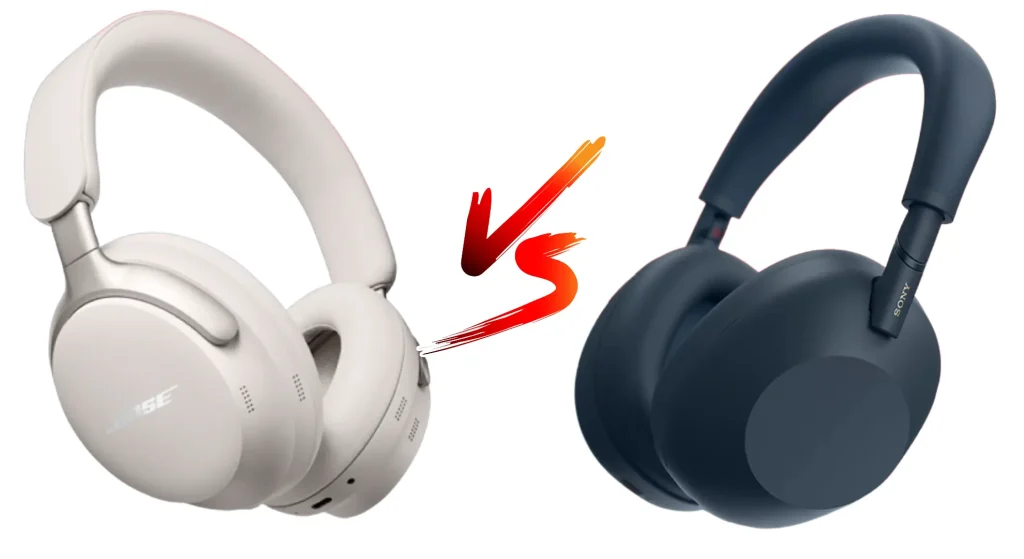
Sony WH-1000 XM2 vs. Sony WH-1000 XM6: Is the Upgrade Worth It?
The XM6 is Sony’s current flagship, and the gap between it and the XM2 is real. That said, the case for upgrading isn’t automatic. It depends on what you’re using these for and what you’re willing to spend.
| Feature | WH-1000XM2 | WH-1000XM6 |
|---|---|---|
| ANC chip | QN1 | QN3 |
| Battery life | 30 hours (ANC on) | 30 hours (ANC on) |
| Charging | Micro-USB | USB-C |
| Multipoint connection | No | Yes (2 devices) |
| Codec support | LDAC, aptX, AAC | LDAC, LC3, AAC, SBC |
| Bluetooth version | 4.1 | 5.3 |
| Foldable design | Yes | No (flat fold only) |
| Weight | 275g | 254g |
| Price (approx. new) | Discontinued | ~$429 |
The XM6 wins on ANC quality, Bluetooth stability, multipoint connection, and USB-C charging; the XM2 wins on price.
A good used XM2 goes for $50 to $100 online, and at that price, it’s hard to argue the XM6 is objectively “worth it” unless the ANC difference matters a great deal to your daily situation.
For a thorough look at the current flagship before you decide, we put together a full review of the XM6 that covers its upgrades in detail.
One honest note: the XM2’s lack of multipoint connection is genuinely limiting if you switch regularly between a laptop and phone.
The XM6 handles this without any manual disconnects or reconnects. If that’s your daily reality, the upgrade makes sense.
How to Pair and Set Up the Sony WH-1000 XM2?
To pair the Sony 1000XM2, turn the headphones off, then press and hold the power button for about 7 seconds until the light flashes blue and you hear “Bluetooth pairing.”
If you want a deeper walkthrough or visual instructions, Sony’s official manuals cover pairing, NFC setup, and app configuration in detail.
Open Bluetooth settings on your phone, laptop, or tablet, then select “WH-1000XM2.” A connection tone confirms pairing.
The headphones can remember up to 8 paired devices and usually reconnect to the last one automatically when turned on.
On supported Android phones, touch the N-mark on the left ear cup to your phone’s NFC area while the headphones are off. They should power on and pair automatically.
After pairing, open the Sony Headphones Connect app. You can adjust Ambient Sound, noise cancellation, EQ, DSEE HX, and Adaptive Sound Control, which changes sound settings based on your activity.
Sony Wh-1000 XM2 Not Working with Your Device? Try These Fixes
Facing issues with your XM2 can be frustrating, but most problems have simple fixes you can try at home before considering repair or replacement.
Sony also has an official WH-1000XM2 support page where you can find manuals, downloads, repair help, and product-specific support if the basic fixes below do not solve the issue.
- Headphones not turning on: Check battery level first. Charge for at least 15 minutes. If no response, hold the Power + NC/Ambient buttons together for 7 seconds to reset.
- Pairing issues or disconnects: Remove XM2 from the Bluetooth list, then re-enter pairing mode by holding the power button for 7 seconds, then reconnect.
- One side has no sound: Verify audio balance settings on your device. If fine, perform a full reset by holding Power + NC/Ambient buttons for 7 seconds.
- Microphone not working: Ensure XM2 is selected as both output and input device in system settings. Check app-specific audio settings if calls still fail.
- Firmware problems: Use the Sony Headphones Connect app to install updates. Keep battery above 30 percent during update to avoid interruptions or failures.
What Long-Term Users Say About the Sony WH-1000XM2?

The feedback on the Sony WH-1000XM2 by Reddit users remains fairly positive, especially from those who bought it used or kept it for years.
Many users say it still offers strong value at a lower price, with reliable noise cancellation, balanced sound, and excellent battery life that can last through long travel weeks.
Long-term owners often highlight durability, though some are now comparing it with mid-to-new models like the XM4 and XM5 before deciding whether to upgrade
The most common complaints include Micro-USB charging, lack of multipoint connectivity, aging ear pads, and slightly weaker voice noise cancellation in office settings.
Troubleshooting discussions also mention pairing resets and occasional one-sided audio issues, usually fixed quickly. Overall, sentiment suggests the XM2 still holds up well, but only if the price is right.
Conclusion
The Sony WH-1000 XM2 is not a headphone you need to apologize for using. For steady, low-frequency noise like plane engines, train cars, and AC hum, the ANC still does its job effectively
The 30-hour battery holds up. LDAC support means it can deliver genuinely good audio quality on compatible devices.
The main limitations are the micro-USB charging, the lack of multipoint connection, and some softness in midrange ANC performance that newer hardware addresses.
If you already own one, the setup and troubleshooting steps in this guide should help you get more from it. If you’re buying used, the XM2 is a solid pick at the right price.
The jump to the XM6 is real, but only necessary if multipoint connection, better speech-band ANC, or USB-C matters to your specific use.
Have a specific issue with your WH-1000XM2 or a question about setup? Drop it in the comments, and I’ll help you sort it out.
Frequently Asked Questions
Does the Sony WH-1000 XM2 Work with iPhone?
Yes, the WH-1000XM2 connects to an iPhone over Bluetooth and supports the AAC codec for better audio quality than standard SBC.
LDAC is not available on iOS due to Apple’s Bluetooth codec restrictions, but the headphone functions fully, including the Sony Headphones Connect app and all ANC features.
Can I Use the WH-1000XM2 Wired Without Bluetooth?
Yes. The XM2 includes a 3.5mm audio cable and a 6.35mm adapter. When connected via the audio cable with the headphone powered off, you get passive audio without ANC.
If you power the headphones on while using the cable, you can enable ANC in wired mode as well. This also reduces the footstep vibration some users notice in passive mode.
How Do I Know if My WH-1000 XM2 Needs a Firmware Update?
Open the Sony Headphones Connect app with the headphones connected and go to the System section. If an update is available, it will appear there.
Sony no longer pushes major firmware versions for the XM2, but minor stability patches have been released through the app.
Is the WH-1000XM2 Good for Calls?
Call quality on the XM2 is functional but not its strongest feature. The microphone picks up your voice clearly in quiet environments, and the beam-forming mic design reduces some background noise.
In loud outdoor environments, callers may notice more ambient noise than with newer headphones with dedicated voice-pickup hardware.