You open a friend’s profile, tap a badge, and a tiny planet shows up next to their name. No explanation, just Mercury or Neptune looking back at you.
That planet is part of Snapchat’s Friend Solar System, a Snapchat+ feature that turns your top eight friends into planets circling around you, the Sun.
Where a friend lands tells you how much you actually snap, chat, and keep a streak going with them, not just how long you’ve known each other.
Here’s what each planet means, the full order from Mercury to Neptune, how Snapchat calculates the ranking, and how to check your own spot on a friend’s profile.
What are Planets on Snapchat?
Snapchat planets are part of a feature called the Friend Solar System, and it only shows up if you subscribe to Snapchat+, joining a growing list of apps competing for subscriptions on your phone. The idea is simple once you see it in action.
You are always the Sun in your own solar system, and your top eight friends, the ones you snap and chat with the most, appear as planets around you.
Mercury sits closest and belongs to your number one friend. Neptune sits farthest and belongs to your eighth. Here’s the part that trips people up. Your planet ranking and a friend’s planet ranking are not mirrors of each other.
You could be someone’s Mercury while they sit as your Jupiter, because Snapchat calculates each person’s solar system on its own, based on that person’s full set of interactions, not just the ones between the two of you.
How Does Snapchat Decide Your Planet Ranking?
Snapchat has never published the exact formula behind planet rankings, but based on how the feature behaves, a handful of factors clearly carry the most influence:
- Snap frequency: how often you send and receive snaps, photos, or videos counts more than almost anything else.
- Chat consistency: regular back-and-forth chatting over time matters more than one long conversation.
- Story replies and reactions: replying to or reacting on a friend’s story counts as real interaction; just viewing it silently does not.
- Streak maintenance: a streak that has run for months signals an active friendship more clearly than one you started last week.
- Two-way engagement: the ranking looks at interaction between both of you, so snapping someone constantly while they rarely respond will not move you up in their list. It’s one of several signs worth watching if you care about how closely apps track your activity.
Snapchat Planets at a Glance
Need the order fast without reading through all eight? Here’s the same information in one scannable table.
| Planet | Rank | Color | Interaction Level |
|---|---|---|---|
| Mercury | #1 | Red | Highest |
| Venus | #2 | Gold or tan | Very high |
| Earth | #3 | Blue and green | High |
| Mars | #4 | Red-orange | Medium high |
| Jupiter | #5 | Orange | Medium |
| Saturn | #6 | Yellow-orange with rings | Medium low |
| Uranus | #7 | Green | Low |
| Neptune | #8 | Blue | Lowest |
Colors and small design details can shift slightly between app versions, so treat this as a general guide rather than an exact match every time.
What Does Each Snapchat Planet Mean?
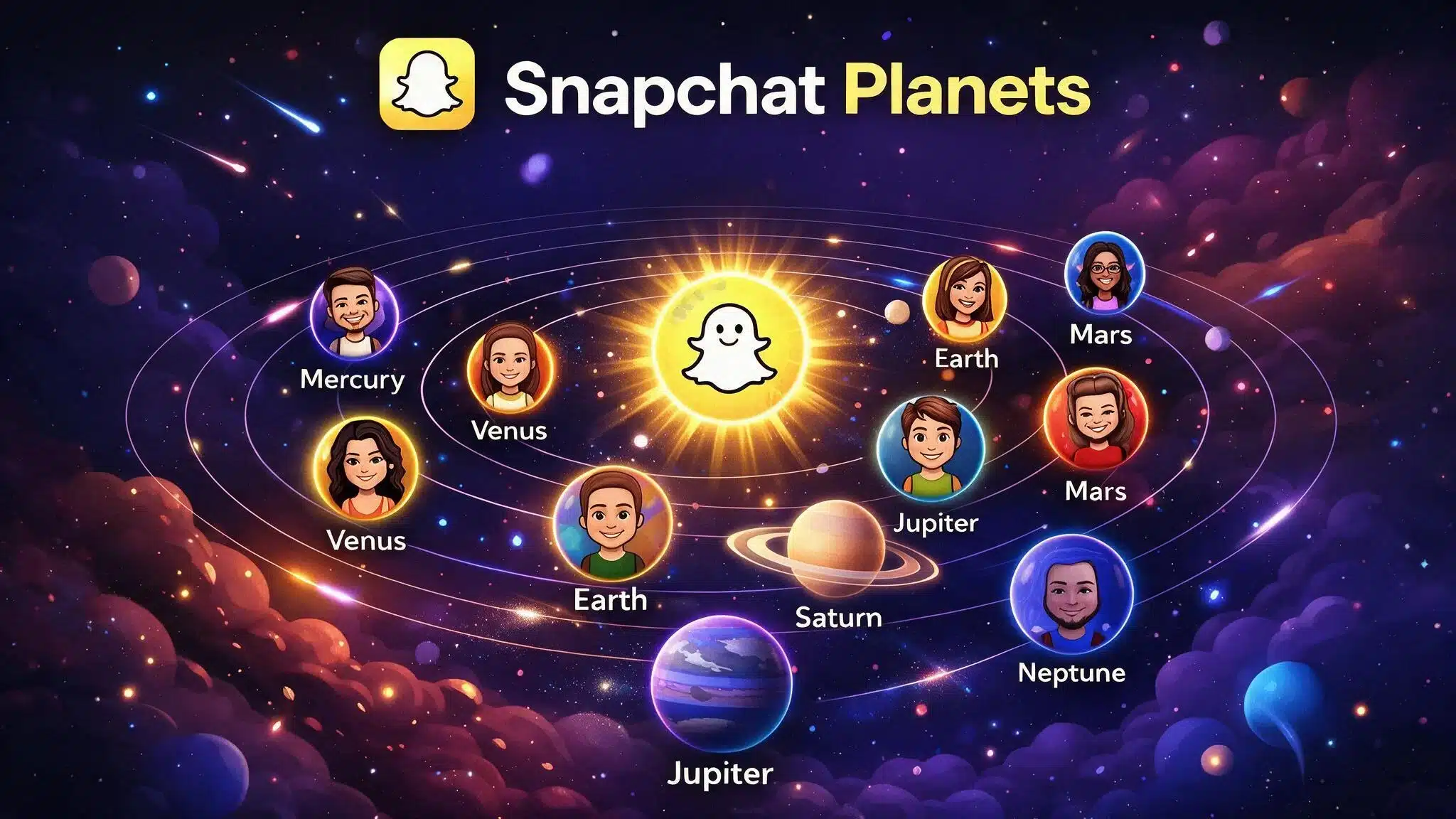
The order below follows the real solar system, just applied to your closest friends. Each planet marks roughly where that person sits in your top eight, from the friend you snap the most to the one you catch up with only now and then.
Mercury, Your #1 Best Friend
Mercury sits closest to the Sun, so it goes to the friend you interact with the most out of anyone. It usually shows up as a small reddish planet, often with hearts nearby.
If you see Mercury next to someone’s name, that’s your top spot: daily snaps, fast replies, and probably a long streak, tucked among the kind of quirky phone details most users never notice.
Venus, Your #2 Closest Friend
Venus takes the second spot. Interaction here is still high, just a step behind your number one. It tends to appear as a lighter, golden-toned planet with a mix of colorful hearts around it.
Earth, Your #3 Closest Friend
Earth lands in third place and usually shows up blue and green, sometimes with a small moon nearby. This spot tends to go to a friend you talk with often and can rely on, even if the pace is a little steadier than the top two.
Mars, Your #4 Closest Friend
Mars marks the fourth spot, shown as a red or reddish orange planet. The friendship here still has energy, maybe not every single day, but the conversations feel lively when they happen.
Jupiter, Your #5 Closest Friend
Jupiter is big, orange, and hard to miss, matching a friendship with a strong personality even if the frequency has some gaps. Fifth place still puts someone solidly in your top group.
Saturn, Your #6 Closest Friend
Saturn’s rings make it the easiest planet to spot at a glance. Sixth place usually belongs to a friend you can count on for a real conversation, even if you are not snapping every day.
Uranus, Your #7 Closest Friend
Uranus shows up green and a little less decorated than the planets ahead of it. Interactions here are less frequent, but the friendship is still active enough to make the top eight.
Neptune, Your #8 Closest Friend
Neptune closes out the list, usually shown as a cool-toned blue planet. It marks the lightest interaction level of the group, think an old friend you check in with now and then, but it still means you made someone’s top eight.
From Mercury to Neptune, each planet simply reflects a position in the top eight. The closer the planet is to the Sun, the higher the ranking.
How to See What Planet You Are on Snapchat
You can check your Snapchat planet from a friend’s Friendship Profile, a habit that lines up with national data on teens and just how often this age group checks in on their phones.
The planet shows where you rank among that person’s eight closest Snapchat friends.
- Open Snapchat on your phone.
- Go to your friend’s Friendship Profile by tapping their Bitmoji or profile icon.
- Look for a Best Friends badge with a gold ring.
- Tap the badge to open the Friend Solar System.
- Check the planet displayed on the screen.
- Match it with the ranking order: Mercury, Venus, Earth, Mars, Jupiter, Saturn, Uranus, or Neptune.
If you are a first-time Snapchat+ subscriber, the Friend Solar System may be turned off by default. Check your Snapchat+ settings and enable the feature if needed.
How to Turn On Planets and Check Your Spot on a Friend’s Profile
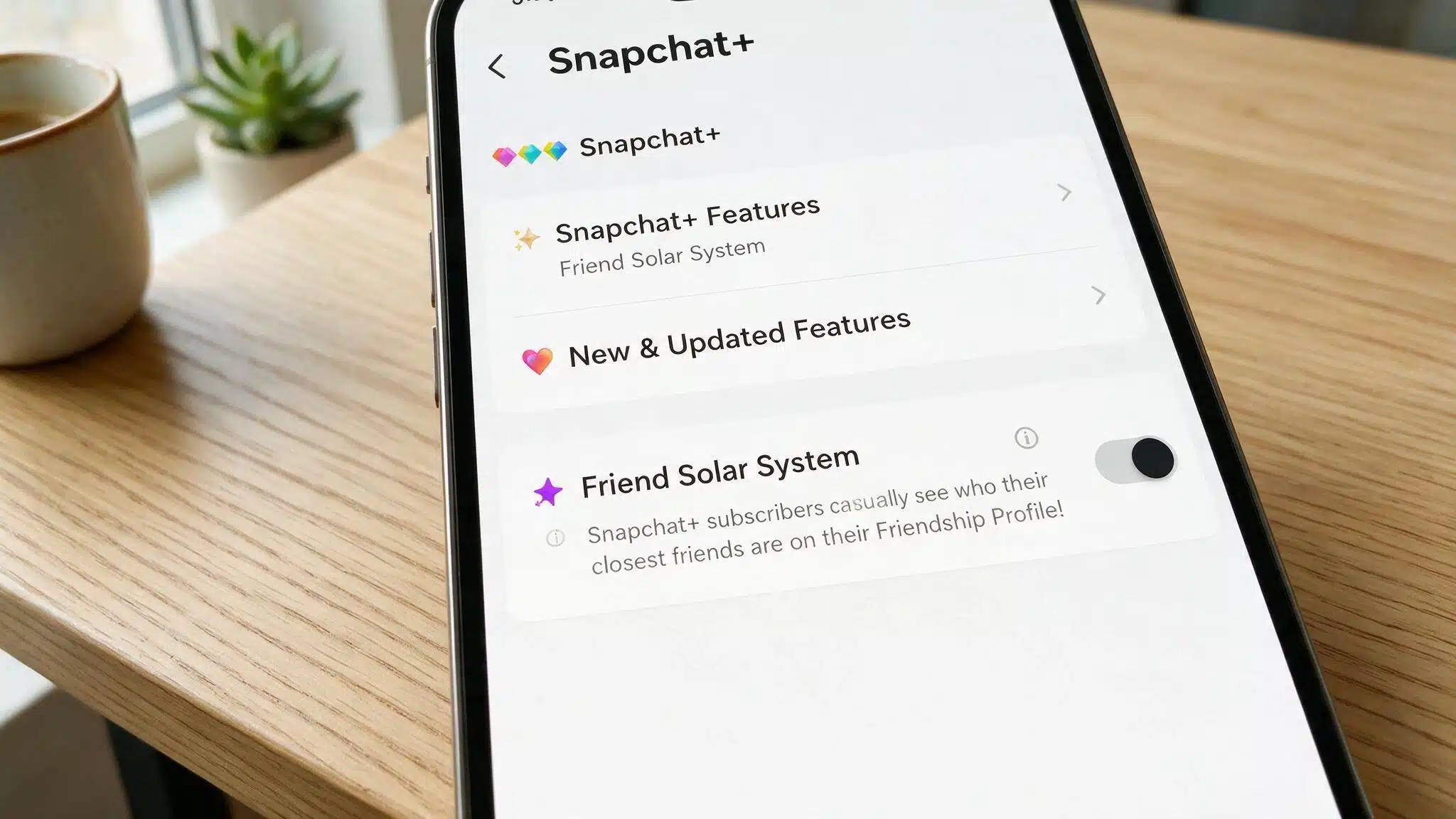
You need Snapchat+ and Friend Solar System enabled before planet rankings appear. Once it is switched on, you can check your position from a friend’s profile.
- Subscribe to Snapchat+ if you do not already have an active subscription.
- Open Snapchat and tap your Bitmoji or profile icon in the top-left corner.
- Open the Snapchat+ section from your profile or settings.
- Find Friend Solar System in the available Snapchat+ features.
- Turn the feature on using the toggle beside Friend Solar System.
- Open a friend’s Friendship Profile and tap the Best Friends badge to see which planet represents your ranking.
If no planet or badge appears, check your Snapchat+ status, confirm Friend Solar System is enabled, and remember that a qualifying Best Friends ranking may be required.
Common Misunderstandings About Snapchat Planets
Snapchat planets can be easy to misread. These quick myth-versus-fact points help separate ranking positions from assumptions about real-life friendships.
| Myth | Fact |
|---|---|
| Mercury means your closest real-life friend. | Mercury means you rank #1 in that person’s Best Friends list. |
| Neptune means someone is unimportant. | Neptune simply represents the #8 position. |
| Both friends always have the same planet. | Rankings can differ between accounts. |
| Streak length decides the planet. | Snapchat does not state that streaks alone set the ranking. |
| Everyone sees Snapchat planets automatically. | Friend Solar System requires Snapchat+ and may need to be enabled. |
Snapchat planets show ranking positions, not real-life friendship value. Use them as a simple activity indicator rather than a measure of how close you are, a distinction a recent federal advisory on youth social media habits also underscores.
Is Snapchat Planets Free, and Is It Private?
No, Snapchat Planets is not free. The Friend Solar System is part of Snapchat+, so you need an active subscription to use it. Prices vary by country, and some users may be eligible for a free trial.
Avoid third-party apps or websites that promise free access, as they may put your account or personal data at risk and can violate Snapchat’s terms, according to Snapchat Support.
Regulators have also issued a federal safety alert about fraudulent apps designed to exploit exactly this kind of trust.
The feature is also private to your Snapchat experience. Turning Friend Solar System off hides the planet view but does not affect your chats, streaks, or friendships.
Final Thoughts
Snapchat’s Friend Solar System makes it easier to understand where you stand among someone’s closest contacts.
I think the most useful part is knowing that each planet simply reflects a ranking from Mercury to Neptune, not the value of a real friendship.
You also need Snapchat+ and the feature turned on before you can see your position. If a badge or planet does not appear, checking your subscription and settings is a good first step.
Knowing how planets on Snapchat work can save you from misreading the rankings or assuming too much from one position.
Try checking your own Friend Solar System, then share in the comments which planet showed up for you.
Frequently Asked Questions
Why Isn’t My Planet Showing Up on a Friend’s Profile?
Usually one of a few reasons: the Friend Solar System is turned off, one of you is not subscribed to Snapchat+, or the friendship has not built up enough interaction yet to qualify for a badge.
Is There a Secret 9th Snapchat Planet?
No. Snapchat has only ever documented eight planets, Mercury through Neptune. Claims about a hidden ninth planet usually come from edited screenshots or online rumors rather than anything official.
Can Someone Tell if I Looked at Their Friendship Profile?
Snapchat does not send a notification when you view a Friendship Profile or check someone’s planet, so looking is private on your end.