Most budget wireless headphones have one obvious flaw you only discover after purchase.
The fit clamps too hard after an hour, the Bluetooth drops mid-song, or the battery life printed on the box turns out to be an optimistic estimate.
The JBL Tune 520BT sits at around $49.99, a price where that pattern usually holds.
In this JBL Tune 520BT review, I cover its build, sound performance, battery life, connectivity, and where it falls short so you can make a clear call before buying.
After using these headphones across work calls, extended listening sessions, and daily carry, the strengths were consistent, but so were the limitations.
The Tune 520BT does a lot right for the price, but the missing ANC, no wired fallback, and on-ear clamping are real trade-offs worth knowing up front.
About the JBL Tune 520BT Headphones
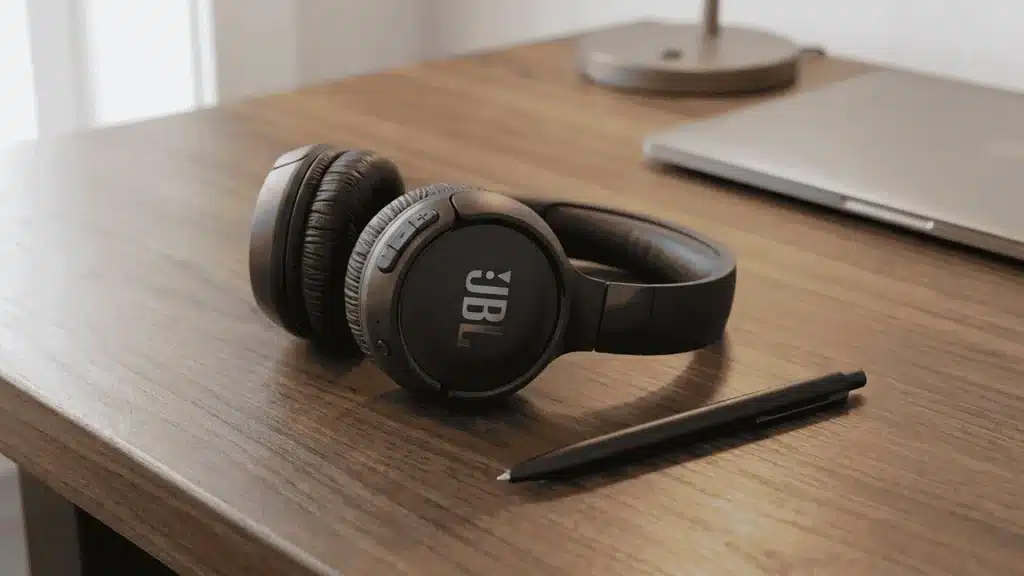
The JBL Tune 520BT is a budget wireless headphone made for people who want simple sound, long battery life, and easy daily use.
It came after the Tune 510BT, but it feels more like a smart refresh than a full new model. JBL kept the on-ear design, foldable body, and 40mm drivers, then added better Bluetooth, app support, and longer battery life.
It is built for students, casual listeners, office workers, and people who switch between phone and laptop often.
You do not get ANC, wired listening, or a carry case, but the Tune 520BT compensates with multipoint pairing, JBL Pure Bass tuning, and a compact frame light enough for all-day wear.
What’s in the Box?
JBL keeps the box pretty simple here, so do not expect extra accessories or travel gear.
- JBL Tune 520BT headphones
- USB-C charging cable
- Quick start guide
- Warranty card
- No carry pouch or case
- No 3.5mm audio cable
- No wall charger
Key Specifications of the JBL Tune 520BT
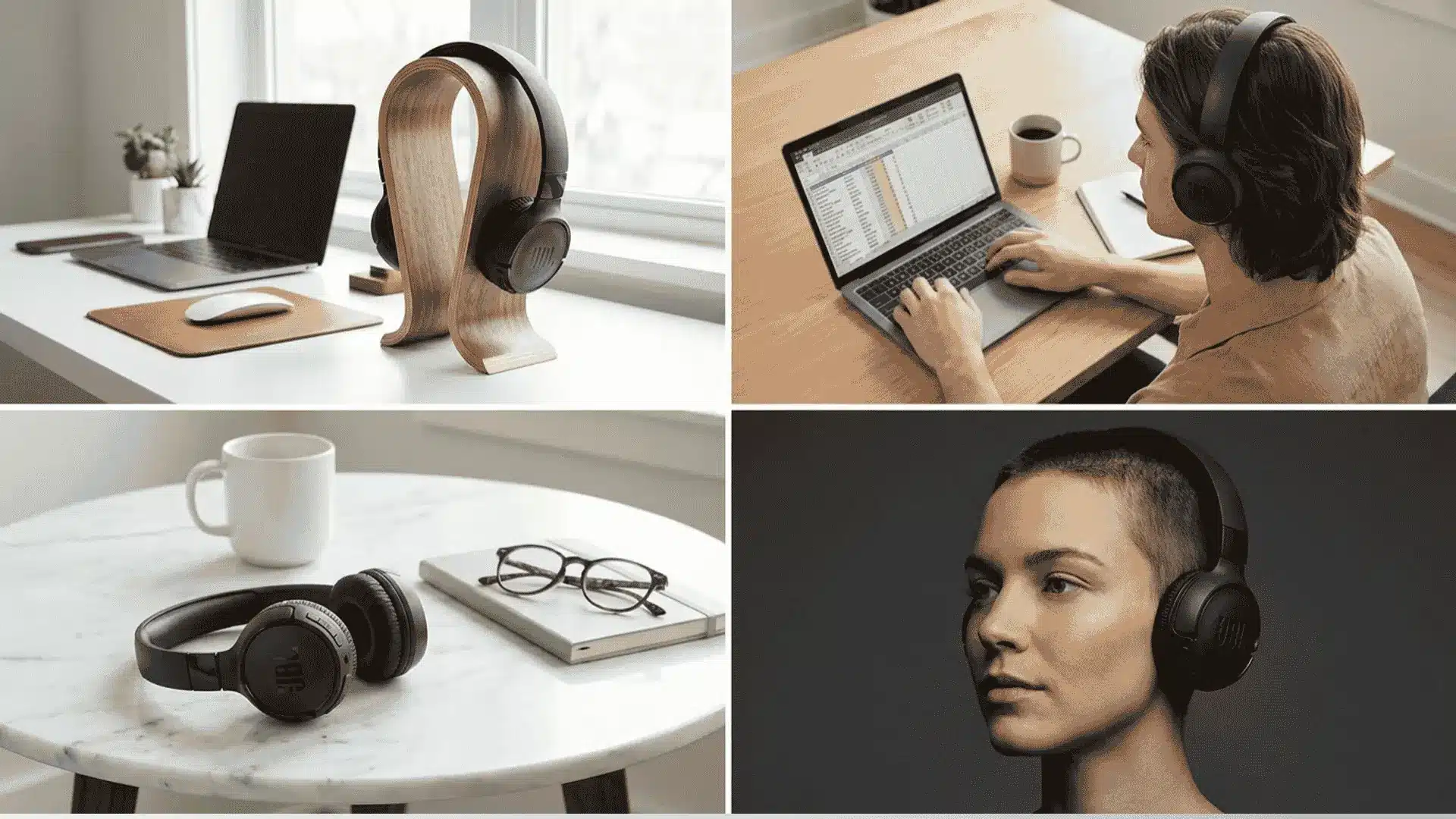
The JBL Tune 520BT keeps the spec sheet simple, but some features matter more in daily use.
1. Design and Build Quality of the JBL Tune 520BT
The JBL Tune 520BT uses a light plastic body that keeps the weight at around 157g. That makes it easy to wear, fold, and drop into a bag without adding noticeable bulk.
The on-ear cups rotate slightly, which helps the headphones settle on different head shapes. The build does not feel premium, but it also does not feel like something that will fail quickly under daily use.
The foldable frame is genuinely practical for desk-to-bag transitions, commutes, and school days.
How Comfortable are They? The soft ear pads feel good early on, but the on-ear clamp can press after long sessions. JBL uses a relatively stiff headband to maintain contact with smaller or narrower heads, which works for stability but can create pressure during long listening sessions.
2. Sound Quality and Audio Performance
The JBL Tune 520BT uses 40mm dynamic drivers with JBL Pure Bass sound, so the bass gets a clear push. This works well for pop, hip-hop, EDM, gym playlists, and regular YouTube watching.
The sound feels warm and fun, not flat or boring. Vocals stay clear enough for casual listening, calls, and podcasts, but the mids can feel a little behind the bass.
The result is a warm, bass-forward sound that works well for pop, hip-hop, EDM, and YouTube content but is not trying to be neutral or reference-accurate.
If the bass feels too much, the JBL Headphones app lets you adjust the EQ without much hassle. The Tune 520BT connects over Bluetooth using SBC and AAC codecs.
3. Noise Isolation and Ambient Sound Control
The JBL Tune 520BT does not have active noise cancellation, so loud outside sound will still reach your ears.
It only uses passive noise isolation, which means the ear pads block some noise by sitting on your ears.
This works fine in bedrooms, libraries, and quiet office spaces where the background sound is low. Passive isolation works acceptably in quiet spaces like home offices, libraries, and low-traffic work environments.
On public transit, in cafes, or anywhere with consistent background noise, outside sound will break through noticeably.
4. JBL Tune 520BT in Everyday Use
The Tune 520BT is straightforward to use because JBL stays with physical button controls rather than touch panels.
| Button | Single press | Double press | Triple press | Long press |
|---|---|---|---|---|
| Volume up / down | Volume up / down | N/A | N/A | N/A |
| Multifunction | Play / Pause | Next track | Previous track | Voice assistant |
| Power | Power on / off | N/A | N/A | Pairing mode |
The Tune 520BT handles casual music, video, and call use without friction.
For anyone who also wants to use headphones for gaming sessions, the audio performance is serviceable for single-player or casual play.
It lacks a dedicated mic boom and the positional audio that dedicated gaming headsets are built around.
5. Battery Life and Charging Performance
The JBL Tune 520BT claims up to 57 hours of battery life, which is a big win at this price.
For normal use, that can mean many days of songs, calls, videos, and podcasts without charging. That is solid for students, office use, and daily travel.
The quick charge is also clutch when you forget the cable. A 5-minute charge gives about 3 hours of playback, while a full charge takes around 2 hours.
The 57-hour battery life is one of the Tune 520BT’s most competitive specs in this price range.
6. App Features and Bluetooth Connectivity
The JBL Tune 520BT uses Bluetooth 5.3, so pairing feels quick, and the connection stays stable in normal rooms.
It also supports multipoint, which means you can connect your phone and laptop together. That helps when music is playing on your laptop, but a call comes on your phone.
One thing worth noting for iOS users: you need to install the JBL Headphones app on your phone before the initial pairing process.
The JBL Headphones app adds more control without making things confusing. You can change the EQ, adjust bass, use presets, rename the headphones, and turn voice prompts on or off.
If you are also comparing wireless-only on-ear options with different use-case profiles, the Logitech G435 review covers how another wireless-only headphone at a similar price handles gaming and general audio without a wired backup.
JBL Tune 520BT Price and Availability
The JBL Tune 520BT usually sells for around $49.99 , but it often drops to around $39.99 during normal sale events.
You can find it on Amazon, Walmart, Best Buy, and JBL’s official store, though color stock may change by retailer.
At that price, the battery life, Bluetooth 5.3, multipoint pairing, and app support make it competitive. Most headphones at this price give you basic wireless audio and little else.
The Tune 520BT adds features that are usually reserved for the $70 to $90 range. Many cheap headphones give you basic sound, but this one adds useful daily features without making things feel complicated.
Still, it is not the best pick if you want active noise cancellation or wired backup. If your main needs are long battery, easy pairing, and casual sound, the Tune 520BT feels like a smart budget buy.
For users who prefer an in-ear form factor entirely, the Status earbuds cover a similar casual-listening use case with a different fit.
What Are People Saying About the JBL Tune 520BT?
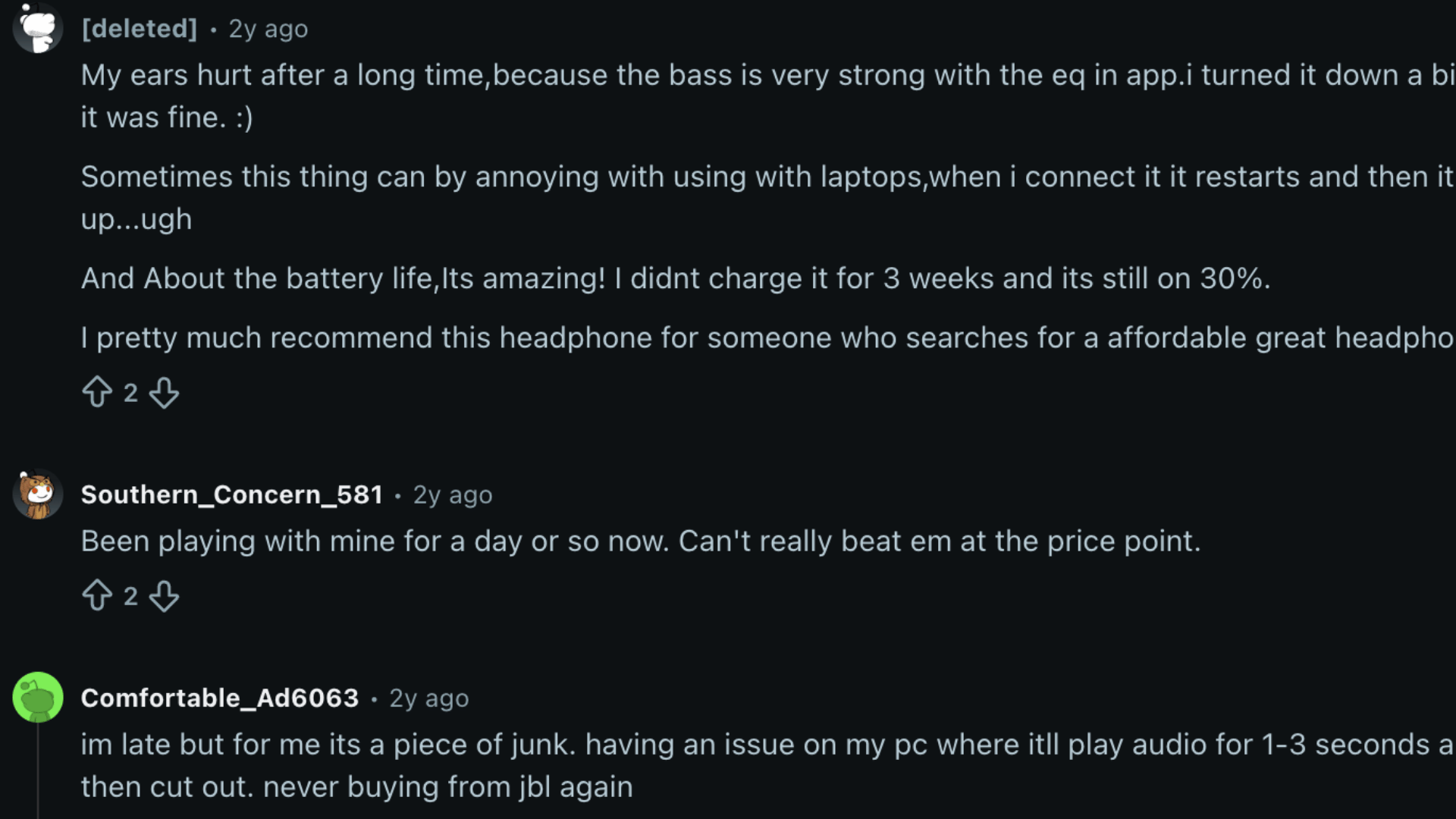
Many people who bought the JBL Tune 520BT shared their opinions on various platforms such as Reddit, and the response feels mixed but useful.
Most users liked the battery life, with some saying they went weeks without charging.
A few also said the sound is great for the price, especially after adjusting the EQ in the JBL app. The bass got praise, but some users felt it was too strong until they turned it down.
Comfort was the biggest split. Some users wore it for hours, while others said the on-ear fit hurt after a while.
A few people also reported laptop connection issues, sound cut-outs, and weak mic quality. Overall, the verdict is clear: it is a strong budget headphone, but not perfect.
JBL Tune 520BT vs Top Alternatives
Here is how the JBL Tune 520BT compares with other popular headphones in the same budget zone.
| Feature | JBL Tune 520BT | Sony WH-CH520 | Anker Soundcore Q20i | JBL Tune 510BT |
|---|---|---|---|---|
| Price | Around $49.99 | Around $49.99 | Around $39.99 | Around $39.99 |
| Battery life | Up to 57 hours | Around 50 hours | Around 30 hours with ANC | Up to 40 hours |
| ANC | No | No | Yes | No |
| Bluetooth | 5.3 | 5.2 | 5.0 | 5.0 |
| App support | Yes | Yes | Yes | No |
| Multipoint | Yes | Yes | Yes | Yes |
| Fit type | On-ear | On-ear | Over-ear | On-ear |
| Best for | Battery and daily use | Lightweight and LDAC | Budget ANC | Lower JBL price |
The Anker Soundcore Q20i is the most direct challenge to the Tune 520BT for noise-sensitive buyers. It costs less and adds ANC, though it trades battery life and Bluetooth version to get there.
If passive isolation is enough for your environments, the Tune 520BT’s longer battery and newer Bluetooth keep it ahead.
Conclusion
The JBL Tune 520BT makes the most sense for users who want long battery life without spending too much money.
It gives you strong bass, simple app control, and easy Bluetooth use, which is enough for daily listening. I would not call it perfect, because the missing ANC and wired mode can matter for some buyers.
You should also think about the on-ear fit, since it may press your ears during long use.
Still, this JBL Tune 520BT review shows that it gives strong value for casual users who need battery, sound, and comfort in one simple package.
If you want budget headphones for music, calls, and videos, this one is worth checking carefully.
Have you used the JBL Tune 520BT or compared it with another budget headphone? Tell us, share with us in the comments below.
Frequently Asked Questions
Can the JBL Tune 520BT Be Used for Workouts or Gym Sessions?
The JBL Tune 520BT is not rated for sweat or water resistance and has no IP certification, so JBL does not officially recommend it for heavy workout use.
Light indoor gym use is generally fine in practice, but the ear pads may degrade faster with regular sweat exposure, and warranty coverage for moisture damage is limited.
Does the JBL Tune 520BT Work with Gaming Consoles Like the PS5 or Xbox?
The 520BT connects over Bluetooth 5.3 and works with any device that supports standard Bluetooth audio, including smartphones and laptops.
PS5 supports Bluetooth headphones for media playback but not for in-game chat audio, and Xbox consoles do not support Bluetooth audio natively, so a separate Bluetooth transmitter would be required for either console.
How Do I Reset the JBL Tune 520 BT to Factory Settings?
To factory reset the JBL Tune 520BT, power it off, then press and hold the volume up and volume down buttons simultaneously for approximately 5 seconds until the power LED flashes and a voice prompt confirms the reset.
This clears all paired device memory and returns the headphone to default settings, useful if pairing becomes unstable.
What Colors Does the JBL Tune 520 BT Come in, and Do All Colors Cost the Same?
The JBL Tune 520BT comes in four colors: black, white, blue, and purple.
All four share the same retail price, and all colors have identical hardware specifications with no differences in driver, battery, or connectivity.
Is There a Newer Version of the JBL Tune 520 BT I Should Consider Instead?
JBL’s Tune series has expanded since the 520BT’s release. The Tune 670NC adds active noise cancellation and a slightly higher price, while the Tune 720BT moves to an over-ear design with improved comfort for longer sessions.