Your AirPods Max acting up feels worse when you remember how much you paid for headphones that should just work.
Maybe they will not connect, sound uneven, stay stuck on amber, or refuse to pair with your iPhone again properly.
That is when knowing how to reset AirPods Max can save you from spending hours guessing through random fixes online.
I will explain how to perform a soft reset and a factory reset on AirPods Max, fix a stuck amber light, and provide safe handoff steps for sellers.
You will also know what gets wiped, what stays, and when Apple support makes more sense than another reset attempt.
Before holding any buttons, here is how to figure out which reset your headphones actually need.
Why You Might Need to Reset Your AirPods Max
Here are the most common situations where a reset actually helps:
- Connectivity problems: Your AirPods Max keep dropping from your iPhone, Mac, or iPad even after re-pairing. A reset clears out old pairing data that might be causing the conflict.
- Audio glitches: The sound cuts out, feels hollow on one side, or lags behind video. This usually points to a software hiccup, not a hardware problem.
- Noise cancellation acting up: ANC keeps switching on and off by itself, or Transparency Mode sounds off. A restart often sorts this out before you need a full reset.
- Firmware update issues: A failed or incomplete firmware update can leave the headphones in an odd state. A reset gives them a clean slate so they can pull the update correctly.
- Selling or gifting the headphones: A factory reset removes your Apple Account link so the next person can set them up as their own.
- Pairing with a new device: Switching to a non-Apple device or a new iPhone that won’t automatically pair with the headphones.
How to Soft Reset AirPods Max?
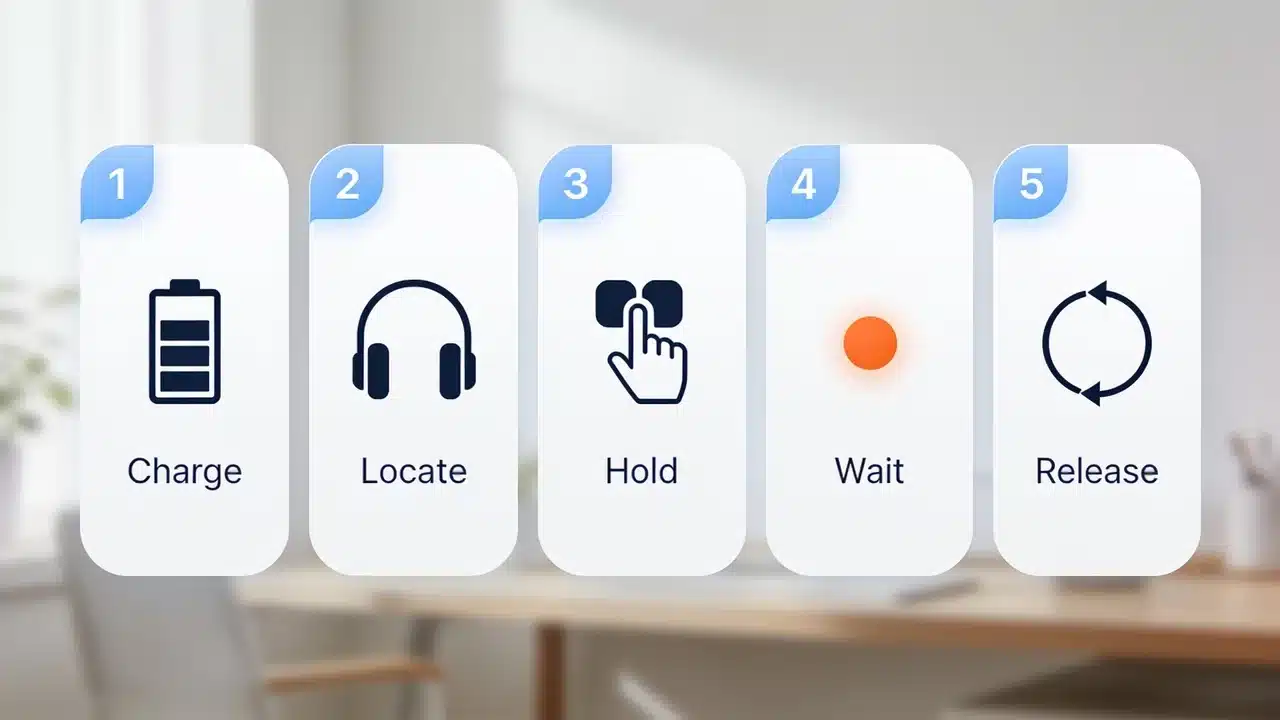
A soft reset is the first thing to try, and Apple calls this a restart rather than a reset. It reboots the headphones without touching your settings, your paired devices, or anything linked to your Apple Account.
Think of it like restarting your phone when an app acts weird. Before you do anything, make sure the headphones have at least 50% battery.
Apple’s own support page says a low battery can prevent the reset from completing and that the amber light may never appear if the charge is too low.
- Put the AirPods Max on or hold them in front of you so you can see the LED on the bottom of the right ear cup.
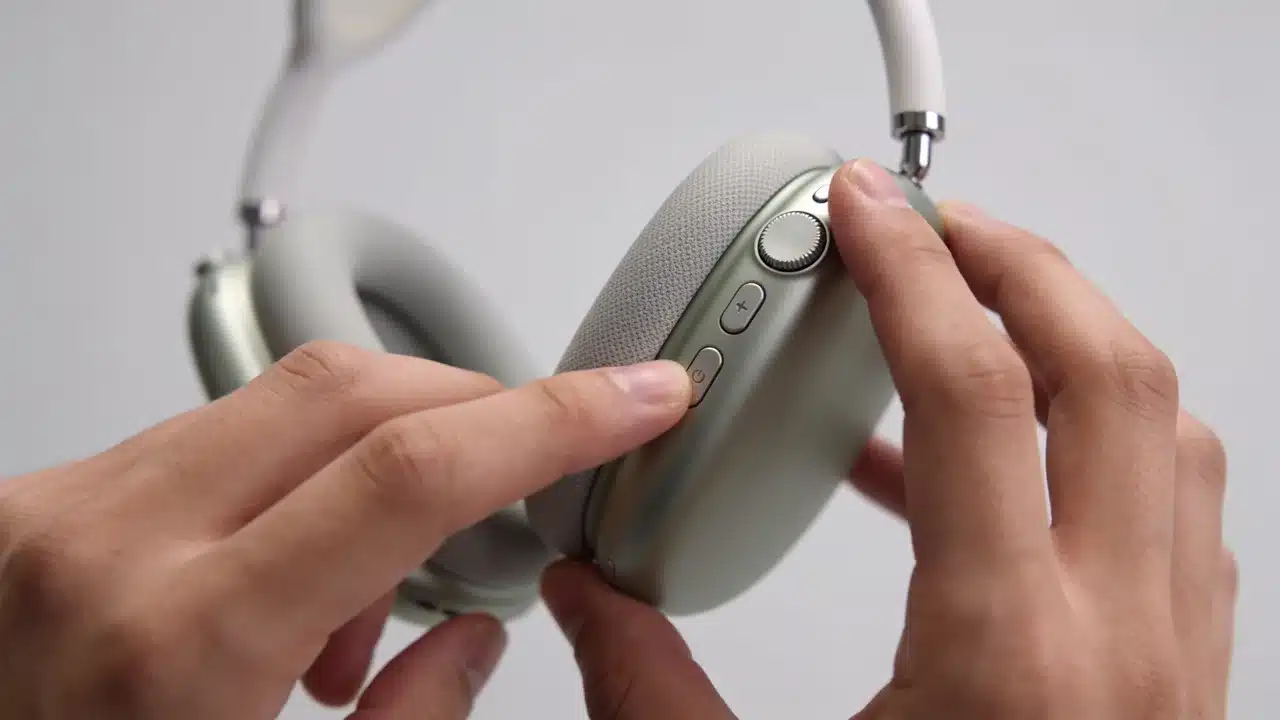
- Find the Digital Crown and the listening mode button. Both sit atop the right ear cup.
- Press and hold both buttons at the same time. Don’t let go early.
- Wait for the LED to flash amber. This takes around 10 seconds.
- Release both buttons as soon as you see the amber flash. The headphones will restart.
After this, your Bluetooth connections stay intact. You won’t need to re-pair anything.
Check out our AirPods Max performance review if you’re wondering whether any of these issues point to a deeper hardware gap.
How to Factory Reset AirPods Max?
A factory reset goes further. It wipes everything and restores the headphones to the state they were in when you first took them out of the box.
You’ll need to re-pair from scratch after this, but it fixes glitches that a soft restart can’t touch. Here are the steps:
- Charge the headphones to at least 50% before starting.
- Press and hold both the Digital Crown and the listening mode button together.
- Keep holding past the amber flash. Don’t let go when you see amber.
- Hold for the full 15 seconds until the LED switches from amber to white.
- Release both buttons when you see the white flash. Reset is done.
Here is what gets wiped and what stays after a factory reset:
| What gets wiped | What stays |
|---|---|
| All paired devices, Device name | Firmware version |
| Your Apple Account link | Hardware serial and model info |
| Custom EQ and spatial audio settings | Physical button defaults (reset to factory) |
One thing most people get wrong: a factory reset does not downgrade the firmware. Whatever version was installed before stays installed.
Also, your Apple ID is technically removed from the headphones, but if you want the next owner to use them cleanly, you still need to remove them from Find My separately.
What to Do when the Reset Isn’t Working? (Stuck on Amber)
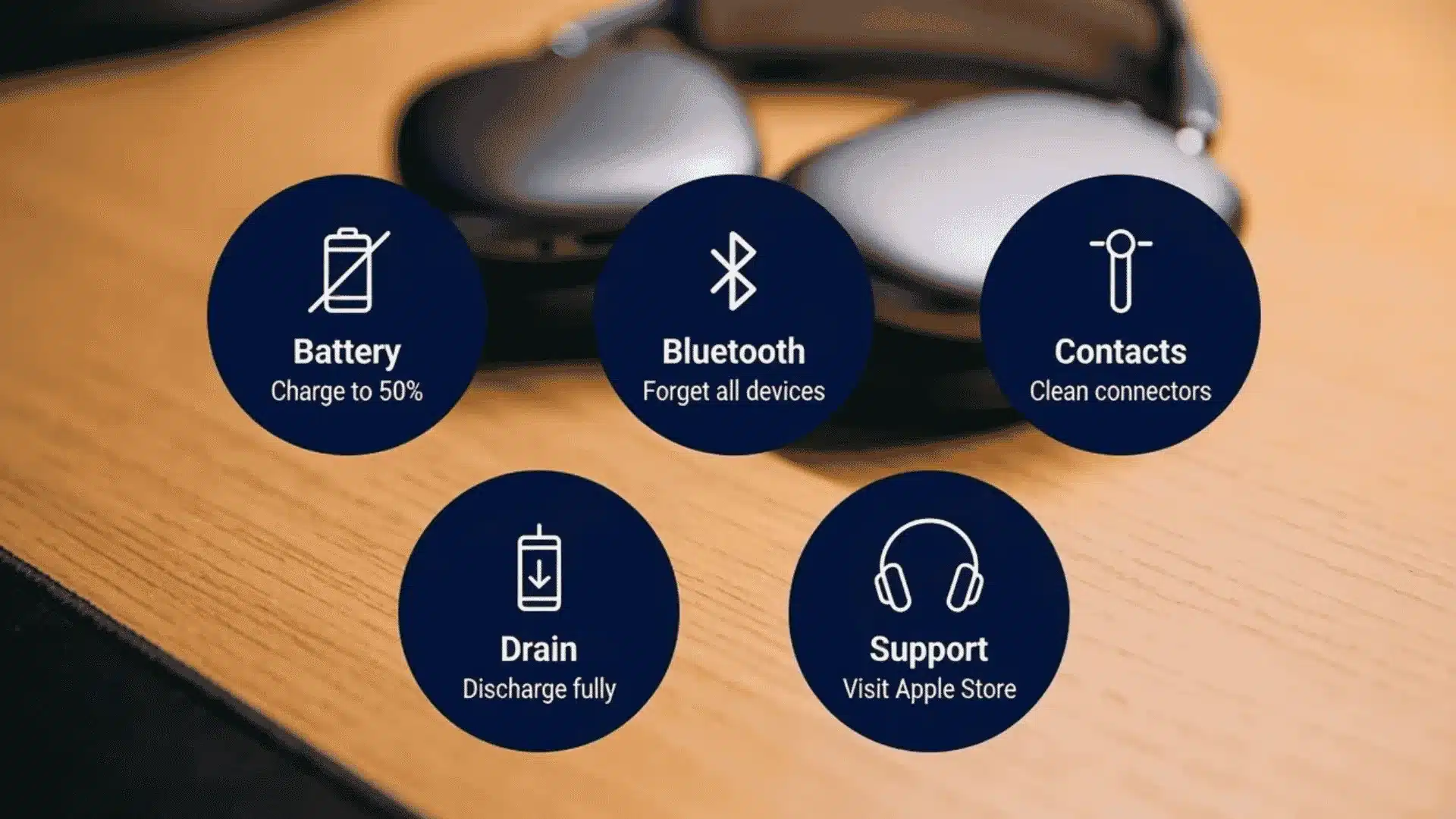
This is the problem that actually sends people down a Reddit rabbit hole for hours.
You hold the buttons, the LED blinks amber three times, and then goes dark. No white light. No pairing prompt. Nothing.
It’s more common than Apple would like to admit, and none of the official pages really address it.
1. Check Battery Level First
Low battery is the most overlooked reason the white light never shows up. Apple recommends charging to at least 50% before attempting a reset.
If the headphones powered down due to a dead battery, plug them into a USB-C charger and leave them for at least 30 minutes before trying again.
The amber-only blink often means the headphones started the reset but ran out of juice to complete it.
2. Turn off Bluetooth on All Nearby Devices
An active Bluetooth connection to your iPhone, Mac, or iPad can block the reset sequence midway.
Go to Settings > Bluetooth on every device you own, then tap ” Forget This Device ” for the AirPods Max.
Then turn Bluetooth off on all of them. Now try the reset again with no devices in range. This alone fixes the amber-stuck issue for many people.
3. Clean the Headband Connector Contacts
This one sounds weird, but it works. The AirPods Max headband connects to each ear cup through small metal contacts, similar to a tiny Lightning port.
Over time, those contacts corrode or collect dust. Remove the ear cushions (they pull off magnetically), look for a small pinhole on each cup, and use a SIM card ejector or a dry cotton swab to gently clean around it.
I have seen several users in Apple’s support community report that this fixed the amber-only problem after everything else failed, and it lines up with the corrosion issue I have run into on other devices with exposed metal contacts.
4. Let the Battery Fully Drain, Then Recharge
A handful of users on Apple Community forums have fixed the stuck-amber problem by doing the opposite of what you’d expect.
Let the headphones die completely, leave them for a day or two, then charge them from 0 to 100% for 24 hours.
After that, hold them near your iPhone before pressing any buttons. The device connection popup sometimes appears on its own without needing a manual reset.
5. Contact Apple Support
If none of the above work, there’s likely a hardware fault.
First-gen AirPods Max have a known issue with a thin wire near the swivel joint that can break over time, and that wire controls the connection between the two ear cups.
The three amber blinks with no white light are a known symptom.
Apple Stores have a diagnostic tool and have replaced affected units, sometimes even just outside of warranty when pushed. It’s worth going in person rather than chatting online for this one.
Resetting AirPods Max Before Selling or Handing Them Off
If you’re passing your AirPods Max to someone else, a factory reset alone is not enough.
The headphones will still appear in your Apple Account under Find My, which means the new owner will see a ” Not Your AirPods ” message, and some features, like location tracking, will still be tied to you.
You need to remove them from Find My before handing them over. Here’s the correct order to do this:
- Keep the headphones nearby and connected to your iPhone or Mac via Bluetooth.
- Open the Find My app on your iPhone.
- Tap the Devices tab and find your AirPods Max in the list.
- Tap the headphones, then swipe up and tap “Remove This Device.” Confirm.
- Now do the factory reset (hold both buttons for 15 seconds until the LED flashes white).
- Hand them over with the USB-C cable and Smart Case if you still have them.
You don’t need to go device by device. If you still have AppleCare+ on the headphones, you can either transfer the plan to the new owner or cancel it, which can add real resale value.
What to Do After Resetting Your AirPods Max?
There are a few things to check after a factory reset so you don’t miss features you used before. Here’s a short setup checklist to run through after the reset:
- Re-pair with your iPhone or iPad: Hold the headphones close to your device. A pairing prompt should appear on screen automatically. Follow the on-screen steps.
- Check firmware version: Go to Settings > General > About > AirPods Max. If an update is available, connect to Wi-Fi and leave the headphones nearby while charging. Updates install automatically in the background.
- Re-enable spatial audio: Go to Settings > Bluetooth, tap the “i” next to your AirPods Max, and toggle Spatial Audio back on if you use it.
- Set your noise control preference: By default, the listening mode button cycles between ANC and Transparency Mode. You can customize what it cycles through in the same Bluetooth settings menu.
- Test audio on both sides: Play a track and make sure both ear cups sound balanced. If one side still sounds off after a full factory reset, that points to a hardware issue worth flagging to Apple.
What are AirPods Max Owners Saying on Reddit?
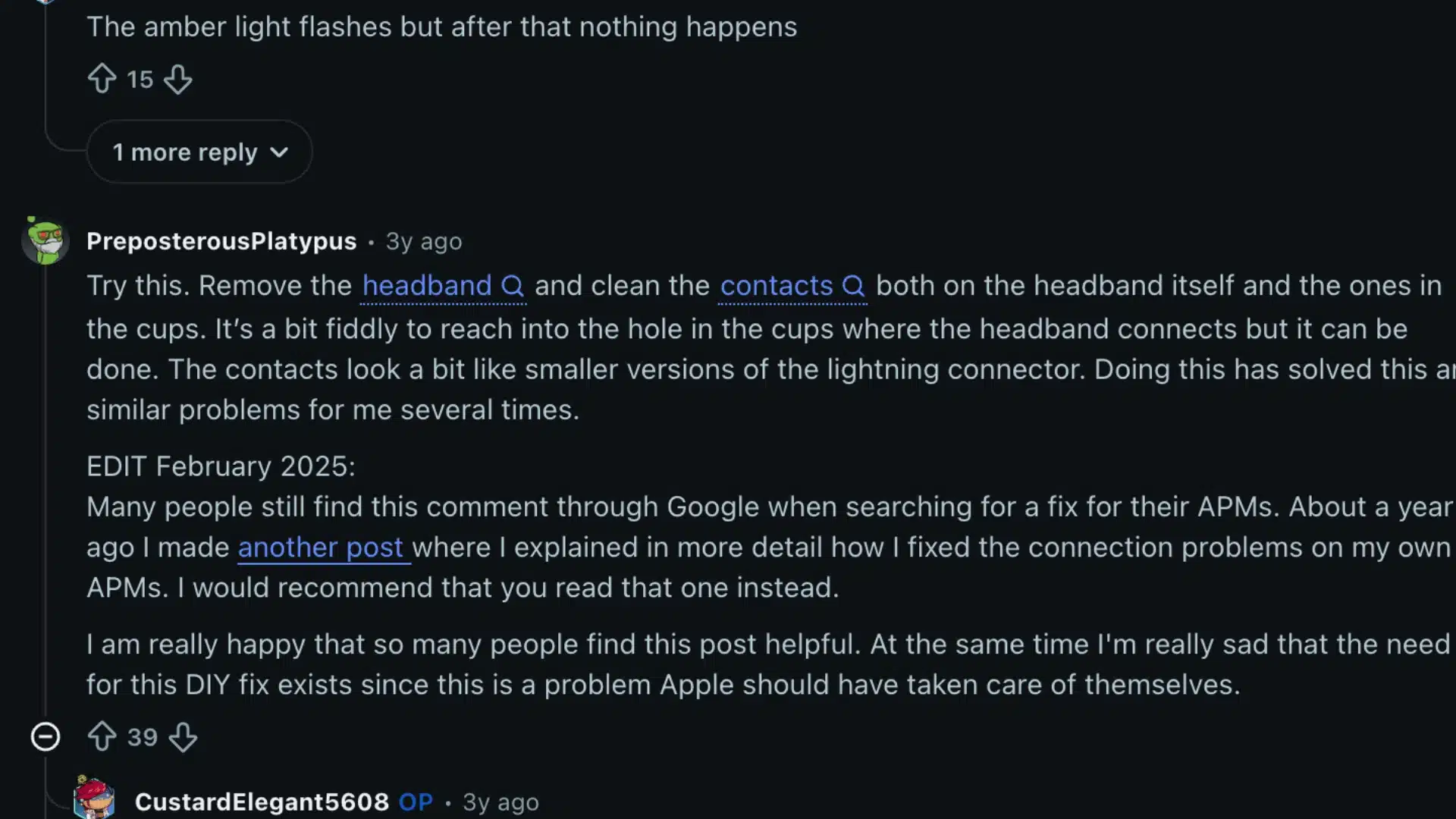
People who bought and used the AirPods Max shared their real-world reset experiences on Reddit, and the thread paints a pretty honest picture of what works and what doesn’t.
The most repeated fix is cleaning the metal contacts where the headband connects to each ear cup. One user used a SIM card ejector to reach the pinhole, and others said this worked after normal resets failed.
The freezer trick also shows up often. Some users placed AirPods Max in a sealed bag and left them in the freezer for 30 minutes to an hour, and several reported that this triggered a working reset after nothing else helped.
Other fixes included fully draining the battery, charging for 24 hours, forgetting the headphones on every device, and resetting with nearby Bluetooth turned off.
Some users went to Apple and got replacements after diagnostics confirmed the swivel-joint wire issue.
The recurring pattern across these reports is that three amber blinks without a white light usually indicate the known first-generation hardware fault, not something a software-only fix can resolve.
Conclusion
Knowing how to reset AirPods Max makes the fix less stressful when your headphones stop pairing, glitch, or stay stuck on amber.
I would always start with a soft restart first because it keeps your settings and resolves many minor connection issues.
A factory reset is better when the problem keeps coming back or when you plan to sell the headphones.
You should also remove them from Find My before handing them to someone else, or the setup may frustrate the next owner.
When amber flashes never turn white, charging, Bluetooth isolation, and contact cleaning are the smartest checks to try before contacting Apple support.
Which AirPods Max reset fix worked for you, and did the amber light issue come back later? Tell us, share with us in the comments below.
Frequently Asked Questions
Does Resetting AirPods Max Remove the Firmware?
No, a factory reset does not change or remove the firmware version. Whatever firmware was installed before the reset stays installed.
If you want to update the firmware after resetting, connect the headphones to your iPhone and leave them nearby while they charge over Wi-Fi. Updates install automatically in the background.
Can You Reset AirPods Max Without Charging First?
You can try, but Apple recommends charging to at least 50% before attempting a reset. A low battery is one of the main reasons the LED only flashes amber and never transitions to white.
If the reset keeps failing, charging first is the simplest fix before trying anything else.
Will a Factory Reset Disconnect AirPods Max From My Mac and iPad Too?
Yes. A factory reset removes the headphones from all paired devices at once, not just the one you’re using. You’ll need to go through the pairing process again on each device after the reset.
The upside is that any pairing conflicts between devices get cleared at the same time.
How Do I Know If the AirPods Max Reset Was Successful?
A successful factory reset ends with the LED flashing white after the amber flash. If you only see amber and no white, the reset did not complete.
A soft restart ends with the LED flashing amber and the headphones powering back up normally. If you see white, you’re good to re-pair.