Mobile gaming has improved significantly over the last few years, and having the right tablet can make a big difference.
I know how frustrating it is when games lag, batteries drain quickly, or screens feel laggy during gameplay.
In this article, you will find key features, performance comparisons, and value picks for different budgets.
I also cover things like display quality, battery life, cooling, and processor speed, so you can choose the right device for your gaming style.
If you play casual games like PUBG and Call of Duty, this guide will help you find a tablet that fits your needs without wasting money on the wrong option.
Why Android Gaming Tablets Are Popular?
Android gaming tablets are popular because they offer smoother gameplay, larger screens, and better controls than most phones.
They also give gamers strong performance, long battery life, and access to thousands of Android games. Many gamers now prefer tablets because they are easier to use for long gaming sessions.
A larger display makes games look sharper and more detailed, especially for racing, shooting, and multiplayer games.
Modern Android gaming tablets now have fast processors, smooth screens, and better cooling for lag-free gaming. Another reason for their popularity is value.
You can find good gaming tablets at different price ranges, so there is an option for casual players and serious gamers alike.
Features like expandable storage, cloud gaming support, and long battery backup also make them a smart choice.
Key Features to Look for in a Gaming Tablet
A good gaming tablet should offer fast performance, smooth graphics, and long battery life for a better gaming experience. The right features can help games run without lag and make gameplay more enjoyable.
- Processor Performance: Choose a tablet with a powerful processor for fast and smooth gaming.
- High Refresh Rate Display: A 120Hz or higher screen gives smoother motion during gameplay.
- Battery Life: Long battery life helps you play for hours without frequent charging.
- Cooling System: Good cooling prevents overheating during heavy gaming sessions.
- RAM and Storage: More RAM and storage improve speed and enable larger games to run more smoothly.
- Display Quality: A bright, sharp screen enhances graphics and overall gameplay.
- Audio Quality: Strong speakers make gaming more immersive and enjoyable.
- Controller Support: Some tablets support gaming controllers for better control and comfort.
- Battery & Cooling: Long battery life and an effective cooling system support extended gaming sessions.
Top Android Gaming Tablets Worth Buying
Android gaming tablets are now faster, smoother, and more powerful than ever before. From premium gaming devices to budget-friendly options, there is a tablet available for every type of gamer.
1. RedMagic Astra
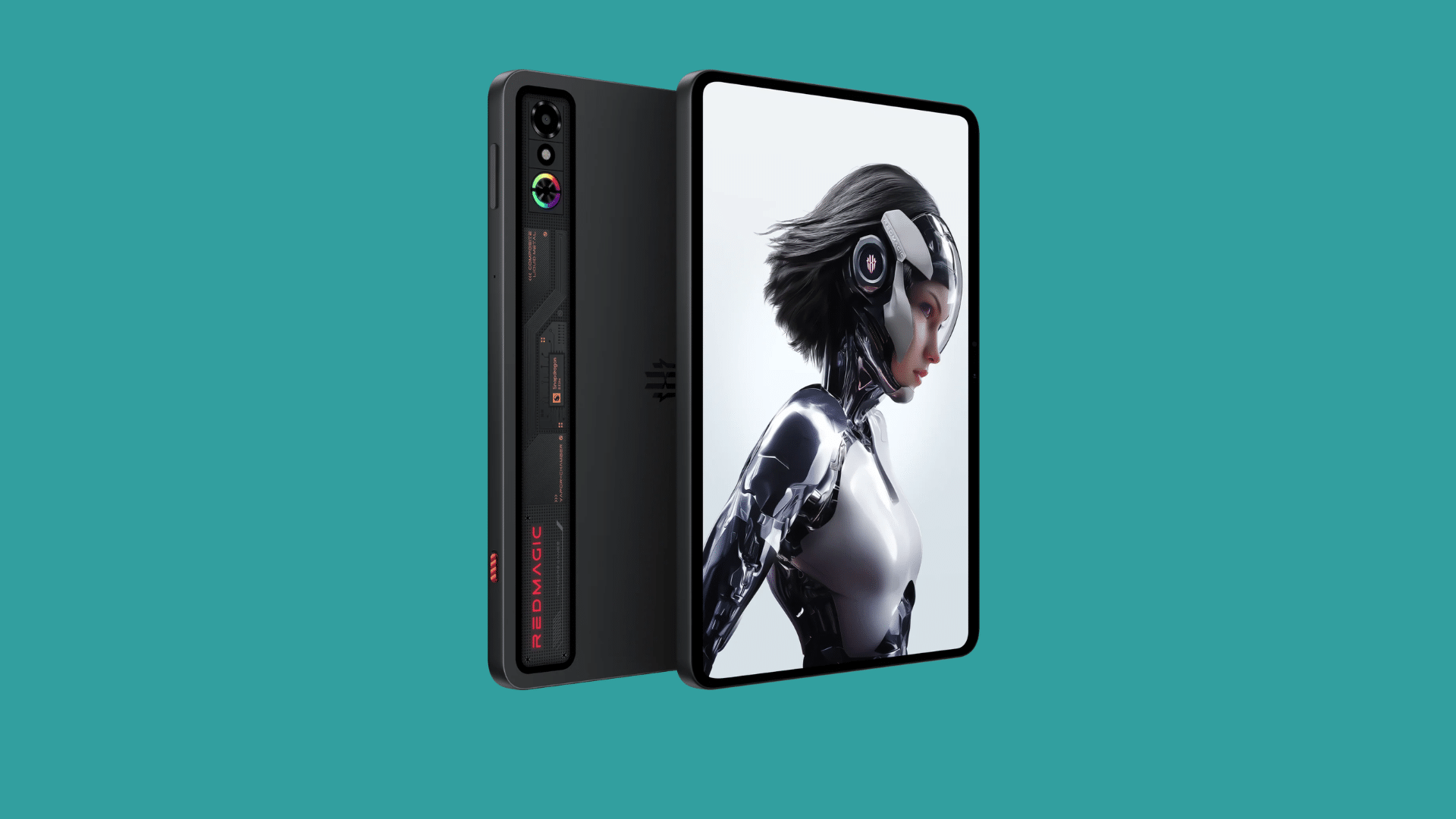
RedMagic Astra is built for gamers who want high-speed and stable gaming performance. It handles demanding mobile games like PUBG and Genshin Impact without noticeable lag.
The display feels smooth during fast gameplay, while the cooling system helps maintain performance during long sessions.
The tablet also has a gaming-focused design that makes it stand out from regular Android tablets. Its powerful processor and responsive touch controls make it a strong choice for competitive gamers.
| Pros | Cons |
|---|---|
| Powerful gaming performance | Premium pricing |
| Smooth and responsive display | Heavy for some users |
| Strong cooling support | Limited productivity features |
- Battery Life: Long-lasting battery for extended gaming
- Display Quality: Smooth, high refresh rate display
- Cooling System: Advanced cooling technology for heavy gaming
- Performance: Excellent FPS and fast response time
2. Samsung Galaxy Tab S11 Ultra
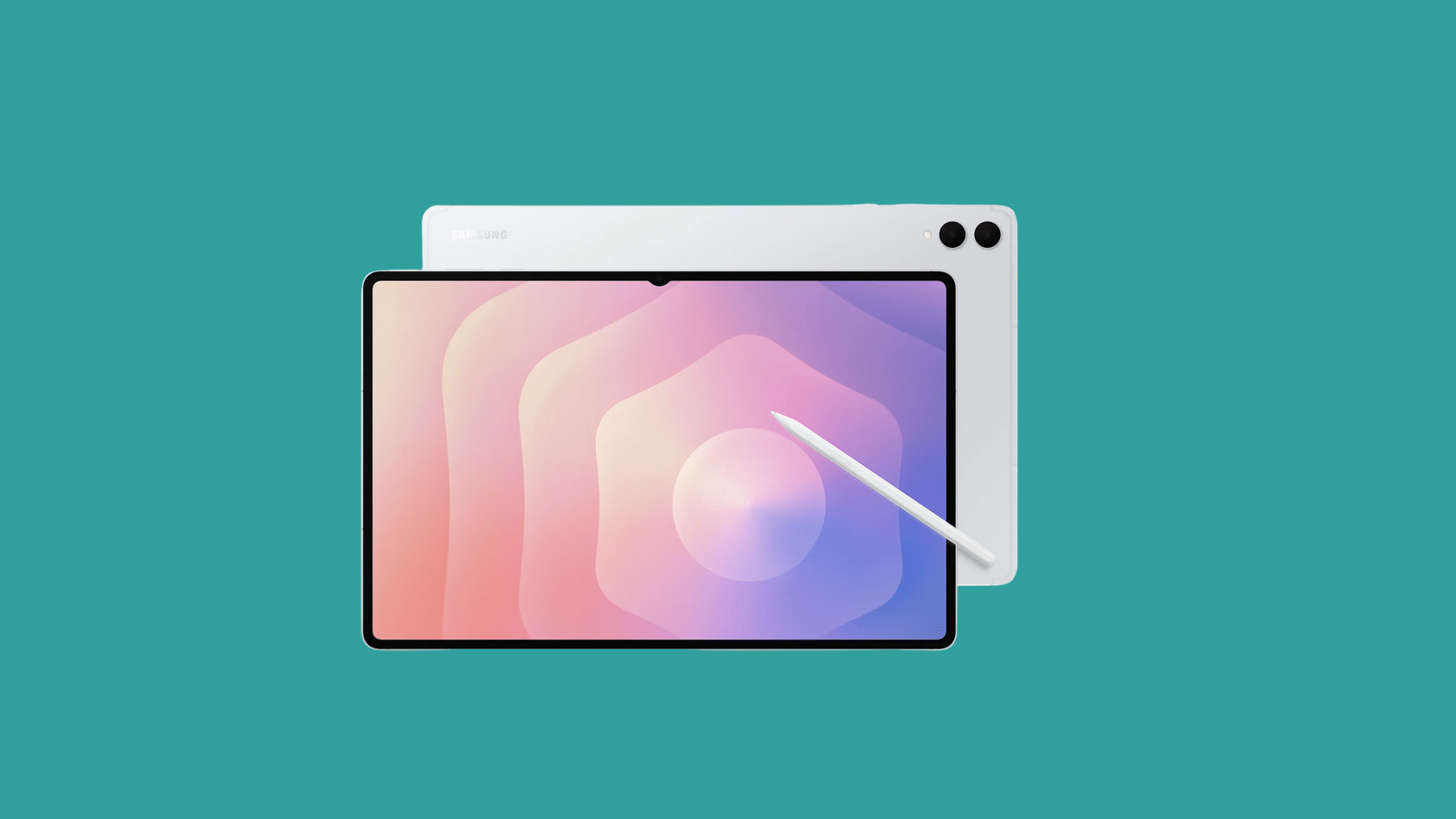
Samsung Galaxy Tab S11 Ultra delivers flagship-level performance with a large and immersive display. I have seen many gamers prefer this tablet because it works well for both gaming and entertainment.
The AMOLED screen makes graphics look detailed and vibrant, especially in racing and action games. It also handles multitasking smoothly, which is useful for users who want productivity features along with gaming.
The premium build quality and strong software support make it a reliable long-term option.
| Pros | Cons |
|---|---|
| Premium display quality | Expensive |
| Great multitasking support | Large size may not suit everyone |
| Strong overall performance | Accessories cost extra |
- Battery Life: Reliable all-day battery backup
- Display Quality: Large AMOLED display with vivid colors
- Cooling System: Efficient heat management during gameplay
- Performance: Fast and smooth for heavy games
3. OnePlus Pad 3
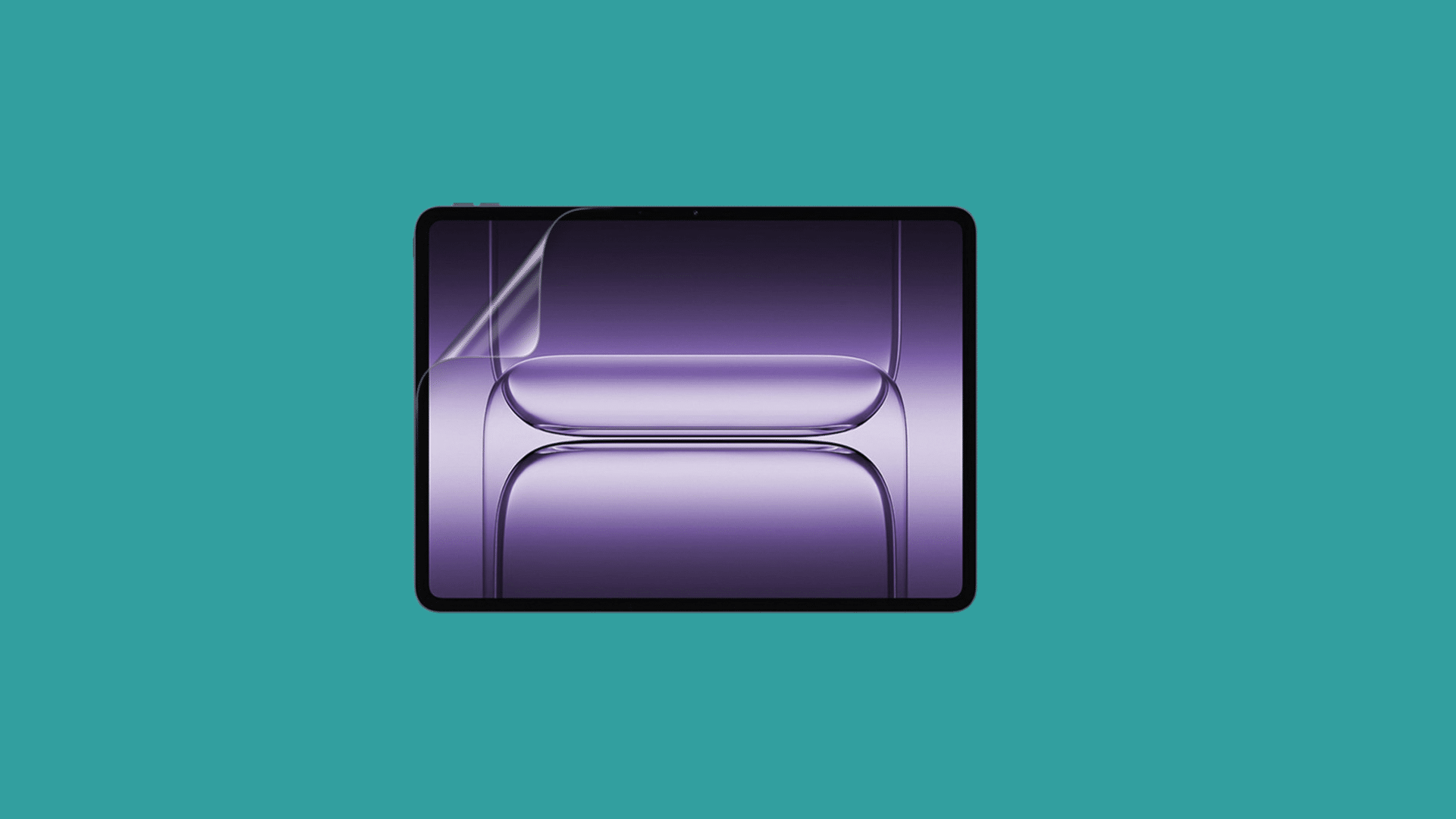
OnePlus Pad 3 offers a balanced mix of gaming power, design, and daily usability. It performs well for popular Android games while also handling streaming and multitasking comfortably.
The slim design makes it easy to carry, and the display delivers clear visuals with smooth motion.
Its processor provides reliable gaming performance without overheating quickly.
Users looking for an Android gaming tablet with both entertainment and everyday productivity features may find this tablet a practical choice.
| Pros | Cons |
|---|---|
| Balanced performance and price | Limited gaming-focused features |
| Stylish and lightweight design | Camera quality is average |
| Good display experience | Fewer accessories available |
- Battery Life: Good battery backup for daily use
- Display Quality: Sharp and bright display panel
- Cooling System: Maintains stable gaming performance
- Performance: Smooth gameplay with solid graphics support
4. Lenovo Gaming Tablet (Legion Tab Gen 3)
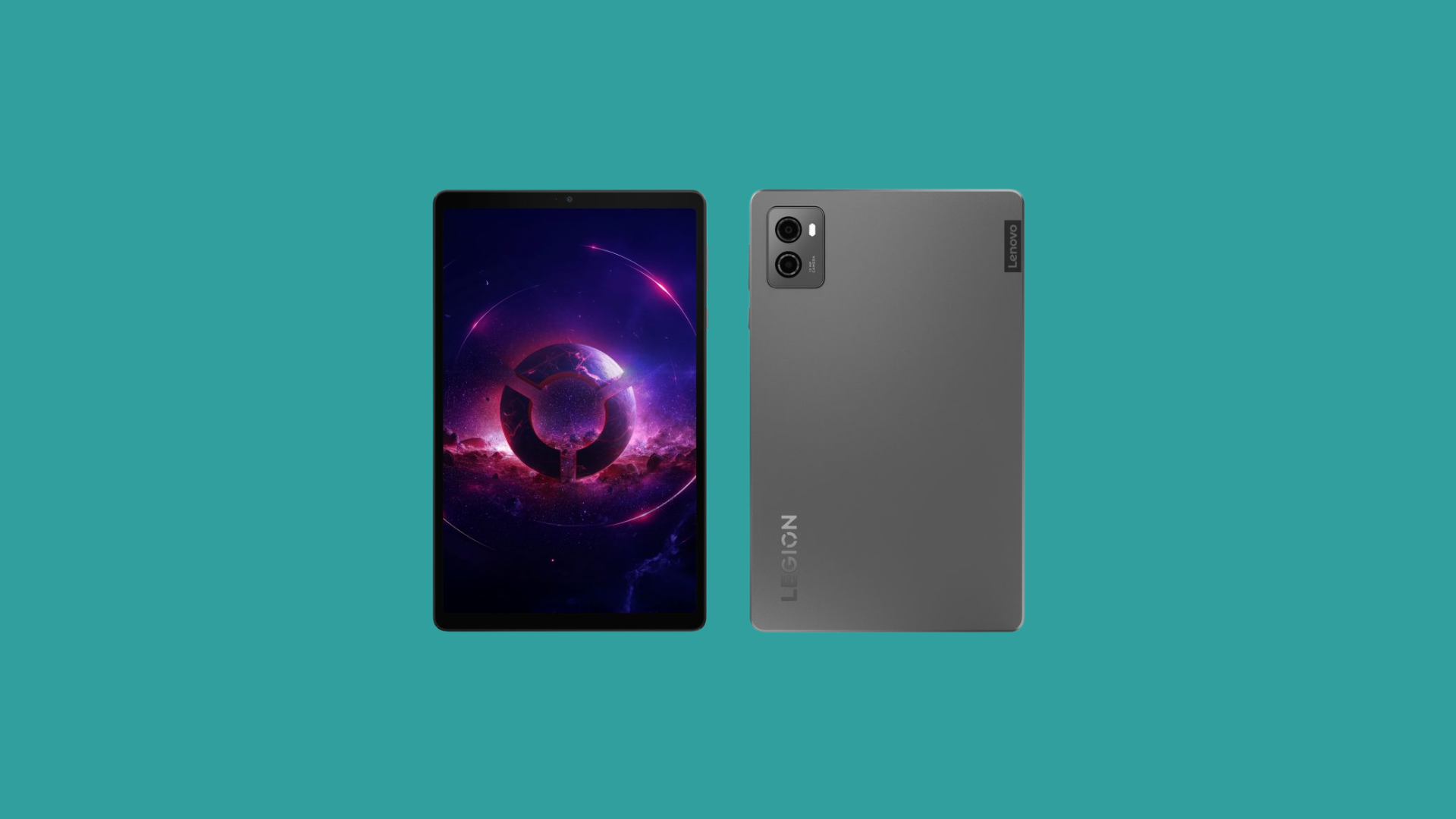
Lenovo Legion Tab Gen 3 is designed primarily for gamers who prioritize smooth controls and high-FPS gaming.
The tablet performs well during competitive gameplay and supports higher graphics settings without major lag.
Its compact design feels comfortable during long gaming sessions. Lenovo has also improved the touch response and cooling system, which helps maintain stable gameplay.
This makes it a reliable Android gaming tablet for users who primarily play multiplayer and action games.
| Pros | Cons |
|---|---|
| Great FPS gaming performance | Software updates may vary |
| Compact and comfortable design | Average speakers |
| Responsive touch controls | Limited productivity features |
- Battery Life: Decent battery support for gaming
- Display Quality: Smooth refresh rate with sharp visuals
- Cooling System: Effective cooling for stable FPS
- Performance: Fast response and gaming-focused features
5. Lenovo Gaming Tablet (Legion Y700 Gen 4)
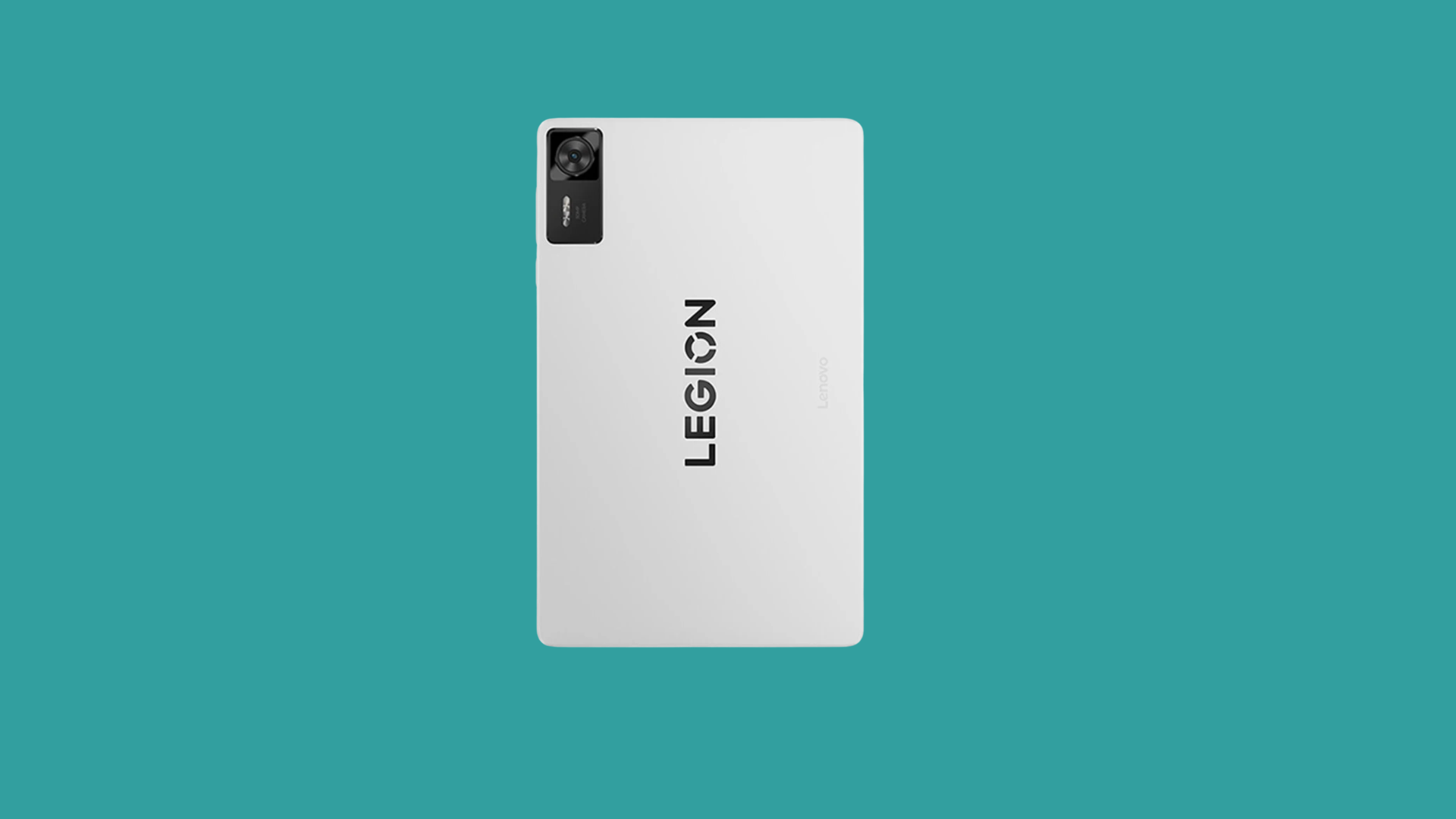
Lenovo Legion Y700 Gen 4 is a compact gaming tablet with impressive gaming power and useful hardware features.
My sister’s kid recently purchased this tablet, and the smaller 8.8-inch display felt comfortable for handheld gaming.
Even with the compact size, the tablet delivers strong performance in demanding games. Features like dual USB ports and expandable storage also make it practical for regular use.
The cleaner software experience gives it an advantage over many other gaming-focused Android tablets.
| Pros | Cons |
|---|---|
| Compact and easy to carry | Smaller screen size |
| Expandable storage support | Limited global availability |
| Smooth software experience | Not ideal for productivity tasks |
- Battery Life: Reliable battery for portable gaming
- Display Quality: Compact display with smooth visuals
- Cooling System: Handles heat well during gaming
- Performance: Strong gaming speed with flagship chipset
6. Samsung Galaxy Tab A11 Plus
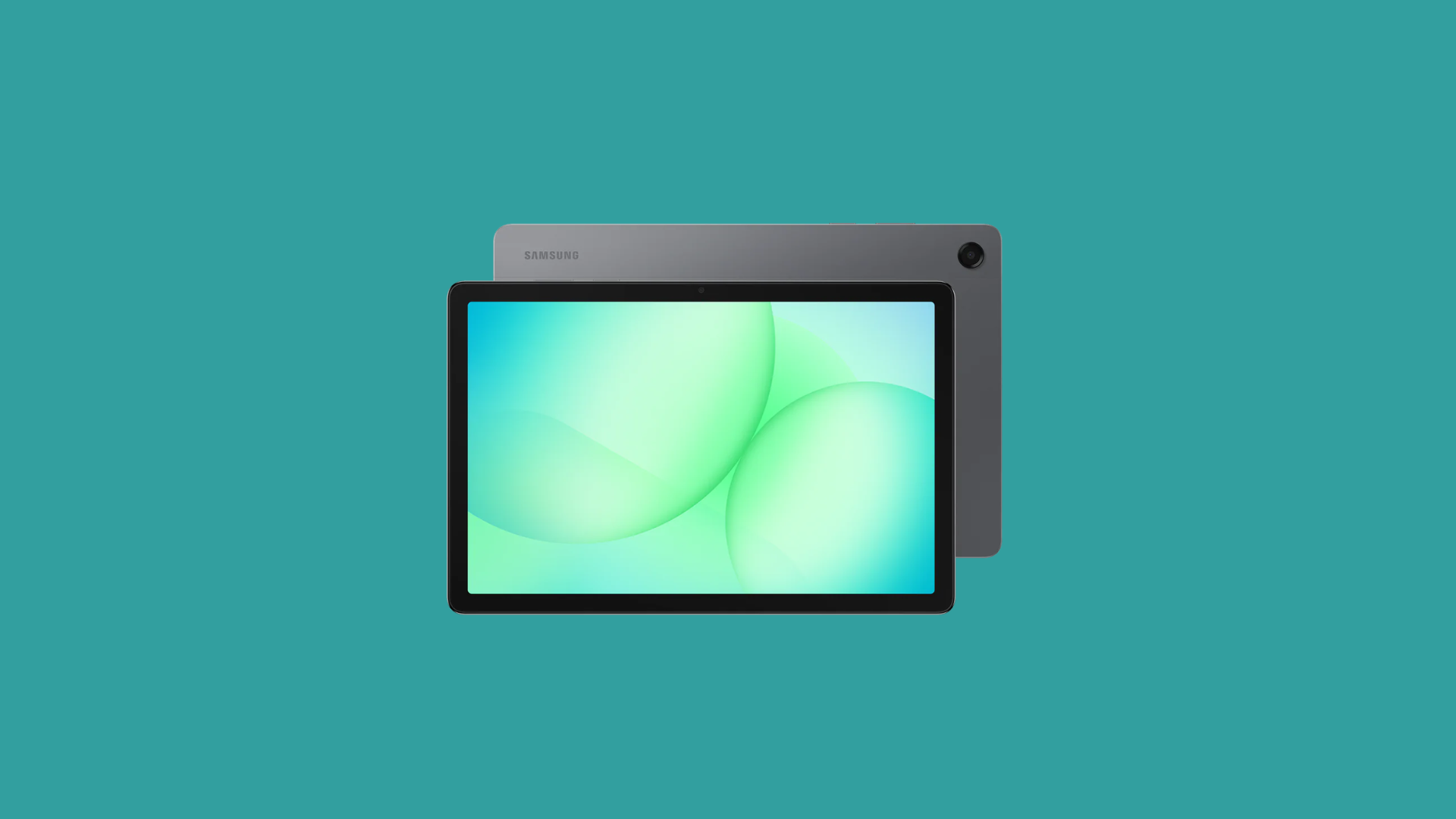
Samsung Galaxy Tab A11 Plus is a budget-friendly tablet that works well for casual gaming and entertainment. It handles light and medium-level Android games smoothly without major issues.
The display quality is decent for streaming videos and regular gaming sessions. Samsung’s user-friendly interface also makes it simple for students and families to use daily.
While it may not compete with flagship gaming tablets, it still offers reliable performance and good value for the price.
| Pros | Cons |
|---|---|
| Affordable pricing | Not for heavy gaming |
| Easy-to-use interface | Lower refresh rate |
| Good battery life | Average processor performance |
- Battery Life: Good backup for regular gaming
- Display Quality: Clear display for casual use
- Cooling System: Basic heat control support
- Performance: Smooth for light and medium games
7. Amazon Fire HD 10
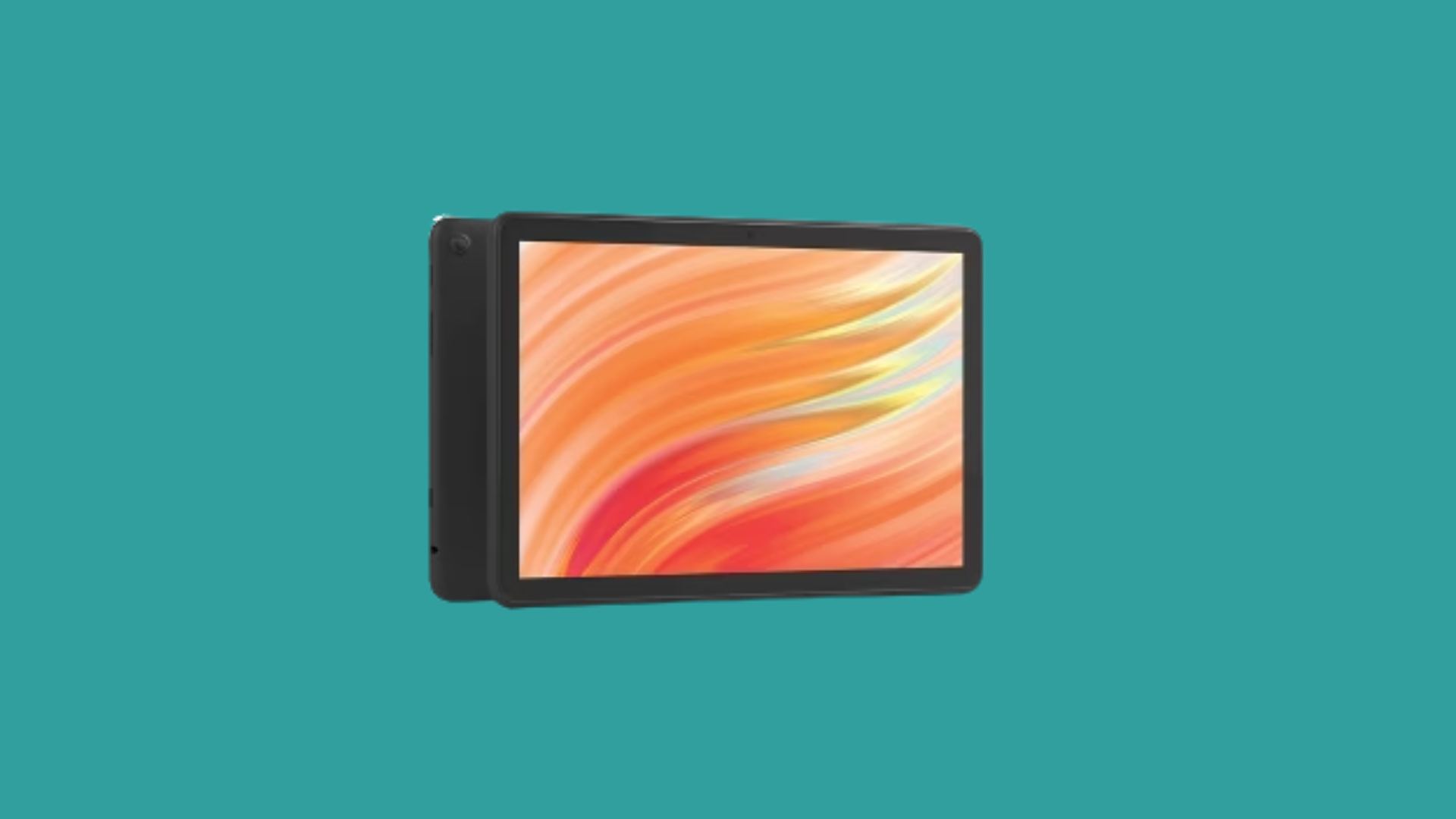
Amazon Fire HD 10 is a simple and affordable option for users who mainly play casual games.
I recently read on an online gaming forum that many people still prefer this tablet for basic entertainment because of its low price and easy-to-use design.
It handles lighter Android games comfortably and streams content well.
The lightweight design also makes it convenient for travel and everyday use. While it is not built for competitive gaming, it remains a good entry-level tablet option.
| Pros | Cons |
|---|---|
| Budget-friendly option | Limited gaming performance |
| Lightweight and portable | App store limitations |
| Good for casual entertainment | Lower display quality compared to premium tablets |
- Battery Life: Long battery support for casual use
- Display Quality: Decent screen for streaming and gaming
- Cooling System: Basic cooling for normal gaming
- Performance: Suitable for light gaming tasks
Best Android Gaming Tablets at a Glance
Comparing gaming tablets can help you choose the right option more easily. Features like battery life, display size, and price make a big difference in gaming performance.
| Tablet | Best For | Display Size | Battery Life | Avg Cost (USD) |
|---|---|---|---|---|
| RedMagic Astra | High-end competitive gaming | 12.1-inch | Up to 10 hours | ~$799 |
| Samsung Galaxy Tab S11 Ultra | Premium gaming and multitasking | 14.6-inch | Up to 14 hours | ~$1,249 |
| OnePlus Pad 3 | Balanced gaming and daily use | 12.1-inch | Up to 12 hours | ~$575 |
| Lenovo Gaming Tablet (Legion Tab Gen 3) | Smooth FPS gaming | 8.8-inch | Up to 9 hours | ~$649 |
| Lenovo Gaming Tablet (Legion Y700 Gen 4) | Compact handheld gaming | 8.8-inch | Up to 10 hours | ~$599 |
| Samsung Galaxy Tab A11 Plus | Budget-friendly casual gaming | 11-inch | Up to 11 hours | ~$325 |
| Amazon Fire HD 10 | Casual gaming and entertainment | 10.1-inch | Up to 13 hours | ~$175 |
Are Android Gaming Tablets Worth Buying?
Yes, Android gaming tablets are worth buying for users who want better gaming performance, larger screens, and smoother gameplay than most smartphones.
They also offer more flexibility and value across different price ranges. Gaming tablets have become more powerful over the years, making them a good option for both casual and competitive gamers.
High-refresh displays, fast processors, and large batteries make gaming smoother and better.
Many Android gaming tablets also support accessories like controllers, keyboards, and expandable storage, which adds extra convenience.
For users who also manage smart devices at home, pairing a tablet with a home automation system can make controlling everything even easier
You can buy budget tablets for light gaming or premium ones for games like PUBG and Call of Duty.
If you regularly enjoy mobile gaming and want greater comfort during longer sessions, an Android gaming tablet can be a smart investment.
How Much RAM Do You Need for Gaming Tablets?
The right amount of RAM helps games run smoothly and improves overall tablet performance. More RAM allows better multitasking, faster loading times, and stable gameplay during heavy gaming sessions.
- 4GB RAM: Suitable for light and casual games with basic performance needs.
- 6GB RAM: Good for regular gaming and smoother multitasking.
- 8GB RAM: Ideal for popular games like PUBG, COD Mobile, and Genshin Impact.
- 12GB RAM or More: Best for competitive gaming, high graphics settings, and long gaming sessions.
- Better Multitasking: Higher RAM helps switch between games and apps more smoothly.
- Future Performance: More RAM keeps the tablet useful for newer games over time.
Android Gaming Tablet vs iPad for Gaming
Both Android gaming tablets and iPads offer strong gaming performance, but they suit different types of users. Your choice depends on budget, game preferences, customization needs, and overall gaming experience.
| Feature | Android Gaming Tablet | iPad for Gaming |
|---|---|---|
| Gaming Performance | Strong performance with gaming-focused features | Smooth and optimized performance |
| Game Variety | Wide range of Android games and emulators | Strong App Store game support |
| Customization | More customization and expandable storage | Limited customization options |
| Price Range | Available in budget to premium options | Usually more expensive |
| Display Quality | High refresh rate gaming displays | Excellent color accuracy and brightness |
| Battery Life | Good battery backup for gaming | Long-lasting and optimized battery |
| Controller Support | Supports many third-party controllers | Strong controller compatibility |
| Software Updates | Varies by brand | Longer software support |
| Best For | Gamers want flexibility and value | Users wanting premium performance |
Tips for Improving Gaming Tablet Performance
Small changes in settings and maintenance can improve gaming performance on your tablet. Better optimization helps games run more smoothly and reduces lag during long gaming sessions.
- Clear Background Apps: Closing unused apps frees up RAM and improves gaming speed.
- Keep Software Updated: Regular updates improve performance, security, and game compatibility.
- Use Game Mode: Gaming mode optimizes system resources for smoother gameplay.
- Manage Storage Space: Keeping enough free storage helps the tablet run faster.
- Lower Graphics Settings: Reducing graphics settings can improve FPS in heavy games.
- Avoid Overheating: Playing in a cool environment helps maintain stable performance.
- Use a Stable Internet Connection: A strong Wi-Fi connection reduces lag in online multiplayer games.
- Restart the Tablet Regularly: Restarting clears temporary files and refreshes system performance.
Conclusion
Choosing the right gaming tablet can make your overall gaming experience smoother, faster, and more enjoyable.
From powerful premium devices to budget-friendly options, there is an Android gaming tablet for every type of gamer.
I personally feel that factors like display quality, battery life, and cooling matter just as much as raw performance, especially during long gaming sessions.
A good tablet should meet both your gaming needs and your budget without overcomplicating things.
If you enjoy casual games or competitive multiplayer titles, the right device can significantly improve comfort and gameplay.
Already use a gaming tablet or plan to buy one soon, share your experience and favorite pick in the comments below.
Frequently Asked Questions
Which Tablet Size Is Best for Gaming?
An 8 to 12-inch tablet is usually best because it balances screen comfort and portability.
Do Gaming Tablets Support External Controllers?
Yes, many Android gaming tablets support Bluetooth and wired gaming controllers.
How Long Does a Gaming Tablet Battery Last?
Most gaming tablets offer around 8 to 14 hours of battery life, depending on usage.
Are Cooling Systems Important in Gaming Tablets?
Yes, good cooling systems help prevent overheating and maintain smooth gaming performance.
Can Gaming Tablets Be Used for Daily Tasks, Too?
Yes, gaming tablets also work well for streaming, browsing, studying, and multitasking.