My Apple Watch once logged a forty-minute row as burning more calories than a ninety-minute trail run, and that mismatch is what pushed me to test Apple Watch calorie accuracy across every workout mode on the device.
If you are asking how accurate Apple Watch calories are, you are asking the right question, because the number on your wrist is an estimate built from sensors and assumptions, not a lab measurement.
This piece combines validation research, patterns pulled from thousands of Reddit and Apple Community posts, and months of testing against gym equipment to show where the Watch gets calories close, where it drifts, and how to read that number without overhauling your diet around it.
How Accurate is Apple Watch Calories Tracking, Really?
Short answer: Apple Watch calorie accuracy is good enough for spotting trends, not for counting exact calories. The Watch does not measure energy burned directly. It estimates it from heart rate, movement, and your personal stats, and every estimate carries a margin of error that changes with the workout.
A 2026 systematic review of Apple Watch validation studies found that energy-expenditure error was often large and inconsistent, while heart-rate accuracy stayed strong across the same studies.
A separate 2026 study comparing four smartwatches against ECG and indirect calorimetry in 62 healthy men reported the same split: heart rate held up well, but calorie estimates lost reliability, especially during resistance training.
In my own side-by-side testing, heart rate numbers matched a chest strap almost exactly, while calorie totals on the same indoor cycling session swung by more than 100 kcal from one ride to the next.
That gap between strong heart rate data and shakier calorie data is the single most useful thing to understand before trusting any number the Watch shows you.
How Apple Watch Calculates Calories
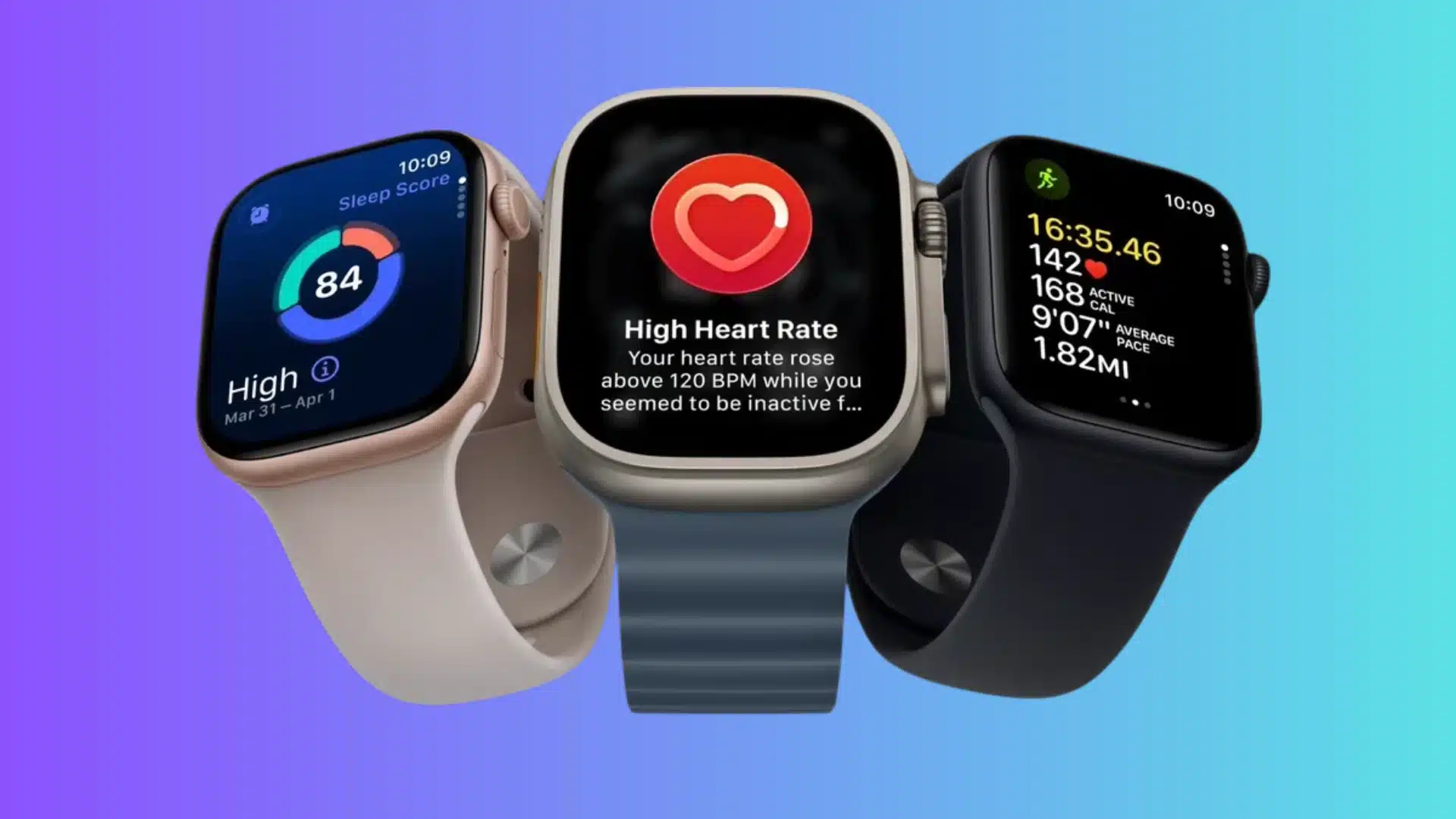
Apple Watch does not directly measure calories leaving your body. It estimates energy use by combining personal information with signals from its sensors and details about the activity you are doing.
1. Personal Health Details
Apple uses your height, weight, sex, and age to calculate energy use, so outdated details shift the estimate before a workout even starts.
I recalibrated my Health Details after losing about twelve pounds during marathon training, and my calorie totals dropped noticeably within the same week, since Apple pulls straight from those saved numbers.
2. Heart Rate and Movement
Heart rate is one of several inputs. The Watch also reads movement through its accelerometer, gyroscope, and, outdoors, GPS.
Apple’s own technical documentation lists heart rate, acceleration, rotation, elevation, location, and activity classification as contributing signals, depending on the workout.
3. Workout Type and Activity Data
Selecting the correct workout mode gives the Watch better context for what movement to expect. Apple recommends picking the closest match because the model weighs inputs differently depending on the activity you choose, which is also why two people doing a near-identical workout can land on noticeably different calorie totals.
Understanding those inputs also explains why two people can complete similar workouts and still receive noticeably different calorie estimates.
Active Calories, Resting Calories, and Total Calories
Before judging whether your Apple Watch calorie number looks right, check which calorie figure you are comparing. Active calories and total daily energy are not the same measurement.
|
Calorie Type |
What It Means |
How to Read It |
|---|---|---|
|
Active calories |
Energy attributed to movement and activity above resting needs |
This is what the red Move ring tracks |
|
Resting energy |
Estimated energy your body uses while maintaining basic functions |
It continues even when you are not exercising |
|
Total calories |
Resting energy plus calories attributed to activity |
This is broader than the Move ring number |
Apple’s Activity guidance specifically states that the red Move ring displays active calories burned. This distinction can explain why an Apple Watch, treadmill, Fitness app, or calorie calculator may show very different numbers for the same day.
What Real Apple Watch Owners Say
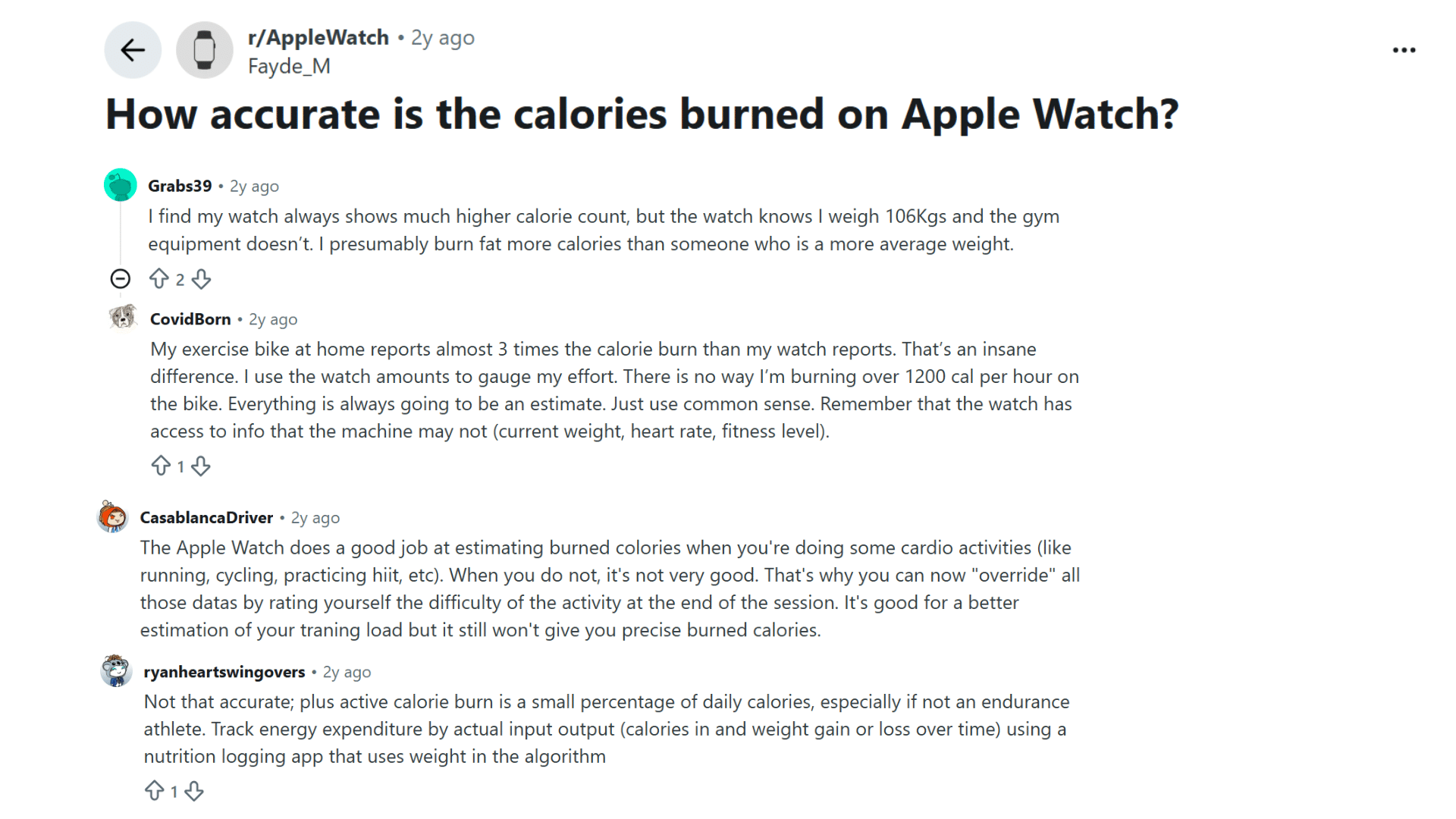
Real-world reports are mixed, making the calorie figure hard to treat as a precise measurement. One Reddit user said their Apple Watch showed much higher calories than exercise equipment, while another found an exercise bike reported nearly three times the Watch’s estimate.
Other owners felt the Watch worked reasonably well for cardio such as running and cycling but was less reliable for irregular activities. Several users emphasized using the number to gauge effort and track trends, rather than treating it as an exact calorie count.
These experiences are anecdotal, not controlled measurements, but they reinforce an important point: Apple Watch calories can help with consistency while still varying noticeably between workouts and devices.
Which Workouts Give You the Most Reliable Numbers

Workout type changes the quality of the inputs the Watch can use. Regular movement is generally easier to track than activities with frequent pauses or irregular wrist motion.
Walking and running: Steady pace, consistent heart rate, and GPS give the Watch its cleanest inputs. Apple’s calibration instructions recommend about 20 minutes of outdoor walking or running at a normal pace so the Watch can learn your stride length at different speeds, worth doing once after setup and again after a major fitness change.
Cycling and steady cardio: Rhythmic movement keeps heart-rate readings stable, but calorie totals can still miss. A 2025 study on the Apple Watch Series 7 during cycle-ergometer exercise found it underestimated energy expenditure compared with spirometric calorimetry, the lab method that measures calories burned from your breathing.
Strength training, HIIT, and irregular sports: Load, muscular tension, and rest periods do not translate cleanly into wrist movement, which is why the 2026 validation study found the weakest reliability here. Court and combat sports add irregular optical heart-rate readings on top of that.
So a stable cardio session may be easier to compare from one day to another, while lifting, HIIT, and stop-start sports deserve more caution around the exact calorie number.
Why Your Number Might Be Off, and the Fix for Each
Apple combines personal details, heart-rate data, movement, GPS, and workout-specific inputs. Small issues in those inputs can noticeably change the final estimate.
|
Factor |
Why It Skews the Number |
What Actually Fixes It |
|---|---|---|
|
Outdated Health Details |
Apple bases the estimate on your saved age, height, weight, and sex |
Update these after any real weight change, not just at setup |
|
Loose watch fit |
Weak skin contact weakens the heart-rate signal the whole estimate leans on |
Wear it snug, one finger-width above the wrist bone, during exercise |
|
Wrong workout mode |
Each mode weighs sensor inputs differently for that activity |
Pick the closest match, even for less common sports, instead of a generic option |
|
Uncalibrated stride |
The Watch has not yet learned your pace and stride length |
Complete the outdoor calibration walk once, and again after big fitness shifts |
|
Irregular movement |
Stop-start sports and lifting are the hardest patterns to read from the wrist |
Treat calorie numbers from these sessions as rough, and lean on heart rate instead |
Apple’s own measurement guidance for Apple Watch supports these checks, so unusual calorie readings are worth troubleshooting before deciding the Watch itself consistently reads high or low.
What the Research Actually Shows
Three recent studies provide the clearest picture of how well the Watch tracks calories.
A 2026 living systematic review pulled together validation studies on Apple Watch measurements and found that energy-expenditure error was often large and inconsistent from one study to the next, while VO2 max estimates, a measure of how efficiently your body uses oxygen during exercise, ran noticeably low compared with lab testing.
A 2026 study of 62 healthy men compared four smartwatch brands, including Apple, against ECG, a hospital-grade heart monitor, for heart rate, and indirect calorimetry for calories. Heart rate stayed accurate across every brand. Calorie estimates were weaker across the board, and reliability dropped further once resistance exercise was added.
A 2025 meta-analysis pooling health-metric studies reached a similar conclusion: heart rate and step counts scored well, energy expenditure did not, regardless of brand.
Put together, the pattern is consistent rather than random. If you are still asking how accurate Apple Watch calories are after reading the data, the honest takeaway is that wrist-based heart rate sensors have matured, while calorie math built on assumptions about your body has not caught up at the same pace.
Can You Use Apple Watch Calories for Weight Loss?
This is where an imperfect estimate can have the biggest consequence. The safer approach is to use Watch data as supporting information, not exact calorie accounting.
- Do not eat back every active calorie. A 600-calorie workout reading doesn’t guarantee 600 extra calories at dinner.
- Do not apply a flat correction like minus 20 percent. Error size changes by person and by workout, so one fixed adjustment will not hold up across your week.
- Watch trends, not single days. Compare similar weeks of activity against your weight and intake over time, rather than reacting to one unusual reading.
- Know which ring you are reading. The red Move ring shows active calories only, not your full daily energy use.
When I stopped adjusting my food intake around single workout readings and started tracking four-week trends against the scale instead, my numbers finally made sense, and the Watch became useful again instead of stressful.
Apple Watch vs Other Wearables: Is Anyone Getting Calories Right?
The Apple Watch isn’t uniquely bad at this. Broader reviews comparing commercial wearables side by side have found energy-expenditure error exceeding 30 percent across nearly every major brand, while step counts and heart rate scored far better industry-wide.
That context matters. If you switch brands hoping for a more exact calorie number, you are more likely to trade one kind of error for another than to solve the problem outright.
The more useful move is to pick one device, keep your workout logging consistent, and read changes over time rather than chasing a more accurate brand.
Conclusion
Apple Watch calorie accuracy holds up best as a trend tool, not a lab counter. Heart rate readings across every study reviewed were strong and consistent, while calorie estimates varied by workout type, watch fit, and how up-to-date your Health Details are.
Community reports back this up; cardio numbers earn more trust than strength or stop-start sports. If you are still weighing how accurate Apple Watch calories, treat the figure as a comparison tool across similar workouts rather than a precise energy count.
Update your details, calibrate, and check the fix table above before your next session. Try these checks next time you work out, and share how your numbers compare in the comments.
Frequently Asked Questions
Can Tattoos Affect Apple Watch Calorie Readings?
Some tattoos can interfere with the optical heart-rate sensor because dense or dark ink can block the light it uses to read your pulse. When heart rate becomes unreliable, calorie estimates based on it can drift too.
Does Apple Watch Tend to Overestimate or Underestimate Calories?
There is no fixed direction. Studies and community reports show underestimation during some cardio sessions and overestimation during others, especially strength training, so the error is inconsistent rather than a one-way bias you can just subtract.
Should I Trust Active Calories or Total Calories More for a Diet?
Neither is exact, but Total Calories is closer to your real daily energy need since it includes resting energy. Active Calories are better for comparing workouts than for building a food budget.
Why Do My Apple Watch and Treadmill Show Different Calorie Numbers?
Each device uses its own sensors, personal inputs, and calculation model, so a mismatch does not mean one reading is exact and the other is wrong. Comparing the same workout repeated over time is more useful than trusting either single number.
Does Apple Watch Count Calories when No Workout is Running?
Yes. Daily activity tracking continues in the background, so the Move ring can rise even when you have not started a recorded workout.