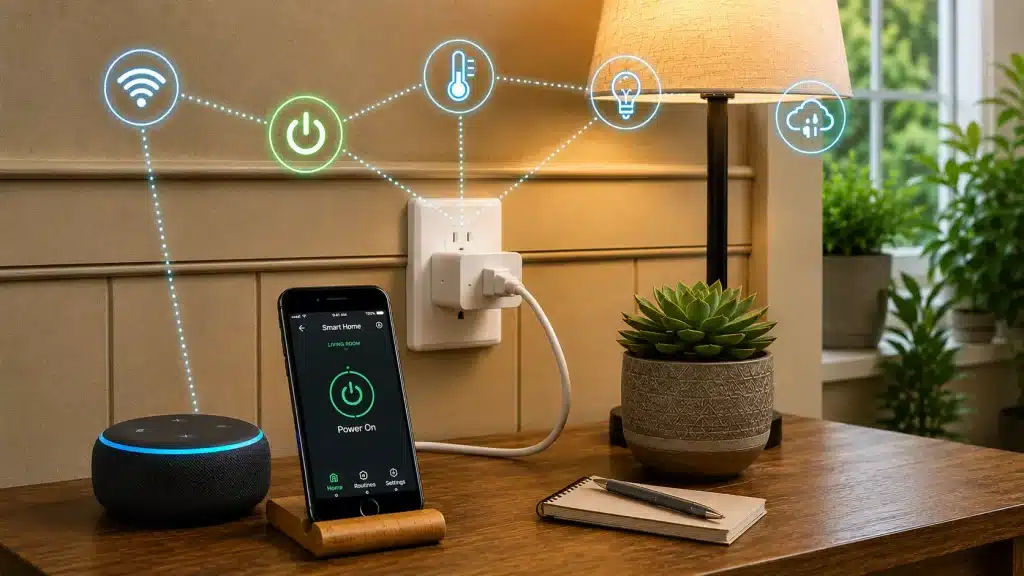
A device that costs less than many smart home gadgets can change the way you use everyday appliances.
Turning off forgotten lights, setting a coffee maker to run on schedule, or controlling a fan from your phone does not always require replacing the device itself. A small adapter can add these features in minutes.
What is a smart plug? It is a simple device that connects regular appliances to your smart home system. It lets you control power through an app, voice assistant, or automatic schedules.
From everyday convenience to energy tracking, smart plugs offer an easy way to add control to devices you already own.
What is a Smart Plug?
A smart plug is a small adapter that sits between your wall outlet and your appliance. You push it into the socket, plug your device into its front, and once it’s connected to your home Wi-Fi, you can switch that appliance on or off from an app or with a voice command, no wall switch needed.
Think of it as a bridge between your old devices and your phone, making it one of the simplest additions to a home automation system. A normal lamp becomes an app-controlled lamp the moment you add a smart plug, and the same trick works for fans, coffee makers, and string lights.
One thing to know: the plug controls the power, not the device itself, so any appliance with a physical switch needs to stay in the “on” position to work.
Here’s how it compares to a standard plug:
| Regular Plug | Smart Plug |
|---|---|
| Manual on/off only | Control from your phone |
| No scheduling | Timers and routines |
| No app | App and voice support |
Put simply, a smart plug takes something you already own and gives it app and voice control, without any rewiring. That small change is what makes the rest of this guide worth reading.
How Does It Actually Work?
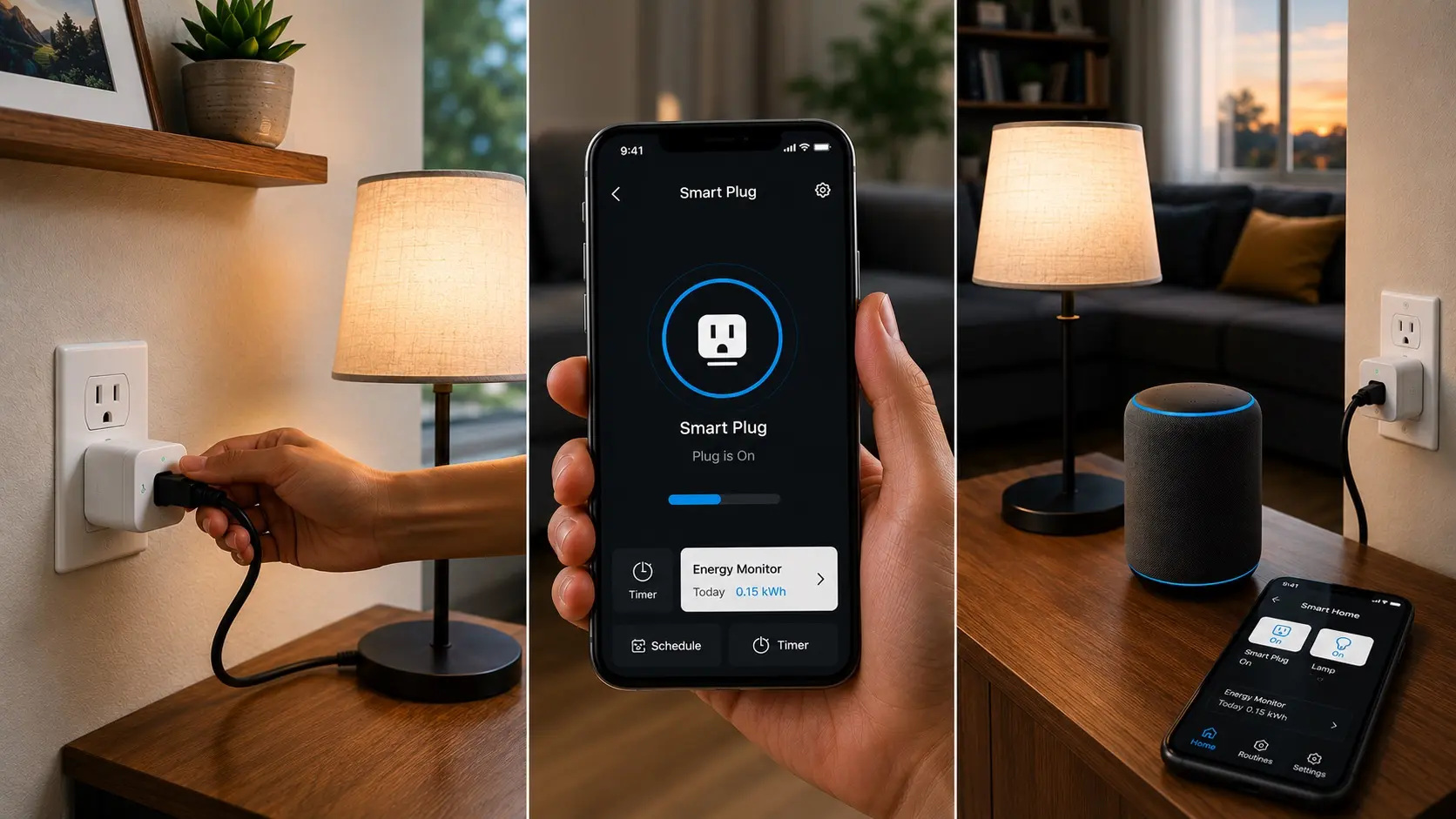
One reason smart plugs are so easy to use is their simple setup. The pairing process is similar to many other smart device installations, requiring no electrical wiring or technician.
Step 1: Plug It In and Connect Your Device
Push the smart plug into your wall outlet. Then plug your appliance, such as a lamp or fan, into the smart plug. The plug now sits in the middle, managing the power reaching your device.
Step 2: Pair It With the App
Download the brand’s app, create an account, and follow the setup steps. The app connects the plug to your home Wi-Fi and links it to your account. This part usually takes only a minute or two.
Step 3: Control It From Anywhere
Control the device through an app, voice assistant, or scheduled routines. Remote access may require internet access, a manufacturer’s cloud service, or a compatible hub.
And that’s the whole setup. Once these three steps are done, your everyday appliance answers to a tap, a voice command, or a set time, with no need to touch the wall switch again.
What You Can Do with a Smart Plug
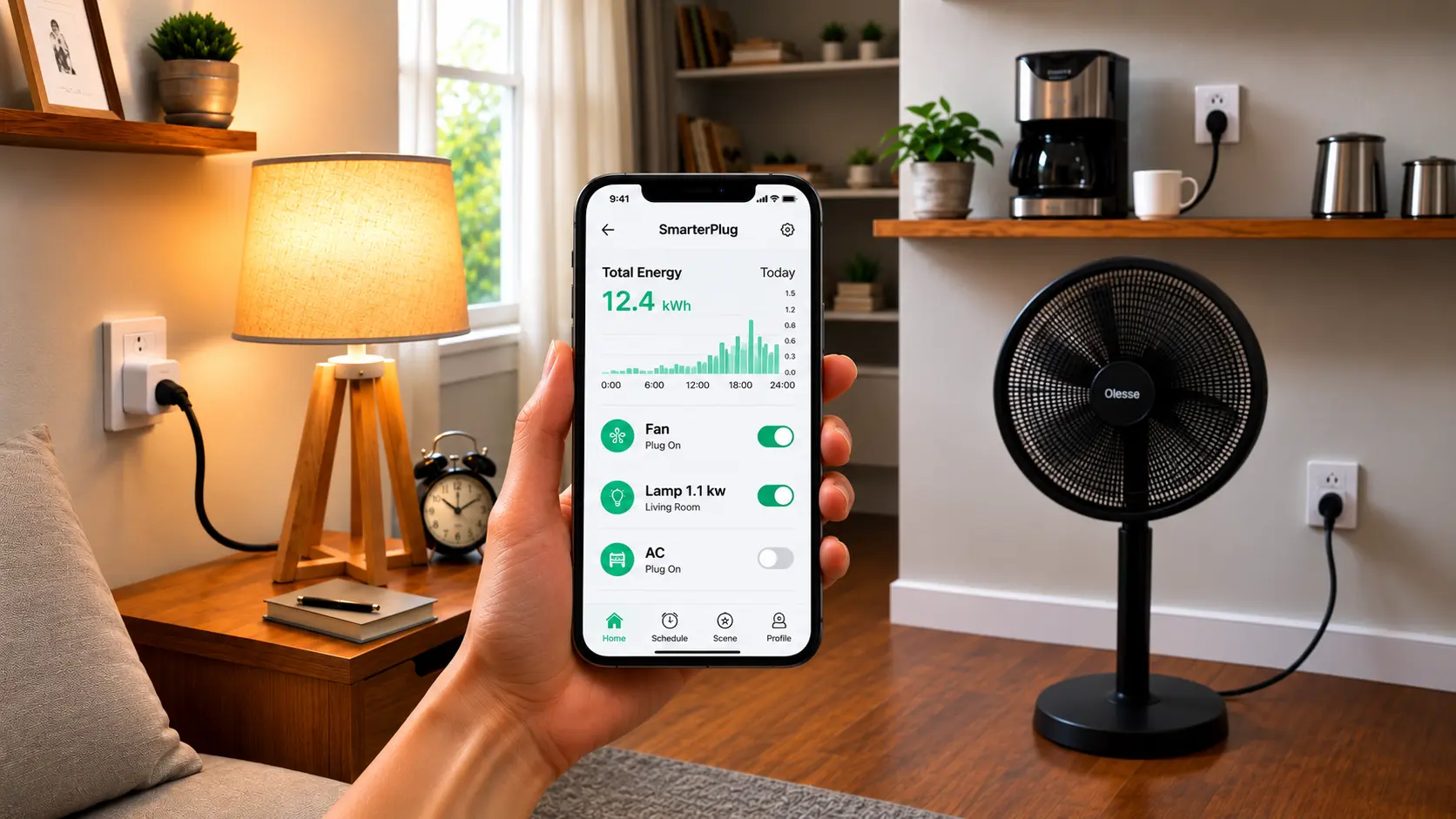
A smart plug adds real value to devices you already own, and it does more than flip them on and off. Once it’s set up, you get a handful of everyday features that make small tasks easier and can even trim your power bill. Here’s what it can handle:
- Remote control: Switch lamps, fans, and small appliances on or off from anywhere, whether you’re in the next room or across town. If you forget to turn something off before leaving, you can fix it from your phone in seconds.
- Schedules: Set a light to come on at sunrise or shut off at bedtime, all on its own. You can also stagger a few plugs so that different devices run at different times without any effort on you part.
- Voice commands: In a voice-controlled home, a smart plug can work with Alexa, Google Assistant, or Siri for hands-free control. A quick spoken request turns connected devices on or off when your hands are full.
- Energy tracking: Some plugs show how much power a device uses, so you can spot waste. That data helps you see which gadgets quietly drain power and decide what to switch off or put on a timer.
Put together, these features turn a plain outlet into a small control hub for your home. You don’t have to use every one, so pick the features that solve a problem you actually have.
Are They Safe to Use?
Yes, as long as you use them correctly. Before using a smart plug, check the product’s safety listing, certification details, and electrical rating to ensure it meets your device’s power requirements.
The golden rule is to match the device to the plug. Before connecting anything,check that its wattage and amperage fall within the plug’s stated limits. Staying inside those numbers is what keeps everything running safely.
Because of this, a few devices are best kept off smart plugs entirely:
- Heaters: Space heaters and other high-power heating units.
- Large appliances: Fridges, washing machines, and similar heavy machines.
- Anything over-rated: Devices that draw more power than the plug allows.
For everything else, a little care goes a long way. Buy from trusted, well-reviewed brands, look for a safety certification mark, avoid overloading a single plug, and follow every step of the setup. Stick to these habits, and a smart plug is as safe as any everyday outlet, giving you the convenience without the worry.
| Safe-use tip: If a plug ever feels warm to the touch during use, unplug it and check the load. Gentle warmth can be normal, but real heat is a sign that the device is drawing more power than the plug can handle. |
Where Smart Plugs Work Best at Home
A smart plug fits in almost any room, but a few spots give you the most day-to-day use. Think about the devices you switch on and off the most, since those gain the biggest boost from a plug. This table shows where they help most:
| Room | Best Uses |
|---|---|
| Living room | Lamps, TV, and speaker setups |
| Bedroom | Bedside lights and fans tied to a routine |
| Kitchen | Coffee makers and countertop gadgets on a timer |
| Outdoors | String lights and garden lighting on a schedule |
Start with one high-use spot, like a bedside lamp or the coffee maker, then add more plugs once you see how much easier your daily routine feels.
| Tip: Match the plug to the room. Use a weatherproof, outdoor-rated plug for gardens, patios, and porches, since indoor plugs aren’t built to handle rain or damp. And skip smart plugs for anything with a heating element, like a space heater, for safety. |
How to Choose the Right One
Before you buy, a few quick checks will help you pick a plug that actually fits your home and the devices you want to control. Smart plugs may look almost identical on the shelf, but small differences can decide whether setup takes two minutes or two frustrating evenings. Here’s what to look at:
- Compatibility: Make sure it works with your system, Alexa, Google Home, or Apple Home.
- Wi-Fi: Most plugs need a 2.4 GHz network; a few use Bluetooth instead.
- Energy monitoring: Handy if you want to track and cut power use, skippable if you don’t.
- Type: Pick indoor, outdoor, mini, or a multi-pack based on where it’ll go.
Match these four things to your home before you check out, and you’ll skip the returns and get the right plug the first time no guesswork, no second orders.
Popular Models to Compare
Once you know what to look for, it helps to see how a few well-known options stack up. Most come from a handful of trusted brands, and each one leans toward a slightly different need.
Each product name below links to its official page, so you can confirm compatibility, load rating, indoor or outdoor use, and hub requirements before choosing a model.
| Type of Pick | Good Example | Stands Out For |
|---|---|---|
| All-rounder | TP-Link Kasa KP125M | Matter support plus energy monitoring |
| Budget mini | TP-Link Tapo P115 | Small size and a low price |
| Alexa homes | Amazon Smart Plug | Fast, simple setup with Alexa |
| Outdoor use | Wyze Plug Outdoor | Weather-resistant with two sockets |
| Privacy first | Eve Energy | Local control with less cloud reliance |
| Advisory note: Prices, packs, and availability change often and vary by region, so treat this as a guide, not a ranking. When comparing listings, check three things: the platform (Alexa, Google Home, or Apple Home), the load limit (wattage and amperage suit your device), and any extras you want, like energy monitoring or Matter. |
You’ll find smart plugs at online marketplaces, electronics retailers, and brand stores. Read a few recent reviews first, since they often flag setup or connection issues that spec sheets miss.
What Real Users Actually Do with Smart Plugs
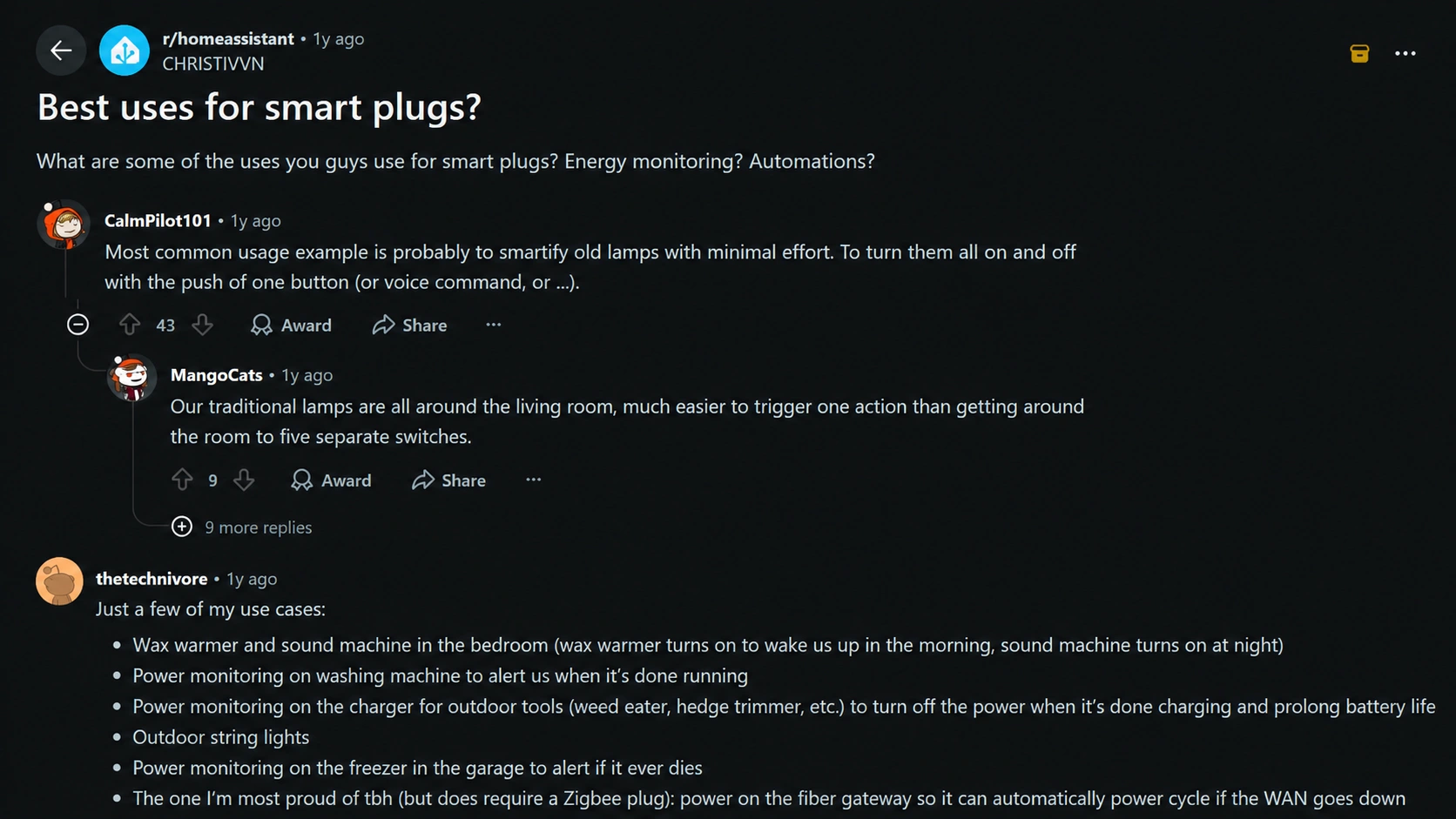
The official features only tell half the story. Browse smart home threads on Reddit, and you’ll find plugs used in ways the packaging never mentions. A few that owners keep coming back to:
- They catch appliances the moment they finish: A power-monitoring plug on a compatible washer can track power changes and alert you when the cycle ends. Check your appliance’s electrical requirements first, as many dryers use 240V and cannot work with standard smart plugs
- They manage charging schedules: A smart plug timer can help control charging times, but it does not prevent charger or battery fires. Use approved chargers, follow manufacturer instructions, and avoid treating a smart plug as a safety device.
- They reboot flaky electronics: A favorite is parking your modem on a plug so it power-cycles when the internet drops. The tip: use Zigbee, not Wi-Fi, since a Wi-Fi plug can’t turn your internet back on.
- They kill phantom power: TVs and consoles pull electricity even when off. One user measured 50 watts still draining from gear that was supposedly idle.
- They set failure alarms: A plug on the garage freezer alerts them the instant the power drops, so a dead freezer doesn’t become a weekend of spoiled food.
The common thread? The feature real users love most isn’t remote control. It’s power monitoring, and that’s what unlocks the smartest tricks: knowing when a load finishes, when a charger’s done, or when an appliance has quietly died.
Common Mistakes to Avoid
A few simple slip-ups trip up new users. Keep these in mind to get the best results from your smart plug.
| Mistake | What Happens | How to Avoid It |
|---|---|---|
| Overloading | Plugging in a heater or large appliance that the plug can’t handle. | Check the plug’s wattage limit before connecting anything. |
| Wrong network | Trying to connect on a 5 GHz band when the plug needs 2.4 GHz. | Switch your phone to the 2.4 GHz network during setup. |
| Skipping updates | Missing bug fixes and new features. | Keep the app and firmware up to date. |
| Poor placement | Hiding the plug behind furniture where the signal is weak. | Place it somewhere with a clear Wi-Fi path. |
| Cheap brands | No-name plugs with no safety mark to save a little money. | Stick to certified, well-reviewed brands. |
Avoid these five, and your smart plug will run reliably from day one, with no dropped connections or safety worries.
The Bottom Line on Smart Plugs
Smart plugs are a simple way to add control and automation to everyday appliances without replacing the devices you already own.
If you are wondering what a smart plug is, it is a small adapter that lets you manage power through an app, a voice assistant, or scheduled routines.
They can help with convenience, energy monitoring, and daily tasks, but choosing the right model requires checking compatibility, safety ratings, and power limits.
A smart plug works best when matched with the right appliance and usage needs. Start with one device, test how it fits your routine, and share your experience with others.
Frequently Asked Questions
Can One Smart Plug Control Multiple Devices?
Not directly. Each plug controls whatever is connected to its single socket. If you want to run several items, plug a power strip into it.
Will a Smart Plug Slow Down My Wi-Fi?
No. A smart plug uses very little bandwidth and only sends small signals. Running many at once has almost no effect on your home network.
How Long Does a Smart Plug Usually Last?
Most last several years with normal use. Quality and heat exposure affect lifespan, so keep them away from damp spots and heavy heat.
Can More Than One Person Control a Smart Plug?
Yes. Most apps let you share access with family members. Each person signs in on their phone and can control the same plug.