A strange slowdown, unexpected pop-ups, or unusual internet activity can sometimes indicate something is happening behind the scenes.What is a botnet? Simply put, it is a network of internet-connected devices secretly infected with malware and controlled by a cybercriminal.
Most device owners never realize their computers, phones, or smart gadgets have become part of such a network. That hidden nature is exactly what makes botnets so effective and dangerous.
I know cybersecurity terms can sound overwhelming at first, but once the basics are clear, everything starts to make sense.
You’ll soon see how botnets are created, why attackers rely on them, the risks they pose, and the practical ways to keep devices protected.
What is a Botnet?
A botnet is a network of devices infected with malicious software, enabling cybercriminals to control them remotely. These compromised devices, often called bots or zombies, can include computers, smartphones, tablets, servers, routers, and smart home products such as security cameras.
The word botnet combines two simple terms:
- Bot: A device that automatically follows commands.
- Network: A group of connected devices working together.
After malware infects a device, it quietly connects to an attacker-controlled system and waits for instructions. Like a puppet show controlled by one person, thousands or even millions of infected devices can perform actions together.
Botnets are dangerous because attackers use them to launch large-scale attacks, spread malware, steal information, and misuse device resources without the owner’s knowledge.
How Does a Botnet Work?

Botnets may seem complicated, but their operation follows a simple pattern. Every botnet starts with malware infecting devices and ends with those devices carrying out commands for a cybercriminal. The process usually happens in four main stages:
- Device Infection Begins: A botnet forms when malware infects a vulnerable device via unsafe downloads, deceptive email lures, malicious websites, outdated software, or weak security settings. Once installed, it runs quietly in the background.
- Connecting to the Botnet Network: After infection, malware connects the device to an attacker-controlled system or other infected devices. The owner often remains unaware because the malware stays hidden while waiting for commands.
- Commands From the Botmaster: The botmaster, the cybercriminal controlling the botnet, sends instructions to infected devices. These commands may involve sending spam, stealing data, spreading malware, or attacking websites.
- Attack Execution: Once commands are received, infected devices automatically execute tasks. Since thousands of devices can work together, botnets can launch attacks far more powerful than a single computer.
Botnets rely on automation, secrecy, and large numbers to stay effective. Detecting infections early and following security practices can help reduce their impact.
What are Botnets Used For?
A botnet becomes dangerous because attackers can direct thousands of infected devices to act together. Instead of relying on one computer, they harness the combined power of an entire network to carry out activities that are difficult to stop. As security agencies point out, the infected devices in these networks are themselves victims of the attack.
| Botnet Activity | How It Works | Potential Impact |
|---|---|---|
| DDoS Attacks | Thousands of infected devices flood a website or server with traffic. | Websites become slow, unavailable, or completely offline. |
| Sending Spam Emails | Bots automatically distribute large volumes of unwanted emails. | Spreads phishing scams, malware, and fraudulent messages. |
| Credential Theft | Malware collects usernames, passwords, and login information. | Accounts may be hijacked, leading to identity theft or financial loss. |
| Cryptocurrency Mining | Infected devices secretly mine digital currencies using their processing power. | Devices become slower, consume more electricity, and overheat. |
| Malware Distribution | Botnets install additional malicious software on compromised devices. | Infections become more severe and difficult to remove. |
| Click Fraud | Bots repeatedly click advertisements or visit web pages automatically. | Advertisers lose money, and online marketing data becomes unreliable. |
Botnets are valuable to cybercriminals because one infected device rarely causes significant damage on its own. A coordinated network, however, can overwhelm systems, spread malware rapidly, and generate substantial illegal profits while remaining hidden from most users.
Common Botnet Models and Their Structures
Botnets are built using different structures that help attackers control infected devices, maintain access, and avoid detection. The most common types include centralized, peer-to-peer, IoT, and mobile botnets.
1. Centralized Botnets
Centralized botnets connect infected devices to a single Command and Control (C&C) server managed by the attacker.
This server sends instructions and controls every connected device through one system. The structure allows quick communication and simple management.
However, it creates a major weakness: shutting down the central server can disrupt the entire network. Security teams often target this point to reduce the botnet’s effectiveness.
2. Peer-to-Peer (P2P) Botnets
Peer-to-peer botnets use a decentralized structure in which infected devices communicate directly with one another. Unlike centralized systems, they do not depend on one server for control.
This makes them harder to track and remove because there is no single failure point. Even if some infected devices are disconnected, the remaining network can continue to share commands and maintain attacker control.
Simple routines like keeping login credentials strong still make individual devices harder to conscript in the first place.
3. IoT Botnets
IoT botnets target internet-connected devices such as smart cameras, routers, televisions, and home assistants.
Many IoT products become vulnerable because of weak passwords, outdated software, or limited security features.
Attackers use these devices to expand their networks and launch attacks. The Mirai botnet is a well-known example that used vulnerable IoT devices to create one of the largest DDoS attacks; records from the prosecution show it grew to hundreds of thousands of compromised devices at its peak.
4. Mobile Botnets
Mobile botnets infect smartphones and tablets through harmful apps, fake updates, or unsafe downloads.
Once compromised, these devices can send spam, collect personal information, or support larger cyberattacks.
As mobile usage increases, attackers continue targeting these devices to expand botnet networks. Keeping mobile software updated and downloading apps from trusted sources can reduce the risk of infection.
Famous Botnet Examples
Looking at real-world botnets shows how these networks have affected businesses, governments, and everyday internet users. Each example highlights a different tactic used by cybercriminals, demonstrating why botnets remain a serious cybersecurity concern worldwide.
| Botnet | Year Identified | Primary Target | Known For |
|---|---|---|---|
| Mirai | 2016 | IoT devices | Launched one of the largest DDoS attacks by exploiting devices with default passwords. |
| Emotet | 2014 | Businesses and individuals | Began as banking malware, then evolved into a major malware distribution network. |
| Zeus | 2007 | Banking customers | Stole online banking credentials and sensitive financial information from millions of users. |
| Gameover Zeus | 2011 | Financial institutions | Used peer-to-peer communication to steal banking data and distribute ransomware. |
| Necurs | 2012 | Email users | Became one of the world’s largest spam botnets, distributing phishing emails and malware on a massive scale. |
Although these botnets differ in design and purpose, they share one common trait: each relied on large numbers of compromised devices to amplify its impact. Their success has influenced newer botnets, making cybersecurity awareness and timely software updates more important than ever.
Common Methods Botnets Use To Spread
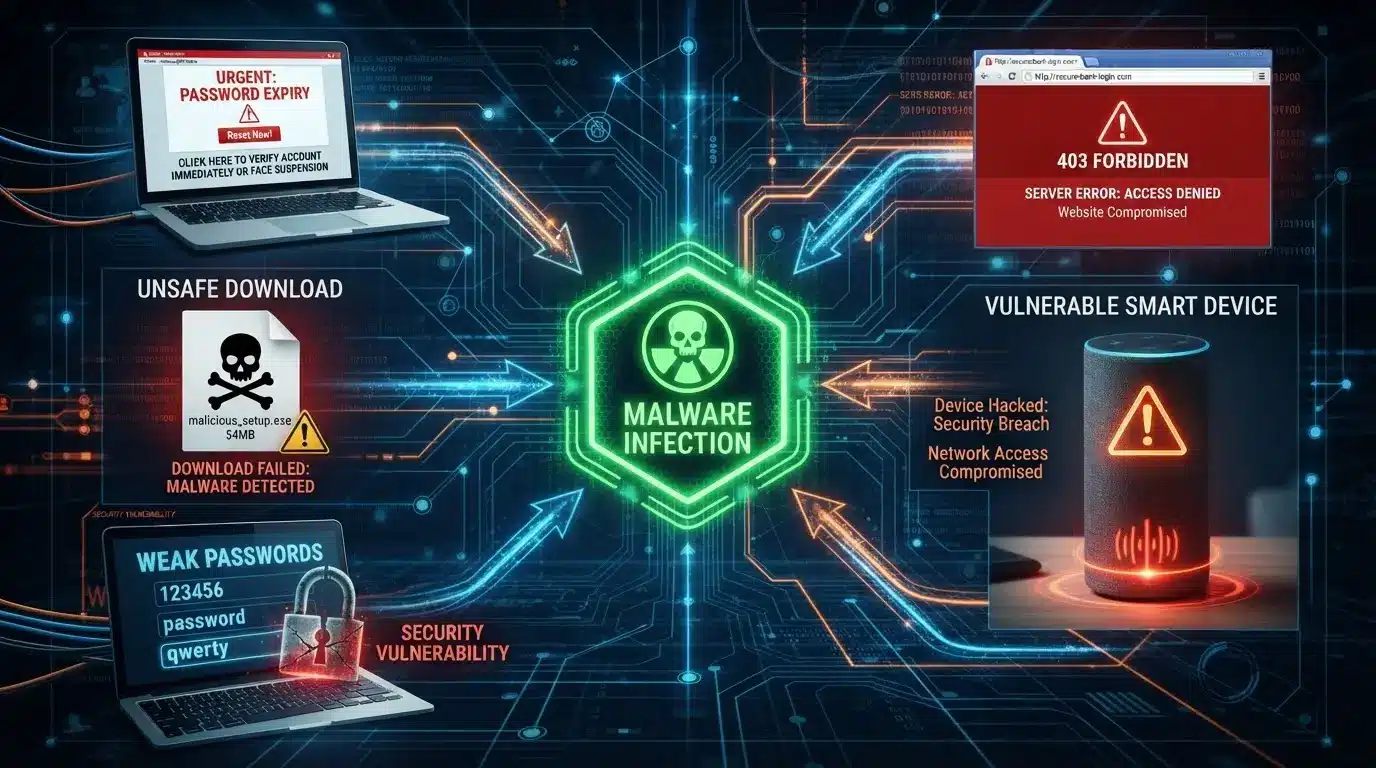
Botnets grow by infecting large numbers of devices, and attackers often rely on common online mistakes rather than advanced hacking techniques.
They use different methods to secretly install malware and add new devices to their network. Common ways botnets spread include:
- Phishing emails: Fake messages may contain harmful attachments or links that install malware when opened.
- Fake software downloads: Unofficial apps, pirated programs, and fake installers may hide botnet malware.
- Compromised websites: Infected websites can exploit security flaws to deliver malware without the user’s knowledge.
- Outdated software: Older operating systems and applications may contain security weaknesses attackers can exploit.
- Weak passwords: Simple or default passwords make devices like routers and smart products easier to access.
- Unsafe IoT devices: Poorly secured smart cameras, plugs, and home assistants can become easy targets.
Because botnets often rely on everyday digital habits, anyone can become a target. Keeping software updated, using strong passwords, and downloading only from trusted sources can help reduce infection risks, and joint federal guidance sorts the resulting attacks into volumetric, protocol, and application types.
Why are Botnets Dangerous?
Large botnets can disrupt businesses, steal personal data, and overwhelm online services, making them a major cybersecurity threat worldwide.
For Individuals:
Personal devices often store passwords, financial details, photos, and sensitive documents. When malware gains access through a botnet, attackers may steal valuable information, misuse online accounts, or monitor digital activity without attracting immediate attention.
For Businesses:
Organizations can experience website outages, interrupted operations, customer data breaches, and financial losses. Recovery often requires significant time and resources, while damaged customer trust may continue affecting the business long after the attack ends.
For the Internet:
Large botnets have enough combined power to disrupt internet services used by millions of people. Major DDoS attacks can temporarily disrupt websites, cloud platforms, and online applications, demonstrating how far-reaching the consequences of a single botnet can be. This is also why locking down your home network matters for everyone sharing it.
Strong cybersecurity practices on individual devices help limit botnet growth and reduce the impact of large-scale cyber attacks.
Signs Your Device May Be Part of a Botnet

Botnet malware is designed to stay hidden, so unusual device behavior can sometimes help identify possible problems early. These signs do not always confirm a botnet infection, but noticing multiple issues together may require a closer security check.
A device affected by a botnet may show signs such as:
- Unusually slow performance.
- High CPU or battery usage.
- Frequent crashes or freezes.
- Unusual network activity.
- Unknown programs or processes.
- Security software stops working.
- Unexpected pop-ups or error messages.
- Slow internet connection without a clear reason.
- Increased data usage without regular activity changes.
- Apps opening, closing, or behaving strangely.
- Device overheating during normal use.
- Unknown changes in system settings.
These warning signs should not be ignored. Regular security scans, software updates, strong passwords, and safe online habits can help reduce the chances of a device becoming part of a botnet.
Botnet vs Other Cyber Threats: Key Difference
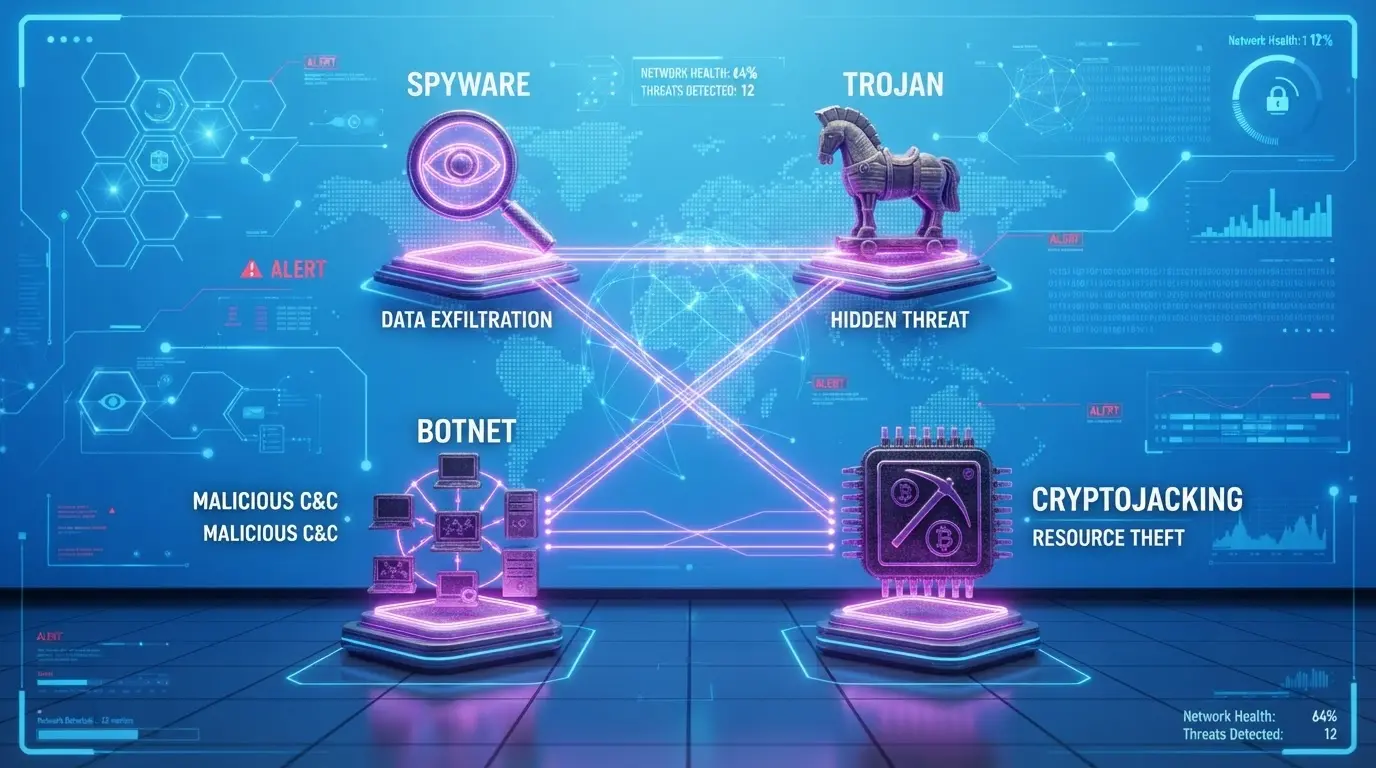
These cybersecurity terms are often used interchangeably, but they describe different concepts. Understanding the distinction makes it easier to recognize how various threats work together during a cyberattack.
| Threat | Meaning | Controls Devices? | Example | Purpose |
|---|---|---|---|---|
| Botnet | A network of infected devices controlled remotely. | Yes | Mirai | Launches attacks and performs harmful tasks. |
| Malware | Software designed to damage or exploit systems. | Sometimes | Emotet | Covers different types of cyber threats. |
| Virus | Malware that spreads by attaching to files or programs. | No | Melissa Virus | Replicates and infects other files. |
| Trojan | Malware disguised as legitimate software. | No | Zeus Trojan | Tricks users into installing harmful programs. |
A botnet is not a type of malware on its own. Instead, malware such as a Trojan often infects a device first, allowing it to join a larger botnet controlled by cybercriminals.
What to Do If Your Device Is Infected
Suspecting a botnet infection can be stressful, but quick action can reduce further harm. Follow these steps to limit attacker access and remove malicious software:
- Disconnect from the internet: Stop the device’s connection to prevent further communication with attackers.
- Run a security scan: Use antivirus and anti-malware tools to find and remove threats.
- Remove detected threats: Delete or quarantine any identified malicious files or programs.
- Update software: Install available operating system and application updates to fix security issues.
- Change passwords: Update important passwords using a separate trusted device.
- Check account activity: Review important accounts for unusual logins or suspicious actions.
- Reset the device: Factory reset the device if malware cannot be completely removed.
Quick action can reduce the chances of attackers continuing to control an infected device. Regular updates and account monitoring can also help prevent future problems.
How to Protect Yourself from Botnets
Preventing a botnet infection is usually much easier than removing one. Most successful attacks exploit overlooked security habits rather than advanced technical weaknesses. Building a few consistent routines can significantly reduce the likelihood that a device becomes part of a malicious network.
- Keep the operating system and installed software updated.
- Install reputable antivirus and anti-malware software.
- Use strong, unique passwords for every important account.
- Enable multi-factor authentication whenever available.
- Avoid downloading software from unofficial websites.
- Think carefully before opening unexpected email attachments.
- Change default usernames and passwords on smart devices.
- Secure the home Wi-Fi network with modern encryption.
- Review installed applications regularly and remove unfamiliar ones.
- Restart routers periodically and install firmware updates.
Strong cybersecurity habits work together rather than individually. Even simple actions, performed consistently, create multiple layers of protection that make successful botnet infections much less likely.
Final Thoughts
Cybersecurity becomes much less intimidating once the basics are clear. Understandingwhat a botnet is makes it easier to recognize why these hidden networks continue to challenge individuals, businesses, and online services.
I hope the information shared here helps you spot warning signs, understand how infections happen, and build stronger security habits before problems arise.
Small actions like updating software, using stronger passwords, and staying cautious with downloads can make a meaningful difference over time.
You don’t need to be a cybersecurity expert to reduce your risk. If you found this helpful, share your thoughts in the comments or take a look at more cybersecurity topics to continue building your knowledge.
Frequently Asked Questions
Can a Botnet Survive After a Device is Reset?
Some advanced malware may survive certain resets, especially if it affects firmware or connected devices. However, a proper reset combined with updates and security checks can remove many common infections.
How Long Can a Botnet Remain Active?
A botnet can remain active for months or even years if the infection stays unnoticed. The duration depends on the malware type, attacker control, and how quickly the device owner detects unusual activity.
Do Botnets Only Target Computers?
No, botnets can affect many internet-connected devices, including routers, smartphones, servers, and smart home products. Any device with weak security or outdated software may become a possible target.
Why are Botnets Difficult to Detect?
Botnets are designed to operate quietly in the background. They often avoid obvious signs by limiting resource usage, hiding processes, and using normal-looking network activity to remain unnoticed.
Who Creates and Controls Botnets?
Botnets are usually created and managed by cybercriminals or threat groups. They use infected devices for activities such as spreading malware, stealing information, disrupting services, or generating illegal profits.