Receiving a verification code text message when you did not try to log in can be confusing. I know how strange it is to suddenly receive a code for an account you were not using.
In many cases, it happens because someone entered the wrong phone number.
But sometimes it may indicate a scam attempt or someone trying to access your account. In this article, I will share why you are getting a link verification code text and what it could mean for your online safety.
You will also learn how scammers use verification codes, the warning signs to watch for, and the simple steps you can take to protect yourself.
By the end, you will have a clear idea of what to do the next time one of these messages appears on your phone.
What Is a Link Verification Code Text?
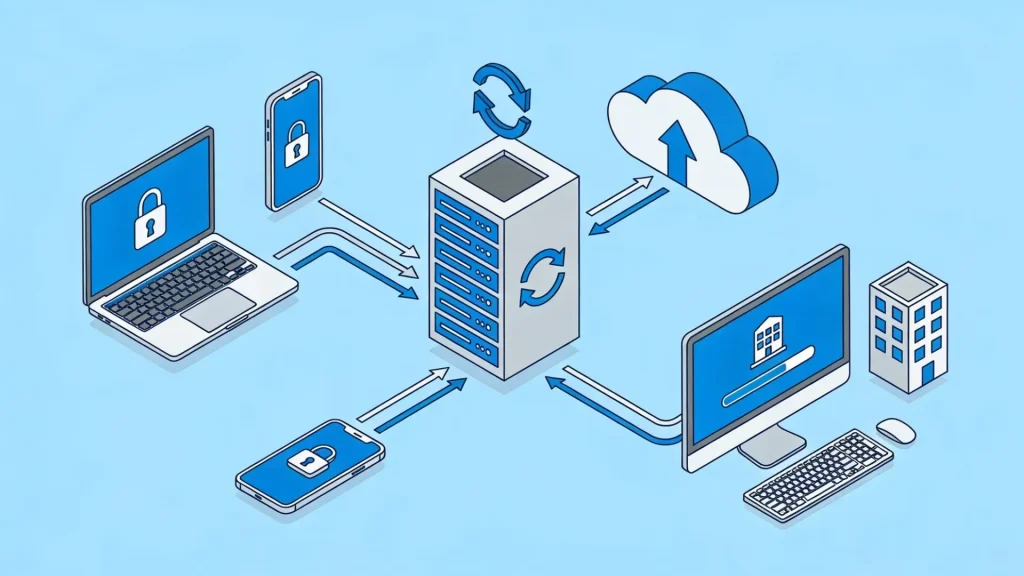
A link verification code is a security message you receive to confirm your identity when accessing an account. It helps protect personal accounts by making sure only the correct user can log in or make changes.
You may get these codes when signing in, resetting a password, or enabling extra security on an app or website.
Many companies use verification codes as part of two-factor authentication to keep accounts safe from hackers.
Sometimes, the text arrives unexpectedly. This can happen if someone entered the wrong phone number, tried to access an account, or attempted a scam.
An unrequested verification code does not always mean your account was hacked, but it should not be ignored.
Knowing how these messages work can help people avoid scams and better protect their online accounts and personal information.
Signs Someone May Be Trying to Access an Account
Unexpected verification codes can sometimes be a warning sign that another person is trying to access an online account. Paying attention to unusual account activity can help prevent scams, fraud, or unauthorized logins.
- Repeated Verification Code Messages: Receiving multiple verification codes in a short time may indicate that someone is repeatedly trying to sign in to an account.
- Password Reset Emails or Texts: Unexpected password reset requests often indicate that someone attempted to change account login details.
- Login Alerts From Unknown Devices: Many apps send alerts when an account is accessed from a new phone, browser, or location.
- Account Lockouts After Failed Attempts: Too many failed login attempts can temporarily lock an account, potentially indicating unauthorized access.
- Suspicious Calls or Messages Asking for Codes: Scammers may impersonate a company or bank and request verification codes to steal account access.
- Unknown Activity in Accounts: Unusual purchases, messages, or login activity from unfamiliar locations can indicate account misuse.
Main Reasons Behind Unexpected Verification Code Texts

Verification code texts are often sent unexpectedly when someone tries to access an account or enters a phone number by mistake. In some cases, these messages may also be linked to attempts at scam or fraud.
1. Someone Tried to Log Into an Account
Many websites and apps send a verification code when a login attempt is made from a new device or location.
If this happens unexpectedly, it may mean another person entered an email address or phone number while trying to access an account.
In some cases, hackers may also test login details using stolen passwords from old data leaks.
Receiving a code does not always mean an account was hacked, but it is a sign to review account security and update passwords if needed.
2. A Password Reset Was Requested
Password reset requests are among the most common reasons for unexpected verification texts. When someone clicks “forgot password,” the platform sends a code to confirm the account owner’s identity.
My sister once received multiple password reset texts late at night, even though she had not tried to log in to anything, which turned out to be an attempted account access.
Sometimes this happens by accident; other times, it may be part of a scam attempt. If a password reset message appears without any action from the account owner, it is important not to share the code with anyone.
Changing the account password and enabling extra security can help prevent unauthorized access.
3. A Wrong Phone Number Was Entered
People often make typing mistakes when signing up for apps, placing online orders, or recovering accounts. A single incorrect digit can cause verification codes to be sent to the wrong person.
This type of situation is usually harmless and resolves on its own after a short time.
However, repeated messages from the same service may indicate ongoing account activity associated with the number.
Blocking suspicious senders and avoiding links from unknown sources can help reduce unwanted messages and protect personal information.
4. Two-Factor Authentication Is Enabled
Accounts with two-factor authentication send verification codes as an added layer of protection. This security feature requires users to enter a temporary code along with a password during login attempts.
If an unexpected code arrives, it may simply mean someone attempted to sign in using saved login details on another device.
Even though two-factor authentication improves security, repeated verification requests should not be ignored. Reviewing recent account activity and removing unknown devices can help keep accounts secure.
5. Scammers Are Testing Account Access
Cybercriminals sometimes send repeated requests for verification codes while attempting to break into online accounts.
Their goal is often to trick people into sharing the code through fake calls, emails, or text messages.
Once the code is shared, scammers may gain access to personal accounts, banking apps, or social media profiles.
These fraud attempts are becoming more common, especially with accounts linked to phone numbers. Staying alert, avoiding suspicious links, and never sharing verification codes can reduce the risk of online scams.
Is a Link Verification Code Text a Scam?
Yes, a link verification code text can sometimes be part of a scam, but not every message is fraudulent.
Many verification codes are legitimate security alerts, while others may be sent as part of a scam or hacking attempt.
Companies often send verification codes to confirm account logins, password resets, or access to new devices. If the code arrives after someone has signed in or created an account, the message is usually normal.
However, problems start when a code appears without any action from the account owner.
Scammers may trigger verification texts and then contact people pretending to be customer support, bank staff, or delivery agents.
Their goal is to trick someone into sharing the code. Once they get it, they may access personal accounts or steal information. Verification codes should never be shared with anyone.
Ignoring suspicious requests and updating account security settings can help prevent fraud and protect personal data online.
What Can Happen If You Respond to the Wrong Text?
Responding to the wrong verification text can put personal accounts, passwords, and financial information at risk. Scammers often use fake messages to trick people into revealing sensitive details or granting account access.
- Accounts May Get Hacked: Sharing a verification code can allow scammers to log into personal accounts, including email, banking, or social media profiles.
- Personal Information Can Be Stolen: Fraudsters may use fake texts to collect passwords, phone numbers, or other private details for identity theft.
- Money Could Be Lost: Some scams target payment apps or bank accounts, leading to unauthorized transactions or financial fraud.
- Devices May Be Infected With Malware: Clicking unsafe links in scam texts can install harmful software that tracks activity or steals data.
- Scammers May Target the Same Person Again: Once scammers know a number is active, they may continue sending fake messages or phishing attempts.
- Online Accounts Can Be Locked Out: Unauthorized login attempts may trigger security locks, making it harder for the real account owner to access accounts.
- Contacts May Also Be Affected: In some cases, hacked accounts are used to send scam messages to friends, family members, or coworkers.
What to Do the Moment You Receive an Unexpected Verification Code?
Most guides tell you what not to do. Here is a step-by-step response for the exact moment the code lands on your phone.
Step 1: Do Not Share the Code with Anyone
This is non-negotiable. The code expires in minutes. Its only value is to whoever triggered the login attempt.
Sharing it, even with someone claiming to be from the company’s support team, hands them the account. Legitimate companies do not call you to ask for codes they just sent you. That pattern is always a scam.
Step 2: Identify Which Account Triggered It
The text usually names the service. Go directly to that platform through your browser or official app, not through any link in the text.
Check your login history and look for sessions you do not recognize. If you see one, end it immediately from the security settings page.
Step 3: Change Your Password
If someone triggered a code on your account, they likely have your current password. Change it to something new and unique before doing anything else. If you use the same password on other platforms, change those too.
A password manager makes this significantly faster and more secure over time.
Step 4: Switch from SMS-Based 2FA to an Authenticator App
SMS verification codes are the weakest form of two-factor authentication because they are vulnerable to SIM swapping and interception.
Apps like Google Authenticator or Authy generate codes on the device itself, which removes the phone number from the equation entirely. This one change closes most of the attack surfaces that make SMS codes risky.
Ways to Prevent Fraud from Unsolicited Verification Codes

Unexpected verification codes can sometimes be harmless, but they may signal fraud attempts or unauthorized access. A few simple security steps can help protect personal information and reduce the risk of scams.
1. Never Share Verification Codes
Verification codes are private security keys meant only for the account owner. Scammers often impersonate customer support agents, bank representatives, or delivery service agents to trick people into sharing these codes.
Once shared, they may gain access to personal accounts, emails, or payment apps. Legitimate companies never ask for verification codes through calls or text messages.
Keeping these codes private is one of the easiest and most effective ways to prevent online fraud and unauthorized account access.
2. Enable Two-Factor Authentication
Two-factor authentication adds an extra layer of security to online accounts. Even if someone steals a password, they still need the verification code to log in.
I once had a colleague receive repeated login alerts on a social media account, but two-factor authentication stopped anyone from getting full access. Most email, banking, and social media apps offer this feature.
Using an authentication app instead of text messages adds stronger protection.
While verification requests may still appear occasionally, two-factor authentication greatly reduces the likelihood that hackers gain full access to personal accounts and sensitive information.
3. Avoid Clicking Suspicious Links
Scam messages often include fake links that lead to unsafe websites designed to steal login details or personal information.
These links may look real at first, especially if they copy trusted company names or logos.
It is safer to avoid clicking links from unknown texts or emails. Instead, users should visit the official website or app directly to check account activity.
Staying cautious with links can help prevent phishing attacks, malware downloads, and identity theft attempts.
4. Update Passwords Regularly
Using strong, up-to-date passwords helps reduce the risk of unauthorized account access.
Passwords should include a mix of letters, numbers, and symbols instead of simple or repeated words.
Reusing the same password across multiple accounts can also increase security risks. If suspicious verification texts appear often, changing passwords immediately is a smart step.
Password managers can help create and store secure passwords safely, making it easier to protect multiple online accounts from hackers.
5. Monitor Account Activity Frequently
Regularly checking account activity can help spot unusual logins, unknown devices, or unauthorized changes early.
Many websites and apps allow users to review their login history and connected devices through account settings.
If suspicious activity is detected, logging out of unknown devices and changing passwords immediately can improve security.
Staying aware of account activity helps prevent small issues from turning into serious fraud or identity theft problems later.
6. Report Suspicious Messages and Scams
Reporting fake verification texts can help stop scammers from targeting more people. Most phone carriers, banks, and online platforms allow users to report spam or phishing attempts directly through their apps or websites.
Blocking suspicious numbers can also reduce the number of scam messages.
If a message appears to be linked to a financial account or an important service, contacting the company through its official support channels is the safest option.
Quick reporting not only protects personal accounts but also helps improve online security for other users.
How to Tell a Real Verification Text from a Fake One?
Real verification texts are usually sent to protect accounts, while fake ones are designed to steal personal information or login details. Knowing the difference can help prevent scams and keep accounts secure.
| Feature | Real Verification Text Messages | Fake Verification Text Messages |
|---|---|---|
| Sender Information | Sent from an official company number or verified source | Sent from unknown, random, or suspicious numbers |
| Purpose | Used for login security, password resets, or account verification | Designed to steal personal details or account access |
| Language Style | Clear, professional, and free from major mistakes | Often contains spelling errors, strange wording, or urgent threats |
| Links Included | Usually directs users to official apps or websites | Contains suspicious or shortened links leading to fake websites |
| Requests for Information | Never asks for passwords or verification codes directly | May ask users to share codes, passwords, or banking details |
| Urgency Level | Informative and security-focused | Uses panic tactics like “Act now” or “Account blocked.” |
| Account Activity | Matches a real login, signup, or password reset attempt | Appears unexpectedly without any user action |
| Safety Level | Helps protect online accounts and personal information | Can lead to scams, fraud, or identity theft |
Understanding Text Message Phishing Scams
Text message phishing scams, also known as smishing, are fake messages designed to trick people into sharing personal information or clicking harmful links.
- Scammers Pretend to Be Trusted Companies: Fake texts may appear to be from banks, online stores, or mobile providers to quickly build trust.
- Urgent Language Creates Panic: Smishing texts often warn about locked accounts, failed deliveries, or suspicious activity to pressure fast responses.
- Fake Links Lead to Unsafe Websites: Many scam messages contain links that direct users to websites designed to steal passwords or financial details.
- Verification Codes Are Common Targets: Cybercriminals may ask users to share login or verification codes to gain access to accounts.
- Personal Information Can Be Stolen: Clicking links or replying to scam texts may expose phone numbers, passwords, banking details, or email accounts.
- Smishing Attacks Often Look Real: These scams can use official logos, realistic language, and familiar company names to appear trustworthy.
- Ignoring Suspicious Texts Reduces Risk: Avoiding unknown links, deleting suspicious messages, and verifying information through official websites can help prevent fraud.
What to Do If Your Account Has Been Compromised?
If an account has already been compromised, the first step is to change the password immediately and enable two-factor authentication.
It is also important to check account activity, remove unknown devices, and secure connected accounts right away.
A compromised account can lead to the theft of personal information, financial fraud, or unauthorized access to other connected services.
After changing the password, users should check for unusual activity, such as unknown logins, changes to account details, or messages they did not send.
Logging out of all active sessions can help remove unauthorized access.
If the compromised account involves banking, payment apps, or sensitive information, contacting the company’s support team as soon as possible can help prevent further damage and fully secure the account.
Tips to Avoid OTP and Verification Code Scams
OTP and verification code scams are becoming more common as scammers use fake texts, calls, and links to steal account access. Following a few simple safety habits can help protect personal information from online fraud.
| Safety Tip | How It Helps Prevent Scams | What to Avoid |
|---|---|---|
| Never Share OTPs or Verification Codes | Keeps scammers from accessing accounts or resetting passwords | Sharing codes through calls, texts, or emails |
| Avoid Clicking Unknown Links | Prevents access to fake websites and malware downloads | Opening shortened or suspicious URLs |
| Enable Two-Factor Authentication | Adds an extra security layer to online accounts | Relying only on passwords for protection |
| Use Strong and Unique Passwords | Reduces the risk of hacked or reused accounts | Using simple or repeated passwords |
| Block and Report Suspicious Numbers | Helps reduce scam attempts and spam messages | Continuing conversations with unknown senders |
| Do Not Respond to Urgent Requests | Prevents panic-based scam decisions | Acting quickly without verifying the message |
| Monitor Account Activity Regularly | Helps detect suspicious logins or changes early | Overlooking unusual account activity |
| Use Authentication Apps When Possible | Provides stronger protection than text-based codes | Depending only on SMS verification methods |
Conclusion
Getting an unexpected verification code text can feel confusing at first, especially when no login or password reset was requested. I understand how easy it is to ignore these messages or assume they are harmless.
However, staying aware of the warning signs can make a big difference in protecting personal accounts and sensitive information.
Most verification code scams can be avoided with strong passwords and safe browsing.
Have you ever received a suspicious verification code text or dealt with a scam attempt before? Share your experience in the comments below and help others stay informed and protected online.
Frequently Asked Questions
Can a Scammer Access a Bank Account with Just a Phone Number?
No, a phone number alone is usually not enough, but scammers may use it along with stolen passwords or verification codes to try to access accounts.
What Are the Signs that a Google Account May Be Hacked?
Unrecognized logins, changes to account details, missing emails, or security alerts from Google can all indicate unauthorized access.
Can Someone Check if Another Person Logged Into Their Google Account?
Yes, Google allows users to review login history, connected devices, and recent security activity through account settings.
What Are the First Signs of a Hacked Phone or Account?
Unexpected pop-ups, strange app activity, unknown logins, battery drain, or unusual messages can be early warning signs.
Can a Phone Be Tested for Hacking or Malware?
Yes, running a trusted mobile security scan and reviewing device permissions can help detect suspicious apps or harmful software.