One laptop screen feels fine until your tabs, emails, notes, and video calls start fighting for the same tiny space.
That is when the best portable monitor starts making sense, especially if you work, study, edit, or game away from a desk.
A good portable screen gives you more room without making your setup feel complicated, bulky, or annoying to carry.
If you want the best portable monitor for laptop use, the right pick depends on your budget, screen needs, and daily work.
We will be telling you about features, performance, and value for money, so you can choose smarter today. But before picking a model, let’s check what actually matters so you’re ready to buy one.
What to Look for in a Portable Monitor?
The best portable monitor is not always the one with the biggest spec sheet. It is the one that fits how you actually work, play, and carry your setup.
- Screen size: The 14 to 16-inch range works best beside most laptops. Smaller screens feel tight for real work, while bigger ones start hurting portability.
- Resolution: 1080p is the safe baseline for daily work. If you edit images or read dense text, 1440p or 4K will feel much cleaner.
- Panel type: IPS panels give wide viewing angles and steady colors. OLED looks better for contrast and black levels, but it usually costs more. Understanding the differences between LCD and LED panels will help you decide which display technology fits your use case before you spend.
- Brightness: Aim for 300 nits minimum if you mostly work indoors. For cafes, bright rooms, or window seats, 400 plus nits matters. Most portable monitors peak around 300 to 400 nits, so OLED panels tend to handle bright-room use better through contrast rather than raw luminance.
- Connectivity: A single USB-C cable for video and power is the cleanest setup. Pass-through charging is even better because your laptop stays topped up. Before buying, confirm your laptop supports DisplayPort Alt Mode over USB-C, since not all USB-C ports carry a video signal.
- Stand design: A built-in kickstand beats a floppy magnetic cover. It should also hold well in landscape and portrait mode without wobbling.
- Weight: Most portable monitors fall between 600g and 900g. Anything under 700g is genuinely easy to carry daily. If you travel frequently, this number matters as much as screen size when making your final choice.
- Refresh rate: 60Hz is fine for documents, calls, and videos. If you game, aim for 144Hz minimum, while competitive players should look for higher.
Best Portable Monitor of All Time: ViewSonic VX1655-4K-OLED
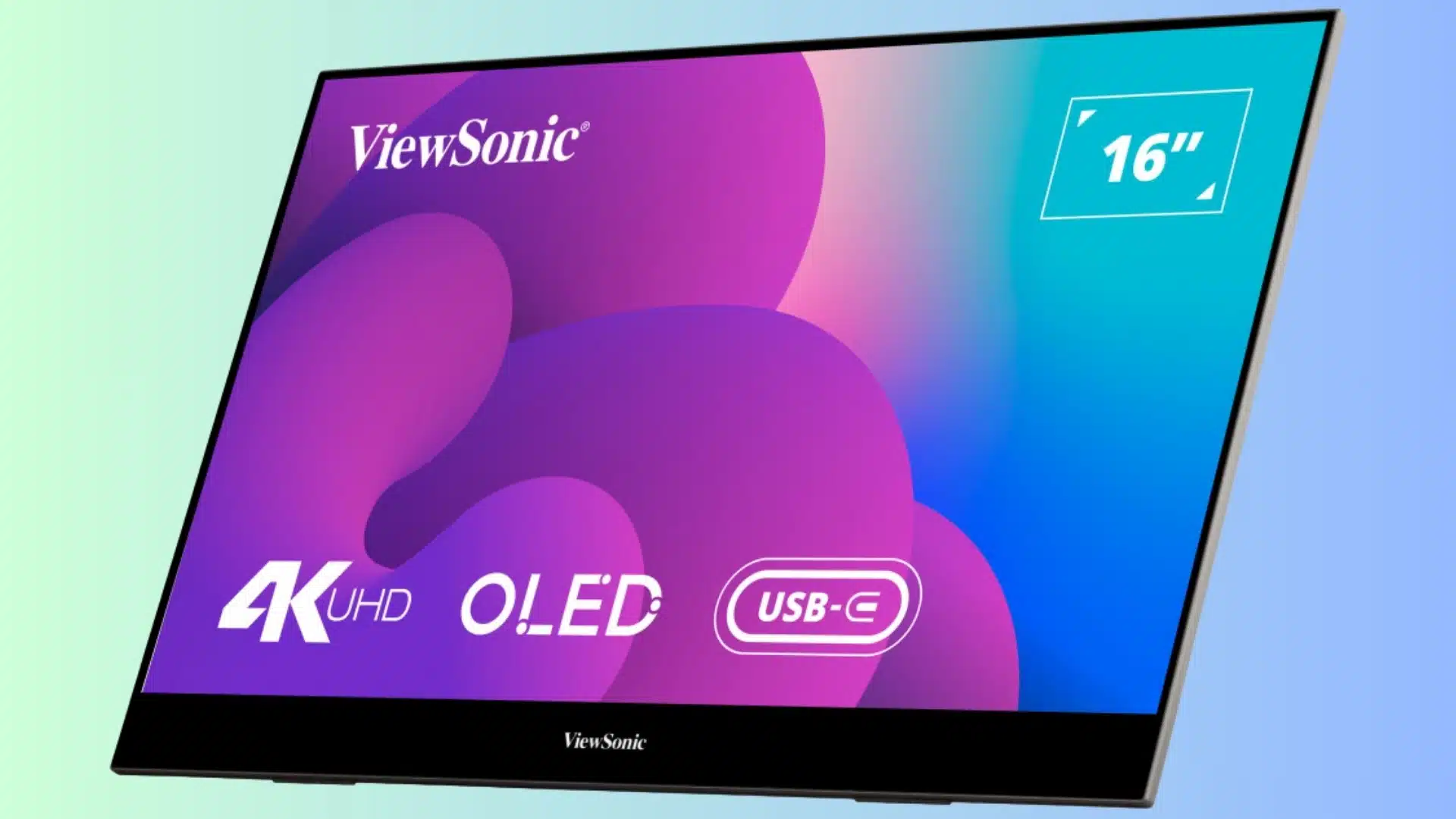
Price: $499.99
The ViewSonic VX1655-4K-OLED is the pick for people who want the best portable monitor without feeling like they bought a weaker travel screen.
It looks sharp, feels premium, and stays easy to carry with a laptop. It is considered best from our side because it handles picture quality, build, and cable setup better than most options.
It is best for creative pros, hybrid workers, movie watchers, and anyone who wants a second screen that actually feels high-end. Both Mac and Windows users get full USB-C functionality with this display.
Key features of ViewSonic VX1655-4K-OLED:
- 4K OLED screen with very deep contrast.
- 60W pass-through USB-C charging.
- Ports hidden inside the kickstand.
- Works in landscape and portrait modes.
Best Budget Portable Monitor

Budget portable monitors can be weird because some look cheap on paper and feel even cheaper in real life.
The good ones keep the basics strong: decent brightness, useful ports, a steady stand, and enough screen quality for daily laptop work.
1. Arzopa Z1FC
Price: ~$160.73 (EUR 119.99)
The Arzopa Z1FC is a budget pick that does not feel like a throwaway screen.
It gives you a larger 16.1-inch display, smooth motion, and a stand that feels more reliable than what you usually get at this price.
This monitor delivers strong everyday value without making the setup feel cheap, and the 144Hz refresh rate adds a versatility that most screens at this price skip entirely.
It is best for students, remote workers, casual gamers, and anyone who wants a solid second screen without spending too much.
Key features of Arzopa Z1FC:
- 144Hz refresh rate for smoother casual gaming.
- Sturdy metal kickstand with landscape and portrait support.
- Two USB-C ports, mini-HDMI, and pass-through charging.
2. ViewSonic VG1655
Price: $199
The ViewSonic VG1655 is for people who want a budget portable monitor that feels made for work, not just basic screen sharing.
It has simple controls, built-in speakers, and enough port support for daily laptop use.
The five-way joystick is a noticeably faster control method than the small side buttons most budget monitors use, and the wider stand adjustment range means you are not stuck with a fixed angle on a crowded desk.
That combination of usability details is what earns it a spot here.
It is best for office workers, hybrid workers, and anyone who wants a clean second screen for documents, calls, and multitasking.
Key features of ViewSonic VG1655:
- Five-way mini joystick for easier brightness, color, and input changes.
- Built-in tiltable stand with a wider adjustment range than folding covers.
- Dual USB-C ports with 60W two-way power delivery, plus mini-HDMI backup.
Best Portable Monitor for Creative Pros

Creative work needs a portable monitor that does more than just add space. You want a cleaner color, sharper details, and a screen that helps you judge your work properly without making the setup feel heavy.
3. HP Series 5 Pro 514pn
Price: $339.00
The HP Series 5 Pro 514pn is for creative users who want strong color without breaking the bank on an OLED screen. It stays light, sharp, and easy to carry, while still feeling serious enough for real design or photo work.
It fits this category because it gives better contrast and wider color coverage than most portable IPS monitors.
It is best for graphic designers, photographers, art students, and creative pros who want accurate color without a glossy OLED finish.
Key features of HP Series 5 Pro 514pn:
- IPS Black panel with Neo:LED backlighting for stronger contrast.
- 100% Adobe RGB and 100% Display P3 color coverage.
- 2560×1600 resolution with 65W USB-C pass-through charging.
4. ViewSonic TD1656-2K
Price: $379.99
The ViewSonic TD1656-2K is for creatives who want more room to work and touch support in the same screen. It gives you a larger 16-inch canvas, sharp detail, and a stylus in the box, which makes markup work easier.
It handles editing, notes, client feedback, and presentation markup without requiring a separate tablet, which makes it a practical all-in-one for designers and photographers who move between locations frequently.
It is best for remote workers, photographers, designers, and anyone who wants a bigger creative screen with touch.
Key features of ViewSonic TD1656-2K:
- 16-inch 2560×1600 IPS touchscreen with strong color accuracy.
- Included stylus and smart cover stand.
- 65W two-way USB-C power delivery plus mini-HDMI.
Best Portable Monitor for Gaming
Gaming monitors are a different thing because smooth motion matters more than just having extra screen space. Some people want the fastest panel possible, while others care more about playing away from a desk.
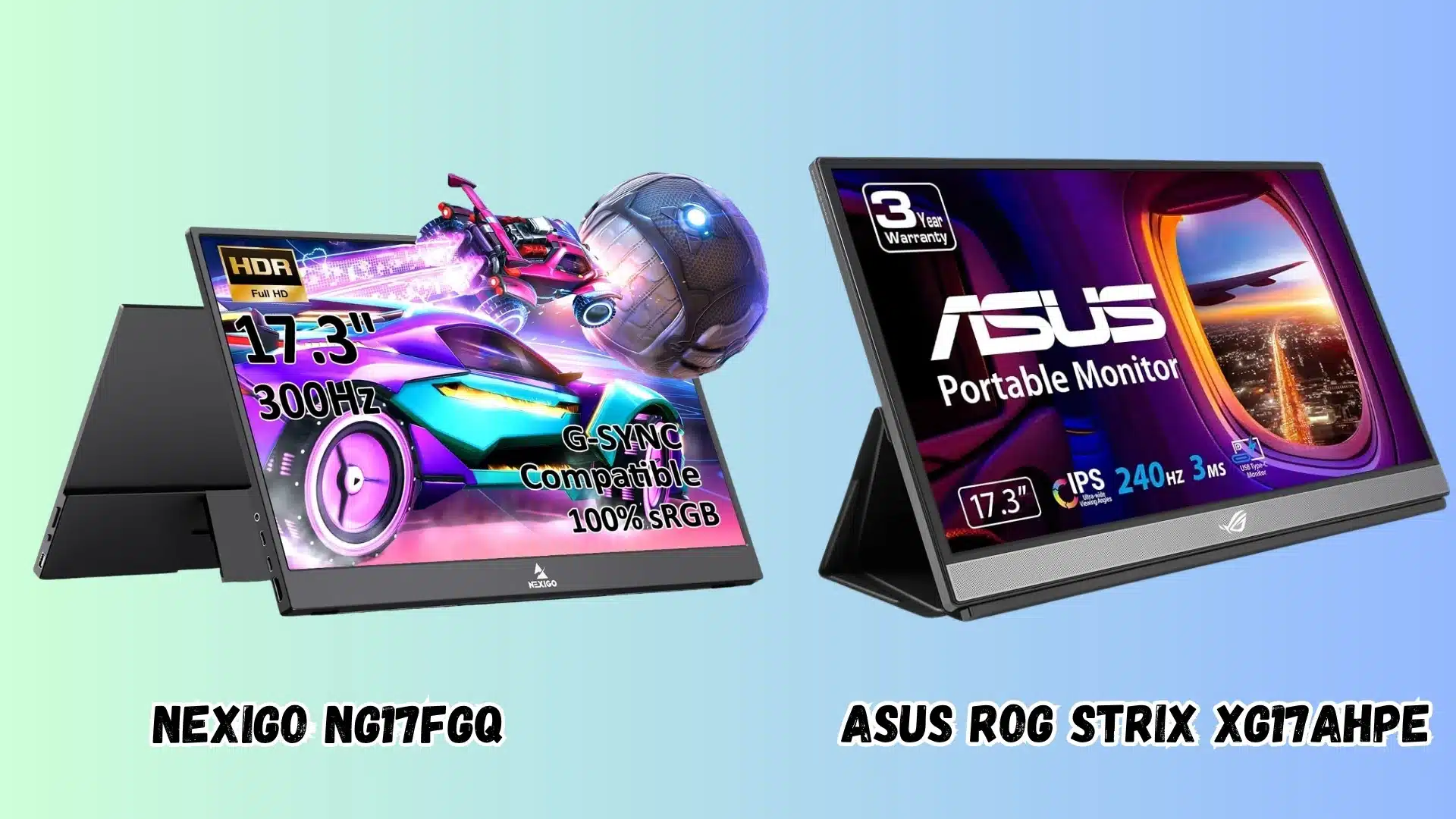
5. NexiGo NG17FGQ
Price: $399
The NexiGo NG17FGQ 300Hz is for gamers who care about speed first.
The 300Hz refresh rate over USB-C with a 1ms response time is something very few portable monitors offer at this price, and the aluminum chassis keeps the screen firm without adding excessive weight.
It also pairs cleanly with the Steam Deck via USB-C for a larger handheld gaming display.
Before buying, it is worth confirming your device supports the right USB-C output for full-speed performance. A quick look at monitor ports and connection types will tell you exactly what to verify on your laptop or console.
It is best for esports players, competitive gamers, console users, and anyone who wants a serious gaming screen on the go.
Key features of NexiGo NG17FGQ:
- 300Hz refresh rate over USB-C with 1ms response time.
- 17.3-inch IPS panel with 100% sRGB coverage.
- Aluminum chassis with very little screen flex.
6. ASUS ROG Strix XG17AHPE
Price: $469.99
The ASUS ROG Strix XG17AHPE is for gamers who want more cable-free freedom. It gives you a fast 17.3-inch screen and a built-in battery, so you are not always stuck near a power outlet.
It fits this category because it balances smooth gaming with real portable use.
Most gaming portable monitors still require a power source nearby, but the ROG Strix lets you set up anywhere in a room, which is exactly what LAN gaming and travel setups need.
It is best for console players, Steam Deck users, LAN gamers, and anyone who wants a gaming screen that can run without wall power.
Key features of ASUS ROG Strix XG17AHPE:
- Built-in 7800mAh battery with up to 3 hours of gaming.
- 240Hz IPS panel with Adaptive-Sync.
- USB-C and micro-HDMI support for laptops, consoles, phones, and cameras.
Best Touchscreen Portable Monitor
Touchscreen portable monitors make sense when clicking is not enough. If you take notes, mark up files, sketch ideas, or present work often, touch can make the second screen feel more useful.
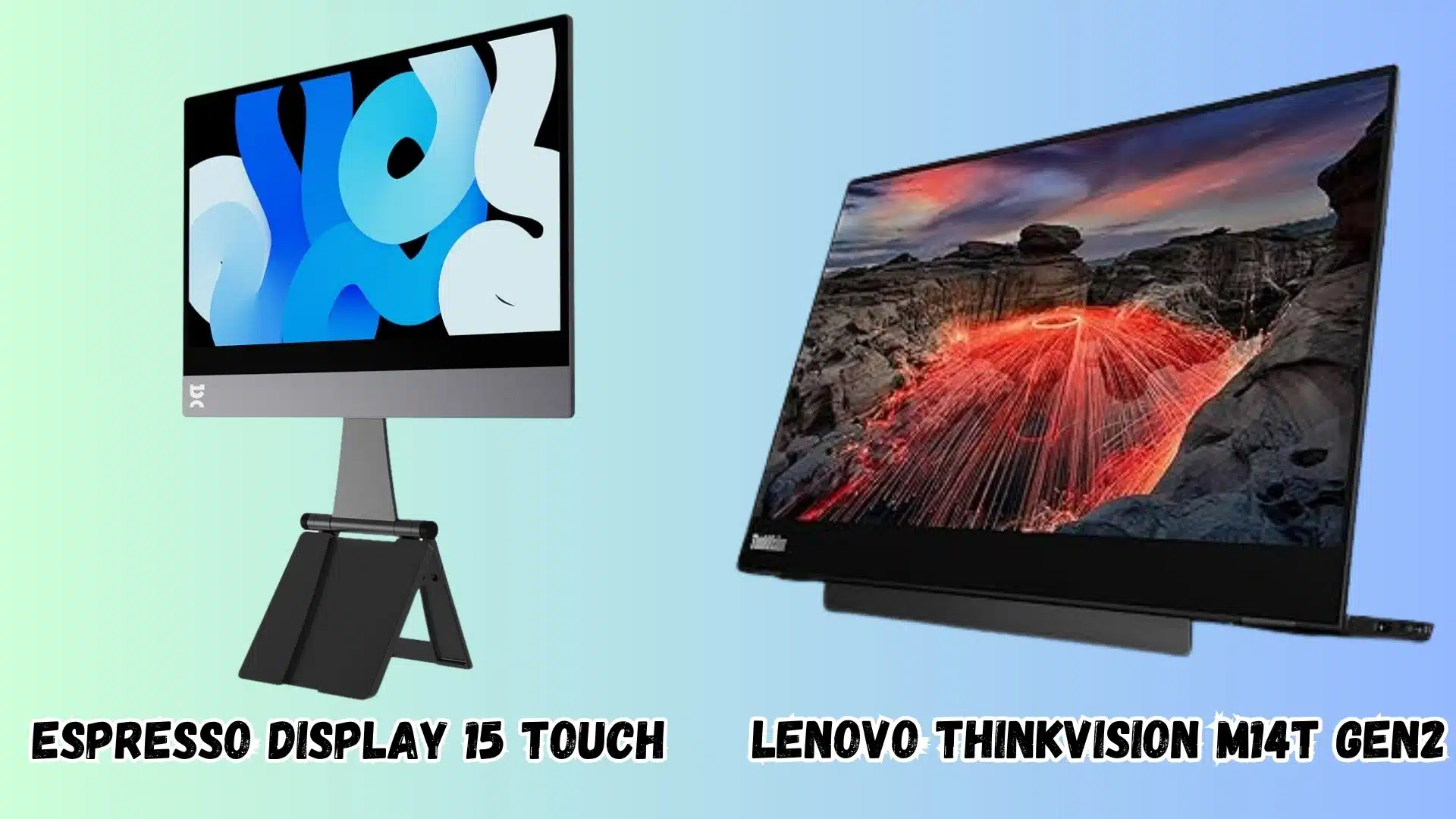
7. Lenovo ThinkVision M14t Gen2
Price: $269.00
The Lenovo ThinkVision M14t Gen2 is for people who want a touchscreen portable monitor that feels more professional than flashy.
It is light, easy to adjust, and comfortable for notes, sketches, and document markup.
The hinged stand and USB-C ports on both sides make it one of the easiest touchscreen portable monitors to position and power from either side of a desk, which is a small detail that makes a real difference on a cluttered work surface.
It fits this category because it gives touch, stylus support, and a flexible stand in a very travel-friendly setup. It is best for business travelers, consultants, hybrid workers, and anyone who marks up work on the go.
Key features of Lenovo ThinkVision M14t Gen2:
- 10-point touch with active stylus support.
- Hinged stand with wide tilt and slight height lift.
- USB-C ports on both sides with 65W power delivery.
8. Espresso Display 15 Touch
Price: $499.00
The Espresso Display 15 Touch is for people who want a clean touchscreen setup, especially beside a MacBook or slim Windows laptop.
It looks polished, feels thin, and adds touch support without making the setup messy.
Where it stands out for Mac users is the espressoFlow software, which enables touch support on macOS without workarounds.
That native integration makes it the strongest touchscreen portable monitor for MacBook users who want an easy second-screen experience out of the box.
It fits this category because it focuses on build quality, touch support, and smooth software use. It is best for Mac users, note-takers, designers, and anyone who wants a more premium touch display.
Key features of Espresso Display 15 Touch:
- Touch support on macOS through espressoFlow software.
- Magnetic adjustable stand with height and tilt control.
- Rotation lock for switching between portrait and landscape mode.
Best Wireless Portable Monitor
Wireless portable monitors are for people who hate setting up cables every time they move. The best ones either go all-in with OLED, touch, and battery power, or keep things simpler for meetings and travel.
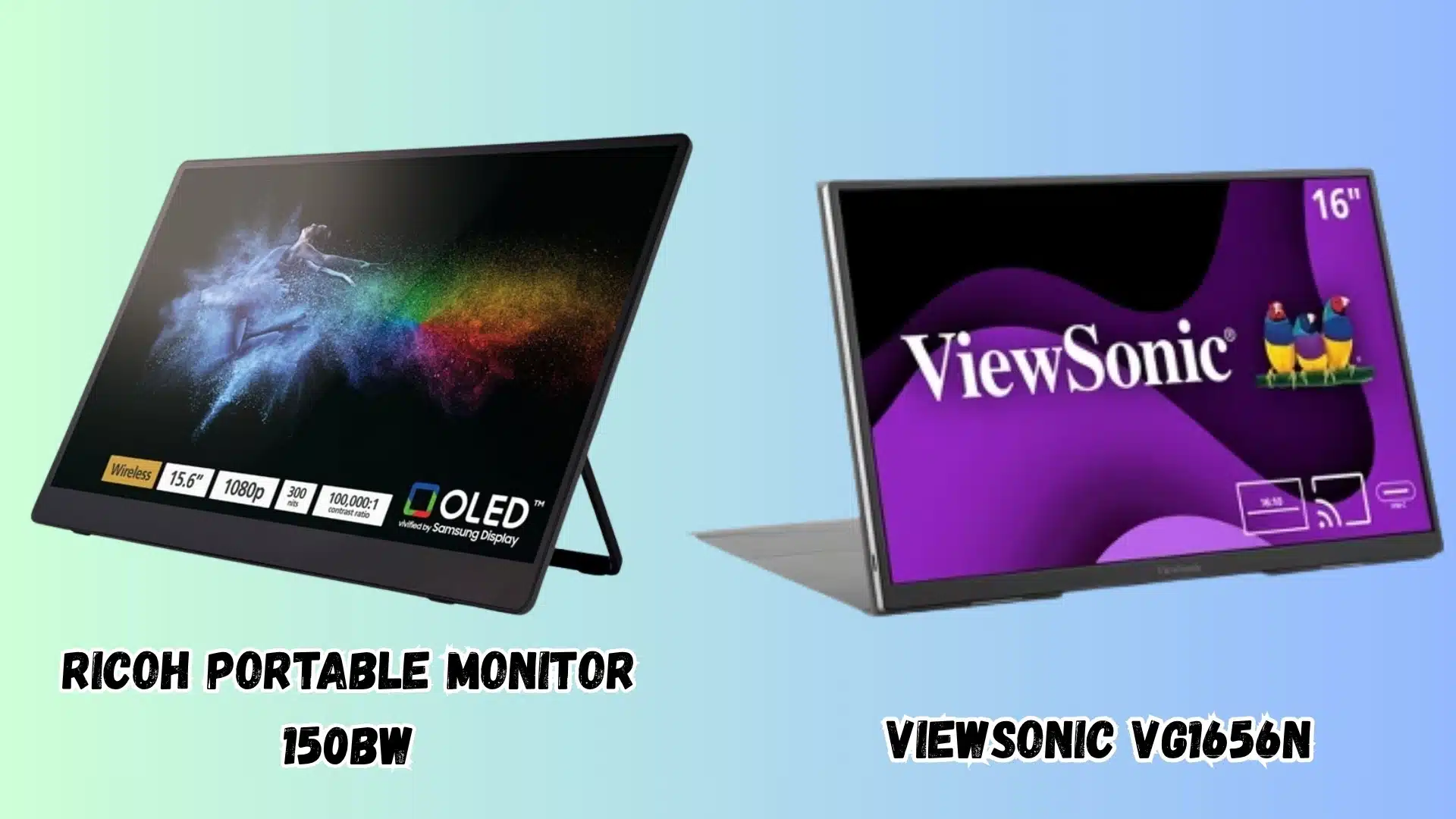
9. Ricoh Portable Monitor 150BW
Price: $681.99
The Ricoh Portable Monitor 150BW is for people who want the most complete wireless setup in one screen.
It gives you wireless casting, OLED quality, touch support, and a built-in battery, so it feels more flexible than a basic second display.
Most wireless portable monitors ask you to choose between image quality and wireless convenience.
The Ricoh 150BW delivers both in one unit, which makes it the most capable wireless option on this list, even at the higher price point.
It is best for power users, creative pros, frequent travelers, and anyone who wants a cable-free screen without dropping image quality.
Key features of Ricoh Portable Monitor 150BW:
- Built-in Wi-Fi screen casting without a dongle.
- 15.6-inch OLED panel with strong contrast and color.
- 10-point touchscreen with built-in battery.
10. ViewSonic VG1656N
Price: $329.99
The ViewSonic VG1656N is for people who want wireless use without paying premium OLED prices. It gives you a cable-free setup, a built-in battery, and a taller screen that feels useful for work.
It keeps wireless use practical for meetings, travel, and shared-screen work without the premium price tag, and the 16:10 aspect ratio gives you a noticeably taller working area than standard 16:9 portable panels.
It is best for presenters, road warriors, remote workers, and anyone who wants a cleaner second-screen setup.
Key features of ViewSonic VG1656N:
- Wireless USB-C dongle with up to 20 feet range.
- Built-in 3-hour battery for cable-free use.
- 16:10 display with 1920×1200 resolution.
Portable Monitor vs. Tablet: Which Should You Get?
This is where a lot of people get stuck. A tablet feels more flexible on paper, but a portable monitor is usually better if your real problem is just limited laptop space.
| Get a portable monitor if | Get a tablet if |
|---|---|
| You want a bigger screen next to your laptop without learning another device. | You want something that can work on its own without your laptop. |
| You like a simple USB-C setup that feels more plug-and-play. | You already use apps for notes, drawing, reading, or editing. |
| You want a 14 to 17-inch screen for work, tabs, and calls. | You care more about touch, stylus use, battery, and tablet features. |
| You do not want to pay for extra hardware you barely use. | You already own one and want to try it as a second screen first. |
Still confused? Ask yourself these questions before buying:
- “Am I trying to fix a small laptop screen, or do I actually need a second device?”
- “Will I use touch and stylus daily, or does it just sound cool right now?”
- “Do I want something simple for work, or something flexible for apps too?”
- “Will this sit beside my laptop most of the time, or work alone often?”
Answering these honestly usually makes the choice obvious. If you mostly want extra screen space, get a portable monitor. If you want apps, touch, and standalone use, get a tablet.
Once you have made that decision and settled on a portable monitor, our step-by-step guide on connecting your laptop to a monitor walks you through every connection method so you are up and running in minutes.
Conclusion
Choosing the best portable monitor becomes easier when you stop chasing big specs and think about your daily setup first.
Your screen should fit your laptop, bag, desk space, and the kind of work you actually do every day. If you want the best portable monitor for laptop use, your pick should match how you work, travel, study, or play.
You should also check the latest price, return policy, and included cables before buying, because small missing parts get annoying fast.
A good portable screen should make your setup feel calmer, not give you one more thing to manage every day.
Which one are you thinking of buying for your setup, and what device will you pair it with? Tell us, share with us in the comments below.
Frequently Asked Questions
Can a Portable Monitor Be Used as a Primary Monitor, Not Just a Second Screen?
Yes, a portable monitor can work as your main screen if you set it that way.
Still, most are smaller and less adjustable than desktop monitors, so they are better for tight desks, travel, or short work sessions.
Do Portable Monitors Work with Gaming Consoles Like the PS5 or Nintendo Switch?
Yes, most portable monitors work with consoles if they have HDMI or USB-C input. You may need the right cable or adapter, especially for PS5.
The final resolution and refresh rate depend on what your console supports.
How Do You Protect a Portable Monitor during Travel?
Use the included smart cover, sleeve, or a padded laptop sleeve in the same size range.
Do not pack heavy items against the screen, because portable monitor panels are thinner and easier to damage than laptop screens.
Does Using a Portable Monitor Drain My Laptop Battery Faster?
Yes, it can drain your laptop battery faster if the monitor gets power through USB-C.
The impact depends on screen size, brightness, and your laptop battery. A power adapter or USB-C power bank helps.
Are Portable Monitors Safe to Use on an Airplane in Carry-on Luggage?
Yes, portable monitors are generally safe in carry-on luggage. If your monitor has a built-in battery, check the airline battery limit before flying.
Most portable monitor batteries are usually within normal carry-on limits.