Event power management deserves attention long before the first cable is uncoiled. A well-run event depends on a quiet technical layer that supports the guest experience without drawing attention to itself. Registration, staging, lighting, vendor operations, and attendee technology all rely on power that has been carefully planned.
The challenge is that event power often looks simple during early planning. A floor plan may show outlets, but it does not show loads, access, heat, cord distances, or how staff will move through the space during setup. Even a rotating plug extension cord can be useful in a tight corner, but it should be chosen because it solves a real placement problem within a safer power plan.
The best approach is practical. Event teams need to know what each area requires, how the venue supports those needs, and where a backup plan is needed. Power planning is not about adding complexity. It is about reducing avoidable stress once the event is live.
Start With the Load, Not the Outlet
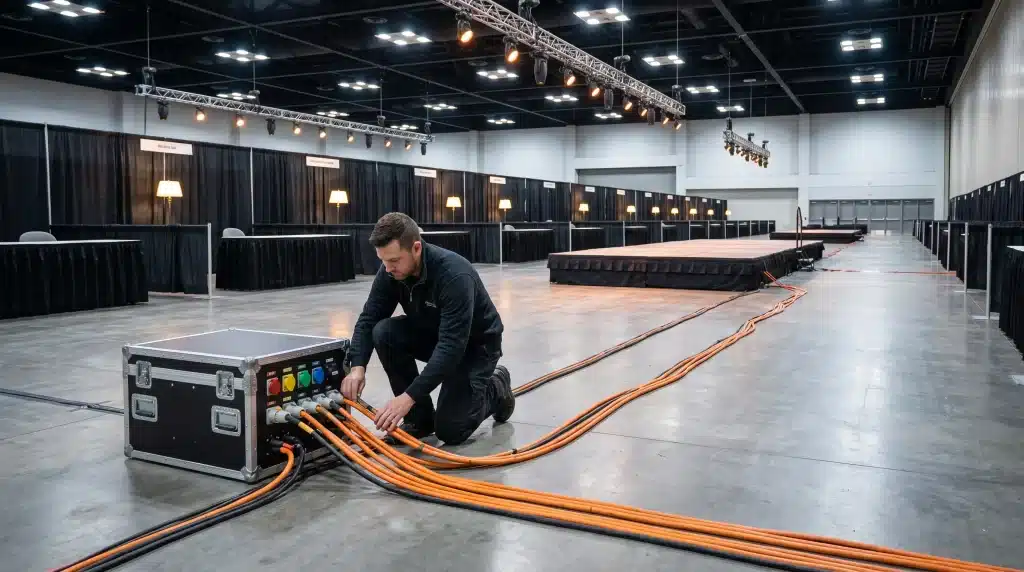
A venue outlet is not a power plan. It is only the starting point. The event team needs to know how much power each area will require before deciding where to place equipment. This is especially true for registration zones, production areas, and vendor spaces where several devices may run for long periods.
Decide what cords you need before placing the equipment order. When purchasing bulk extension cords for an event, the team should use the venue layout and expected power demand to select products that support a safe, reliable setup.
A venue technician or licensed electrician should review the plan when the event has high demand or unusual equipment. This step is easy to overlook, yet it can prevent unsafe setups and late changes during load-in.
Make the Venue Walkthrough More Technical
A venue walkthrough should do more than confirm the visual layout. The power conversation should begin in the room itself, with the team studying where access is strong and where the setup may need support. This gives planners a more realistic view than a diagram alone can provide.
The walkthrough should also clarify venue rules. Some spaces limit temporary wiring, floor covers, outdoor power, or equipment brought by outside vendors. These restrictions can affect the final layout, so they should be discussed before the floor plan is locked.
Good notes from the walkthrough help the setup team later. Clear power locations, approved cable paths, and known weak points make load-in less reactive. The event starts with fewer surprises because the room has already been studied as a working space.
Protect the Guest Experience With Backup Planning
Some parts of an event can tolerate a brief power issue. Others cannot. Registration systems, presentation equipment, and core production areas require a stronger plan, as failures in these areas can quickly affect the event schedule.
Backup planning does not have to be excessive. It needs to match the risk. A separate circuit may be enough for one setup, while another event may need battery support or generator planning. The key is to decide this before the room opens.
Staff should know what to do if power becomes unstable. A plan that lives only in a production document is not enough. The people closest to the issue need a clear response path, so a small technical problem does not become a public disruption.
Keep Cables Safe Without Hiding the Problem
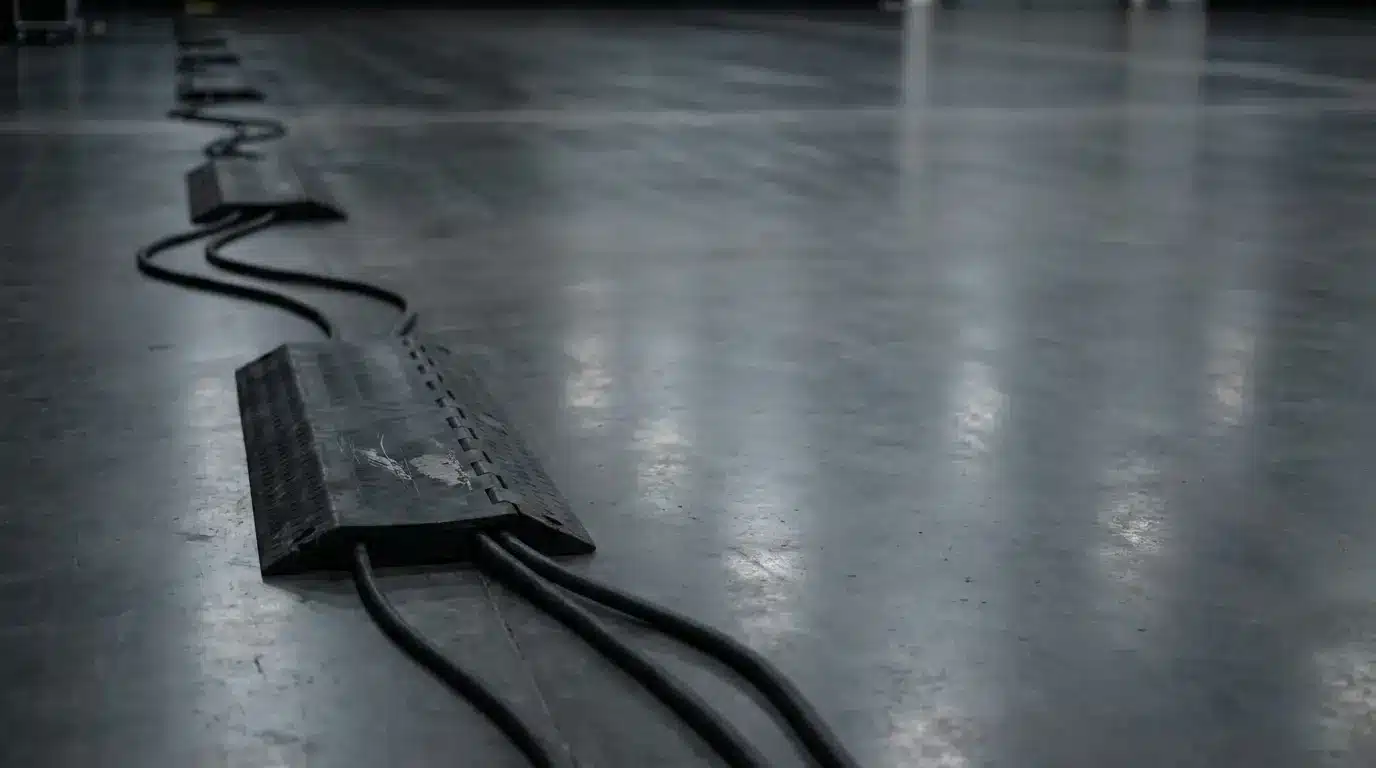
Cable management is often treated as a visual detail, but safety should guide the decision. A clean floor matters, yet a hidden cable can make inspection harder. Event teams need a setup that looks orderly and remains easy to monitor.
Cable paths should follow the natural use of the room. When a cord must cross an active area, proper floor protection is usually better than improvised fixes. Staff also need enough access to check connections during the event without disturbing guests.
Heat is another concern. Cords should not be buried under materials that trap warmth or placed where furniture can damage them. A neat setup is useful only when it remains safe during real use.
Get Vendor Requirements Before Load-In
Vendor power problems often come from vague early communication. A vendor may request power without providing sufficient details about the equipment. By setup day, that missing information can affect placement, safety, and timing.
The event team should ask for specific power needs before booth assignments are final. This allows the planner to match each vendor with a suitable location and avoid last-minute changes. It also helps the venue team judge if extra support is needed.
Clear communication protects the vendor experience, too. When power access is planned correctly, vendors can focus on serving attendees instead of searching for a workaround. That improves the overall feel of the event floor.
Test the Setup Under Real Conditions
A power plan should be tested before guests arrive. The equipment needs to be connected as it will be used during the event, not checked in pieces that do not reflect real demand. This is the only way to find weak points while there is still time to fix them.
Testing should happen after setup is close to final. A successful early check may not mean much if vendors later add equipment or staff move key devices. The final review should confirm that the working event layout still matches the approved power plan.
The team should also confirm responsibility during the event. If a problem appears, staff need to know who handles venue power, who manages production equipment, and who communicates with vendors. A clear response structure keeps the event calm.
Power Planning Makes the Event Easier to Run
Strong event power management gives the team a stronger foundation. It helps registration stay efficient, production remain stable, vendors feel supported, and staff respond with confidence. Guests may never notice that planning, which is usually the point.
The best results come from early attention to load, layout, safety, and response planning. Cords, outlets, and power strips are only useful when they fit into a larger plan that reflects how the event will actually operate.