Building good software is not just about writing code. It also depends on testing the product at every stage to catch problems early and improve the user experience.
When I first started learning about software testing, I noticed how easy it was to focus only on finding bugs.
But good testing is more than that. It helps teams build stable, secure, and user-friendly software from the start.
In this article, you’ll learn about the most common testing strategies, different types of software testing, and real examples of how teams use them in actual projects.
I’ll also explain the difference between manual and automated testing and when each method works best.
If you’re new to software testing or want a quick refresher, this guide will help you understand the basics.
Quick Answer: What Are Software Testing Strategies?
Software testing strategies are planned methods used to check if software works correctly, safely, and smoothly before release.
These strategies help teams find bugs early, improve software quality, and create a better user experience.
Common software testing strategies include:
- Static testing for reviewing code and documents
- White-box testing for checking internal code logic
- Black-box testing for testing software from the user’s view
- Front-end testing for user interface checks
- Risk-based testing for focusing on high-risk features
- Exploratory testing for finding hidden issues
- Model-based testing for automated test creation
For example, an e-commerce company may use black-box testing to test checkout pages, while a banking app may use risk-based testing to focus on payment security and customer data protection.
Most companies combine multiple testing strategies based on project goals, software complexity, and user needs.
What Are Software Testing Strategies?
Software testing strategies are planned approaches used to verify that software functions correctly, safely, and smoothly. They help teams find bugs early, improve quality, and organize the testing process.
A testing strategy serves as a roadmap for the QA and development teams.
It explains what needs to be tested, which testing methods to use, and how testing will happen during the software development cycle.
Different projects use different strategies based on their goals, budget, and complexity. Some teams focus on manual testing, while others rely more on automation to save time and improve accuracy.
Common strategies may include functional testing, regression testing, performance testing, and security testing.
Using the right strategy helps reduce software failures, improve user experience, and ensure the final product meets business and customer needs.
Why Software Testing Is Important?
Software testing is important because it helps find issues before users face them. It also improves software quality, security, and overall performance.
- Improves Software Quality: Testing helps make sure the software works correctly and meets user expectations.
- Finds Bugs Early: Early testing helps teams detect and fix issues before they become costly problems.
- Enhances User Experience: A well-tested product runs smoothly, providing a better user experience.
- Increases Security: Security testing helps protect software from data leaks, cyber threats, and vulnerabilities.
- Reduces Development Costs: Fixing bugs during development is cheaper than solving problems after launch.
- Supports Better Performance: Performance testing checks if the software can handle traffic, speed, and workload properly.
- Builds Customer Trust: Reliable software increases customer confidence and improves brand reputation.
- Ensures Business Requirements Are Met: Testing confirms that the software matches project goals and business needs.
Different Types of Software Testing Strategies
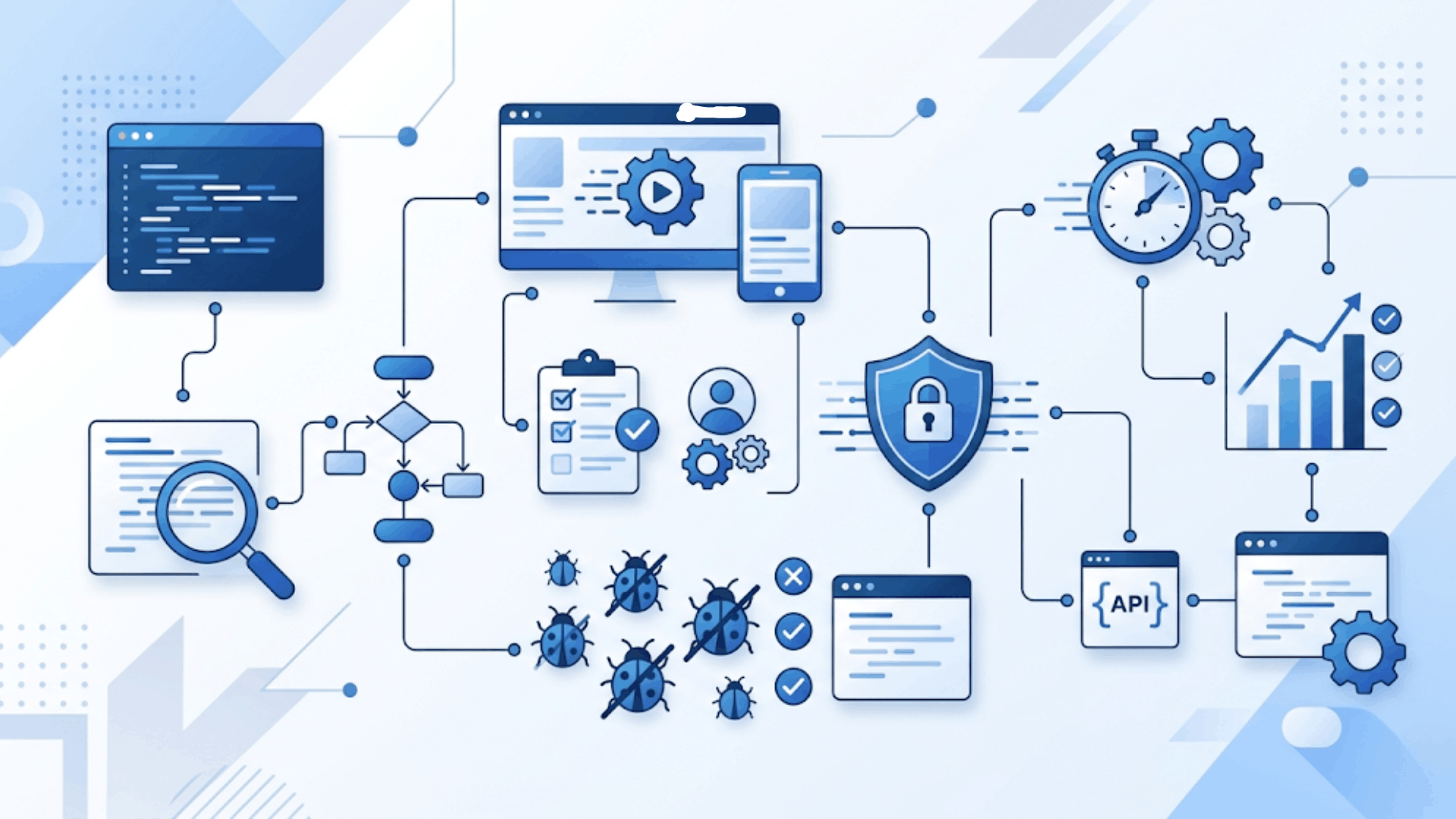
Software testing strategies help teams choose the right approach to testing based on project goals, risks, and system complexity. Each strategy focuses on a different part of testing to improve software quality.
1. Static Testing
Static testing checks software without running the actual program. It focuses on reviewing documents, code, and design files to find mistakes early in development.
Teams use methods like code reviews, walkthroughs, and inspections to detect issues before execution begins.
This strategy helps reduce development costs by fixing problems early. It is commonly used during the planning and coding phases to ensure the software follows standards and project requirements before moving to dynamic testing.
Companies like Salesforce and Microsoft use static testing to review code and documentation early, reducing development errors before execution.
2. Structural (White-Box) Testing
Structural testing, also called white-box testing, examines the internal structure and logic of the software. Testers check code paths, conditions, loops, and data flow to make sure every part of the program works correctly.
Developers often perform this testing because it requires knowledge of the source code.
White-box testing helps identify hidden coding errors, security issues, and weak logic that may not appear in user-level testing.
Common techniques include branch testing, statement coverage, and path testing. This strategy improves code reliability and helps build stable, secure applications.
Common methods include branch, statement, and path testing. Tools like JUnit for Java and pytest for Python are widely used.
3. Behavioral (Black-Box) Testing
Behavioral testing, or black-box testing, checks how software works from the user’s view without looking at the code.
Instead, they check inputs and outputs to see if the software meets business and user requirements. This strategy is useful for validating features, functions, and overall usability.
Common black-box testing methods include functional testing, usability testing, and system testing.
Companies like Airbnb and Amazon use black-box testing to ensure features work correctly from the user’s perspective without checking internal code.
A team I worked with used black-box testing on a checkout flow and found three major input validation issues missed during unit testing.
4. Front-End Testing
Front-end testing checks the visual and interactive parts of an application that users directly interact with. This includes buttons, forms, navigation menus, layouts, and responsive design across devices and browsers.
The goal is to ensure the interface works smoothly and provides a consistent user experience.
Testers examine page loading speed, design responsiveness, and user interactions to identify display or functionality issues.
Front-end testing is especially important for websites and web applications because even minor interface issues can undermine user trust and engagement. It helps deliver a clean and user-friendly digital experience.
Tools like Cypress and Playwright have become go-to choices for automating front-end tests across browsers.
5. Risk-Based Testing
Risk-based testing focuses on testing the areas of software that are most likely to fail or cause serious business problems.
Teams identify high-risk features based on complexity, security, user impact, and past defects, then focus testing on those critical areas. This strategy saves time and resources while improving software reliability.
Risk-based testing is commonly used in large or complex projects where deadlines and budgets are limited.
Companies like UnitedHealth Group and JPMorgan Chase use risk-based testing to focus on critical systems related to security, transactions, and customer data
6. Exploratory Testing
Exploratory testing is a flexible testing approach in which testers actively explore the software without following predefined test cases.
Instead of relying on detailed scripts, testers use their experience, creativity, and understanding of the application to identify unexpected bugs and usability issues.
This method is useful for finding hidden defects that structured testing may miss.
Exploratory testing also helps teams quickly evaluate new features or unstable systems.
Companies like Slack and Meta use exploratory testing to quickly identify usability issues, unexpected bugs, and real-world user experience problems.
7. Model-Based Testing
Model-based testing uses diagrams, flowcharts, or mathematical models to design and automate test cases. These models represent how the software should behave under different conditions.
Test cases are automatically generated from the model to verify that the application works as expected.
This strategy improves testing accuracy and reduces manual effort, especially in large and complex systems.
Model-based testing is widely used across industries such as automotive, healthcare, and telecommunications, where software reliability is critical.
This strategy is common in industries like automotive, healthcare, and telecommunications, where software reliability is critical.
Quick Glance at Software Testing Strategy Types
Software testing strategies help teams improve software quality and reduce bugs. Each strategy focuses on a different testing area and project needs.
| Testing Strategy | Main Focus | Purpose | Best Used For |
|---|---|---|---|
| Static Testing | Code and documents | Finds errors early | Early development stages |
| Structural (White-Box) Testing | Internal code logic | Checks code flow and paths | Backend and code validation |
| Behavioral (Black-Box) Testing | Software behavior | Validates user requirements | Functional testing |
| Front-End Testing | User interface | Improves usability | Websites and web apps |
| Risk-Based Testing | High-risk features | Prioritizes critical areas | Large or complex projects |
| Exploratory Testing | Flexible testing | Finds hidden bugs | New or unstable features |
| Model-Based Testing | System models | Automates test creation | Complex enterprise systems |
Real-World Software Testing Examples by Strategy
Understanding how each strategy applies in practice helps teams move from theory to execution. Here are concrete examples drawn from different project types and industries.
1. Static Testing in Practice
A fintech team reviewing compliance-heavy code uses static analysis tools like SonarQube to flag security vulnerabilities and coding standard violations before any code runs.
This catches issues that would take significantly longer to fix after integration.
One team I advised reduced its pre-launch defect count by 30% simply by making static review a mandatory step in its pull request process.
2. Black-Box Testing in Practice
An e-commerce platform with a new checkout redesign runs black-box tests simulating real customer scenarios.
Like entering invalid payment details, applying discount codes at edge cases, and completing purchases across different device sizes.
The team catches a broken coupon validation rule that would have caused incorrect charges for thousands of transactions. No internal code knowledge is needed to find it.
3. Risk-Based Testing in Practice
A healthcare SaaS platform with a two-week release window cannot test every module with equal depth. The QA lead ranks features by patient impact and regulatory risk.
Appointment scheduling, prescription logging, and data export receive intensive coverage.
Lower-risk admin settings get a lighter pass. This approach lets the team maintain release velocity without exposing high-stakes functionality to unnecessary risk.
How to Choose the Right Software Testing Strategy?
Choosing the right software testing strategy depends on your project goals, software complexity, and business requirements. The right approach helps teams save time, reduce risks, and improve software quality.
- Understand Project Requirements: Identify the software goals and the most important features that need testing.
- Analyze Software Complexity: Complex applications often require multiple testing methods to achieve complete coverage.
- Consider Budget and Timeline: Choose strategies that match your available time, tools, and resources.
- Identify High-Risk Areas: Focus testing on features that could impact security, performance, or user experience.
- Choose Between Manual and Automation: Manual testing is useful for usability, while automation handles repetitive tasks efficiently.
- Check Team Skills and Resources: Select testing methods that fit your team’s technical expertise and tools.
- Focus on User Experience: Ensure the software runs smoothly across devices and platforms.
- Combine Multiple Strategies: Using different testing approaches together often delivers better testing results.
Manual vs. Automated Testing: Key Differences
Manual and automated testing both play an important role in software quality assurance. Choosing the right method depends on the project goals, budget, complexity, and testing requirements.
| Feature | Manual Testing | Automated Testing | Best Choice For |
|---|---|---|---|
| Testing Process | Performed by human testers | Performed using tools and scripts | Different project needs |
| Speed | Slower for repetitive tasks | Faster for repeated execution | Large-scale projects |
| Accuracy | Higher chance of human error | More accurate for repetitive tasks | Regression testing |
| Best Used For | Usability and exploratory testing | Regression and performance testing | Specific testing goals |
| Cost | Lower setup cost | Higher initial setup cost | Budget planning |
| Flexibility | Easy to adapt quickly | Requires script maintenance | Frequent UI changes |
| Technical Skills | Basic testing knowledge is needed | Requires coding skills | Skilled QA teams |
| Time Efficiency | More time-consuming | Saves time in repeated testing | Agile development |
| Human Observation | Better for UX feedback | Limited human judgment | User-focused testing |
| Common Tools | TestRail, Zephyr | Selenium, Appium, Cypress | QA workflow management |
Role of QA in Modern Software Testing
Quality Assurance (QA) plays an important role in software testing by making sure the software meets quality standards before release.
QA teams check whether the application works correctly, performs well, and provides a smooth user experience.
They create test plans, identify bugs, track issues, and work closely with developers to fix problems early in the development process.
QA is not just about finding bugs. It also improves software reliability, security, and performance while reducing failures after launch. QA teams work best when the entire organization runs on connected systems.
Many teams use business management software to track issues, manage tasks, and keep communication in one place.
In modern software development, QA supports faster releases, better collaboration, and continuous improvement throughout the project lifecycle.
Best Practices for Effective Software Testing
Effective software testing helps teams improve software quality, reduce errors, and deliver better user experiences. Following the right testing practices also saves time and improves development efficiency.
| Best Practice | Why It Matters | Main Benefit |
|---|---|---|
| Define Clear Testing Goals | Helps teams understand testing objectives | Better testing accuracy |
| Start Testing Early | Finds issues before development progresses | Lower fixing costs |
| Use Manual and Automated Testing | Balances human insight and speed | Improved efficiency |
| Prioritize High-Risk Areas | Focuses on critical system features | Reduced business risks |
| Maintain Updated Test Cases | Keeps tests relevant to software changes | Better test coverage |
| Test Across Multiple Devices | Ensures compatibility across platforms | Improved user experience |
| Track and Report Bugs Properly | Helps teams resolve issues faster | Faster bug fixing |
| Perform Regression Testing | Checks if updates break old features | Stable software performance |
| Encourage Team Collaboration | Improves communication between teams | Higher software quality |
| Continuously Improve Processes | Adapts testing to new project needs | Long-term testing success |
Common Challenges in Software Testing
Software testing comes with several challenges that can affect software quality, timelines, and project costs. Identifying these issues early helps teams improve testing efficiency and deliver better results.
- Changing Project Requirements: Frequent updates in features or requirements can make testing more difficult and time-consuming.
- Limited Testing Time: Tight deadlines often reduce the time available for complete software testing.
- Poor Communication Between Teams: Miscommunication between developers, testers, and stakeholders can slow down the testing process.
- Managing Test Data: Creating and maintaining accurate test data can be complex for large applications.
- Automation Challenges: Automated testing requires proper tools, maintenance, and technical knowledge to work effectively.
- Compatibility Issues: Software may behave differently across devices, browsers, or operating systems.
- Difficulty in Identifying Hidden Bugs: Some defects only appear under specific conditions, making them harder to detect.
- Balancing Cost and Quality: Teams often struggle to maintain high software quality within limited budgets.
- Keeping Up With New Technologies: Rapid technology changes require testers to continuously update their skills and testing methods.
Conclusion
Software testing is not just a technical step in development. It is a practical way to build software that people can trust and use without frustration.
The right testing strategy helps find issues early and improve user experience. Understanding different testing methods makes testing more effective.
I also believe testing becomes much easier once you understand which strategy fits your project goals and user needs. Even small improvements in testing can make a big difference in software quality over time.
If you’ve worked on software testing before, I’d love to hear about your experience.
Which testing strategy has worked best for you? Share your thoughts or challenges in the comments below.
Frequently Asked Questions
What Is the 80/20 Rule in Software Testing?
The 80/20 rule states that around 80% of software defects usually come from 20% of the application areas.
What Are the 7 Principles of Software Testing?
The seven principles include early testing, defect clustering, exhaustive testing limits, and testing based on project context.
What Skills Do Good Software Testers Need?
Good software testers need analytical thinking, attention to detail, communication skills, and basic technical knowledge.
What Are the 4 Layers of Software Testing?
The four testing layers are unit testing, integration testing, system testing, and acceptance testing.