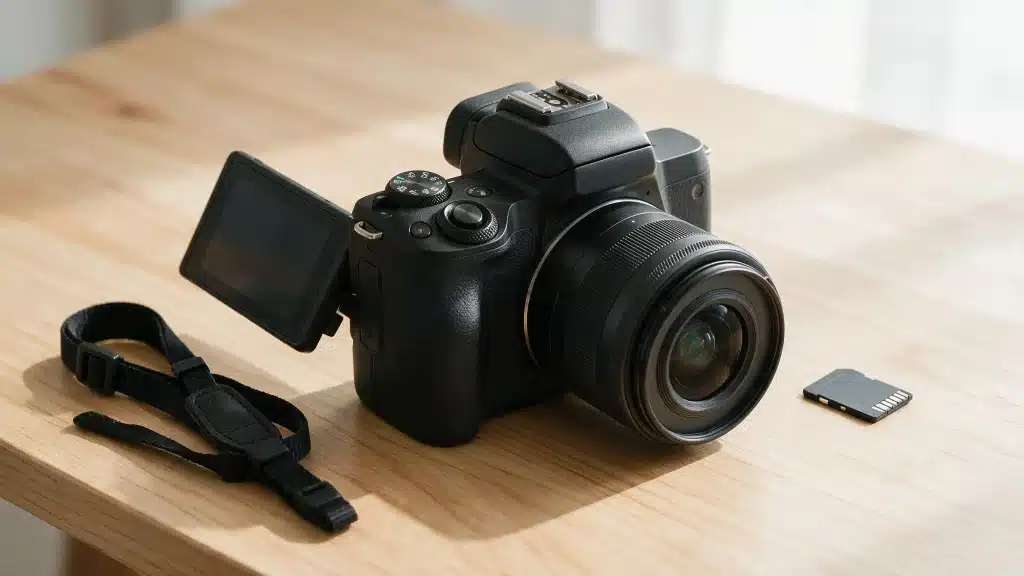
A phone camera flattens skin tones and struggles when indoor lighting gets tricky. That is usually when photographers start looking at the Canon EOS M50 for a bigger sensor without DSLR bulk.
Having shot with one across family outings, casual portraits, and a few small product shoots, the appeal holds up: a compact body, a 24.1MP APS-C sensor, an electronic viewfinder, and a flip touchscreen without a steep learning curve.
Before buying a used one, since Canon has moved on to newer bodies (see how it stacks up against the current lineup), it is worth knowing what a kit should include, how the battery holds up day-to-day, and where the camera still falls short.
This guide covers the specifications, the kit worth paying for, real battery behavior, and how the M50 compares with the EOS R50.
Quick Summary of the Canon EOS M50
The Canon EOS M50 is a compact mirrorless camera built for beginners, hobby photographers, travelers, and casual video creators. The full spec rundown is in the table below; here’s the short verdict.
It performs best for still photography, producing sharp images with reliable autofocus and simple controls. Full HD video also works well for vlogs, family clips, and talking-head recordings.
Its 4K mode is less practical because it crops the frame and uses slower contrast-detection autofocus. In my own testing, that crop was noticeable enough that we defaulted to Full HD for anything involving movement.
As of this writing, Canon’s US store no longer lists new M50 units for sale, so most buyers will find the camera through certified used sellers such as KEH or MPB, or leftover retail stock. It is worth considering when priced well below the newer EOS R50.
What’s in the Box?
Package contents vary because most units now come from used sellers or older retail stock. A standard original kit commonly includes:
- Canon EOS M50 camera body
- EF-M 15-45mm f/3.5-6.3 IS STM lens in kit versions
- LP-E12 battery pack
- LC-E12 battery charger
- Camera strap
- Body cap and lens caps
Printed setup material
Used listings may omit the charger, strap, caps, or original battery, so it helps to review the basics of caring for camera gear before committing to a used kit. Ask for a complete itemized list, and don’t assume accessories shown in a stock photo are included.
Specifications at a Glance
The core specifications show why the M50 remains useful for photography, but they also reveal its age beside newer Canon bodies.
|
Specification |
Canon EOS M50 Details |
|---|---|
|
Camera type |
Mirrorless interchangeable-lens camera |
|
Sensor & processor |
24.1MP APS-C CMOS with DIGIC 8 processor; ISO 100-25600, expandable to 51200 for stills |
|
Lens mount |
Canon EF-M (native); Canon EF and EF-S lenses via Mount Adapter EF-EOS M |
|
Autofocus & burst |
Dual Pixel CMOS AF for stills and Full HD video; up to 10 fps with focus fixed, about 7.4 fps with continuous AF |
|
Video |
4K UHD at 23.98 fps, Full HD up to 59.94 fps, HD up to 119.9 fps |
|
Viewfinder & screen |
2.36-million-dot OLED EVF; 3-inch vari-angle touchscreen, about 1.04 million dots |
|
Storage & connectivity |
SD, SDHC, or SDXC (UHS-I); Wi-Fi, Bluetooth, and NFC |
|
Battery & weight |
About 235 shots per charge (CIPA), about 370 in Eco mode; body weighs about 387 to 390 grams with battery and card |
|
In-body stabilization |
No |
Key Features of the Canon EOS M50
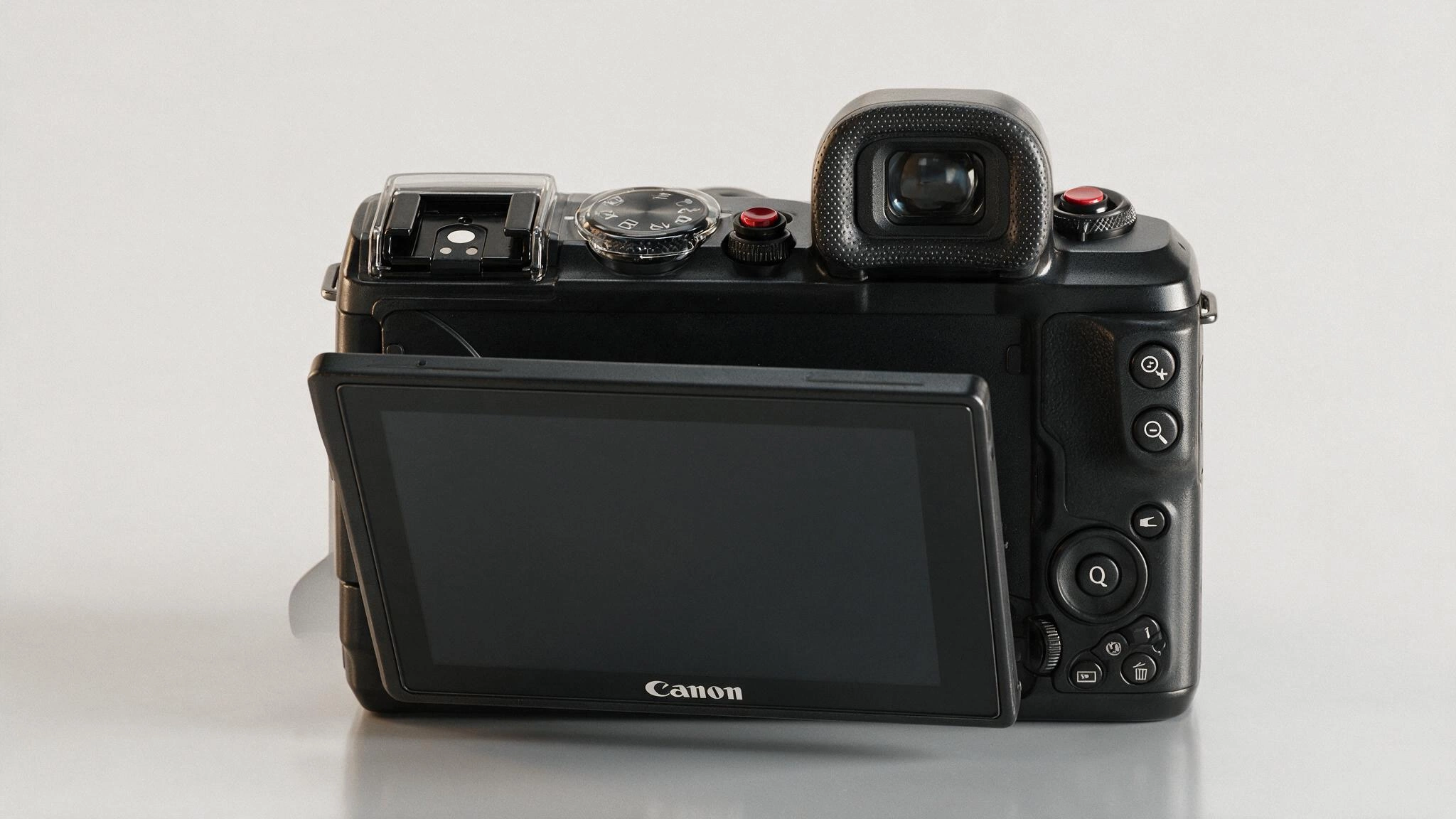
The M50 combines beginner-friendly operation with enough manual control for learning photography. These features have the largest effect on daily use.
1. A 24.1MP APS-C CMOS Sensor
The 24.1MP sensor gives the M50 a clear image-quality advantage over many phones and small-sensor cameras.
It captures enough detail for cropping, social media work, photo books, and medium-size prints. The larger APS-C format also makes background blur easier to create when paired with a bright lens.
Canon lists a standard still-photo sensitivity range of ISO 100 to 25600, with an expanded option equivalent to ISO 51200. Clean results are easiest in good light, while raising ISO sensitivity introduces more visible grain and softer fine detail.
2. Dual Pixel CMOS Autofocus
For still photos and Full HD video, Dual Pixel CMOS AF is one of the camera’s main strengths. Most EF-M lenses provide 99 selectable AF points across an 80-by-80 percent area.
Select lenses can increase coverage to about 88 percent horizontally and 100 percent vertically, with up to 143 AF points. Face detection, subject tracking, touch focus, and single-shot Eye Detection AF help with portraits, family photos, and casual movement.
Eye AF on the original M50 is limited compared with current cameras, a reminder of how autofocus still differs between mirrorless and DSLR bodies.
3. Vari-Angle Touchscreen and OLED Viewfinder
The side-hinged screen is useful for self-recording, tripod work, low-angle shots, and overhead framing. Touch controls support menu operation, image playback, tap-to-focus, and focus-point movement.
The built-in viewfinder is equally useful outdoors because it blocks bright surrounding light and gives the camera a familiar eye-level shooting position.
This two-way viewing setup is a major reason the M50 feels more flexible than entry cameras that rely only on a rear screen.
4. Up to 10 fps Continuous Shooting
The M50 can shoot at up to 10 frames per second when focus is fixed on the first frame, or about 7.4 frames per second with continuous autofocus.
That is enough for short bursts of children, pets, street scenes, and casual action. The buffer is not large, especially with RAW files.
So, it is not built for long sports or wildlife sequences. Short, controlled bursts produce better results and reduce the wait while files write to the card.
5. 4K, Full HD, and Slow-Motion Recording
Canon gives the M50 several recording choices: 4K UHD at 24p, Full HD at up to 60p, and 720p high-frame-rate recording at about 120p.
The 4K option sounds strong on paper, but it crops the frame and does not use Dual Pixel CMOS AF.
Full HD is often the better choice because it keeps the wider field of view and the smoother autofocus system. The high-frame-rate HD mode can produce slow-motion clips, though resolution is lower than Full HD.
6. Wi-Fi, Bluetooth, and NFC
Wireless features let the camera pair with a compatible phone for image transfer, remote shooting, and basic camera control.
Bluetooth helps maintain the initial connection, while Wi-Fi handles larger transfers. The M50 can also send files to a computer through Canon’s supported software when the devices share a network.
Wireless use consumes extra battery power, so turning it off during long shooting sessions can help extend operating time.
7. CR3 RAW and C-RAW Files
The M50 introduced Canon’s CR3 RAW format and includes C-RAW, a compressed full-resolution option.
C-RAW reduces storage use while retaining much of the adjustment freedom buyers expect from a RAW file. It is useful for travel, events, or long days when card space matters.
Standard RAW remains the safer choice for difficult scenes that may need heavy shadow recovery or large exposure changes during editing.
8. Compact Body With Beginner-Friendly Controls
A single main dial, guided displays, touch menus, and automatic modes keep the camera approachable. The grip provides more support than very small flat-bodied cameras.
However, users with large hands may find the buttons cramped. Its small size works best with compact EF-M lenses rather than large adapted DSLR zooms.
The body has no in-body image stabilization, so steadier handheld results depend on shooting technique, stabilized lenses, or digital stabilization during video.
Is the Canon EOS M50 Good for Video and Vlogging?
The flip screen, microphone input, compact body, and Full HD autofocus make the M50 practical for basic video work. Its 4K mode carries the same crop and autofocus tradeoffs already covered above, so it needs more planning than a quick clip.
Full HD Is the Better Everyday Setting
Full HD recording up to 60p keeps Dual Pixel CMOS AF active, which gives smoother focus changes and better subject tracking than the 4K mode. It suits talking-head clips, tutorials, product videos, family recordings, and casual handheld work.
- The M50 has a 3.5mm external microphone input. We used it with a basic shotgun mic for noticeably cleaner audio than the built-in mic manages in anything but a quiet room.
- The body has no image stabilization, so pairing it with a stabilized lens or a small tripod grip made handheld clips visibly steadier in our tests than shooting freehand.
Lens Compatibility and Useful Lens Choices
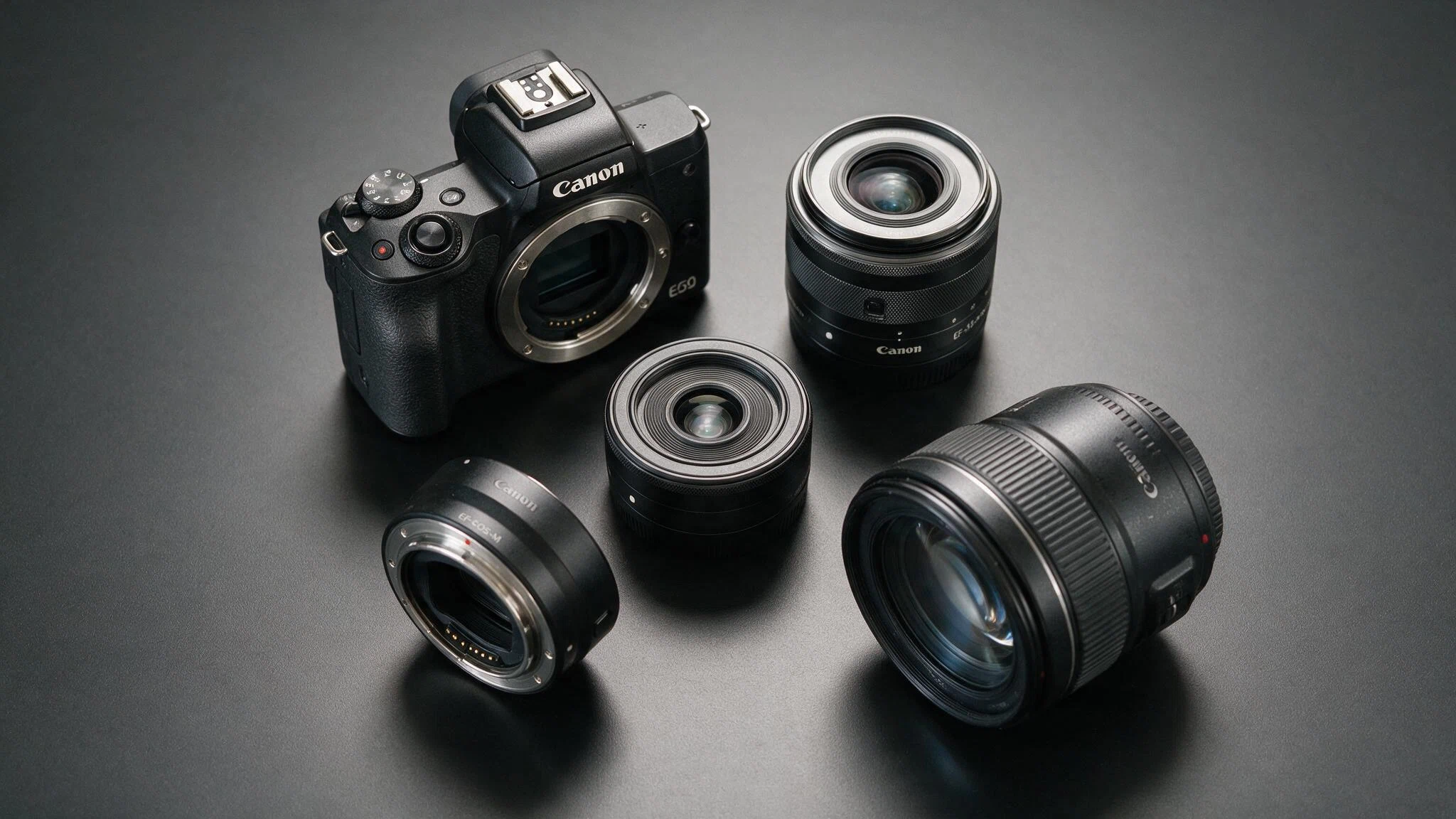
The M50 uses Canon’s EF-M mount. It accepts native EF-M lenses directly, and Canon EF or EF-S DSLR lenses through the Mount Adapter EF-EOS M. RF and RF-S lenses do not fit the M50.
1. EF-M 15-45mm f/3.5-6.3 IS STM: The kit lens is the easiest place to start. Its range covers wide scenes, everyday photos, group shots, and short portrait framing. It is light, retractable, stabilized, and easy to carry. Its main limit is the narrow aperture at the long end, which can push ISO higher indoors.
2. EF-M 22mm f/2 STM: This small prime gives a field of view close to a classic 35mm lens on full-frame. It is a strong choice for street photography, food, travel, indoor family shots, and a very compact everyday kit. The f/2 aperture also helps in lower light.
3. EF-M 11-22mm f/4-5.6 IS STM: The 11-22mm works well for buildings, interiors, landscapes, and wider vlogging frames. It is especially helpful when the standard kit lens does not feel wide enough. The lens stays compact, though its aperture isn’t especially bright.
4. Adapted EF and EF-S Lenses: An adapter gives access to many Canon DSLR lenses, including affordable primes and longer telephoto options. A compatible adapter keeps autofocus can electronic aperture control. Large lenses can make the small body front-heavy, so adapted glass makes the most sense when the buyer already owns Canon DSLR lenses or finds a strong used deal.
How the M50 Compares with Mark II and EOS R50
Not every M50 listing at a lower price is actually a better deal, so it pays to follow general guidance on comparison shopping online before you commit. These six checks separate a solid used find from one that costs more once problems surface.
|
Feature |
EOS M50 |
EOS M50 Mark II |
EOS R50 |
|---|---|---|---|
|
Sensor |
24.1MP APS-C |
24.1MP APS-C |
24.2MP APS-C |
|
Processor |
DIGIC 8 |
DIGIC 8 |
DIGIC X |
|
Lens mount |
EF-M |
EF-M |
RF and RF-S |
|
4K |
24p with crop |
24p with crop |
Uncropped 4K up to 30p, oversampled from 6K |
|
Video autofocus |
Dual Pixel AF in Full HD, not 4K |
Improved Eye AF features, but no Dual Pixel AF in 4K |
Dual Pixel CMOS AF II in 4K |
|
Burst speed |
Up to 10 fps |
Up to 10 fps |
Up to 12 fps electronic first-curtain or 15 fps electronic |
|
Creator tools |
Flip screen and mic input |
Adds vertical video, webcam, and streaming features |
Better subject detection, webcam support, and longer recording |
|
Best reason to buy |
Lowest-price entry point |
Better used option for basic content creation |
Better long-term Canon system choice |
Canon currently lists the original M50 and several M50 Mark II packages as out of stock, while the R50 remains part of its active U.S. store range. Availability can change, so buyers should check the product status again before ordering.
Which EOS M50 Kit Should You Buy?
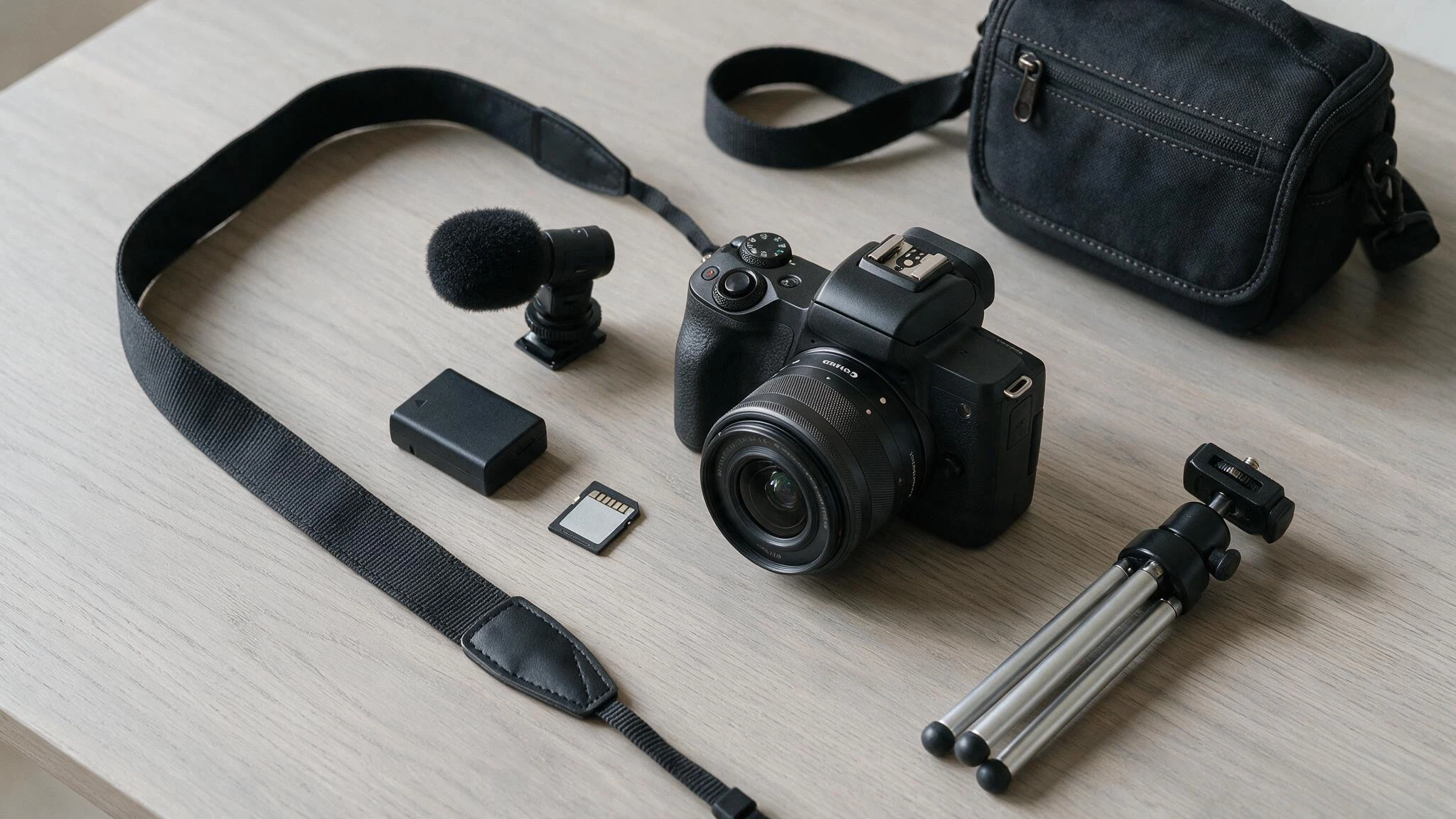
- Body Only: Choose the body alone only when compatible EF-M lenses or adapted Canon DSLR lenses are already available. A body-only deal is less useful when you must buy a lens separately at a high total cost.
- 15-45mm Kit: This is the safest starting package for most beginners. It covers common focal lengths, adds optical stabilization, and keeps the camera light. Check that the lens extends, retracts, focuses, and stabilizes correctly.
- Two-Lens Kit: A package with the 15-45mm and EF-M 55-200mm adds reach for travel details, outdoor portraits, zoo visits, and distant subjects. It is useful when both lenses are in good condition and the price increase is reasonable.
- Creator Kit: A microphone, tripod grip, or extra battery can help, but kit value depends on the exact accessory models. We would skip a bundled tripod that looks flimsy in listing photos and buy a sturdy mini tripod separately for about the same money.
How to Compare Canon Listings Before Buying
Not every M50 listing at a lower price is actually a better deal. These six checks separate a solid used find from one that costs more once problems surface.
- Confirm the Exact Model: Check that the listing is for the original EOS M50, not the M50 Mark II, M5, M6, or a similarly named body.
- Read the Included-Items List: Confirm the lens, battery, charger, strap, caps, adapter, and memory card, rather than relying on the main image.
- Check the Sensor and Screen: Ask for clear photos of the sensor area, rear screen, viewfinder, lens glass, and camera body. Look for scratches, fungus, haze, cracks, or impact marks.
- Test Core Functions: Confirm autofocus, touchscreen response, card recording, flash, hot shoe, ports, Wi-Fi, video recording, and all control buttons.
- Ask About Returns and Warranty: A slightly higher price from a seller with inspection, returns, and a short warranty may be safer than an untested private sale.
- Compare the Total Cost With an EOS R50: Add the camera, lens, adapter, spare battery, shipping, and tax. An M50 deal loses its appeal when the final cost nears a new RF-mount kit.
Who the Canon EOS M50 Still Makes Sense For?
A lower price can hide bigger problems. Before you trust any used Canon EOS M50 listing, run it through these six checks to confirm it’s worth the money.
|
Good fit if you… |
Skip it if you… |
|---|---|
|
Are learning photography and want a real viewfinder and manual controls without DSLR bulk |
Plan to shoot 4K regularly |
|
Already own EF-M or adapted EF lenses and do not want to replace glass |
Need stabilized handheld video |
|
Are a casual creator whose videos rarely need more than Full HD |
Could buy a new EOS R50 for close to the same total cost as a used M50 kit plus accessories |
Final Shot
The Canon EOS M50 earns its keep as a stills camera for anyone who values a real viewfinder, simple controls, and an APS-C sensor over a phone, provided the price reflects its age. Across our test shoots, sharp autofocus and compact handling mattered more day-to-day than the missing 4K polish.
Its real limits are a cropped 4K mode, a battery that needs a spare on hand, no in-body stabilization, and a lens mount Canon has since retired in favor of RF.
Weigh the total kit cost, including a spare battery and any adapter, against a new EOS R50 before deciding. If you have shot with an M50 yourself, we would like to hear how the battery held up for you in the comments.
Frequently Asked Questions
Is the Canon EOS M50 Discontinued in 2026?
Canon replaced the original M50 with the M50 Mark II in 2020, and later launched the RF-mount EOS R50 in 2023. As of this writing, Canon’s official US store no longer lists new M50 units for sale, though the Mark II and R50 remain part of its active lineup.
How Should You Shop for A Used Canon EOS M50 in 2026?
Used camera pricing shifts constantly with condition and included accessories, so avoid anchoring to one number. Instead, compare at least two or three listings on established used-camera marketplaces side by side, check the shutter count if the seller lists it, and confirm the return policy before paying.
Is the 235-Shot Battery Rating a Dealbreaker for Everyday Use?
Not usually, but it is a reason to own a second LP-E12 battery. The CIPA number reflects a specific lab test cycle that most real shooting does not match exactly. Casual day trips and family events rarely hit the limit, but a full day of continuous shooting, video, or Wi-Fi transfers can drain the battery well before evening.
Does the Canon EOS M50 Support an External Microphone?
Yes. It has a 3.5mm microphone input alongside its built-in mic, which noticeably improves audio quality for interviews, tutorials, and vlogging when paired with an inexpensive shotgun or lavalier mic. The camera lacks a headphone jack for audio monitoring, so you’ll need to check levels with an external recorder or by ear during a test clip.
IS It Worth Upgrading from A Canon Eos M50 to A Canon Eos R50 if You Already Own Ef-M Lenses?
Only if you are ready to replace your lenses too, since the R50 uses Canon’s RF mount and cannot accept EF-M glass without a discontinued or third-party adapter that loses autofocus speed. If your EF-M lenses still meet your needs, it usually makes more sense to keep the M50 and spend upgrade money on a second battery or a better lens instead.