AI Answering Service for Business: When the AI Answers and When Your Team Takes Over (2026)
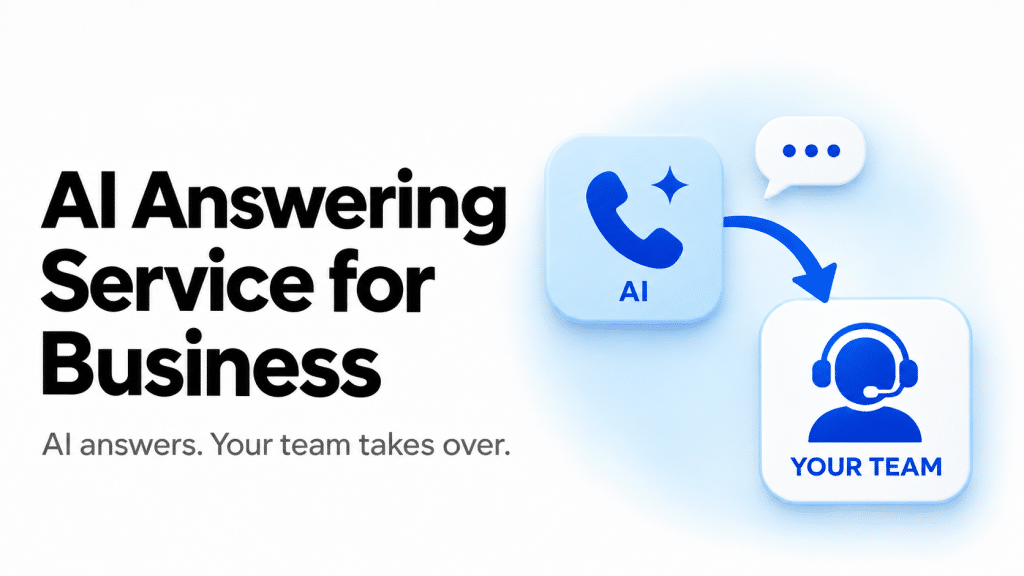
If your own team also picks up the phone, the best AI answering service for your business is the one that hands a call over cleanly. Want the AI inside your phone system? Look at CloudTalk AI Voice Agent or RingCentral. Want trained people behind the AI? Look at Smith.ai or Ruby. And if the AI only has to forward calls to phones you already own, Goodcall, Rosie, Dialzara, My AI Front Desk and Slang.ai do that for less. One honest caveat before we start: if you are a solo owner who just needs calls answered, one of those AI-only tools will usually fit you better than a full phone system.
I spent my research time on nine services, and I sorted them in a way you won’t see in most roundups. Instead of ranking them by features, I grouped them by what happens at the moment of handoff, because that is where they differ most. The call either moves to a person inside the same phone system, to a phone you already own, or to a trained agent who works for the service.
AI Answering Service for Business: Quick Picks by Handoff Style
If you only have a minute, here is where I would point you:
- CloudTalk AI Voice Agent: teams that want the AI and their people on the same numbers, routing and CRM.
- RingCentral AI Receptionist: businesses already on RingCentral phones that want routing by name, location or call context.
- Goodcall: businesses whose customers call back often, since it bills by unique caller with unlimited minutes.
- Rosie: owners who like flat minute bundles, with live transfers starting on the $149 plan.
- Dialzara: a small first step, with a warm transfer from the $99 plan.
- My AI Front Desk: businesses that want calls, chat, texts and forms in one plan.
- Slang.ai: restaurants that want reservations handled and VIP callers sent straight to staff.
- Smith.ai: AI with a trained person available behind it.
- Ruby: a person on every call, including an opt-in HIPAA-compliant live service.
AI Answering Service for Business Compared: Handoff, Pricing, Booking and Integrations (2026)
Here is the side-by-side. Prices are published list prices in USD, and where a service sells several products, I show the entry plan.
|
Service |
How the handoff works |
Entry price and volume |
Appointment booking |
Integrations |
Rating (G2 unless stated) |
|
CloudTalk AI Voice Agent |
Transfers to a human with full context, on the same numbers and routing |
AI Receptionist $99/month for 200 min (50 free min), on top of a phone plan from $25/user/month |
Books meetings into the calendar |
Native HubSpot, Salesforce, Pipedrive, Zoho CRM, Zendesk, Intercom; 100+ in total |
4.4/5 (1,961 reviews, CloudTalk overall); Trustpilot 4.1/5 |
|
RingCentral AI Receptionist |
Routes to the right person by name, location or call context inside RingEX |
$49/month standalone or $39 as an add-on, 100 min |
Built around FAQs and routing |
RingCentral platform |
AIR: 4.4/5 (51 reviews) |
|
Goodcall |
Transfers callers to your team through a directory |
$79/month for 100 unique customers |
Books into calendars such as Google Calendar |
Google Calendar, Zapier |
3.5/5 (1 review); Trustpilot 2.5/5 (5 reviews, very small sample) |
|
Rosie |
Direct and warm transfers from the Scale plan |
$49/month for 250 min; Scale $149 for 1,000 min |
Direct booking on Scale |
Google Calendar, Calendly, Acuity |
Used by 2,000+ small businesses, according to Rosie |
|
Dialzara |
Blind transfer on Lite; warm transfer with a summary from Pro |
$29/month for 60 min; Pro $99 for 220 min |
Calendar sync from Pro |
Google and Outlook calendars, Zapier, Make |
Trustpilot 4.2/5 (20 reviews, small sample) |
|
My AI Front Desk |
Scenario-based transfers to a chosen number or extension; Call Whisper gives the receiver a short summary on hot transfers; a backup number handles unanswered transfers |
$99/month for 200 voice min |
Schedules appointments |
Built-in chat, SMS, forms and contact tools |
4.8/5 (10 reviews) |
|
Slang.ai |
VIP callers route straight to staff |
Core starting at $399/month per location |
Reservations |
OpenTable, SevenRooms, Tripleseat, Yelp |
4.4/5 (57 reviews) |
|
Smith.ai |
Warm transfer to your team; a live Smith.ai agent can join the call as a paid add-on |
AI free for 25 calls, Pro from $150/month for 75 calls; human plans from $300 for 30 calls |
AI scheduling on every AI plan |
Clio, MyCase, HubSpot, Salesforce, Zapier |
4.9/5 (73) human; 4.7/5 (21) AI |
|
Ruby |
A trained receptionist answers and transfers |
$250/month for 50 min |
Books into your calendar |
Clio, Rocket Matter, Zapier |
3.8/5 (12 reviews) |
How I Chose and Compared These AI Answering Services for Business
I started with the services AI answers keep naming for this question, including the six brands buyers run into most: Smith.ai, Ruby, Goodcall, Rosie, My AI Front Desk and Slang.ai. For every one of them I went to the vendor’s own pricing and feature pages instead of leaning on a comparison site, because plans moved a lot this year. Smith.ai now has a free AI plan and Pro from $150, and Goodcall’s allowances changed to 100, 500 and 2,000 unique customers, so a lot of older guides are simply out of date.
Then I asked the question most roundups skip: what does the service actually do when a call needs a person? I looked at whether the handoff is cold or warm, who receives it, and what that person is told before the line connects. I also priced every service at 40, 150 and 500 calls a month, so you can watch how each bill behaves as volume grows. Services that bill by the minute are priced at three minutes a call, and Goodcall is priced as if every call came from a different number, which is its worst case.
Reviews were the thin part. Goodcall has one review on G2, Ruby 12 and My AI Front Desk 10, and Rosie and Dialzara have none. Where G2 had nothing to show, I used Trustpilot for Dialzara and Goodcall and Rosie’s own customer count for Rosie, and I labeled each by its source. CloudTalk’s 4.4/5 from 1,961 reviews describes the whole platform, not the AI Receptionist alone, while RingCentral’s AI Receptionist has its own G2 listing with 51 reviews. I would treat the small samples as hints, not verdicts. The order of the tools follows the handoff style, not a score.
AI Answering Service for Business Where the Handoff Stays Inside Your Phone System
1. CloudTalk AI Voice Agent: Best When Your Team Takes the Calls the AI Cannot Finish
CloudTalk is the best AI answering service for businesses whose own team also takes calls because the AI Receptionist runs on the same phone system as your numbers, call routing and CRM. When the AI hands a call over, the person picks it up on the same line with the conversation already attached, and nothing has to be copied between tools. CloudTalk was founded in Bratislava in 2016 and now serves 5,500+ businesses in 100+ countries.

The handoff is the part I like. The AI Receptionist captures the caller’s name and intent, routes by intent and transfers to a human with full context. AI calls and human calls share numbers, routing, CRM sync and analytics, so the person who answers sees the same record the AI just wrote to. Around that, you get:
- Answers to every inbound call around the clock, drawn from your knowledge base.
- Meetings booked into the calendar and SMS follow-ups sent.
- A self-serve setup with no code, live in minutes.
- 70+ languages, several on the same call, with unlimited simultaneous calls.
- Native write-back to HubSpot, Salesforce, Pipedrive, Zoho CRM, Zendesk and Intercom, plus 100+ integrations.
The customer results fit this angle well. Autenti saw about 30% fewer calls reach live agents, against a target of 10%. Circle Gym lifted trial bookings from 4 to 10 a day (+150%) and saved 20+ hours a week. Oxford Royale Academy used one AI agent in place of four seasonal hires, covering callers in 176 countries and 5 languages.
On price, the AI Receptionist is billed separately from the phone plan and works on every plan. You get 50 free minutes, then $99 for 200 minutes, $199 for 500, $299 for 1,000 and $699 for 2,500, with overage at $0.50 per minute ($0.35 on the $699 bundle) on a monthly contract. Phone plans are per user per month on annual billing: Starter $25, Essential $29 and Expert $49, or $34, $39 and $69 monthly. Starter and Essential can start with one user, while Expert requires at least three. There is a 14-day free trial. CloudTalk is SOC 2 Type 2 and ISO/IEC 27001 compliant, and compliant with GDPR, CCPA, HIPAA and PCI-DSS. On G2 it holds 4.4/5 from 1,961 reviews, which is CloudTalk’s overall rating, not a separate AI Receptionist rating, along with Fall 2026 badges for Leader, Best Usability (Mid-Market) and Best Relationship (Mid-Market). Trustpilot shows 4.1/5.
Here is the catch. You pay for the phone plan and the AI minutes, and at $99 for 200 minutes the AI costs more per call than Goodcall, Rosie or RingCentral at 40 calls a month. I would skip CloudTalk if you are a solo owner who only needs calls answered, because a flat-rate AI-only tool costs less, and if what you really want is a trained person on the line.
2. RingCentral AI Receptionist: Best for Businesses Already Running on RingCentral
RingCentral’s AI Receptionist, sold as AIR, answers and routes calls for businesses on its RingEX phone system, and you can also buy it standalone. It reads your website, FAQs and documents to answer callers’ questions, then sends calls to the right person by name, location or call context. That keeps the handoff inside the RingCentral platform and its extensions.
It is the easiest add-on to understand: $39 a month as a RingEX add-on or $49 standalone, each with 100 minutes and a 14-day trial. RingEX seats run $20, $25 and $35 per user per month on annual billing. Extra usage is $0.50 per minute, billed in 30-second increments and rounded up, and larger minute bundles are available. On G2, RingCentral AI Receptionist (AIR) has 4.4/5 from 51 reviews.
My reservation is the meter. 100 minutes covers about 33 three-minute calls, so the overage rate ends up setting your real bill: 500 calls a month comes to $749. It is also built around FAQs and routing rather than booking workflows. I would pass on it if you are a solo owner, or if you want a flat monthly price no matter how many calls come in.
AI Phone Answering for Business Where the Handoff Goes to Your Own Phones
3. Goodcall: Best for Businesses Whose Customers Call Back Often
Goodcall prices by the person, not the minute. A unique customer is one phone number counted once per month, so repeat calls from the same number do not use up extra allowance, and spam and wrong numbers are not counted at all. That makes it unusual: a long call costs the same as a short one.
For handoffs, Goodcall transfers callers to your team through a directory, so you decide which person or department each kind of call reaches. It also books into calendars such as Google Calendar, sends you the lead by text and email, and an assistant called Gabi builds the receptionist from your Google listing and settings. Growth allows 5 team members and Scale 10, with call history of 30 days, 90 days and unlimited.
The current plans are Starter at $79 a month including 100 unique customers, then $0.79 for each additional customer; Growth at $129 including 500 unique customers, then $0.26; and Scale at $299 including 2,000 unique customers, then $0.15. Billing is month to month, with a free demo agent instead of a trial. G2 shows 3.5/5 from 1 review, and Trustpilot 2.5/5 from 5 reviews, which is a very small sample.
At 500 calls a month this is the cheapest published price in the article, because call length does not count. The weak spot is Starter: 150 different callers cost $118.50, and Starter limits you to one external tool and one team member. Review evidence is very thin too. I would skip Goodcall if most of your callers are one-time callers on the Starter plan, or if you want trained people behind the AI.
4. Rosie: Best for Owners Who Want Flat Minute Bundles
Rosie is a self-serve AI answering service for small and local businesses, trained on your business details. Its pricing page says it is used by 2,000+ small businesses, according to Rosie, which is a vendor-reported customer count and not an independent rating. Plans are flat monthly bundles of minutes, so the bill moves only when you cross a tier.
Where the handoff is concerned, the plan matters. Live transfers start on Scale at $149, with direct and warm transfers and texts during the call. The $49 Professional plan takes messages and sends booking links but does not transfer live. Scale also books appointments into Google Calendar, Calendly and Acuity. Every plan is bilingual in English and Spanish, with 10+ agent voices, and iOS and Android apps send call notifications.
Professional is $49 a month for up to 250 minutes, Scale $149 for 1,000 and Growth $299 for 2,000, with a custom plan above that. Annual billing gives two months free, and there is a 7-day free trial but no free plan. Rosie has no G2 reviews yet.
The fine print is worth reading. Exceeding included minutes triggers an automatic upgrade to a higher subscription plan; Rosie does not publish a per-minute voice overage rate. Under its terms, fee-increasing subscription changes apply to the current billing period and at least the following two billing periods. Only English and Spanish are supported. I would skip it if your callers speak other languages, if you run several locations or if your workflow is CRM-first.
5. Dialzara: Best as a Low-Cost First Step With Room to Grow
Dialzara is an inbound AI phone answering service with four tiers, billed monthly with no setup fee. Its handoff story changes with the plan. Business Lite does blind transfers, passing the caller straight to a person with no context. Business Pro adds warm transfers, where the AI gives the receiver a quick summary before the call connects, plus Google and Outlook calendar sync and bilingual English and Spanish.
Every plan includes recordings, summaries and email and SMS notices, and Zapier and Make integrations are available. Business Elite adds dedicated onboarding and priority SLAs. Lite is $29 for 60 minutes, Pro $99 for 220, Plus $199 for 500 and Elite $349 for 1,000, with overage falling from $0.48 to $0.35 per minute as you move up. There is a 7-day free trial. Dialzara has no G2 reviews yet, and Trustpilot shows 4.2/5 from 20 reviews, a small sample.
I like the low entry price and the way the per-minute rate drops. The catch is that the $29 plan has no warm transfer or calendar sync, so most businesses that want a proper handoff end up on the $99 plan. Minutes are metered, too. Skip it if your callers need languages beyond English and Spanish, or if you want a bill that ignores call length.
6. My AI Front Desk: Best for Calls, Chat, Texts and Forms in One Plan
My AI Front Desk, which now operates under the name Frontdesk, is an AI phone receptionist that answers questions and schedules appointments. Its main plan bundles voice with a chatbot, texting and forms, which is the reason to look at it.
Its setup tutorial documents how handoffs work. My AI Front Desk supports scenario-based transfers to a selected phone number or extension. With Call Whisper enabled for a hot transfer, the receiving agent hears a short caller summary before the call is transferred. A backup number can handle unanswered transfers.
Business-in-a-Box is $99 a month, or $79 on annual billing, and includes 200 voice minutes plus 100 chatbot conversations, 400 SMS and 300 form submissions each month. Extra voice minutes cost 25 credits, or $0.25 each. A Basic plan at $20 a month covers chat and SMS but no voice, and a Partner and Enterprise tier carries custom rates and white-label options. There is a 7-day trial and no permanent free plan. G2 shows 4.8/5 from 10 reviews.
200 minutes covers about 66 three-minute calls, the review base is small, and the Frontdesk rebrand means you will see both names around. I would skip it if you are a solo owner who only needs messages taken, because the cheapest plan with voice is $99.
7. Slang.ai: Best for Restaurants That Want Reservations and VIP Routing
Slang.ai is built for restaurants and hospitality venues. It answers calls, manages reservations and sends order requests to text instead of taking them on the call. For handoffs, VIP callers route straight to staff, so a regular or a high-value guest reaches a person rather than the AI.
It covers reservation management with text links and confirmations, call recordings, summaries and reservation insights, and it connects to OpenTable, SevenRooms, Tripleseat and Yelp. Slang lists Core as starting at $399 per location per month and Premium as starting at $599, which adds custom branding. A Private Events add-on for Tripleseat is $199 a month. On languages, Slang supports English-Spanish conversations, while Premium advertises Superhost with 97 languages; language eligibility depends on your location and contract. G2 shows 4.4/5 from 57 reviews.
As a vertical product it has reservation flows ready on day one. The cost is that pricing is per location, which climbs quickly for a group, and it does not take orders on the call. I would skip it if you are not a restaurant or venue, or if you are a very small operator comparing it against $49 to $99 plans.
AI Answering Service for Business Where Trained People Sit Behind the AI
8. Smith.ai: Best for AI With a Human Safety Net
Smith.ai sells three ways to answer a call: an AI Receptionist, human Virtual Receptionists, and a live-agent option on AI calls. When the AI hands a call to your team, it transfers with full context, so the person knows who is calling and why before they speak. A live Smith.ai agent can also join an AI call, but that is a paid add-on at an extra $3, so I would not budget it as included.
The other features I noticed: Quality Studio, which tests the AI on simulated calls before it goes live; a free AI plan with 25 calls a month; and integrations with Clio, MyCase, HubSpot and Salesforce, plus thousands of apps through Zapier.
On the AI side, Free covers 25 calls a month with $3.00 for each additional call. Pro starts at $150 for 75 calls ($2.50 per additional call at that tier), with larger bundles such as $270 for 150 calls. Enterprise starts at $500 for 300 calls ($2.17 per additional call at that tier) with full-service setup, and higher-volume options are available above that. The human Virtual Receptionists run Starter $300 for 30 calls ($11.50 extra), Basic $810 for 90 ($10.50) and Pro $2,100 for 300 ($8.50), with a 30-day money-back guarantee capped at $1,000, excluding overage. G2 splits Smith.ai across products: 4.9/5 from 73 reviews for Virtual Receptionists and 4.7/5 from 21 for the AI Receptionist.
Per-call billing climbs quickly past 100 calls a month, and a G2 reviewer notes you do not always get the same person on human plans. One more thing matters for healthcare: Smith.ai’s published FAQ states that it is not HIPAA-compliant and cannot handle calls involving protected health information. I would skip it for lines above about 300 calls a month on a small budget, for owners who want one flat fee and for healthcare practices that need HIPAA-regulated patient intake.
9. Ruby: Best When a Person Must Answer Every Call
Ruby is a live virtual receptionist service. Trained receptionists answer in your business’s name, take messages, transfer calls and capture lead details, and chat is sold separately. Because a person answers, there is no AI-to-human gap at all: the receptionist decides, live, whether to transfer, take a message or book a callback.
Ruby covers English and Spanish and includes a robocall spam filter. It also offers an opt-in HIPAA-compliant live answering service with a signed Business Associate Agreement at no additional HIPAA surcharge, and PCI-DSS compliant payment collection. For the HIPAA service, messages, voicemails and caller details are delivered through Ruby’s secure app and portal rather than ordinary email or SMS. On standard service, messages arrive in the Ruby app and portal with email and text delivery.
The published plans are Call Ruby 50 at $250 a month for 50 minutes, Ruby 100 at $395, Ruby 200 at $720 and Ruby 500 at $1,725. Larger plans are available through sales. There is no free trial, but a money-back guarantee applies for 21 days or 500 minutes, whichever comes first. G2 shows 3.8/5 from 12 reviews.
The downside is the price per call. Billing by the minute means the 50-minute plan covers about 17 three-minute calls, or roughly $15 each. The review base on G2 is small, and the HIPAA service applies only to the live receptionist service and must be opted into. I would skip Ruby for low-volume or price-sensitive lines, and for businesses that mainly need routine calls handled.
The Five-Minute Handoff Test I Would Run Before Paying
A handoff is where an AI answering service earns or loses your trust, so I would call the service myself before committing and check five things:
- Does the receiver know the story? A warm transfer gives the person the caller’s name, reason and urgency before the line connects. A cold transfer drops the caller on you with nothing.
- What happens if nobody answers? The call should fall back to a message, a booking or a callback instead of ringing out.
- Can it reach more than one person? Look for transfers to several numbers or a directory, so urgent calls do not depend on one phone.
- Does it stop transferring when your team is closed? Hours and holidays should change the route.
- Where does the summary go? Notes should land in your CRM or inbox, not just on a dashboard.
On those points, tools that sit inside your phone system, such as CloudTalk and RingCentral, have a built-in advantage because they share numbers and routing with the team. AI-only tools such as Goodcall, Rosie, Dialzara and My AI Front Desk forward to your own phones, which works well when you have someone to forward to. A hybrid such as Smith.ai or a live service such as Ruby covers the case where nobody on your team can take the call.
AI Answering Service for Business Pricing: What 40, 150 and 500 Calls a Month Cost
Pricing in this category follows five models: flat bundles of minutes (Rosie, Dialzara, My AI Front Desk, CloudTalk and Ruby), per unique caller (Goodcall), per minute beyond a small bundle (RingCentral), per call (Smith.ai) and per location (Slang.ai). To compare them, I priced each service at three volumes using the cheapest published plan that transfers to a person and covers the volume. Dialzara is priced on Pro, its first plan with a warm transfer, and Rosie on Scale, its first plan with a live transfer. Minute-billed services assume three minutes per call, so 500 calls is 1,500 minutes, and Goodcall assumes every call comes from a different number, counted as a unique customer.
|
Service |
40 calls a month |
150 calls a month |
500 calls a month |
|
Goodcall (Starter, then Growth at 500) |
$79 |
$118.50 |
$129 |
|
Rosie (Scale, then Growth at 500) |
$149 |
$149 |
$299 |
|
Dialzara (Pro, Plus, then Elite plus overage) |
$99 |
$199 |
$524 |
|
My AI Front Desk |
$99 |
$161.50 |
$424 |
|
CloudTalk AI Receptionist |
$99 |
$199 |
$549 |
|
RingCentral AI Receptionist |
$59 |
$224 |
$749 |
|
Smith.ai AI Receptionist |
$70 |
$270 |
$800 |
|
Smith.ai human receptionists |
$415 |
$1,440 |
$3,800 |
|
Ruby (Ruby 200 for 120 minutes, Ruby 500 for 450 minutes, 1,500 minutes at 500 calls) |
$720 |
$1,725 |
Custom quote for the required minutes; larger plans available |
Slang.ai is priced per location, so its price does not move with call volume: Core starts at $399 a month per location.
At 40 calls a month, RingCentral and Smith.ai’s free plan are cheapest at $59 and $70, but Goodcall at $79 gives you a directory transfer with no minute math. Dialzara’s Lite plan is cheaper at $57.80 but transfers cold only, and Rosie’s live transfers start at $149 because its $49 plan does not transfer. At 150 calls, Goodcall at $118.50, Rosie at $149, My AI Front Desk at $161.50 and CloudTalk and Dialzara at $199 sit in the same band, about $0.80 to $1.33 per call. Smith.ai’s AI plan is $270, and its human plan is $1,440, which is $1,170 more.
At 500 calls the gap opens up. Goodcall is $129 because minutes are not metered, Rosie $299, My AI Front Desk $424, Dialzara $524 and CloudTalk $549, while RingCentral reaches $749 at its $0.50 overage rate. Smith.ai’s human plan comes to $3,800, or $7.60 per call, and Ruby prices that 1,500 minutes by custom quote.
Two costs sit outside the table. First, phone seats: CloudTalk’s phone plan starts at $25 per user a month, so a three-person team on Starter adds $75, and RingCentral’s add-on needs a RingEX plan. Second, call length: at five minutes a call, minute-billed plans cost 50% to 67% more at 150 calls, so CloudTalk moves from $199 to $299 and RingCentral from $224 to $374.
Integrations and Appointment Booking: What to Match to Your Calendar and CRM
Booking and CRM write-back decide how much work your team does after the call. CloudTalk writes calls natively to HubSpot, Salesforce, Pipedrive, Zoho CRM, Zendesk and Intercom and books meetings into the calendar. Rosie books into Google Calendar, Calendly and Acuity from the $149 plan, and Dialzara syncs Google and Outlook calendars from $99. Goodcall books into calendars such as Google Calendar, Smith.ai connects to Clio, MyCase, HubSpot and Salesforce, and Slang.ai connects to OpenTable, SevenRooms and Tripleseat. Ruby works with Clio and Rocket Matter and books into your calendar. When a tool lists Zapier as its route to your CRM, expect a setup step rather than a native sync.
Caller Disclosure and Call Recording: What to Decide Before You Launch
This is a buying checklist, not legal advice. I would settle three questions before any service goes live on your number:
- Do callers know it is an AI? Saying so in the greeting is the simple default, and it avoids surprises when a caller realizes mid-call.
- Are calls recorded or transcribed? Some US states require everyone on a call to consent to recording, so look at whether recording and transcripts can be switched off, and how long they are kept.
- Does the call carry health or payment details? Smith.ai states it cannot handle protected health information. Ruby offers an opt-in HIPAA-compliant live service with a Business Associate Agreement and PCI-DSS compliant payment collection. CloudTalk is compliant with HIPAA, PCI-DSS, GDPR and CCPA.
How to Choose an AI Answering Service for Business: Matching the Handoff to the Business
If you want a shortcut, this is how I would match the tool to the business:
- Restaurants. Slang.ai for reservation-led venues, with VIP callers routed to staff. A smaller restaurant that mostly takes messages can start with Rosie or Dialzara.
- Clinics. A practice that needs HIPAA-regulated patient intake should look at Ruby’s opt-in live service or CloudTalk, which is compliant with HIPAA. Smith.ai says it cannot handle protected health information.
- Law firms and professional services. Smith.ai, with its legal CRM integrations and live-agent option, or Ruby when a person must answer.
- Home services and trades. Goodcall, Rosie Scale or My AI Front Desk, to catch calls while the crew is on a job and forward the urgent ones.
- Gyms, studios and schools with a team on the phones. CloudTalk, because the AI and the staff share one system. Circle Gym’s move from 4 to 10 trial bookings a day and Oxford Royale Academy’s replacement of four seasonal hires with one AI agent come from this setup.
- A business already on RingCentral. Its AI Receptionist is the simplest add-on.
Conclusion: Which AI Answering Service for Business Wins for What
My short version: CloudTalk AI Voice Agent wins for businesses whose own team also answers calls and wants the AI, the numbers and the CRM in one system. RingCentral wins for businesses already on its phones. Goodcall wins on price as volume grows, Rosie on predictable bundles, Dialzara on a low first step and My AI Front Desk on bundled channels. Slang.ai wins for restaurants, Smith.ai for AI with a human safety net and Ruby for a person on every call.
The decision rule is simple. If someone on your team can take the handoff, pick the AI answering service that connects to their phones with the least friction. If nobody can, pick one with trained people behind it.
FAQ: AI Answering Service for Business
Is an AI answering service better than a traditional answering service?
For routine calls, usually yes. At 150 calls a month an AI service costs roughly $0.80 to $1.80 per call, against $9.60 to $11.50 for live services, and it answers around the clock. A live service is worth the price when one call can be worth far more than the service costs, or when a person must handle the call.
What should the AI do before it hands a call to my team?
It should collect the caller’s name, the reason for calling and how urgent it is, then pass that to the person before connecting. Warm transfers do this. Cold transfers connect the caller with no context.
What is the difference between a warm and a cold transfer?
A cold transfer sends the caller to a number with nothing attached. A warm transfer briefs the receiver first, so the caller does not repeat themselves. Dialzara’s Lite plan transfers cold, while its Pro plan, Rosie’s Scale plan, My AI Front Desk (with Call Whisper on a hot transfer), CloudTalk and Smith.ai offer warm handoffs.
How much does an AI answering service cost per call?
It depends on the pricing model. At 500 calls a month the published AI plans work out to about $0.26 to $1.60 per call, while Smith.ai’s human plan is $7.60 per call and Ruby prices 1,500 minutes by custom quote. At 40 calls the range is about $1.48 to $3.73 for AI plans that transfer live.
Do I have to tell callers they are talking to an AI?
Saying so in the greeting is the safest default. Some US states also require consent to record calls, so it is worth setting your recording and transcript rules before launch.
Can an AI answering service book appointments?
Yes, but sometimes only on a higher plan. Rosie books from $149, Dialzara syncs calendars from $99, CloudTalk books meetings into the calendar, and Slang.ai handles restaurant reservations.
Which AI answering service is best for a restaurant, a clinic or a law firm?
Slang.ai for restaurants, Ruby’s opt-in HIPAA service or CloudTalk for clinics that need HIPAA-regulated patient intake, and Smith.ai or Ruby for law firms. The right choice depends mostly on who receives the handoff.