
Manual work can quietly slow a business down, even when every team member is working hard to keep things moving.
The real cost shows up in delayed approvals, data entry errors, and processes that grind to a halt whenever someone is out of office.
Business process automation services help you reduce repeated tasks, connect tools, improve workflow automation, and avoid costly manual errors.
They can support finance, HR, sales, IT, legal, operations, and other teams that deal with daily process delays.
If you want faster approvals, cleaner data, and better control, process automation can make routine work easier to manage.
This guide covers what business process automation services are, how they work, which processes to automate, a breakdown of the top providers, key benefits, and a practical setup process.
What are Business Process Automation Services and How Do They Work?
Business process automation (BPA) services are a category of software and managed solutions that automate multi-step business workflows. A lot of people use BPA, RPA, and BPM interchangeably, but they are not the same thing.
A McKinsey study on automation found that about 60% of jobs have at least 30% of their tasks that can be automated using current technology.
The difference from regular software is depth. BPA services don’t just automate one task. They map the whole process, connect the systems involved, set rules, and handle exceptions.
You get a running workflow, not just a button that saves you one click. There are a few main types you’ll come across when shopping for a provider.
These break down clearly by scope.
- Task automation: The most basic level. It automates individual actions like sending emails, generating reports, or updating a status field. Good starting point.
- Workflow automation: Connects a series of tasks in a sequence. When a customer places an order, the system confirms it, checks inventory, generates a shipping label, and updates the CRM, all without anyone touching it. This is where the real efficiency gains start showing.
- Process automation (end-to-end): Automates a complete business process across multiple departments and systems. A loan approval workflow that handles application intake, document checks, compliance review, approvals, and notification is a good example.
- Robotic process automation (RPA): Software bots that mimic human actions, like copying data between systems or filling out forms. RPA falls under BPA. It is faster to deploy but narrower in scope.
- Digital process automation (DPA): Broader than standard BPA. It connects automation to larger digital transformation goals and focuses heavily on customer experience.
- Intelligent automation: The most advanced form. It layers in AI, machine learning, and natural language processing so the system can make decisions, read documents, and learn from past actions.
RPA focuses on specific repetitive tasks and deploys quickly. BPA automates entire processes and needs more setup.
Business process management (BPM) is the strategic discipline that maps and optimizes how work flows through an organization.
BPA and RPA are tools you deploy inside a BPM strategy, not substitutes for it.
For teams evaluating data automation software as part of a broader stack, many of the same selection criteria apply: integration depth, scalability, and how well the tool connects to your existing systems.
What Processes Can Be Automated?
Not everything is worth automating. The best candidates share a few traits: they are repetitive, they involve clear rules, they require input from more than one person or system, and errors in them cost time or money.
If you can describe a process as “when X happens, do Y,” it is a strong automation candidate.
Here is a department-by-department breakdown of what organizations are actively automating today.
| Department | Workflow Examples |
|---|---|
| Finance and Accounting | Invoices, payments, expenses, tax records, cash flow |
| HR | Onboarding, hiring, payroll, time off, reviews |
| Sales and Marketing | Lead routing, CRM updates, campaigns, quotes, follow-ups |
| IT and Support | Tickets, incidents, backups, access setup |
| Legal and Compliance | Contracts, KYC checks, audit trails, regulatory reports |
| Supply Chain and Operations | Inventory alerts, orders, vendors, payments, and shipments |
The Best Business Process Automation Services Today
Here are providers actually delivering BPA at scale. This is a mix of platform companies, managed service providers, and specialist tools, each with different strengths. The “best for” tags are meant to help you shortlist, not eliminate.
1. IBM watsonx Orchestrate

IBM’s BPA offering runs through its watsonx Orchestrate platform, which connects AI agents to business workflows.
It handles cross-department processes and works well inside large enterprises that already use IBM infrastructure.
The standout is its ability to let non-technical teams build automation using natural language instructions, so you’re not bottlenecked by IT for every new workflow.
- Best for: Large enterprises, finance, HR, and customer service automation
- Notable strength: AI-native workflow design with enterprise-grade compliance controls
2. Salesforce Agentforce

Salesforce extended its automation capabilities into full business process orchestration through the Agentforce platform.
It works natively with Salesforce CRM data, which makes it a natural choice if your sales, marketing, and service teams already live in Salesforce.
The platform supports everything from lead routing to end-to-end customer onboarding.
- Best for: Companies with existing Salesforce infrastructure
- Notable strength: Deep CRM integration with drag-and-drop automation builders
3. UiPath

UiPath is one of the most recognized names in RPA, and it has expanded into broader intelligent automation.
It uses software bots to handle repetitive tasks and layers in AI for document processing, form reading, and decision-making.
The platform has a large ecosystem of pre-built components that significantly speeds up deployment, a meaningful advantage when time-to-value is a priority.
For a closer look at how RPA works in practice across business functions, the breakdown of RPA use cases by industry covers deployment patterns and realistic outcomes for different process types.
- Best for: Organizations with high-volume data entry, invoice processing, and back-office tasks
- Notable strength: Largest library of pre-built automation components in the RPA market
4. Microsoft Power Automate

Power Automate fits easily into the Microsoft 365 stack. If your team runs on Teams, SharePoint, Outlook, and Dynamics, Power Automate connects all of them without needing a new vendor.
It supports both simple task automation and complex multi-step workflows. The low-code interface means business users can build their own automations without relying on developers.
- Best for: Microsoft-first organizations and mid-market businesses
- Notable strength: Native integration with 900+ Microsoft and third-party connectors
5. ServiceNow
ServiceNow started as an IT service management platform and has grown into a full enterprise automation suite. It handles workflows across IT, HR, customer service, and operations.
The platform is particularly strong at managing complex approval chains, multi-department processes, and compliance-heavy workflows.
- Best for: Enterprises automating IT operations, HR service delivery, and cross-department processes
- Notable strength: End-to-end process governance with built-in compliance tracking
6. Appian

Appian combines low-code development with process automation and intelligent document processing.
It has been recognized as a leader in the Gartner Magic Quadrant for Enterprise Low-Code Application Platforms. The platform builds workflows that connect people, bots, APIs, and AI in a single orchestrated process.
One standout: Appian’s 8-week implementation guarantee for new projects.
- Best for: Government, financial services, and highly regulated industries
- Notable strength: Unified platform for BPM, RPA, and AI with strong compliance certifications
7. Pega
Pega is a serious enterprise platform that has been doing BPM and process automation since 1983.
Today it runs on AI-driven decisioning, meaning the system can recommend or take the next best action in a process based on real-time data.
It works especially well for customer service workflows where the right response depends on context, not just rules.
- Best for: Financial services, insurance, healthcare, and government
- Notable strength: AI-powered next-best-action decisioning inside live workflows
8. Automation Anywhere
Automation Anywhere is a cloud-native RPA platform with AI built into its core.
Its “bots as a service” model means you can scale automation up or down based on workload without managing infrastructure.
The platform also includes Automation Co-Pilot, an AI assistant that helps employees automate their own daily tasks without needing technical skills.
- Best for: Organizations that need cloud-native, scalable RPA without heavy IT overhead
- Notable strength: Employee-facing Co-Pilot for self-service automation
9. ARDEM Incorporated

ARDEM is a business process outsourcing company that combines automation technology with human talent.
It uses OCR, machine learning, and RPA to handle high-volume data processing for industries like finance, healthcare, logistics, and utilities.
The hybrid model gives you automation speed plus human oversight for exception handling, a good fit if you need both the technology and the team running it, not just the platform.
- Best for: High-volume data entry, invoice processing, and utility bill management
- Notable strength: Hybrid man-machine model for complex outsourced workflows
10. ScienceSoft

ScienceSoft is an IT services firm that builds custom BPA solutions from scratch.
They cover a wide range of industries and business functions, from manufacturing quality control to healthcare patient management.
They use platforms like Microsoft Power Automate, ServiceNow, and custom-built tools depending on the client’s needs. ISO 27001 and ISO 9001 certified.
- Best for: Organizations that need a fully custom automation solution built to spec
- Notable strength: Industry-specific expertise across 30+ sectors with full-cycle delivery
11. Softweb Solutions

Softweb Solutions (an Avnet company) delivers enterprise BPA with a focus on AI-powered automation and deep system integration.
They connect automation to SAP, Salesforce, Oracle, Dynamics 365, and legacy systems. Their services include consulting, custom workflow development, cloud deployment, and ongoing support.
With 50+ certified specialists and more than 1,600 projects delivered, they bring meaningful ERP integration depth to manufacturing, supply chain, finance, and telecom clients.
- Best for: Manufacturing, supply chain, finance, and telecom
- Notable strength: Strong SAP and enterprise ERP integration with AI-augmented workflows
Key Benefits of Business Process Automation Services
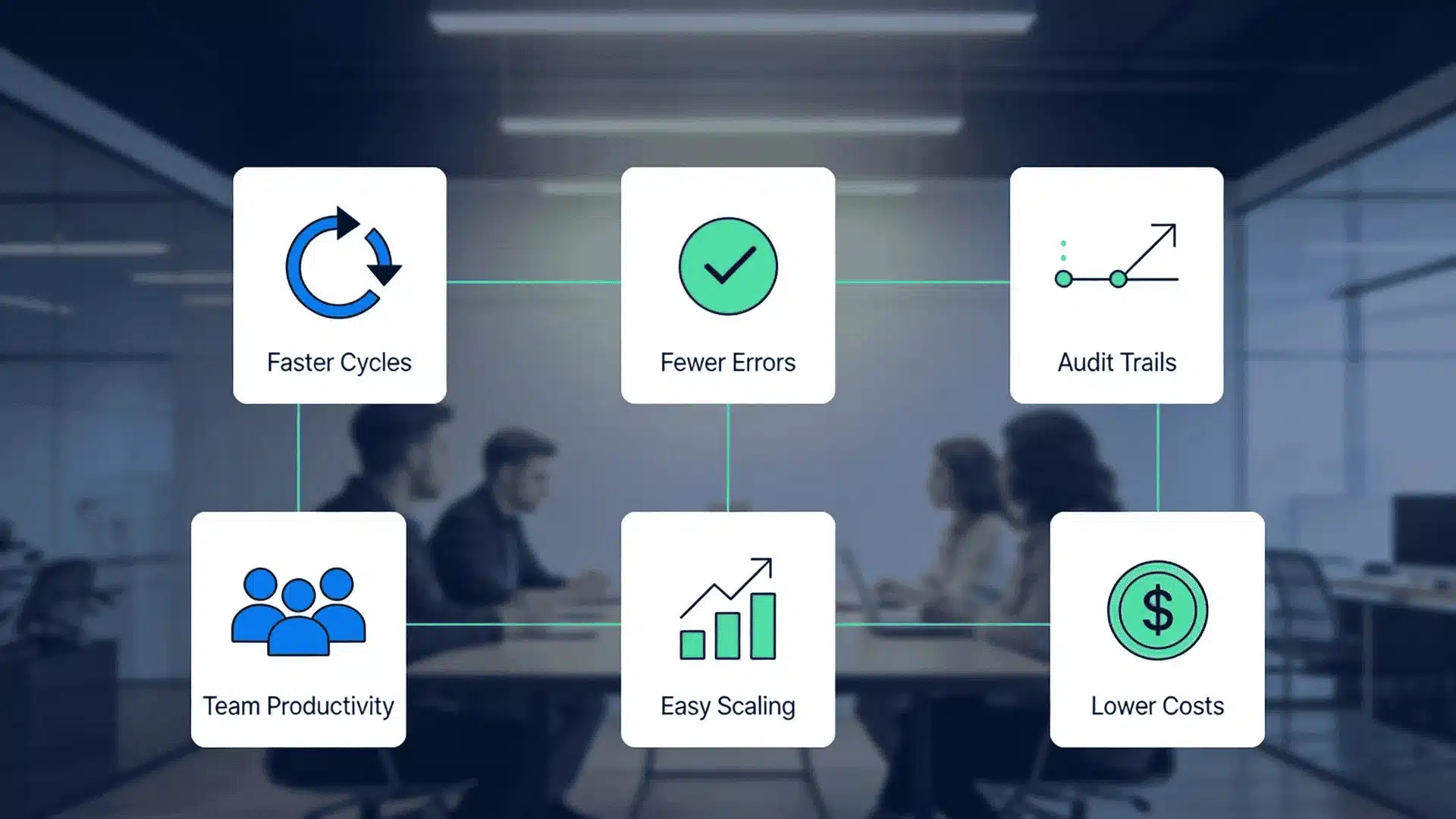
The ROI case for business automation services is pretty well documented. Here is what the actual benefits look like in practice.
- Faster processing cycles: Tasks that take days manually can run in minutes when automated. Invoice approvals that sit in queues disappear. HR onboarding that takes two weeks of back-and-forth compresses to two days.
- Fewer errors and rework: Manual data entry produces mistakes, and every mistake costs time to fix. Data quality issues cost U.S. businesses trillions annually.
- Compliance and audit trails: Every automated step is logged with a timestamp. Regulated industries like healthcare, finance, and legal get a full paper trail without anyone manually maintaining records.
- Employee productivity: When automation handles the repetitive admin, your team works on the stuff that actually matters. That is good for output and better for retention.
- Scalability without headcount: A workflow that handles 500 transactions today can handle 5,000 tomorrow without hiring more people. Automated processes scale with demand.
- Cost reduction: Labor hours on repetitive work can drop by up to 80% for specific workflows, based on deployment data from multiple BPA providers. Organizations using Informatica iPaaS achieved 324% ROI over 3 years, according to Nucleus Research.
These benefits compound. Faster processing means better cash flow. Fewer errors mean less rework. Better compliance means lower regulatory risk.
The return on investment from BPA grows the more processes you bring under automation, which is why starting with one high-impact workflow matters more than waiting for a comprehensive rollout plan.
How to Choose the Right Business Process Automation Service Provider?
Picking a BPA provider is not just about features. The wrong partner makes a good tool painful to use.
From working across teams in different industries, the criteria that actually matter when shortlisting come down to five areas.
- Industry and domain expertise: A provider that understands your industry knows what your compliance requirements look like, which workflows are most common, and where the edge cases show up.
- Integration depth: Your new BPA solution needs to work with your existing ERP, CRM, HRIS, and whatever else your team uses. Ask specifically how the provider connects to your stack.
- Delivery model: Some providers give you software and training; others run the whole thing for you. ARDEM is a managed service. UiPath and Power Automate are platforms you operate. Know what you’re buying.
- Security certifications: Look for ISO 27001, SOC 2, HIPAA, and GDPR compliance depending on your industry. These aren’t optional for healthcare or financial services.
- Measurable ROI benchmarks: Ask what the average processing improvement looks like for companies your size. If they can’t give you specific numbers, that’s a problem.
How to Implement Business Process Automation Successfully?
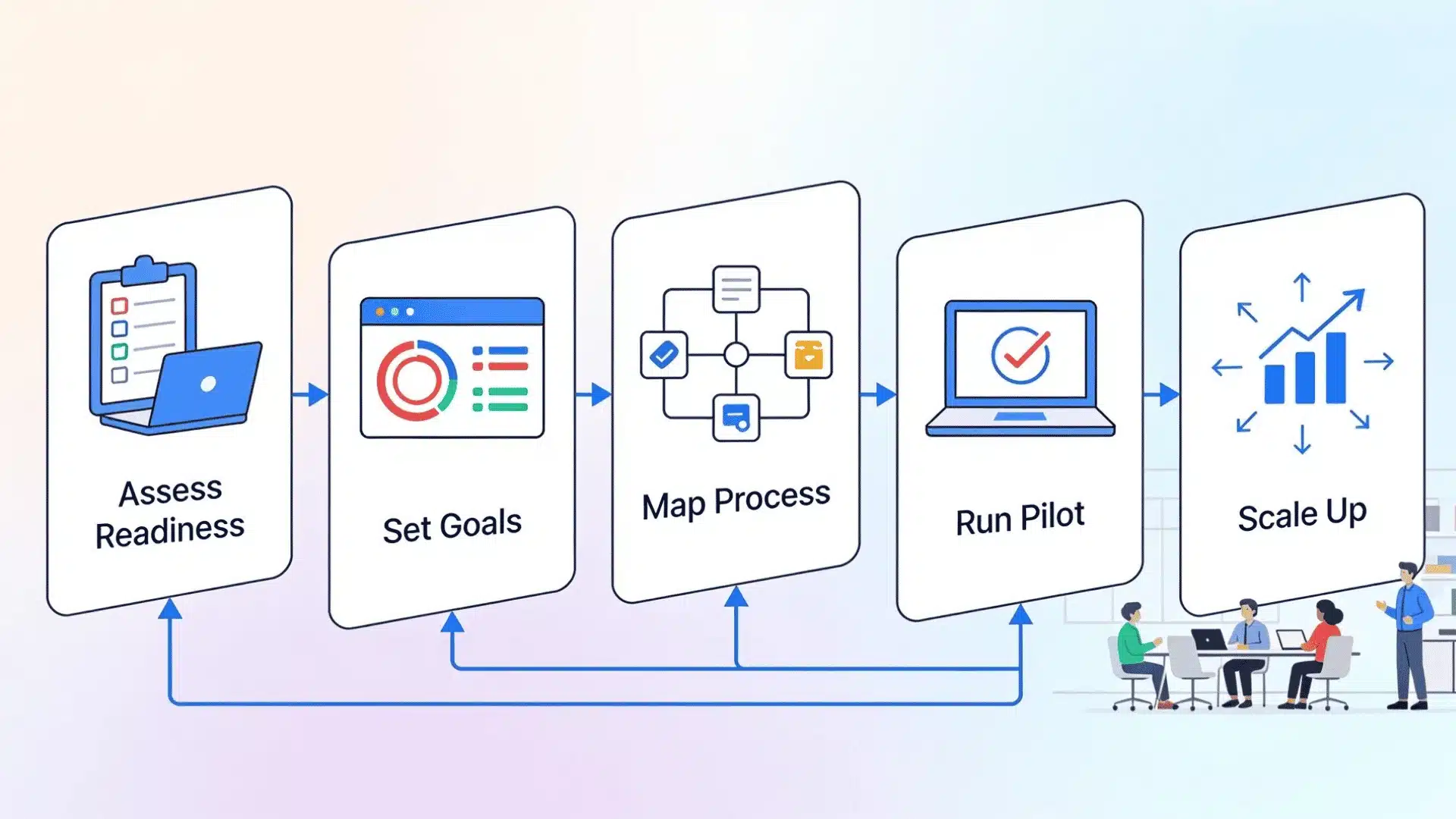
Getting from “we want BPA” to “it’s running and producing results” is where most projects either succeed or get stuck. These steps keep the process grounded.
Most organizations also underestimate change management. The technology is the easier part. Getting people to stop using the old process is harder. Budget time and communication for that.
Step 1: Assess Readiness and Pick Your First Process
Start by mapping out your current workflows honestly. Identify which ones are high-volume, repetitive, and prone to human error.
Good automation candidates have clear rules, run frequently, and involve multiple people or systems. Don’t start with your most complex process.
Start with something that delivers a visible result quickly. Early wins build trust and budget for the next phase.
Step 2: Define Measurable Goals Before Choosing a Tool
Write down what success looks like in numbers. “Reduce invoice processing time from 5 days to 1 day” is a goal.
“Improve efficiency” is not. Having specific targets lets you evaluate providers on relevant benchmarks and gives you a way to measure ROI after deployment.
This step also helps you avoid scope creep.
Step 3: Map the Existing Process in Detail
Before automating anything, document every step of the current workflow.
Who does what, when, and with which systems? Where do things get stuck or go wrong? This is where most of the insight comes from.
You’ll often find that the process itself has problems that technology can’t fix. Redesign before you automate, not after.
Step 4: Choose a Provider and Run a Pilot
Pick your provider based on the criteria above, then run a controlled pilot on your chosen process before full deployment.
A pilot lets you catch integration issues, train your team, and measure real results before you’ve committed the whole organization.
Give the pilot at least 4-6 weeks. Results in week one are rarely representative of steady-state performance.
Step 5: Measure, Train, and Scale
Once the pilot produces stable results, use the data to build the case for expanding automation to other processes.
Evaluating application integration platforms at this stage helps ensure your automated workflows connect cleanly to your cloud infrastructure as you scale across departments.
Train every team member who touches the new workflow. Change management is not a one-time event; build a regular review cycle to catch issues and optimize over time.
Conclusion
Business process automation services can help you remove slow manual work before it turns into bigger business problems.
The right service depends on your team size, current tools, budget, security needs, and the process you want to fix first.
I would start with one workflow that causes delays often, such as invoices, approvals, onboarding, tickets, or customer follow-ups.
That small start can help you test the service, measure time saved, and see how well it connects with your systems. You should also check support, training, data safety, and future scaling before choosing any automation provider.
Which business process would you automate first in your company? Tell us, share with us in the comments below.
Frequently Asked Questions
How Much Do Business Process Automation Services Typically Cost?
Pricing varies widely depending on the provider and delivery model. Platform licenses like Microsoft Power Automate start around $15 per user per month for basic plans.
Enterprise platforms like Pega or Appian can run $100,000 to $2 million or more per year, depending on the scope of deployment.
Can Small Businesses Benefit from BPA Services, or are they Only for Enterprises?
Small businesses absolutely benefit, and many BPA tools are specifically designed for them. Microsoft Power Automate, Zapier, and Make are all accessible at low cost and require little to no technical expertise.
The ROI case is actually often stronger for small businesses because they have fewer resources to absorb the cost of manual errors and delays.
How Long Does It Take to Implement a Business Process Automation Solution?
Simple RPA deployments for a single task can go live in days. A full end-to-end workflow automation project across multiple departments typically takes four to twelve weeks for a pilot.
Enterprise-wide rollouts involving custom integrations with legacy systems can take 6-18 months.
The implementation timeline is directly tied to process complexity and how well the current workflow is documented before you start.
What is the Difference Between Business Process Automation and Digital Transformation?
Digital transformation is a broad organizational strategy to rebuild how a company operates using digital technology.
Business process automation is one of the tools used to execute that strategy. You can do BPA without a full digital transformation program.