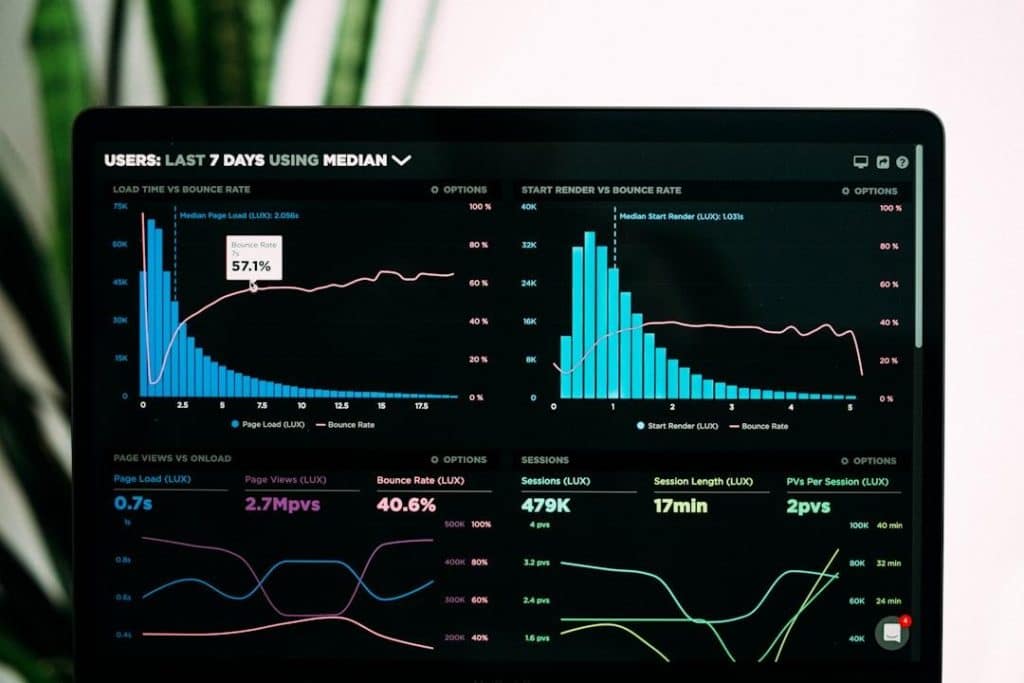
An event dashboard can look simple from the outside. Registration totals, check-in numbers, session attendance, revenue, and a few charts may fit on a single screen. The system feeding that screen is another matter.
During a live event, data can arrive from registration platforms, payment providers such as Stripe, badge scanners, attendee apps, CRM systems, and streaming services. Some updates arrive through webhooks, others through APIs or persistent connections. The frontend has to turn all of them into
information that event staff can actually use. In a large React application, that is more than UI work: state management, rendering behavior, component structure, and integration boundaries all affect how difficult the dashboard will be to maintain. These are the areas a React consulting engagement typically reviews first (sysgears.com/tech/reactjs-consulting).
The problem gets harder once an event starts. A delayed marketing report is inconvenient. A stale check-in count or room-capacity indicator can affect what staff do on site.
That difference shapes the architecture.
One Dashboard May Depend on Half a Dozen Outside Systems
Most event management software does not produce all the data shown in its dashboard.
Consider attendee check-in. The attendee may have registered through one platform and paid through Stripe. Their record might have been synchronized with Salesforce before the event. At the entrance, a mobile device or badge scanner records their arrival. That update then needs to reach the event
platform and appear in the dashboard.
Every connection is a dependency.
APIs change. Access tokens expire. Rate limits are reached. A webhook can arrive twice, arrive late, or fail to arrive at all. Two services may identify the same attendee differently. One integration might send an update immediately, while another has to be polled periodically.
A dashboard that assumes all incoming data is complete, current, and formatted consistently will eventually display something wrong.
The usual defense is a normalization layer between external services and the UI. Instead of teaching individual dashboard components how Stripe, Salesforce, or another provider represents data, the backend converts those records into the application’s internal model.
That creates extra engineering work up front. It also gives the team one place to handle provider-specific changes instead of tracking the same assumptions through multiple frontend components.
Event Traffic Does Not Follow a Normal SaaS Pattern
A project-management tool might see fairly consistent activity throughout a working day. An event platform can spend weeks handling ordinary planning traffic and then face a concentrated burst when registration opens, or thousands of attendees arrive at a venue.
The workload changes as well as the volume.
Before an event, users may be editing schedules, configuring ticket types, and importing attendee records. At 8:30 on event morning, hundreds of check-ins can be changing the dataset within minutes while staff repeatedly refresh operational views.
Suppose a badge scan marks an attendee as present. The check-in list needs the new status. A total attendance counter may change. If the venue tracks capacity, another part of the interface may need the same update.
Sending every change through frequent HTTP polling is straightforward, but it can generate a lot of unnecessary requests. WebSockets or server-sent events can push updates to the browser as they happen, although they introduce their own connection management and recovery problems.
There is no reason for every metric to be real-time. A check-in counter may need updates within seconds. Yesterday’s ticket revenue probably does not.
Treating both the same wastes resources.
The Browser Can Struggle Even When the Backend Is Fine
Scaling the API does not guarantee a responsive dashboard.
Picture an operations screen with live arrivals, current attendance, room occupancy, alerts, several charts, and a table of recent check-ins. If each incoming message updates global state and causes large parts of the page to render again, performance can deteriorate quickly.
This is where frontend maintenance becomes a performance issue rather than a cosmetic one.
React gives developers tools for splitting an interface into components, but it does not decide where state should live or how much of the component tree should respond to an update. A poorly scoped state change can still trigger work in parts of the dashboard that have nothing to do with the new
data.
The fix is rarely “use more memoization.” Teams first need to understand which information changes frequently, which components actually depend on it, and whether every live update needs to remain in client-side state.
Historical records are a good example. Keeping thousands of old check-ins in active browser state may offer little benefit when the operator mainly needs the latest activity and a current total. Pagination, server-side aggregation, or separate reporting queries can keep that data out of the live
path.
A Useful Dashboard for an Executive Can Be Useless at the Door

Event platforms serve people doing very different jobs.
An executive might open the dashboard to see registration, attendance, and revenue across an event. Someone managing check-in cares about queues, failed scans, missing registrations, and VIP arrivals. A session coordinator may be watching room occupancy. Marketing teams are more interested in
engagement and campaign performance.
Putting everything on one screen does not solve the problem. It moves the problem to the user.
This is one reason dashboard design becomes harder as event products mature. More data becomes available, more teams ask for access to it, and the temptation is to keep adding cards, tabs, filters, and charts to the same interface.
Role-specific views can control that growth, but they introduce another maintenance problem if implemented badly.
Imagine one dashboard component containing conditions for administrators, marketers, venue staff, sponsors, and customers on different subscription plans. Add event-specific configurations, and developers now have to reason about many combinations every time that component changes.
The cleaner approach is often to share lower-level interface elements while composing different views around them.
Permissions must also exist outside the interface. Removing a revenue widget for a user who lacks financial access is useful for the UI, but the API must enforce the same restriction. A hidden component is not a security boundary.
“Just Make This Event Different” Adds Up Quickly
Events vary. That is unavoidable.
A trade show may organize exhibitors and booths. A conference revolves around tracks and sessions. A corporate event can have invitation rules, approval workflows, or employee-specific registration fields. Even two conferences run by the same company may use different ticket categories or badge
formats.
Product teams often have little time to accommodate those differences.
That is how hardcoded exceptions appear.
A developer adds a condition to hide a field for one event. Another customer needs a different check-in flow, so another branch goes into the code. A special ticket type requires a modified table. None of these changes look dangerous in isolation.
Six months later, a supposedly shared screen behaves differently for a dozen configurations.
Moving recurring differences into configuration can help. Event types, field definitions, labels, enabled features, and widget visibility can often be represented as data instead of being scattered across UI conditions.
Configuration is not free, though. A system that allows every customer to redefine every screen can become harder to understand than the hardcoded version it replaced. The useful question is whether a variation is likely to recur. If it is, model it. If it is genuinely exceptional, making the
entire product configurable around it may create more work than it saves.
A Component Library Can Become a Junk Drawer
Dashboards reuse a lot of interface elements. Tables, filters, date pickers, metric cards, status badges, charts, and modals appear across multiple screens.
A component library gives teams a common implementation for those patterns. Fix keyboard navigation in a shared date picker, and every screen using it benefits. Change how loading states work in a shared table, and developers do not need to find five separate copies.
The trouble starts when “shared” components absorb business rules.
A generic table might begin with sorting, pagination, and loading behavior. Then one dashboard needs a special row action. Another requires a different empty state. A third needs conditional columns. Developers keep adding props because creating a separate domain component feels wasteful.
Eventually the API for the shared table becomes harder to understand than the table itself.
The distinction worth protecting is between reusable UI behavior and event-specific logic. A base table can own pagination and sorting. An attendee table can decide which attendee fields to show and what actions are available. A session table can use the same foundation without forcing session
logic into the shared component.
More reuse is not always better reuse.
Live Operations and Post-Event Reporting Pull the System in Different Directions
During an event, freshness matters. Organizers want to know how many people have arrived, whether a session is reaching capacity, or whether a check-in problem needs attention.
A week later, the questions change. Teams may compare attendance between sessions, calculate conversion rates, prepare sponsor reports, or export data for analysis.
Those workloads have different technical requirements.
A live dashboard benefits from small, frequent updates and fast queries over current operational data. Post-event analysis may scan a much larger dataset, combine several dimensions, and run aggregations that would be unnecessarily expensive to recalculate after every check-in.
Trying to serve both workloads through the same queries can eventually hurt both.
One option is to keep the operational path focused on current state while preparing historical or aggregated data separately for reporting. That introduces more infrastructure, and some data may no longer be perfectly instantaneous. For post-event analytics, a short delay is usually a reasonable
tradeoff if it prevents large reporting queries from competing with live operations.
The boundary matters more as the data grows. A dashboard that works perfectly with one event and 5,000 attendee records can expose very different query and rendering problems after years of events have accumulated.
Maintenance Problems Usually Start as Reasonable Shortcuts
Few teams deliberately build an event dashboard that is difficult to change.
The trouble usually comes from decisions that made sense under deadline pressure. An external API response is passed directly to a widget because there is no time to build a normalization layer. A customer-specific condition is added because an event starts tomorrow. A component is copied because
changing the shared version feels risky. Every metric gets live updates because separating update strategies can wait.
Then the temporary decisions stay.
That is what makes mature event dashboards expensive to maintain. The product has to keep supporting live operations while integrations change, event formats evolve, historical data grows, and customers ask for new views.
The practical goal is not to remove that complexity. Event software is complex because the underlying operation is complex. The job is to keep the complexity in places where developers can see it, test it, and change it without breaking an event that is already underway.