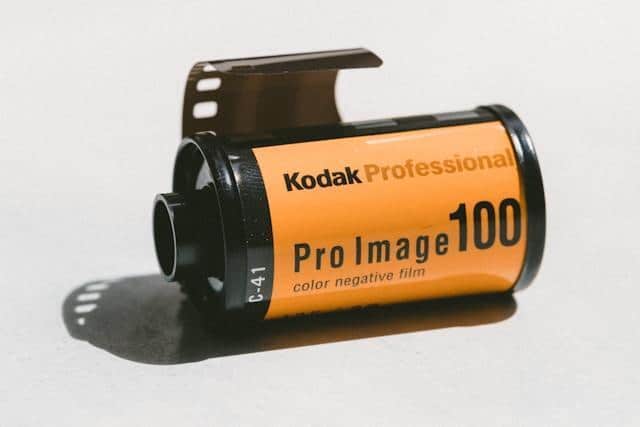
You’ve got old tapes somewhere. Everybody does. Maybe it’s a shoebox of VHS cassettes in the back of a closet, or a bag of Super 8 reels your parents handed off to you when they downsized — the point is, outdated media formats are sitting in millions of homes right now, and almost nobody is doing anything about it. That stuff isn’t junk. A lot of it is genuinely irreplaceable footage: weddings, first steps, vacation pics taken with the best travel cameras at the time. And here’s the part most people don’t realize — those tapes are actively falling apart while they collect dust. The clock is ticking on this stuff whether you deal with it or not.
The 1980s: A Golden Era of Physical Media
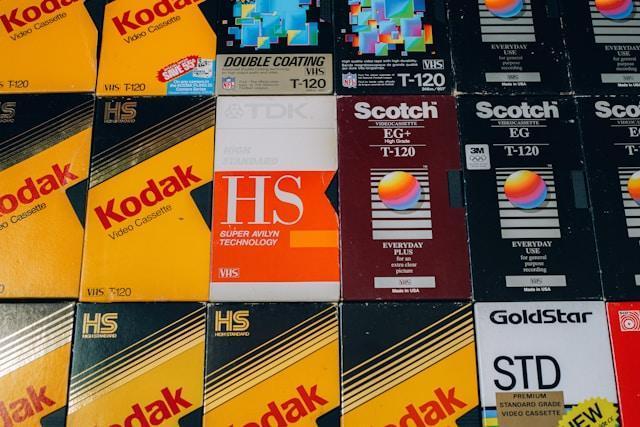
Peak chaos. That’s the only way to describe ’80s media. VHS had just won the format war against Betamax, and suddenly every family in the suburbs owned a top-loader from Panasonic or RCA. People taped Cheers episodes.
They recorded The Cosby Show on Maxell blanks and wrote the date on the label in Sharpie. Meanwhile, the audio cassette was running the entire music industry — you had mixtapes, you had Sony Walkmans clipped to joggers’ waistbands, you had that one tape stuck in the deck of every Chrysler minivan from 1984 to 1993.
And film wasn’t dead yet. Super 8 cameras hung around well into the early ’80s before those enormous shoulder-mounted camcorders started replacing them around ’85. Video8, Hi8 — formats most people have completely forgotten about. On the computing side? 5.25-inch floppy disks. Vinyl records were still selling, too, although cassettes officially outsold them by ’83.
Billions of hours were captured on these outdated media formats. The vast majority has never been digitized. It’s just sitting there. Decaying.
Letting the Professionals Handle It
Look, you could try converting outdated media formats on your own. Grab a USB capture device from Amazon, download some free software, and block out a Saturday. For five or six VHS tapes? Yeah, probably fine.
Anything more complicated than that — film reels, audio cassettes, photo negatives, old slides — and DIY gets dicey fast. The equipment you’d need to properly transfer 8mm film is not at Best Buy. It’s just not. That is where professional digitization services earn their money.
The most dependable providers operate entirely by mail — you box up your tapes, reels, photo prints, or slides and send them to a professional conversion lab. Capture, a leading mail-in media digitization company, returns your originals along with high-resolution digital files, including color correction, audio cleanup, and light editing.
Some reputable providers offer package tracking and satisfaction guarantees, which matter when you’re mailing off irreplaceable family memories.
If you’re sitting on a big collection or anything fragile, just let someone who does this for a living handle it.
Why These Formats Are Running Out of Time
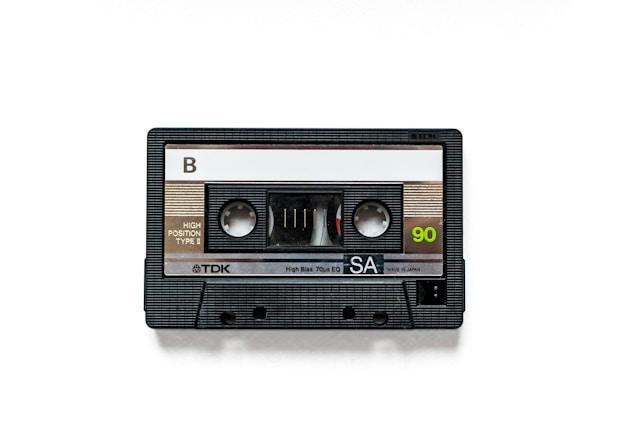
Magnetic tape degrades. Full stop. We’re not talking centuries from now. VHS tapes start losing signal quality after 10 to 25 years, and some develop what’s called sticky-shed syndrome — the binder layer literally breaks down and gums up the playback heads.
Film has its own problems. Reels warp. Worse, they can develop vinegar syndrome, which is a chemical decay process you can actually smell when you open the canister. Even CDs and DVDs — remember when those were supposed to last forever? — fall apart through disc rot.
Then there’s the hardware issue. Try finding a working Betamax player right now. VCRs aren’t exactly flying off shelves either. Your tapes might be fine today, but if there is nothing left to play them on in three years, it won’t matter.
What You Gain by Going Digital
So why bother converting outdated media formats at all? Because digital files don’t rot in a closet. An .mp4 of your grandmother’s 80th birthday will look exactly the same in twenty years — as long as you back it up, which… please do that.
You can tag files, search through them, and share a clip in seconds. Try pulling off that trick with a box of Hi8 tapes and a camcorder you found on eBay. Businesses get an even bigger payoff here. Those old training videos from 1997? The product demos nobody’s watched in a decade?
Once digitized, that becomes a content library. Companies are pulling vintage footage into social media campaigns and brand history projects all the time now.
What used to be dead weight in a storage closet turns into actual marketing material. Oh, and one hard drive replaces several shelves of tapes. That alone is worth it for some people.
Getting Started Without Overthinking It
Don’t try to do this all in one weekend. That is exactly how digitization projects die — you get overwhelmed, shove everything back in the box, and forget about it for another five years.
Instead? Take inventory first. Pull every tape, reel, and photo box out of storage and sort by format. Prioritize the oldest and most damaged stuff, because that’s where you risk losing data the fastest. After that, figure out your approach.
Five VHS tapes and a functioning VCR? Handbrake and a capture card will work. Sixty Hi8 cassettes and a crate of slides from 1974 – send those out. Do not gamble with irreplaceable content to save forty bucks.
Once it’s all digital, keep copies in at least two places. One local hard drive plus cloud backup. A single crashed drive should not be the reason your kids never see their grandparents’ wedding footage.
Don’t Wait Until It’s Too Late
Here is the thing about outdated media formats — they are on a countdown, and you do not get to see the timer. Tapes are degrading in attics and garages right now, today, and the machines that play them are disappearing from the world. Your family’s home movies, your company’s old footage — that stuff has real value, but only if someone can actually watch it. Digitization is not hard. It’s not even that expensive for what you’re preserving. The difficult part is making yourself start. So go open that box. Find out what’s in there. Then do something about it before the decision gets made for you.