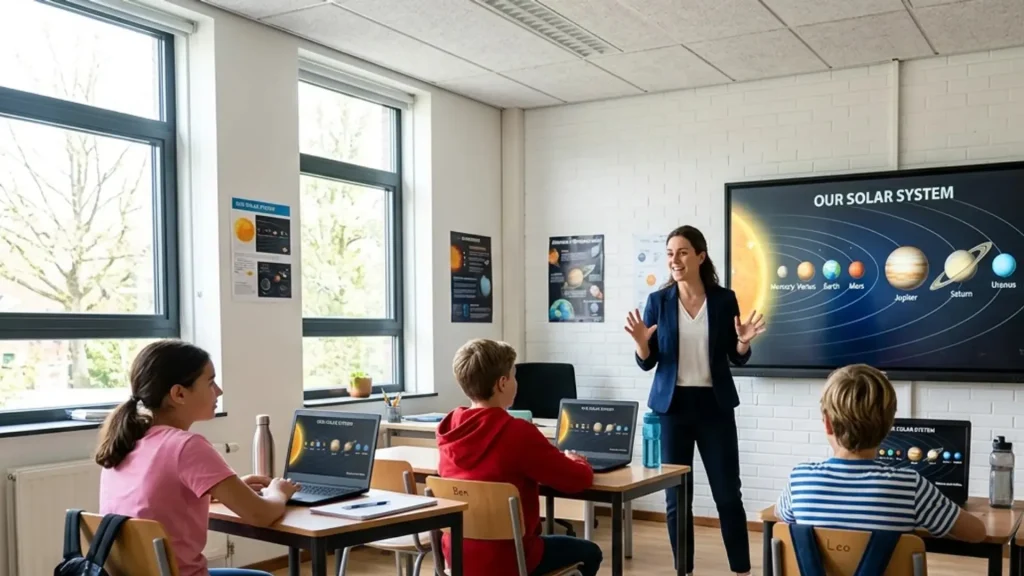
Picking the best programming tutorials right now feels harder than it should. Every list claims the same five platforms, and none of them tell you which one actually fits how you learn.
In twelve years teaching beginners in EdTech classrooms, I have watched motivated students quit within a week, not because they lacked ability, but because they picked a resource built for someone else’s learning style.
Here you will learn how to break that pattern. Below, you will find a beginner roadmap, a full breakdown of interactive, video, and project-based platforms, a real look at coding tutorials for beginners by budget, and the habits that keep people from getting stuck. Your first pick matters less than knowing what to look for.
A Simple Beginner Roadmap for Learning to Code
I have watched dozens of students quit for the same reason: not because coding was too hard, but because they tried to do everything at once. Follow this order instead, and do not skip ahead.
- Learn basic programming concepts like variables, loops, conditionals, and functions before picking a framework.
- Choose Python or JavaScript as your first language, since both have large beginner communities.
- Set up a code editor and get comfortable navigating it before worrying about advanced tools.
- Learn basic command-line use, since many tutorials assume at least minimal comfort with it.
- Build two or three small projects using only what you have learned so far.
- Learn Git and GitHub early, even though it feels unrelated to writing actual code.
- Practice reading someone else’s simple project to build comprehension beyond just writing your own.
- Learn to read error messages and search documentation instead of guessing or panicking.
- Create a small portfolio project you can point to and explain in detail.
- Start practicing coding problems on HackerRank once the basics feel comfortable.
One student of mine spent three weeks stuck on installing Node before writing a single line of code. That is exactly the kind of early detour this order is meant to prevent. Each step builds on the one before it, so nothing here is optional filler.
What Makes a Tutorial Worth Your Time
Not every tutorial deserves your time. A few criteria separate the useful ones from the rest.
Beginner-friendliness matters most early on, since overly technical explanations can stall progress before it starts. Hands-on practice matters just as much, because reading or watching code is not the same as writing it.
Updated content matters too, since tools and best practices shift within a few years. A project-based structure, active community support, and a fair cost round out the list.
One thing beginners underrate: teaching style match. A platform can meet every other criterion and still fail you if the instructor’s pace or tone does not suit how you concentrate. That is worth testing with one free lesson before committing to anything longer.
Best Programming Tutorials at a Glance
Here is a quick comparison of well-known platforms before going deeper into specifics, covering cost, learning style, and who each platform tends to suit best overall right now.
|
Tutorial |
Best For |
Cost |
Learning Style |
|---|---|---|---|
|
freeCodeCamp |
Free structured learning |
Free |
Interactive |
|
Codecademy |
Structured beginner paths |
Free/Paid |
Interactive |
|
CS50 |
Computer science basics |
Free |
Video |
|
The Odin Project |
Full-stack development |
Free |
Project-based |
|
Programming with Mosh |
Language-specific courses |
Free/Paid |
Video |
This table covers the basics, but the right choice depends on how you prefer to learn, practice, and stay motivated; the next section explains each option in more detail to help you compare them carefully.
Interactive Programming Tutorials
Interactive platforms suit learners who improve through frequent coding, immediate feedback, and short practice sessions. These eight options differ in pace, structure, device access, and assessment style.
1. Codecademy
Codecademy suits beginners who learn by writing code rather than only reading explanations. Its short exercises provide immediate correction, so mistakes become visible before they become habits. Lessons are arranged in clear sequences that help new learners practice one concept at a time.
This format works well for people who prefer regular checkpoints and direct feedback. It is especially useful when you want structured practice without setting up many tools before you start.
2. freeCodeCamp
freeCodeCamp combines interactive lessons with projects, making it useful for learners who want practice tied to something they can build. Instead of stopping at isolated syntax drills, the platform pushes you to apply concepts through larger tasks.
Its free access also makes it practical for long-term study without a course fee. This works well for self-directed learners who can follow a structured path and keep practicing even when no instructor consistently checks their progress.
3. Scrimba
Scrimba works well for learners who like video instruction but do not want to remain passive while watching. You can pause lessons and edit the code shown on screen, which keeps practice close to the explanation. That format helps bridge the gap between seeing a solution and trying it yourself.
Scrimba is especially useful for web development learners who benefit from interaction and want lessons that combine instructor explanation with hands-on coding in one place.
4. Exercism
Exercism centers on coding exercises across many programming languages and adds feedback through its community mentoring model. It suits learners who already know some basics and want repeated practice solving focused problems.
The exercise format encourages you to write your own solution rather than copy a finished project. Community input can also expose different ways to solve the same task. Exercism fits learners who want practice, review, and steady improvement across one or several languages.
5. Sololearn
Sololearn is built around short, mobile-friendly lessons, so it fits learners who prefer studying in small sessions. The exercises are brief enough to complete during short breaks, which can make regular practice easier to maintain. Its interactive format gives beginners frequent chances to test what they just read.
Sololearn works best for people who want a low-pressure introduction to programming concepts and languages before committing to longer courses or more demanding project work elsewhere independently.
6. Replit
Replit lets learners write and run code in a browser, removing much of the setup that can slow down beginners. You can test code immediately, which makes it useful for experimenting with syntax, small programs, and early projects.
The browser-based workspace also helps when you switch computers or do not want to configure a local development environment. Replit suits learners who value quick execution, easy experimentation, and immediate access to a working coding space.
7. Edabit
Edabit focuses on short coding challenges that turn practice into manageable problems. Its beginner-friendly tasks can help learners reinforce syntax and basic logic without committing to a long lesson each time.
The challenge format also makes progress easy to measure because each completed problem gives a clear result. Edabit is useful for people who already know concepts and want extra repetition that feels more active than rereading notes or watching another video.
8. CodeSignal
CodeSignal combines coding practice with skill assessments, making it useful for learners who want to test what they can do under more structured conditions. Its exercises can help strengthen problem-solving skills while exposing gaps that need more study.
The assessment side also lets learners measure progress beyond finishing lessons. CodeSignal suits people preparing for technical screening, practicing algorithms, or looking for a more test-oriented form of coding practice over time.
Choose an interactive option based on how much structure, feedback, and repetition you need. Short exercises help with consistency, while larger tasks test how well concepts stick.
Video Programming Tutorials
Video tutorials work well when you need an instructor to explain concepts, demonstrate code, and show how tools behave. These eight options vary in pace, depth, and subject focus.
9. CS50
CS50 offers a strong introduction to computer science through university-style video instruction. It works well for beginners who want to understand ideas behind programming rather than only memorize syntax.
The course covers foundational thinking that can support later study in different languages and technical fields. Its lecture format demands more attention than short interactive exercises, so it suits learners who enjoy detailed explanations. CS50 is a solid starting point for building a broader computing foundation.
10. Programming with Mosh
Programming with Mosh suits learners who prefer video courses focused on specific programming languages and development topics. The lessons are organized around direct explanation, which can help beginners follow unfamiliar concepts without jumping between scattered sources.
Some material is available for free, while fuller courses may require payment. This option works well for people who want an instructor-led pace, clean demonstrations, and a defined subject rather than a large curriculum covering many unrelated areas at once.
11. Traversy Media
Traversy Media is known for practical crash courses that show how coding concepts fit into real projects. The videos suit learners who want to see a technology used from setup through a working result without spending weeks on theory first.
This approach can help if you already know basic programming and need a focused introduction to a new tool. Traversy Media works well for visual learners who prefer project demonstrations and direct coding examples.
12. Corey Schafer
Corey Schafer is a strong choice for learners who want detailed Python explanations and careful walkthroughs. His videos tend to focus on understanding how a concept works rather than racing through a finished result.
That slower pace can help beginners build confidence with Python while giving more experienced learners useful clarification on specific topics. Corey Schafer fits people who prefer thorough video teaching, readable code examples, and lessons they can pause, replay, and practice alongside.
13. Kevin Powell
Kevin Powell focuses on CSS, making his tutorials useful for learners who want to improve layout, styling, and front-end presentation skills. His teaching is especially helpful when CSS behavior feels inconsistent or hard to predict.
By concentrating on one area rather than covering every web technology, the lessons can give learners more practice. Kevin Powell suits people who already know some HTML and want clear CSS instruction, better layout habits, and confidence styling web pages.
14. Web Dev Simplified
Web Dev Simplified offers beginner-friendly web development videos that break larger topics into focused lessons. It suits learners who want straightforward explanations of HTML, CSS, JavaScript, and related web concepts without starting with a long academic course.
The playlist format makes it easy to select a topic when you need help with one skill. It works well for learners who prefer short video instruction followed by immediate practice in their own editor or project afterward.
15. Academind
Academind provides structured video courses across popular web development frameworks and related technologies. It suits learners who prefer organized instruction rather than scattered clips from many creators.
The course style can help when you want to study one framework in sequence and understand how its pieces connect. Academind works best for learners who can stay focused through video lessons and who want a progression from basic concepts toward building larger applications with the same technology.
16. Fireship
Fireship is useful for learners who want fast overviews of programming tools, frameworks, and technical concepts. Its short videos can help you understand what a technology does before deciding if it deserves deeper study.
Because the pace is quick, beginners may need another resource for full instruction or practice. Fireship works best as a starting reference, refresher, or comparison tool for learners who want concise explanations before moving into longer lessons or hands-on project work.
Video lessons are most useful when you pause often and code alongside them. Pick the instructor whose pace and subject focus match the skill you are building.
Project-Based Programming Tutorials
Project-based tutorials shift attention from watching lessons to producing working code. These nine options suit learners ready to solve problems, make decisions, and practice through finished applications.
17. The Odin Project
The Odin Project teaches full-stack web development through a project-based curriculum. It suits learners who want to build while studying rather than complete isolated exercises for weeks before making something practical.
The project focus requires more independence, since learners need to read, research, and solve problems along the way. This makes it a strong fit for people who want a structured web development path and are comfortable learning through building and problem-solving.
18. Full Stack Open
Full Stack Open is a university-backed web development course centered on building modern applications. It suits learners with a programming background who want project-based practice with full-stack concepts.
The material expects active coding rather than passive viewing, so progress depends on completing exercises and applying each topic. Full Stack Open works well for learners who want an application-focused course and are ready to spend time debugging, reading documentation, and connecting front-end and back-end ideas.
19. App Academy Open
App Academy Open provides access to a bootcamp-style curriculum focused on building applications. It suits self-directed learners who want intensive structure without enrolling in a paid bootcamp right away.
The material can require persistence because it expects learners to work through coding tasks and projects independently. App Academy Open is a better fit for people who already know they want software development training and can maintain a study schedule without classroom accountability or constant instructor support.
20. Zero To Mastery
Zero To Mastery offers project-heavy courses across technology paths, making it useful for learners who want to build practical work while studying. The platform covers multiple subjects, so it can suit people who prefer staying within one course provider as their interests change.
Its project emphasis helps connect concepts to finished work. Zero To Mastery fits learners who like structured video teaching, coding practice, and course paths that move from basic material toward portfolio-ready projects.
21. Frontend Mentor
Frontend Mentor gives learners real design challenges to recreate with code, making it especially useful for front-end practice. Instead of following a finished solution step by step, you receive a target design and must decide how to build it.
That encourages independent problem-solving with HTML, CSS, and JavaScript. Frontend Mentor suits learners who know the basics but need project experience, better layout practice, and finished examples they can discuss or include in a portfolio.
22. The 100 Days of Code
The 100 Days of Code format gives learners daily structure built around consistent coding and small projects. It can help people who struggle with irregular practice because the schedule creates a clear reason to code each day.
The format works best when you actively build rather than only watch lessons. It suits learners who want steady repetition, visible progress, and a routine that keeps programming present in their schedule while skills develop through hands-on work.
23. CS50’s Web Programming
CS50’s Web Programming builds on the foundation of CS50 with focus on web development projects. It suits learners who want to move from computer science basics into practical work with web applications.
The course expects more independence than a first programming class, so prior familiarity with core concepts is helpful. It works well for students who liked CS50’s teaching style and want a project-based follow-up that applies programming knowledge to broader web development tasks effectively.
24. Django Girls
Django Girls teaches beginners by helping them build a first website with Python and Django. The project format gives learners a concrete result while introducing pieces involved in web development. It can be especially useful for people who learn better when concepts appear inside one working project instead of separate drills.
Django Girls suits beginners who want an approachable first Python web project and prefer learning through a structured sequence of practical development steps confidently.
25. Real Python’s Project Tutorials
Real Python’s project tutorials help learners apply Python concepts by building complete tools and programs. They suit people who already know some Python basics and want practice connecting separate skills inside one finished task.
Project-based lessons can also show where documentation, debugging, and planning fit into actual coding work. Real Python is useful for learners who want Python practice, practical examples, and a way to move beyond syntax exercises toward creating programs with clear purposes.
Free vs. Paid: What You Actually Need to Spend
You do not need a paid subscription to reach job-ready skills. freeCodeCamp, The Odin Project, CS50, and Exercism are entirely free and cover fundamentals through full-stack development.
Paid platforms like Codecademy Pro, Zero To Mastery, and the full Programming with Mosh library mostly buy you polish: cleaner production, structured certificates, and sometimes faster support.
If your budget is tight, start free. Only pay once you know exactly which gap you are trying to close, like interview prep or a certificate for a job application.
What Learners in Online Communities Actually Recommend
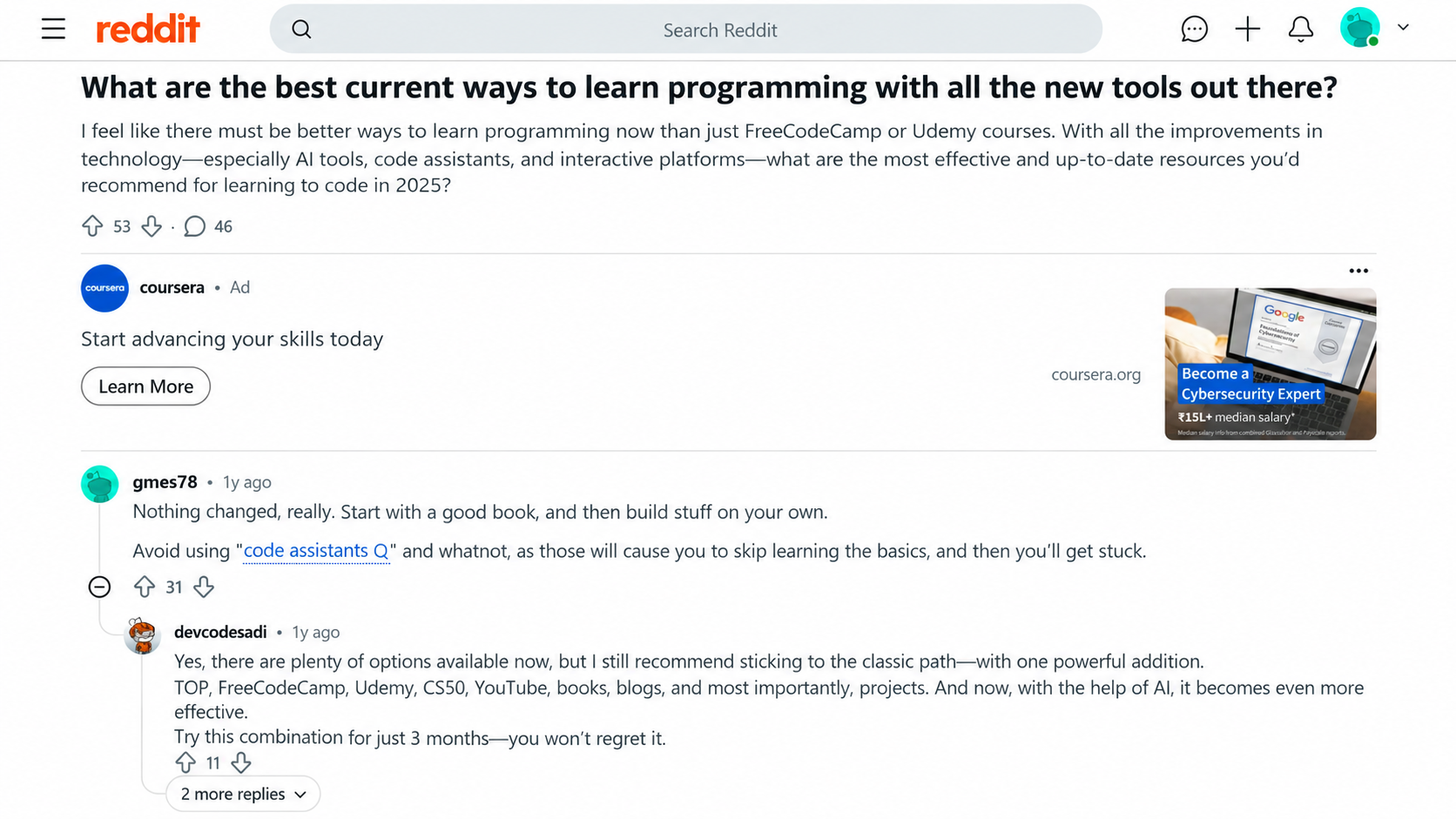
Online developer communities tend to value clarity over popularity, often favoring short, casual walkthroughs alongside longer, in-depth explanations depending on what a learner actually needs.
Playful, beginner-friendly formats also come up often for people who want something approachable before committing to a full course.
Established names like CS50, The Odin Project, Khan Academy, and GeeksforGeeks keep coming up in these threads, which says something about their staying power.
Platforms that survive years of community scrutiny tend to hold up better than whatever is trending on social media this month.
Best Programming Tutorials by Goal
Matching a tutorial to your specific goal usually works better than picking whatever ranks first in a general search, since different goals genuinely call for very different kinds of resources.
|
Goal |
Best Tutorial |
|---|---|
|
First coding lesson ever |
freeCodeCamp |
|
Computer science fundamentals |
CS50 |
|
Full-stack web development |
The Odin Project |
|
Structured interactive practice |
Codecademy |
|
Quick language crash course |
Programming with Mosh |
|
Interview and algorithm practice |
HackerRank or GeeksforGeeks |
|
Quick syntax reference |
W3Schools or MDN Web Docs |
Starting with a clear goal, rather than an open-ended “learn to code” search, makes it much easier to pick a resource you will actually finish instead of quietly abandoning it halfway through.
How to Avoid Tutorial Hell
Getting stuck in a repetitive loop of tutorials without building anything of your own is one of the most common problems beginners run into, often without even realizing it is happening at all.
- Code along less, and try writing the same feature from memory before checking the tutorial again
- Build something small after every lesson instead of immediately starting the next one
- Rewrite example projects using your own variable names and structure instead of copying exactly
- Create one independent project earlier than feels comfortable, even if it turns out messy
- Push every project to GitHub, even messy ones, to build a visible record of progress
- Set a rough limit on daily tutorial-watching time and match it with equal time building
- Explain a concept out loud or in writing right after learning it, not just after finishing a course
- Accept that looking up documentation constantly is normal, not a sign you are behind
Following even a couple of these consistently tends to matter more than which platform you originally started with, since daily habits shape progress more than any single resource ever could.
Final Thoughts
Every platform on this list can teach you to code. The difference is whether it matches how you actually learn, practice, and stay consistent when motivation dips.
Interactive tools reward daily repetition, video instruction suits people who need a guide talking them through logic, and project-based courses fit learners ready to struggle through real problems.
Whichever coding tutorials for beginners you choose, treat the first platform as a starting point, not a final answer. Build something small before you move to the next lesson, and keep pushing your work somewhere visible.
If one of the top programming tutorials here matches what you needed, or you have a platform I missed, tell me in the comments.
Frequently Asked Questions
Do You Need a Computer Science Degree to Get a Developer Job?
No. Many working developers are self-taught or came through bootcamps and free platforms like The Odin Project or freeCodeCamp. A degree can help with certain large companies, but a strong portfolio and demonstrated problem-solving usually matter more to hiring managers.
How Long Does It Take to Learn Programming?
Timelines vary widely based on daily practice and goals, but many beginners reach basic job-ready skills within six months to a year of consistent, project-focused learning rather than passive tutorial watching.
Are Coding Bootcamps Worth It?
Bootcamps can help some learners with structured pacing and accountability, but they are not required, since many developers build equivalent skills through free tutorials, projects, and consistent independent practice.
What Is the Easiest Programming Language to Learn?
Python is commonly recommended for beginners due to its readable syntax and gentle learning curve, though JavaScript is a close second for anyone specifically interested in building websites.
Can You Learn Programming from YouTube Alone?
You can get far with YouTube channels like CS50, Corey Schafer, or Web Dev Simplified, but video alone rarely builds real skill. Pair any channel with a platform where you write and run your own code, so watching doesn’t replace practice.