Choosing a security camera often starts with questions about reliability, video quality, smart features, and everyday performance.
If you are searching for an eufy camera review, useful answers come from knowing how these cameras perform in real situations.
I have focused on details that matter when selecting a home security device, including image quality, storage options, app experience, and features that affect daily use. The right camera should match your security needs without making setup difficult.
You will learn what to check before buying and how different features can affect daily monitoring. These details can help you decide if the camera fits your home security expectations and usage needs. It also helps create clearer expectations before making a final decision.
Eufy Camera Review: Key Specifications at a Glance
Eufy offers a wide range of security cameras, including indoor cameras, outdoor cameras, video doorbells, and solar-powered models. While features differ between models, most focus on high-resolution video, smart detection, and flexible storage.
| Feature | Eufy Security Cameras |
|---|---|
| Video Quality | 1080p to 4K depending on model |
| Storage | Local storage, HomeBase, cloud option |
| AI Detection | Person, vehicle, pet detection on supported models |
| Night Vision | Infrared and color night vision on select models |
| Connectivity | Wi-Fi and HomeBase options |
| Subscription | Not required for many features |
| Smart Home Support | Alexa and Google Assistant support |
The biggest advantage of Eufy cameras is the ability to store recordings locally instead of depending completely on cloud subscriptions. This makes them appealing for users who want more control over their footage.
Eufy Security Camera Features and Performance: What Works Well?
Eufy cameras focus on practical home security features rather than adding unnecessary extras. Performance depends on the specific model, but several features appear across the lineup.
1. Video Quality and Image Performance
Video quality is one of the most important factors in any security camera. Eufy offers cameras with resolutions ranging from Full HD to 4K, depending on the model.
Higher-resolution models provide clearer details such as faces, license plates, and outdoor activity. The image quality is generally strong in good lighting, while night performance depends on the camera sensor and available light.
For everyday monitoring, indoor cameras and mid-range outdoor models provide enough clarity for checking entrances, rooms, and outdoor areas.
2. Motion Detection and AI Features
Eufy cameras use AI-based detection on supported models to identify people, vehicles, and pets. This helps reduce unnecessary alerts caused by general movement such as trees, shadows, or passing objects.
The effectiveness depends on camera placement and model capabilities. A correctly positioned camera can provide more accurate notifications and reduce false alarms, especially as AI-driven detection tools continue to evolve.
However, advanced detection features are not identical across every Eufy product, so checking individual specifications before buying is important.
3. Local Storage and Privacy
One major reason many users consider Eufy is its local storage approach. Several models allow recordings to be saved using built-in storage or a HomeBase hub.
Local storage reduces dependence on cloud services and gives users more control over recorded footage. Some users prefer this option because they do not want ongoing subscription costs, which is also why subscription-free outdoor cameras have grown in popularity.
Eufy also provides cloud storage plans for users who want additional backup options, but they are not required for many basic security needs.
4. Battery Life and Solar Charging
Battery-powered Eufy cameras are designed for easier installation without running cables. Models with larger batteries can last several months depending on usage, motion activity, and recording settings.
Solar-powered options can reduce the need for regular charging when installed in areas with enough sunlight.
Battery performance varies in real use because frequent motion alerts, cold temperatures, and higher recording settings can reduce operating time.
5. App Experience and Smart Features
The Eufy Security app manages camera setup, live viewing, notifications, and recorded footage, making it easier to monitor your property remotely throughout the day.
The app provides basic controls that most users need, including adjusting detection settings, reviewing clips, and managing connected devices.
Eufy cameras also work with popular smart home platforms such as Amazon Alexa and Google Assistant, allowing users to view compatible cameras through supported smart displays.
Eufy vs Ring vs Nest vs Reolink vs Arlo: Which Should You Choose?
Each brand takes a different approach to home security, with differences in storage, subscriptions, smart features, and ecosystem support that affect long-term value.
| Factor | Eufy | Ring | Nest | Reolink | Arlo |
|---|---|---|---|---|---|
| Monthly Subscription | Optional | Usually required for full features | Usually required for full features | Not required | Usually required for full features |
| Local Storage | Yes, microSD or HomeBase | Limited | Limited | Yes | Limited |
| Video Resolution | Up to 4K | Up to 2K | Up to 4K | Up to 4K | Up to 2K |
| Night Vision | Color night vision on select models | Standard infrared | Standard infrared | Color night vision on select models | Standard infrared |
| AI Detection | On-device human and facial recognition | Cloud-based detection | Cloud-based detection | On-device human detection | Cloud-based detection |
| Solar Charging Options | Available on most outdoor models | Limited availability | Not available | Available on select models | Available on select models |
| Smart Home Integration | Works with Alexa, Google Assistant, HomeKit | Works mainly with Amazon Alexa | Built around Google ecosystem | Works with Alexa, Google Assistant | Works with Alexa, Google Assistant |
| Best For | No-fee security with local control | Amazon smart home users | Google smart home users | Budget-friendly local storage | Wire-free flexibility |
Why Choose Eufy Over Other Brands?
Eufy stands out because it doesn’t force a monthly bill on you just to save your own footage. Local storage keeps your clips on your own hardware, on-device AI cuts down false alerts without sending data offsite, and solar charging keeps outdoor cameras running with little upkeep.
For buyers who want strong video quality and long-term control over their footage, without ongoing costs, Eufy covers more ground than most competitors in this comparison.
Eufy Product Lineup: Specs, Pros, and Cons
Eufy’s catalog spans outdoor, indoor, and wired systems. Here’s a quick breakdown of the models buyers ask about most, along with where each one fits.
1. SoloCam S340 (Outdoor, Solar)
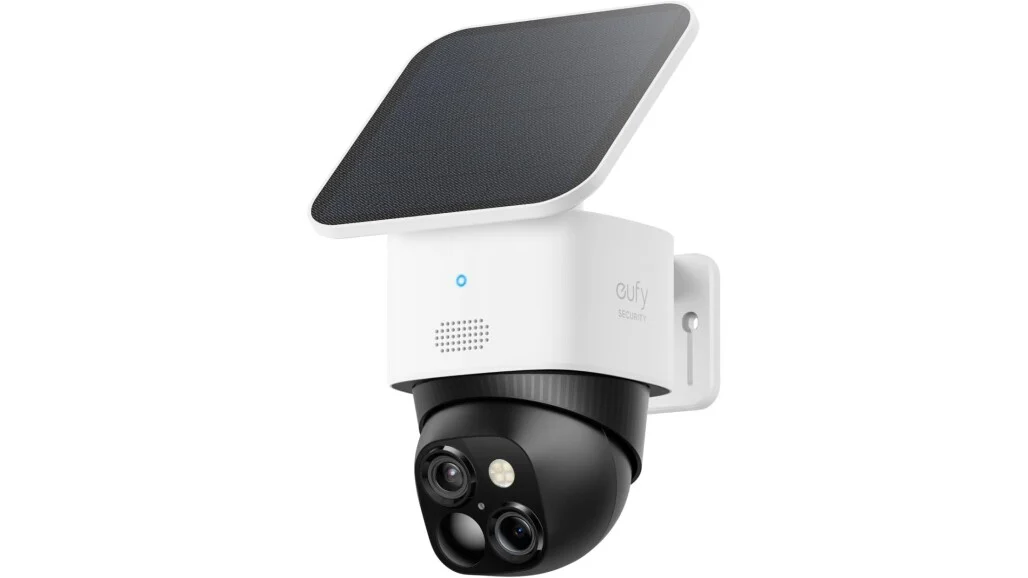
A wire-free outdoor camera with dual lenses, 3K resolution, and 8x hybrid zoom. The 360° pan and tilt cover wide yards, and the removable solar panel keeps it charged without frequent battery pulls.
- Pros: Wide coverage, solar-powered, sharp zoom detail
- Cons: Higher price point, solar output drops in low-sun climates
- Best for: Large driveways or yards needing full-perimeter coverage
2. EufyCam S3 Pro (Outdoor)
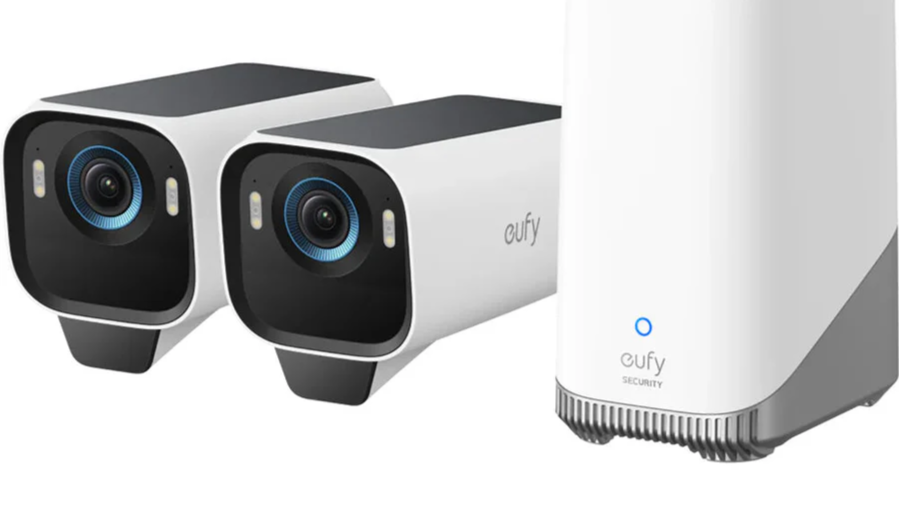
Eufy’s top outdoor model, with 4K UHD footage and full-color night recording. It runs on battery with solar backup, and facial recognition is handled through the HomeBase S380.
- Pros: Best-in-lineup video clarity, accurate face recognition, reliable night footage
- Cons: Requires HomeBase for full features, premium cost
- Best for: Buyers who want the sharpest possible footage and don’t mind the added hub
3. Floodlight Cam E340 (Wired, 2-in-1)
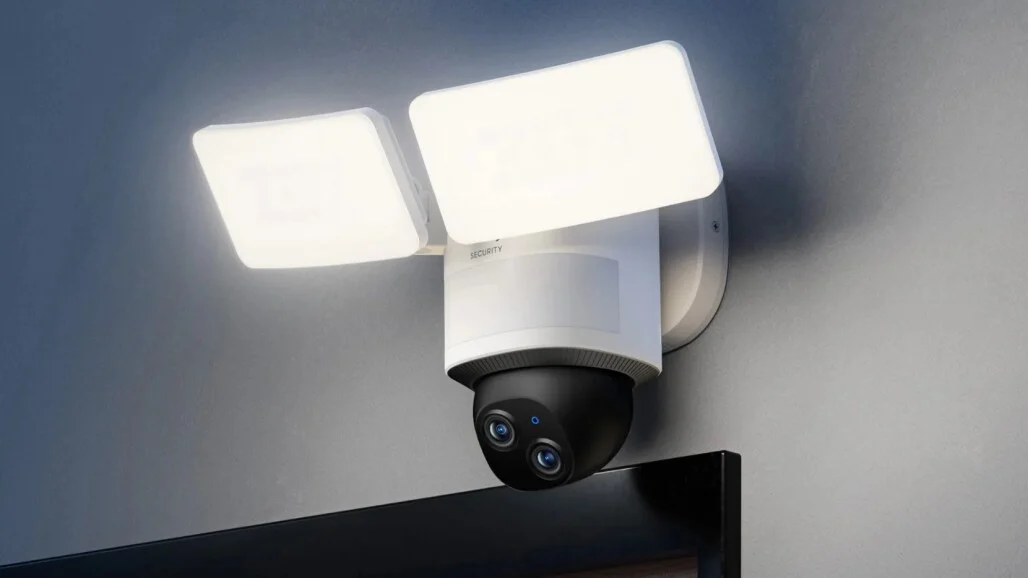
A hardwired floodlight and dual-camera combo with a 2,000-lumen light, 3K wide-angle plus 2K telephoto lenses, and 24/7 continuous recording.
- Pros: Bright deterrent lighting, always-on recording, wide-angle plus zoom in one unit
- Cons: Requires wiring/installation, not battery-powered
- Best for: Driveways, entryways, or anywhere constant recording matters more than flexibility
Eufy Camera Models Compared: Which One Fits Your Needs?
Different Eufy cameras are designed for different security needs. The right choice depends on whether the priority is indoor monitoring, outdoor protection, or easier installation.
| Model Type | Best For | Main Benefit |
|---|---|---|
| Indoor Cameras | Room monitoring | Affordable with smart detection |
| Outdoor Cameras | Driveways and gardens | Weather protection and wider coverage |
| Solar Cameras | Remote outdoor areas | Less frequent charging |
| Video Doorbells | Front door security | Visitor monitoring and alerts |
Selecting the right Eufy camera becomes easier when the model matches your security needs. Consider placement, power options, and coverage requirements before making a final choice.
What Real Owners Say About Eufy Cameras?
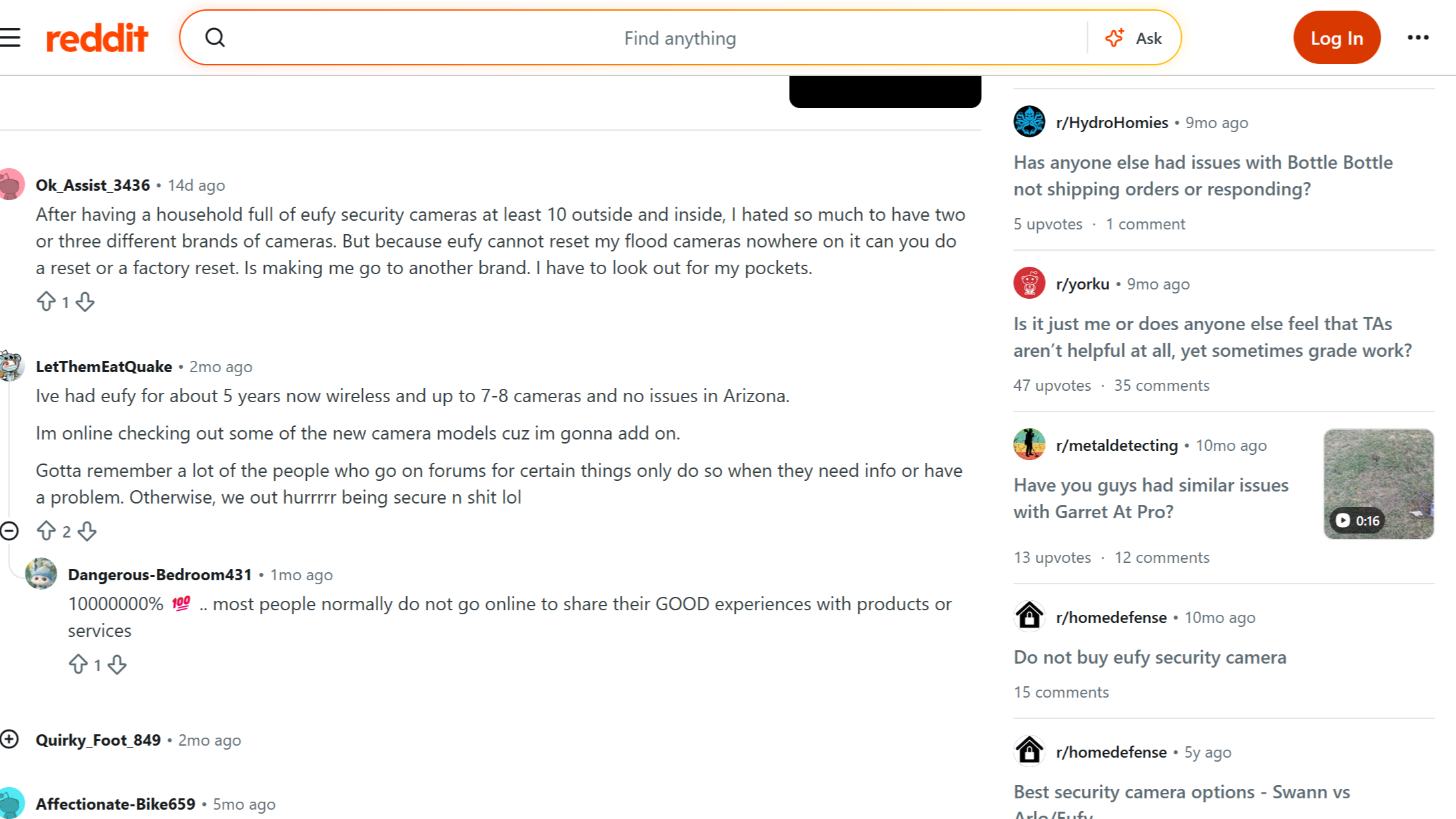
Reddit User opinions about Eufy cameras are generally mixed but often focus on value, privacy, and performance.
Many owners appreciate the lack of mandatory monthly fees and like having local storage options. Users often mention that video quality is good for the price and that installation is simple compared with some competing security systems.
Some complaints focus on occasional app issues, notification delays, and differences between camera models. A few users also prefer brands with stronger cloud ecosystems or longer-established security platforms.
Overall, discussions suggest that Eufy works well for homeowners looking for affordable security cameras with flexible storage options, but users needing advanced professional security features may prefer higher-priced alternatives.
Are Eufy Cameras Good for Home Security?
Eufy cameras are a good choice for users who want affordable security monitoring, local storage, and useful smart features without a required subscription.
The cameras provide reliable video quality, simple installation, and several options for indoor and outdoor use. Models with AI detection and higher resolutions can provide better monitoring results, especially when paired with proper placement.
However, Eufy may not be the best option for everyone. Users who need advanced professional monitoring, extensive integrations, or enterprise-level security features may find other brands more suitable.
For most homeowners looking for affordable protection, Eufy cameras offer a balanced combination of features, privacy choices, and price.
Tips to Get the Best Performance From Eufy Cameras
A few setup choices can improve camera performance and make daily monitoring more reliable.
- Place cameras at entry points and areas with important activity
- Avoid pointing cameras directly toward strong sunlight
- Keep firmware and the Eufy Security app updated
- Adjust motion sensitivity to reduce unnecessary alerts
- Use local storage or backup options based on security needs
- Check Wi-Fi strength before final installation
Proper placement and settings often have a bigger impact on performance than simply choosing the most expensive model.
Mistakes to Avoid Before Buying Eufy Cameras
Understanding common buying mistakes helps avoid disappointment after installation.
- Choosing based only on resolution: A higher megapixel count does not always mean better security. Lens quality, night performance, and placement also matter.
- Ignoring storage options: Some users buy cameras without checking how recordings are saved. Storage requirements differ between models.
- Expecting every feature on every model: Eufy offers many cameras, but AI detection, solar charging, and advanced features depend on the specific product.
- Installing cameras without checking Wi-Fi: Weak connections can affect live viewing and notifications.
Considering these points helps match the right Eufy camera with your security requirements.
Final Verdict
Finding the right security camera depends on understanding how its features fit your daily needs. I have covered important points like video quality, storage choices, app performance, and practical features that affect regular use.
You can use these details to judge if a camera offers the right balance of convenience and protection for your home. A reliable eufy camera review helps you understand what to expect before making a purchase decision.
I hope these insights make it easier to compare options and choose with confidence. Your experience also matters, so share your thoughts in the comments or check out related security camera topics for more helpful information.
Frequently Asked Questions
Are Eufy Cameras Worth Buying?
Yes, Eufy cameras are worth considering for users who want affordable security, local storage options, and useful smart features without mandatory subscription costs.
Do Eufy Cameras Require a Monthly Subscription?
No, many Eufy cameras work without a subscription because they support local storage. Cloud storage plans are available for users who want extra backup options.
Are Eufy Cameras Safe and Private?
Eufy provides local storage options and security features designed to give users more control over footage. Privacy also depends on account security and device settings.
How Long Do Eufy Camera Batteries Last?
Battery life depends on the model, recording settings, weather conditions, and activity levels. Some battery-powered models can last several months under normal use.
Are Eufy Cameras Better than Ring Cameras?
Eufy is often preferred by users who want local storage without subscription fees, while Ring offers a stronger subscription ecosystem and professional monitoring options.