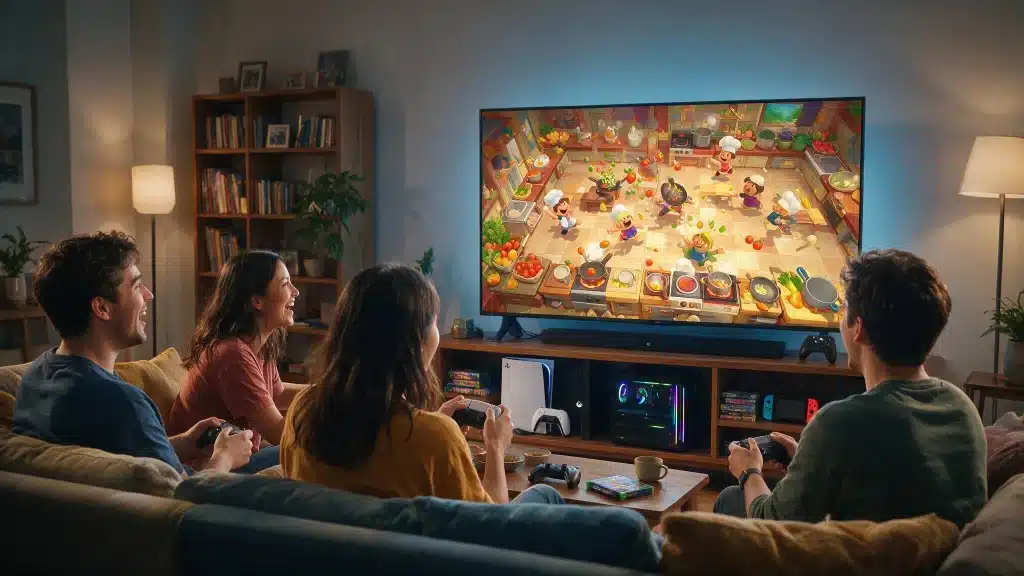
Is Overcooked 2 cross-platform? Only in one narrow way, and that catches a lot of friend groups off guard mid-setup. Steam and Epic Games Store owners can cook together on PC, but Xbox, PlayStation, and Nintendo Switch players are sealed into their own console world.
I ran into this ourselves while trying to get a four-person kitchen running across three different platforms for a game night, and it took some trial and error to find the one workaround that actually gets a PC player into an Xbox lobby.
Below is what determines whether your setup works, where Overcooked 2 crossplay stops, and which separate release solves the problem completely.
Is Overcooked 2 Cross Platform?
The honest answer is partly. Team17 added a crossplay patch that lets PC players connect through the game’s built-in Team17 friend system.
Team17 support has confirmed the crossplay group covers Steam, Epic Games Store, GOG, and PC Game Pass, so any combination of those four counts as the same lobby. That is the full extent of native crossplay in the standard release.
Xbox, PlayStation, and Nintendo Switch each run in their own closed network. A Steam player can’t invite an Xbox friend, a PlayStation player can’t join a Switch lobby, and none of the console versions can cross into the PC version outside that PC storefront group. If your whole group owns the standalone Overcooked 2, cross-platform play only works if everyone is on PC.
One nuance is worth knowing: within a single console family, generation doesn’t matter. A PS4 owner and a PS5 owner can share a lobby, and the same goes for Xbox One paired with Xbox Series X or S, as long as both are running the standard Overcooked 2 version for their platform.
That is cross-gen play, not cross-platform play, and it is the detail that trips up players troubleshooting a lobby that will not connect.
Overcooked 2 Crossplay Compatibility by Platform
Compatibility depends on the exact edition, generation, and storefront each person owns. Check every copy before buying the game or trying to create a session.
|
Platform Combination |
Crossplay Supported |
Detail |
|---|---|---|
|
Steam, Epic, GOG, and Game Pass (PC) |
Yes |
All four count as one crossplay group through Team17’s friend system |
|
PS4 and PS5 |
Yes, same family |
Cross-gen play, not cross-platform |
|
Xbox One and Xbox Series X/S |
Yes, same family |
Cross-gen play, not cross-platform |
|
PC and Xbox |
No |
Xbox Cloud Gaming offers an unofficial workaround, covered below |
|
PC and PlayStation |
No |
Different platform editions cannot share a lobby |
|
PC and Nintendo Switch |
No |
Base PC and Switch copies cannot connect |
|
Xbox and PlayStation |
No |
Console networks do not connect in the standard release |
|
Xbox and Nintendo Switch |
No |
Requires Overcooked! All You Can Eat |
|
PlayStation and Nintendo Switch |
No |
Requires Overcooked! All You Can Eat |
Local co-op sits outside this table entirely: up to four players can share one console or PC screen regardless of platform, since that is split-screen rather than networked crossplay.
Overcooked 2 vs. Overcooked! All You Can Eat: Which One Do You Need?
These are two separate purchases, and mixing them up is the most common reason a lobby refuses to connect.
Overcooked 2 launched in 2018 and later added the limited PC crossplay described above. Overcooked! All You Can Eat is a 2020 remastered collection that bundles the original Overcooked, Overcooked 2, and their expansions into one package, with updated visuals, assist options, and full cross-platform multiplayer across PC, PlayStation, Xbox, and Nintendo Switch.
If your group is split across different consoles, Overcooked 2 alone won’t get you into the same kitchen. Everyone needs to own All You Can Eat instead, and everyone needs to be playing that specific version.
A friend running standalone Overcooked 2 cannot join an All You Can Eat lobby, even on a level that exists in both games.
When we tested this with a mixed PS5, Xbox, and Switch group, the fastest fix was not troubleshooting the standalone version at all. It was simply having everyone buy All You Can Eat instead, since it was the only version that got all three platforms into one lobby without a workaround.
How to Set Up Overcooked 2 Crossplay on PC
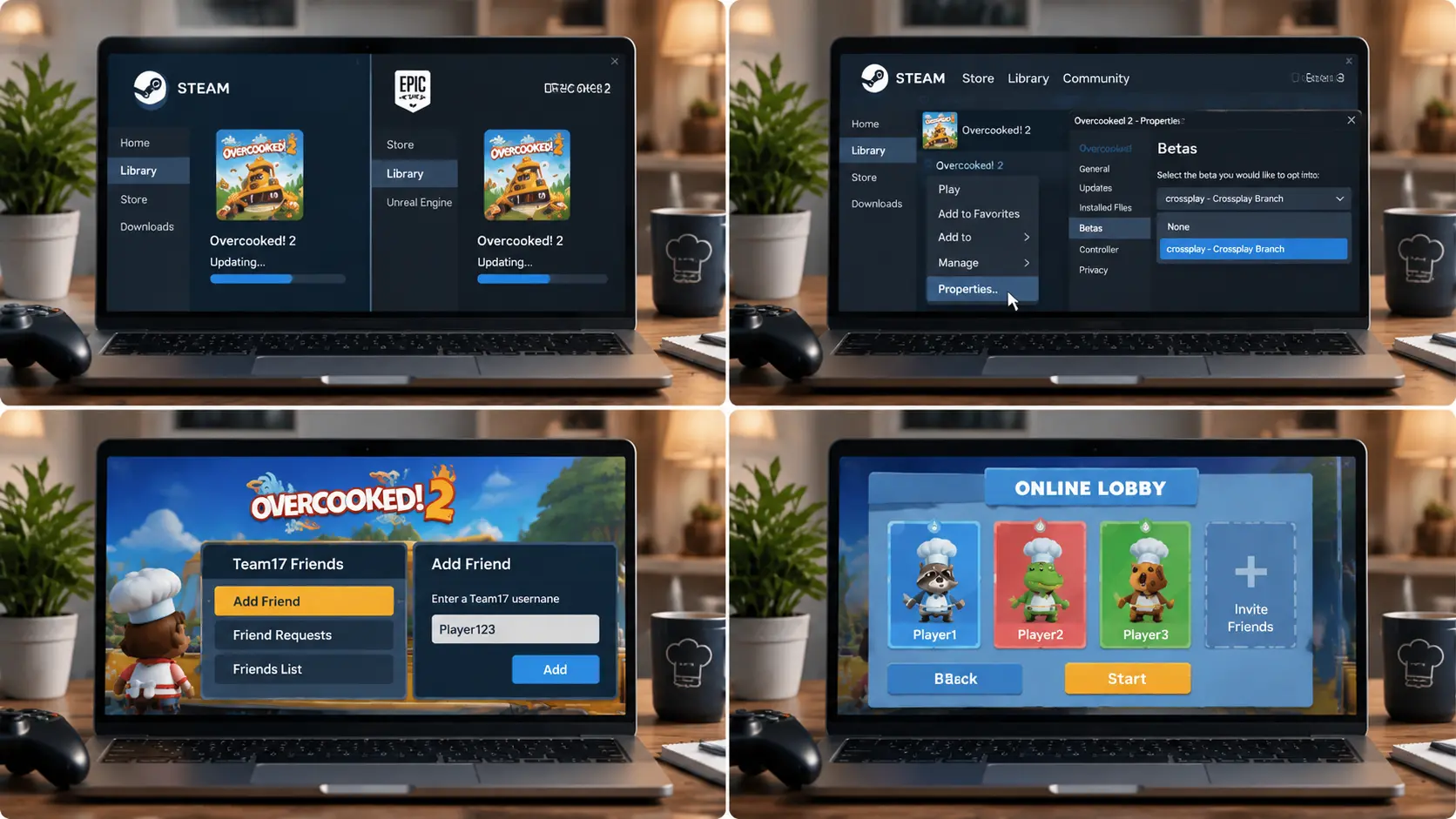
Supported PC versions use Team17’s in-game invitation system. Every player should check the game version and storefront before attempting to join.
1. Update Every Copy of Overcooked 2
Install all available updates before creating the lobby. Players using different builds may not see one another or may receive an error after accepting an invitation.
Steam and Epic Games Store should normally download updates automatically, but each player can check the download queue and restart the storefront client if an update remains pending.
2. Check the Steam Crossplay Branch
If the Team17 friend menu is missing on Steam, right-click Overcooked 2 in your library, open Properties, then Betas, and select the crossplay branch shown there.
Branch names shift after updates, so confirm the current option inside Steam rather than relying on an old name. Team17’s own branch-specific patch notesstill refer to separate default and crossplay branches, which is the naming to look for.
3. Add Friends Through Team17
Open the Team17 friend menu inside Overcooked 2 and add the other player through the game’s friend system. A Steam friend request alone may not be enough when the other player owns the Epic Games Store version.
Check the username carefully. If the request doesn’t appear, both players should reopen the overlay after confirming their games are online and fully updated.
4. Create and Join the Lobby
The host can create an online session and send an invitation through the Team17 overlay. The other player should accept the request from the in-game friend menu.
Wait until everyone appears in the lobby before starting a level. If an invitation fails, switch the host, restart both copies, and confirm that each PC is using a compatible build.
Getting PC and Xbox Into the Same Lobby: The Cloud Gaming Workaround
Since Overcooked 2 does not natively bridge PC and Xbox, the only real path is Xbox Cloud Gaming. Streaming the Xbox version through the cloud service means your PC session is technically running the Xbox build itself, so it can receive Xbox network invitations the same way a second Xbox console would.
Here is the version we got working after a couple of false starts:
- Sign in to Xbox Cloud Gaming on the PC with a Microsoft account that has cloud gaming access and owns Overcooked 2. First, add the Xbox player as a friend in Xbox.
- Launch Overcooked 2 from the cloud catalog and choose Stream, not any installed Steam, Epic, or Windows copy.
- Once the streamed game reaches its main menu, have the Xbox player send the session invite and accept it.
- If accepting the invite just relaunches the cloud game instead of dropping you into the lobby, wait for the main menu again and ask for a second invite. It is what slowed us down the first time we tried it, and it lines up with the kind of invite failures players report often enough in Team17’s own Steam Community discussions that it is clearly not just us.
Treat this as a workaround rather than a permanent fix, since Team17 hasn’t built native PC-to-Xbox crossplay into the standard game. Xbox Cloud Gaming’s own listing for Overcooked! 2 confirms cloud play requires an active Game Pass Essential, Premium, or Ultimate subscription on top of owning the game itself, so check that before assuming your account qualifies. A standard Steam, Epic, GOG, or Game Pass copy installed locally still cannot join an Xbox lobby any other way.
Overcooked 2 Crossplay on Nintendo Switch 2
Nintendo Switch 2 received its own Overcooked 2 release in late 2025, arriving years after the game’s original 2018 launch.
It connects to the original Switch version the same way PS4 pairs with PS5 and Xbox One pairs with Series X or S, as a same-family, cross-gen link rather than a bridge to PC, PlayStation, or Xbox.
If your group has both Switch models, that part already works on its own, with no branch selection or extra setup like the PC side requires.
If the group also includes a PC or PlayStation player, All You Can Eat is still the only fix, since the standalone game was never built to connect Nintendo’s hardware to anything outside its own family. Update both Switch copies fully before assuming a stuck lobby means something else is wrong.
How to Play Between PC and Xbox Through Cloud Gaming
Xbox Cloud Gaming lets a PC user stream the Xbox version and play with console friends. It does not make an installed PC copy compatible with Xbox.
- Open Xbox Cloud Gaming on the PC: Sign in with a Microsoft account that has the required cloud gaming access and Overcooked 2 entitlement. Add the console player to the Xbox friends list. Open the service through the supported Xbox app or browser, depending on current Microsoft requirements.
- Start the Cloud Version: Find Overcooked 2 in the cloud catalog and choose the streaming option. Do not launch a Steam, Epic Games Store, or Windows installation. If Stream and Play Here appear, select Stream to run the Xbox build remotely.
- Accept the Xbox Invitation: Ask the Xbox player to create an online session and send an invitation through the Xbox network. Once the streamed game reaches its main menu, accept the invitation. Both participants should then be connected through the Xbox version and network.
- Request Another Invitation if Needed: If the first invitation only launches or restarts the cloud game, wait for the main menu to load, then request another invite. Results may vary based on account settings, service availability, subscription eligibility, internet quality, and the current cloud catalog.
What Reddit Players Say About PC and Xbox Crossplay
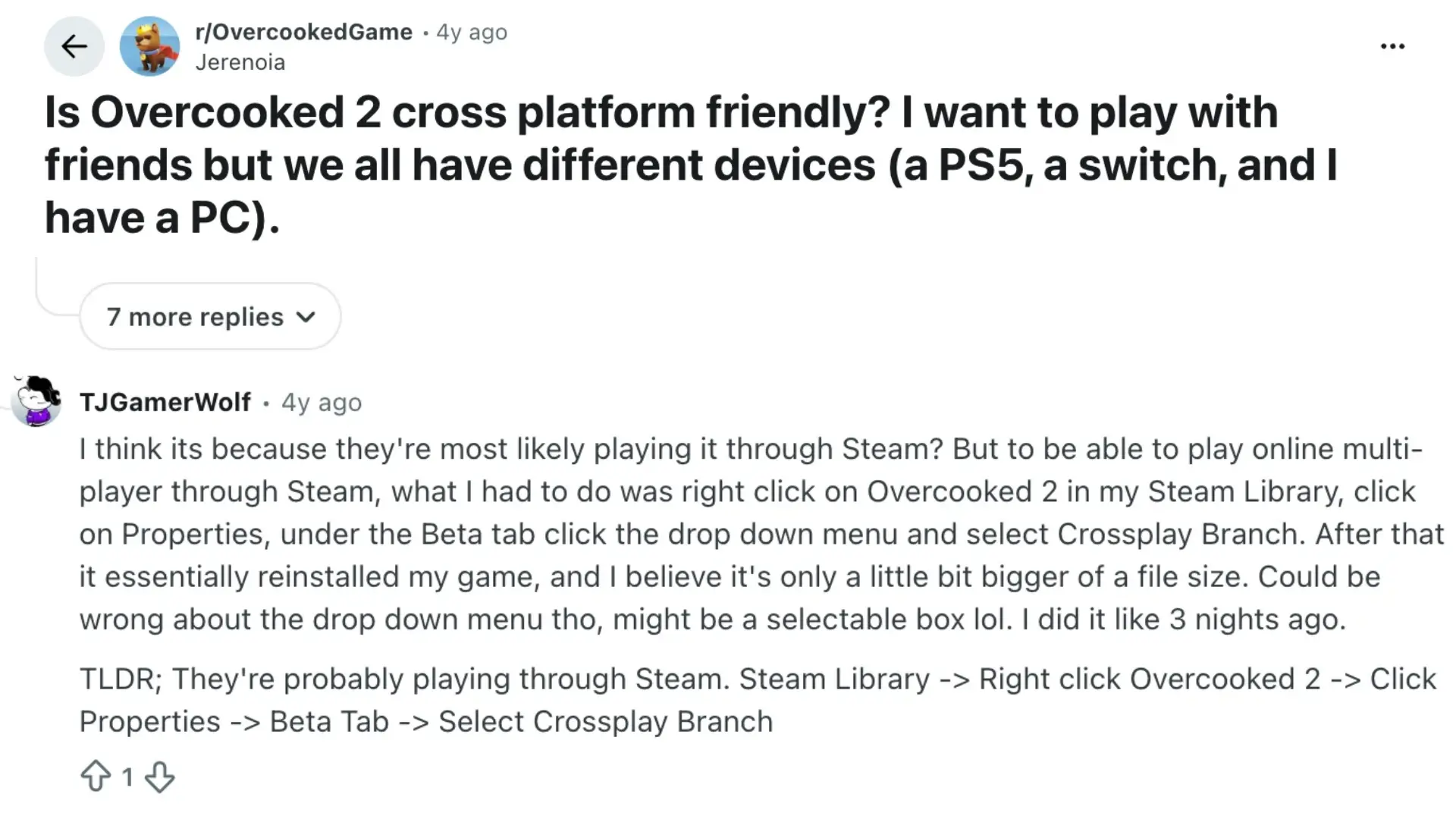
This Reddit thread centers on a group split across PS5, Switch, and PC asking whether Overcooked 2 can bridge all three. Commenters clarify that only Overcooked
All You Can Eat has genuine crossplay, while standalone Overcooked 2 only lets same-family devices connect: PS4 with PS5, Xbox One with Series X, but never Switch with PlayStation or Xbox.
Several replies address a common mix-up between “cross-platform” and “crossplay,” and one commenter shares Steam-specific steps for enabling the crossplay branch to link with Epic Games users.
A few non-English commenters ask whether Game Pass or Switch owners can join PC lobbies, and later replies note that Steam-Epic crossplay doesn’t extend to console.
The overall thread reinforces that mixed-platform groups need All You Can Eat rather than the base game.
Common Overcooked 2 Crossplay Issues and How to Fix Them
Most connection problems come from mismatched editions, incompatible builds, account settings, or invitations sent through the wrong system. Check each requirement in order.
- Confirm the exact edition: standalone Overcooked 2 and All You Can Eat cannot share a lobby.
- Confirm the platform pairing is actually supported before troubleshooting further.
- Update every copy fully on every device before trying to connect.
- Check the Steam branch if the Team17 overlay is missing.
- Send invites through Team17 for PC-to-PC crossplay specifically.
- Use Xbox network invites only when running the Cloud Gaming workaround above, not the Team17 overlay.
- Restart fully after switching Steam branches rather than reloading in place.
- Confirm required subscriptions and online access are active on every account.
- Rule out a platform outage before assuming the problem is local.
- Swap hosts if one player’s invite keeps failing.
- Use a wired connection where possible, especially for cloud streaming.
If the combination is unsupported, no amount of troubleshooting will add crossplay that isn’t there. Check the table above first.
Final Thoughts
Is Overcooked 2 cross platform? Only within limits. Steam, Epic, GOG, and PC Game Pass share one lobby through Team17’s friend system, and same-family consoles like PS4 with PS5 or Xbox One with Series X or S connect too, but that’s where it stops for the standalone game.
Nothing in the base release bridges PC to console, or one console family to another. Xbox Cloud Gaming can get a PC player into an Xbox session, though it’s a patchwork fix at best.
Overcooked 2 crossplay simply wasn’t built for mixed groups the way Overcooked! All You Can Eat was, so check your group’s platforms against the table above before buying, and drop a comment if your setup still isn’t connecting.
Frequently Asked Questions
Can Local Co-Op Players on One Console Join a Friend’s Online Overcooked 2 Lobby Together?
Overcooked 2 allows this on most platforms, with one local player hosting or joining the session while a second local player shares the same screen. Seat availability and split-screen settings vary slightly by platform, so check the lobby menu before assuming both spots are free.
Does Overcooked 2 Support Cross-Save or Cross-Progression Between Platforms?
No. Campaign progress, unlocks, and save data stay tied to whichever platform you earned them on. Moving from PC to console, or between different console families, means starting over rather than carrying progress across.
Can You Turn Off Crossplay Matchmaking in Overcooked! All You Can Eat?
Yes. All You Can Eat includes a crossplay toggle in its online settings, so players who only want to be matched within their own platform can switch it off without losing the game’s other online features.
Does Xbox Game Pass Count as a Valid Crossplay Version on Pc?
Yes, on PC specifically. Team17 support has confirmed that the PC Game Pass release is part of the same crossplay group as Steam, Epic, and GOG, so those four can all share a lobby through the Team17 friend system. That confirmation is specific to PC Game Pass, though; it does not extend to Xbox console lobbies.
Is the Nintendo Switch 2 Version of Overcooked 2 Crossplay Compatible with The Original Switch Release?
Yes, in the same way current console generations pair up elsewhere. Switch 2 owners can play with original Switch owners, but that connection does not extend to PC, PlayStation, or Xbox.