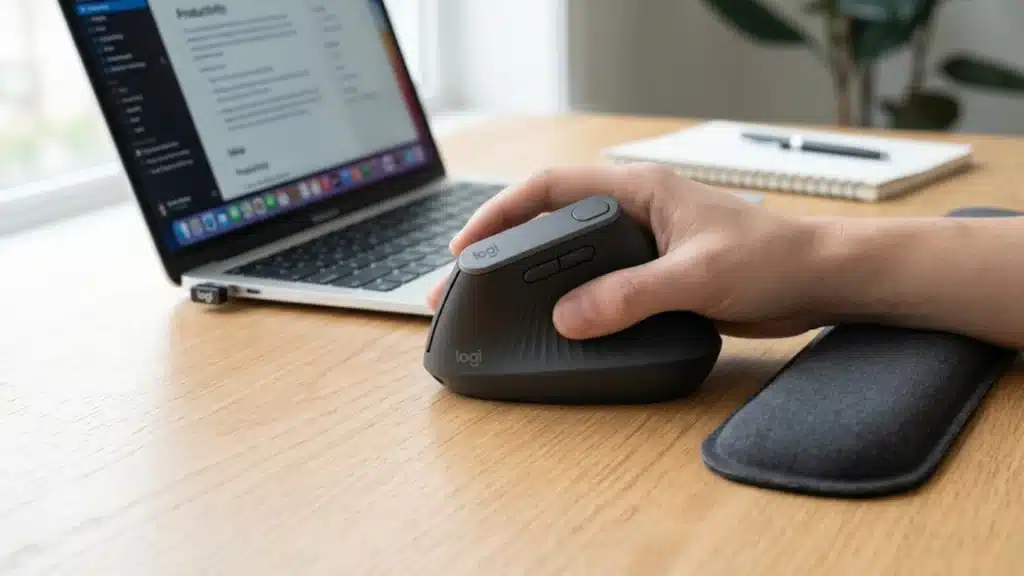
Your mouse may be the reason your workday ends with numb fingers, burning wrists, and a stiff forearm.
The best mouse for carpal tunnel is usually a vertical ergonomic mouse because it keeps your hand in a natural handshake position rather than forcing a flat-palm grip.
A 57-degree angle can reduce forearm twisting, ease pressure around the median nerve, and make long desk sessions feel less punishing.
For mild to moderate discomfort, the Logitech MX Vertical is a strong choice because its design is widely trusted for wrist relief.
For severe symptoms or users who want almost no wrist movement, a trackball mouse like the Logitech MX Ergo S may be the better fit.
Note: This article is for general informational purposes only and is not medical advice. If you have persistent numbness, nighttime tingling, or weakening grip strength, talk to a doctor or occupational therapist before relying on a new mouse alone to fix the problem.
What Makes a Mouse Good for Carpal Tunnel?
That wrist pain is not random; it often starts with the way a regular mouse holds your hand. A standard mouse puts your forearm in full pronation, with your palm facing the desk.
This posture can tighten the muscles and tendons passing through the wrist and increase pressure within the carpal tunnel, where the median nerve runs.
A BMJ Occupational and Environmental study found that forearm support, combined with ergonomic training, reduced upper-body pain and helped prevent musculoskeletal disorders among computer workers.
In a peer-reviewed ergonomics study, Paulo R. V. Quemelo and Edgar Ramos Vieira used electromyography (EMG) sensors.
They found that a vertical mouse reduced forearm twist by about 1/3 compared with a standard mouse and also reduced forearm muscle activity.
A mouse for carpal tunnel relief works by moving the wrist closer to neutral, reducing repetitive side-to-side motion, or removing wrist movement through a trackball design.
- Flat mice increase wrist strain.
- Vertical mice reduce forearm twisting.
- Trackballs limit wrist motion.
The best choice depends on the symptom location and severity, as well as daily work style.
Best Mouse Types for Carpal Tunnel: Comparison at a Glance
Before picking a specific model, it helps to understand which mouse category fits your situation. Each design solves the pronation problem differently, and the tradeoffs are real.
A wearables-in-workplace-wellness mindset applies here, too: the right tool for your body matters more than the most popular one.
| Mouse type | Wrist angle | Wrist movement | Learning curve | Best for | Price range |
|---|---|---|---|---|---|
| Vertical mouse | 57-90 degrees | Moderate | 1-2 weeks | Mild to moderate CTS | $70-$130 |
| Trackball (thumb ball) | 0-20 degrees adjustable | Near zero | 2-3 weeks | Severe CTS, limited desk space | $100-$140 |
| Trackball (finger ball) | Flat | Near zero | 3-4 weeks | Users avoiding thumb strain | $100-$140 |
| Ergonomic sculpted | Slight tilt | Moderate | A few days | Early-stage symptoms, budget buys | $25-$60 |
| Roller/centreline mouse | Neutral | Very low | 1-2 weeks | Shoulder and forearm pain | $100-$200 |
Best Vertical Mouse for Carpal Tunnel
Vertical mice are often the first choice for carpal tunnel relief because they change the way the hand rests during computer use.
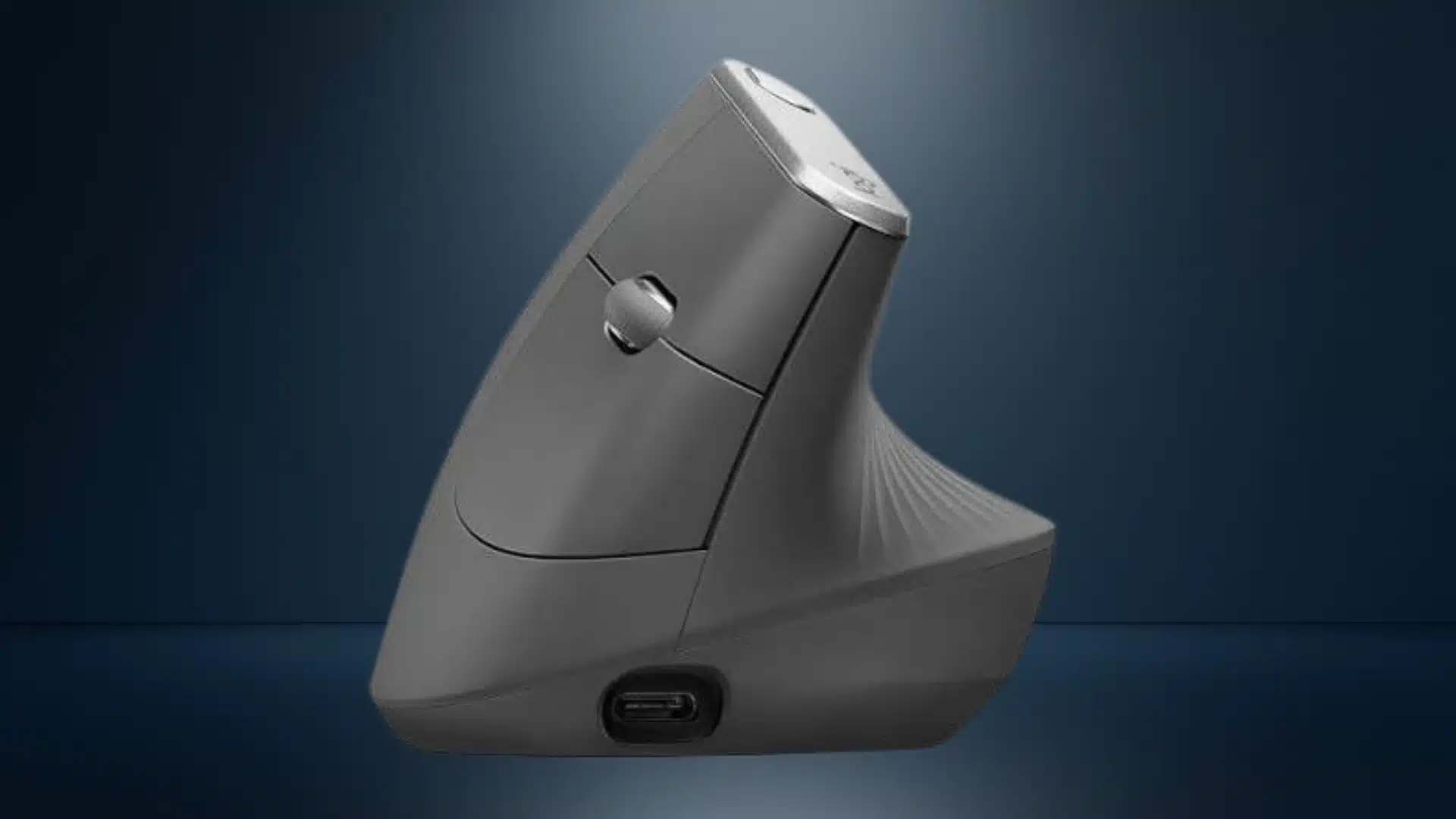
1. Logitech MX Vertical
Price: $99.99
The Logitech MX Vertical is one of the most trusted choices for carpal tunnel relief, especially for mild to moderate symptoms.
Its 57-degree handshake angle keeps the wrist more natural without making pointer control feel awkward.
Logitech developed this angle with ergonomic researchers to balance comfort and accuracy, since a full 90-degree vertical design can feel harder to control.
- Best for medium to large right hands
- Works well for users with mild to moderate wrist pain
- Supports USB receiver and Bluetooth pairing
- Strong battery life for daily office use
- Precision mode button lowers DPI for detailed work
For users wanting a proven vertical mouse that still feels practical, the MX Vertical is a safe first pick.
2. Logitech Lift
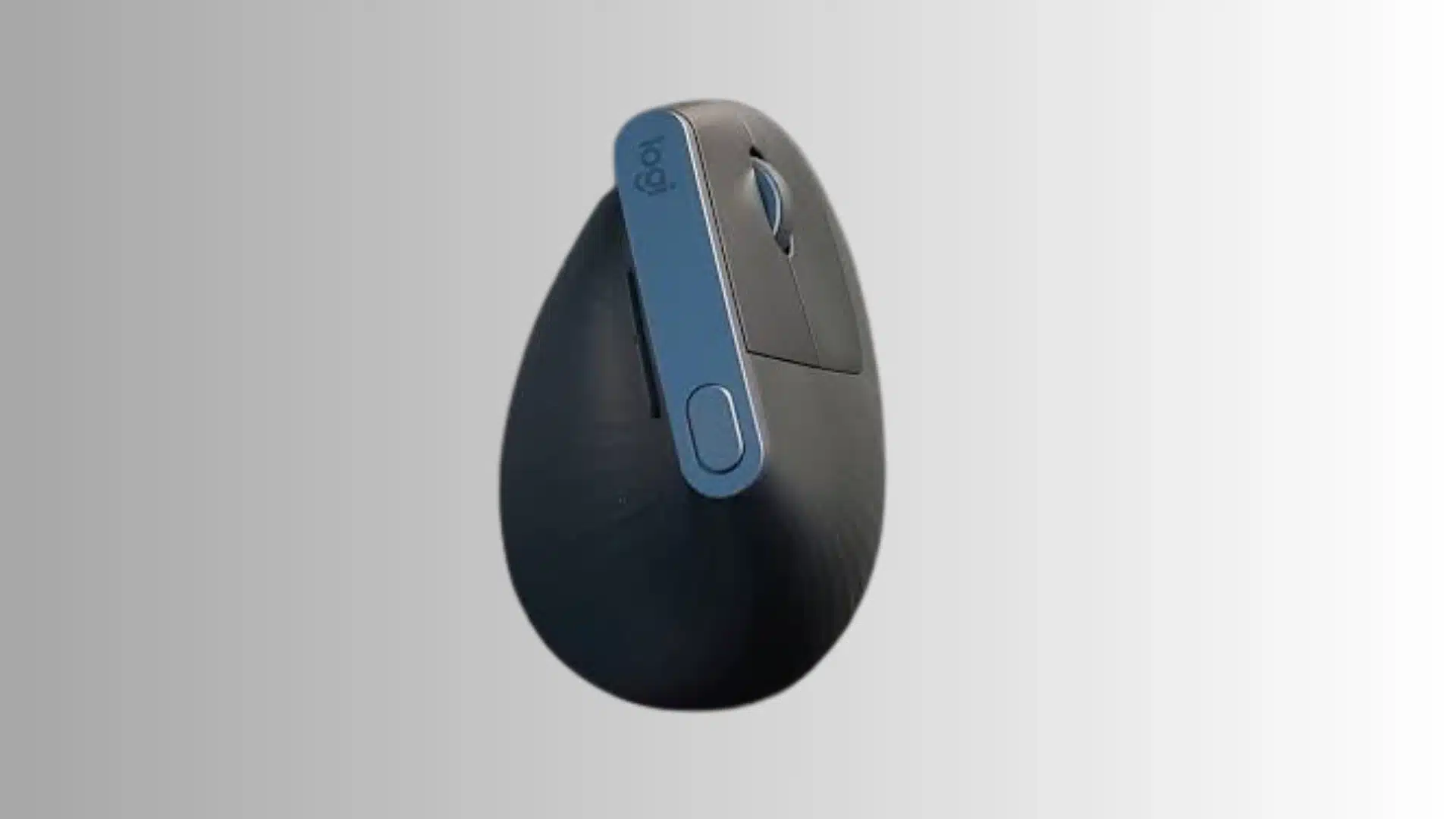
Price: $79.99
The Logitech Lift offers the same 57-degree handshake angle as the MX Vertical, but in a smaller, easier-to-control body.
It is a better match for users with smaller hands who feel the MX Vertical is too large or awkward.
The Lift also has a left-handed version, which makes it a rare option in the vertical mouse category. It is lighter, compact, and works well on smaller desks.
While its top DPI is lower than the MX Vertical’s, most office users will not notice the difference.
- Best for Smaller Hands
- Available for Left-Handed Users
- Compact and Lightweight
- Good for Office Work
- Easier fit than forcing a large mouse grip
Best Trackball Mouse for Carpal Tunnel
Trackball mice stay fixed while the thumb or fingers move a ball to control the cursor, greatly reducing wrist motion.
They can help reduce forearm and shoulder strain when vertical mice still cause discomfort. Adjustment takes about two to three weeks, but they work well in tight or small desk spaces.
3. Logitech MX Ergo S
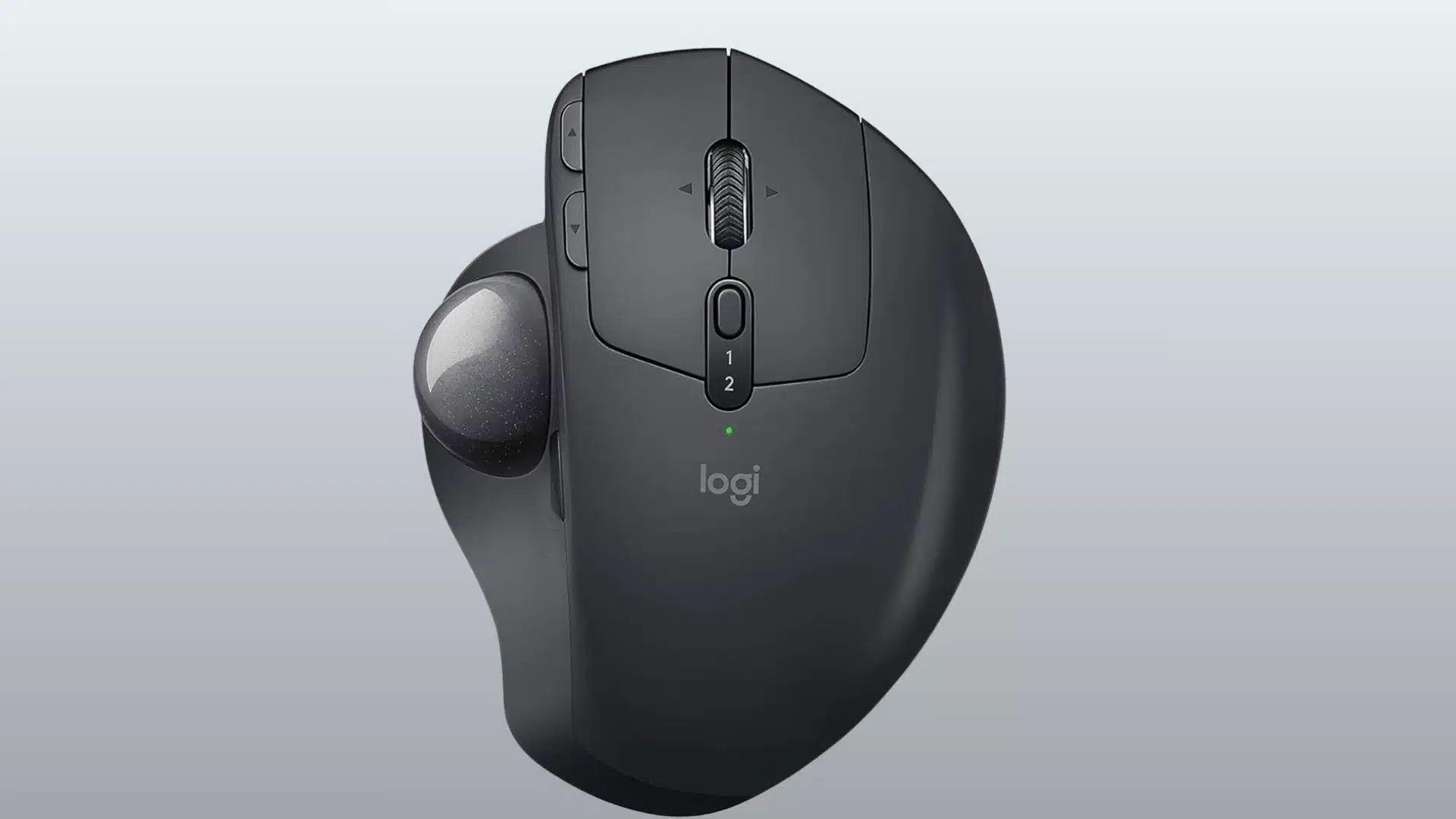
Price: $119.99
The Logitech MX Ergo S is a thumb-operated trackball with an adjustable hinge that tilts from flat up to a 20-degree angle, so you can dial in the wrist position that feels most neutral.
Because the body stays still and only your thumb moves, it removes almost all of the side-to-side wrist motion that a standard mouse requires.
It pairs over Bluetooth or a Logi Bolt USB receiver, supports Logitech Flow for switching between multiple computers, and charges over USB-C.
The precision mode button is useful for detail work like photo editing or spreadsheet navigation.
- Best for severe wrist pain or nighttime symptoms
- Adjustable 0-20 degree tilt
- Minimal wrist movement required
- Works across multiple paired devices
- Steeper learning curve than a vertical mouse
4. Kensington SlimBlade Pro
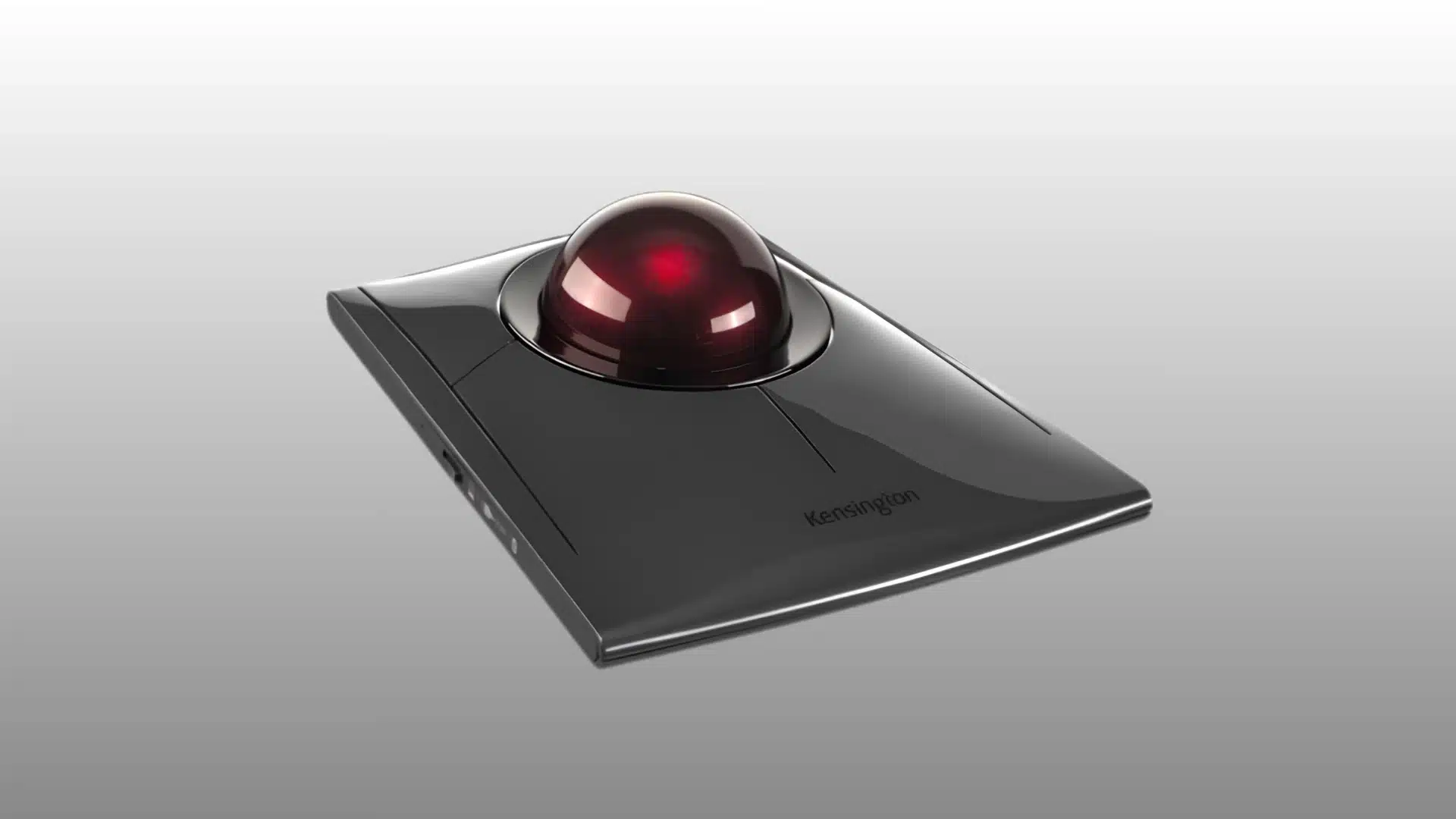
Price: $119.99
The Kensington SlimBlade Pro spreads cursor control across your fingertips and palm instead of relying on your thumb.
Its large finger-operated trackball helps reduce thumb fatigue during long work sessions, making it a strong option for users with thumb joint pain or those who find thumb trackballs uncomfortable.
The learning curve is longer, and it is less suitable for gaming or fast cursor movement.
However, it performs very well for spreadsheets, documents, and multi-monitor work. It also fits well into ergonomic workstations and office wellness programs.
- Best for thumb joint pain.
- Fingers and palm-operated trackball.
- Reduces thumb fatigue.
- Great for office and multi-monitor work.
- Steeper learning curve.
- Not ideal for gaming or fast cursor movement.
Best Ergonomic Sculpted Mouse for Carpal Tunnel
This section focuses on a sculpted vertical design that keeps the wrist in a more natural position during long computer sessions.
5. Anker Wireless Vertical Ergonomic Mouse
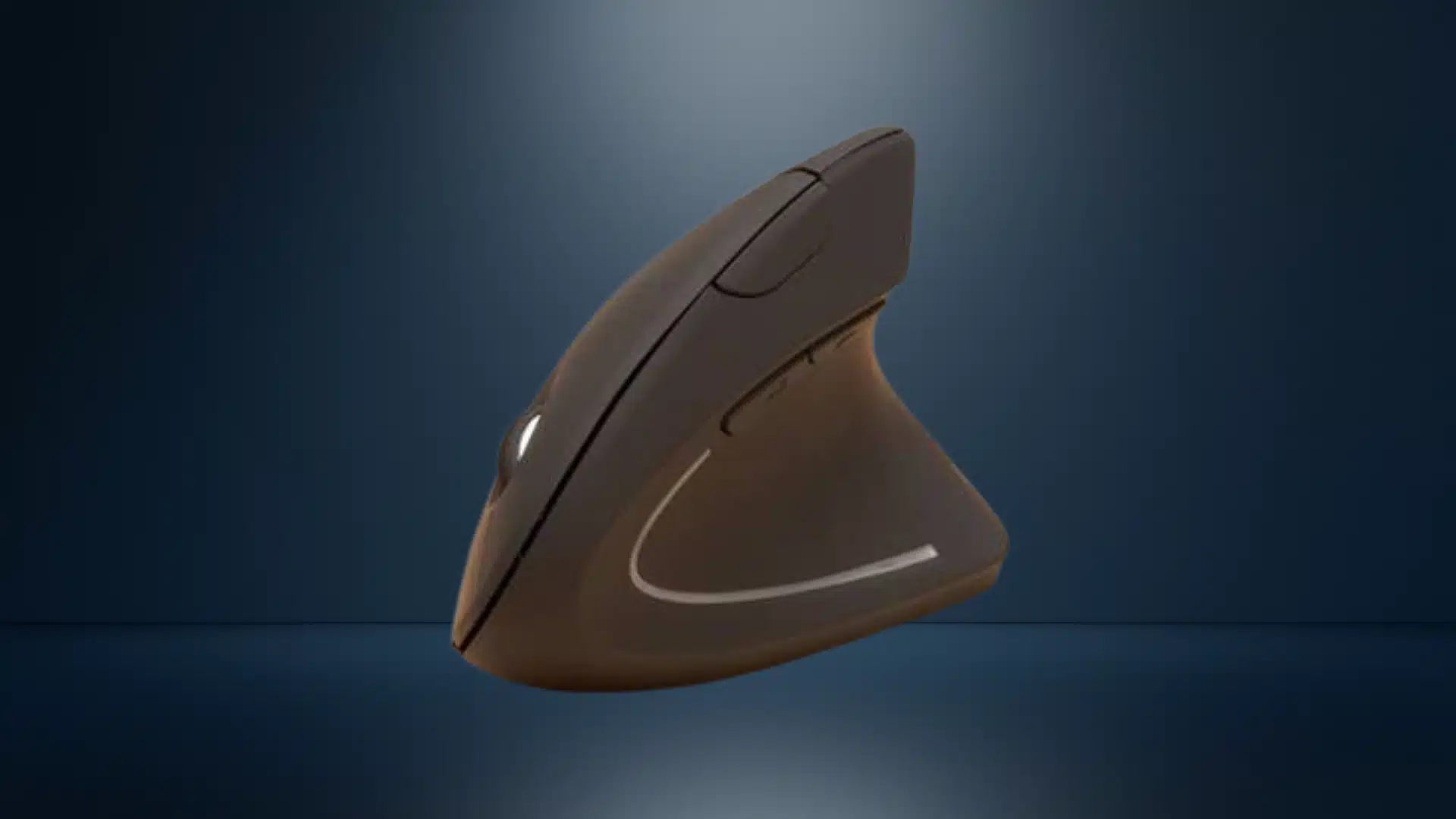
Price: $29.99
The Anker Wireless Vertical Ergonomic Mouse offers wrist relief at a much lower price than premium ergonomic mice.
Its vertical handshake shape helps reduce strain on the flat palm, while the stable wireless connection, USB charging, and side DPI button make it practical for everyday office use.
The build quality is decent for the price, but the sensor and long-session grip comfort are not as refined as the Logitech MX Vertical.
It is best for early-stage symptoms or users testing vertical mice before upgrading.
- Best budget vertical mouse.
- Handshake-style ergonomic grip.
- Stable wireless connection.
- USB rechargeable design.
- Side DPI adjustment button.
- Best for right-handed users.
What About Roller and Centered Mice?
If your discomfort has moved past your wrist into your forearm or shoulder, a centered roller mouse is worth a look.
These sit on a bar in front of your keyboard, and you control the cursor by rolling the bar with your fingers instead of reaching to the side.
Because the device never moves, there is no lateral arm sweep at all, which is the main reason this category shows up for shoulder and forearm pain rather than wrist pain alone.
How to Choose the Right Mouse for Your Carpal Tunnel Severity
Matching the mouse to your symptoms helps you avoid buying a device that does not solve the real problem. Carpal tunnel severity matters more than brand preference.
- For Mild Symptoms, such as occasional aching or end-of-day fatigue, a vertical mouse like the Logitech MX Vertical or Logitech Lift is a sensible first choice. Its angled grip reduces wrist pronation without feeling too unfamiliar.
- For Moderate Symptoms, such as regular tingling or finger numbness at work, a vertical mouse can still help, but your full desk setup matters too. Mouse position, elbow angle, wrist support, and keyboard height all affect strain.
- For Severe Symptoms, such as pain at rest, nighttime tingling, or weak grip, a trackball like the MX Ergo S or SlimBlade Pro may work better because it limits wrist movement. Also speak with a clinician.
Budget users can start with the Anker Wireless Vertical Mouse, while left-handed users may prefer the Logitech Lift.
Setup Tips to Get the Most from Your Ergonomic Mouse
Switching to an ergonomic mouse can reduce strain, but the rest of your workstation still matters.
A 2025 cross-sectional study in the International Journal of Occupational Medicine and Environmental Health found that 72.3% of regular computer users showed signs of carpal tunnel syndrome, which underscores how much workstation habits matter alongside the mouse itself.
- Raise your DPI: higher cursor sensitivity reduces the distance your hand must travel, lowering repetitive movement.
- Take short breaks every 30-45 minutes to relax your hands and forearms.
- Keep the mouse close to your body so your shoulder stays relaxed.
- Avoid resting your wrist while moving the cursor, as it increases pressure on the carpal tunnel.
- Expect an adjustment period of one to two weeks when using a vertical or trackball mouse.
Temporary drops in accuracy are normal and improve with consistent practice over time. Small setup changes often deliver lasting benefits.
Conclusion
Choosing the best mouse for carpal tunnel starts with understanding where your pain shows up during daily work.
You may do well with a vertical mouse if forearm twisting and wrist angle are the main problems. I would look at a trackball if moving the whole wrist keeps causing numbness, tingling, or hand fatigue.
A budget vertical mouse can also be a smart first step before spending more on a premium ergonomic model.
You should not stop at the mouse, because desk height, keyboard reach, breaks, and posture still affect wrist pressure.
Which ergonomic mouse helped your wrist pain, or which one are you thinking about trying first? Tell us, share with us in the comments below.
Frequently Asked Questions
Can a Mouse Really Help with Carpal Tunnel Syndrome or Do I Need Surgery?
An ergonomic mouse can reduce wrist strain and improve hand position, which may ease mild to moderate carpal tunnel symptoms.
Surgery is usually considered only when symptoms are severe, worsening, or not improving with conservative care.
How Long Does it Take To Adjust To a Vertical Mouse?
Most users adjust to a vertical mouse within one to two weeks. It may feel awkward at first, but accuracy usually improves as your hand builds new muscle memory.
Is A Wireless Or Wired Mouse Better For Carpal Tunnel?
A wireless mouse is often better because it avoids cable drag and gives smoother movement. This can reduce the need for small wrist corrections during daily use.
Should I Use A Wrist Rest With My Ergonomic Mouse?
Use a wrist rest only during pauses. Avoid resting your wrist on it while moving the mouse, as this can increase pressure on the carpal tunnel.