

Most Samsung users never realize their phone hides a menu meant for technicians. One of the codes that triggers it is *#9900 on Samsung.
Some users even confuse it with a master code to unlock a phone, but that is not what this code does. This hidden code mainly opens a system menu used to manage logs and debug information.
Still, curiosity around this code keeps growing because many believe it can speed up phones or fix problems instantly.
So what is this code really for, and should you even be using it? Let’s break it down in simple terms.
What is the *#9900# Code on Samsung?
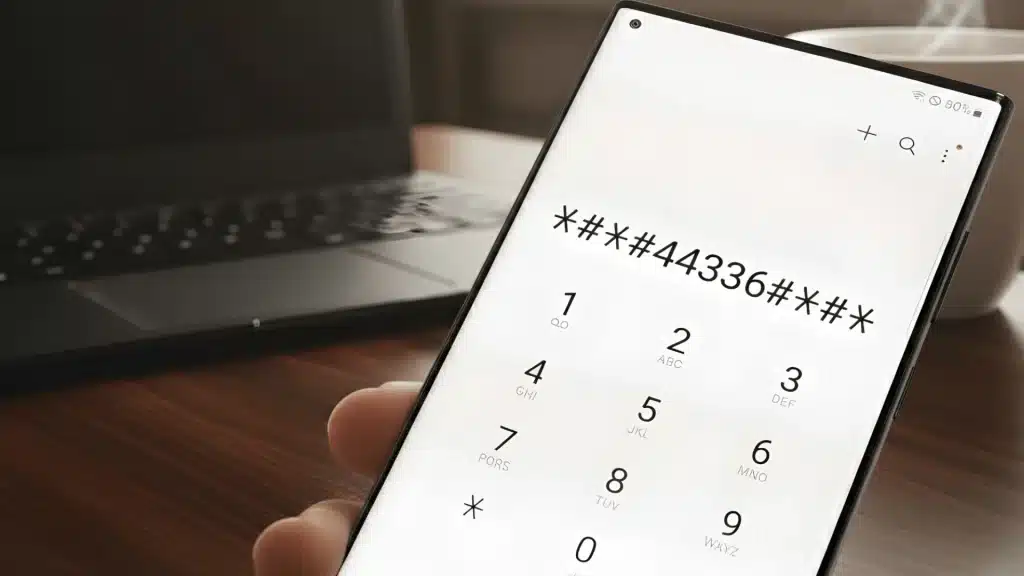
It is a hidden dialer code that opens the SysDump menu inside the phone. This menu is not designed for regular users. It exists mainly for diagnostics and system-level troubleshooting.
When the code is entered in the dial pad, Samsung devices show a list of options related to system logs and debugging data.
Technicians and service engineers often use this menu to check log files, collect system information, and remove temporary dump data created during phone operations.
These logs help identify performance issues or system errors.
Because the menu concerns internal logs and technical settings, it is typically intended for repair centers and advanced troubleshooting rather than everyday use.
How to Use *#9900 on Samsung?
Using this code is simple and only takes a few seconds. Just follow these steps to access the hidden SysDump menu.
- Open Dialer: Open the Phone app and switch to the keypad where you normally type numbers to make calls.
- Enter *#9900: Type *#9900 in the dial pad. Most Samsung phones automatically open the hidden menu.
- SysDump Menu: The SysDump diagnostic menu displays options for system logs and troubleshooting.
- Supported Models: Works on many Galaxy S and Note devices, and on some Galaxy A series devices, depending on the software version.
- Possible Restrictions: Some carriers or Samsung firmware versions disable the code, so it may not work on every device.
What Options Do You See in the *#9900# Menu?

When you open *#9900 on Samsung, the SysDump menu shows several technical options. Each one handles diagnostic data used for troubleshooting behavior.
1. Delete Dumpstate Logcat
This option clears stored system logs that your Samsung phone records during normal operation.
These logs contain background information about apps, processes, and minor system events. Over time, they can accumulate in the device’s storage.
When you select this option, the phone simply deletes those old log files. It does not remove personal data or change system settings. Its main purpose is to clear diagnostic records.
2. Run Dumpstate Logcat
This option creates a fresh log report that captures what your phone is doing at that moment. It records system activity, including running processes, background services, and potential errors.
Technicians use this data when diagnosing performance problems or unexpected behavior.
For regular users, running this option usually has no visible effect. It simply collects technical information in the background for analysis.
3. Copy Kernel Log to SD Card
This option exports kernel-level logs to the device storage or SD card. Kernel logs contain deeper system data related to how the phone’s core software interacts with hardware components.
Service engineers often copy these logs when investigating serious issues such as crashes or communication problems with hardware.
Once copied, the files can be shared with developers or repair technicians for further troubleshooting.
4. Run Dumpstate Logcat Modem
This option records logs related to the phone’s modem and network communication. It captures details about cellular signals, network handshakes, and connectivity behavior.
Engineers often use these logs to diagnose call drops, signal instability, or mobile data issues. For everyday users, running this option will not change network performance.
It simply stores technical data that helps identify possible communication-related issues.
Does *#9900 Really Speed Up Your Samsung Phone?
Many online tips claim that using *#9900 on a Samsung can instantly make a slow phone faster.
Some people also confuse it with a touch screen update code, assuming it improves responsiveness or overall performance.
This idea mostly comes from the option that deletes dumpstate or logcat files.
However, this does not directly improve phone speed or performance. System logs are not the main reason devices become slow over time.
Performance usually depends on storage usage, running apps, software updates, and battery health.
The *#9900 code simply clears diagnostic logs, which is helpful for troubleshooting but not a real speed boost solution.
Is *#9900 Safe to Use?
Using *#9900 on a Samsung is generally safe if you only access the menu and avoid changing unfamiliar options.
The menu mainly contains tools for managing system logs, which do not affect personal data or everyday phone settings.
It is safe to view the menu or delete old log files. However, it should be avoided if you do not understand the other technical options in the SysDump menu.
Some settings are meant for technicians and developers during troubleshooting.
Changing them without proper knowledge may create unnecessary system logs or confusion while diagnosing real device issues.
Other Useful Samsung Secret Codes
Samsung phones have hidden dialer codes for diagnostics and hardware tests. Comparing them helps you understand what *#9900 actually does.
| Code | Function | Status |
|---|---|---|
| *#0#* | Hardware test menu (screen, sensors, camera) | Safe |
| *#1234# | Firmware & software version info | Safe |
| *#0228# | Battery diagnostics (status, calibration) | Safe |
| *##4636##* | Phone info, battery, usage statistics | Safe |
| 2767*3855# | Full factory reset (hard reset) | Caution |
| *##7780##* | Factory reset (full wipe) | Caution |
Conclusion
The *#9900 code on Samsung devices is a built-in diagnostic feature for system logging and troubleshooting.
It is not a hack, unlock trick, or secret tool that changes how your phone works. Opening the SysDump menu is generally safe, and most options simply deal with system log files created during normal phone activity.
However, some advanced settings inside the menu are meant for technicians, so random changes should be avoided.
In reality, most everyday users will never need *#9900 on Samsung unless support teams ask them to access it.
Have you tried this code on your device? Drop your thoughts or questions in the comments below.






One Response
Battery down Nahin Hona chahie